Coming to the Microsoft Store
Tidy Screen Test Find the bad pixels.
Fill your monitor with one clean colour, click anything that looks wrong, and keep a list. Offline, no account.
Not on sale yet. The app is still being built.
We will link the Store listing here the day it is live. Until then there is nothing to download.
- Works offline
- No account, no ads, no tracking
- Unlimited marks
- Free
See it
Eight views. One screen, checked.
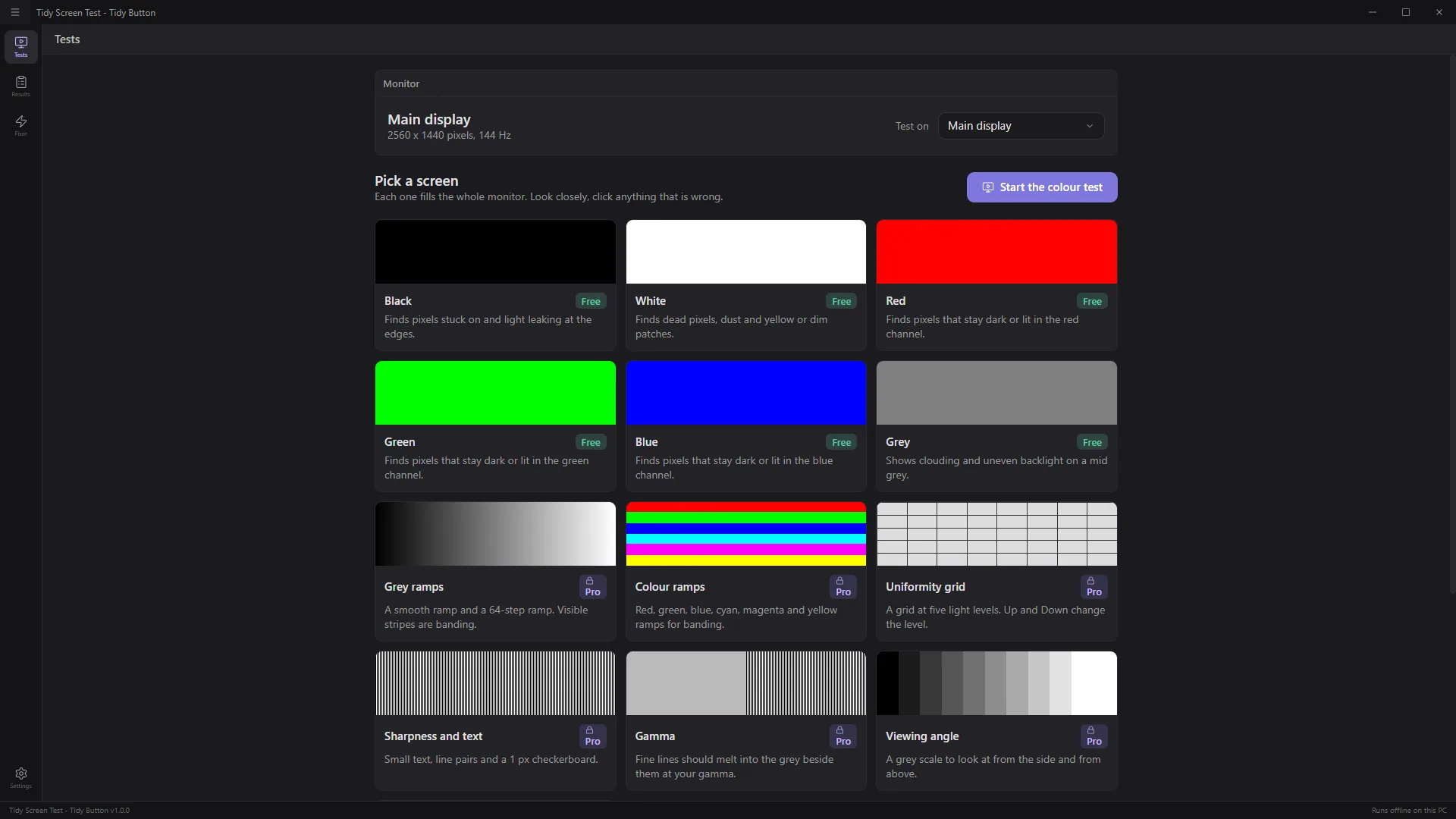
Tests
Pick a screen to fill the whole monitor with one colour. The free version has six colour fills; the Pro screens are marked
Marking

Look closely and click anything that is wrong. Each click puts a ring around the pixel so you can find it again
Results
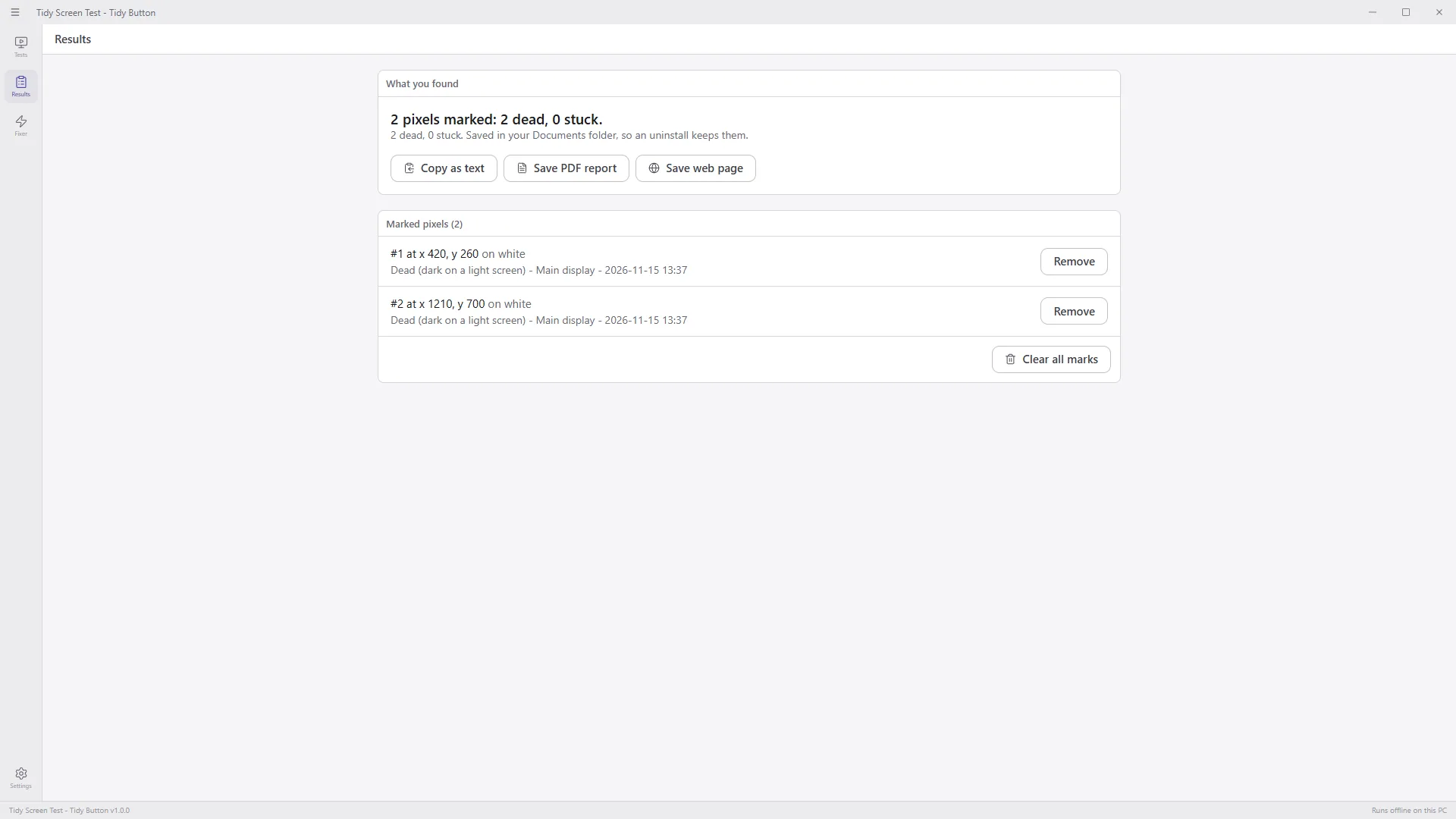
Results lists every mark with its position, the colour it was found on and the monitor. Copy the list, remove a mark or clear them all
Free limit
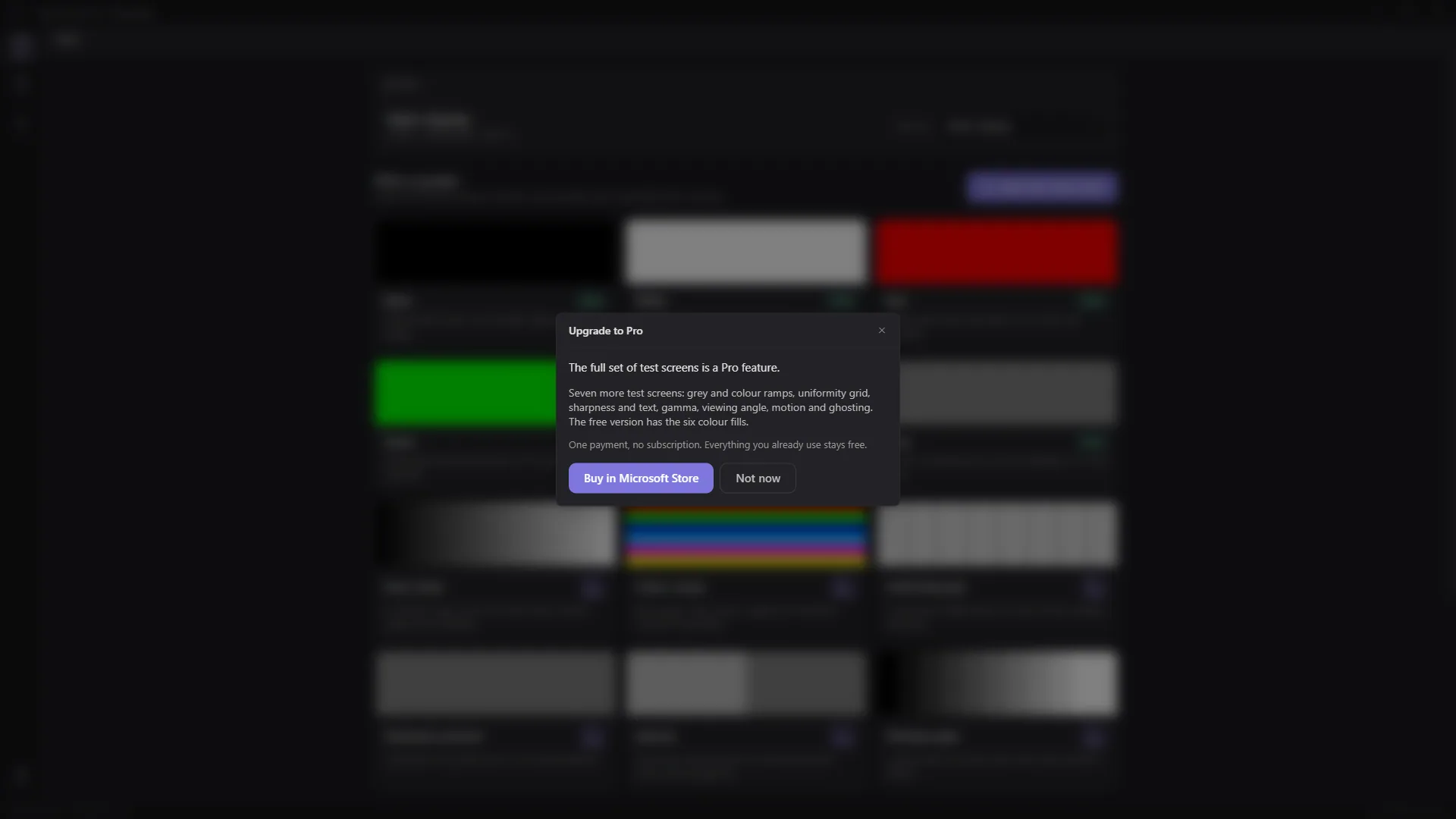
The free version has the six colour fills and unlimited marking. The extra test screens are part of the optional one-time Pro add-on
Grey ramps
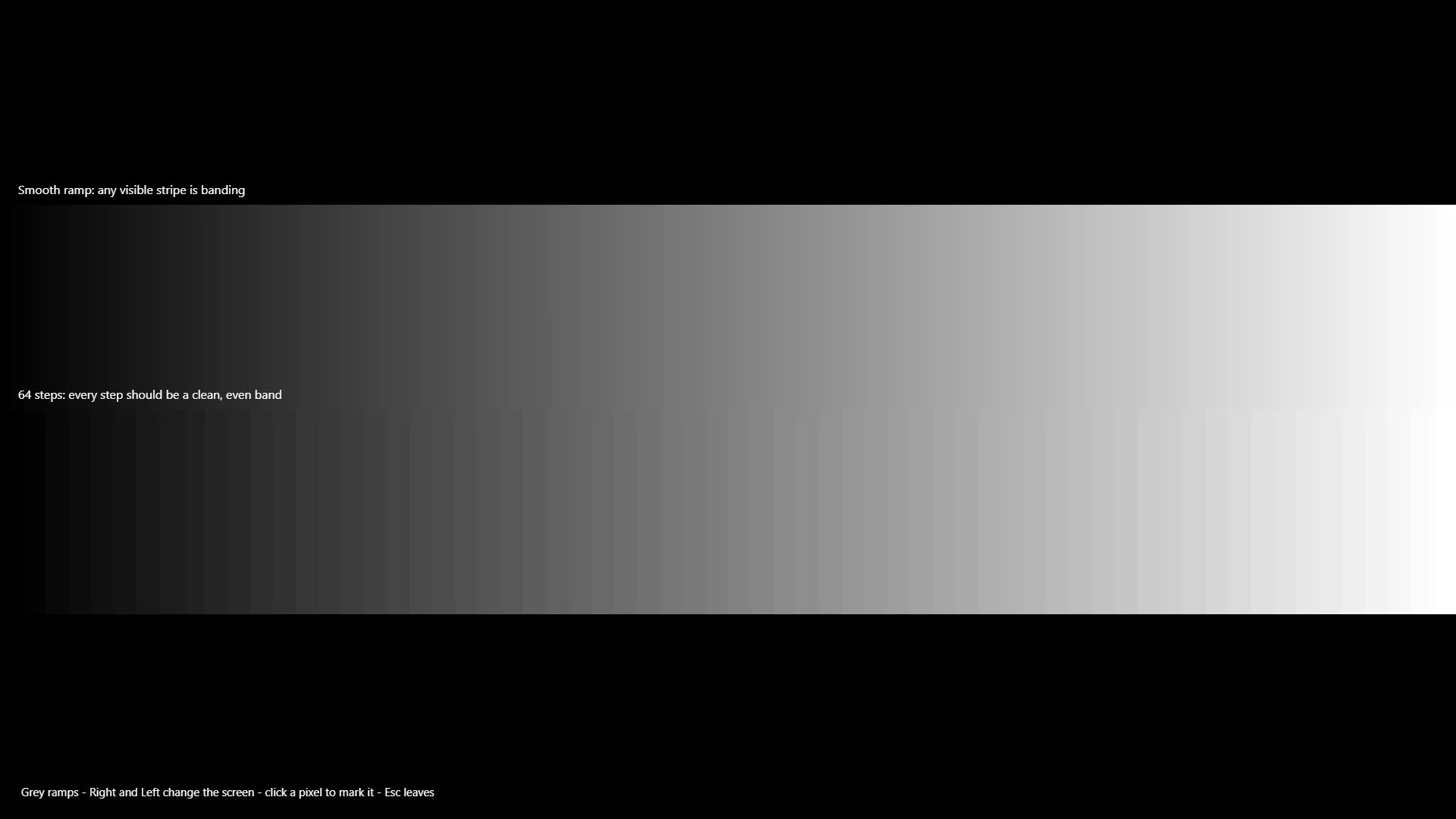
Pro grey ramps show banding: a smooth ramp and a 64-step ramp. Any visible stripe in the smooth ramp is banding
Sharpness
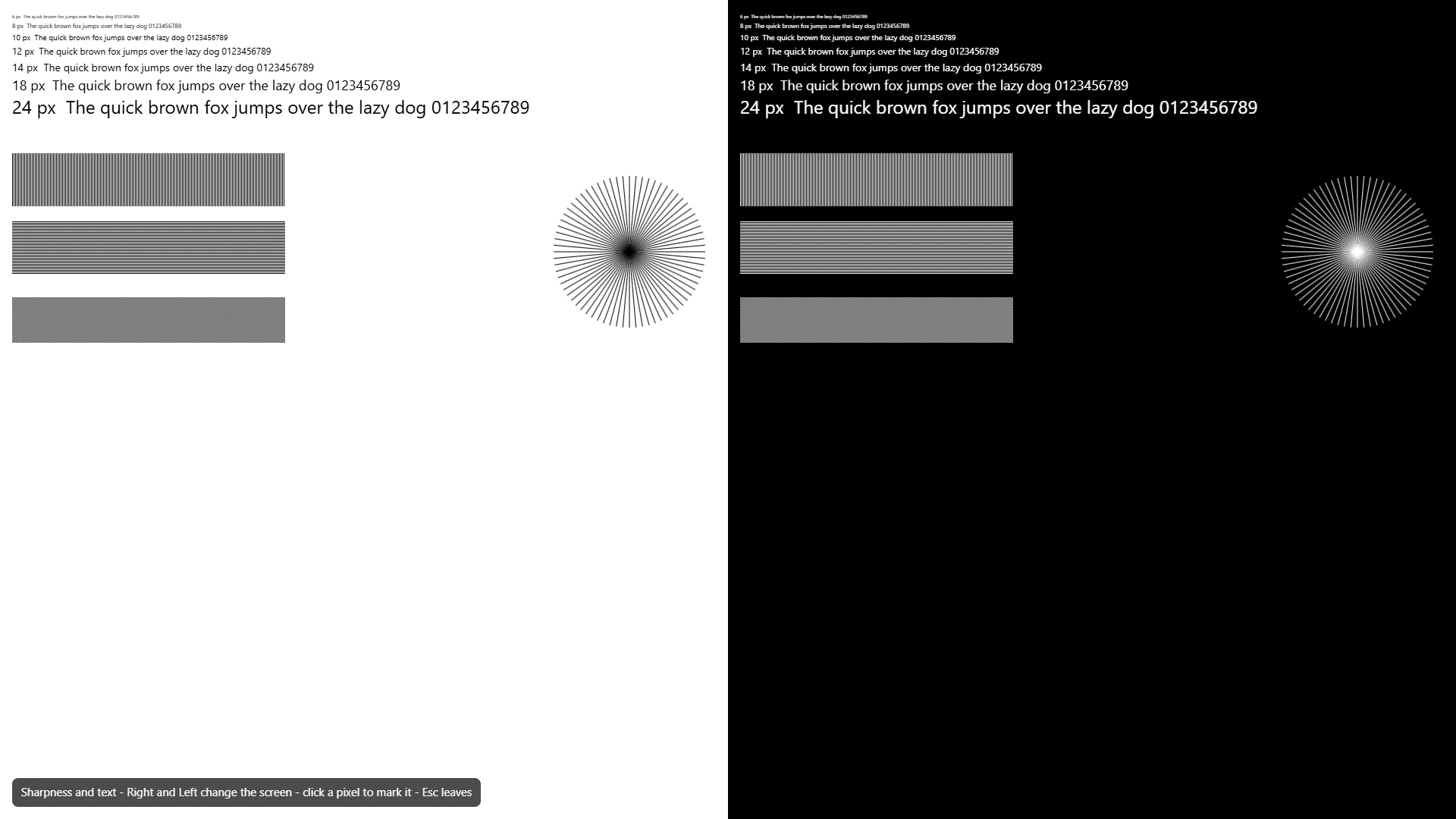
Pro sharpness screen with small text, line pairs and a one pixel checkerboard, shown on light and dark halves
Pixel fixer
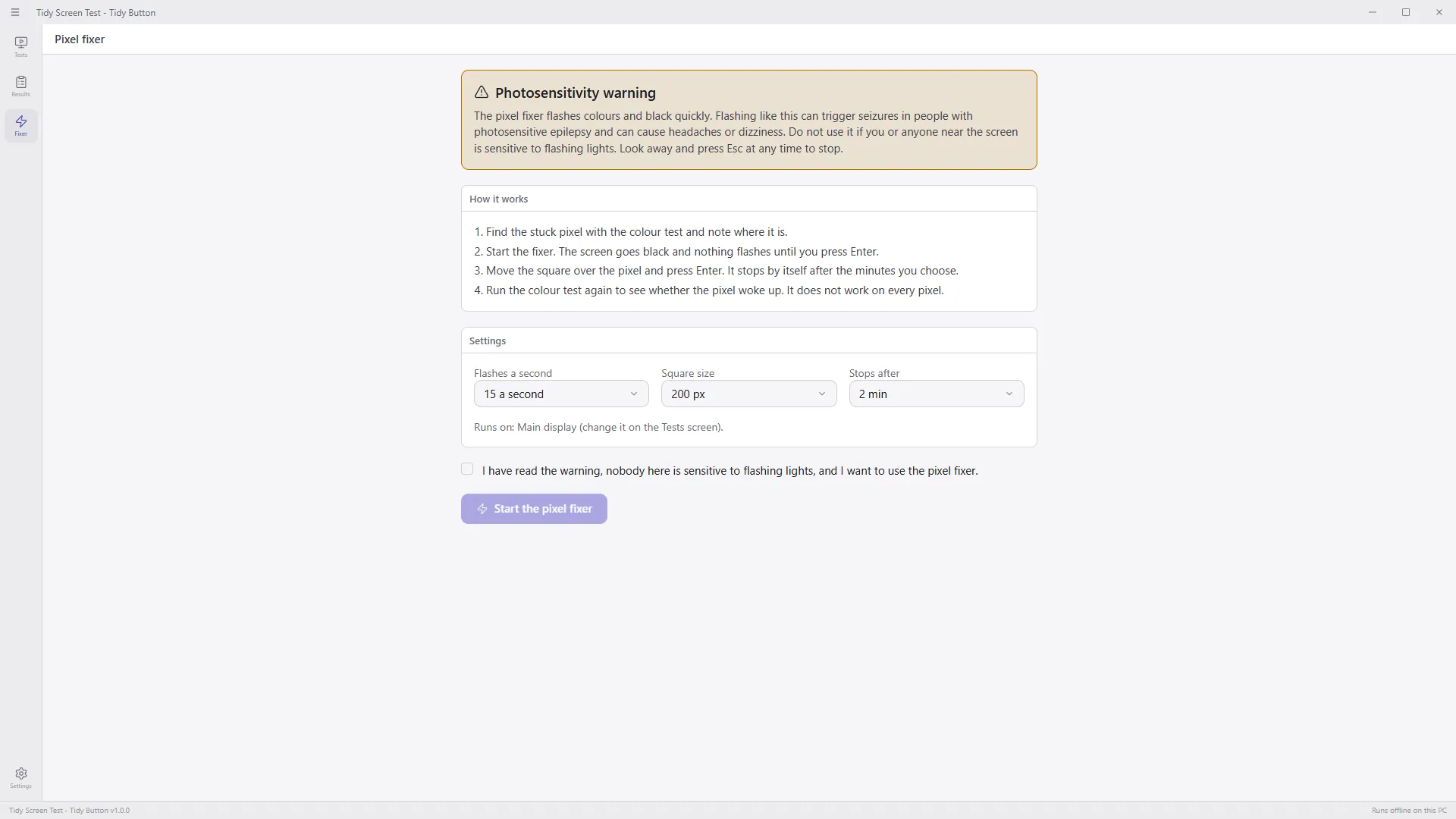
The Pro pixel fixer starts with a clear photosensitivity warning and a tick box, and stops with Esc or after the minutes you choose
Pro tests
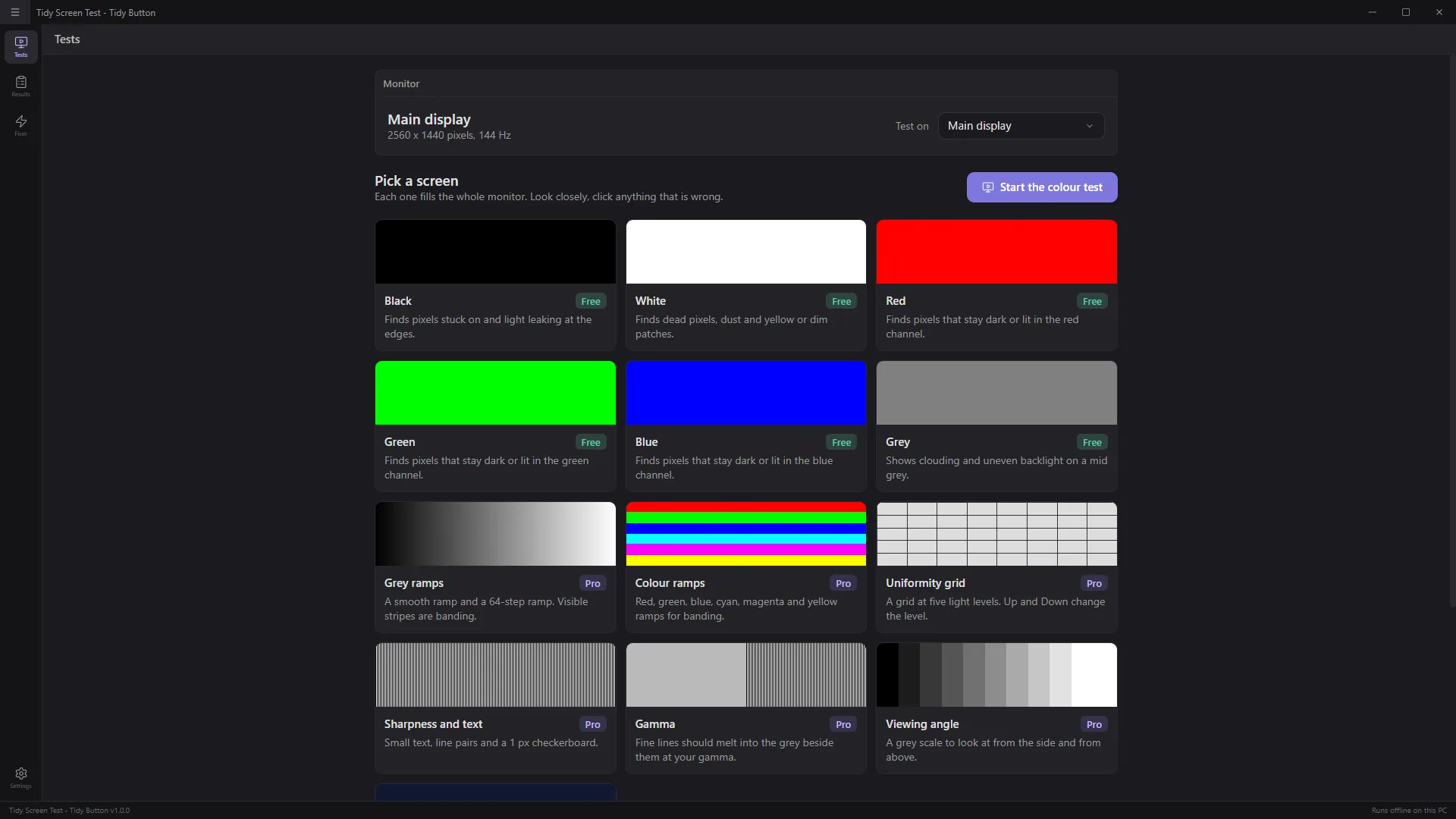
With Pro every screen is open, and you can choose which connected monitor to test
Screens show a demo folder, not a real PC. The app has light and dark themes.
What it does
What it does.
Tidy Screen Test fills your whole monitor with one clean colour so you can spot dead pixels, stuck pixels, dust and uneven backlight. Click anything that looks wrong to put a ring around it. Your marks are listed with their position, colour and monitor, saved in your Documents folder. Everything happens on your PC, so it works with the internet turned off.
Six colour fills
Black, white, red, green, blue and grey, full screen. Move between them with the arrow keys.
Click to mark
Click a pixel to ring it. Press U to undo and H to hide or show the rings.
A list of marks
Every mark keeps its position, colour and monitor. Copy the list as text, remove one, or clear them all.
Kept for next time
Your marks are saved in your Documents folder, so they stay even if you uninstall the app.
More screens (Pro)
Grey and colour ramps, a uniformity grid, sharpness and text, gamma, viewing angle, and a motion test for ghosting.
Choose the monitor (Pro)
Test any connected monitor, not just the one the app is on.
Save a report (Pro)
Save what you found as a PDF or a web page to keep with a return or a sale.
Pixel fixer (Pro)
A small flashing square to park over a stuck pixel, with a photosensitivity warning and a hard stop.
The small print, in plain English
Safe by design.
- Nothing about your screen or your marks leaves your PC.
- Finding dead pixels is never limited: unlimited marks in the free version.
- The pixel fixer always shows a photosensitivity warning and needs a tick box every time.
- Pro is one payment, no subscription. Works offline. No account. No ads. No tracking.
Good for
Handy when you buy a screen.
- Checking a new or second-hand monitor
- Finding a dead pixel before the return window closes
- Looking for banding or uneven backlight
- Keeping a report to show a seller
Questions
Plain answers.
Is anything uploaded?
No. Nothing about your screen or your marks leaves your PC. The app works with the internet turned off.
Is there a limit on how many pixels I can mark?
No. Marking dead and stuck pixels is never limited in the free version.
Is the pixel fixer safe?
It flashes colours quickly, which can trigger seizures in people who are sensitive to flashing lights. It is a Pro feature, always shows a warning first, needs a tick box every time and stops with Esc or after the minutes you choose. It does not work on every pixel.
What does Pro add?
Seven more test screens, choosing which monitor to test, saving a PDF or web page report, and the pixel fixer. It is one payment of $4.99.
Which versions of Windows does it run on?
Windows 10 and Windows 11.