Coming to the Microsoft Store
Monitor Brightness Control Every monitor, one slider each.
Give every monitor its own brightness slider, sync them with one switch and save Day and Night presets. Works with external monitors and laptop screens, with hotkeys and a tray panel. Works offline, no account, no ads.
Not on sale yet. The app is still being built.
We will link the Store listing here the day it is live. Until then there is nothing to download.
- Works offline
- No account, no ads, no tracking
- Never below 5%
- Free
See it
Ten views. From dim to bright.
Monitors
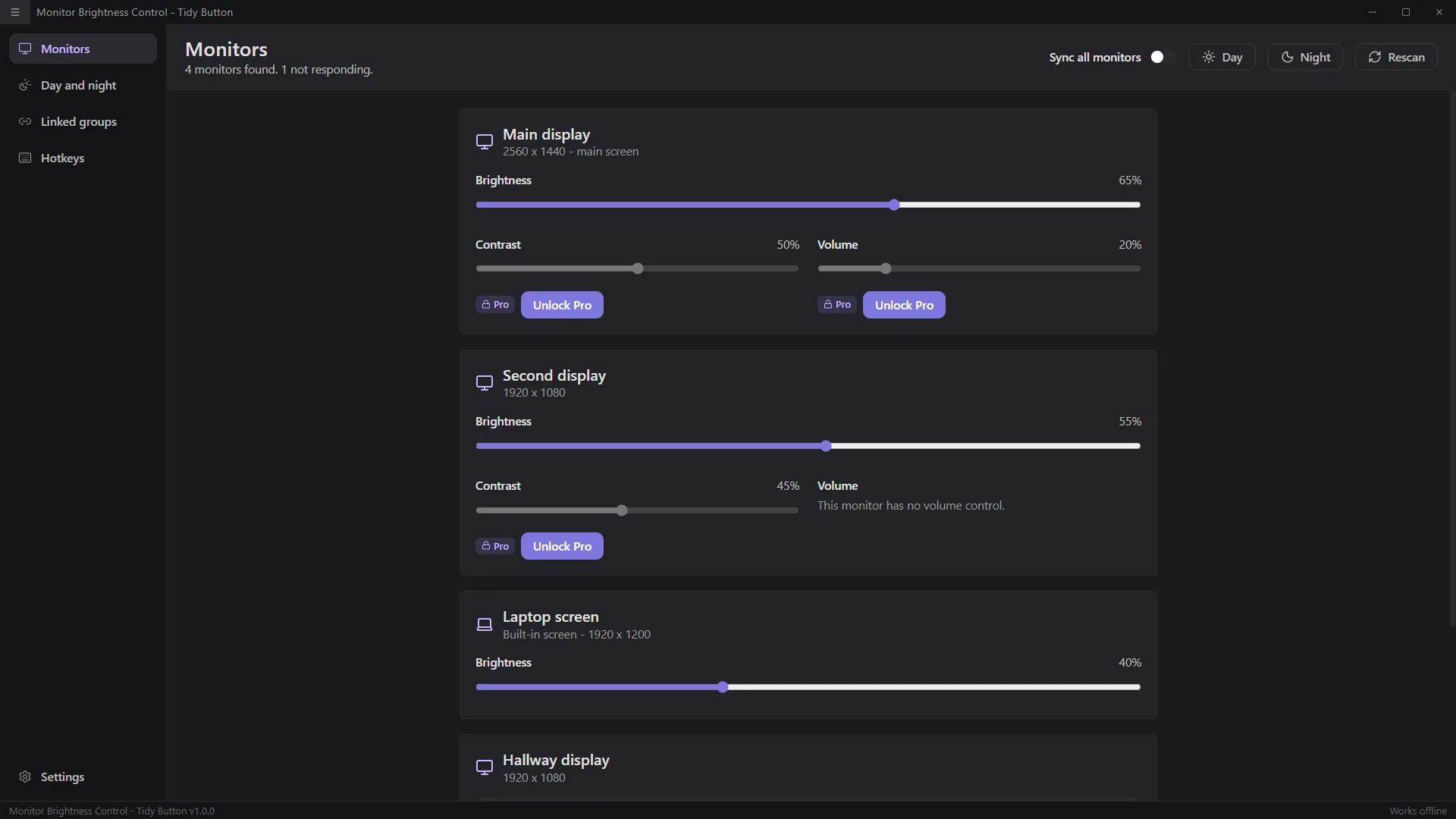
One brightness slider for every monitor
Sync all
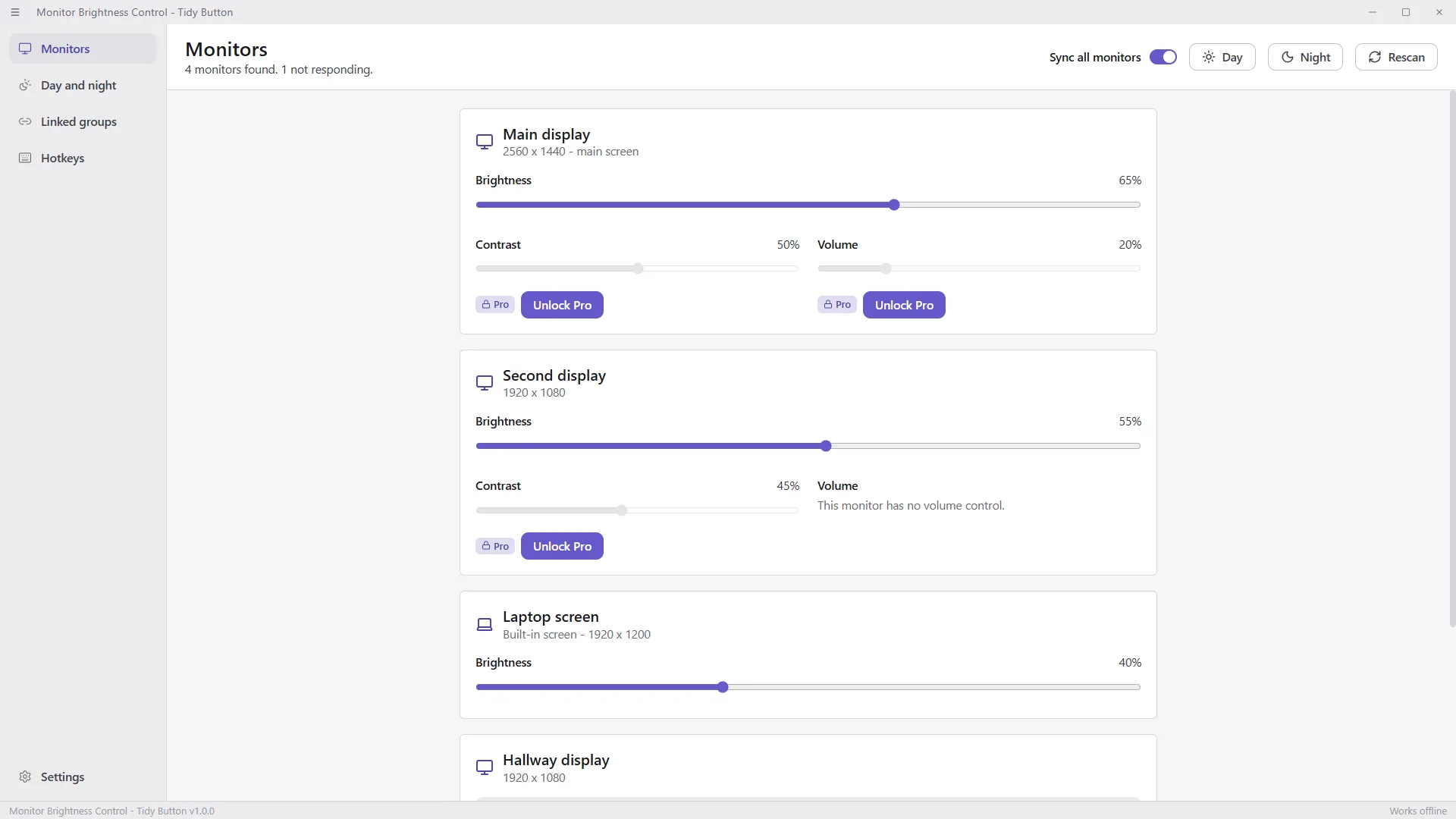
Turn on Sync all monitors and one slider moves them all
Not responding
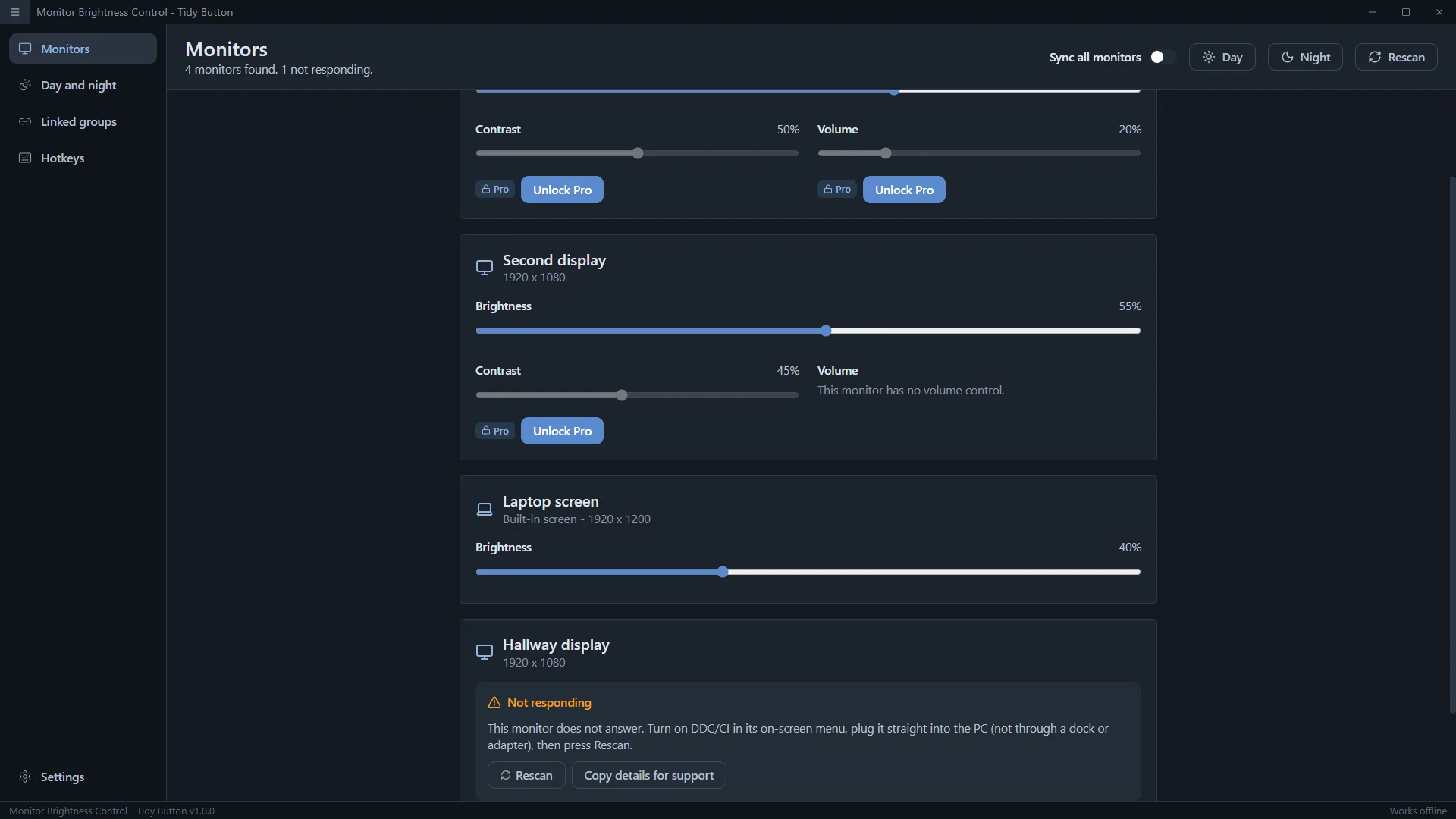
A monitor that does not answer comes with steps to fix it
Day and night
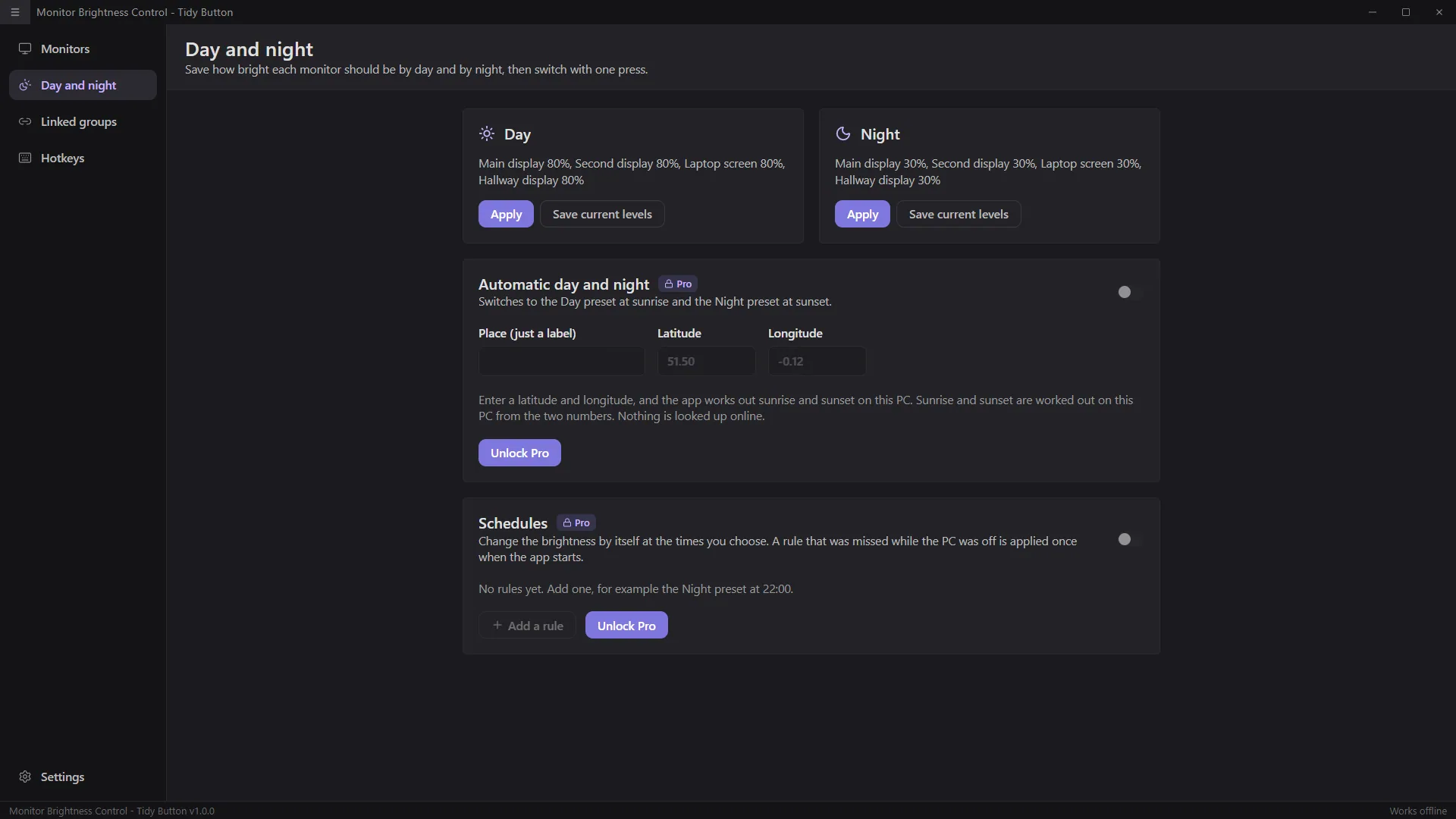
Save every monitor's level as a Day or Night preset
Screens show four invented monitors. The app has several themes, including light and dark.
What it does
What it does.
One slider for each screen on your desk, in the app and in a small tray panel. No more reaching for the buttons on each monitor. It talks to external monitors the way their own buttons do, and to a laptop screen through Windows.
A slider for every monitor
In the app and in the tray panel. Changes stay on the monitor after the app closes.
Sync all monitors
One switch makes a single slider move every monitor.
Day and Night presets
Save every monitor's level and apply it in one click from the app, the tray panel or the tray menu.
Hotkeys
Brightness up and down from anywhere in Windows, with combinations you can change.
Help when a monitor does not answer
Plain steps to fix it, a Rescan button and a button that copies details for support.
A safe floor
Brightness never goes below 5%, so a screen cannot be left dark.
Optional Pro
Contrast and volume, linked groups, schedules, automatic day and night and hotkeys for presets. The free version controls every monitor.
The small print, in plain English
Safe by design.
- Brightness never goes below 5%.
- Changes stay on the monitor after the app closes.
- Nothing is lost if you do not buy Pro.
- No account. No ads. No tracking.
Good for
Handy when your desk has more than one screen.
- Desks with two or three monitors
- A laptop next to an external screen
- Late-night work
Questions
Plain answers.
Which monitors does it work with?
External monitors that support DDC/CI, and built-in laptop screens through Windows. Some monitors have DDC/CI switched off, and the app shows steps to turn it on.
Does it work through a dock or adapter?
Some docks, adapters and KVM switches do not pass DDC/CI through. Plug the monitor straight into the PC to test.
Can it make a screen too dark to use?
No. Brightness never goes below 5%.
Is there a limit in the free version?
No limit on monitors. Pro is an optional one-time add-on for contrast, volume, groups, schedules and more.