Coming to the Microsoft Store
Modbus Tester See what your device says.
Connect over Modbus TCP or a serial port, read coils and registers, and watch the values change. Writes are off until you switch them on and always ask first. Works offline, no account.
Not on sale yet. The app is still being built.
We will link the Store listing here the day it is live. Until then there is nothing to download.
- Works offline
- No account, no ads, no tracking
- Safe writes
- Free
See it
Four views. One device, understood.
Registers
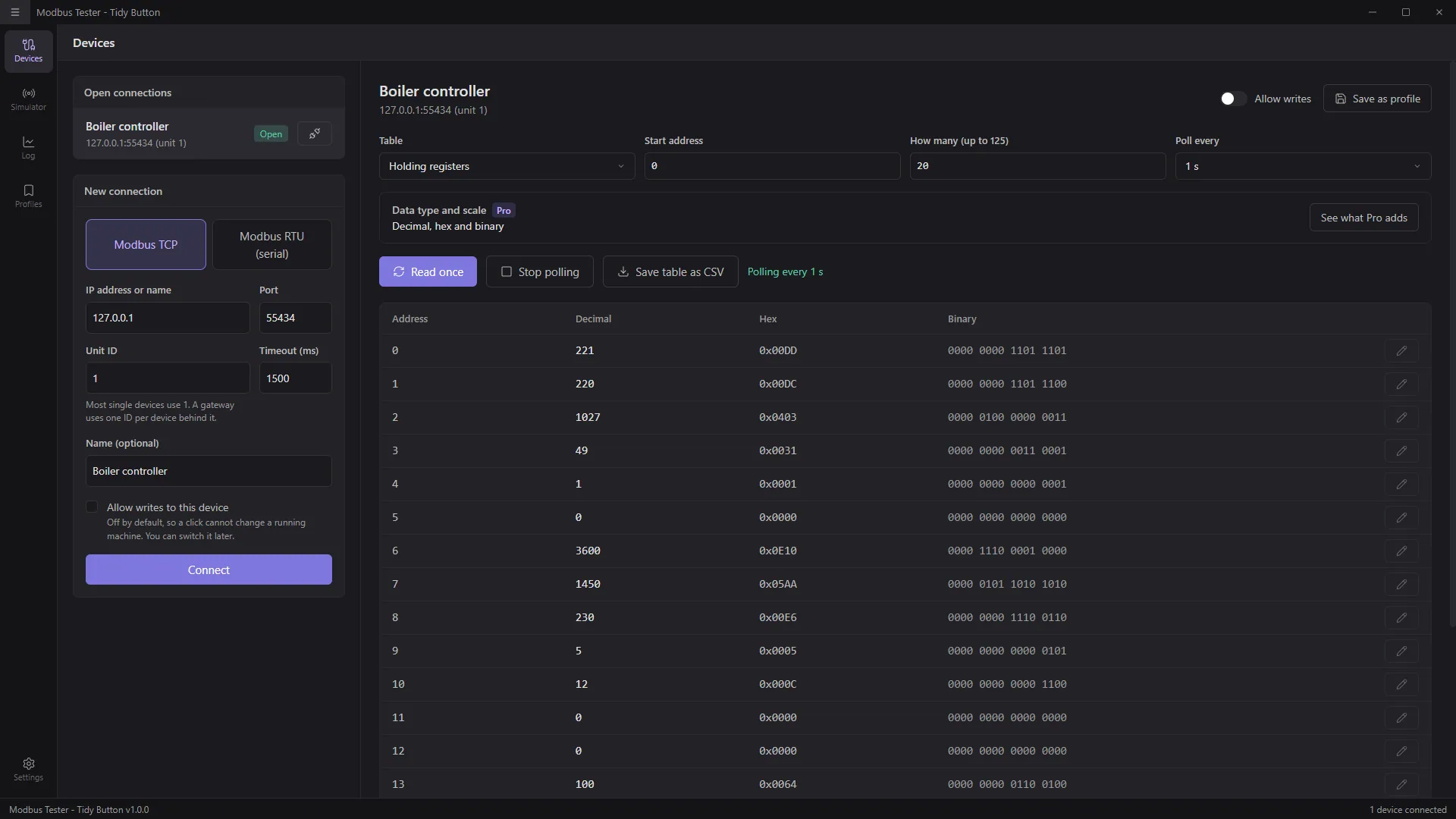
Registers in decimal, hex and binary, updating as the device changes
Safe writes
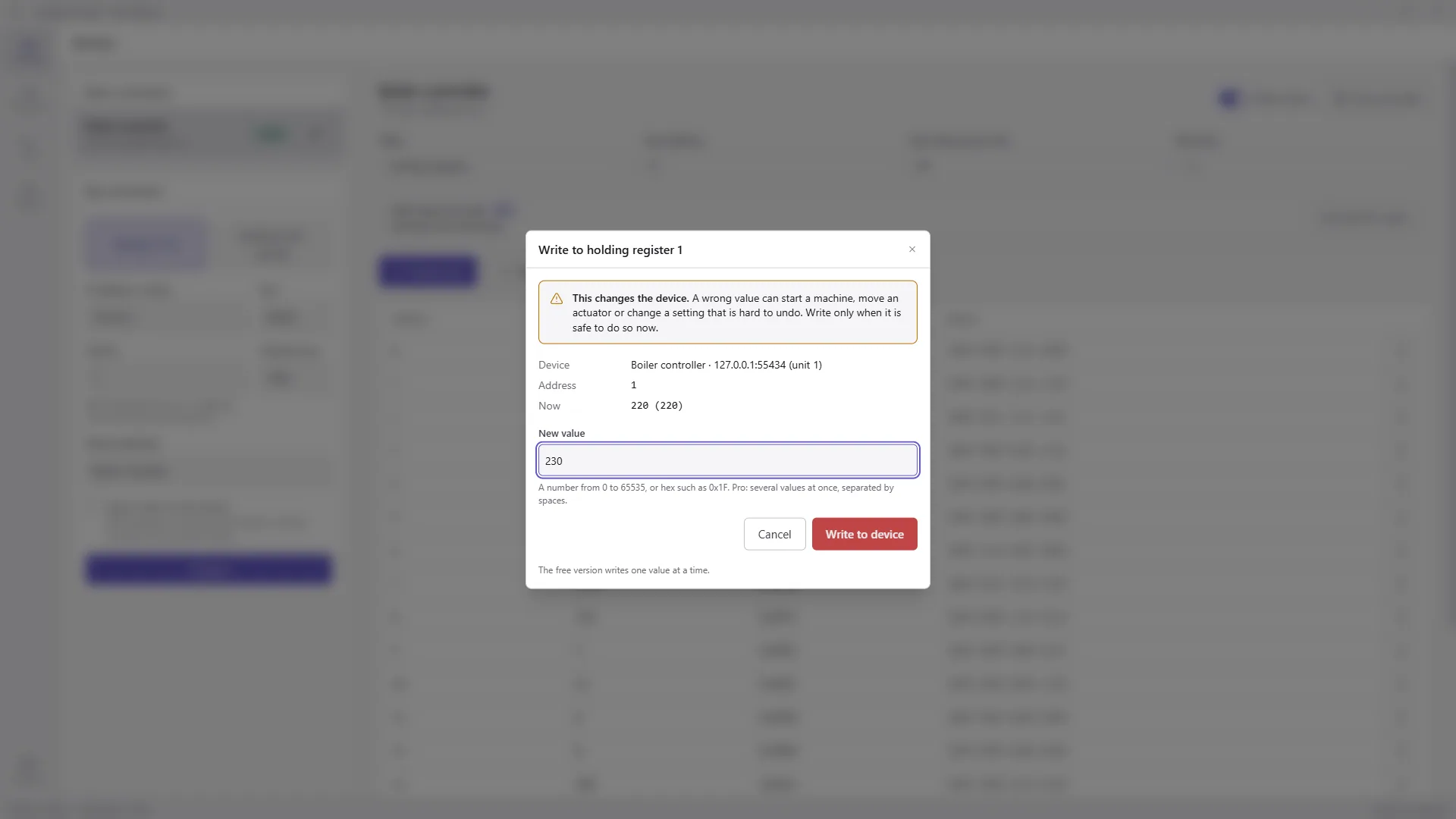
A warning and the current value before anything is written
Simulator
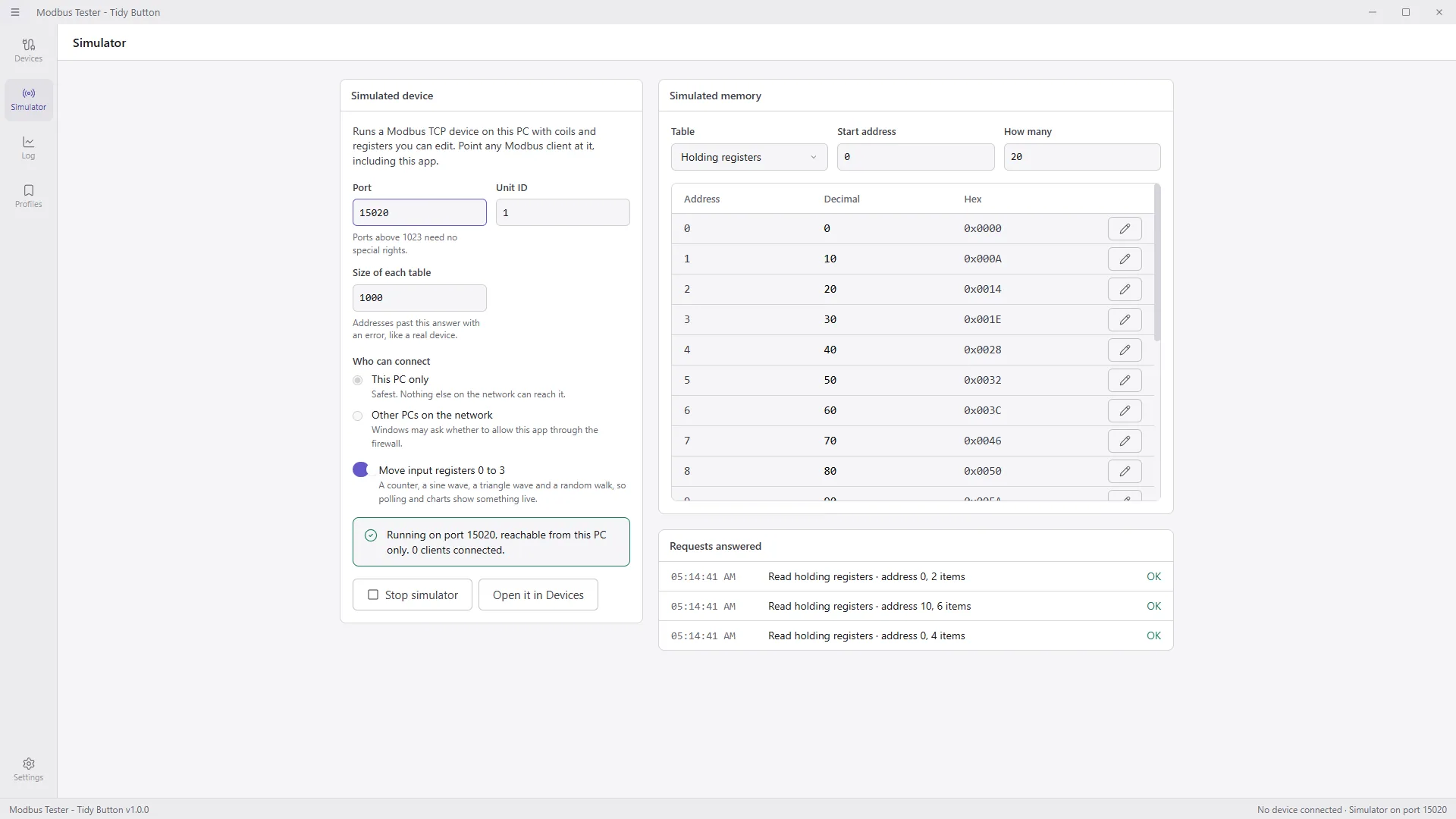
Pro: a built-in Modbus TCP device to test against
Log and chart
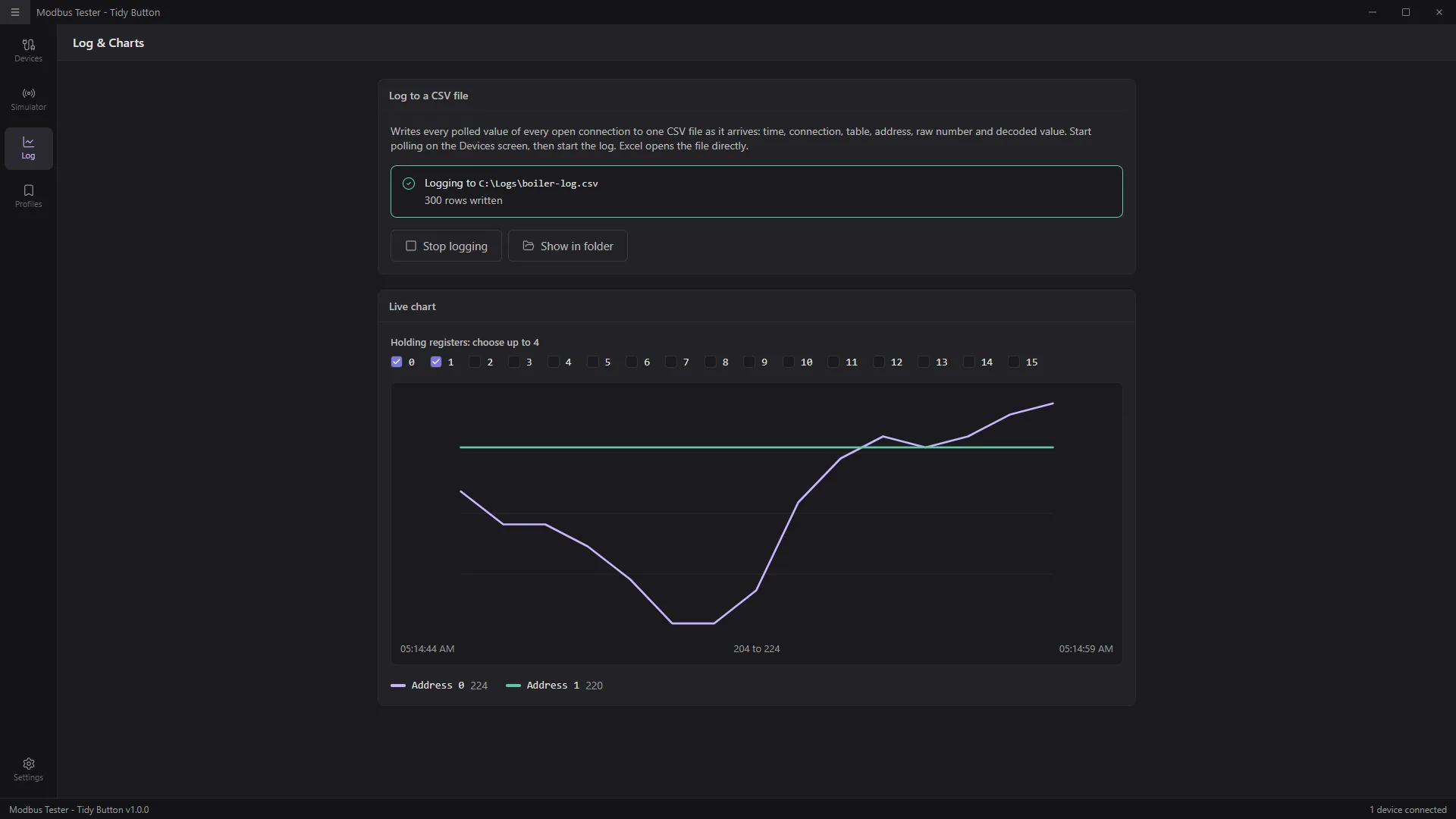
Pro: log polled values to CSV and watch them on a chart
Screens show a made-up boiler controller and energy meter running on this PC. The app has light, dark and other themes.
What it does
What it does.
Modbus Tester connects to a Modbus device and shows you its coils and registers, so you can check what a controller, meter or sensor is really reporting. Choose Modbus TCP or a serial port, press Connect, pick a table and read it. Turn on polling to watch values change. Save what is on screen as a CSV file, or save the device as a profile and open it again later.
TCP and serial
Connect over Modbus TCP, or over a serial port with your choice of baud rate, parity, data bits and stop bits.
All four tables
Read coils, discrete inputs, holding registers and input registers, from any start address.
Decimal, hex and binary
Every register is shown in all three forms side by side.
Polling
Poll at an interval from 0.1 seconds to 1 minute and see changed values as they arrive.
Careful writes
Writes are off by default. When you switch them on, a warning shows the current value before one value is sent.
CSV snapshot
Save the table on screen as a CSV file that Excel opens directly.
Profiles
Save a device, its address and the range you read, and open it again with one click.
Pro extras
An optional one-time add-on gives up to 8 connections, data types and scaling, logging with a live chart, a built-in device simulator and profile export and import.
The small print, in plain English
Safe by design.
- Writes are off until you switch them on, and every write asks first.
- The app only sends the requests you ask for, to the devices you connect it to.
- The free app works offline. The only network use is the optional Pro licence check.
- Your profiles and files stay on your PC.
- No account. No ads. No tracking.
Good for
Handy when a register needs checking.
- Commissioning and fault finding on controllers and meters
- Checking what a register really holds
- Testing a screen or program against a simulated device
- Logging values to a spreadsheet
Questions
Plain answers.
Does it need an internet connection?
No. The app talks only to the device you connect it to. The only network use of its own is the optional Pro licence check.
Which connections does it support?
Modbus TCP, and Modbus RTU over a serial port. For serial you choose the port, baud rate, parity, data bits and stop bits.
Can it change values on my device?
Yes, one coil or one register at a time. Writes are off until you switch on Allow writes, and a warning shows the current value before you confirm. Write only when it is safe.
Which tables can I read?
Coils, discrete inputs, holding registers and input registers.
Can I save what I see?
Yes. Save table as CSV writes the table on screen to a file that Excel opens, and Save as profile remembers a device for next time.
What does Pro add?
A one-time Pro add-on gives up to 8 connections open at once, data types with scale and unit, writing several values at once, logging with a live chart, a built-in device simulator, and profile export and import.
Do you offer advice on my machine or process?
No. The app shows what a device reports and sends what you ask. You are responsible for deciding when it is safe to write.
Which versions of Windows does it run on?
Windows 10 and Windows 11.