Coming to the Microsoft Store
Mind Map Think in branches.
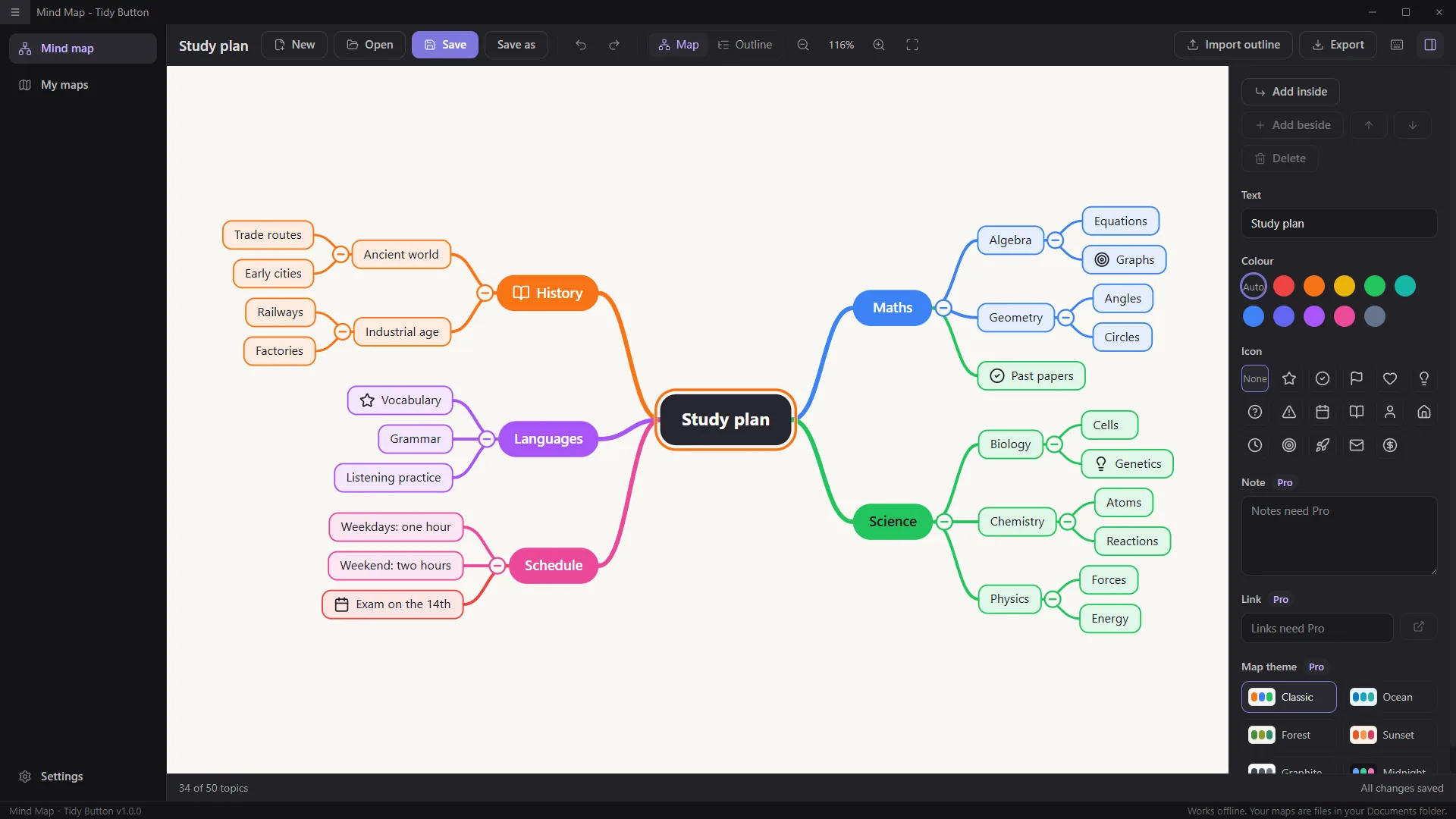
Tab to branch, Enter to add beside, and the map draws itself. Offline, no account.
Not on sale yet. The app is still being built.
We will link the Store listing here the day it is live. Until then there is nothing to download.
- Works offline
- No account, no ads, no tracking
- Keyboard first
- Free
See it
Four views. One map, many ways.
Map
A map that lays itself out as you type
Details
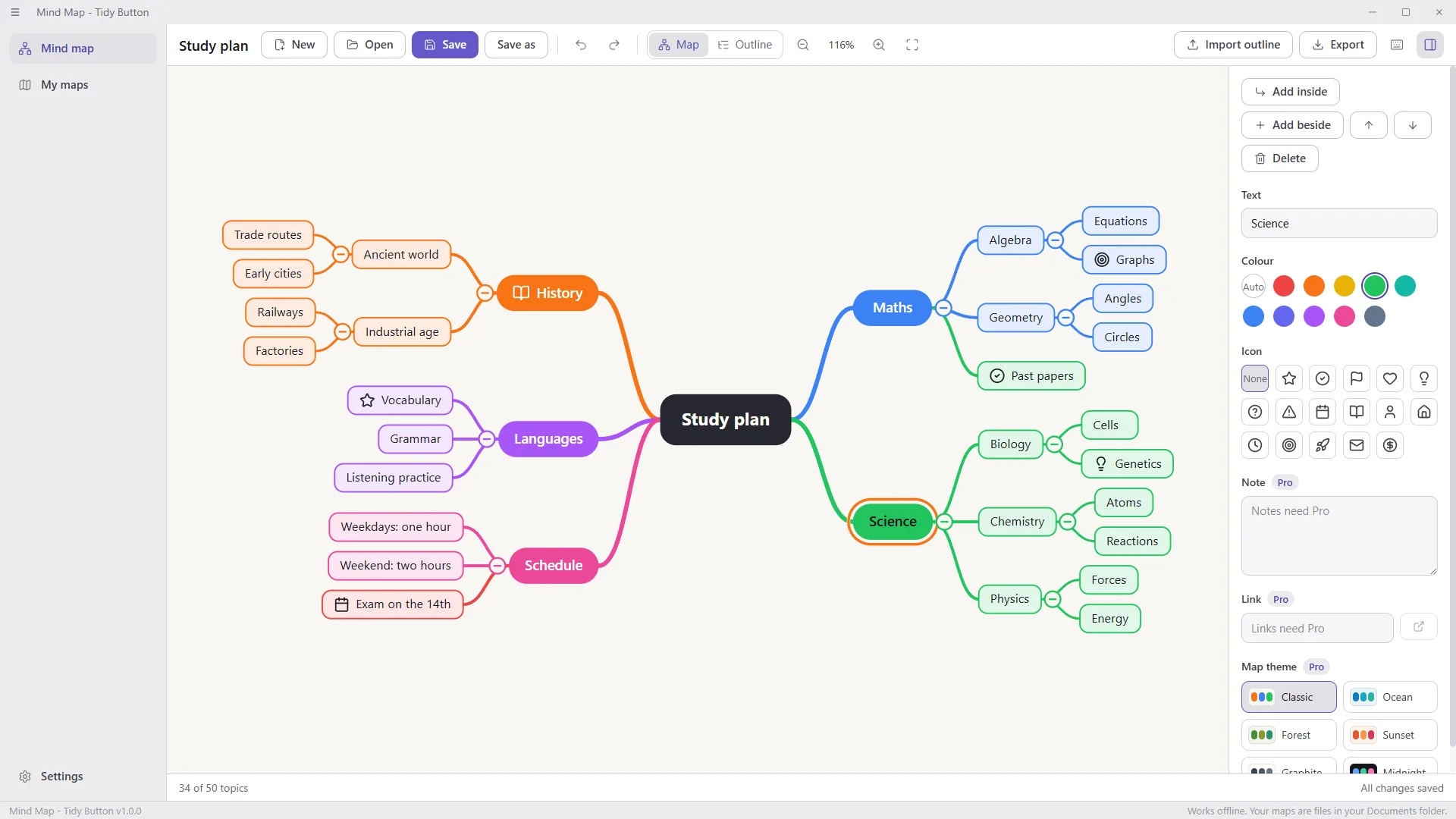
Change colour and icon in the details panel
Outline
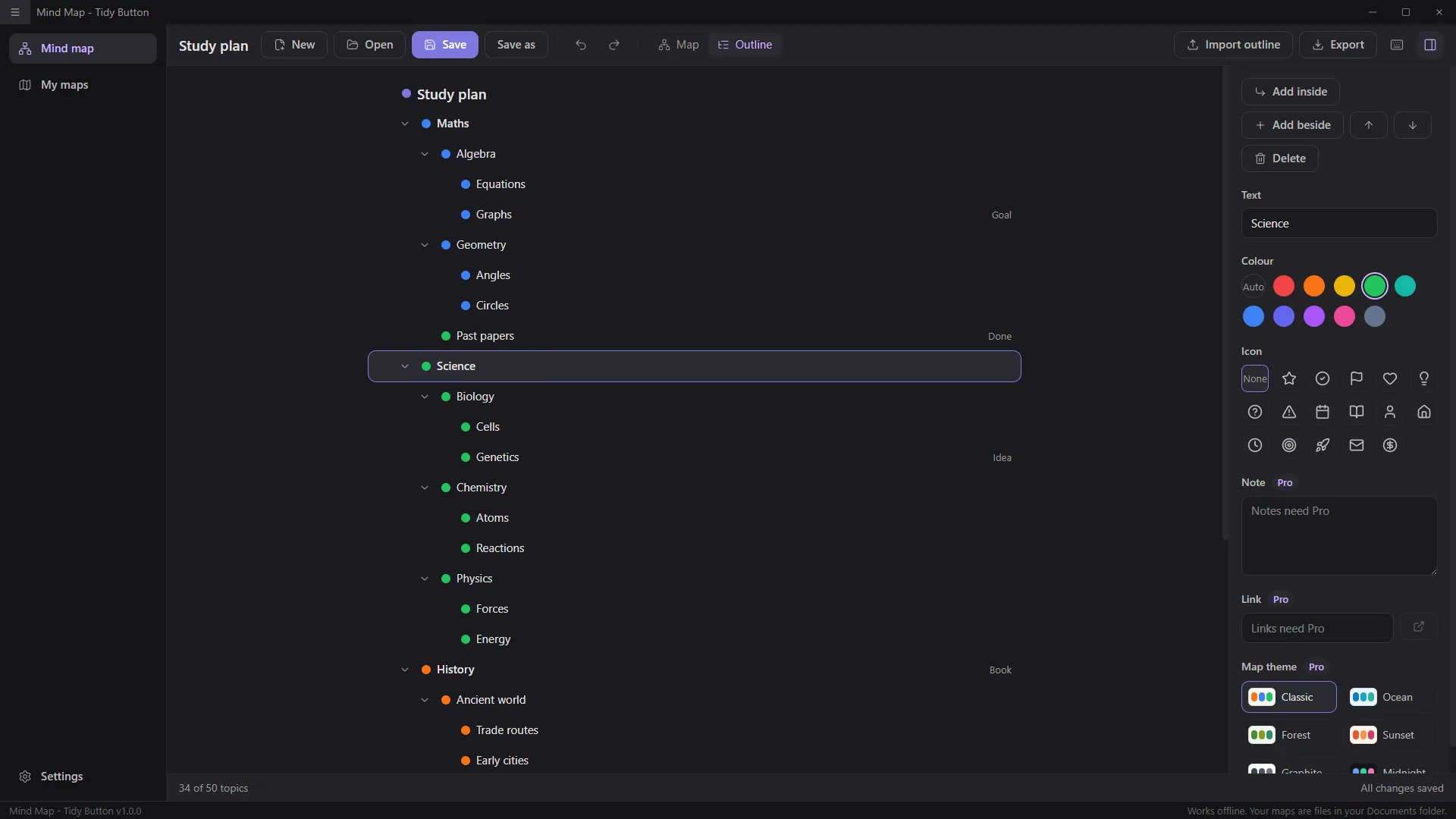
The same map as an outline
Shortcuts
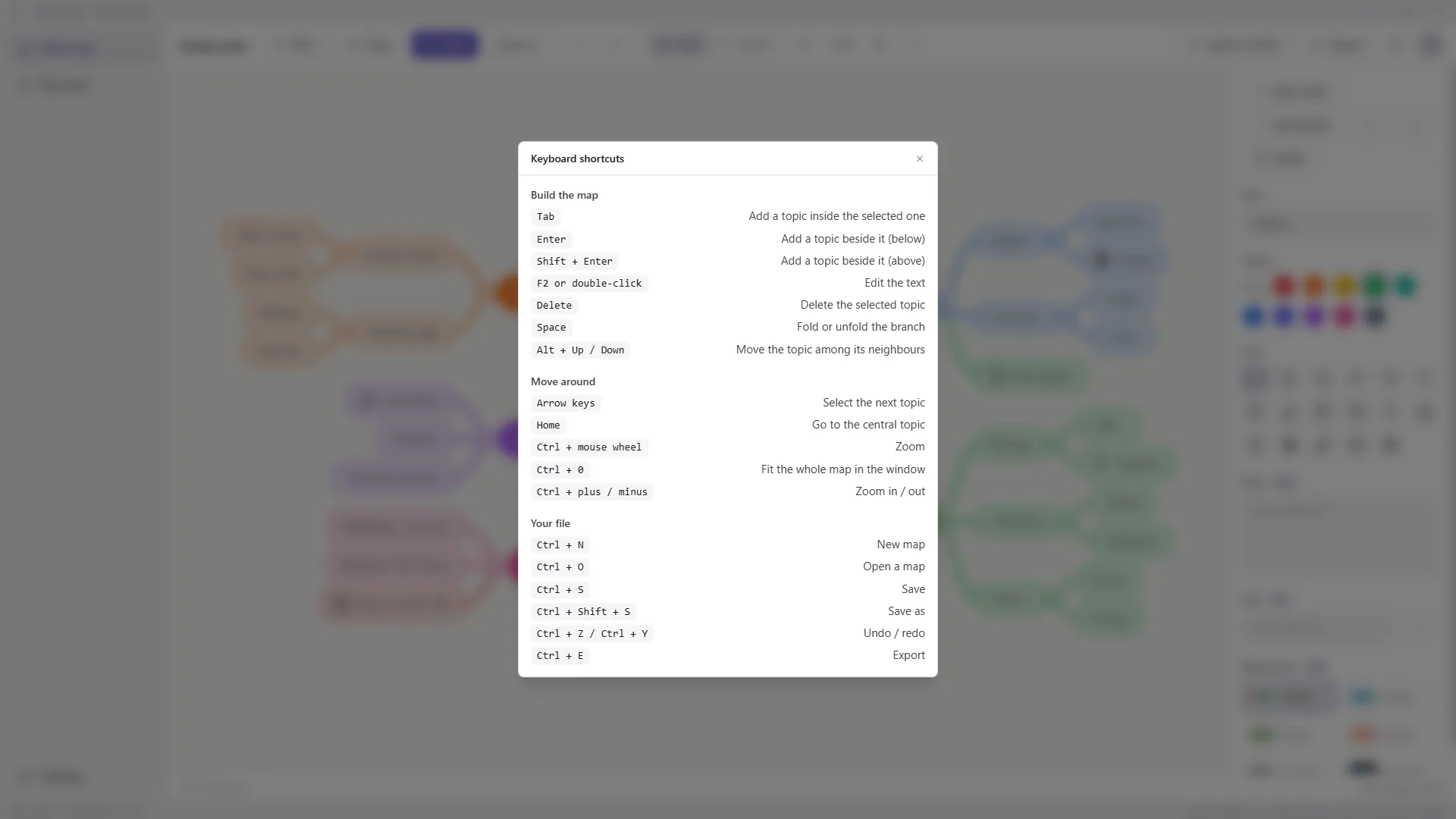
Build with the keyboard
Screens show a demo folder, not a real PC. The app has light and dark themes.
What it does
What it does.
Mind Map starts with a central topic. Press Tab to add a topic inside it and Enter to add one beside it. The map draws itself as you type, so you can keep your hands on the keyboard. Give topics colours and icons, fold branches you are not working on, and switch to the outline view to see the same map as a list. Maps are saved as files in your Documents folder.
Keyboard first
Tab, Enter, F2, Delete and the arrow keys build and move around the map.
Colours and icons
Mark any topic with one of ten colours and sixteen icons.
Fold and unfold
Hide a branch to focus on the rest of the map.
Outline view
See the same map as an indented list, and rename topics there.
Export a PNG
Save the whole map as a picture for slides, notes or a message.
Your files
Maps are saved as files in Documents, with undo and redo while you work.
The small print, in plain English
Safe by design.
- Your maps stay on your PC. Nothing is uploaded.
- Closing with unsaved changes asks first.
- Deleting a map moves it to the Recycle Bin.
- Works offline. No account. No ads. No tracking.
Good for
Handy for planning and study.
- Study plans
- Project planning
- Meeting notes
- Brainstorming
- Essay outlines
Questions
Plain answers.
Where are my maps saved?
As .mindmap files in a Mind Maps folder inside your Documents folder. They stay on your PC and remain after you uninstall the app.
How do I add a topic?
Select a topic and press Tab to add one inside it, or Enter to add one beside it. Press F2 to edit the text.
Can I export my map?
Yes, as a PNG picture. An optional one-time Pro unlock also exports PDF and a text outline.
How many topics can a map have?
The free version has unlimited maps of up to 50 topics each. An optional one-time Pro unlock removes the limit and adds notes, links, themes and outline import.
Does it need the internet?
No. It works fully offline.