Pro keys go on sale when this app's Pro update reaches the Microsoft Store.
One key for this app. Free to use without it. See all pricing
Prefer the command line? winget install 9N8PFNCCJNQV --source msstore
Real app, listing a demo folder of photos.
Works offline
No account, no ads, no tracking
Picture never re-encoded
Free
See it
Eight views. One folder, clean.
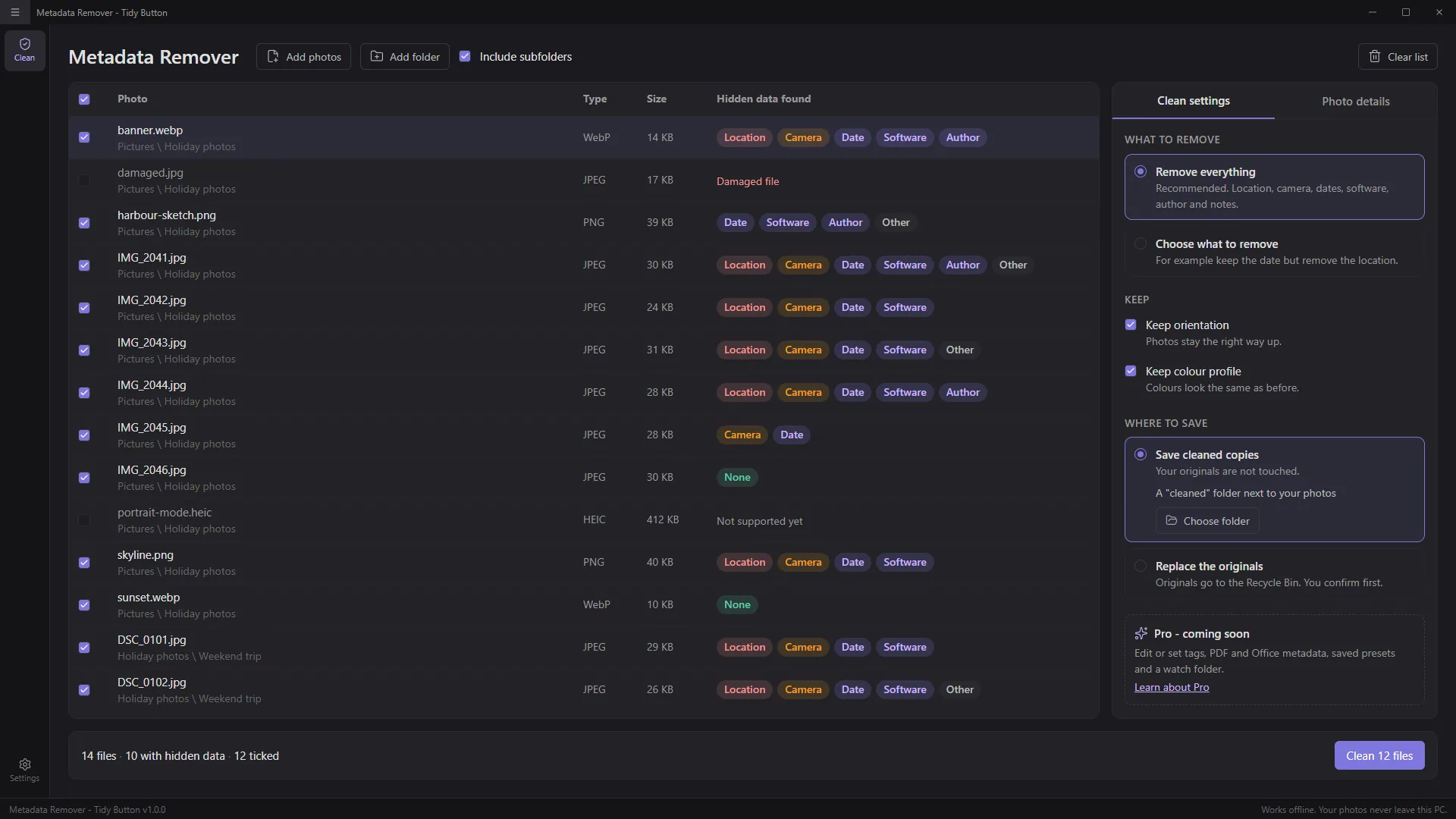
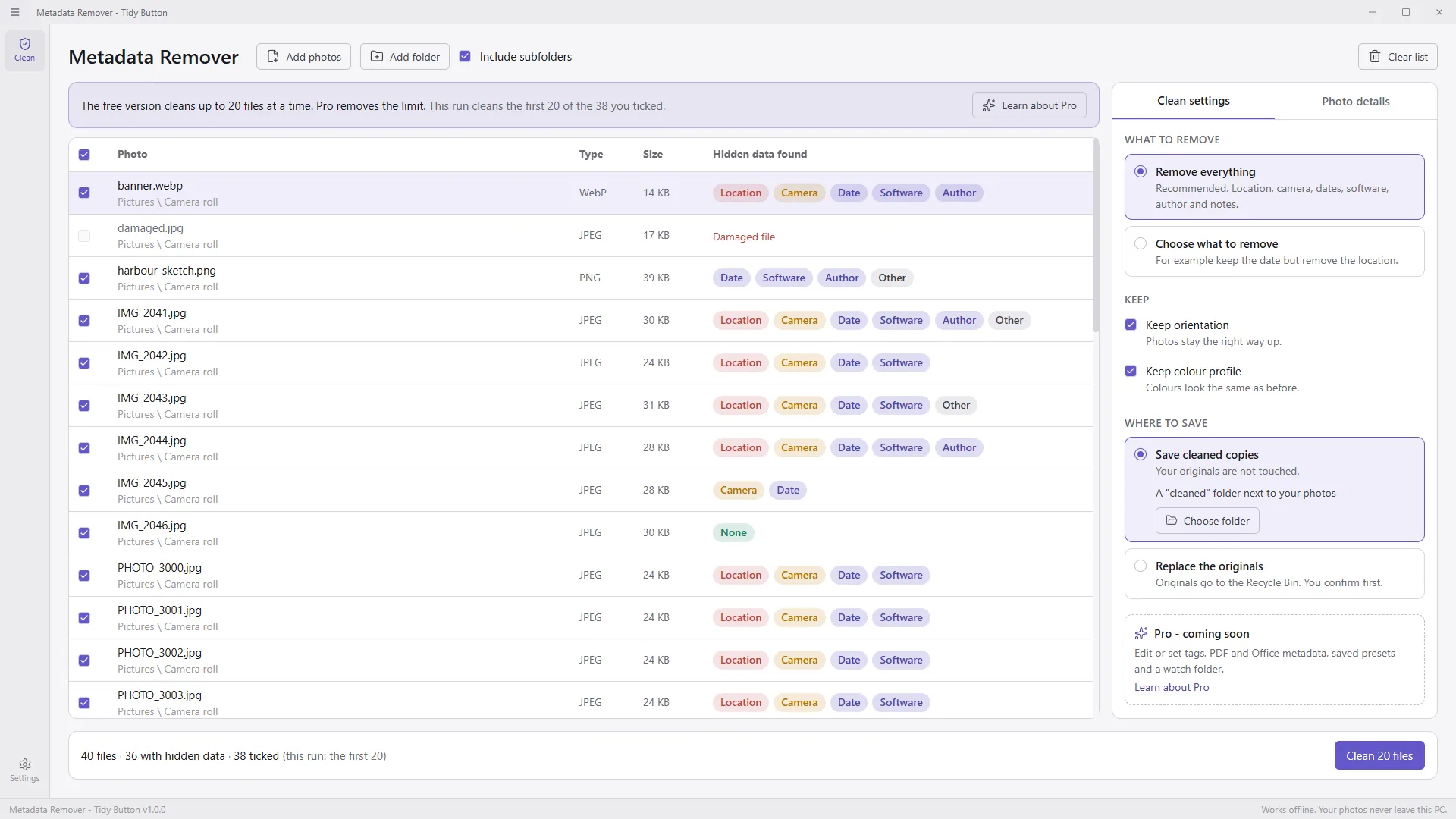
Photo list
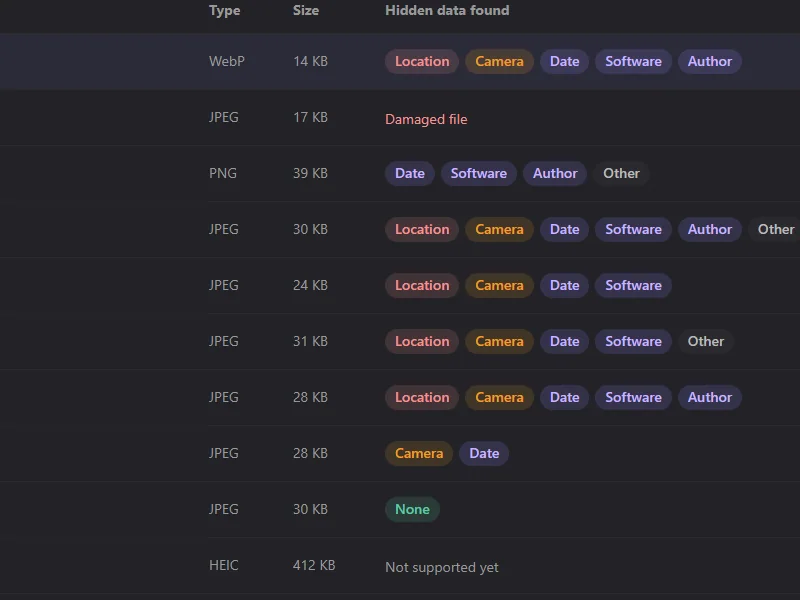
See at a glance which photos carry location, camera, date, software or author details
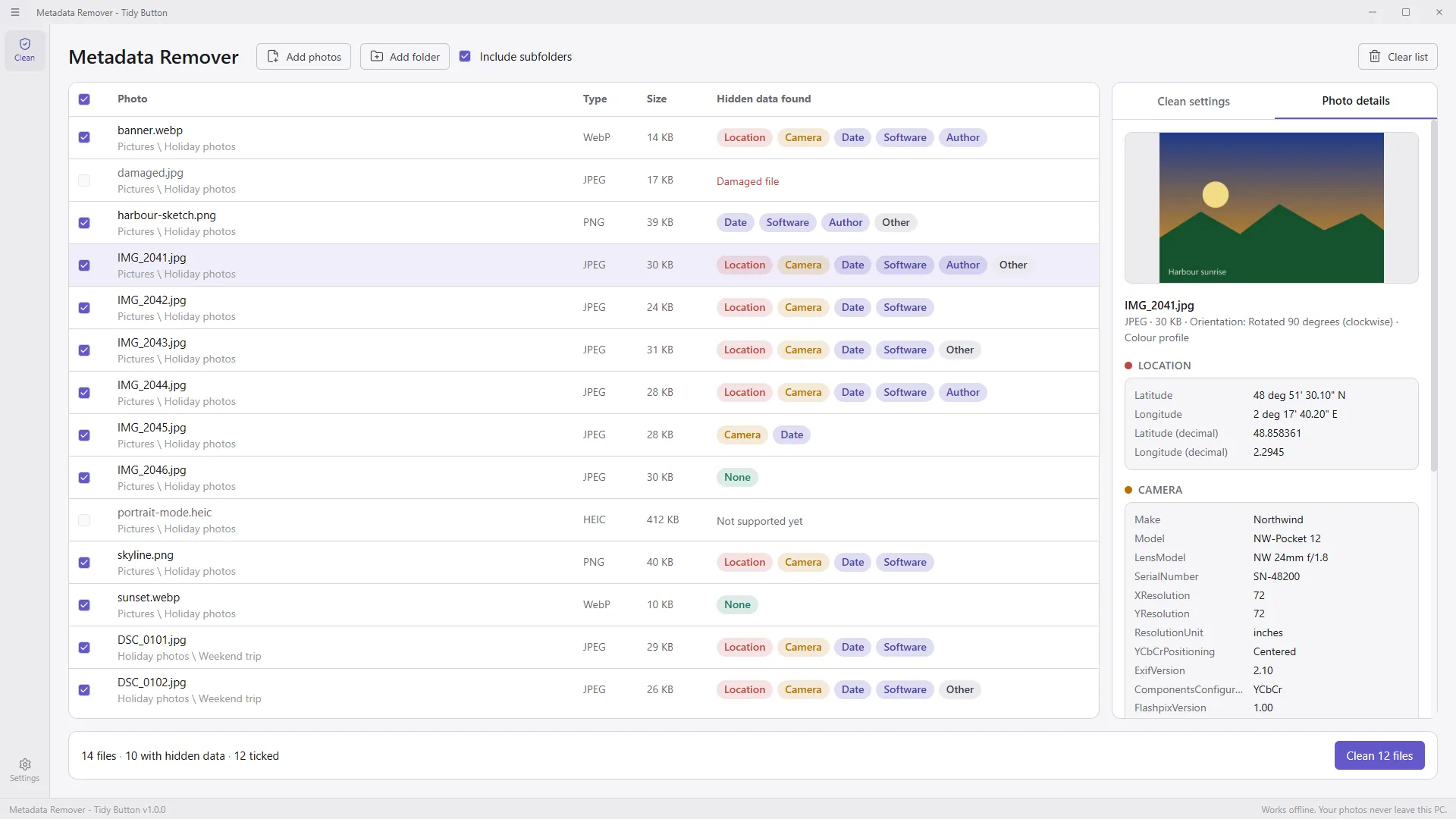
Details
Click a photo to see everything hidden in it, with the GPS position written out as text
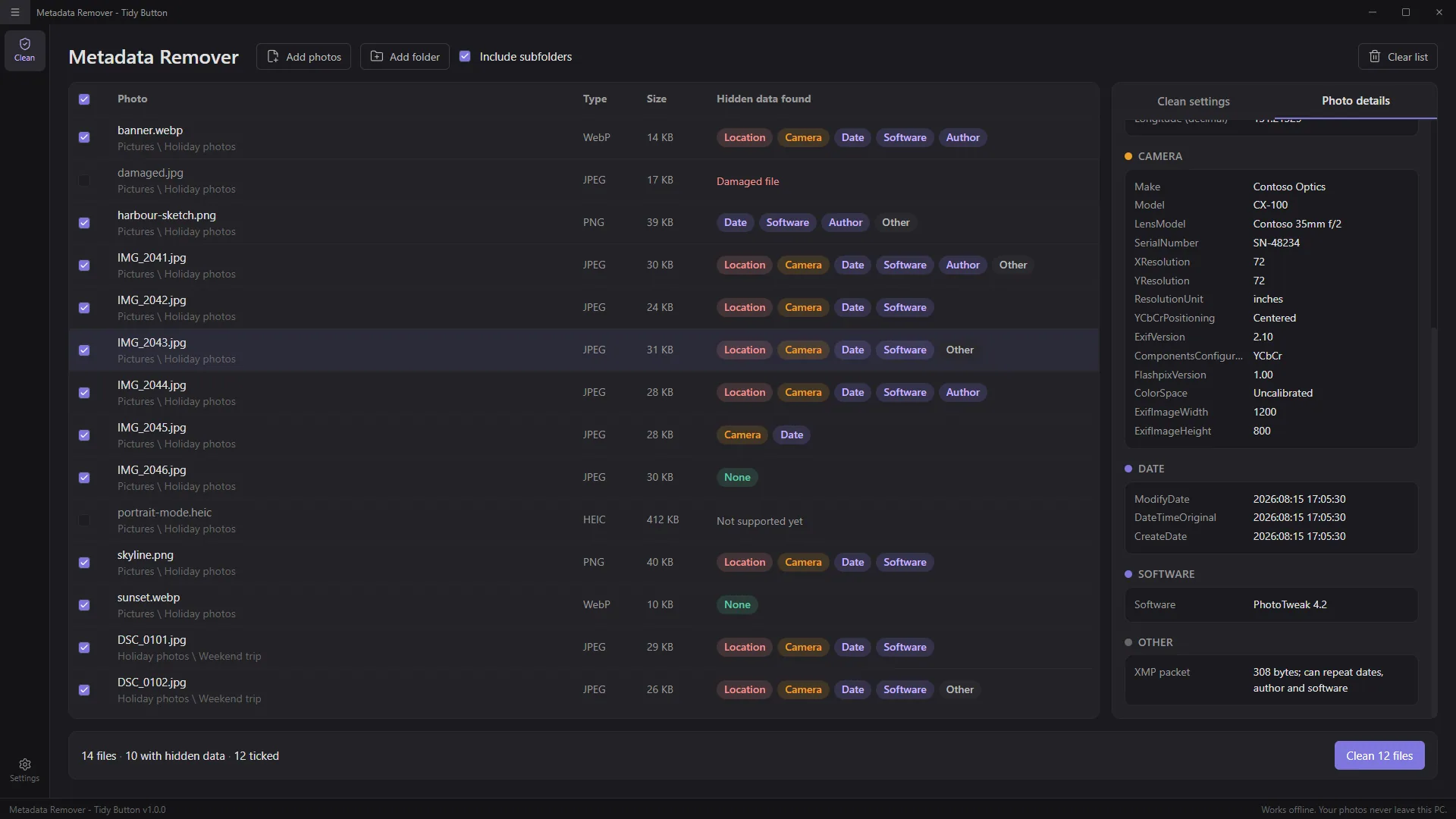
More details
Camera and lens, dates, software and embedded XMP blocks are all grouped
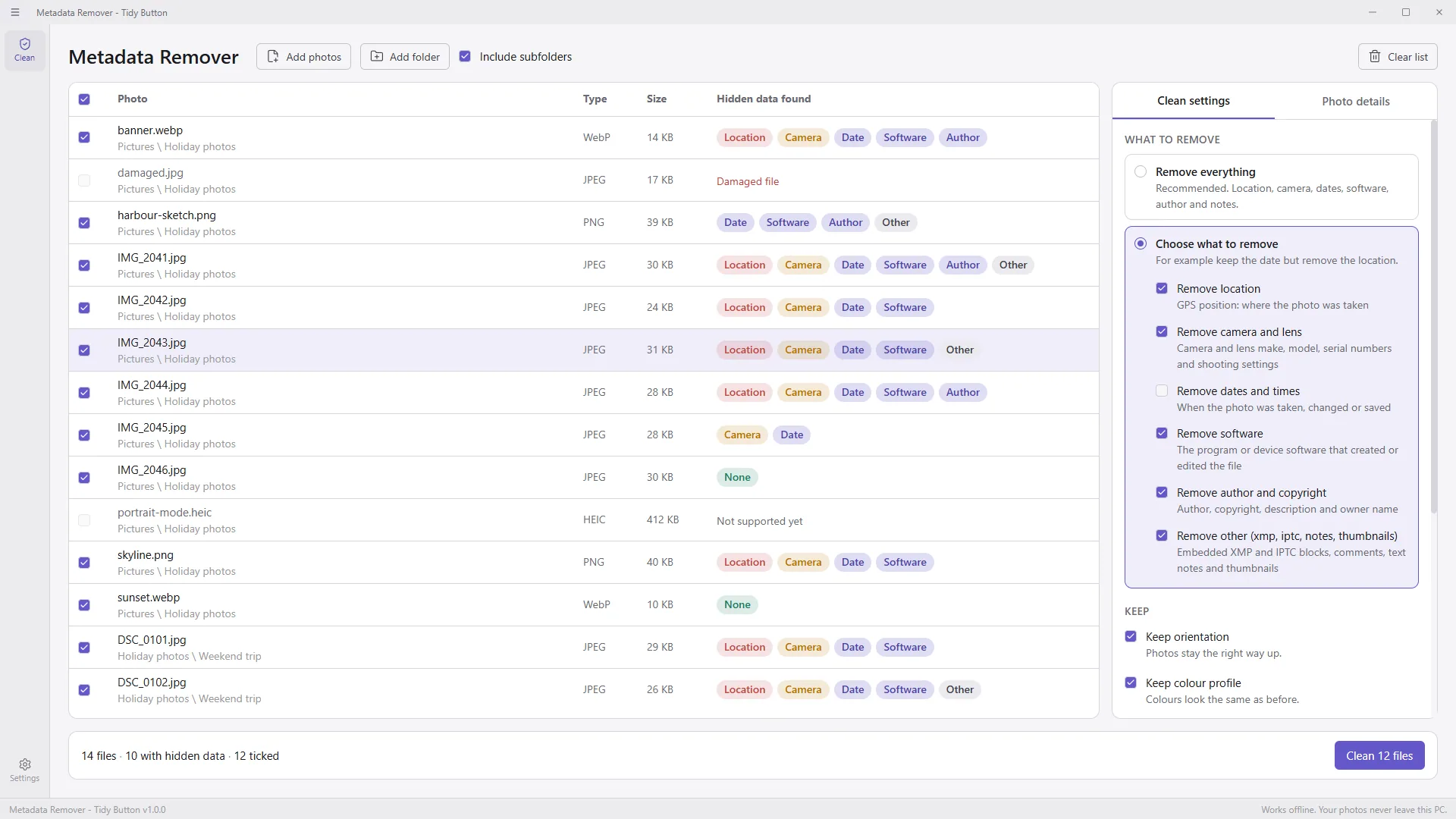
Choose
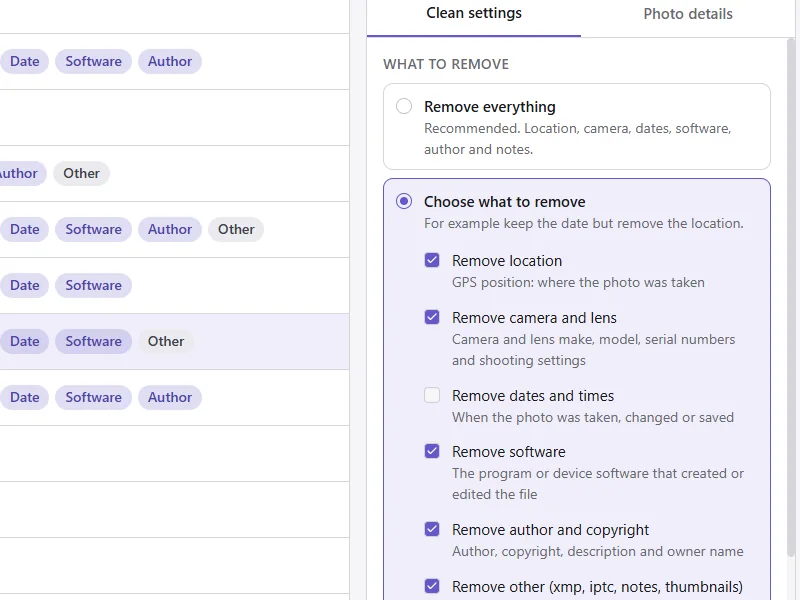
Remove everything, or choose what to remove. Here the dates stay
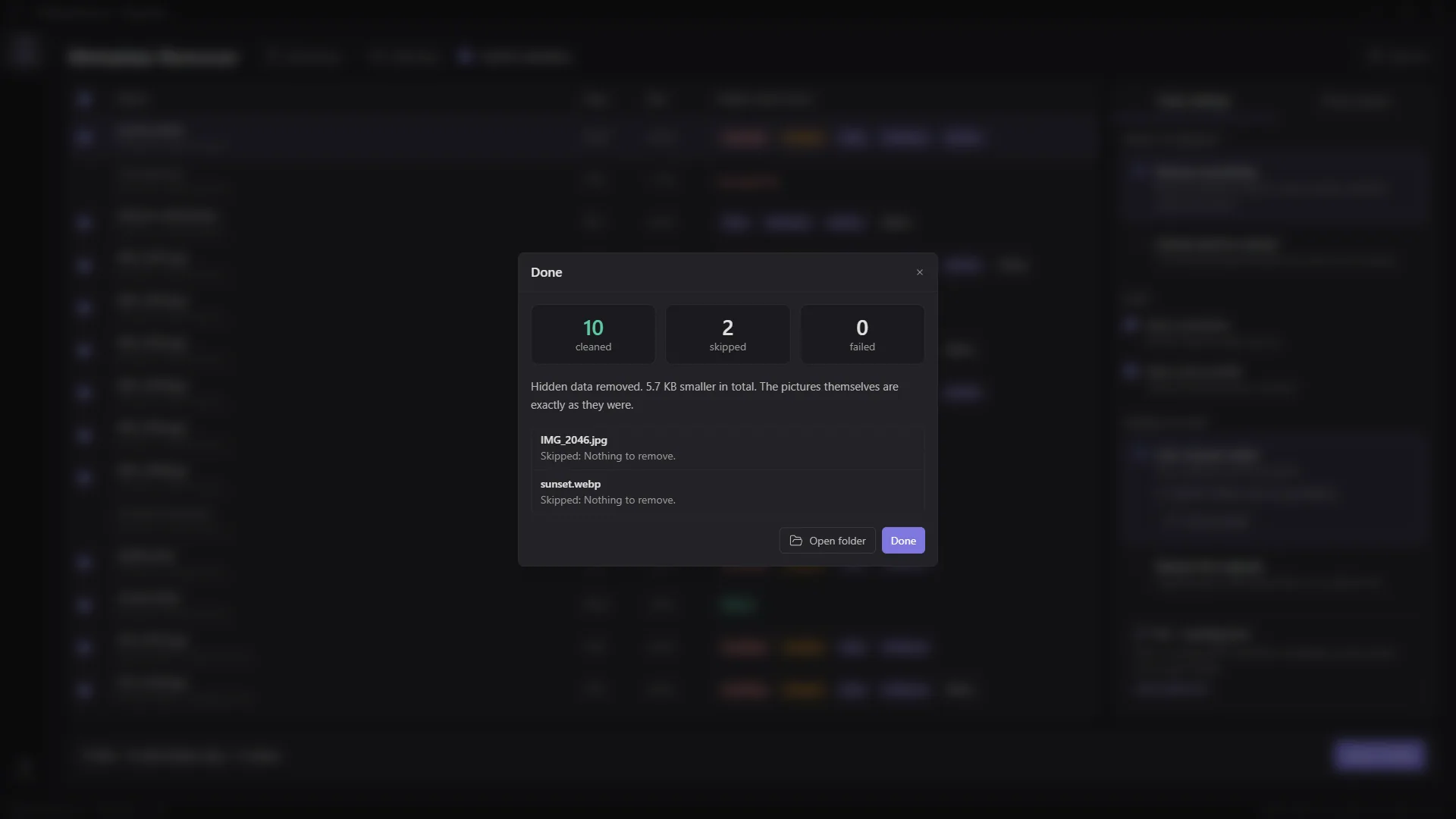
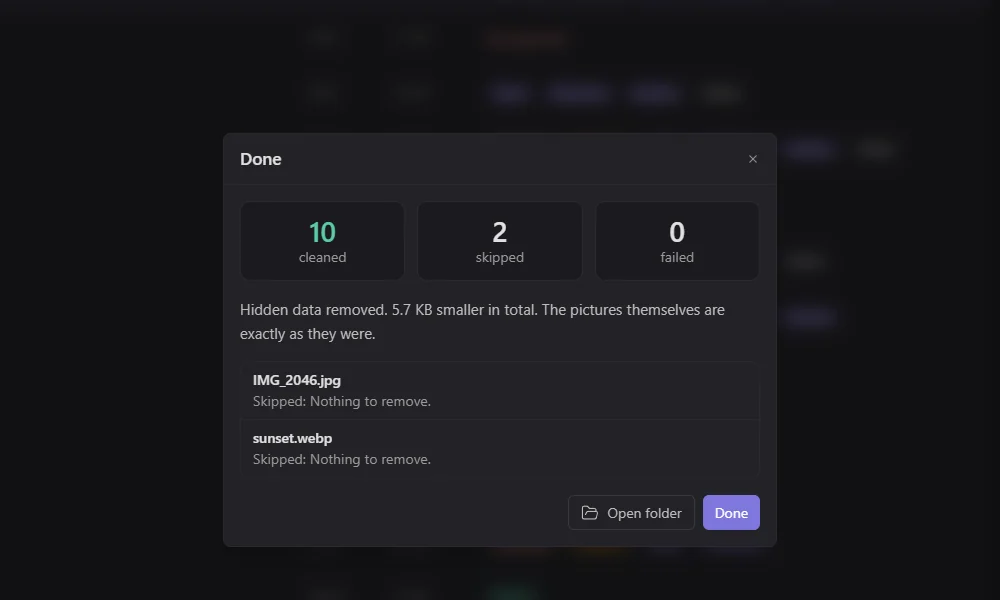
Done
A summary after every run: cleaned, skipped and failed, with the reason for each skipped file
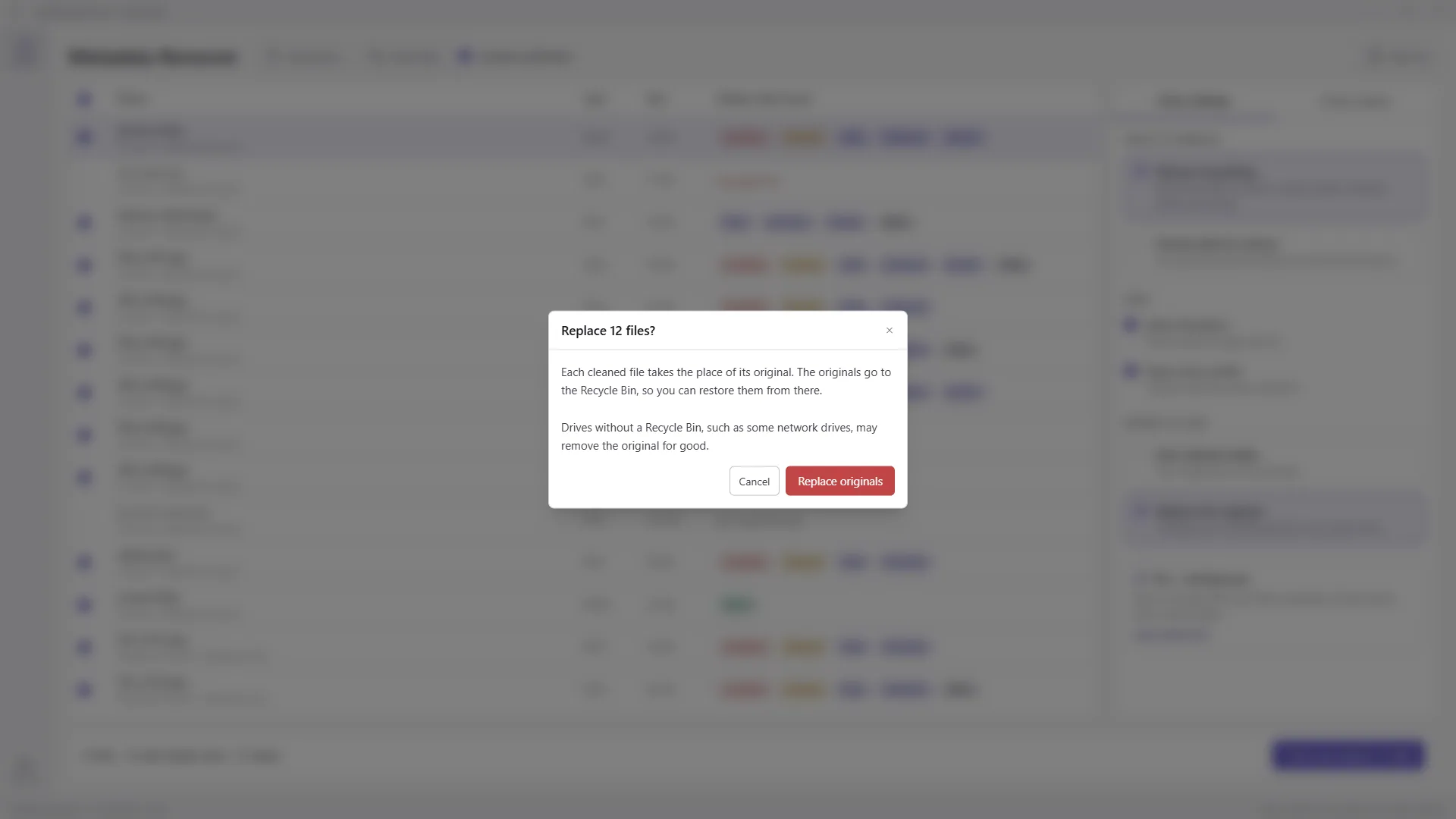
Confirm
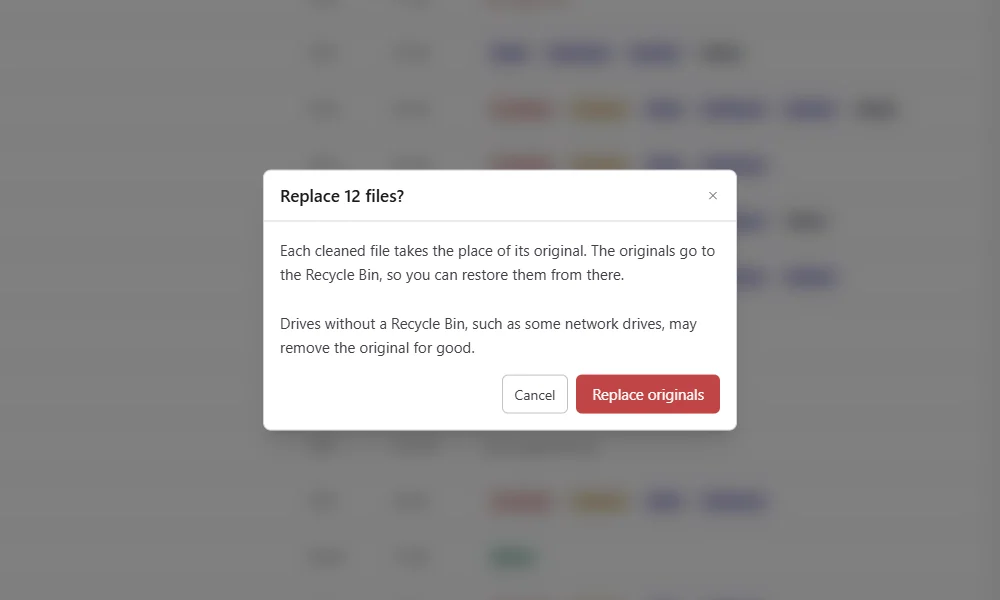
Replacing originals always asks first, and the originals go to the Recycle Bin
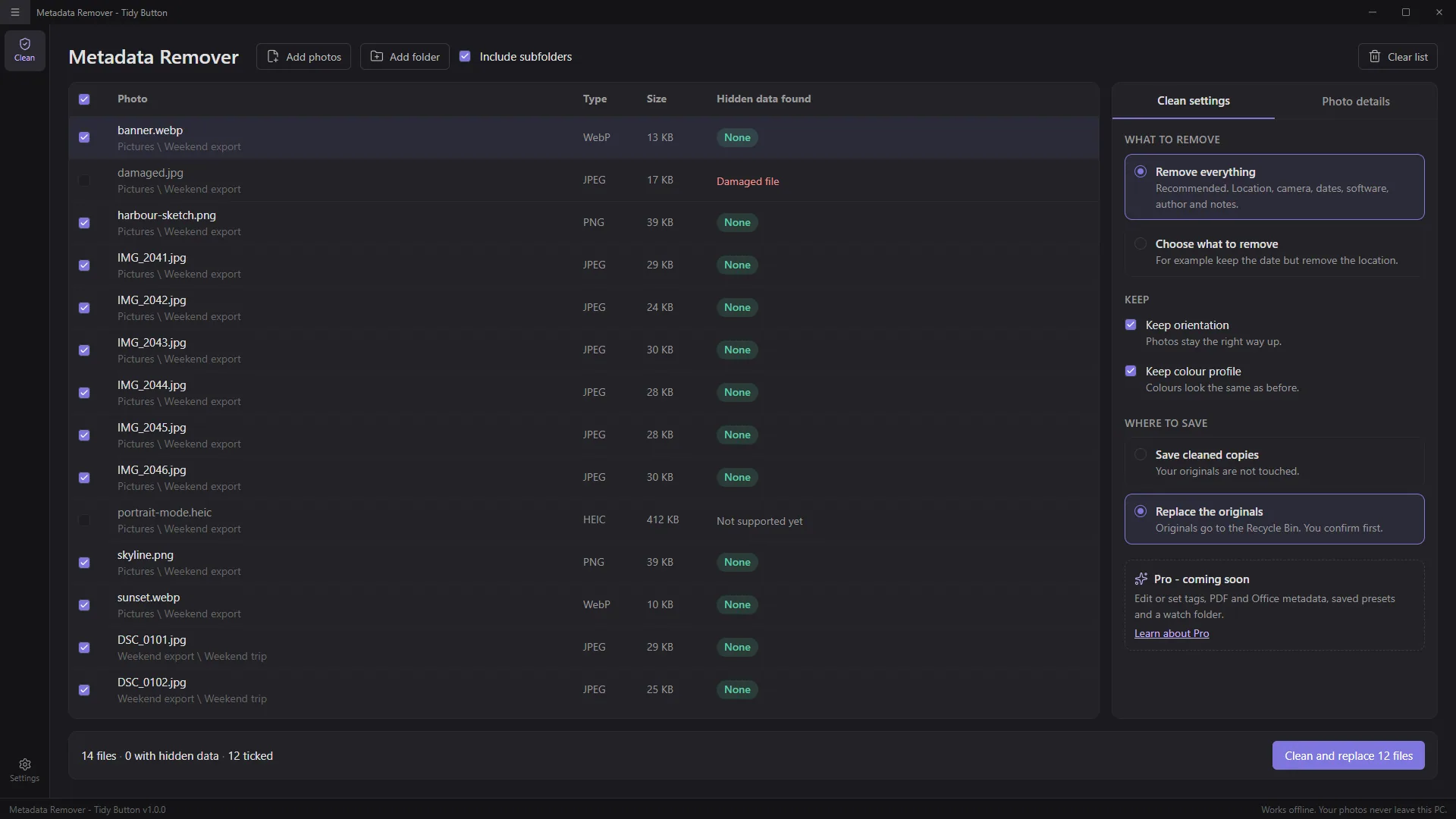
After
After replacing, every photo shows None. HEIC and damaged files are listed but never changed
Free limit
The free version cleans up to 20 files per run
Screens show a demo folder of sample photos, not a real PC. The app has light and dark themes.
How it works
Three steps. No manual.
01
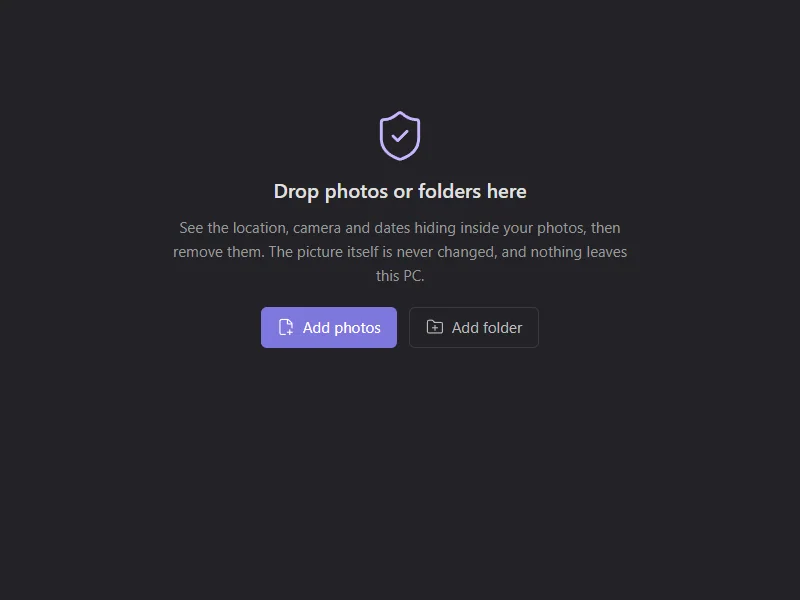
Add photos or a folder
Press Add photos or Add folder, or drop them onto the window. Tick Include subfolders to go deeper.
02
See what is hidden
Each photo gets a badge for Location, Camera, Date, Software or Author. Click one to read every detail.
03
Choose, clean, check
Remove everything or pick what goes, choose copies or replace, then press Clean. A summary shows what happened to every file.
What it does
What it does.
Photos from a phone or camera can carry hidden details: where they were taken, the camera model and serial number, the date and time, the editing software and sometimes the author. Share the file and all of it goes along. Add photos or a folder, look at what each one gives away, then clean them. The app rewrites the file's metadata blocks and leaves the picture data alone, so the pixels stay exactly the same.
A badge on every photo
Location, Camera, Date, Software, Author or None, so you see at a glance which photos give something away.
Every detail, written out
Click a photo to see all of its tags grouped by kind, with the GPS latitude and longitude as plain text. No map, no internet.
Remove all, or choose
Remove everything, or pick what goes. For example, keep the date and remove the location.
Keep what you need
Keep orientation and keep the colour profile are both on by default, so photos stay upright and colours look the same.
The picture is never re-encoded
Only the hidden data is removed. Same pixels, same quality.
Checked before it is saved
Every result is checked first. If a file is damaged or a check fails, it is left alone and the summary tells you why.
Copies or replace
Save cleaned copies in a folder (a cleaned folder next to your photos by default), or replace the originals after you confirm.
Add photos your way
Add photos, add a folder with or without its subfolders, or drop them onto the window.
The small print, in plain English
Safe by design.
Replacing originals always asks first. Cancel and every photo stays as it was.
Every run ends with a summary. Skipped files say why, and are never changed.
Nothing is cleaned until you press Clean.
The default saves cleaned copies and leaves your originals untouched.
Replacing originals always asks first, and the originals go to the Recycle Bin.
The picture itself is never changed: no re-encoding, no loss of quality.
Works offline. No account. No ads. No tracking.
What it finds
Six kinds of hidden data.
Photos can carry more than the picture. Here is what each kind covers, and each one can be kept or removed on its own.
Click a photo to read every detail.
Location
Where the photo was taken
The GPS position, shown as latitude and longitude.
Camera
Camera and lens
Make, model, serial numbers and shooting settings.
Date
Dates and times
When the photo was taken, changed or saved.
Software
Programs that touched it
The program or device software that created or edited the file.
Author
Who made it
Author, copyright, description and owner name.
Other
Embedded extras
XMP and IPTC blocks, comments and thumbnails.
Orientation and the colour profile are kept by default, so photos stay upright and colours look the same.
Good for
Handy before you share a photo.
Photos you are about to post or sell with
Pictures you send to people you do not know
Folders you share with a client or a website
Checking what a photo gives away before you send it
Keeping the date but dropping the location
Questions
Plain answers.
Does it change my pictures?
Not the picture. The app rewrites the file's metadata blocks and does not re-encode the image, so the pixels and the quality stay exactly the same. Each result is checked before it is saved, and a file that fails the check is left alone.
Does it overwrite my originals?
Not by default. The default saves cleaned copies in a cleaned folder next to your photos. Replace the originals is a choice, it asks you to confirm, and each original goes to the Recycle Bin so you can restore it.
Which photo types does it work with?
JPEG, PNG and WebP. HEIC, TIFF and RAW files are listed as not supported yet and are never changed.
Can I keep some details and remove others?
Yes. Choose what to remove and tick only the kinds you want gone, for example remove the location and keep the date. Keep orientation and keep the colour profile are on by default.
Does it show where a photo was taken on a map?
No. It shows the latitude and longitude written out as text. There is no map and no internet connection is used.
Does it need an account or an internet connection?
Neither. There is no account, no ads and no tracking, and your photos are read on your PC and never uploaded. The app works offline.
Is there a limit on how many files I can clean?
The free version cleans up to 20 files in one run, taking the first 20 you have ticked. A Pro add-on is planned for people who clean a lot of files.