We will link the Store listing here the day it is live. Until then there is nothing to download.
Real app, with a times tables worksheet ready to print.
Works offline
No account, no ads, no tracking
No subscription
Free
See it
Eight views. One topic, a worksheet.
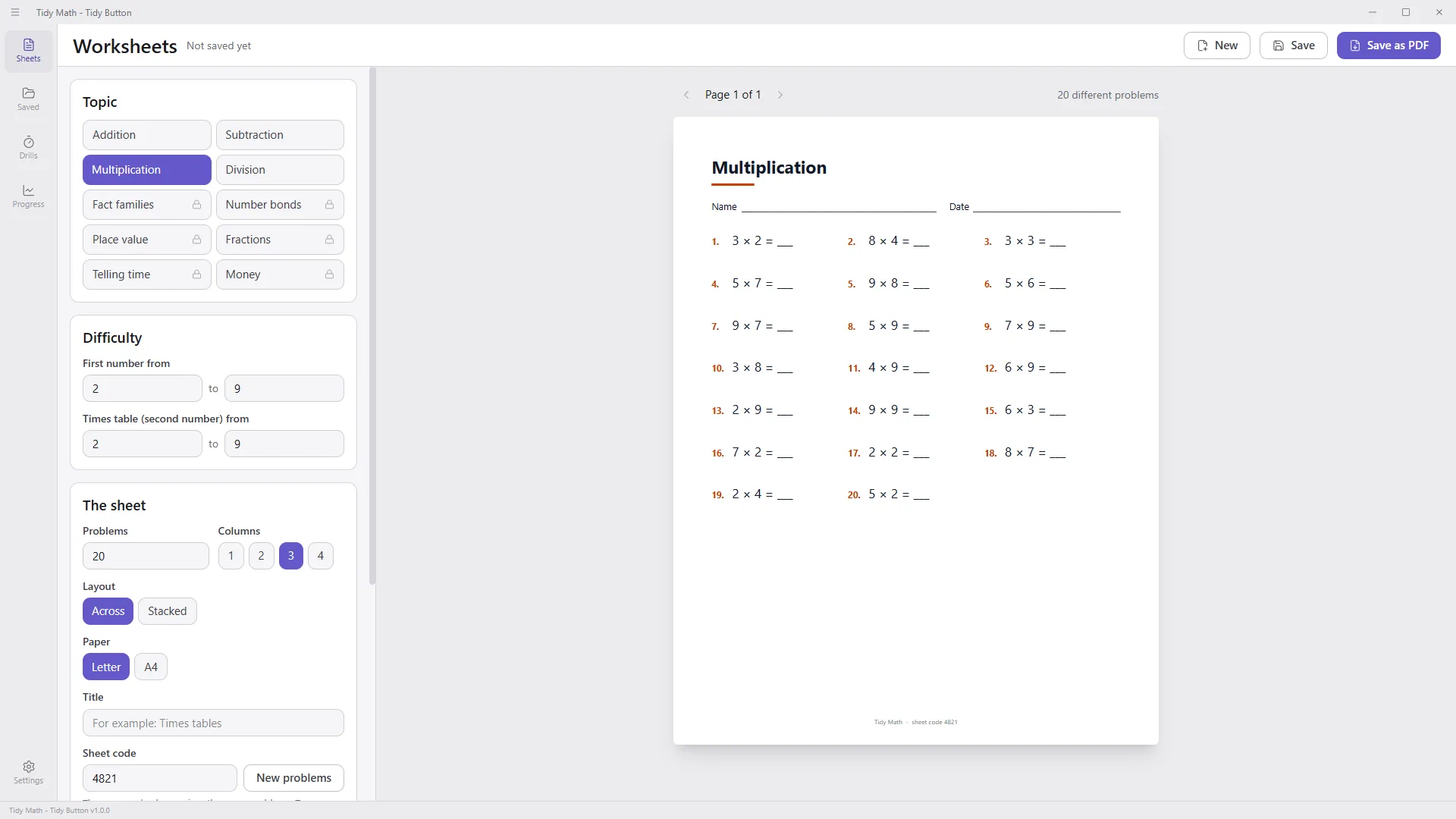
Worksheet
Pick a topic and see the worksheet exactly as it will print, with a Name and Date line and a sheet code
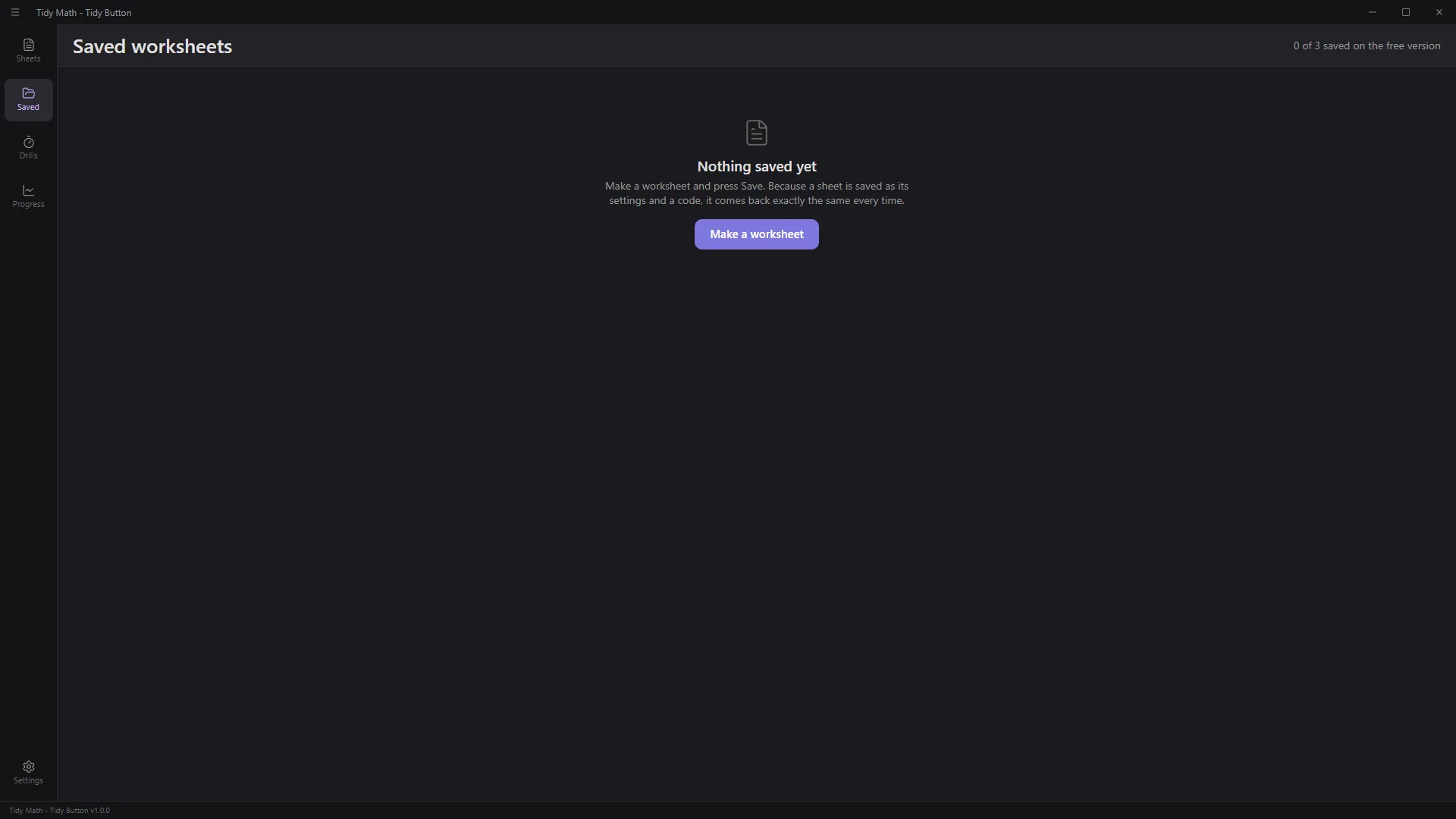
Saved
Saved worksheets come back exactly the same, because each one is stored as its settings and a sheet code
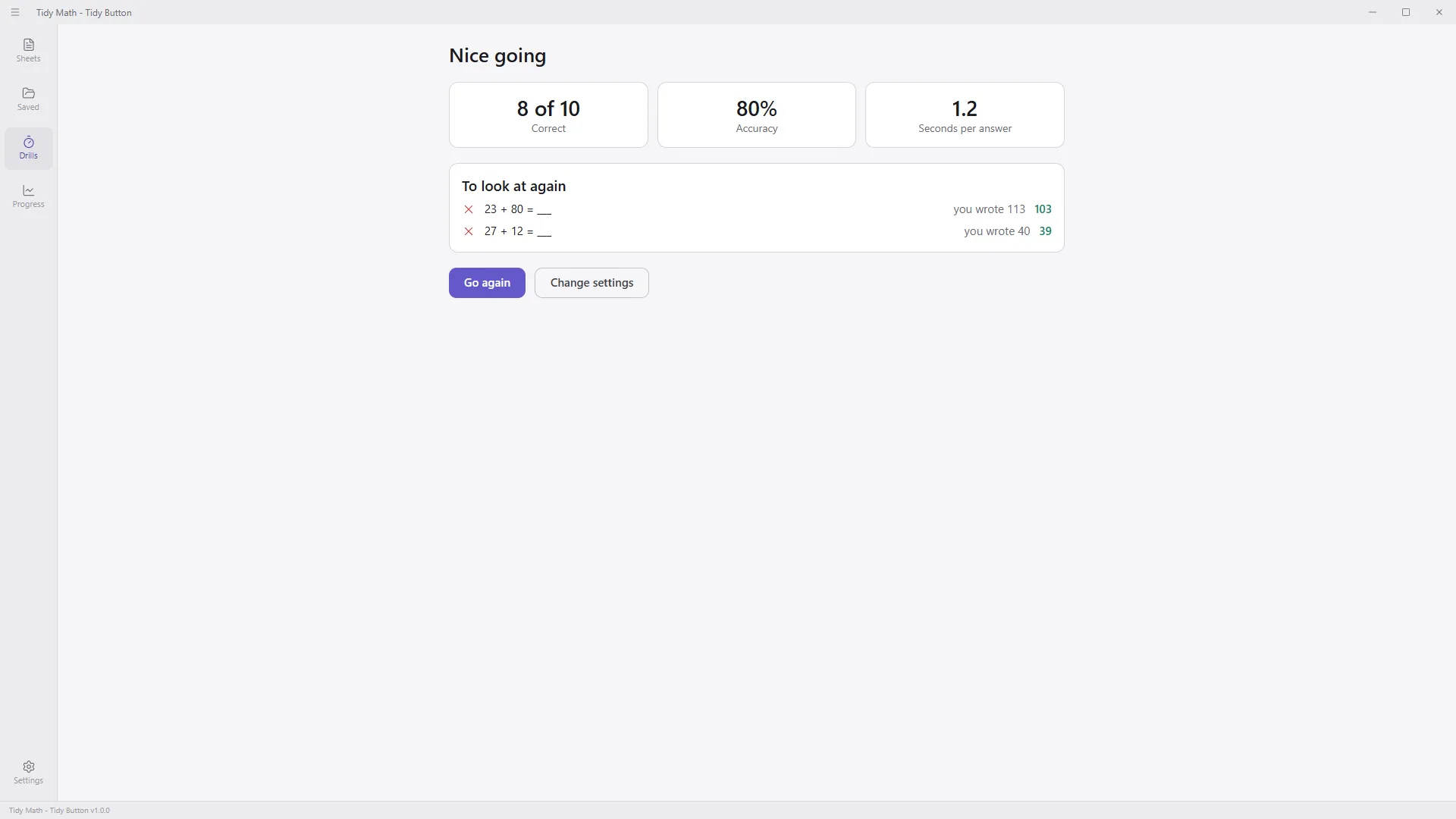
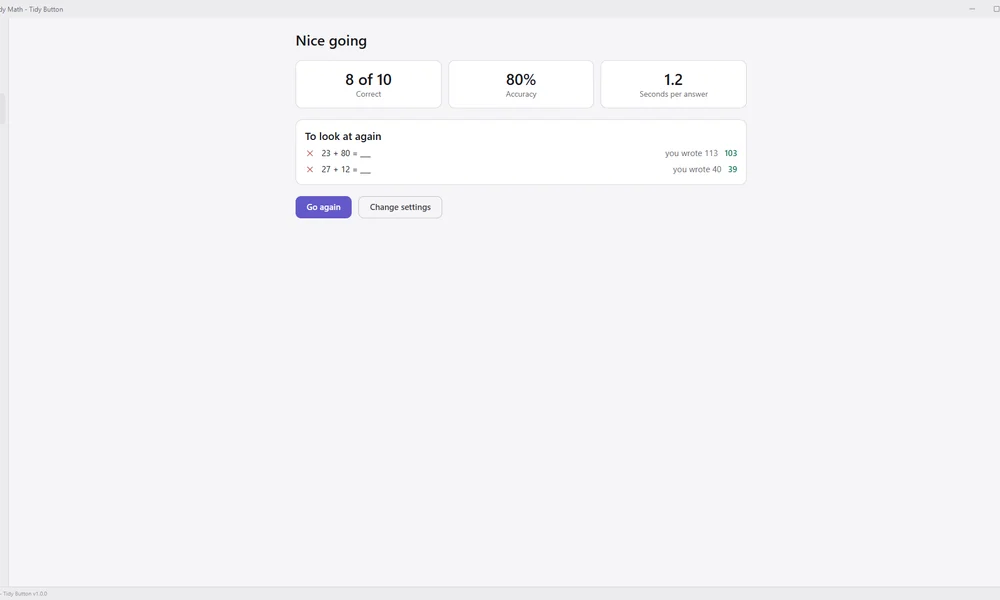
Drill result
After a drill you see your score, accuracy and speed, and a list of the problems to look at again
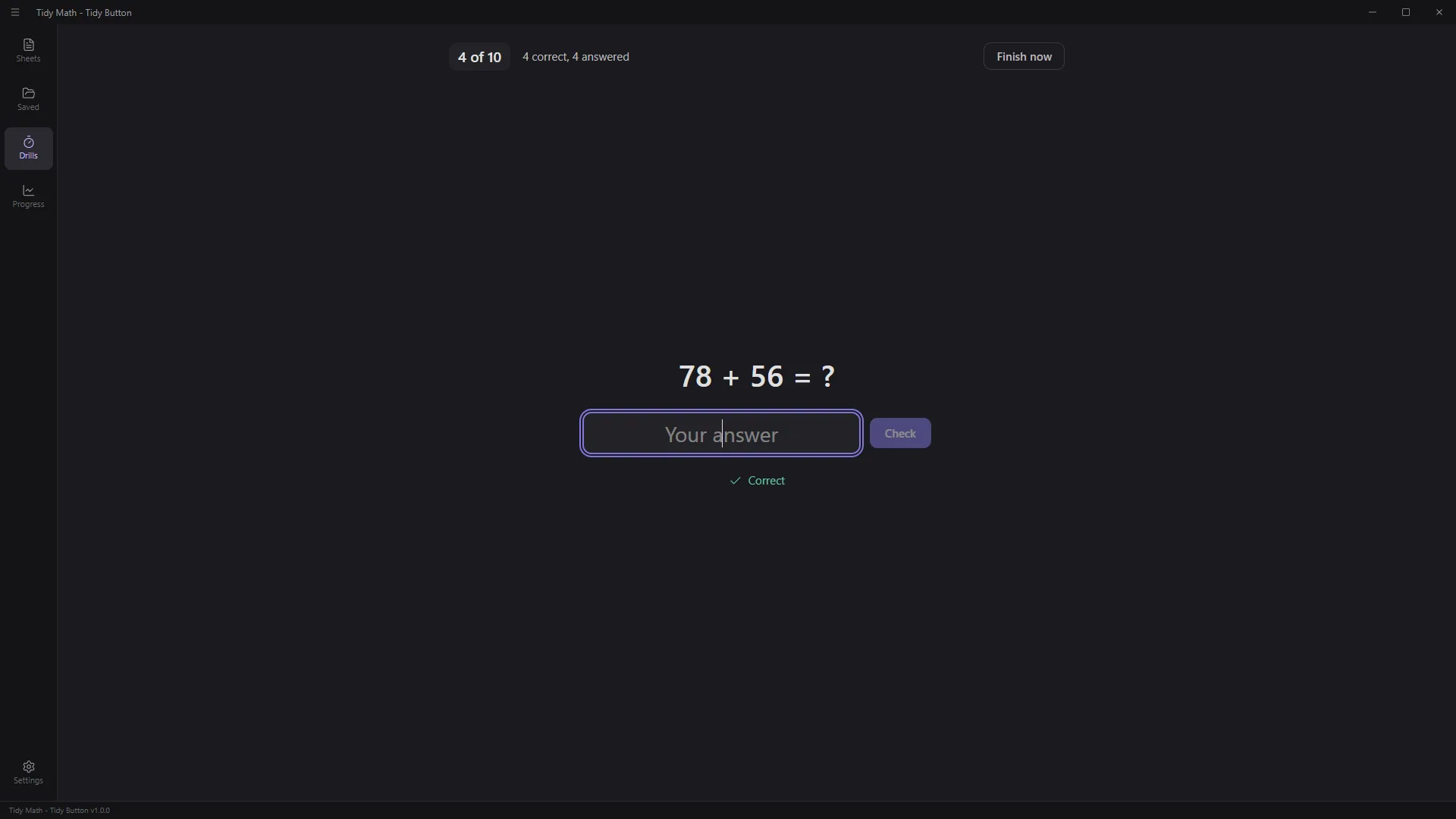
Drill
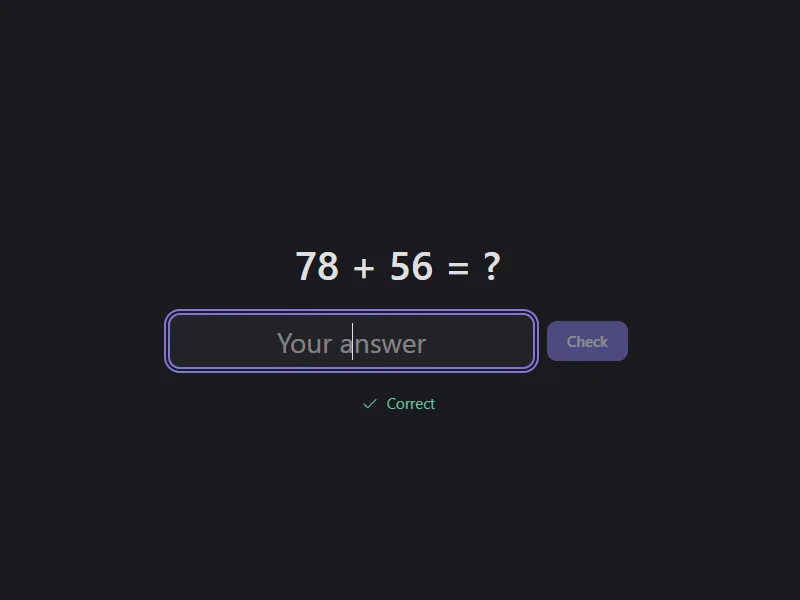
Quick on-screen drills against the clock or for a set number of problems, with an answer box for each one
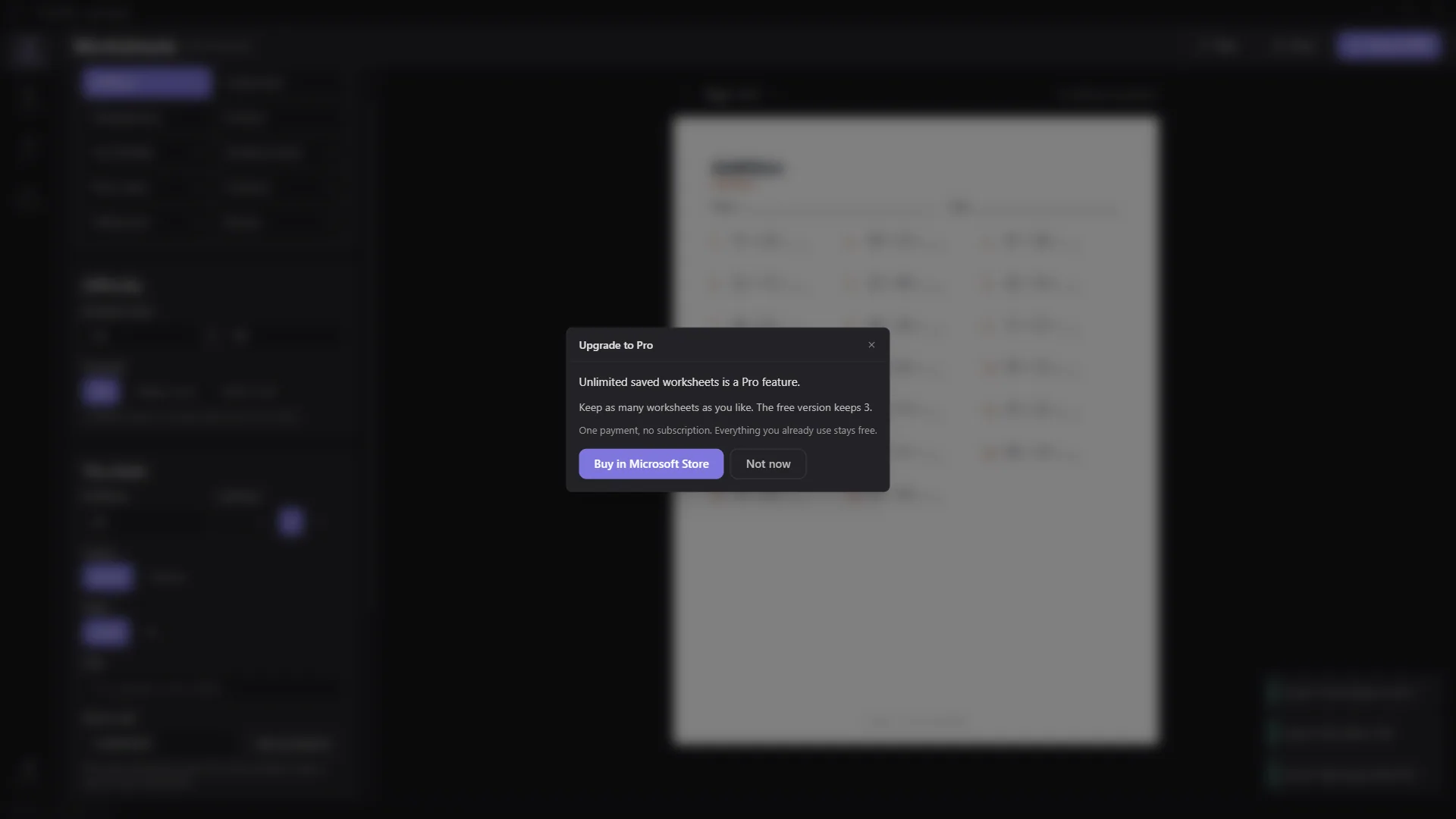
Free limit
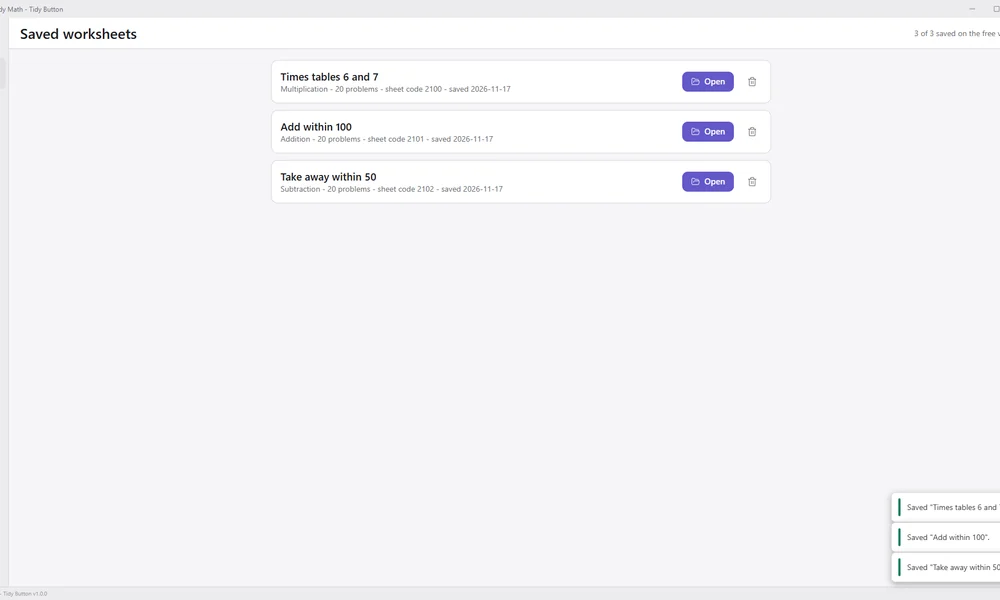
The free version keeps 3 saved worksheets. One payment unlocks Pro, with no subscription
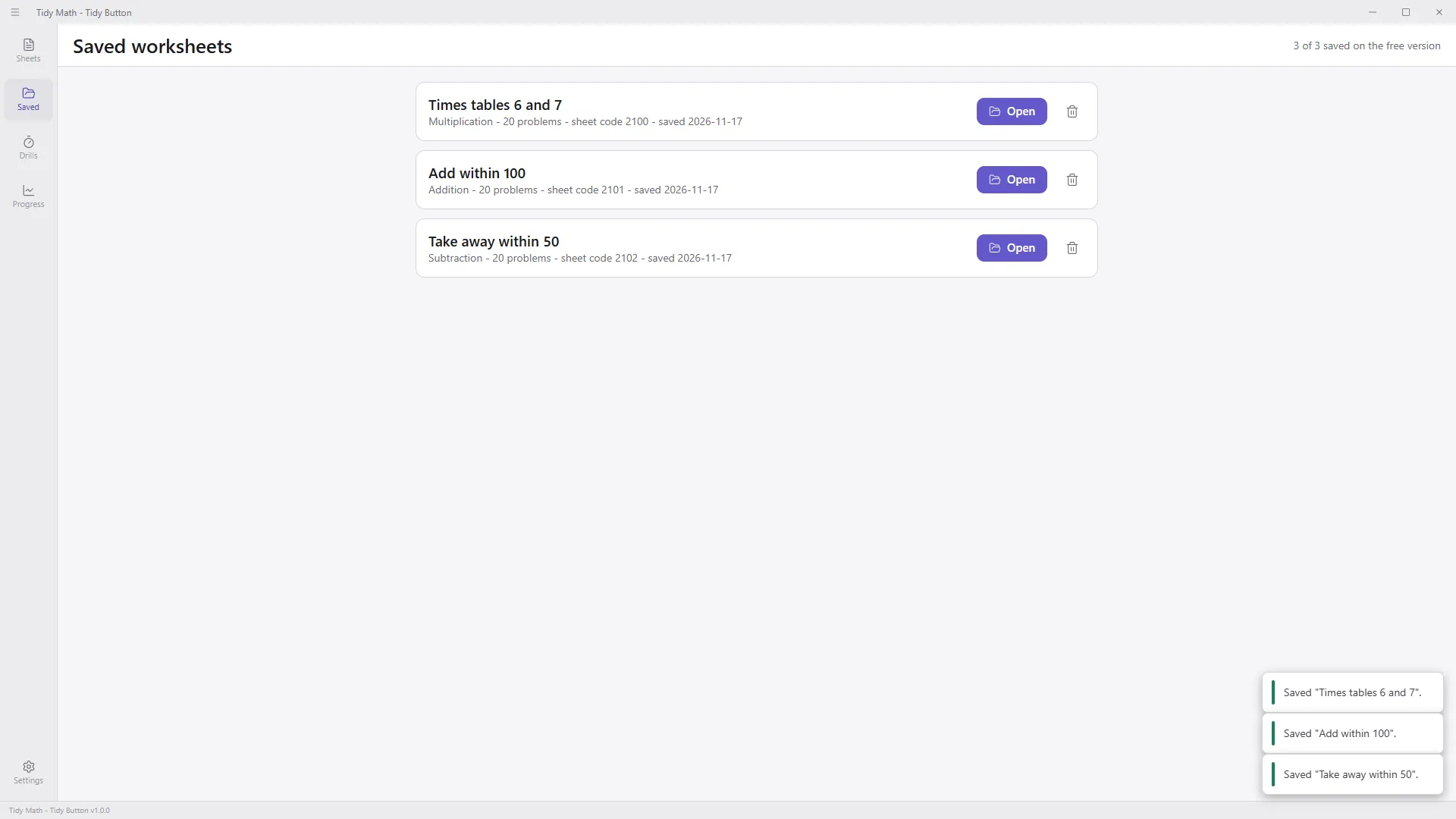
Three saved
Three saved worksheets on the free version, each with its topic, problem count and sheet code
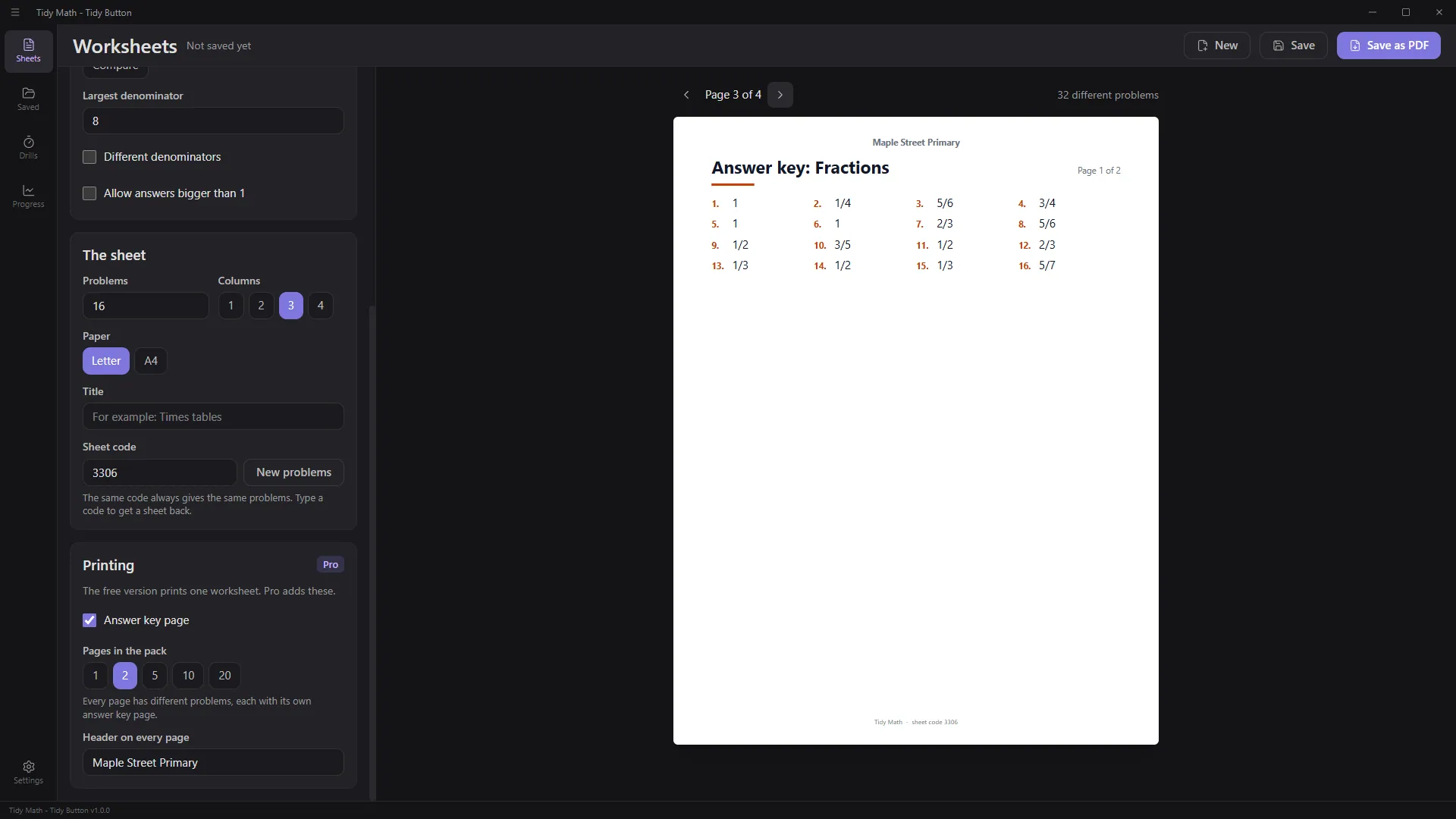
Pro pack
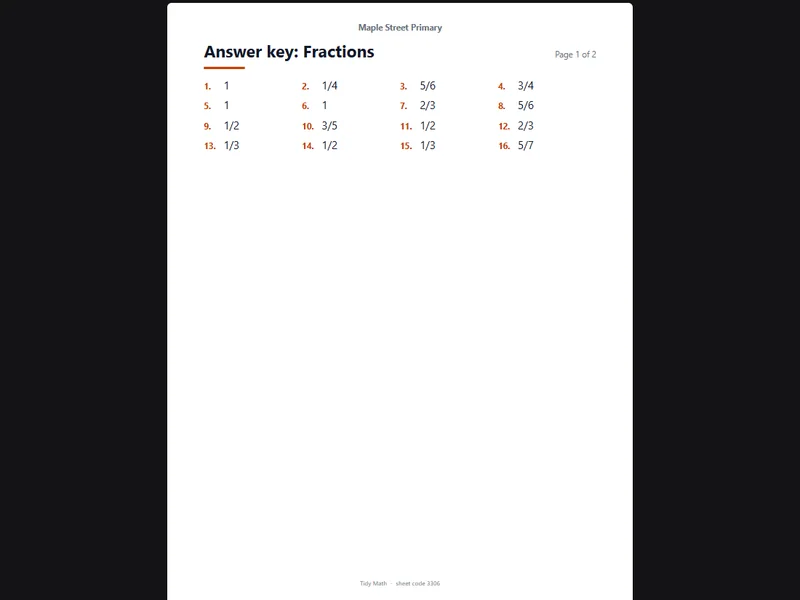
Pro adds answer key pages, multi-page packs and your own header on every page
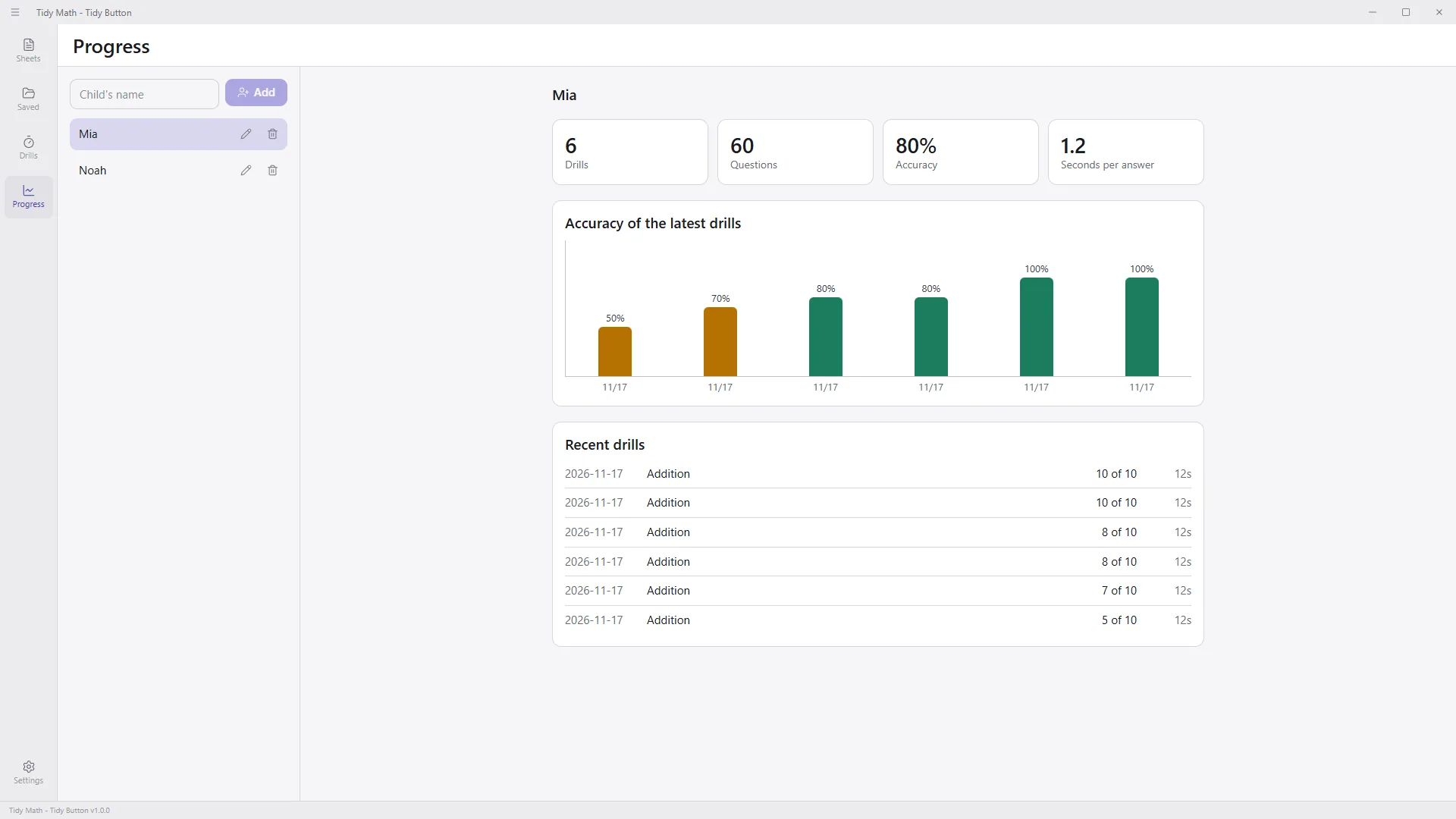
Progress
Pro gives each child a profile, with a chart of accuracy over their latest drills
Screens show invented sample names and problems. The app has light and dark themes.
How it works
Three steps. No manual.
01
Pick a topic
Choose addition, subtraction, multiplication or division, then set how hard it should be.
02
Check the sheet
The preview shows each page as it will print, with the sheet code in the footer. Pro adds an answer key page.
03
Save as PDF
Press Save as PDF on Letter or A4, and print it. Or run a timed drill on screen.
What it does
What it does.
Tidy Math makes printable math worksheets and quick on-screen drills for children aged 5 to 12. It is made for parents, home-school families, tutors and primary-school teachers who want practice material in a minute. Everything happens on your PC. The free app works with the internet turned off.
Ten topics
Addition, subtraction, multiplication and division are free. Pro adds fact families, number bonds, place value, fractions, telling time and money.
See it as it prints
The worksheet preview matches the printed page, with a Name and Date line. Save it as a PDF on Letter or A4 paper.
Same sheet again
Every worksheet has a sheet code in the footer. Type the same code and the same worksheet comes back, to reprint or to share.
Difficulty you control
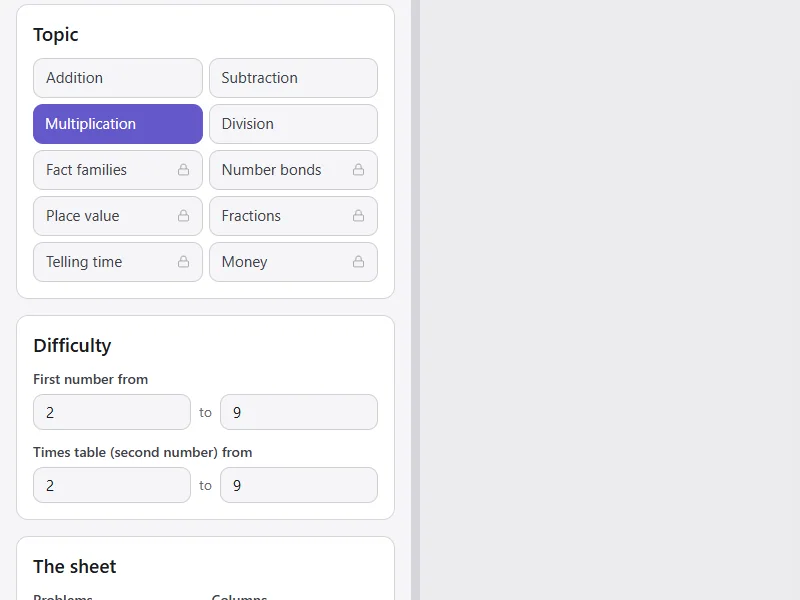
Set number ranges, carrying, borrowing, negative answers and remainders, and choose across or stacked layout with 1 to 4 columns.
Exact answers
No problem repeats on a sheet. If your settings allow fewer different problems than you asked for, the sheet tells you.
Timed drills
Race the clock for 1, 2 or 3 minutes, or answer a set number of 10, 20 or 30 problems. See your score, accuracy and the mistakes.
Answer keys and packs
Pro adds answer key pages and packs of up to 20 different pages, each with its own key, with your own header on every page.
Progress for each child
Pro keeps a profile for each child with drill history and a chart of accuracy over the latest drills.
The small print, in plain English
Safe by design.
Saved sheets keep their topic, problem count and sheet code, so they come back exactly the same.
A clear summary after every drill: score, accuracy, speed and the mistakes to look at again.
Nothing is uploaded. Your worksheets and drill results stay on your PC.
No account, no sign-in, no ads and no tracking.
The free version makes worksheets for the four operations, with a PDF and drills, and keeps up to 3 saved worksheets.
One payment unlocks Pro. No subscription.
Works offline.
What you control
Your sheet, your level.
Decide how hard the worksheet is and how it looks before you print.
Topic, difficulty, columns, layout and paper size, with a live preview.
Topics
Ten to choose from
Four operations are free. Pro adds fact families, number bonds, place value, fractions, telling time and money.
Difficulty
Yours to set
Number ranges, carrying, borrowing, negative answers and remainders.
Layout
Fits the page
Across or stacked, with 1 to 4 columns and the number of problems you choose.
Paper
Print ready
Letter or A4, with a Name and Date line and the sheet code in the footer.
Sheet code
Reprint any time
The same code always gives the same problems. Type a code to get a sheet back.
Drills
Quick practice
Against the clock for 1, 2 or 3 minutes, or 10, 20 or 30 problems.
Worksheets are made on your PC, so the app needs no internet and no other program.
Good for
Handy when practice is due.
Times tables practice at home
Homework and revision sheets for a class
Tutors who need a fresh sheet every week
Short timed drills before a test
Questions
Plain answers.
Is anything uploaded?
No. Your worksheets, child profiles and drill results are saved on your PC and never leave it. The app works with the internet turned off.
Are the answers exact?
Yes. Every answer is worked out exactly, and no problem repeats on a sheet. If your settings allow fewer different problems than you asked for, the sheet tells you.
Can I print the same worksheet again?
Yes. Every worksheet has a sheet code in the footer. Type the same code and the same worksheet comes back.
What can the free version do?
It makes addition, subtraction, multiplication and division worksheets with every difficulty control, saves them as a PDF, runs timed and set-number drills, and keeps up to 3 saved worksheets.
What does Pro add?
A one-time $9.99 Pro unlocks fact families, number bonds, place value, fractions, telling time and money, answer key pages, packs of up to 20 pages, unlimited saved worksheets, a progress chart for each child and your own header.