We will link the Store listing here the day it is live. Until then there is nothing to download.
Real app, with a short sample paper.
No account, no ads, no tracking
Documents stay on your PC
Free editor
One-time Pro
See it
Eight views. One document, written.
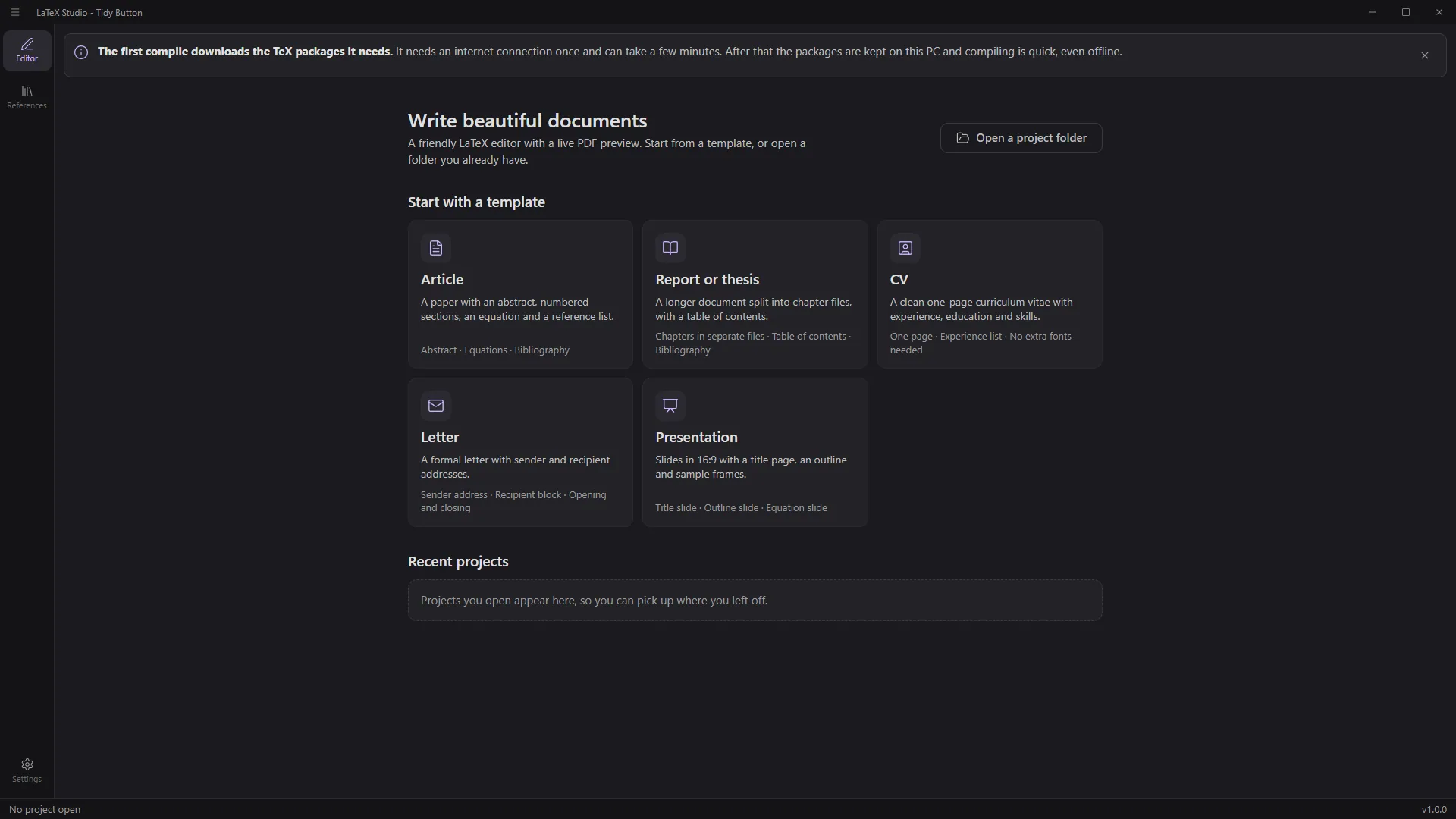
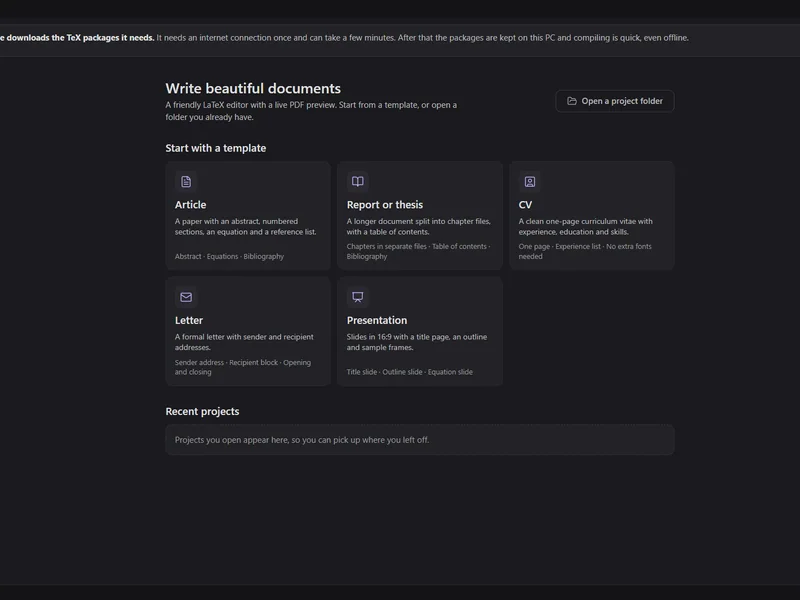
Start
Start from a template or open a folder you already have
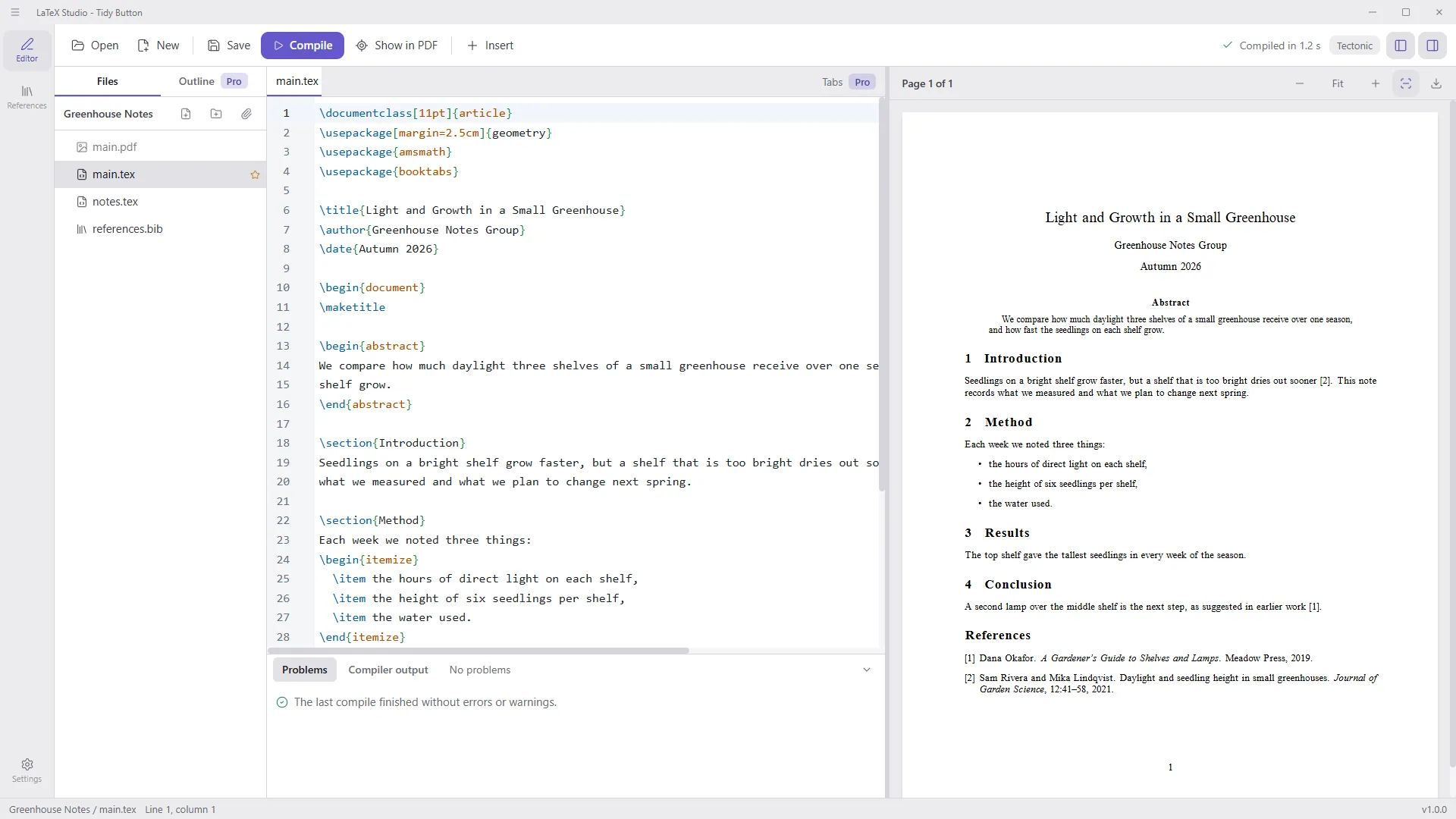
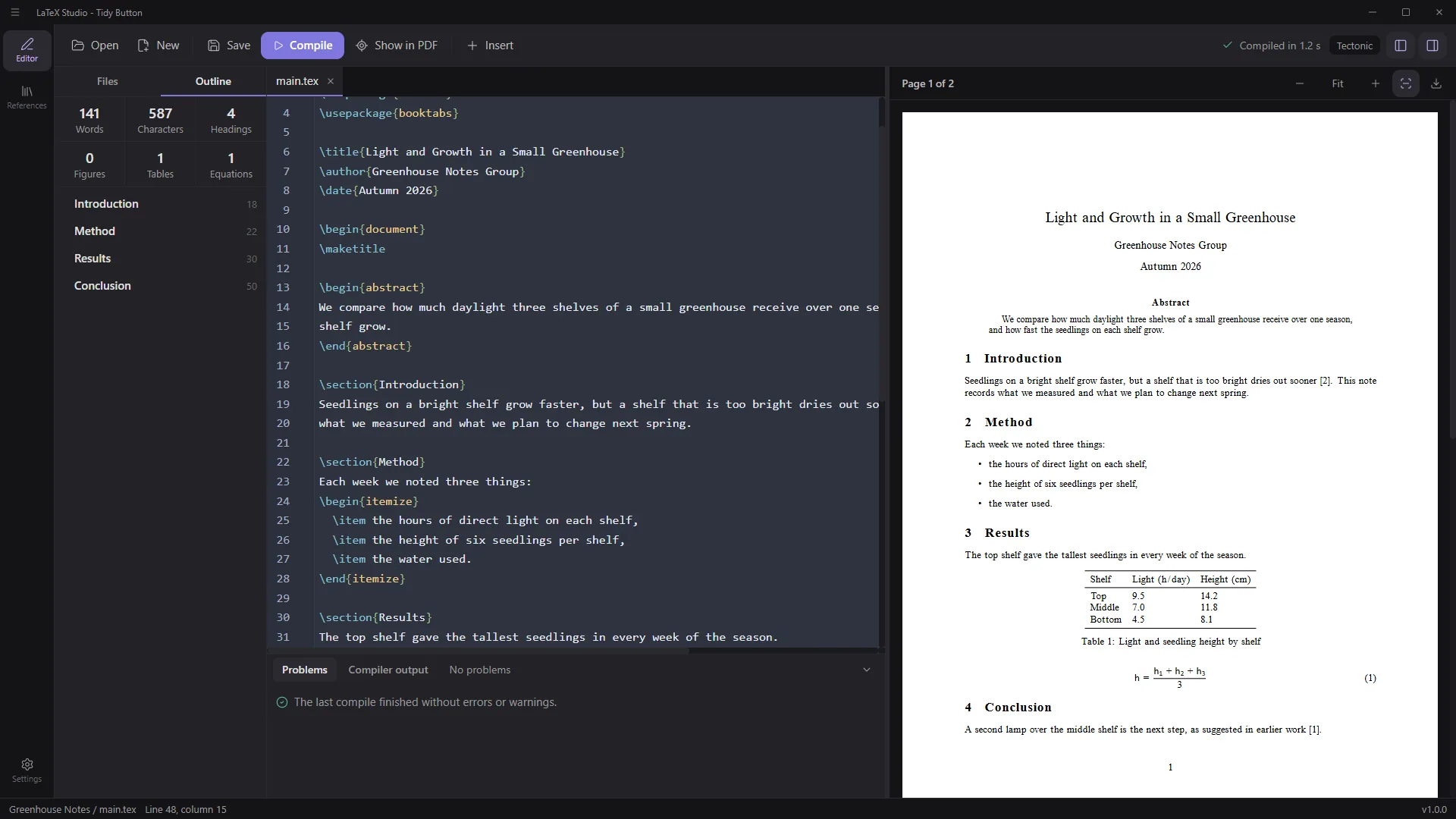
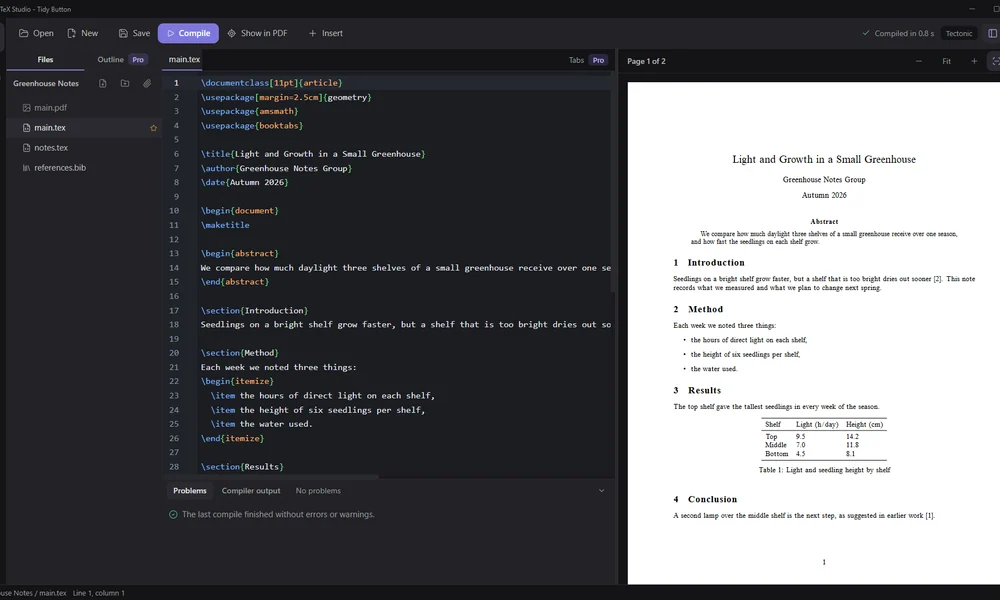
Live preview
Your LaTeX on the left and the finished PDF on the right
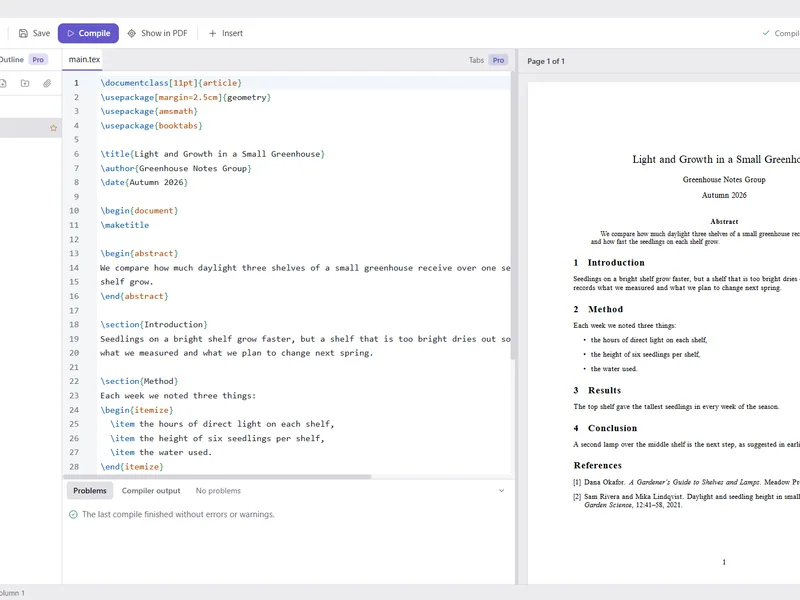
Compiled
A clean compile: the Problems list is empty and the PDF is beside your text
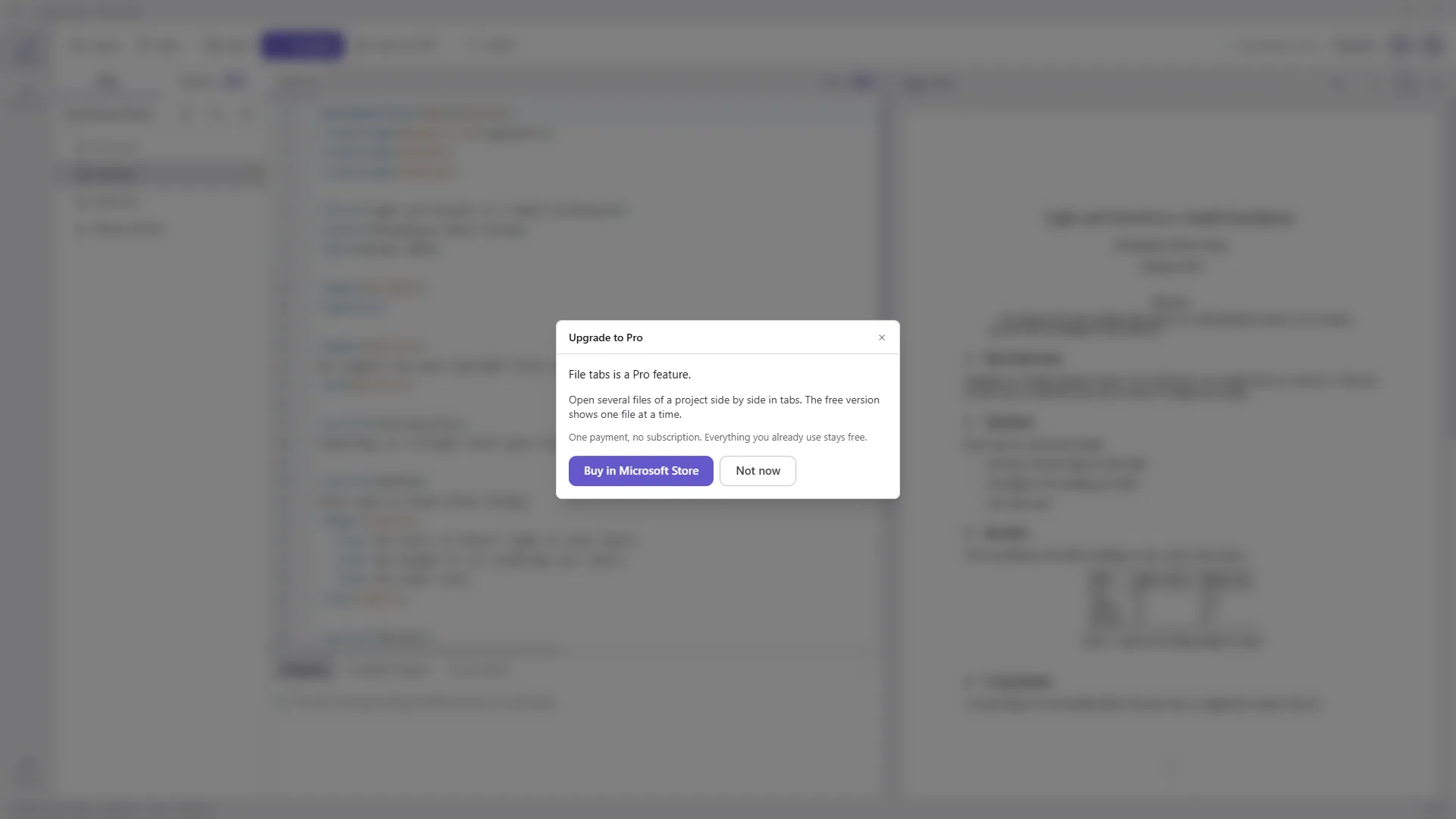
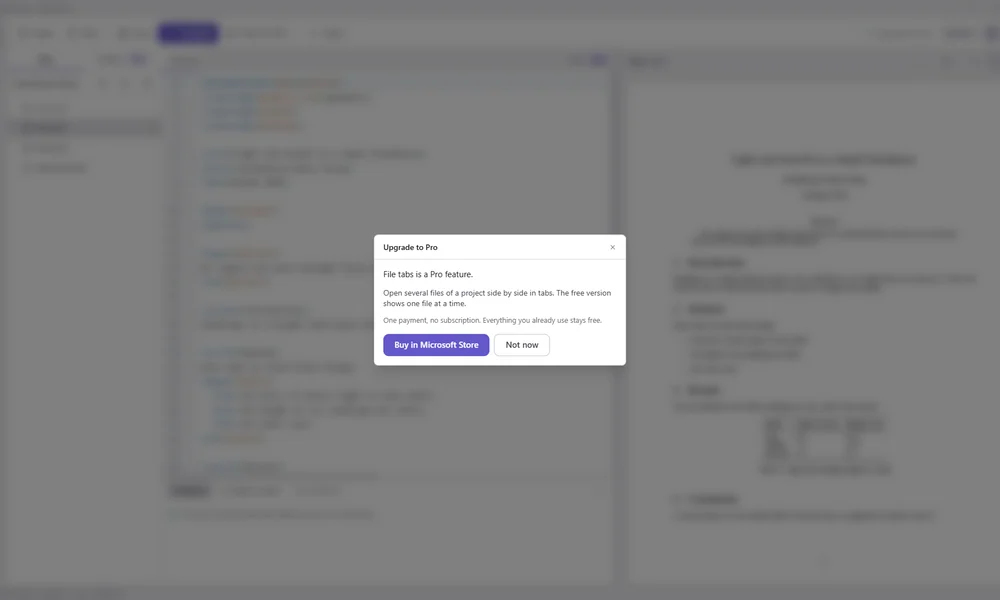
Free limit
The free version keeps one file open at a time and says so plainly
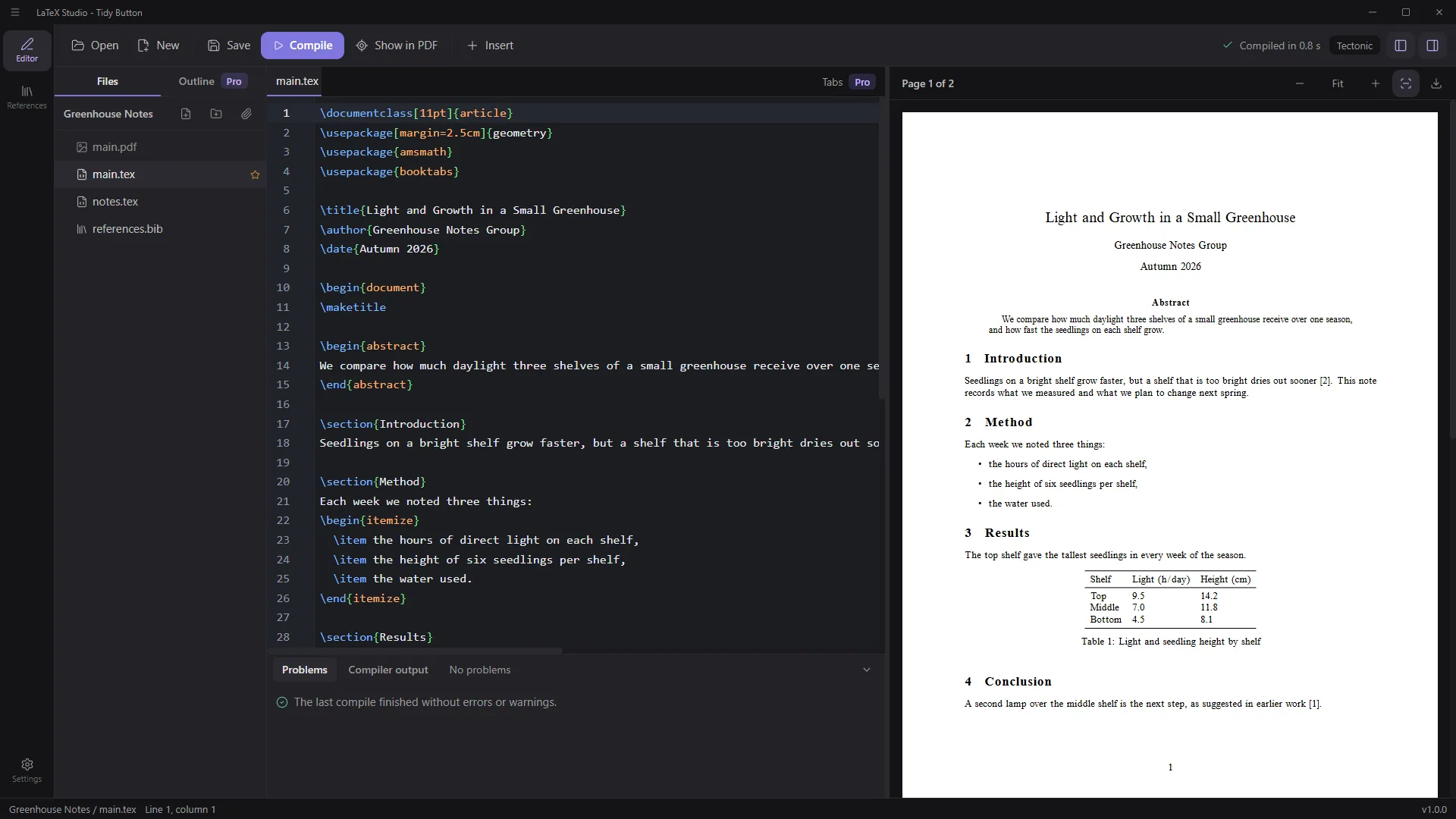
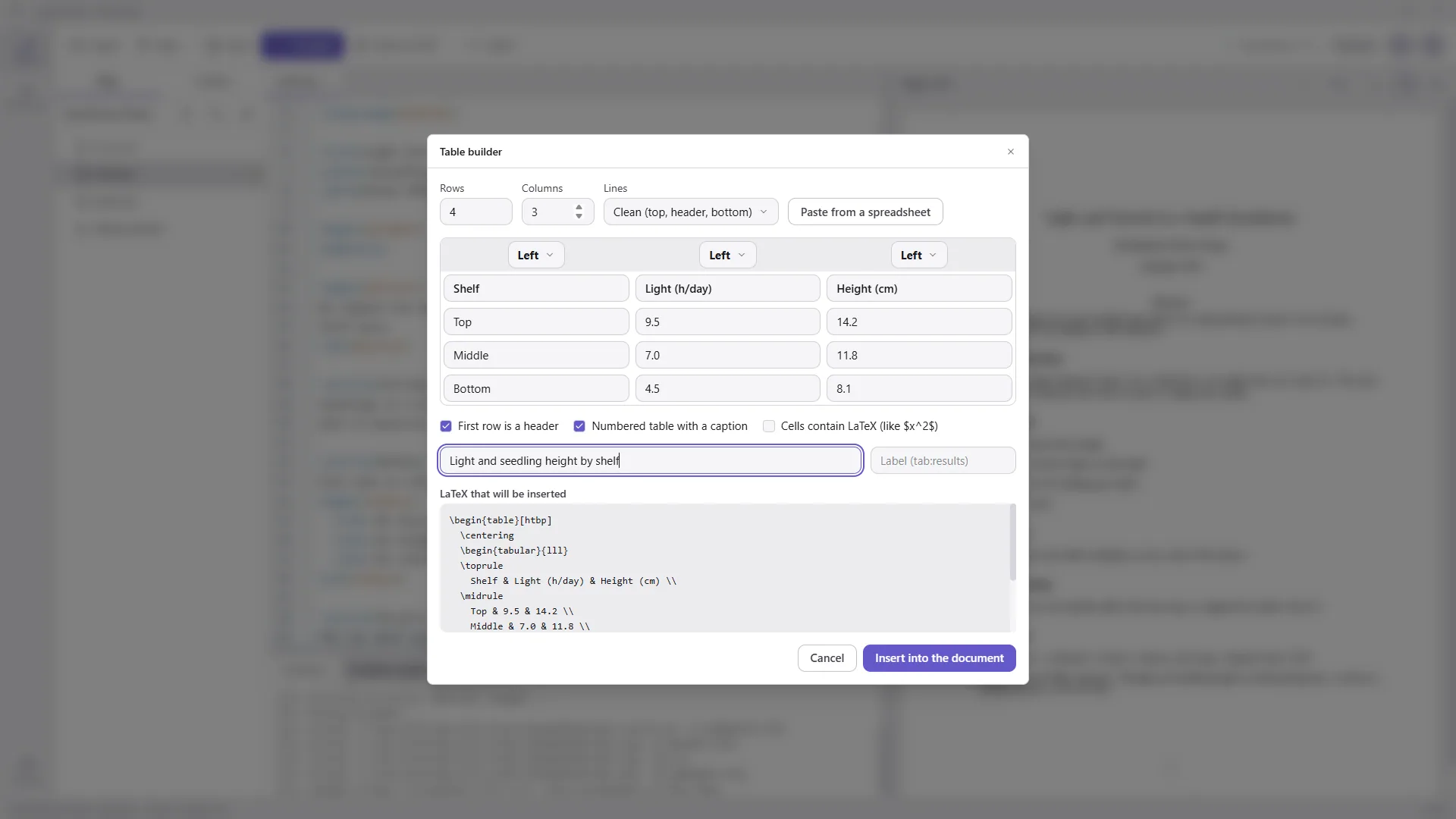
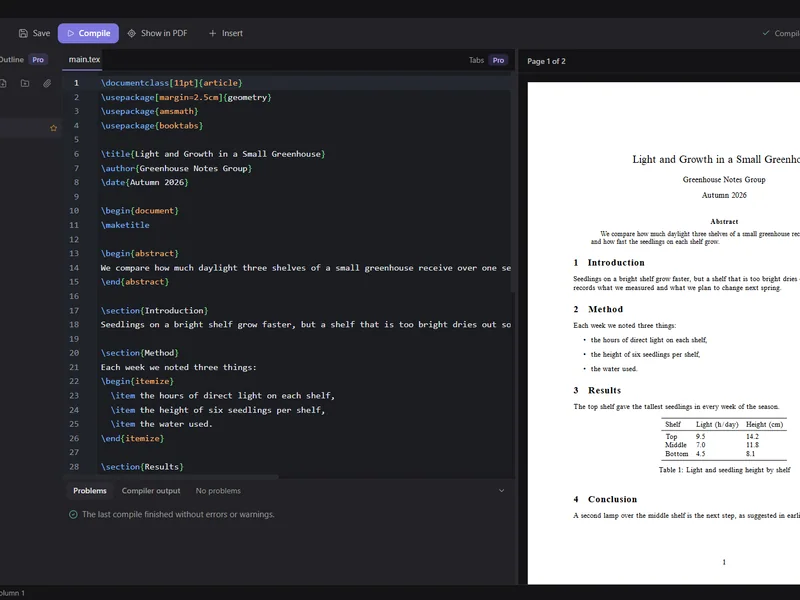
Table builder
Pro: build a table in a grid and see the LaTeX before you insert it
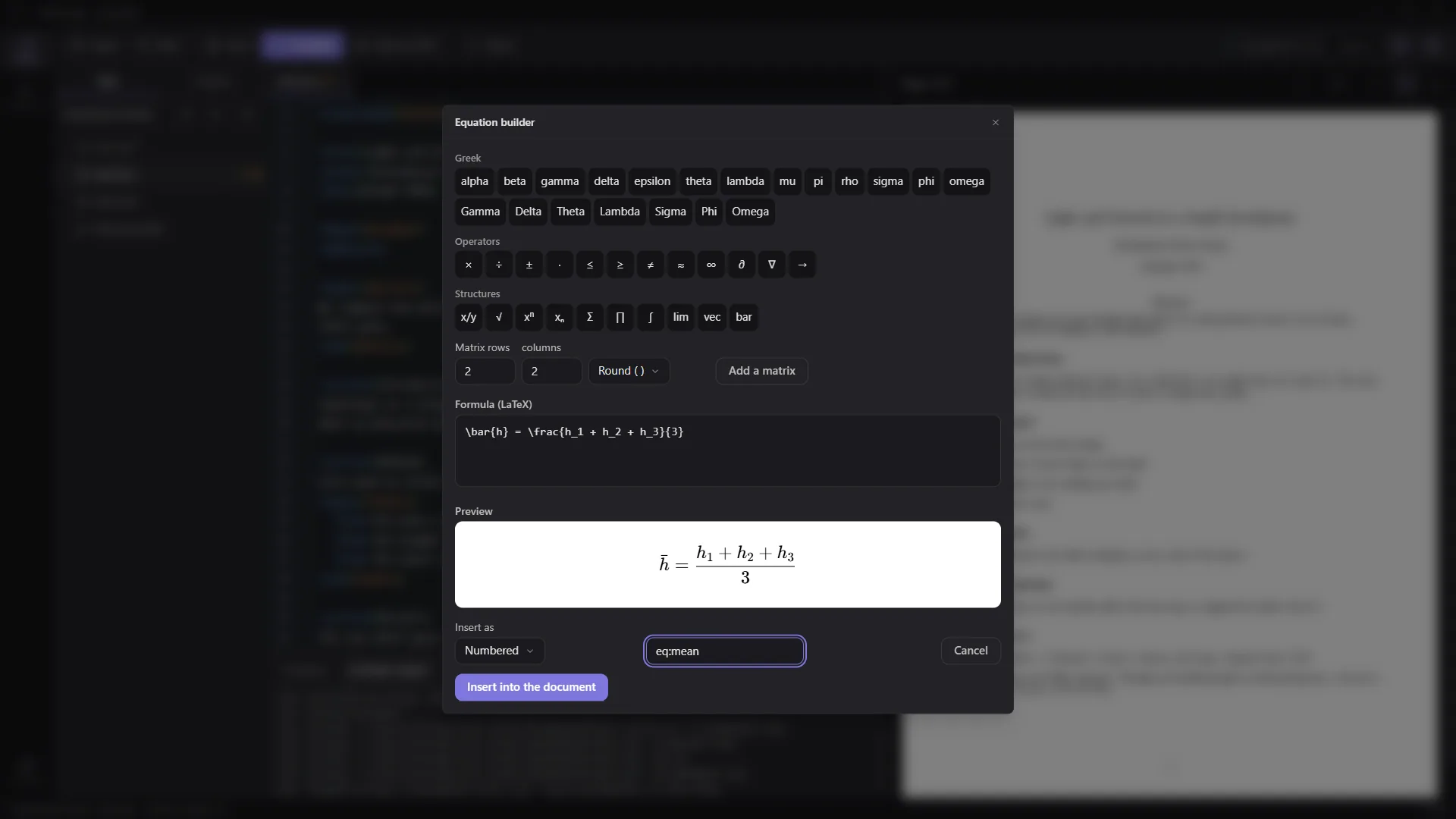
Equation builder
Pro: symbol buttons, matrices and a live preview of the formula
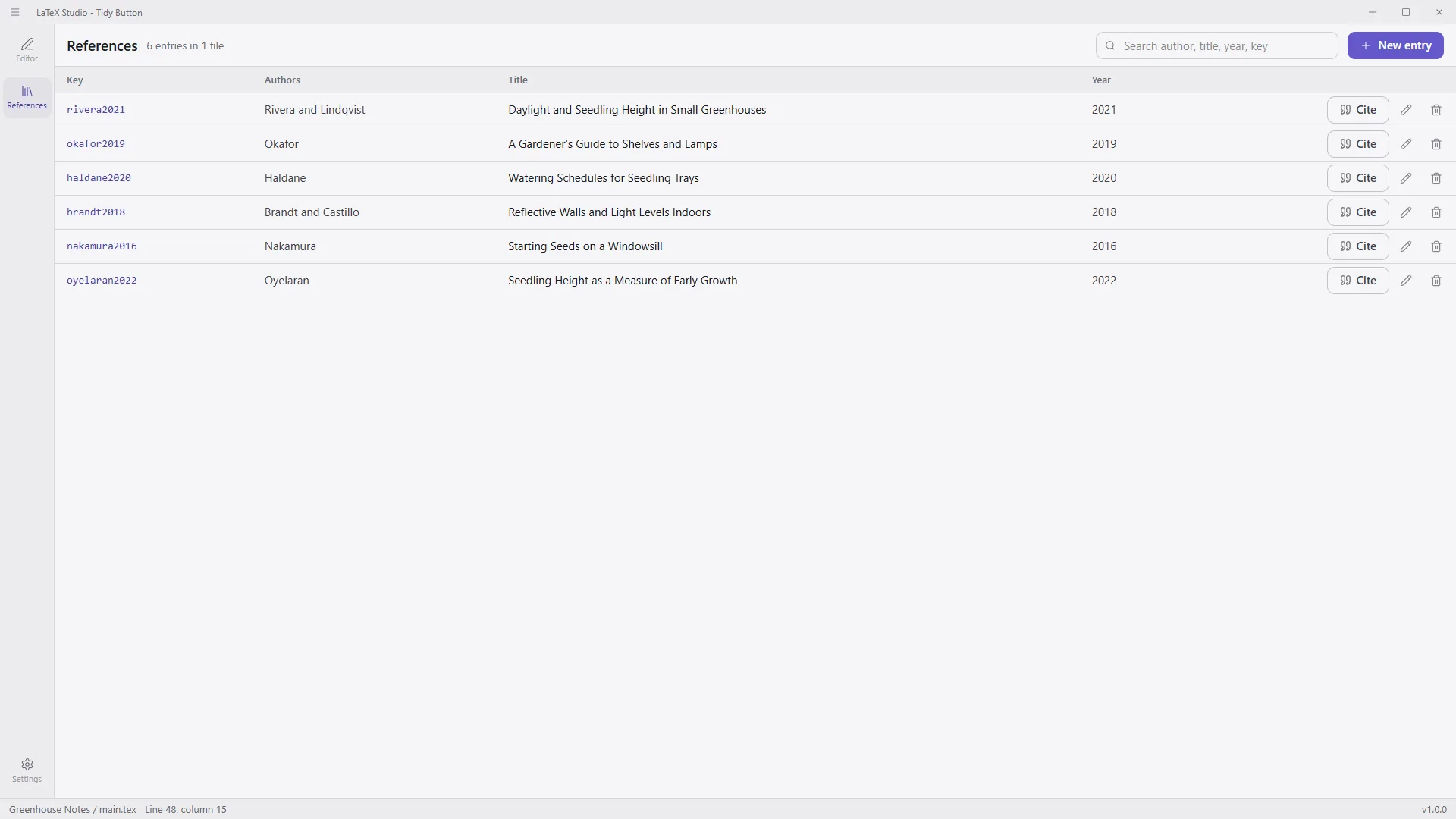
References
Pro: every .bib entry in one searchable table with a Cite button
Outline and themes
Pro: word count, an outline of headings and editor colour themes
Screens show a sample document, not real work. The app has light and dark themes.
How it works
Three steps. No manual.
01
Pick a template
Start from an article, report or thesis, CV, letter or presentation, or open a folder you already have.
02
Write and compile
Type on the left and press Compile. A TeX engine on your PC makes the PDF, and it appears on the right.
03
Check and fix
The Problems list shows every error and warning. Click one to go to its line, or double-click the PDF to land on the source.
What it does
What it does.
LaTeX Studio puts your text on the left and the finished PDF on the right, updated every time you compile. It is made for theses, reports, papers and CVs. Everything happens on your PC. The app works with a TeX engine that is already on your PC, or a small free one it points you to, and tells you plainly what to do when none is found.
Live PDF preview
The PDF reloads after each compile, keeps your place and zooms or fits to the width. The last good PDF stays visible while there are errors.
Errors that jump
Every error and warning from the last compile is listed under the editor. Click one to go to its line.
Jump both ways
Show in PDF flashes the matching place on the page. Double-click the PDF to land on the source.
Suggestions as you type
Commands, environments, packages, the labels you used with \ref and the keys from your .bib files for \cite.
Projects and templates
A file tree for multi-file documents, and five starters: article, report or thesis, CV, letter and presentation.
Safe compiling
Every compile has a time limit and a Stop button, and documents can never run shell commands.
References and builders (Pro)
A reference manager for your .bib files, a table builder and an equation builder with a live preview.
Several projects (Pro)
Keep up to 8 projects open and up to 24 files in tabs, with a word count, an outline of headings and editor colour themes.
The small print, in plain English
Safe by design.
Errors and warnings are listed under the editor and jump to their line. The last good PDF stays visible.
The free version says plainly what is Pro. Nothing you wrote is hidden.
Your documents are read and written on your PC and never uploaded.
Deleted files go to the Recycle Bin, after you confirm.
The free version is a full editor with a live preview. It keeps one project and one file open at a time.
One-time Pro, no subscription.
Works offline once your TeX engine has its packages. No account. No ads. No tracking.
What it does
Your documents, your PDF.
A calm editor with the preview always in view.
Pro: build a table in a grid and see the LaTeX before you insert it.
Editor
Calm and clear
Colour for commands, matching brackets, find and replace and an undo history per file.
Preview
Always beside you
The PDF reloads after each compile and keeps your place.
Errors
No wall of text
A list of every error and warning, each one a jump to its line.
Projects
Several files
A file tree, five starter templates and the main file found for you.
References
Bibliography
Pro: a table of every .bib entry with search, add, edit and a Cite button.
Builders
No syntax to remember
Pro: a table builder and an equation builder with a live preview.
The app works with a TeX engine on your PC and shows where to get a small free one if none is found.
Good for
Handy when the thesis is due.
A thesis or report with several chapters
A paper with a bibliography
A one-page CV from a clean template
Seeing the PDF as you type
Questions
Plain answers.
Is anything uploaded?
No. Your documents are read and written on your PC and never leave it. The only network use by the app is the optional Pro licence check.
Do I need to install something else?
Yes, a TeX engine, which is the program that turns LaTeX into PDF. LaTeX Studio finds one that is already on your PC, or shows where to get a small free one.
Does the first compile need the internet?
With a small engine, yes, once. It downloads the TeX packages your document needs and keeps them, so later compiles work offline.
Is there a limit in the free version?
The free version is a full editor with a live preview. It keeps one project and one file open at a time. Pro adds several projects, file tabs, a reference manager, word count and outline, table and equation builders and editor themes.
Can a document run programs on my PC?
No. Shell commands from documents are never allowed, and every compile has a time limit and a Stop button.