Coming to the Microsoft Store
Karaoke Player Your songs, your night.
Lyrics in time, a queue for the singers and a key change. Offline, no account.
Not on sale yet. The app is still being built.
We will link the Store listing here the day it is live. Until then there is nothing to download.
- Works offline
- No account, no ads, no tracking
- Your own songs
- Free
See it
Four views. One night, sung.
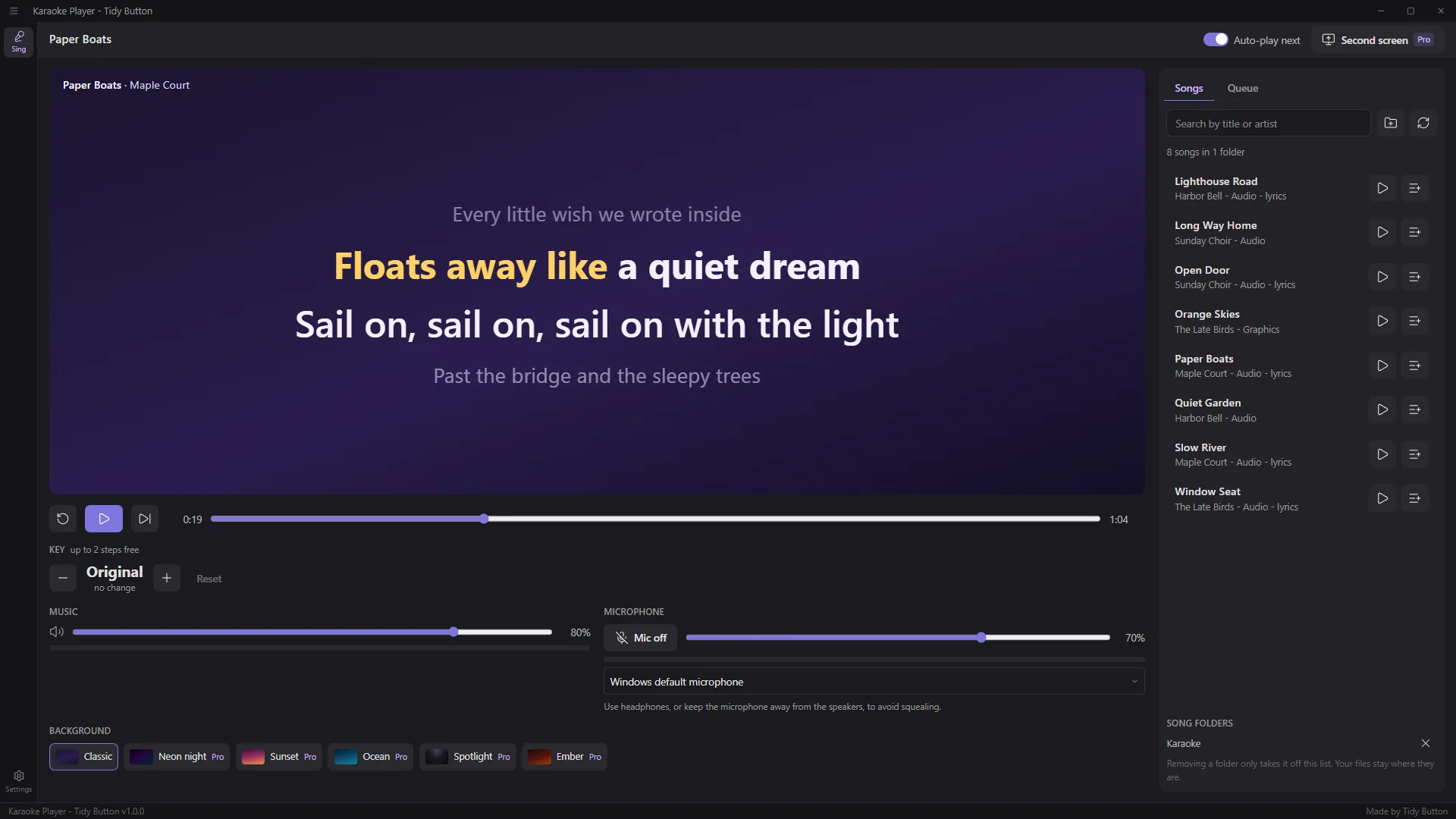
Stage
Lyrics in time, with the words lighting up as they are sung
Songs
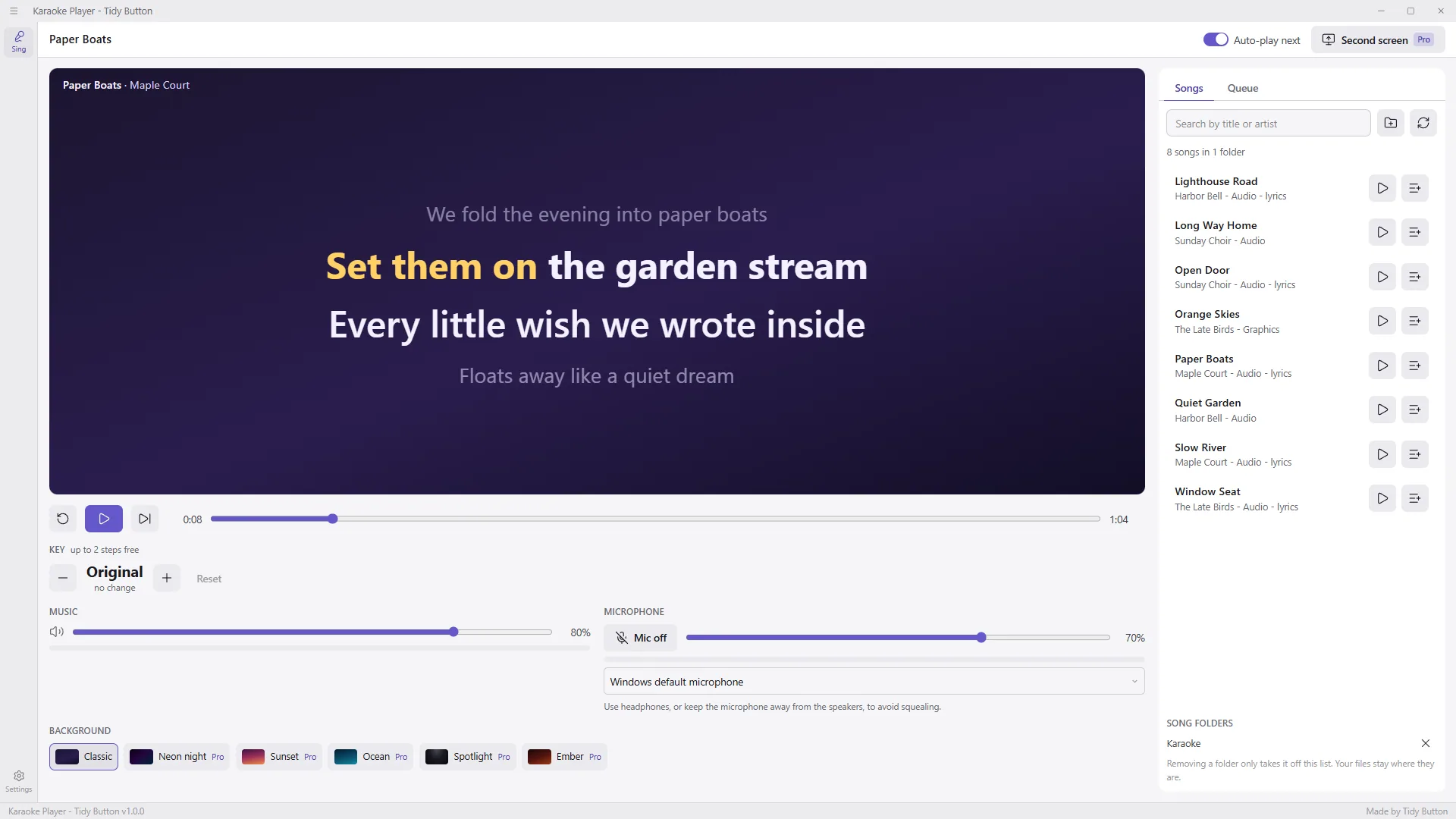
A library built from your own folders
Key change
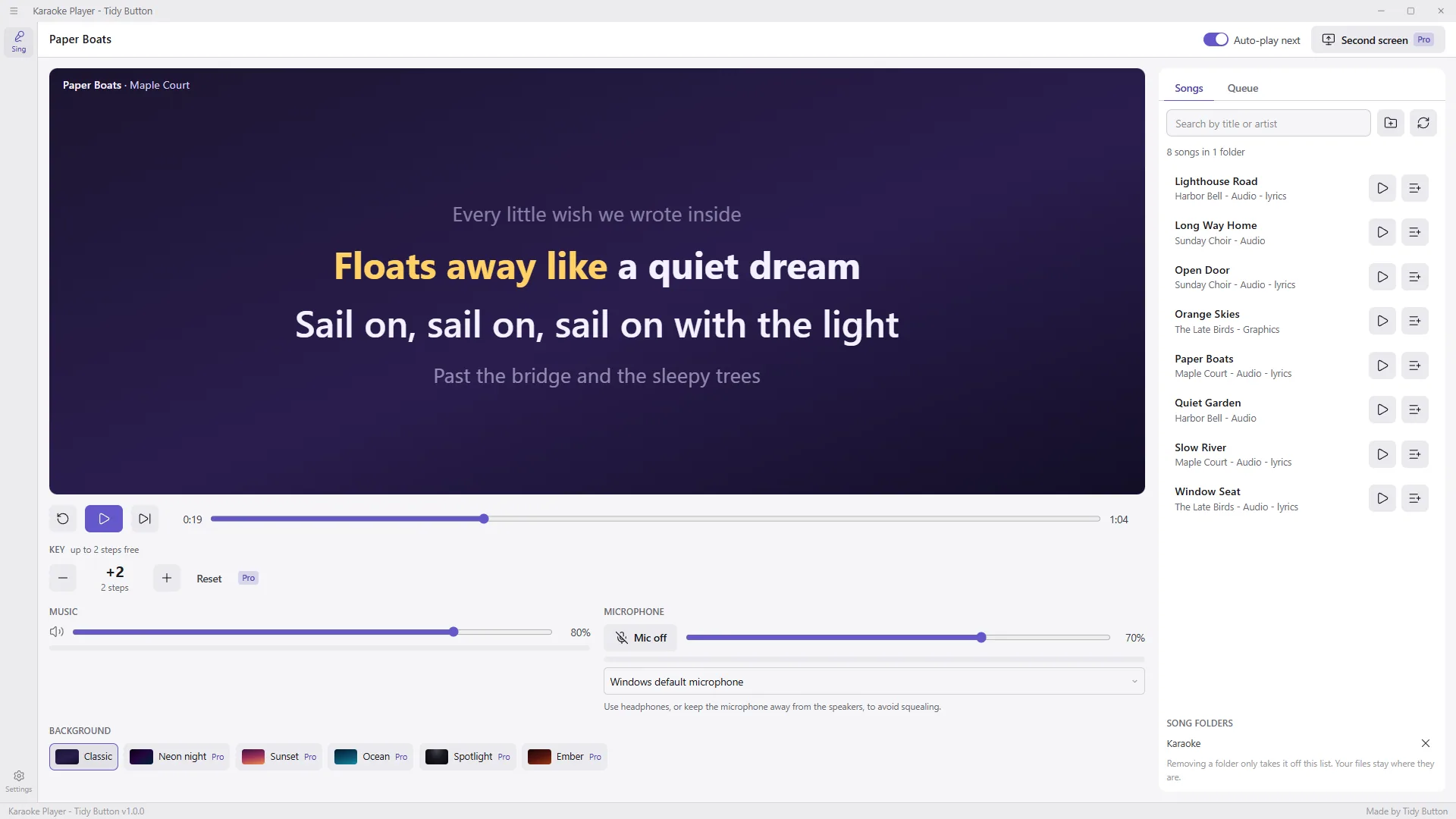
Change the key to suit your voice
Up next
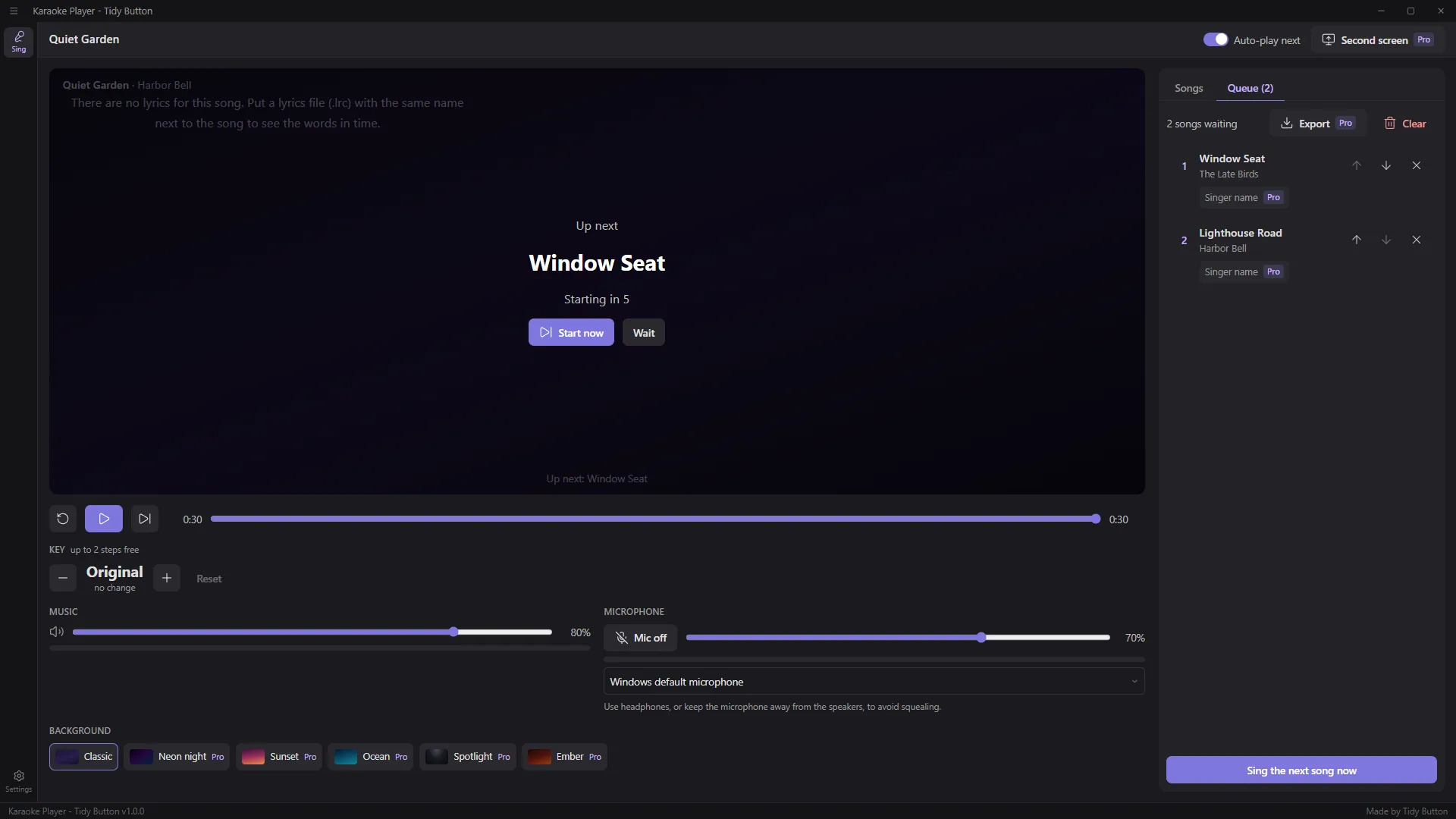
The next song is announced with a short countdown
Screens show a demo folder, not a real PC. The app has light and dark themes.
What it does
What it does.
Add a folder of your own songs, press Play and sing. Put a lyrics file (.lrc) or a graphics file (.cdg) with the same name next to a song and the app uses it. No songs or lyrics come with the app. Your song folders and queue are remembered. The app only reads your folders and never changes your files.
Lyrics in time
The words show in time with the music. When the lyrics file has word timing, each word lights up as it is sung.
Your own files
Plays audio, video and audio with a same-named .cdg graphics file, from the folders you choose.
Song library
Search your songs by title or artist, then play one now or add it to the queue.
Song queue
Add, reorder and remove songs. The next song starts by itself, with a short announcement.
Key change
Move a song up or down in steps so it fits your voice. The free version goes 2 steps either way.
Pro tools
An optional one-time Pro add-on adds key changes of up to a full octave, a second screen for a TV or projector, singer names, playlist export and five stage backgrounds.
The small print, in plain English
Safe by design.
- Your songs stay on your PC.
- Nothing you play is uploaded.
- Works offline. No account. No ads. No tracking.
- Pro is optional and one payment. Everything above stays free.
Good for
Handy when the night is on.
- Family nights and parties
- Practicing with lyrics on screen
- A TV or projector on a second screen
- Anyone with a folder of karaoke files
- Keeping a queue of who sings next
Questions
Plain answers.
Does it come with songs or lyrics?
No. You bring your own files. The app plays audio, video and .cdg graphics files from folders you choose, and shows lyrics from a .lrc file with the same name as the song.
Which files does it play?
Audio (.mp3, .m4a, .aac, .wav, .ogg, .opus, .flac), video (.mp4, .m4v, .webm) and audio with a same-named .cdg file. Files such as .kar and .mid cannot be played in this version, and the app tells you how many it found.
Does it change or copy my files?
No. It only reads your folders. Removing a folder from the list leaves your files where they are.
How much can I change the key for free?
Up to 2 steps up or down. Changing it by up to a full octave is part of the optional Pro add-on.
Does it need an account or an internet connection?
Neither. There is no account, no ads and no tracking. Playing, lyrics and the queue work offline. The only network use is the optional check of a Pro licence.
Which versions of Windows does it run on?
Windows 10 and Windows 11.