We will link the Store listing here the day it is live. Until then there is nothing to download.
Real app, with an invented sample board.
Works offline
No account, no ads, no tracking
Automatic backups
Free for 2 boards
See it
Seven views. One board, in order.
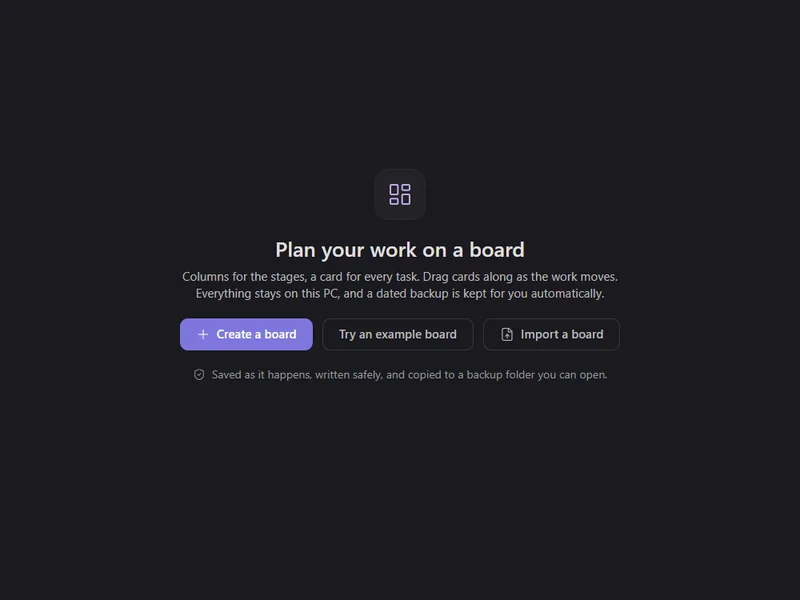
Start
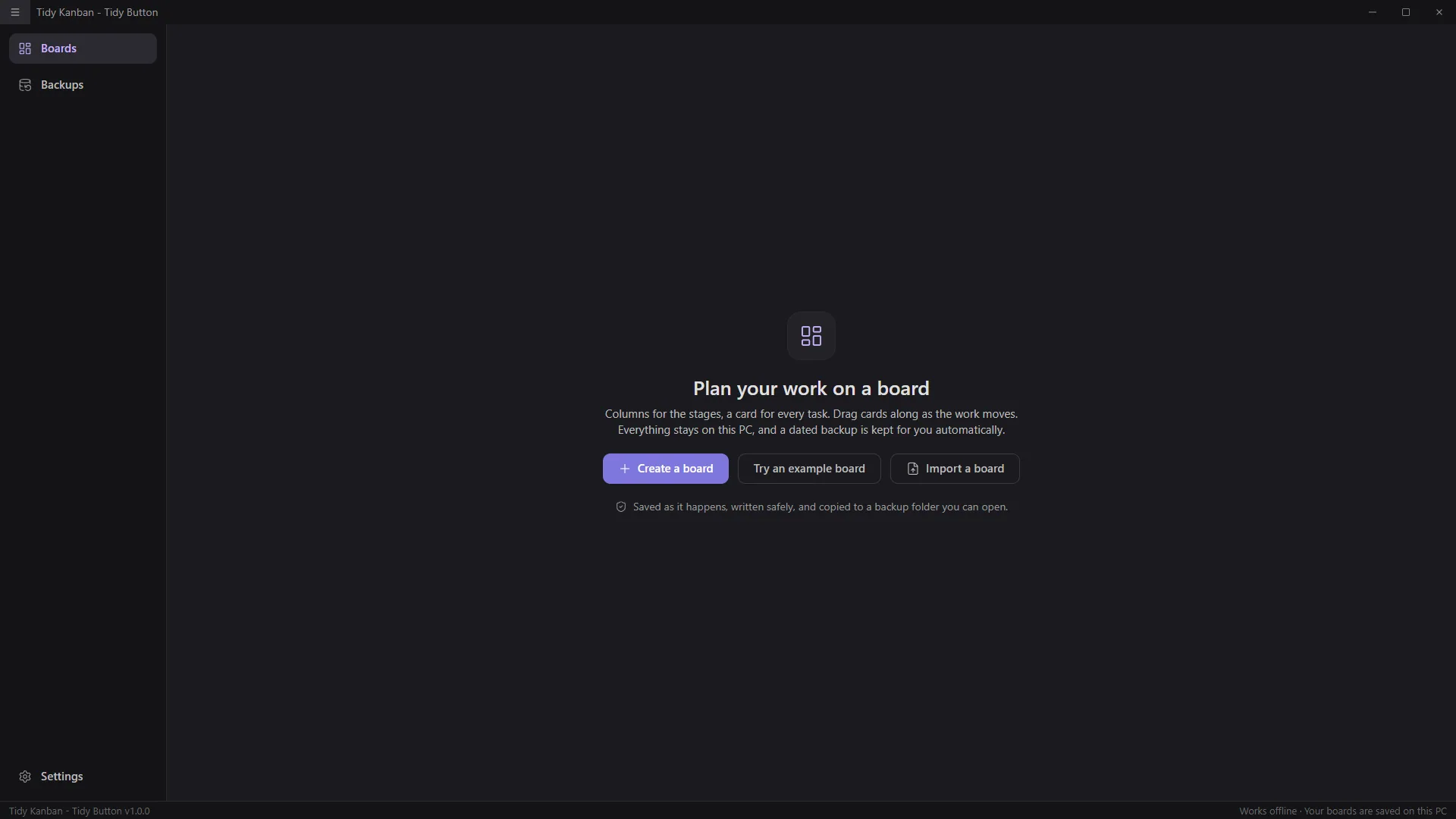
Start with a clean slate: create a board, try an example board or import one
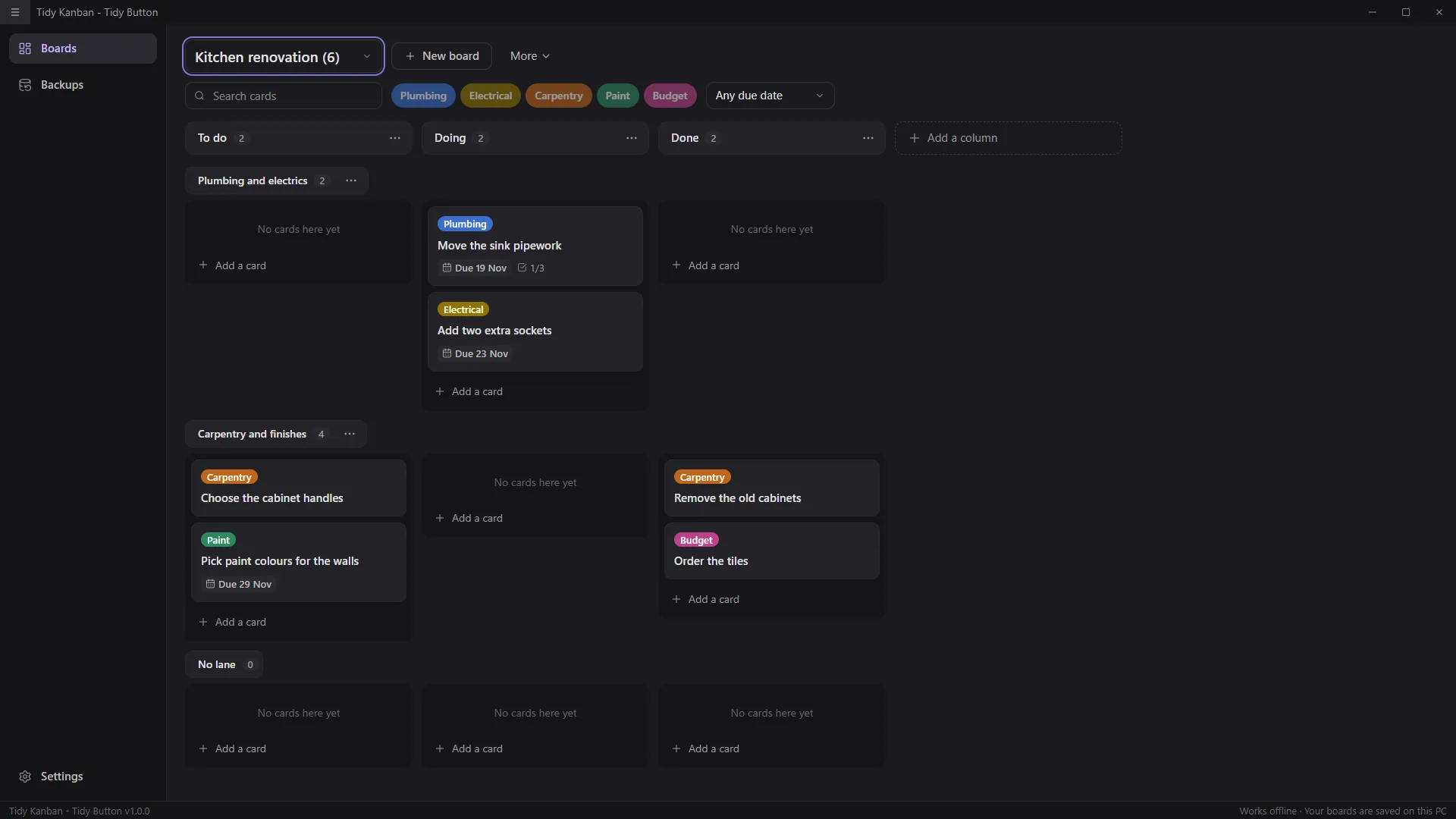
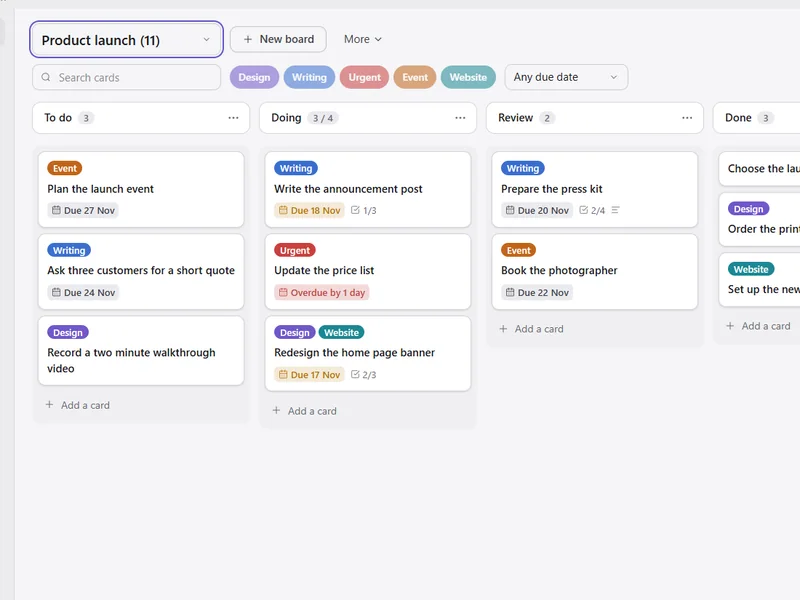
Board
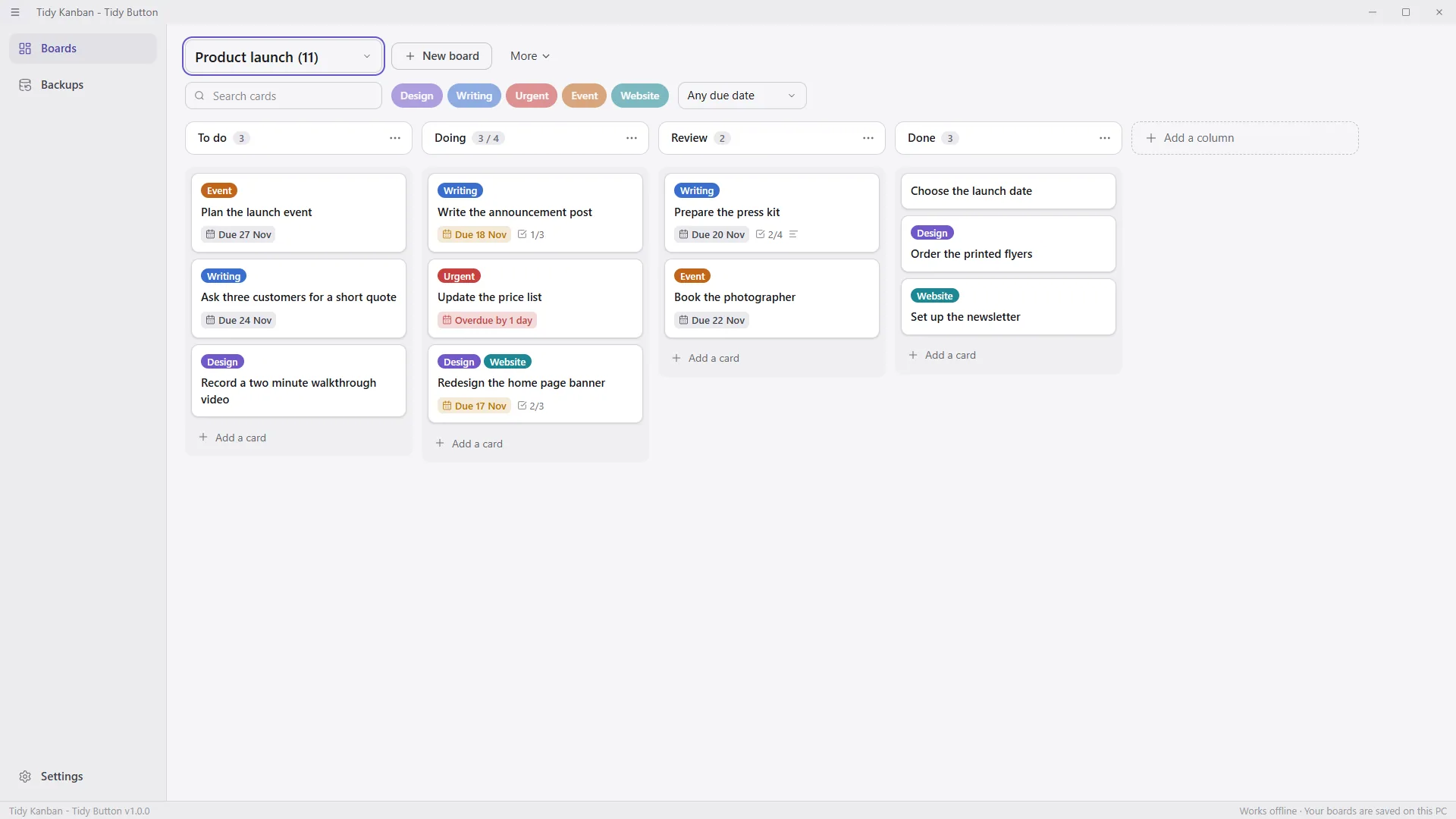
Columns and cards with coloured labels, due dates and checklist progress
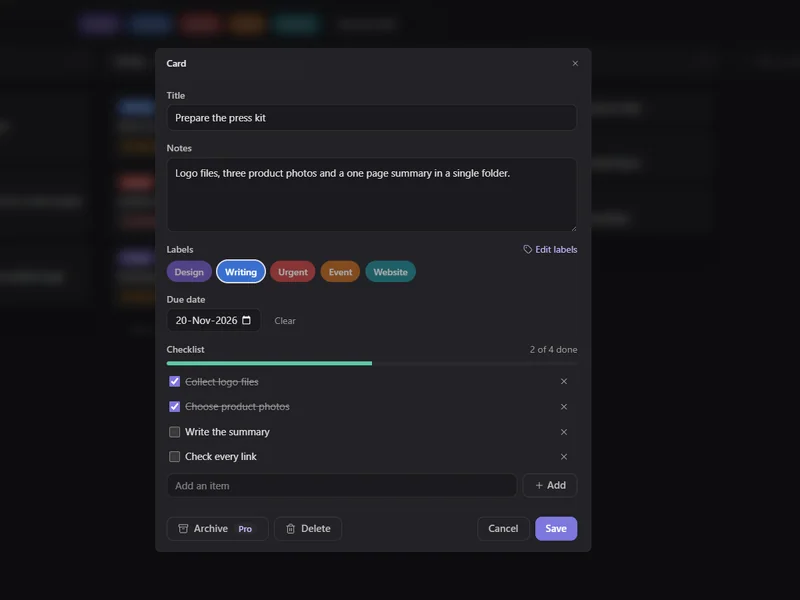
Card
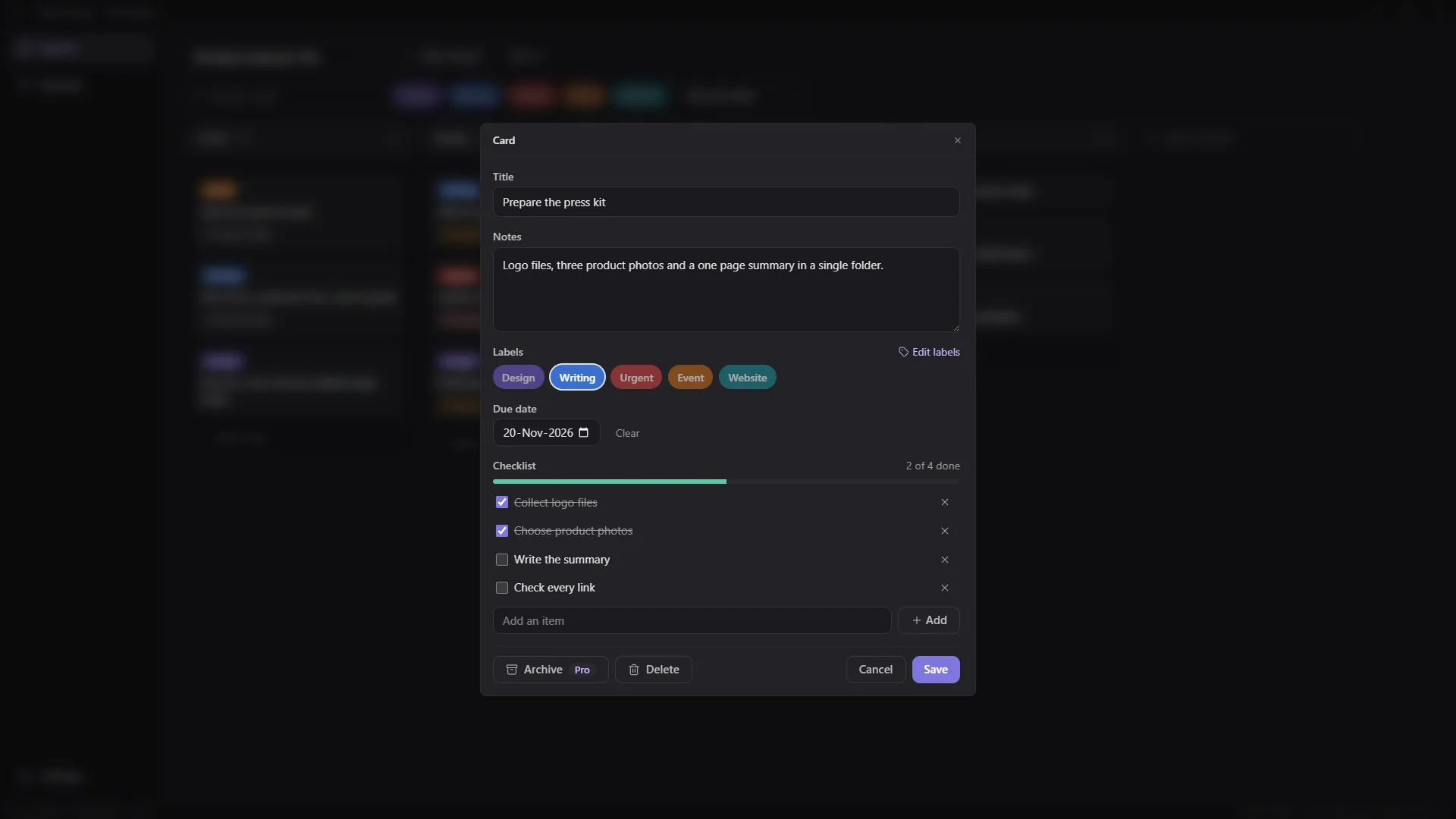
Open a card for notes, labels, a due date and a checklist with progress
Filter
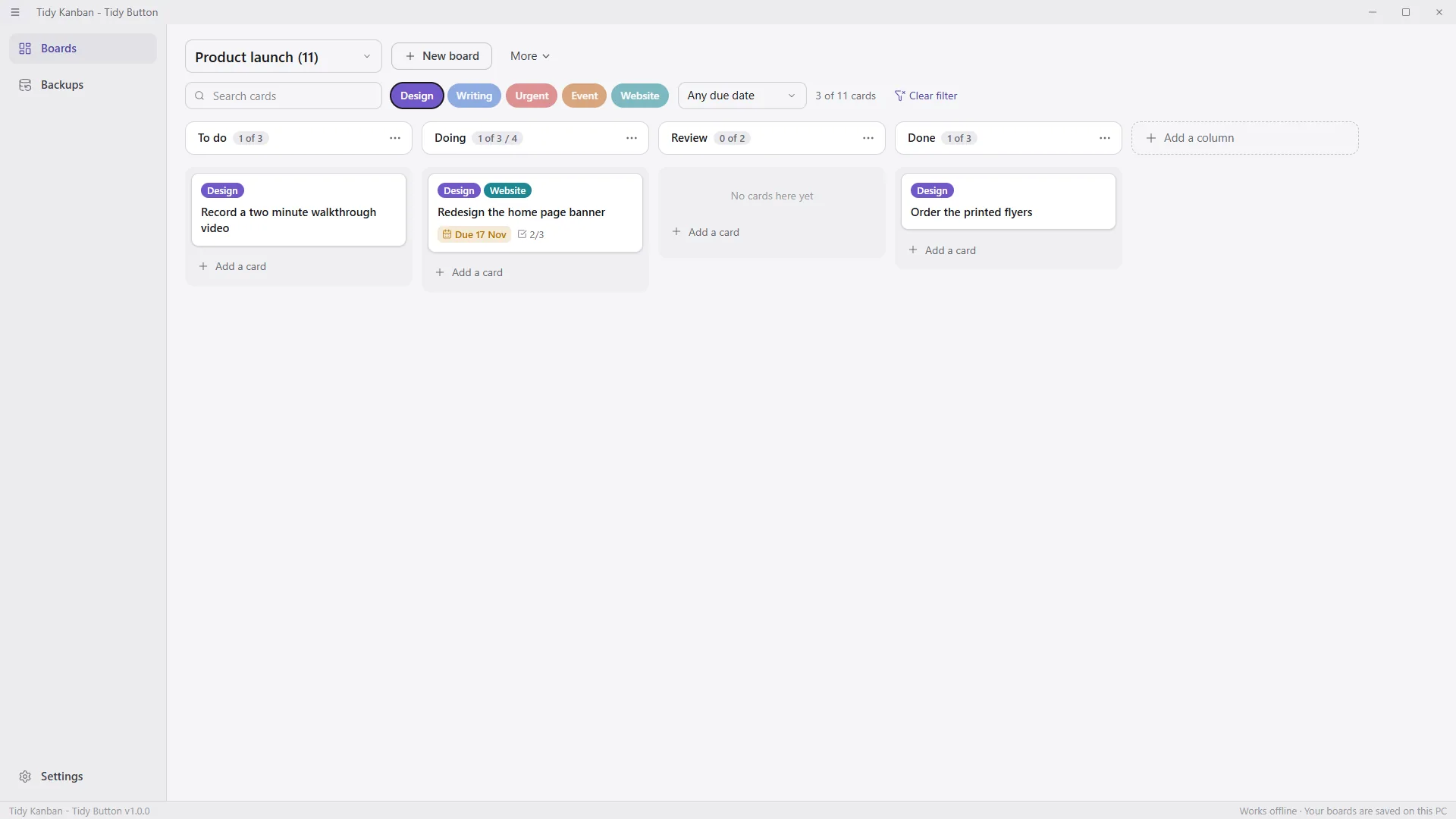
Filter by label, due date or a search word and see how many cards match
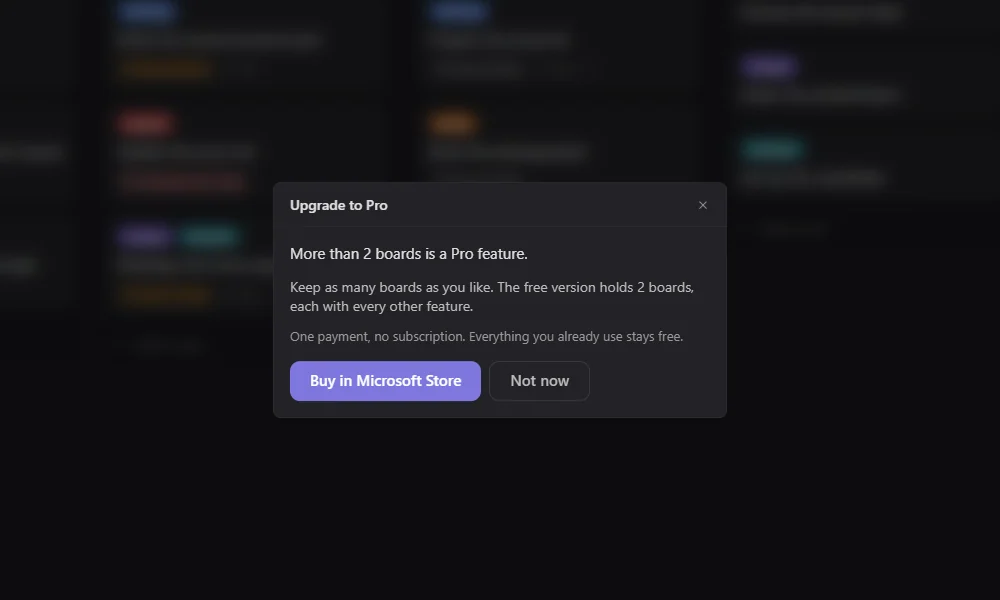
Free limit
The free version holds 2 boards. A third shows this message; nothing is hidden or deleted
Swimlanes
Pro: split a board into horizontal lanes and move cards between them
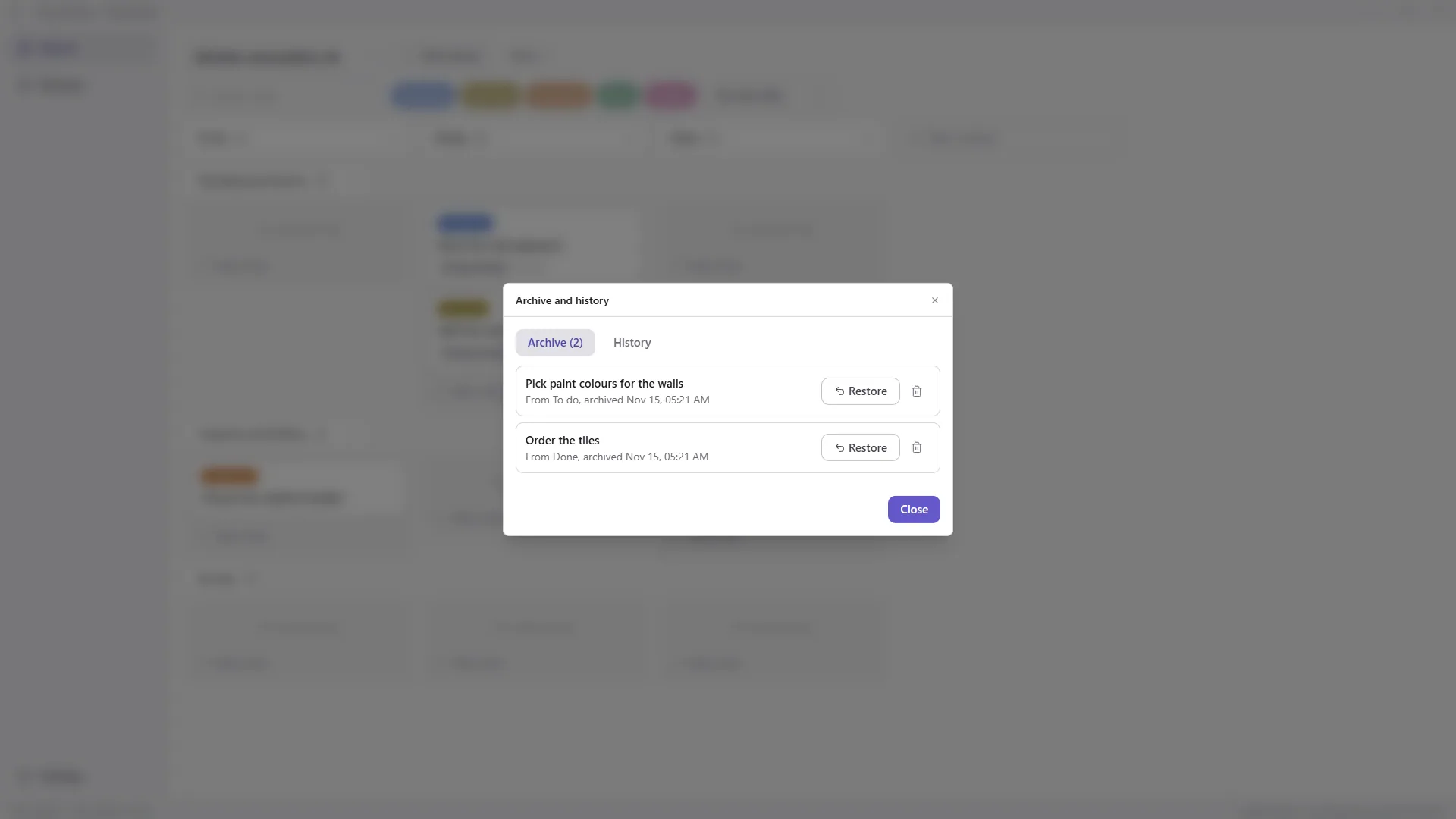
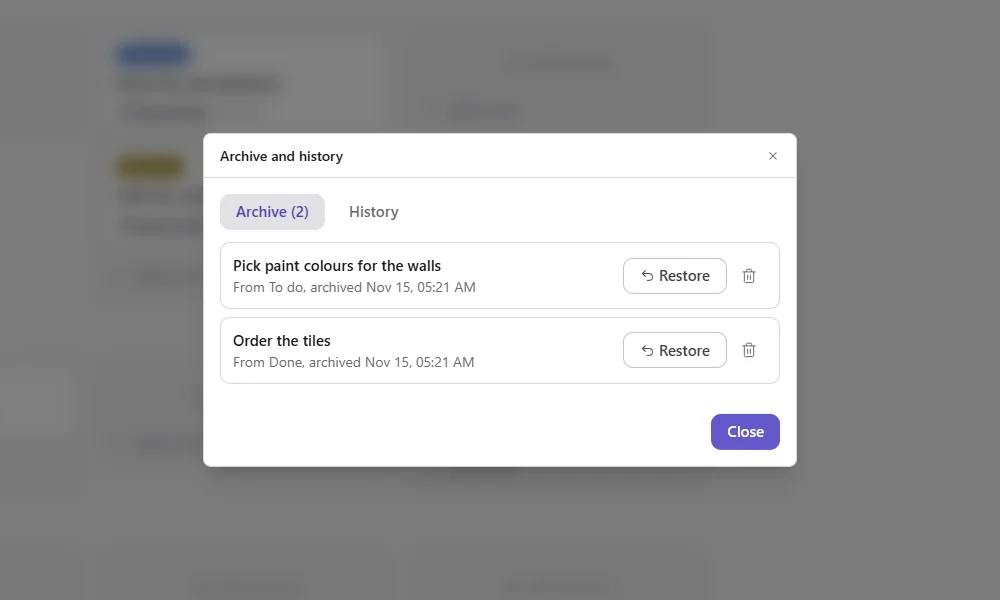
Archive
Pro: archive finished cards, bring them back, and see a history of changes
Screens show invented sample boards. The app has light and dark themes.
How it works
Three steps. No manual.
01
Make a board
Press Create a board, name it, and it starts with To do, Doing and Done columns.
02
Add cards
Add a card to a column, then open it for notes, labels, a due date and a checklist.
03
Move the work along
Drag cards to the next column as the work moves, and filter to see just what matters.
What it does
What it does.
Tidy Kanban is a kanban board for your own work. Make a board, add columns such as To do, Doing and Done, and add a card for every task. Open a card to add notes, labels, a due date and a checklist. Your boards are plain files in your Documents folder, saved safely as you work, with dated backups you can restore. It works with the internet turned off.
Columns and cards
Add, rename, move and delete columns, and add a card for every task. Drag cards between columns, or move the focused card with Alt and an arrow key.
Card details
Notes, nine label colours named per board, a due date marked overdue or due soon, and a checklist with a progress count on the card.
Find things
Search by title and notes, filter by label or due date, see how many cards match and clear it with one button.
Card limits
Set an optional limit per column. Going over it shows a warning and never blocks you.
Safe saving
Every change is saved so a crash or power cut leaves the whole old board or the whole new one. Dated backups can be restored from the Backups screen.
Export and import
Export a board as JSON or as a CSV that opens in Excel, and import either back as a new board. Always free.
Boards are plain files
Each board is one file in Documents\Tidy Kanban, so you can see it in File Explorer and copy it. Deleting a board sends it to the Recycle Bin.
Pro, one payment
Unlimited boards, swimlanes, an archive with history, and print or save as PDF. The free version holds 2 boards with everything else.
The small print, in plain English
Safe by design.
The free version holds 2 boards. Asking for a third shows this message and hides nothing.
Pro: archived cards can be restored with one click, and a history shows what changed.
Nothing is uploaded. Your boards are saved on your PC and never leave it.
Every change is saved safely, and dated backups are kept for you.
Deleting a board backs it up first and sends it to the Recycle Bin.
The free version holds 2 boards, each with every other feature.
Works offline. No account. No ads. No tracking.
What it keeps
Your boards, safe and yours.
Saving, backups, restore, export and import are always free.
Pro swimlanes split a board into horizontal lanes.
Saving
Safe by design
A crash or power cut leaves the whole old board or the whole new one, never half a board.
Backups
Dated copies
All your boards are backed up in Documents, so they survive an uninstall. Restore from the Backups screen.
Deleting
Recoverable
A board is backed up first, then sent to the Recycle Bin.
Export
Open formats
JSON for a full copy, CSV for a spreadsheet. Import either one back.
Limits
Never blocks you
A column limit shows a warning when it is passed and never stops you.
Pro
One payment
Unlimited boards, swimlanes, archive and history, print and PDF. Nothing is hidden if you do not have it.
Boards are plain files in Documents\Tidy Kanban\Boards, and they are still there if you uninstall the app.
Good for
Handy when the list gets long.
Freelancers and students planning their own work
Shop and office owners with a few projects to track
A renovation, a launch or an event with many small tasks
Anyone who does not want a board on someone else's server
Questions
Plain answers.
Is anything uploaded?
No. Your boards are saved on your PC and never leave it. The app works with the internet turned off.
Where are my boards kept?
Each board is one file in Documents\Tidy Kanban\Boards, and dated backups are in Documents\Tidy Kanban\Backups. They are still there if you uninstall the app.
What happens if the app crashes while I save?
A save writes a temporary file and then swaps it in, so you get the whole old board or the whole new one. The previous version is kept next to it as a .bak copy.
What does the free version include?
Two boards, each with columns, cards, labels, due dates, checklists, search, filters, card limits, backups, and JSON and CSV export and import.
What does Pro add?
One payment for unlimited boards, swimlanes, an archive with history, and print or save as PDF. Nothing is hidden or deleted if you do not have Pro.