Open, search and check JSON files on your own PC. A tree that stays fast, numbers shown as written, errors with a line and column. No upload, no account.
We will link the Store listing here the day it is live. Until then there is nothing to download.
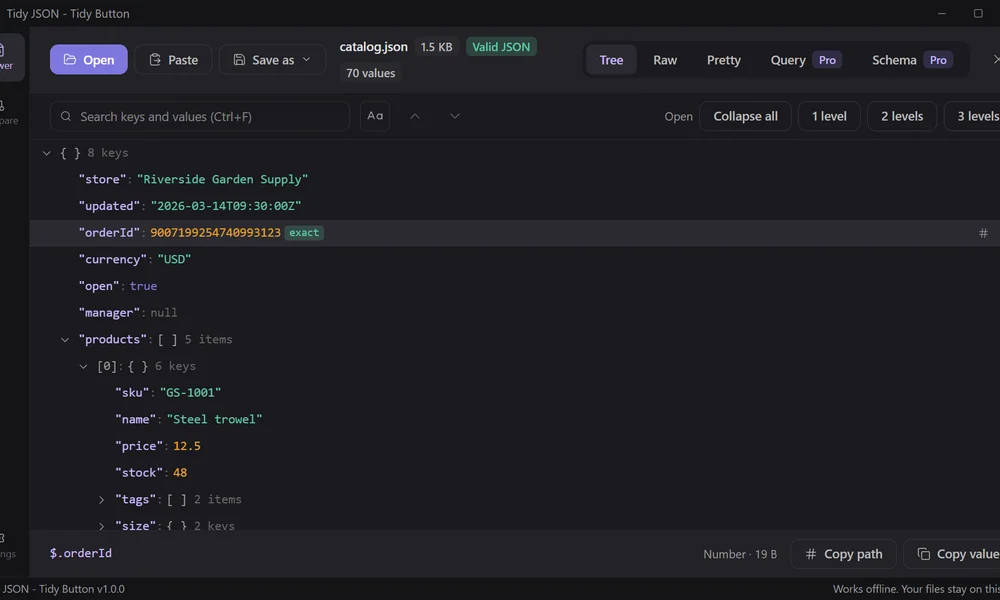
Real app, with a sample document open.
Works offline
No account, no ads, no tracking
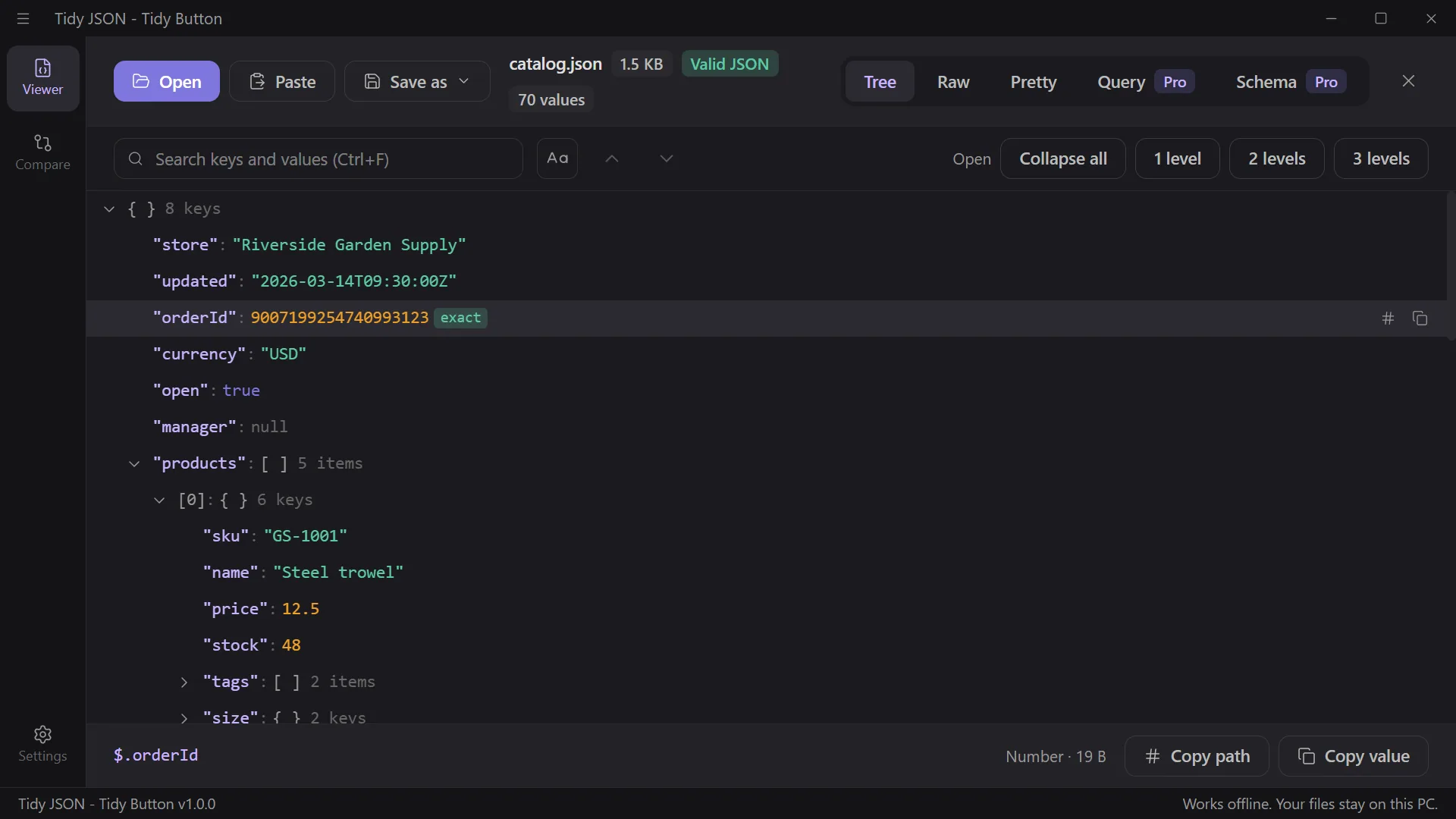
Numbers shown as written
Free
See it
Eight views. One document, understood.
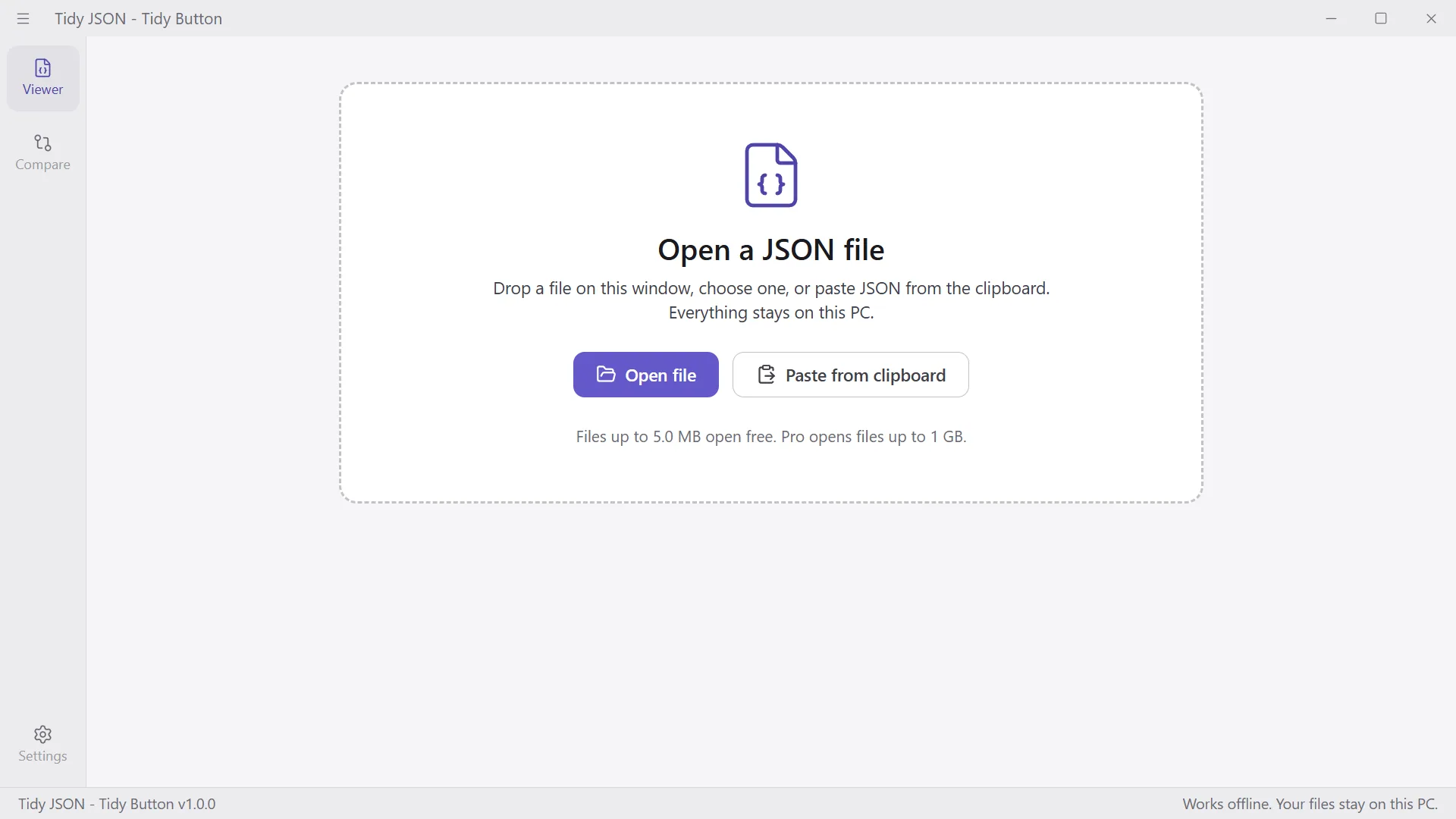
Start
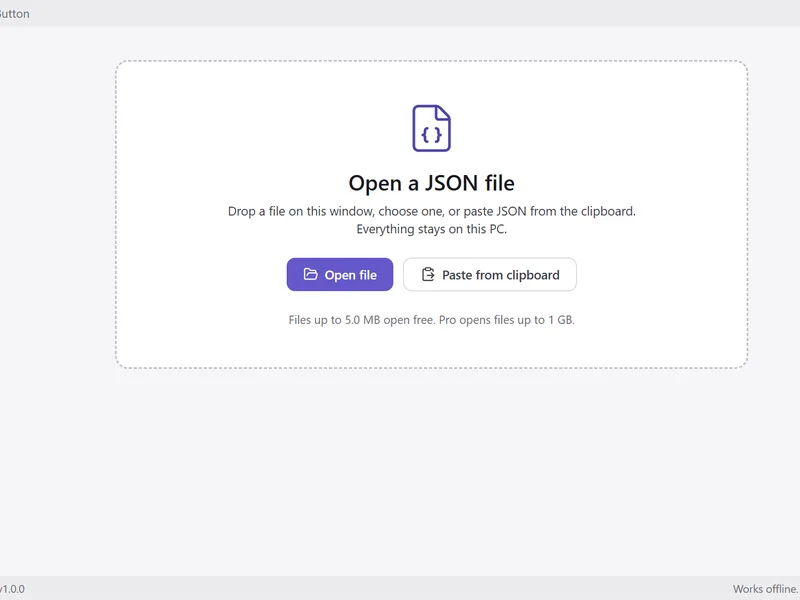
Open a file, drop one on the window, or paste from the clipboard
Tree
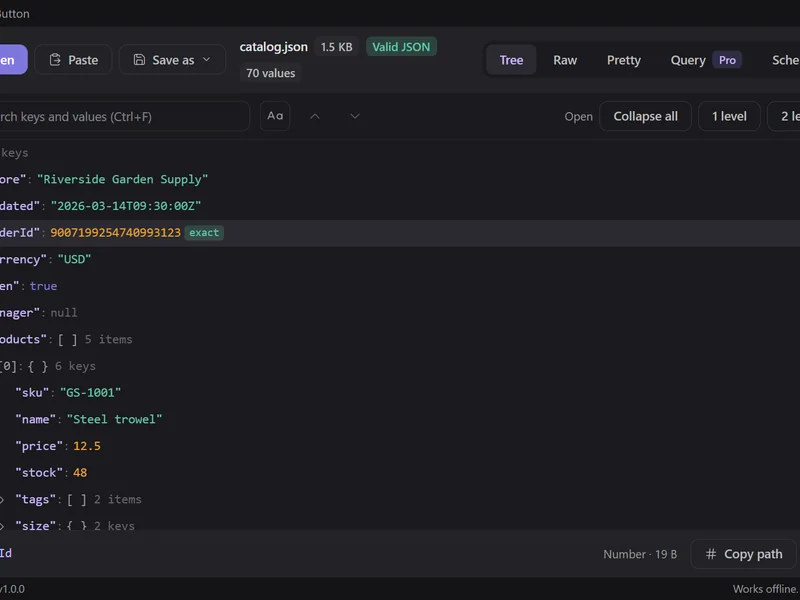
A collapsible tree with numbers shown exactly as written
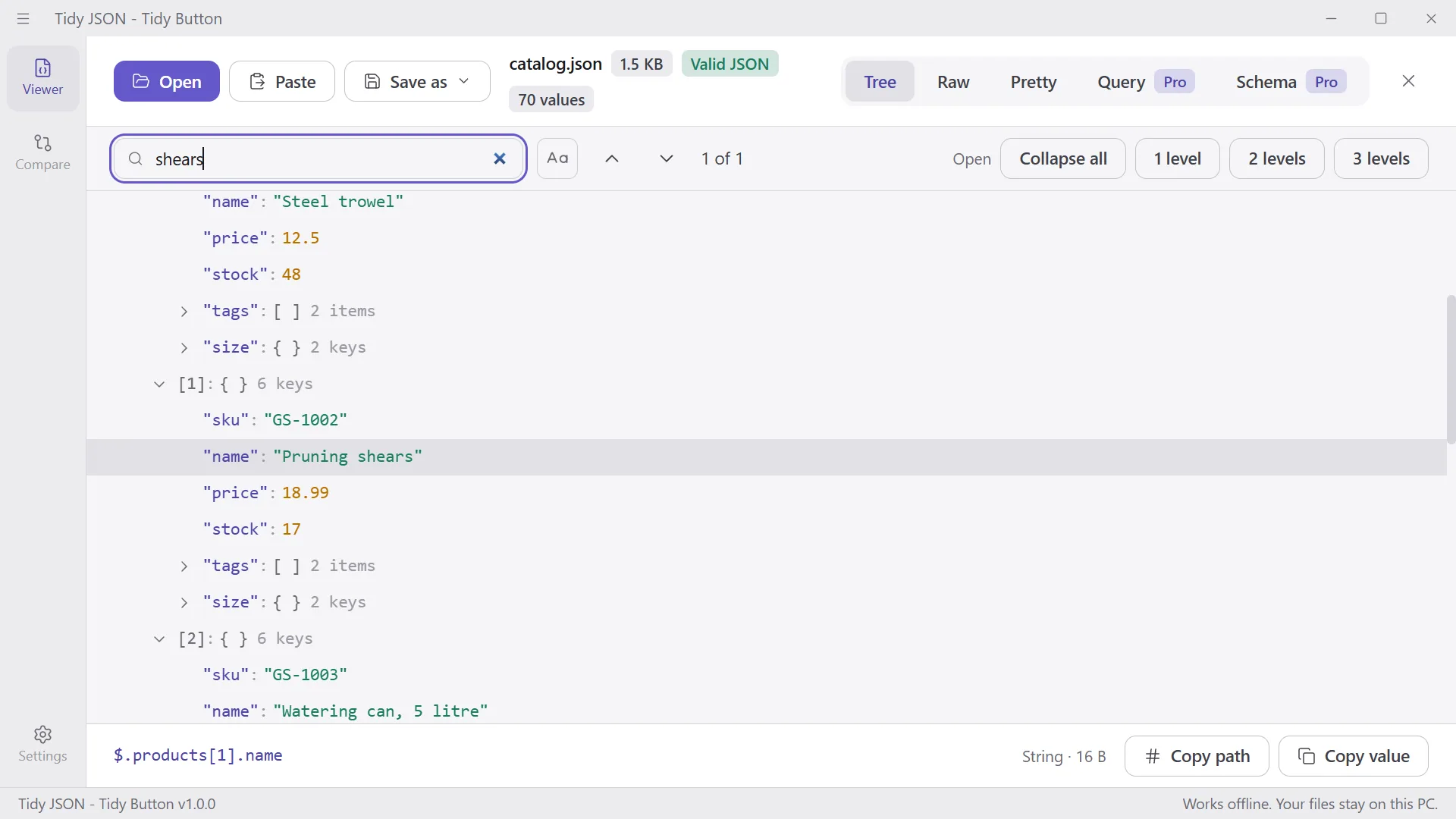
Search
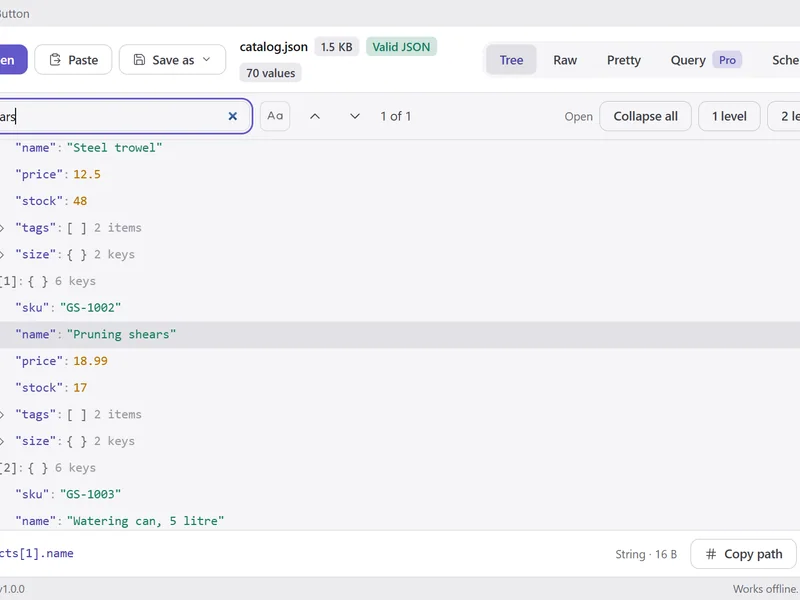
Search keys and values; the tree opens to the match
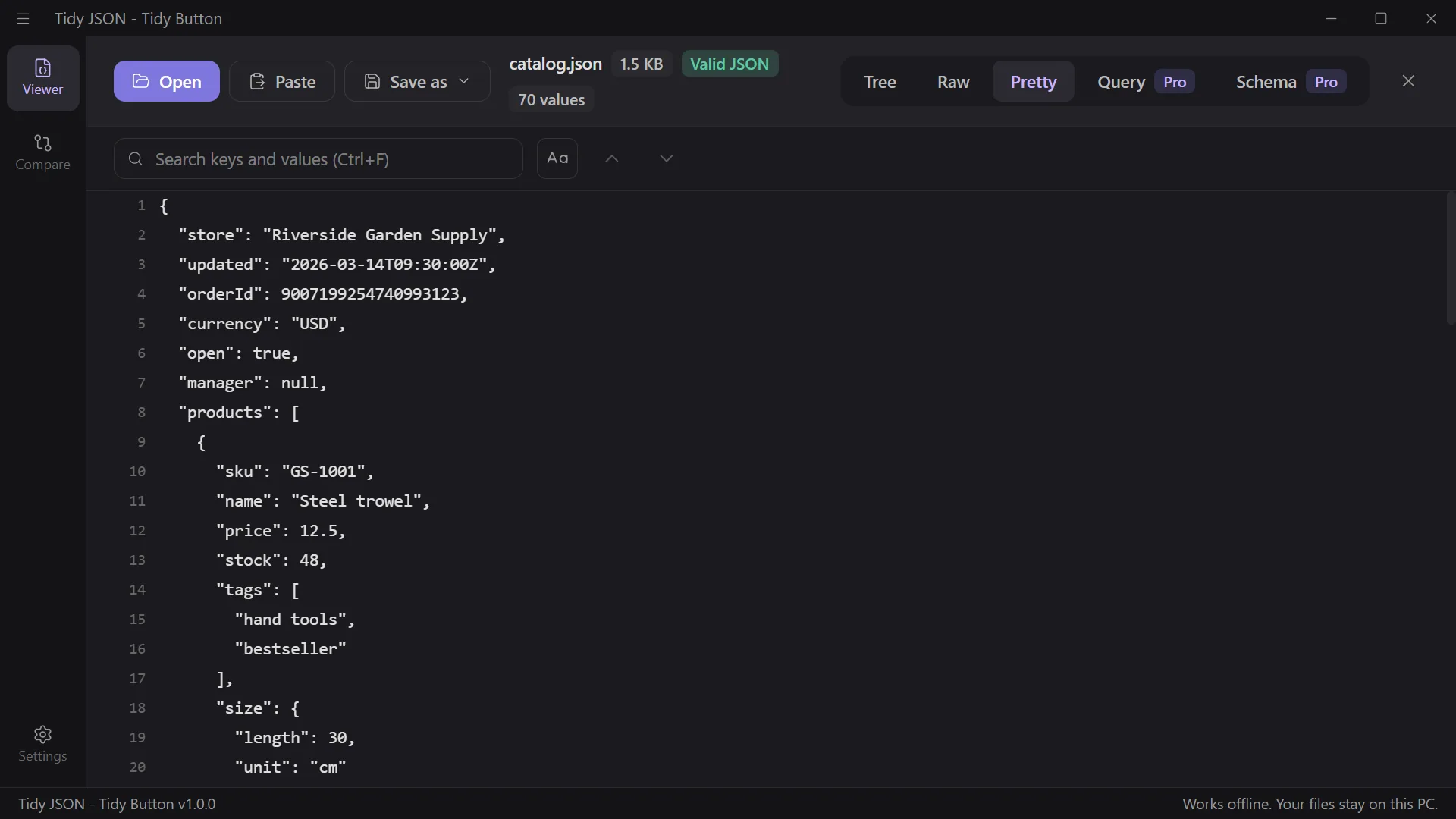
Pretty
An indented view with line numbers
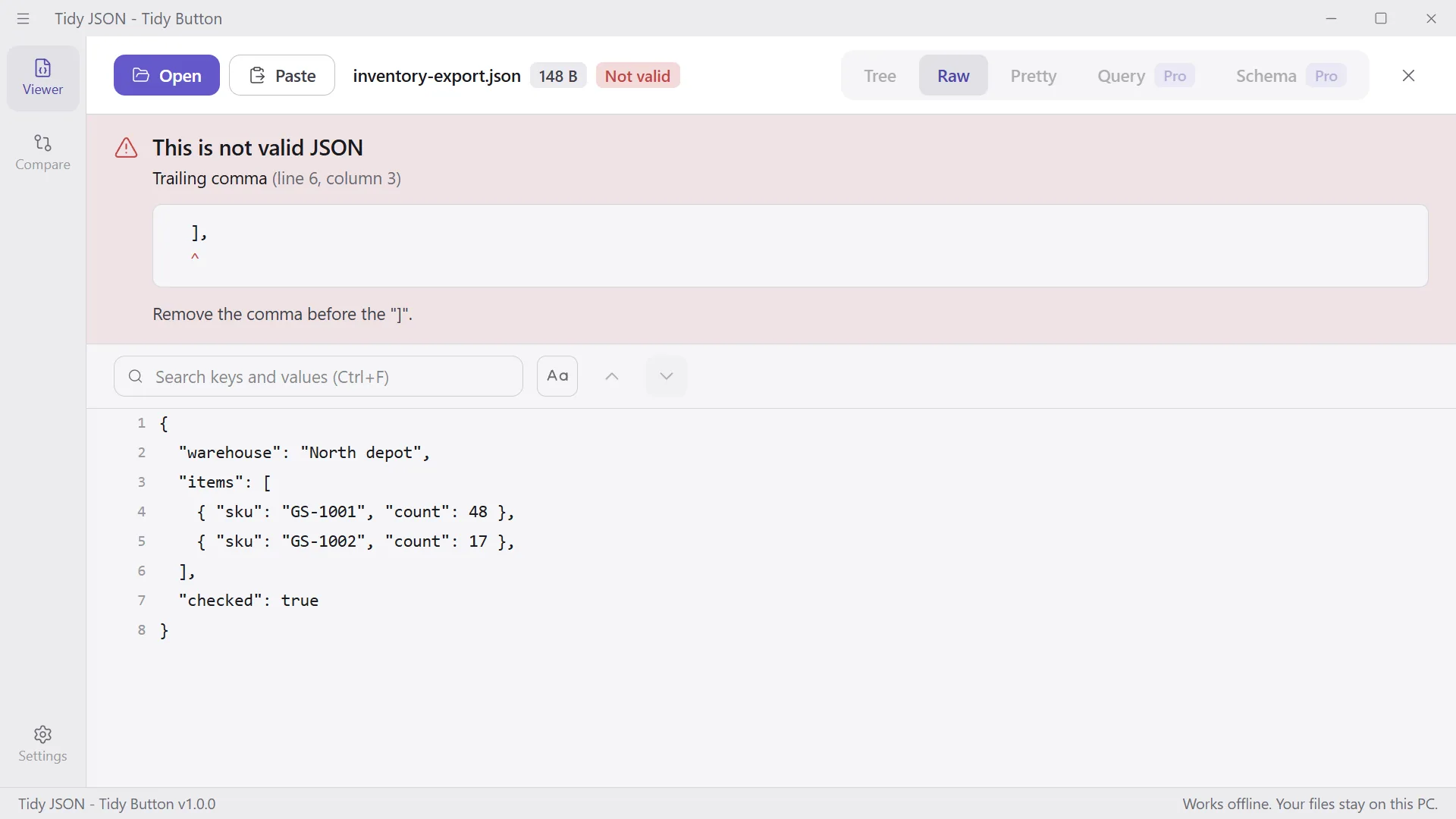
Errors
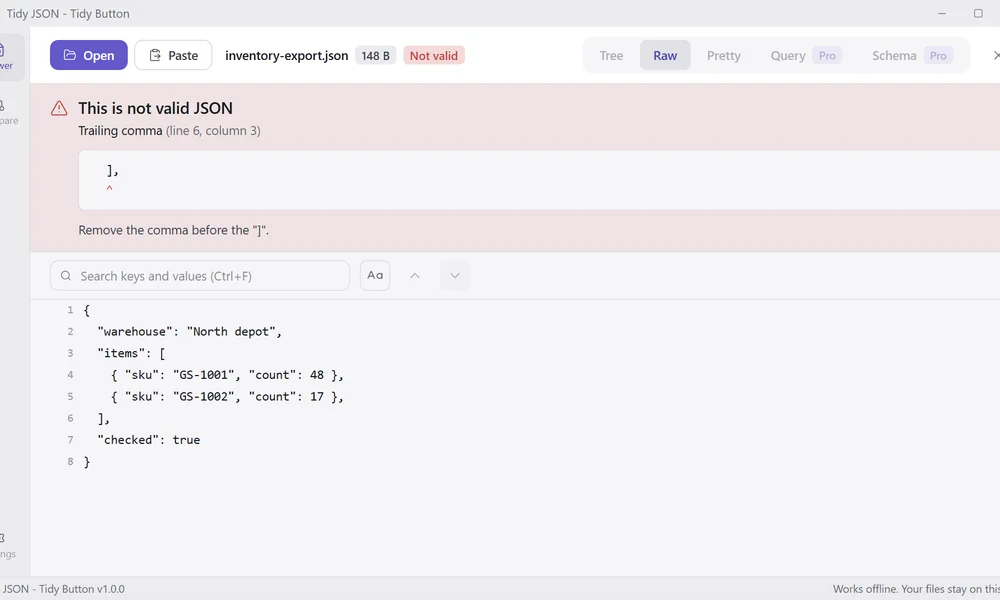
See what is wrong, with the line and column
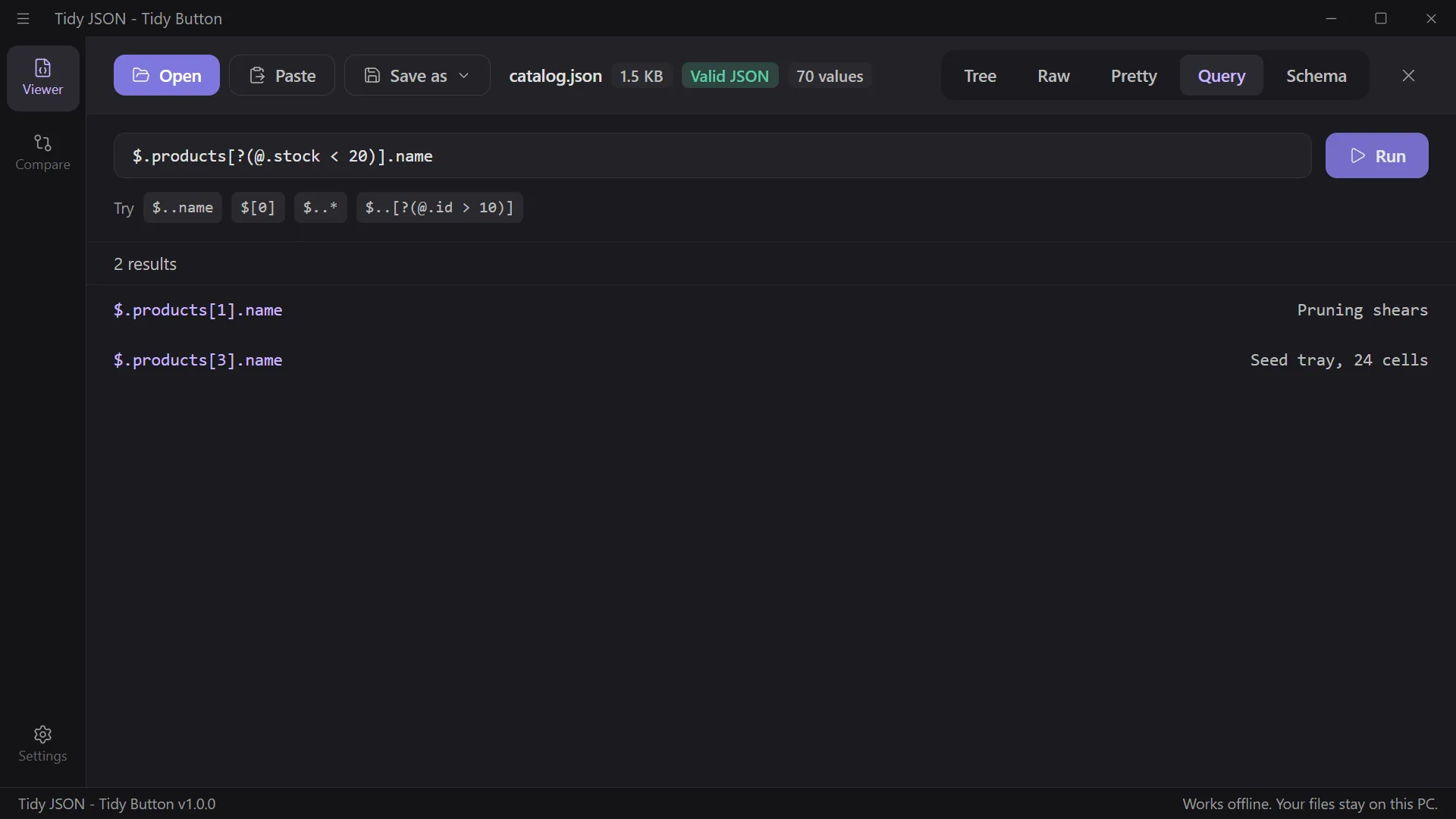
Query (Pro)
Pro: query with JSONPath and jump to any result
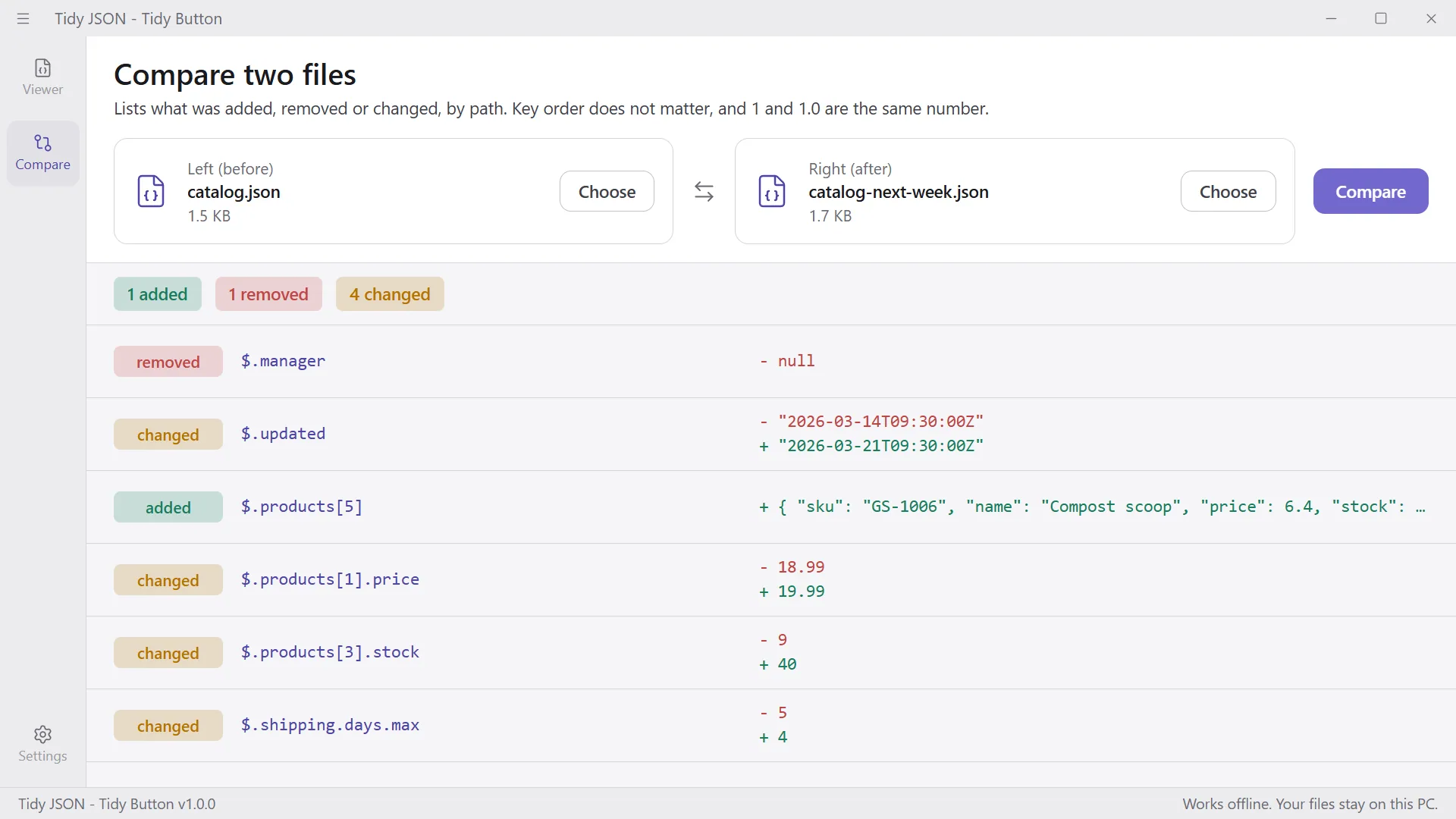
Compare (Pro)
Pro: compare two files by path
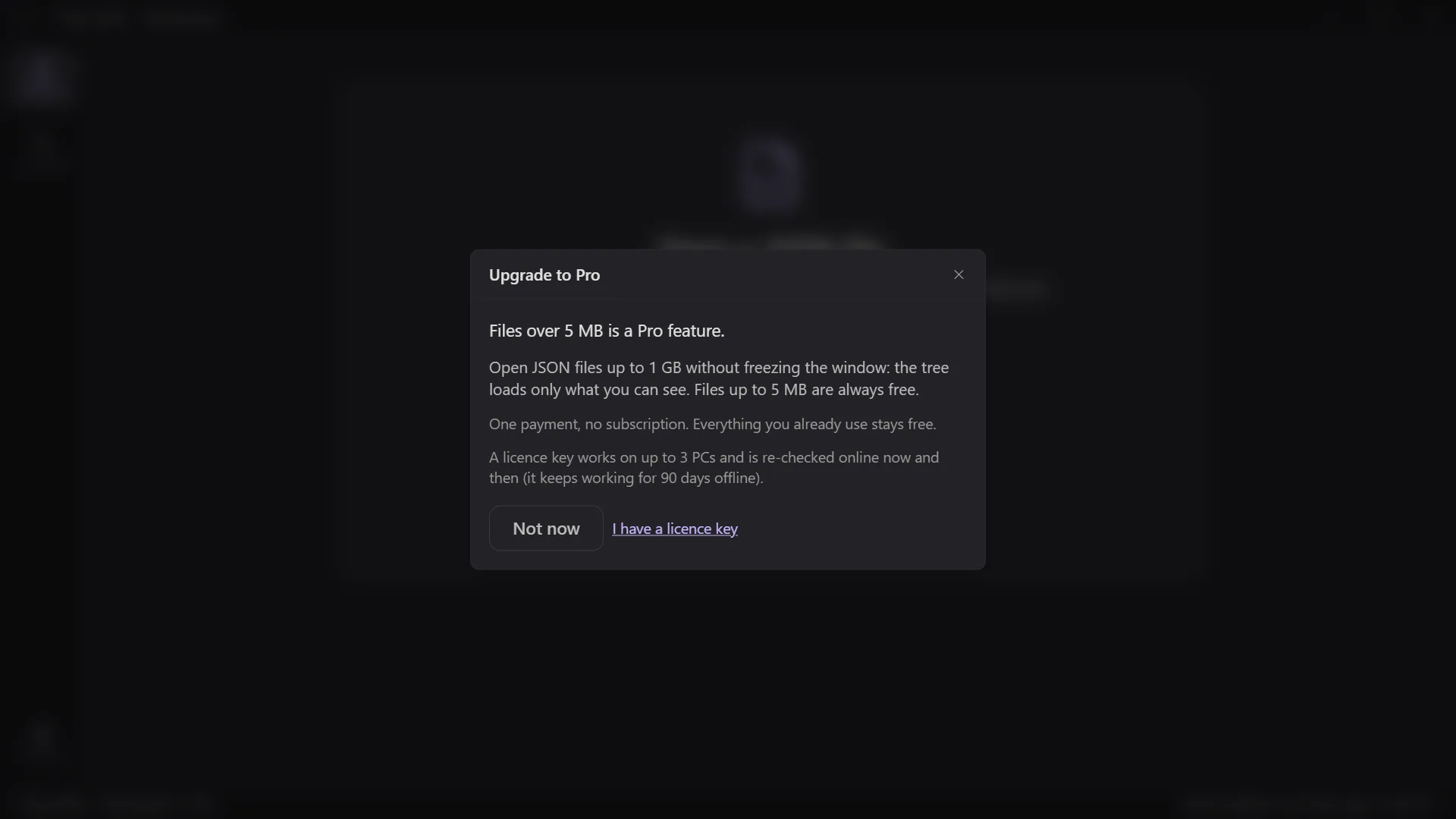
Free limit
The free app opens files up to 5 MB and says so plainly
Screens show sample data. The app has light and dark themes.
How it works
Three steps. No manual.
01
Open your file
Press Open file, drop a file on the window, or paste JSON from the clipboard.
02
Look around
Open and close parts of the tree, or switch to the Raw or Pretty view.
03
Search and copy
Search for a key or a value, then copy its path or its value.
What it does
What it does.
JSON exports, API responses and config files are easy to produce and hard to read. Tidy JSON shows them as a collapsible tree that only draws what you can see, so the window stays responsive on big documents. Everything happens on your PC. The free app opens files up to 5 MB with no time limit and works with the internet turned off.
Tree, Raw and Pretty
A collapsible tree, the file as written with line numbers, or an indented view with 2 spaces, 4 spaces or a tab.
Numbers as written
A large integer such as 12345678901234567890 is never rounded, and 1.0 stays 1.0.
Repeated keys shown
If an object has the same key twice, both are shown in file order and tagged as a duplicate key.
Search and copy
Search keys and values, jump between matches, then copy the path of a row, its value, or its indented text.
Errors that help
See what is wrong, the line and column and the line itself, with a plain hint for comments, trailing commas, single quotes and NaN.
Open it your way
Open file, drag and drop, Open with in File Explorer, Paste from the clipboard, and a list of recent files.
Save a new copy
Save a formatted or minified copy to a new file. The original is not changed unless you pick its name.
Your look
Light, dark, slate, midnight and high contrast themes, with comfortable or compact spacing.
The small print, in plain English
Safe by design.
When a file is not valid you see what is wrong and where.
Large numbers stay exactly as they were written.
Nothing is uploaded. Your files are read on your PC and never leave it.
Your original file is never changed unless you save over it yourself.
The free version opens files up to 5 MB, with no time limit and no nag screen.
Pro is a one-time purchase for files up to 1 GB, JSONPath queries, Compare, Schema and JSON Lines.
Works offline. No account. No ads. No tracking.
What it shows
Your file, as it is.
The viewer shows what the file says, not what a program makes of it.
Large integers and repeated keys are shown as written.
Numbers
As written
A large integer is never rounded, and 1.0 stays 1.0.
Repeated keys
All shown
Every copy of a repeated key is shown, in file order, with a tag.
Long text
Full text on demand
A long string is shortened in its row. One click shows all of it.
Errors
Exactly where
The message, the line, the column and the line itself.
Saving
Never by surprise
A formatted or minified copy goes to a new file you name.
Big files
Your choice
The free app opens files up to 5 MB. Pro opens files up to 1 GB.
The JSON reader is written for this app and needs no extra software.
Good for
Handy when it will not parse.
Reading an API response or an export
Finding a value in a long document
Copying the path of a value into code
Finding out why a file is not valid
Questions
Plain answers.
Is anything uploaded?
No. Your files are read on your PC and never leave it. The free app works with the internet turned off.
Does it change my file?
No. Save as writes a new file you name. Your original is not changed unless you pick its name.
Are big numbers shown correctly?
Yes. Numbers are shown exactly as written, so 12345678901234567890 is not turned into 12345678901234567000.
What if a key appears twice?
Both are shown, in file order, and the second is tagged as a duplicate key.
What happens when a file is not valid?
You see what is wrong, the line and column and the line itself, with a hint for common mistakes such as comments, trailing commas and single quotes.
Is there a limit in the free version?
The free version opens files up to 5 MB with no time limit. Pro is a one-time purchase that opens files up to 1 GB and adds JSONPath queries, Compare, Schema and JSON Lines files.