Free on the Microsoft Store
Inventory Manager Know what you have.
Keep a list of items, record stock in and out, scan barcodes and see what is running low. Export reports to Excel. Everything lives in one file on your PC. No account and no subscription.
Unlimited items and stock value history.
Pro keys go on sale when this app's Pro update reaches the Microsoft Store.
One key for this app. Free to use without it. See all pricing
Prefer the command line? winget install 9N9KRCZBH7NF --source msstore
- Works offline
- No account, no ads, no tracking
- Nothing leaves your PC
- Free
See it
Six views. Stock in, stock out.
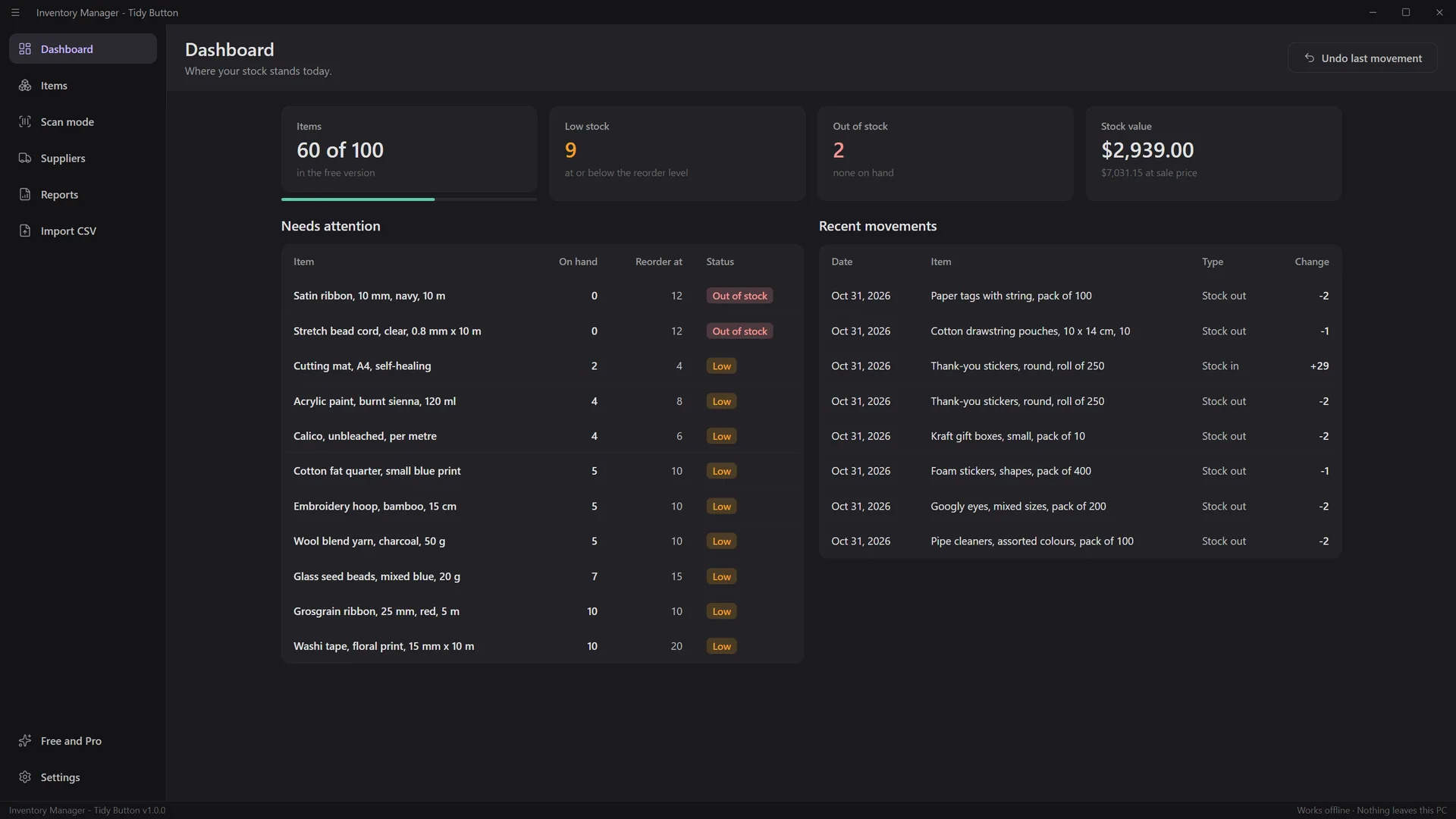
Dashboard
See at a glance what is low or out of stock, what your stock is worth and what moved recently
Items
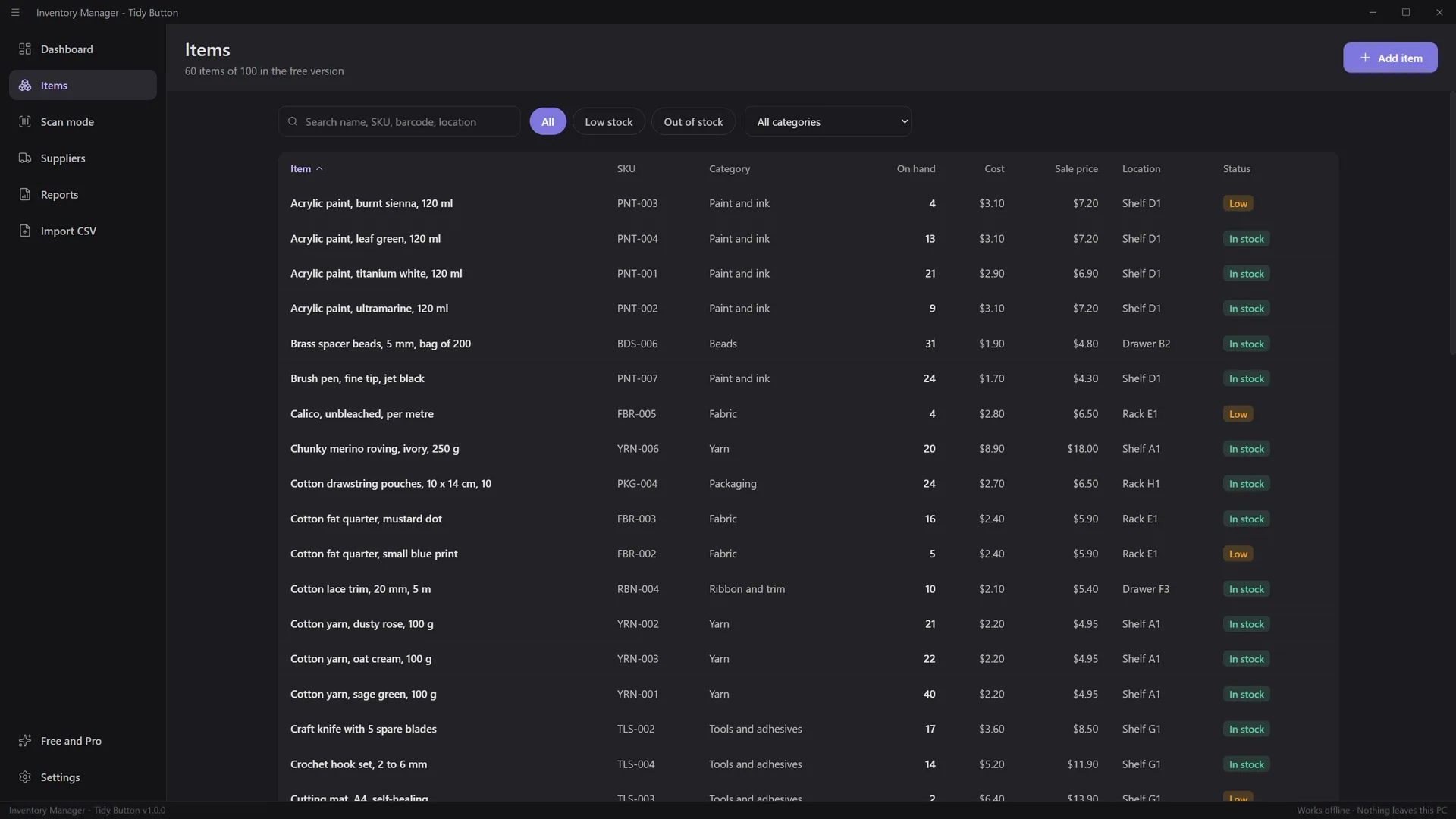
Search, sort and filter every item by stock level or category. Status shows Low or Out of stock
Item detail
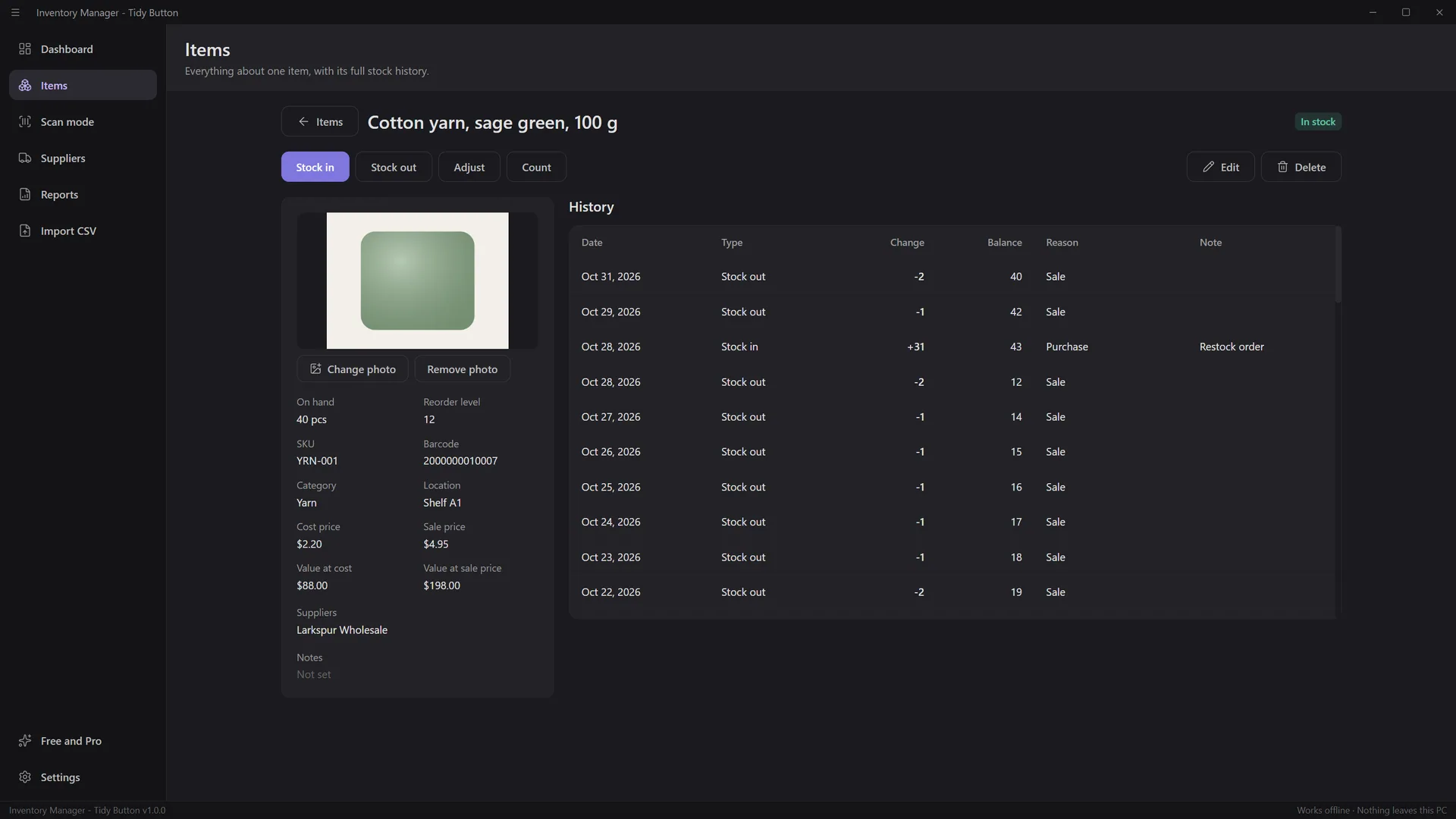
Each item keeps its full history. Quantity on hand always adds up from the stock movements
Scan mode
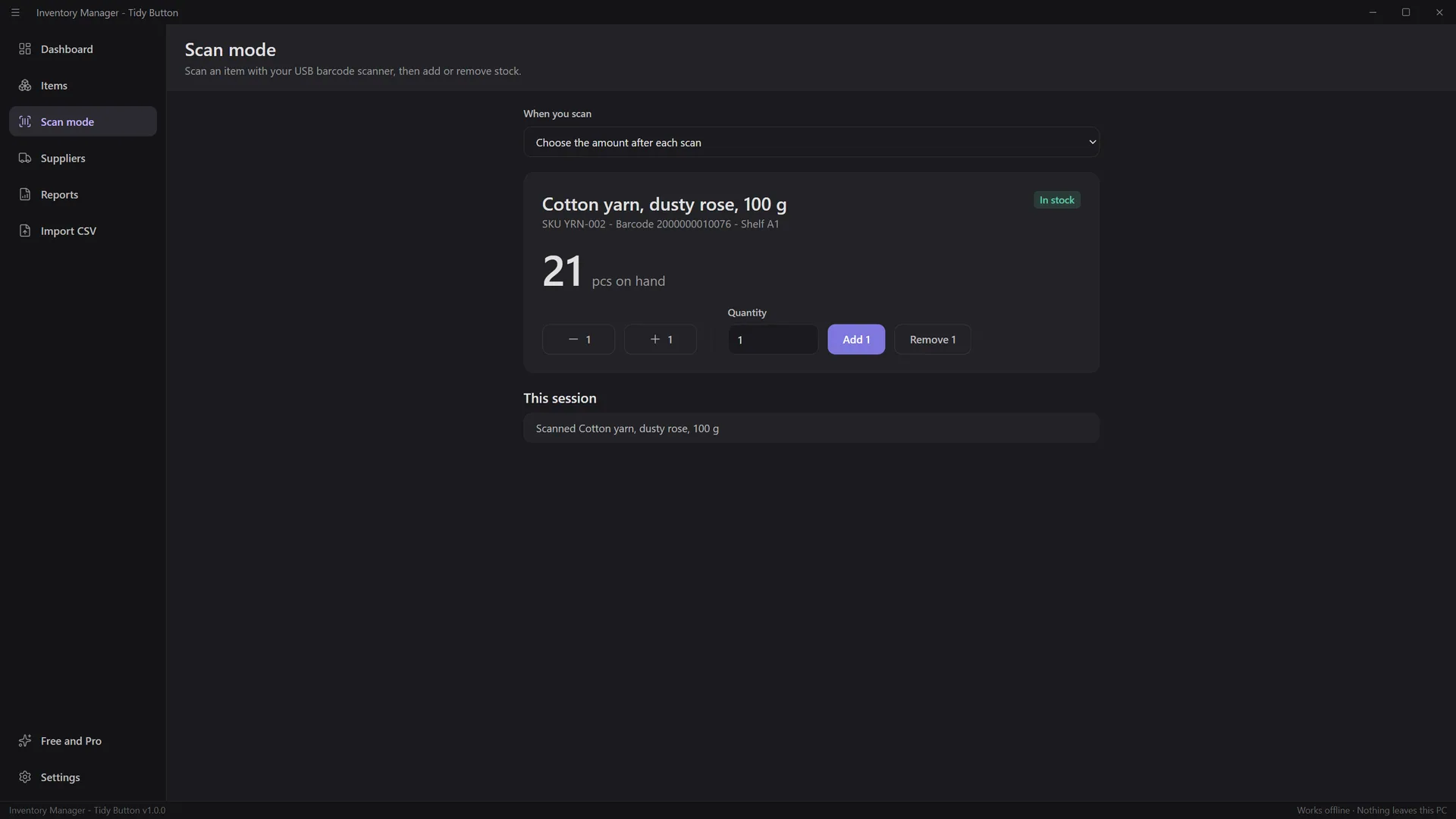
Scan with a USB barcode scanner, then add or remove 1 or any quantity for quick stock in and out
CSV import
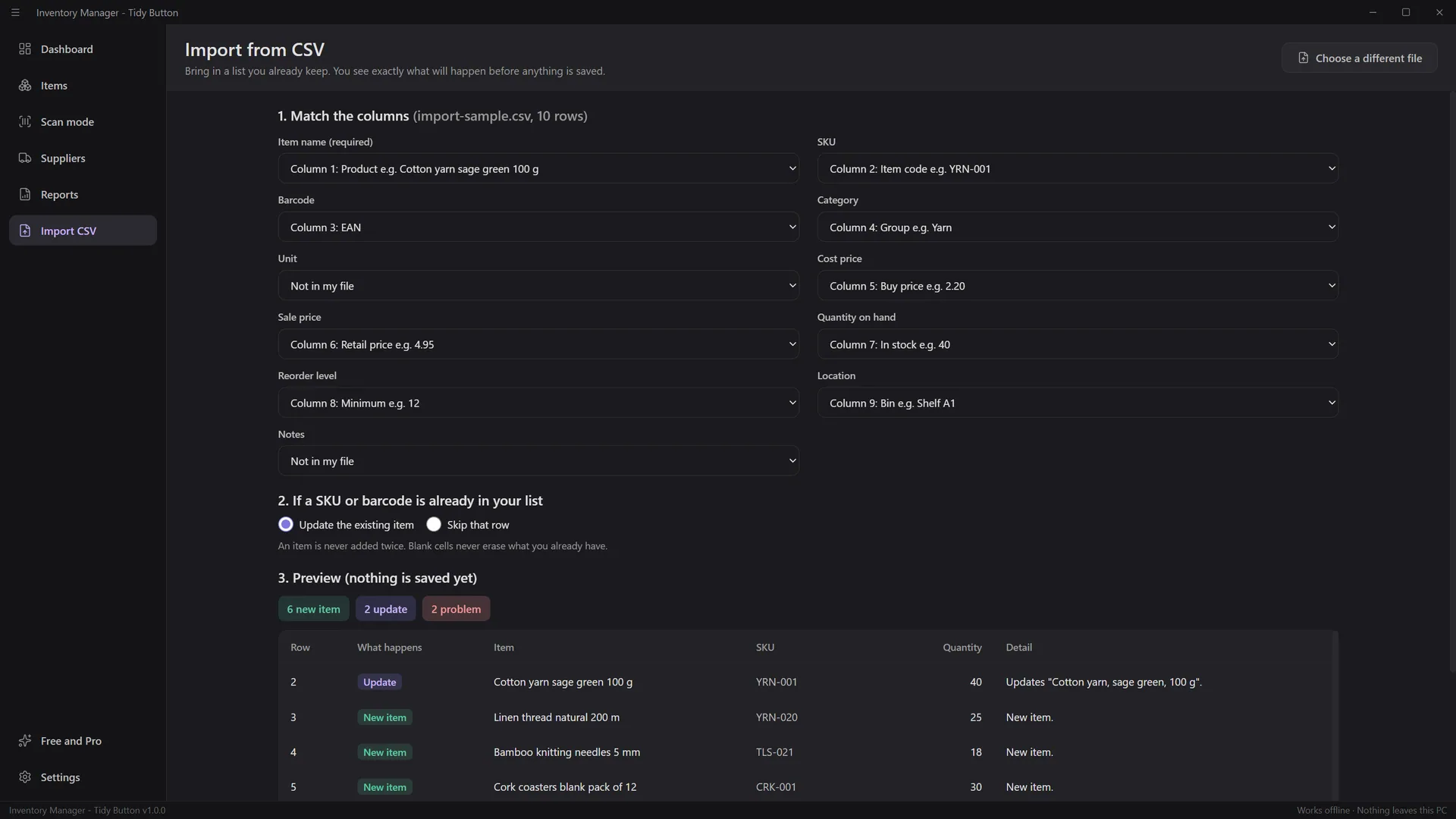
Import a list from CSV. Match the columns and preview every row before anything is saved
Stock value
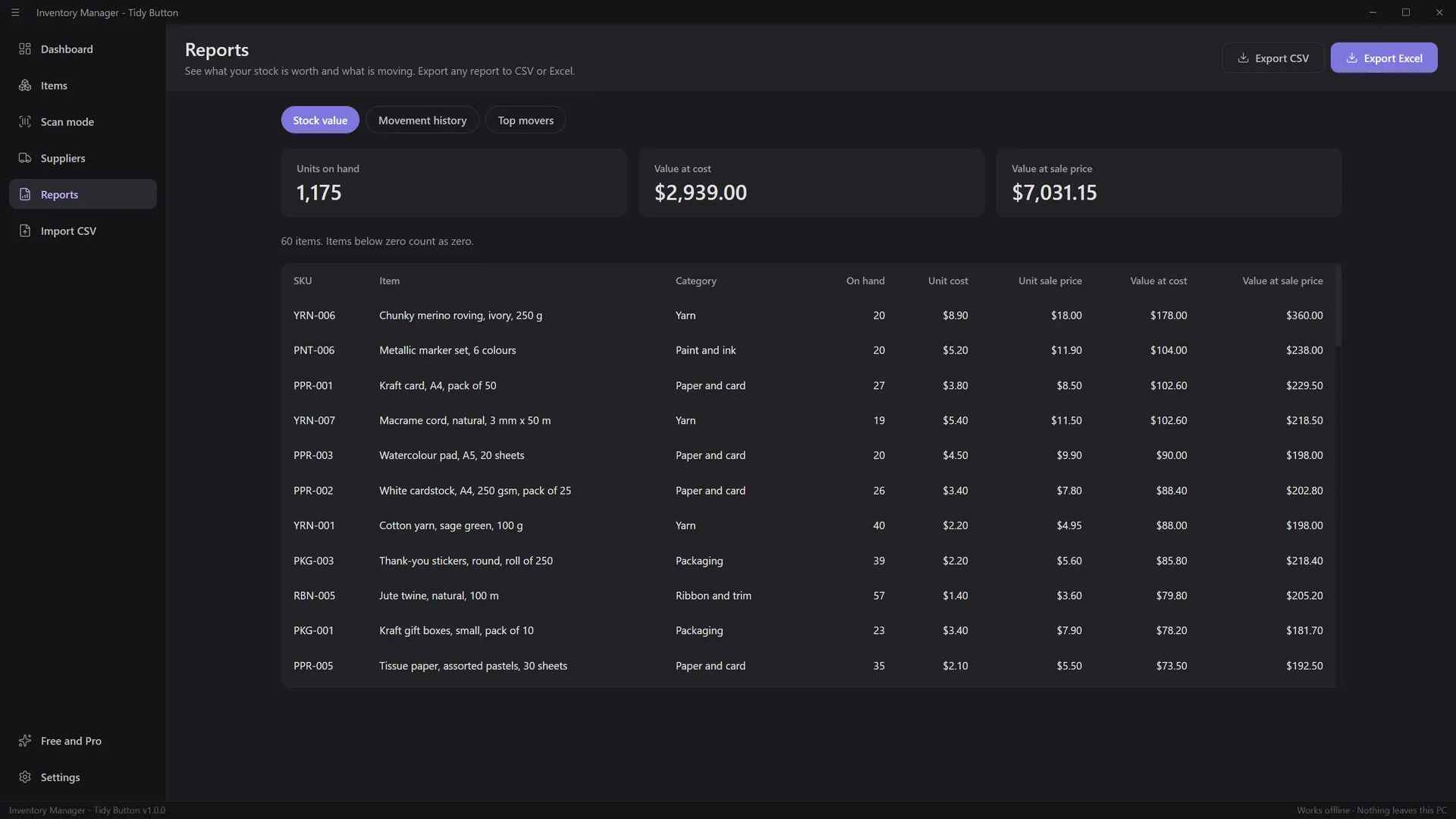
Stock value at cost and at sale price, ready to export to CSV or Excel
Screens show invented sample stock. The app has light and dark themes.
What it does
What it does.
Add your items, record stock in and stock out, and let the dashboard tell you what needs ordering. Everything is stored in one file on your PC, and a backup is one click.
Items with the details you need
Name, SKU, barcode, category, unit, cost price, sale price, reorder level, location, notes and a photo.
Stock movements, not guesses
Record stock in, stock out, adjustments and counts. The quantity on hand always comes from the history, and you can undo the last movement.
USB barcode scanner support
A scan opens the item or offers to create it. Scan mode is for fast stock in and out. Typing by hand is never mistaken for a scan.
Low-stock dashboard
See low-stock and out-of-stock items, with an optional once-a-day Windows reminder while the app is open.
Suppliers
Keep contact details and the items each supplier provides.
Reports
Stock value at cost and at sale price, movement history and top movers, exported to CSV or Excel.
CSV import with a dry run
Match the columns, preview every row and see a dry run before anything is saved. An item is never added twice.
One-click backup and restore
Your data is one file.
The small print, in plain English
Safe by design.
- Your items, stock and suppliers stay in one file on your PC and are never uploaded.
- The app makes no network requests. No account, no ads, no tracking.
- It reads only files you pick, and writes only where you choose.
Good for
Handy when stock keeps slipping.
- Small shops and market stalls
- Makers, crafters and online sellers with a stock room
- Workshops and home businesses
Questions
Plain answers.
Is anything uploaded?
No. Your data stays in one file on your PC and the app makes no network requests.
Does it work with a barcode scanner?
Yes. Any scanner that types the code and presses Enter works, anywhere in the app.
Can I import my existing list?
Yes. Import a CSV file, match the columns and see a row-by-row preview and a dry run before anything is saved.
Can I export to Excel?
Yes. Reports export to CSV or Excel.
Is there a limit in the free version?
The free version holds up to 100 items, with unlimited movements, barcode input and exports. A Pro add-on is planned (coming soon).
Which versions of Windows does it run on?
Windows 10 and Windows 11.