Coming to the Microsoft Store
Home Inventory Know what you own.
Add each belonging once, with a photo, a value, a serial number and the receipt details. Search it, total it by room and export it. It works offline with no account.
Not on sale yet. The app is still being built.
We will link the Store listing here the day it is live. Until then there is nothing to download.
- Works offline
- No account, no ads, no tracking
- Photos, values and serial numbers
- Free
See it
Four views. One home, recorded.
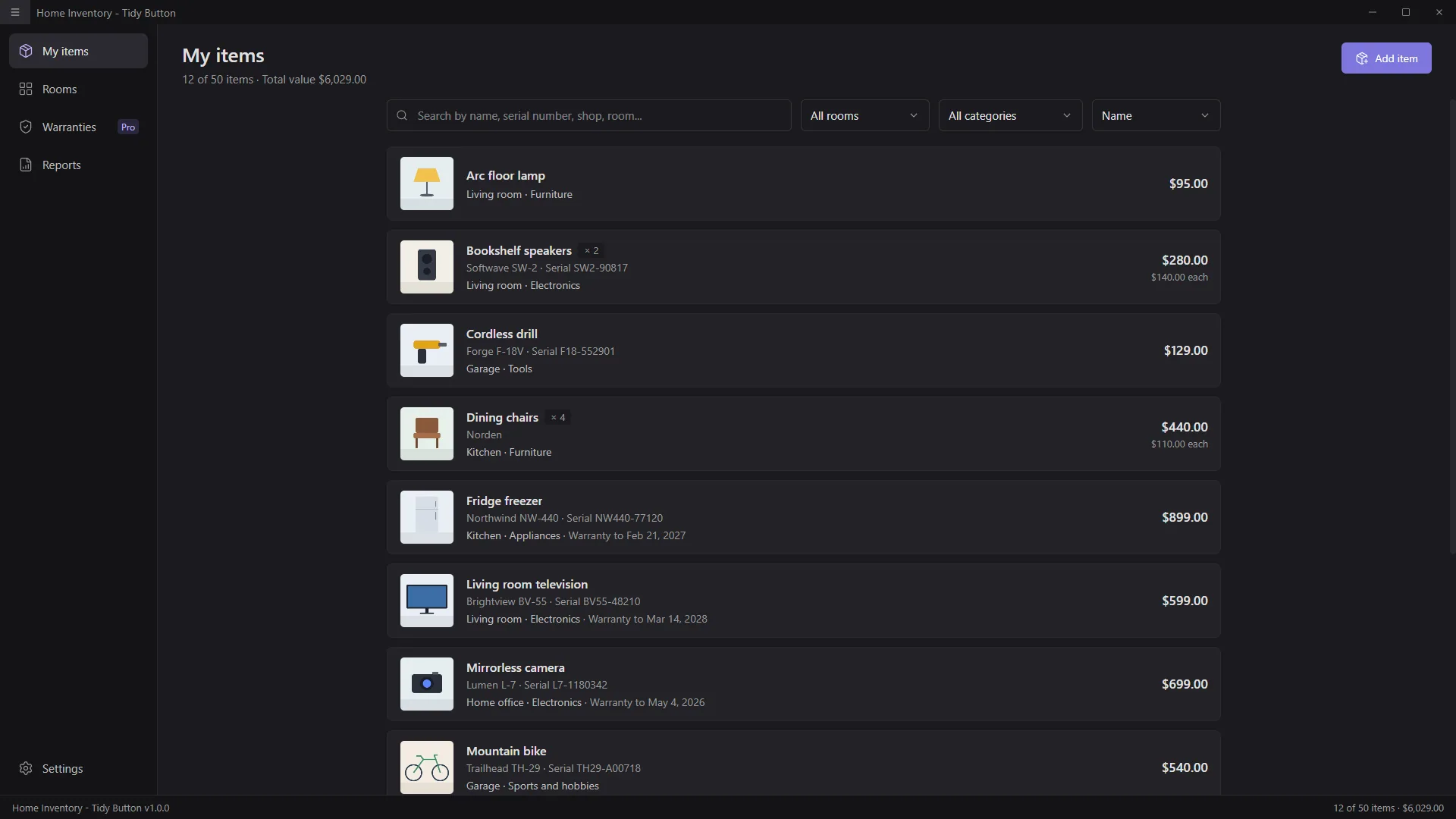
Items
Every belonging in one list, with its photo, serial number and value
Item details
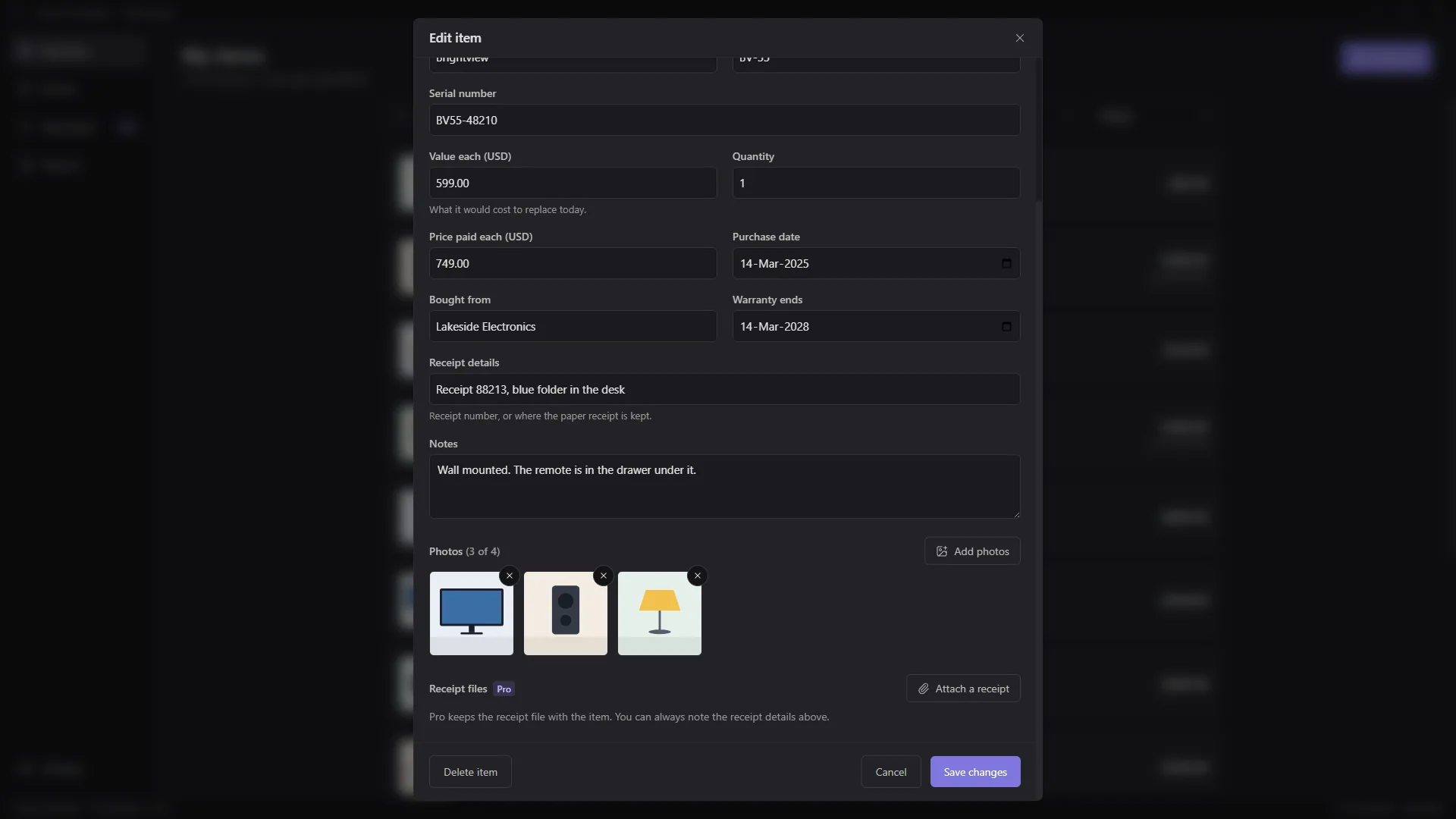
Open an item to see its details and up to 4 photos
Search
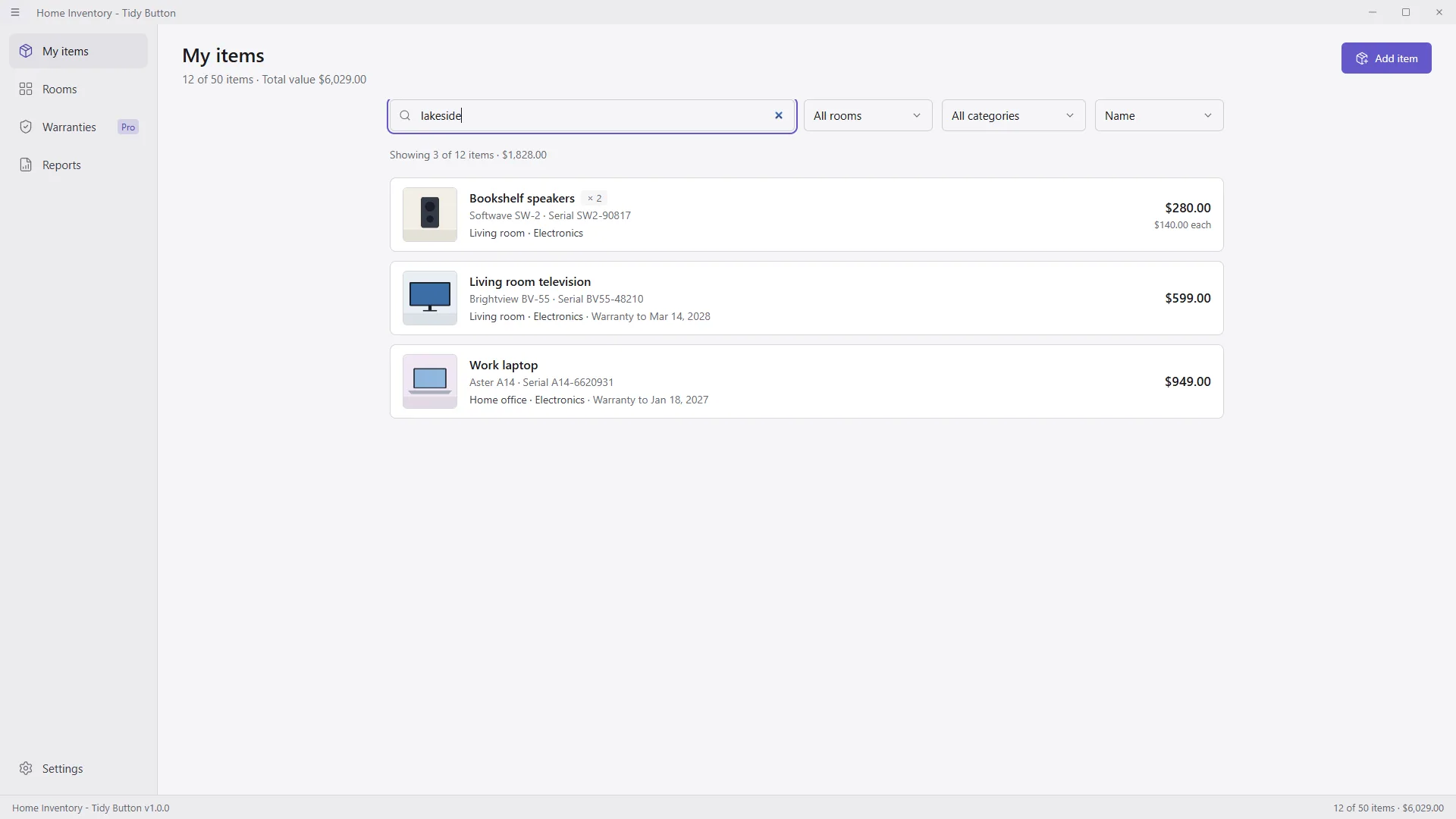
Search by name, serial number, shop, room and more
Totals
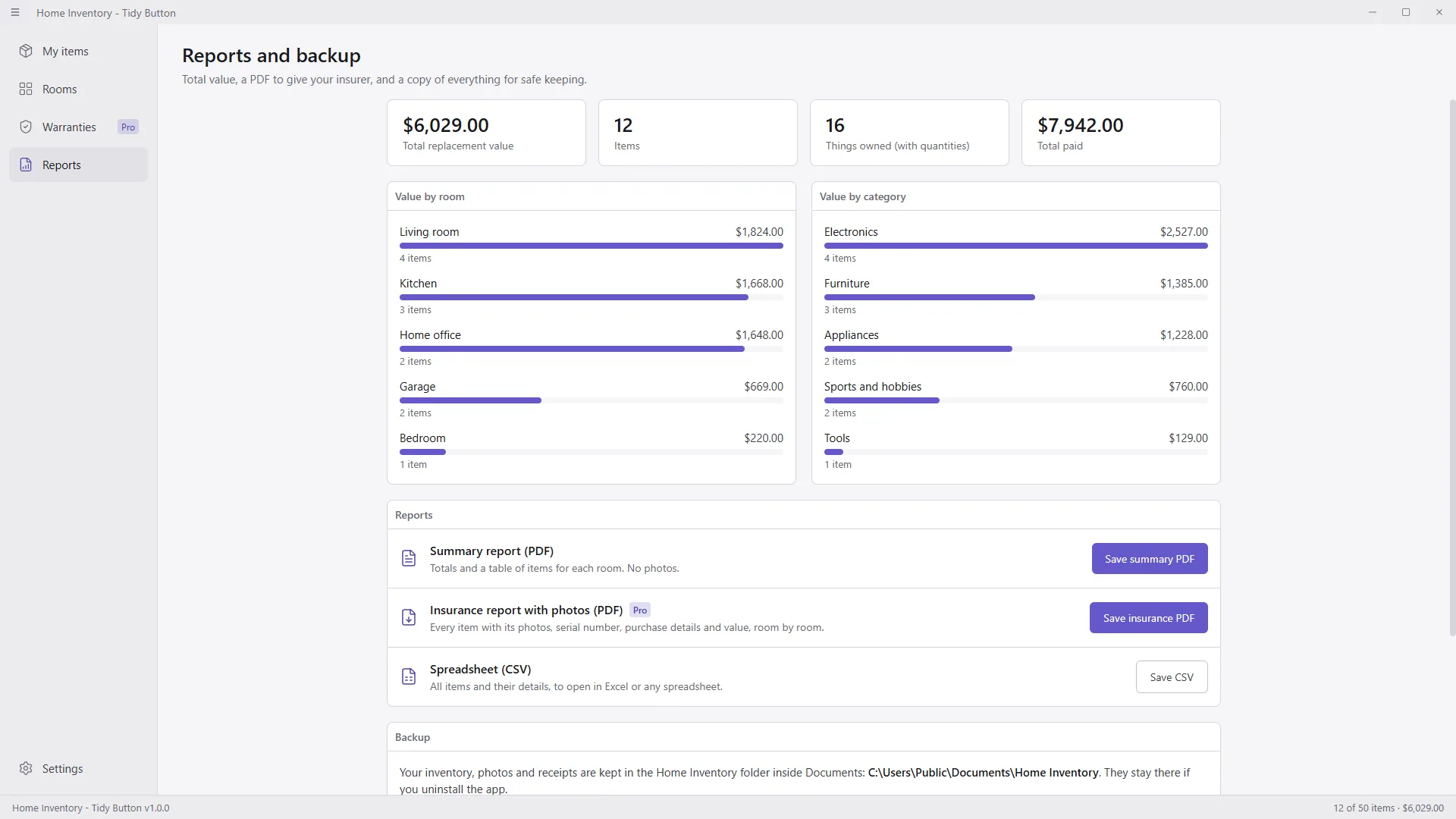
Total value, with bars by room and by category
Screens show a made-up home with invented items and drawn pictures. The app has light, dark and other themes.
What it does
What it does.
Home Inventory keeps a record of your belongings in one place. For each item you save a photo, what it is worth, the serial number, where you bought it and where the receipt is kept. Sort things into rooms and categories, search across everything, and see the total value. Your inventory is saved in a Home Inventory folder in your Documents, so it stays yours.
Everything about an item
Room, category, brand, model, serial number, quantity, value, price paid, purchase date, shop, receipt details, warranty end date and notes.
Photos that stand up
Add up to 4 photos to each item. Pictures taken on a phone are turned upright automatically.
Rooms and categories
Make your own. Removing a room or category moves its items and never deletes them.
Search and filter
Search by name, brand, model, serial number, shop, notes, room or category. Filter by room or category and sort by name, value, room or newest.
Totals you can read
Total replacement value, items, things owned and total paid, with bars for value by room and by category.
Summary PDF and CSV
Save a summary PDF with a table for each room, or a CSV spreadsheet to open in Excel.
Restore from a backup
Bring an inventory back from a backup folder at any time.
Your currency, your theme
Choose from nine currencies and from light, dark and other themes.
The small print, in plain English
Safe by design.
- Your inventory, photos and receipts stay in a Home Inventory folder in your Documents. The app does not send them anywhere.
- The free app works offline. The only network use is the optional Pro licence check.
- Nothing is hidden or deleted if you go over the free limit. Your items stay and you can still search, edit and export them.
- No account. No ads. No tracking.
Good for
Handy when you need the details.
- A record for home insurance
- Moving house or setting up a new home
- Knowing where the receipt and serial number are
Questions
Plain answers.
Where is my inventory stored?
In a folder named Home Inventory inside your Documents. It holds your items, photos and receipt files. The app never sends them anywhere, and the folder stays if you uninstall the app.
Does it need an internet connection?
No. Everything in the free app works offline. The only network use is the optional Pro licence check.
How many items can I add for free?
Up to 50 items, each with up to 4 photos. If you reach the limit, your items stay and you can still search, edit, export and delete them. Pro removes the limit.
Can I get my data out?
Yes. Save a summary PDF or a CSV spreadsheet from the Reports screen, or open the Home Inventory folder in Windows Explorer. Both are free.
Does it give insurance advice?
No. It keeps your records, such as photos, values, serial numbers and receipt details. It does not give insurance or financial advice.
What does Pro add?
A one-time Pro add-on removes the 50-item limit and adds an insurance report PDF with photos, receipt files kept with each item, warranty reminders and backup to a folder.
Which versions of Windows does it run on?
Windows 10 and Windows 11.