Coming to the Microsoft Store
Hex Editor See every byte in a file.
Hex and text side by side, search, jump and edit. Offline, no account.
Not on sale yet. The app is still being built.
We will link the Store listing here the day it is live. Until then there is nothing to download.
- Works offline
- No account, no ads, no tracking
- Opens files of any size
- Free
See it
Four views. One file, open.
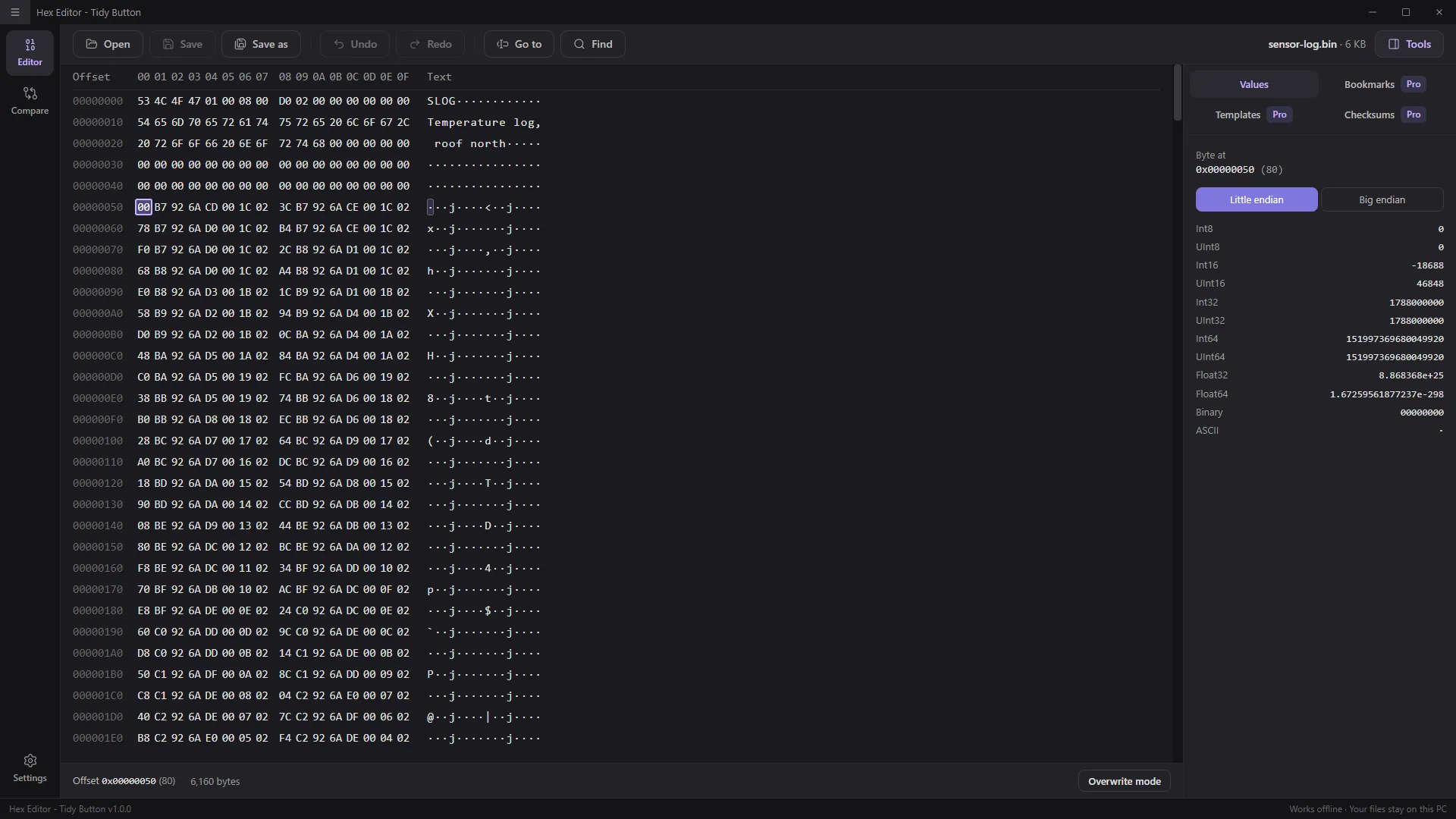
Hex view
Hex and text side by side, with a Values panel
Search
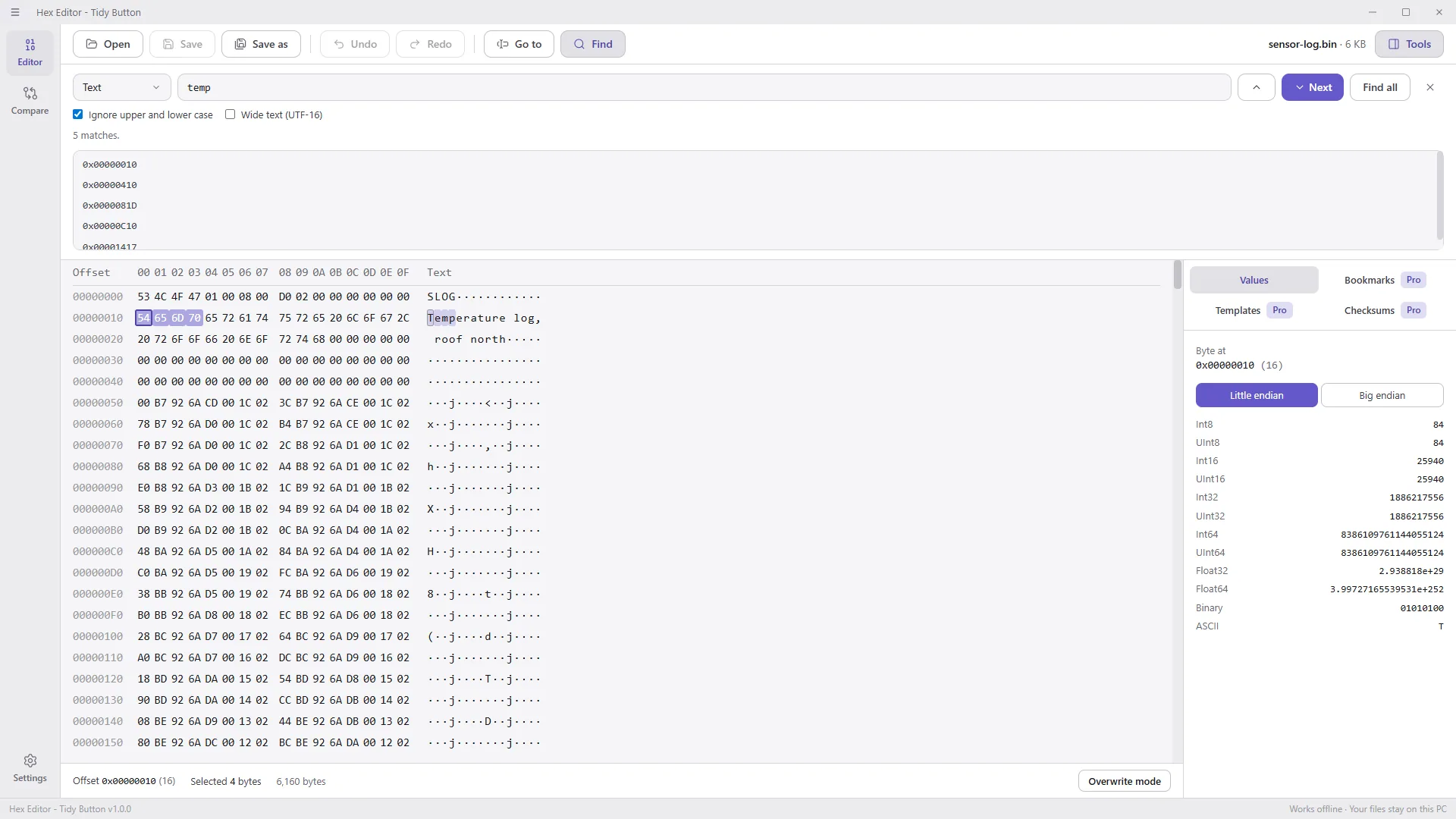
Search for text or bytes and list every match
Templates
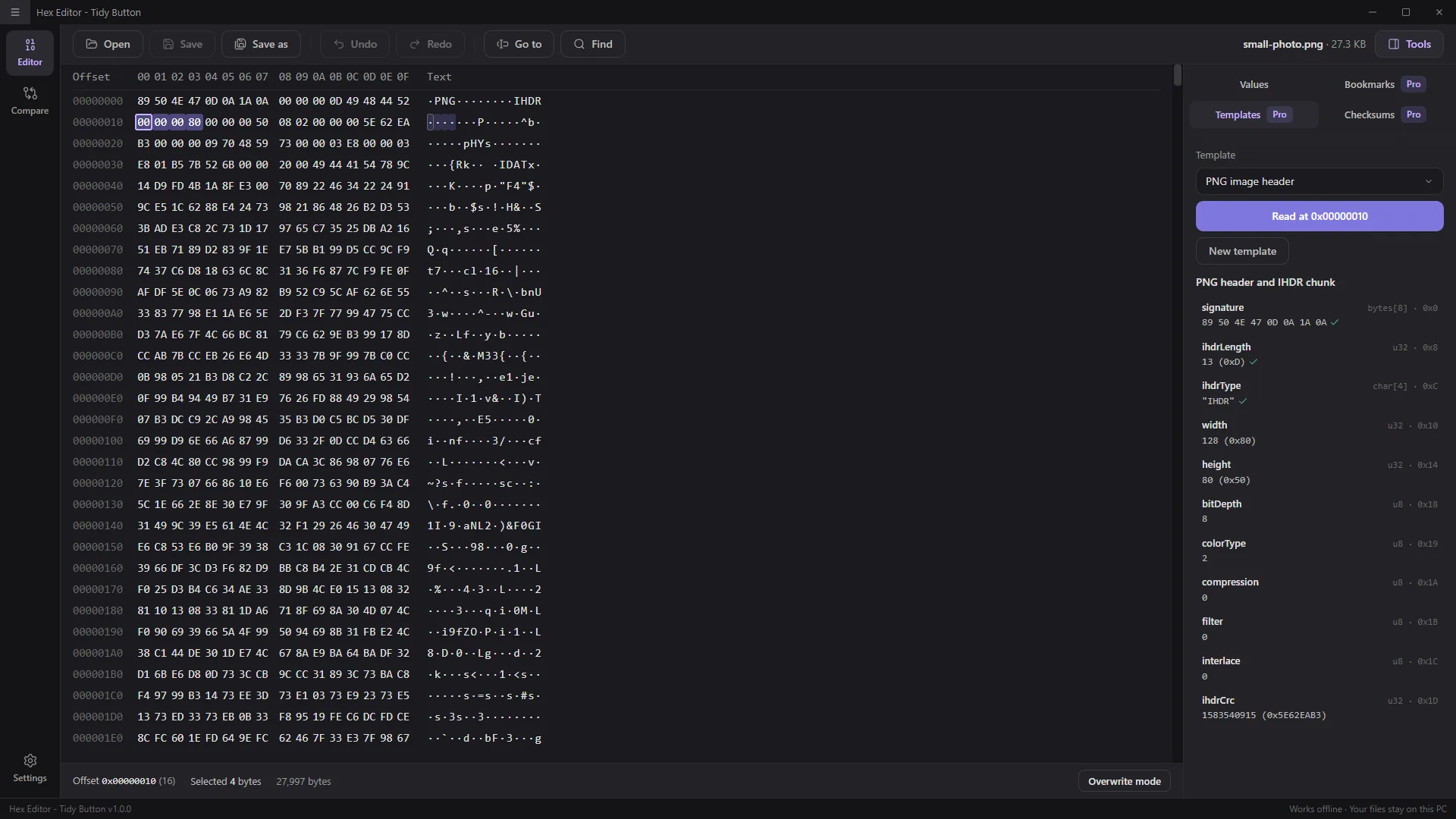
Pro: read a file header as named fields
Compare
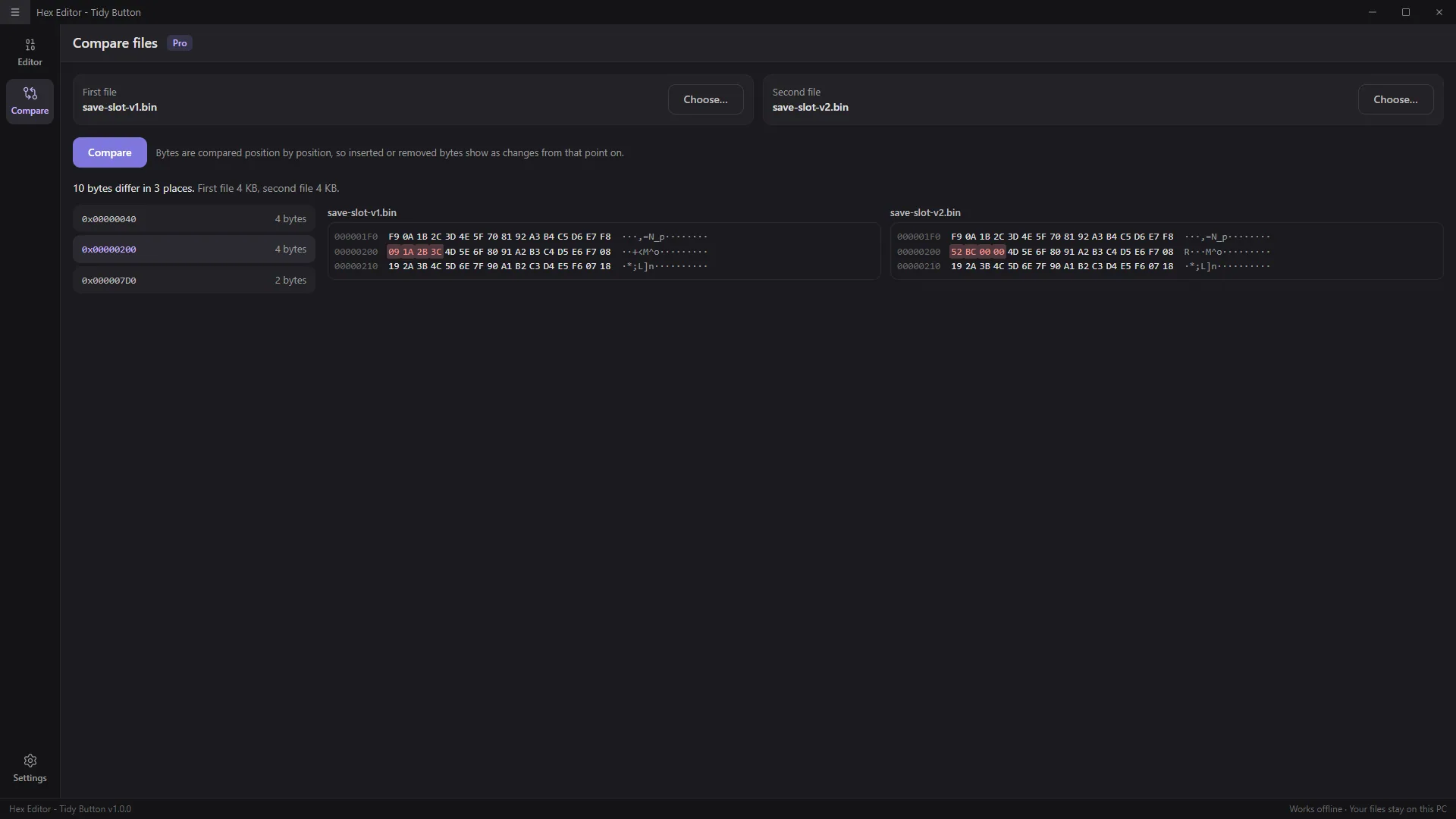
Pro: compare two files side by side
Screens show a demo folder, not a real PC. The app has light and dark themes.
What it does
What it does.
Open a program, a picture, a save file or a disk image and see every byte as hex and as text. Click a byte to read it as a number, search for text or bytes, then change what you need and save. Files of any size open at once, because the file is read in pieces and never loaded whole.
Hex and text view
Hex and text side by side with the offset of every row. Choose 8, 16 or 32 bytes per row.
Values panel
The byte at the cursor as whole numbers of 8, 16, 32 and 64 bits, decimal fractions, binary and a letter, in little or big endian.
Search
Find text (UTF-8 or UTF-16, with or without matching case) or hex bytes where ?? matches any byte. Next, previous or Find all.
Go to offset
Jump to an offset in hex or decimal, or move from the cursor with + or -.
Edit and save
Type over bytes or insert and delete them, with undo, redo, copy, paste, Save and Save as. Free for files up to 1 MB.
Pro tools
An optional one-time Pro add-on edits larger files, reads headers with data templates, compares two files, calculates checksums and keeps bookmarks with notes.
The small print, in plain English
Safe by design.
- Opens only the files you choose.
- A file changes only when you edit it and press Save or Save as.
- Works offline. No account. No ads. No tracking.
- Pro is optional and one payment. Everything above stays free.
Good for
Handy when a file is a mystery.
- Looking inside a file you do not understand
- Checking a file header
- Patching a byte in a small file
- Finding text or a byte pattern in a big file
- Seeing what changed between two versions of a file
Questions
Plain answers.
Does it change my file on its own?
No. A file changes only when you edit bytes and press Save or Save as. Use Save as to write a copy and leave the original alone.
Can it open very large files?
Yes. The free version opens files of any size, because it reads the file in pieces instead of loading it whole.
How big a file can I edit for free?
Files up to 1 MB. Larger files can be viewed and searched for free. Editing them is part of the optional Pro add-on.
What does ?? mean in a byte search?
In a search for hex bytes, ?? matches any single byte. For example 53 4C ?? 47 finds 53 4C, then any byte, then 47.
Does it need an account or an internet connection?
Neither. There is no account, no ads and no tracking. Viewing, searching and editing work offline. The only network use is the optional check of a Pro licence.
Which versions of Windows does it run on?
Windows 10 and Windows 11.