How to track daily habits and keep a streak on a PC
This guide shows how to add habits, check them off every day, fix a past day, and pause your habits for a holiday without breaking your streaks.
This app is not on the Microsoft Store yet. This guide is ready for the day it arrives.
Add a habit
A habit can repeat every day, on days you pick, or a number of times each week.
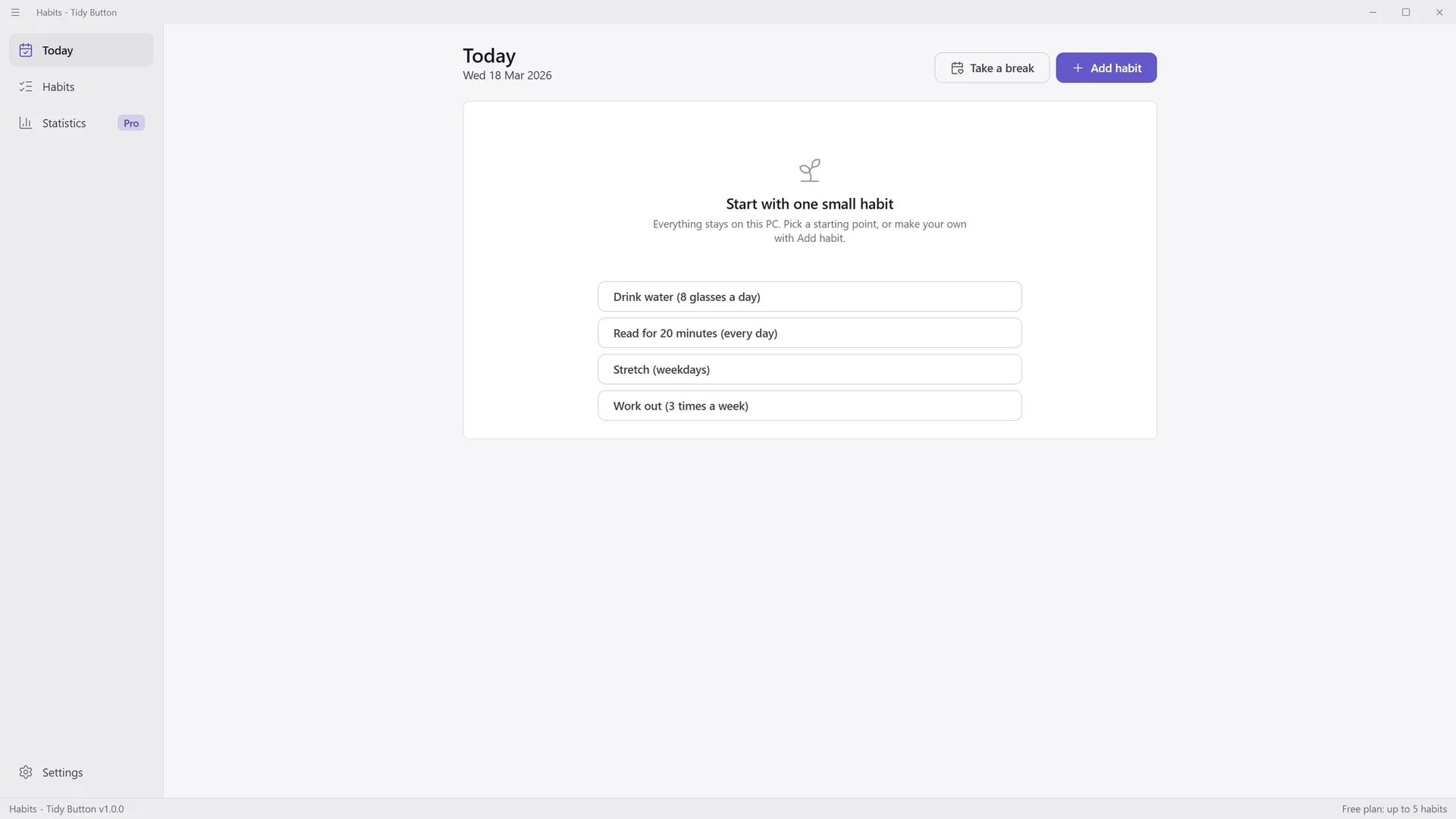
- Open Today in the left menu and press Add habit.
- Type a name in Name, for example Drink water.
- Under How often, press Every day, Certain days or Times a week.
- For Certain days, press the days you want. For Times a week, choose how many times.
- Press Add habit at the bottom of the New habit window.
If you have no habits yet, the Today screen offers a few starting points you can press instead.
Count an amount, such as 8 glasses of water
- Press Add habit and type a name.
- Tick This habit has an amount to reach.
- Type the number in Amount to reach, and a word such as glasses in Unit.
- Press Add habit.
- On Today, press the plus button beside the habit each time. The minus button takes the same step away.
The day counts as done when you reach the amount.
Check off today and skip a day
- Open Today.
- Press the round check button at the left of a habit to mark it done. Press it again to mark it not done.
- Press Skip today if you cannot do a habit today. The button then reads Undo skip.
- Watch the bar at the top. It shows how many habits are done today.
A missed day that was due breaks the streak. A skipped day, a day that was not scheduled and a break do not.
Fix a past day on the month calendar
- Open Habits in the left menu and click a habit in the list.
- Use Previous month and Next month to find the month.
- Click the square for the day. The day editor opens.
- Press Mark done or Mark not done. For a habit with an amount, type it and press Save amount, or press Reached the goal.
- Press Clear this day to remove a mark, or Skip this day to set the day aside.
Take a break for a holiday or illness
- Press Take a break on the Today screen.
- Choose the first day in From and the last day in To.
- Press Add break.
- Press Done to close the window.
Days in a break are set aside for every habit and never break a streak. Press Remove beside a break to cancel it.
If something goes wrong
A habit is missing from my Today list. Where did it go?
It is not scheduled for today, so it sits under Not scheduled today. You can still tick it from there.
Why did my streak go back to zero?
A day that was due and not done breaks the streak. Open Habits, click the habit, click that day on the calendar and press Mark done if you did it. Skipped days and breaks never break a streak.
Where are my habits saved?
In a folder called Tidy Habits inside your Documents folder on this PC. The Today screen says everything stays on this PC.
The app says my habit file could not be read. What now?
The app tries the last good copy first and keeps the damaged file in Documents. If there is no good copy, you start fresh. A message on the Today screen tells you which one happened.
Good to know
- You cannot start a habit on a date in the future.
Still stuck? Support is by email, and a person reads it.