We will link the Store listing here the day it is live. Until then there is nothing to download.
Real app, with invented sample habits.
Works offline
No account, no ads, no tracking
Saved in Documents
Free
See it
Eight views. One day, checked off.
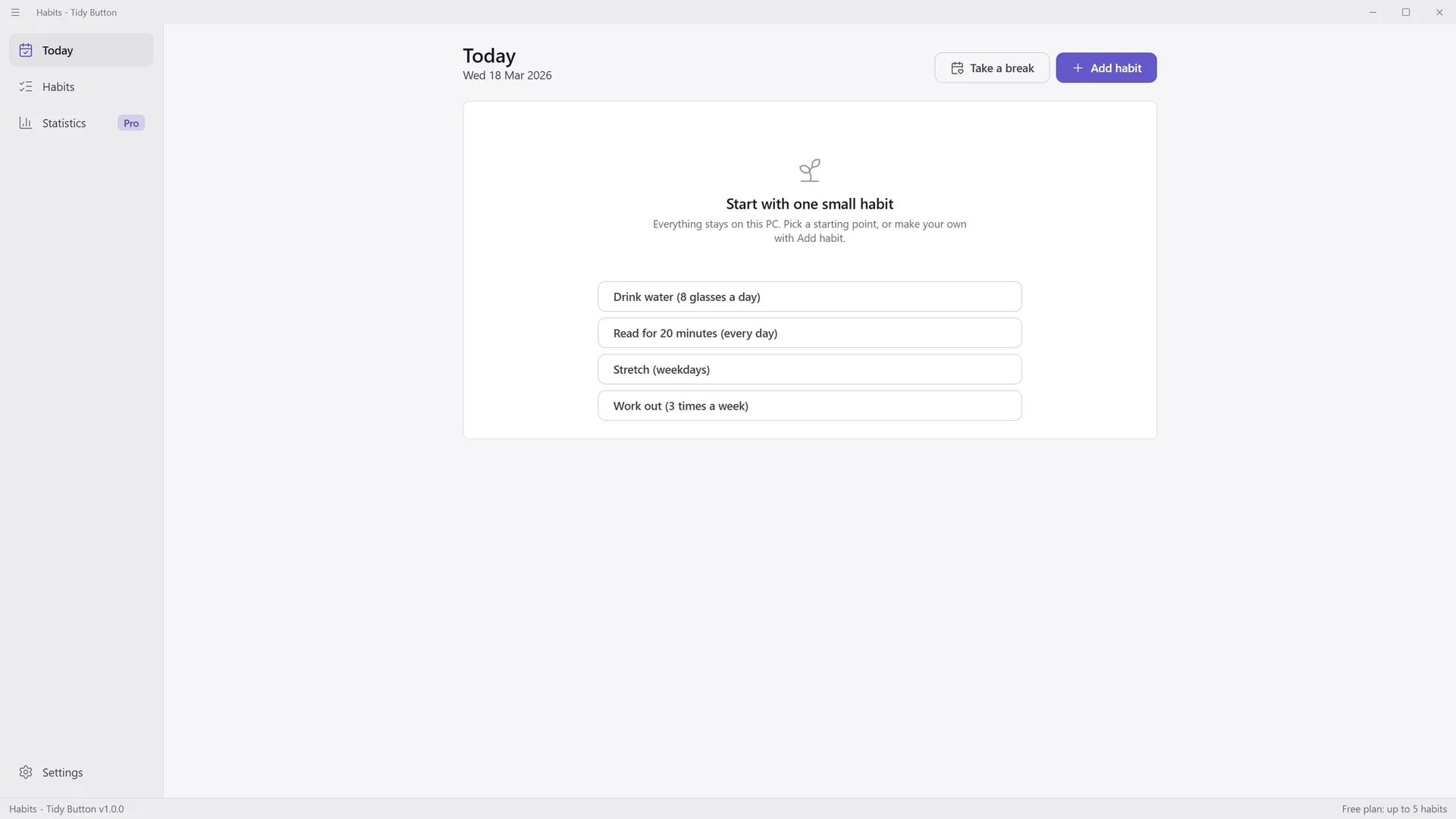
Start
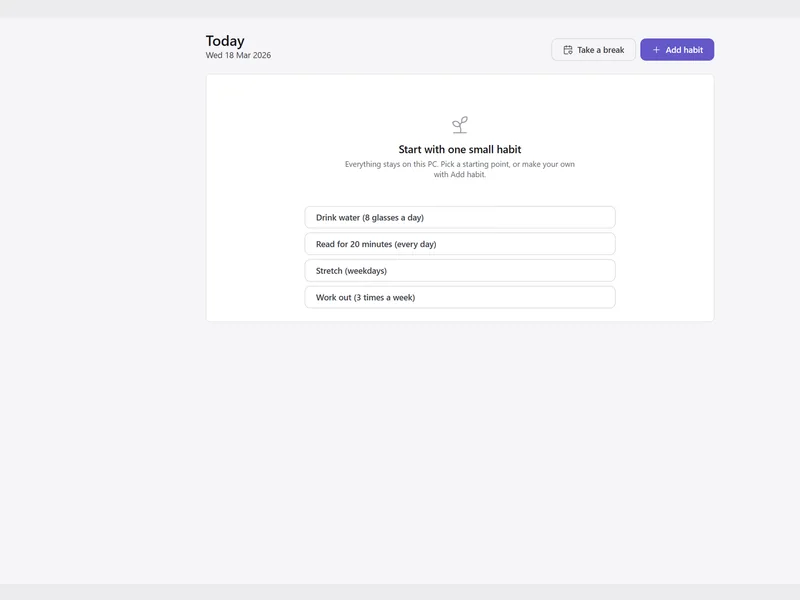
Start with one tap: pick a starting point or make your own habit
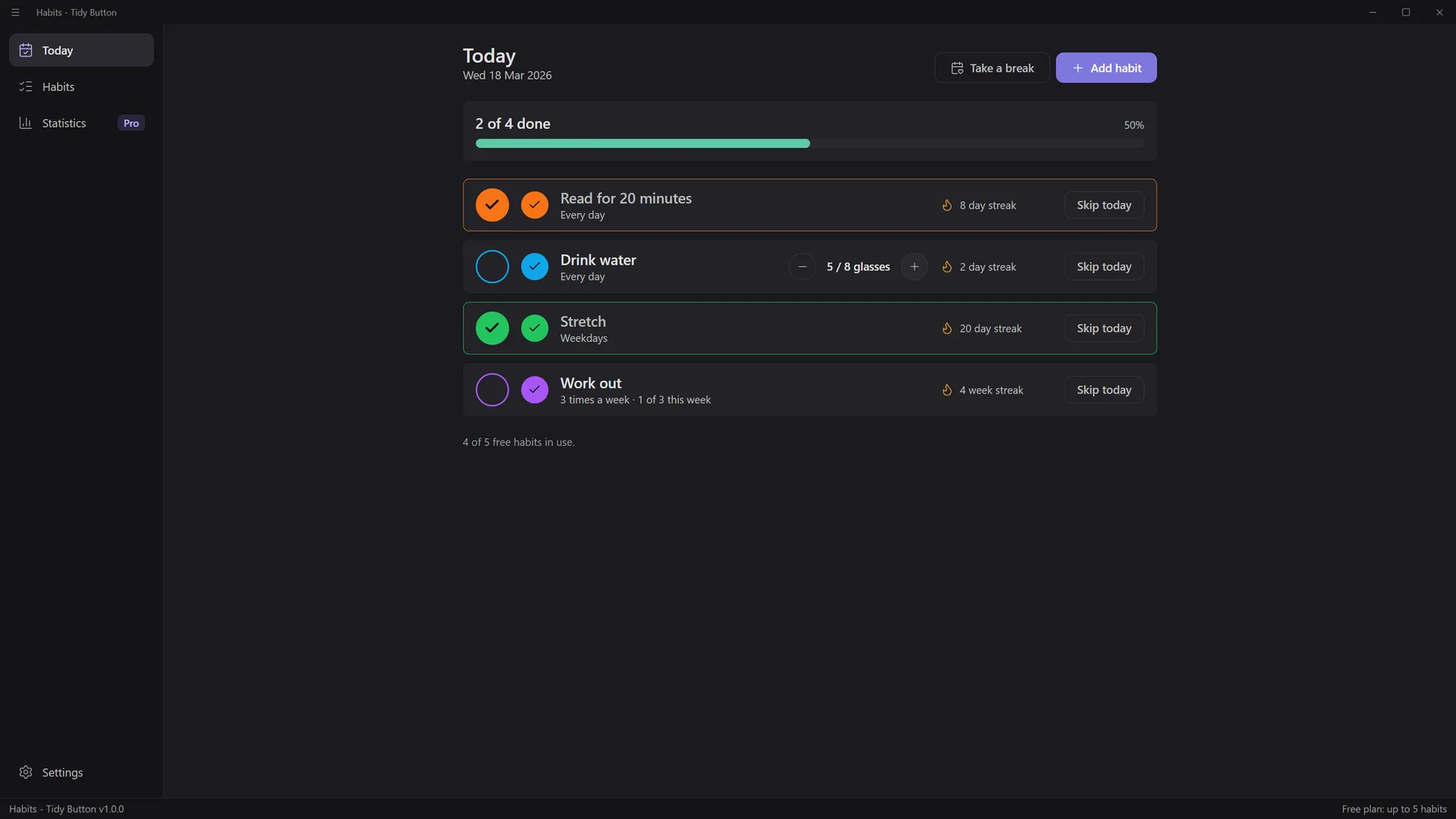
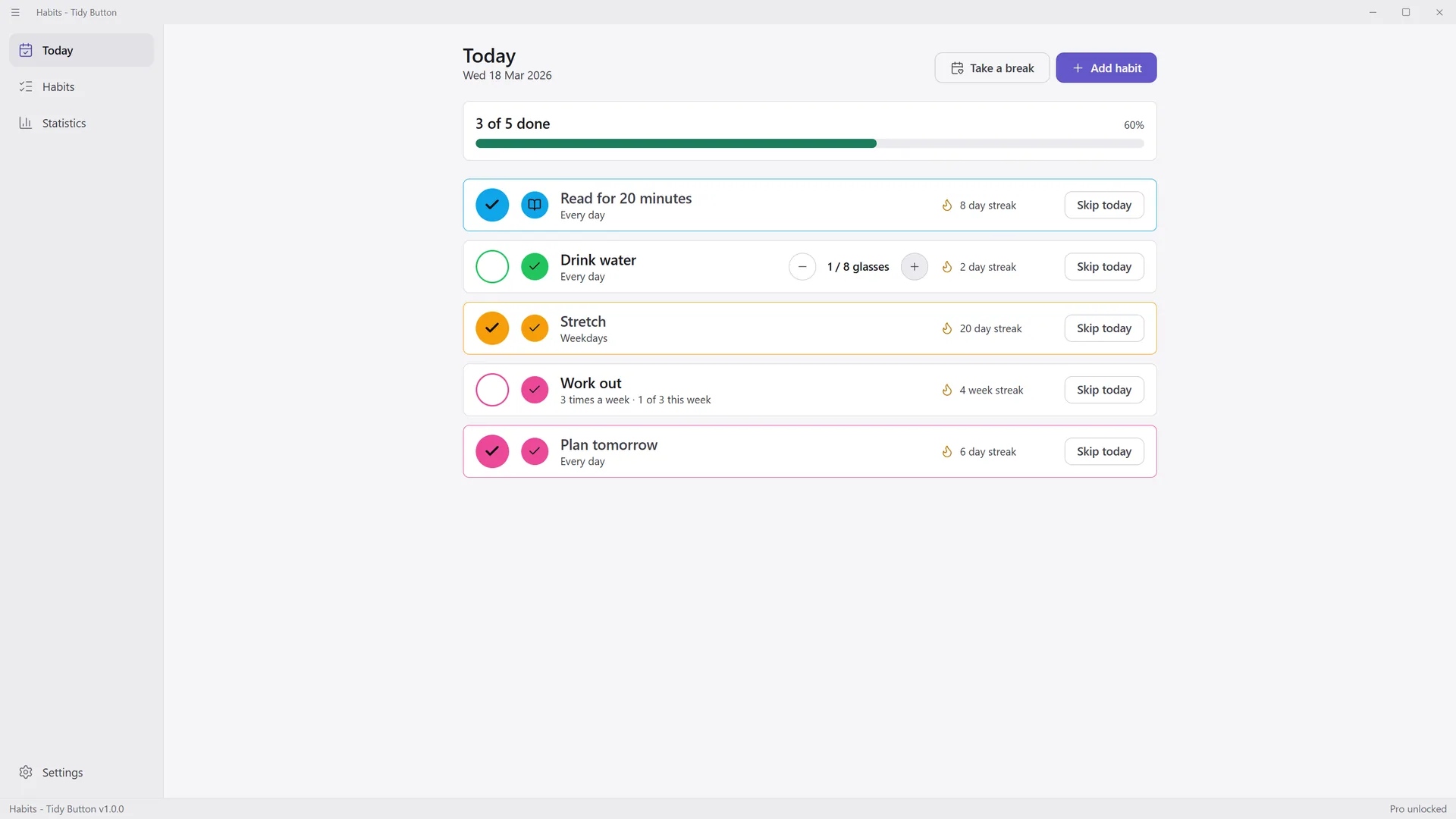
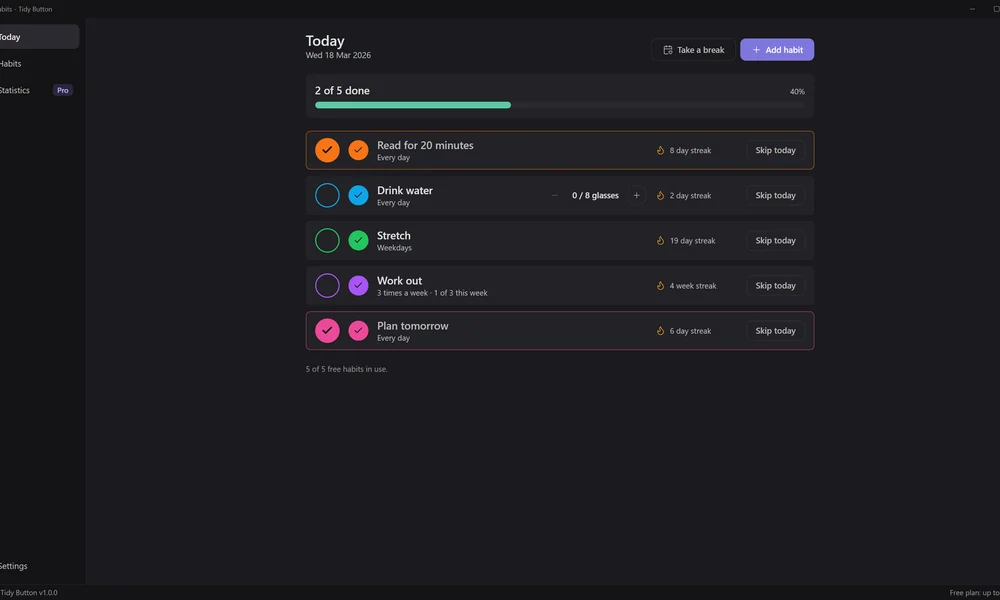
Today
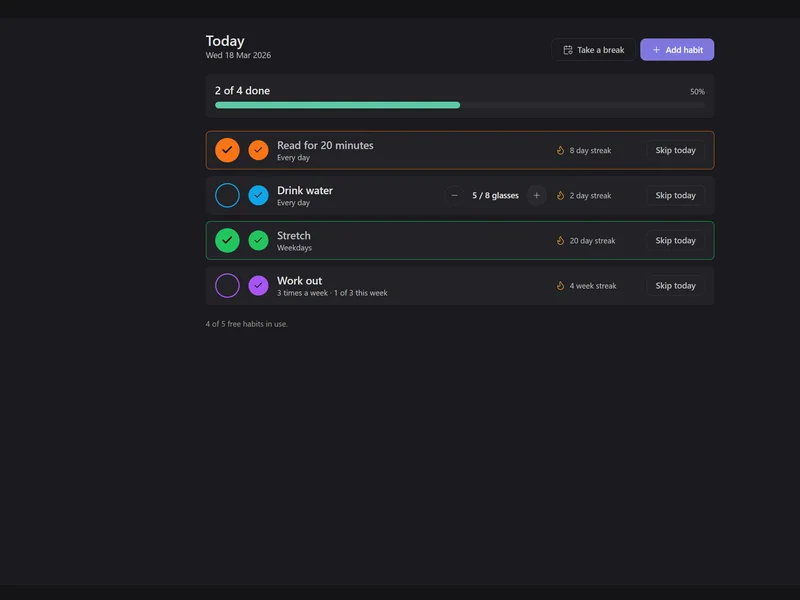
Tick habits off in one tap and see your streaks
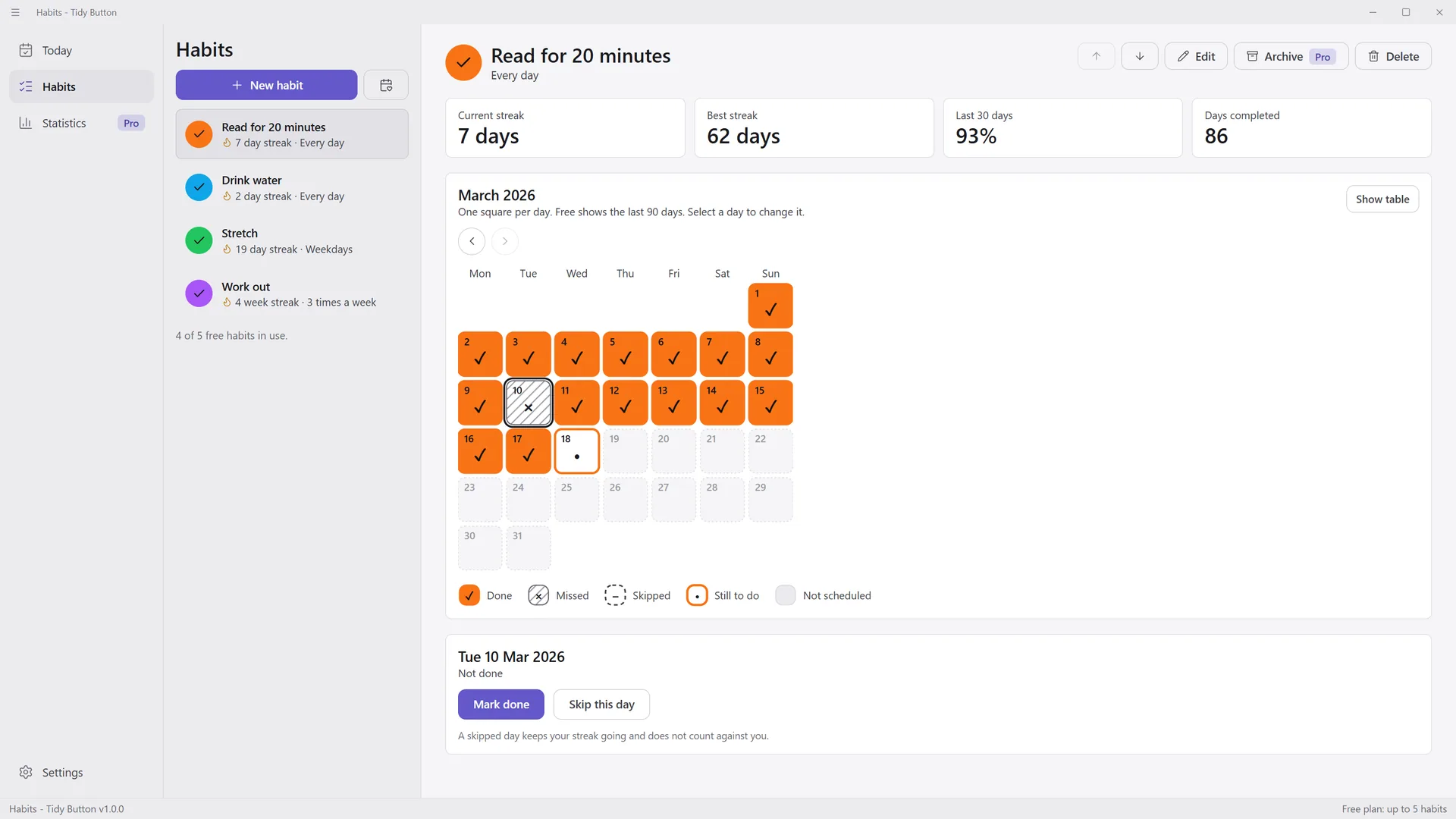
Calendar
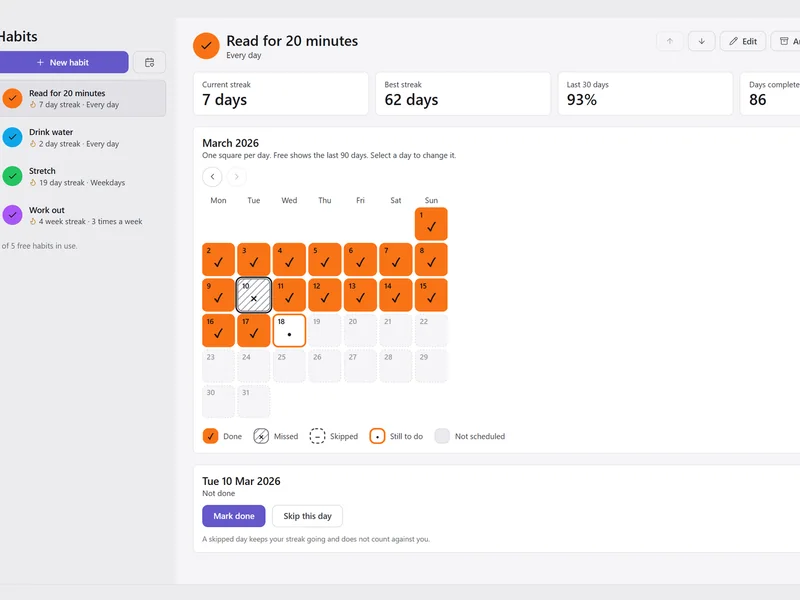
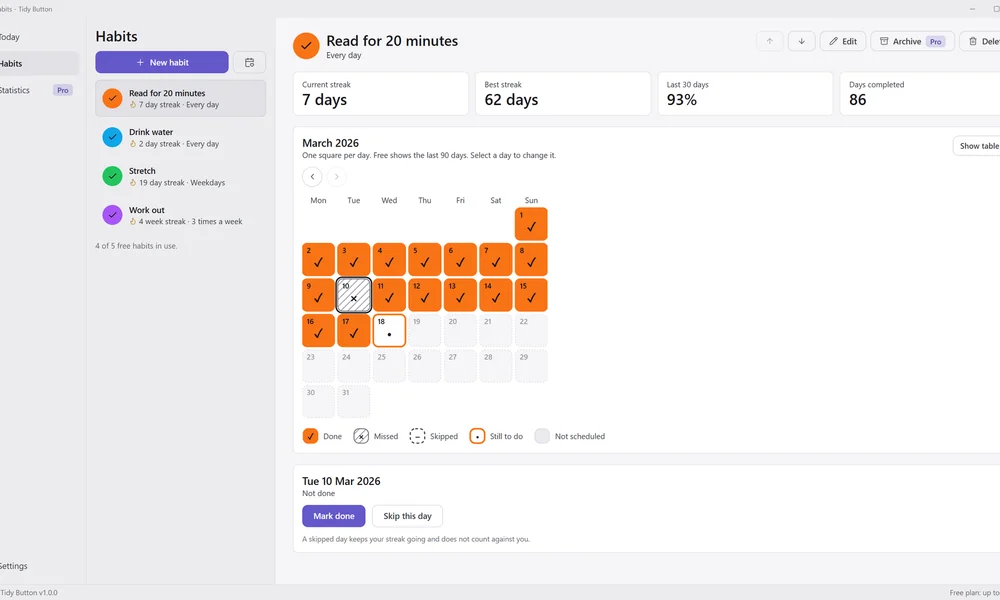
A month calendar for each habit, with your current and best streak
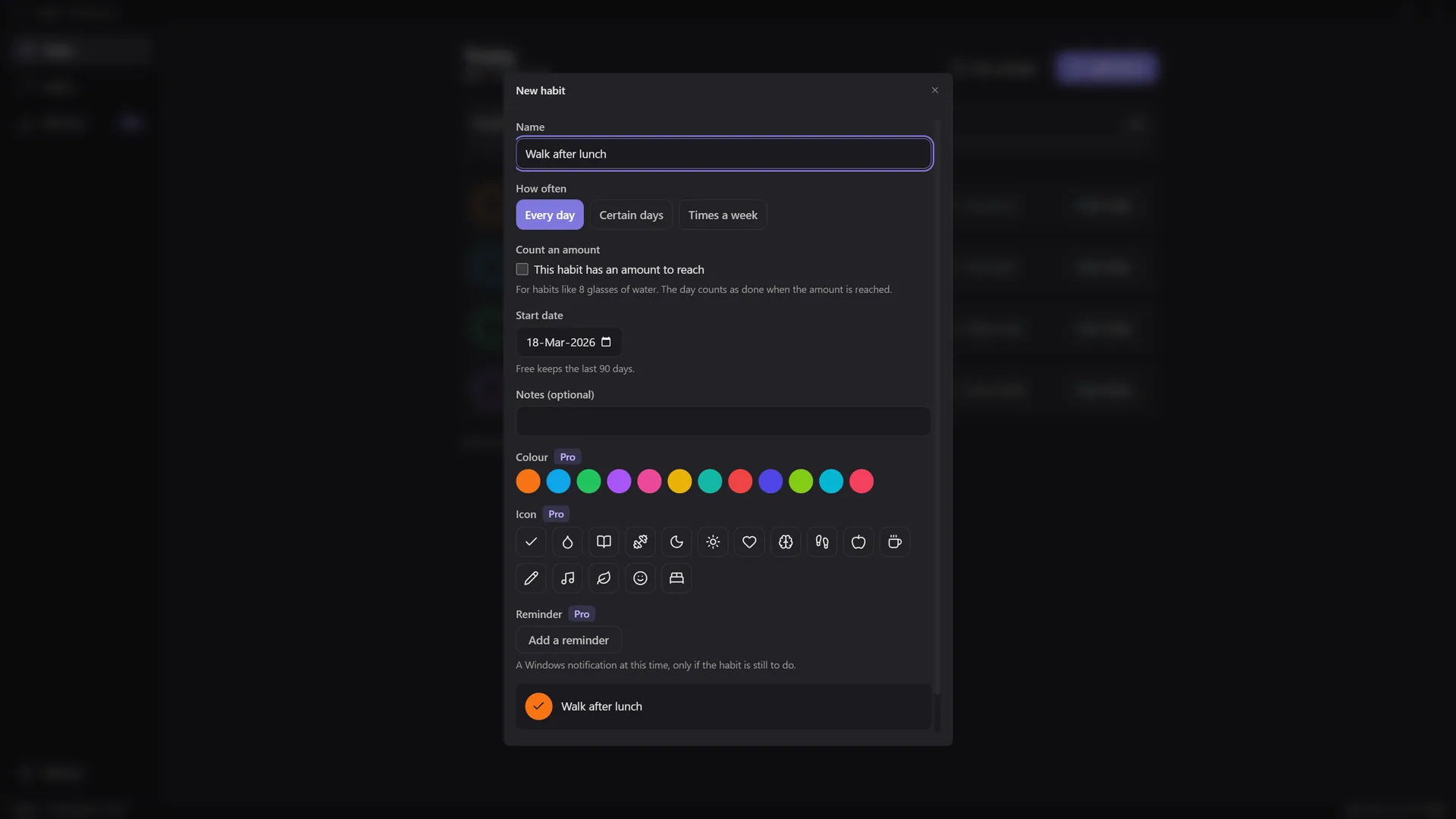
New habit
Repeat every day, on chosen days or a few times a week, or count an amount
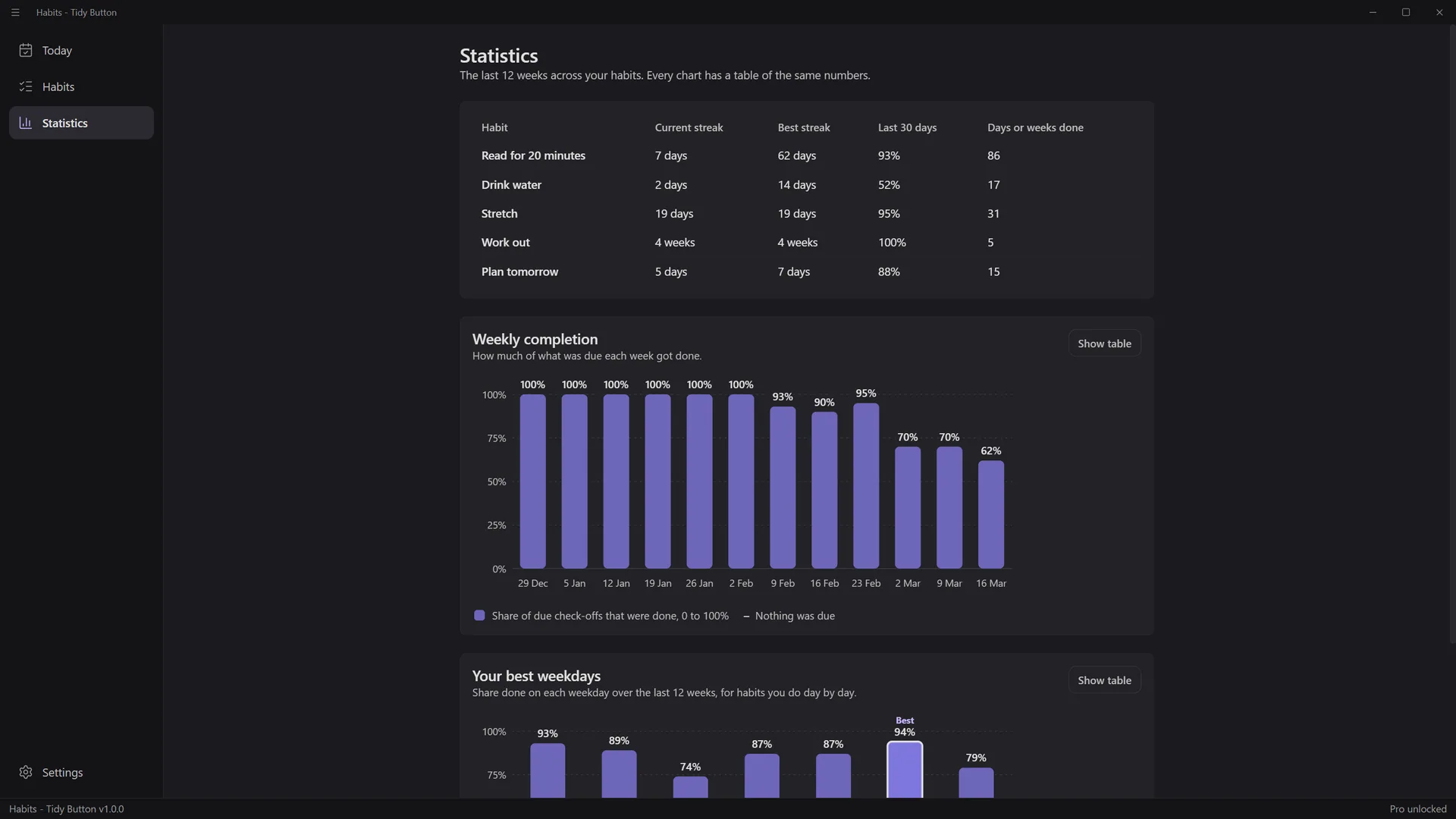
Statistics
Pro: streaks, weekly completion and your best weekdays
Colours
Pro: give each habit its own colour and icon
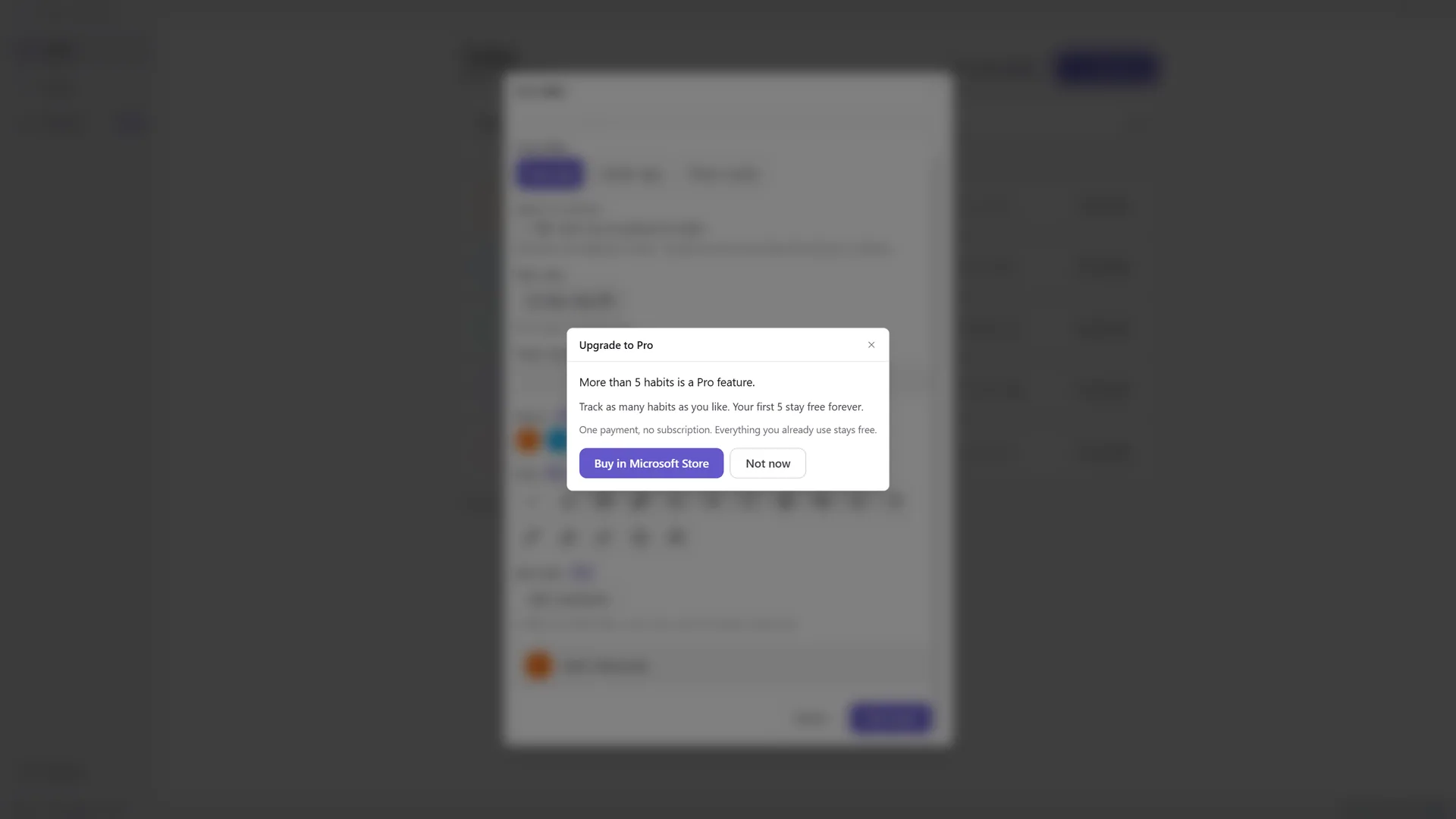
Free limit
The free version tracks up to 5 habits and says so plainly
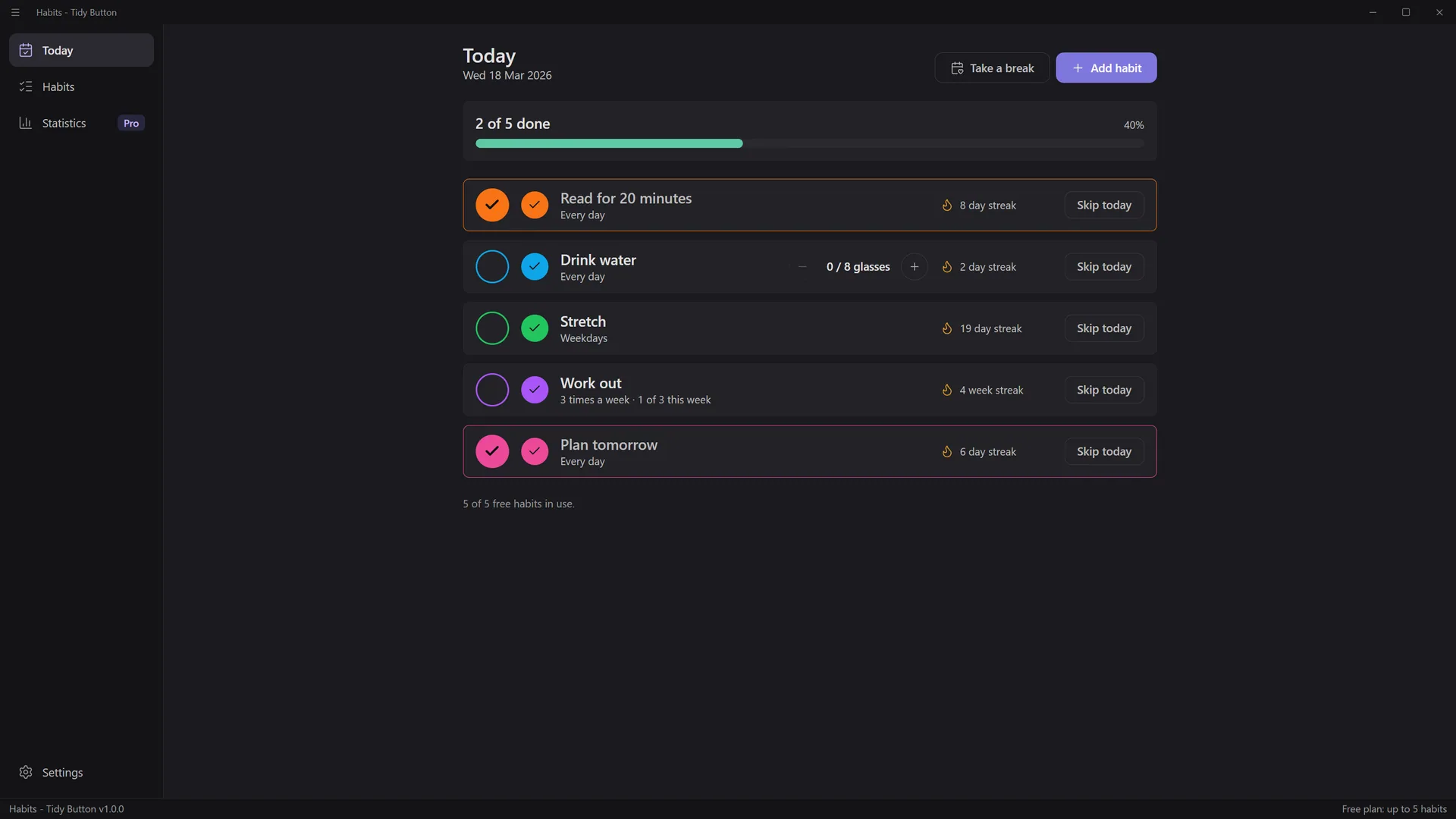
Five habits
Free keeps 5 habits, with streaks, calendars and 90 days of history
Screens show invented sample habits. The app has light and dark themes.
How it works
Three steps. No manual.
01
Pick a habit
Choose a starting point or press Add habit and say how often it repeats.
02
Check it off
Tick it on the Today list. Amount habits count up with plus and minus.
03
Watch the streak
Open a habit to see its month calendar, current streak and best streak.
What it does
What it does.
Habits is a simple habit tracker for Windows. Tick off what you did today, see your streak, and look back over the month. There is no account to make and no sign-in to get locked out of. Everything is saved on your PC in your Documents folder, with a backup every day. The app works with the internet turned off.
Every day, certain days or a few times a week
Repeat a habit every day, on the weekdays you choose, or a set number of times each week.
Count an amount
For habits like 8 glasses of water, use plus and minus. The day is done when you reach the goal.
Fair streaks
A missed day that was due breaks the streak. Days that are not scheduled, skipped days and breaks do not. Weekly habits count weeks.
A calendar for each habit
One square per day with a legend and a table view. Select a day to mark it done, skip it or enter an amount.
Breaks that keep your streaks
Take a break for a holiday or illness and your streaks carry on.
Saved where you can see it
Your habits are a plain file in Documents\Tidy Habits, with a backup every day. A damaged file is set aside and the last good copy is restored.
Your week, your way
Choose which day the week starts on, and use light or dark themes.
Optional Pro
Unlimited habits, all your history, statistics and charts, CSV and JSON export and import, reminders, custom colours and icons, and archive.
The small print, in plain English
Safe by design.
Select any day to fix it. A skipped day keeps your streak going.
The free version shows plainly how many of its 5 habits are in use.
Nothing is uploaded. Your habits are saved on your PC and never leave it.
No account, so there is nothing to sign in to or lose access to.
A backup is made every day, and a damaged file is never thrown away.
The free version tracks up to 5 habits and keeps the last 90 days to view and edit.
Works offline. No ads. No tracking.
How streaks work
Fair to you, honest to the day.
The rules are the same for every habit, and they are written down in the app.
Done, missed, skipped, still to do and not scheduled, each with its own mark.
Missed days
Honest
A day that was due and not done breaks the streak.
Days off
Fair
Days that are not scheduled, skipped days and breaks never break a streak.
Weekly habits
Weeks, not days
A habit that repeats a few times a week counts weeks in a row.
Schedule changes
Old days stay put
Change how often a habit repeats and the days before keep the rules they had.
History
The whole story
Streaks are worked out from your whole file, so the free 90-day window never shortens one.
Your file
Yours to keep
Habits are a plain file in Documents with a backup every day.
Pro adds unlimited habits, all your history, statistics, export and import, reminders, colours and icons, and archive.
Good for
Handy when you want a routine.
Drinking more water or reading every day
Stretching on weekdays or working out a few times a week
Keeping a streak going through a holiday
Tracking habits without making an account
Questions
Plain answers.
Do I need an account?
No. There is no account, no ads and no tracking. The app works with the internet turned off.
Where are my habits saved?
On your own PC, in a folder called Tidy Habits inside your Documents folder. They stay there if you uninstall the app, and a backup is made every day. Nothing is uploaded.
What if the file gets damaged?
The app sets the damaged file aside, keeps it beside the new one, and restores the last good copy.
How does a streak work?
A day that was due and missed breaks the streak. Days that are not scheduled, skipped days and breaks do not. A habit that repeats a few times a week counts weeks in a row.
Is there a limit in the free version?
The free version tracks up to 5 habits and keeps the last 90 days to view and edit. Older days stay in your file, and streaks are always worked out from your whole history.
What does Pro add?
One payment of $6.99, no subscription: unlimited habits, all your history, statistics and charts, CSV and JSON export and import, reminders, custom colours and icons, and archive. Nothing you made is deleted if Pro is not active.