We will link the Store listing here the day it is live. Until then there is nothing to download.
Real app, with made-up sample members.
Works offline
No subscription
No account, no ads, no tracking
Free for up to 50 members
See it
Eight views. One front desk.
Start
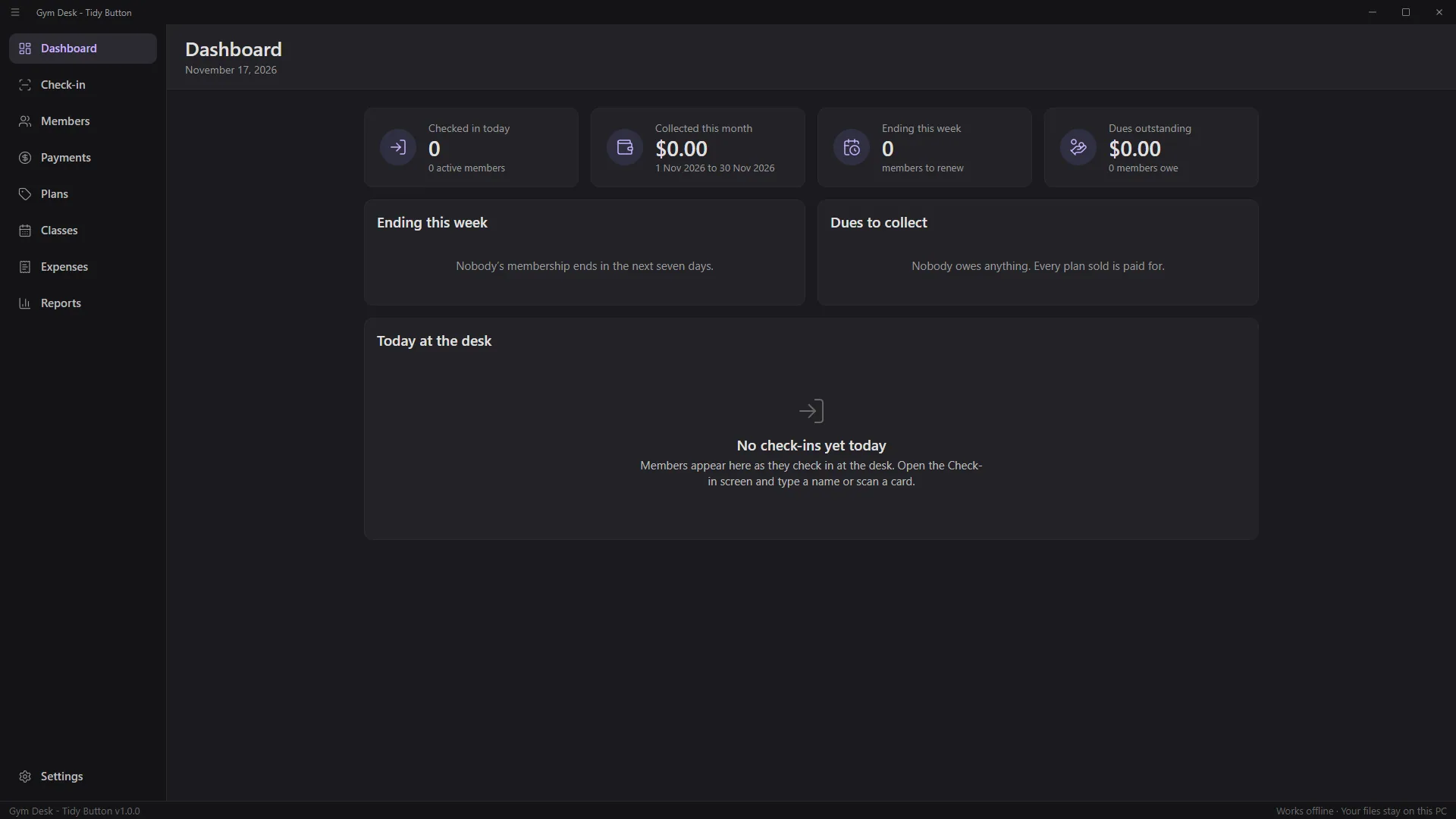
A new gym starts with a clear dashboard
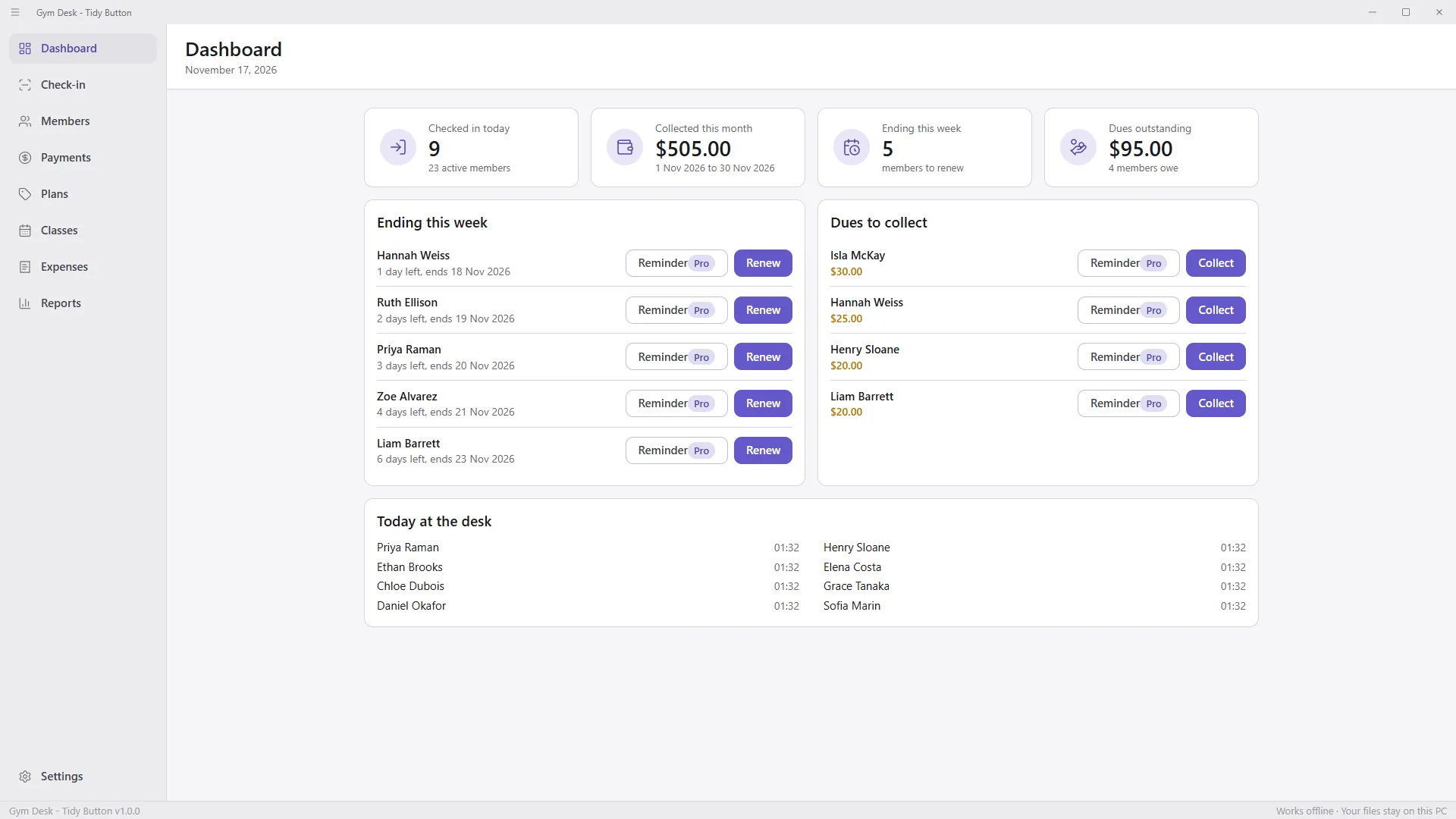
Dashboard
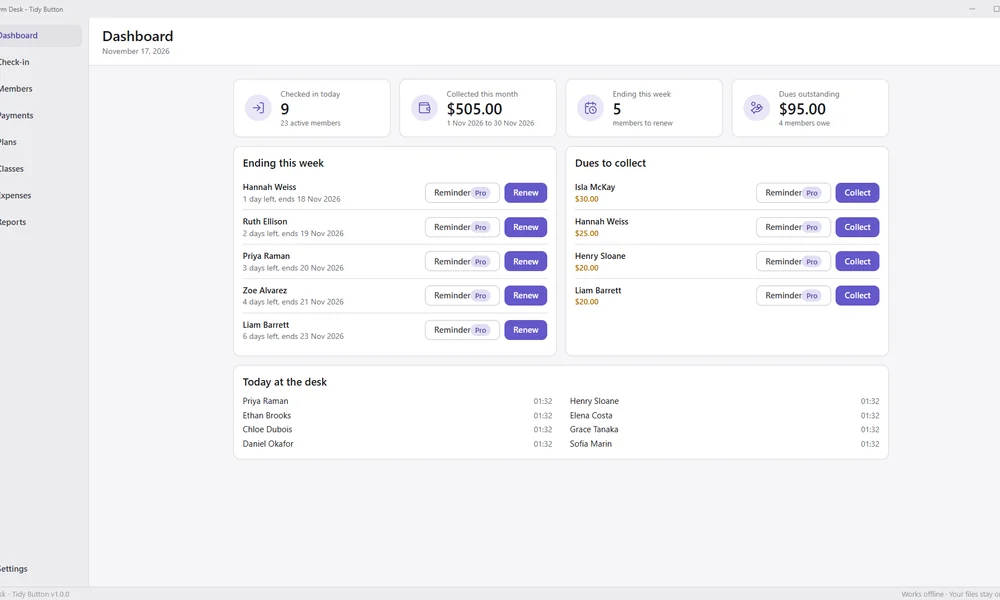
Who is in, what was collected, who is due to renew and who owes money
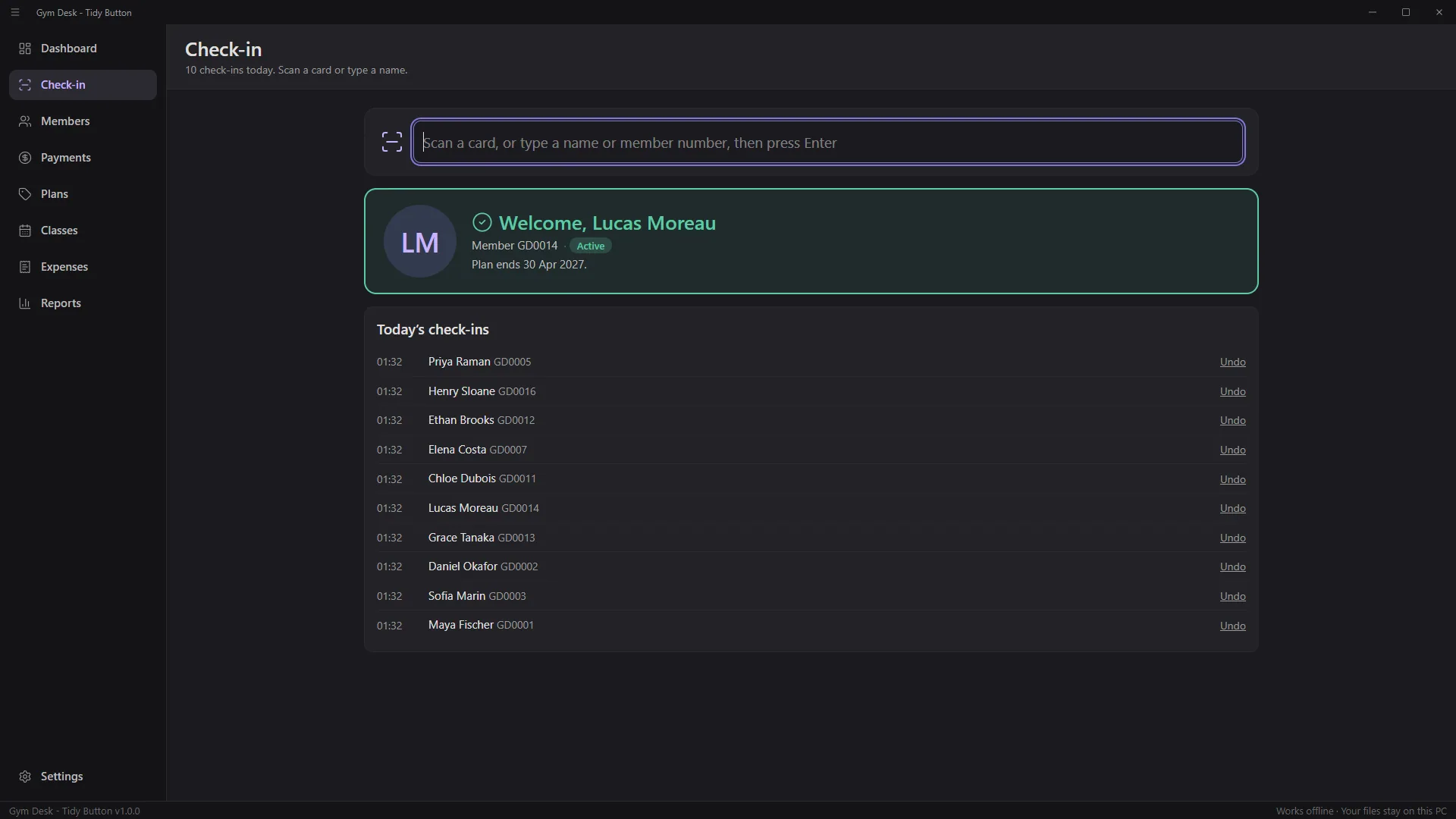
Check-in
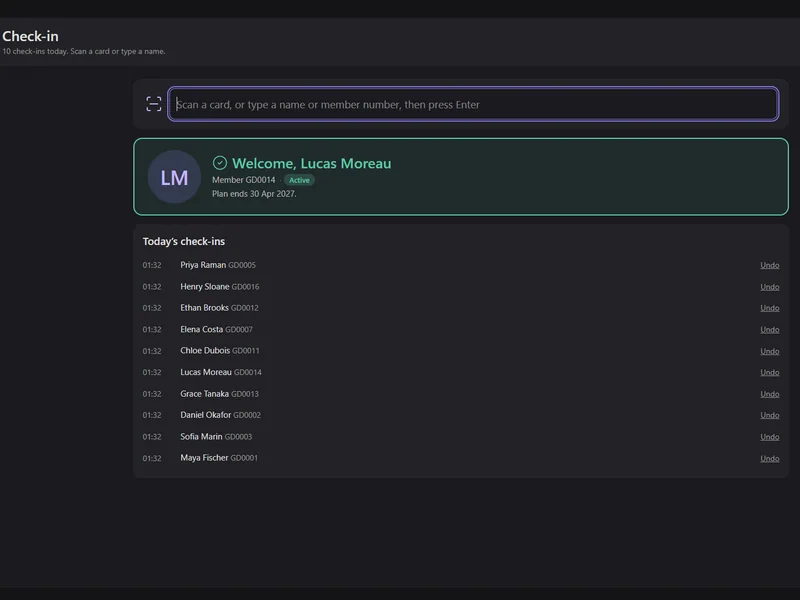
Scan a card or type a name. Green shows the welcome and the plan end date
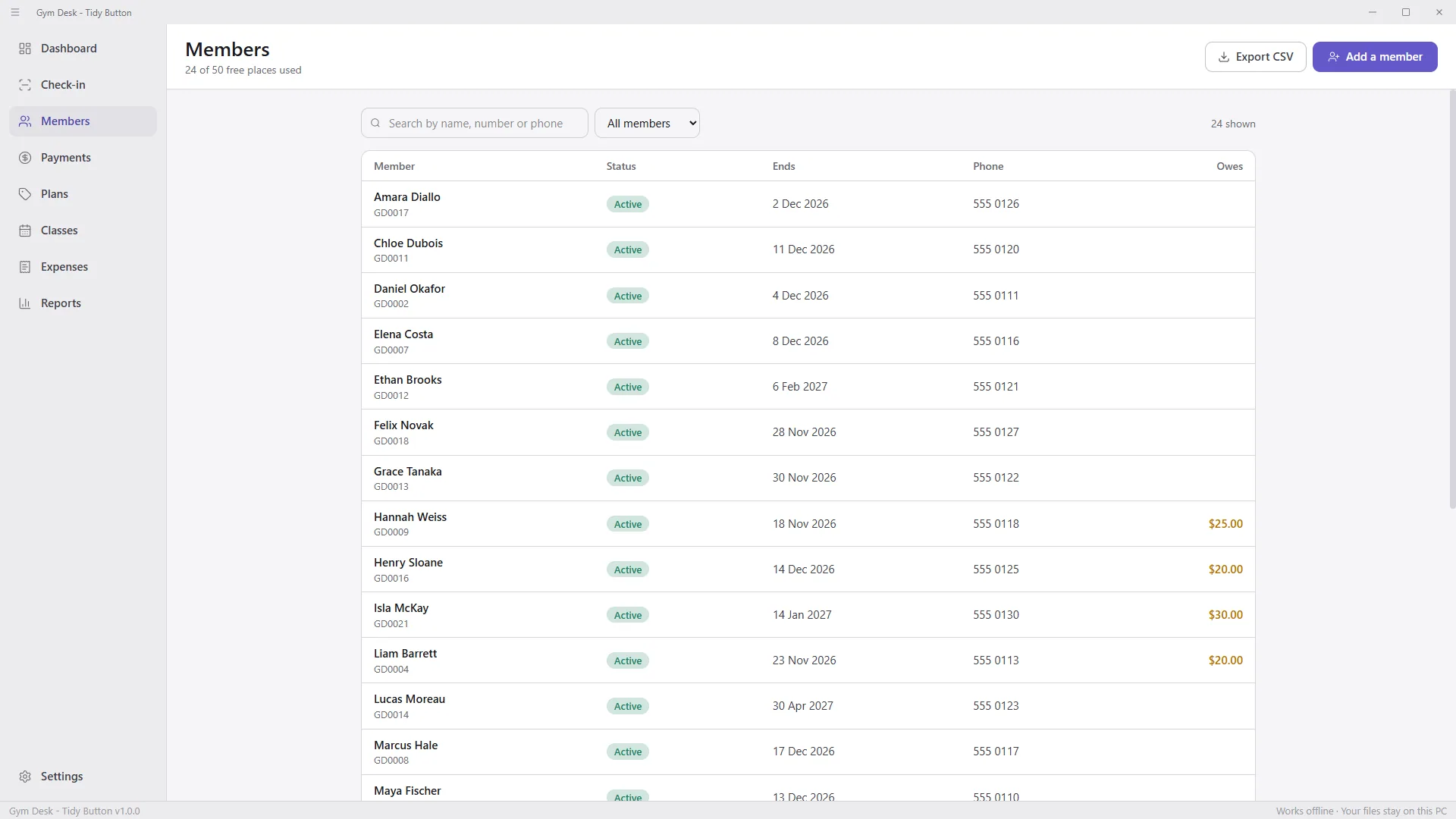
Members
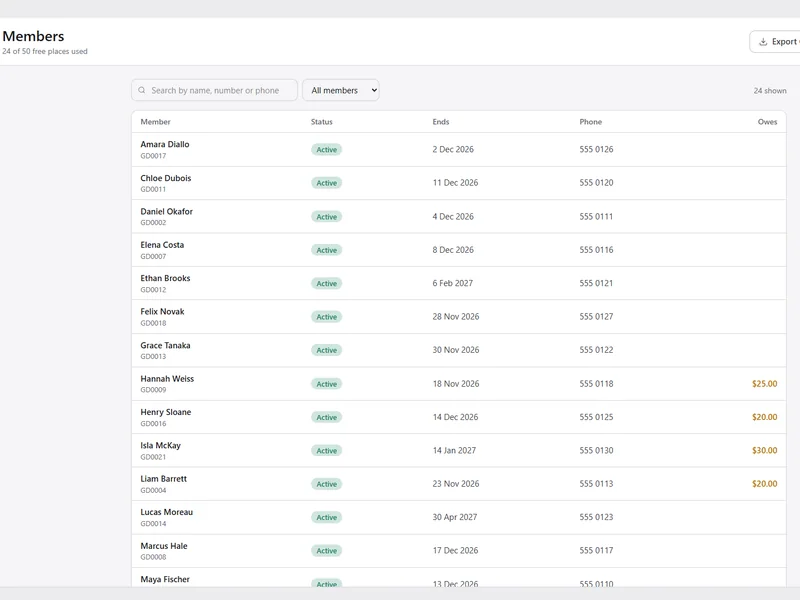
Every member with their number, status, plan end date and what they owe
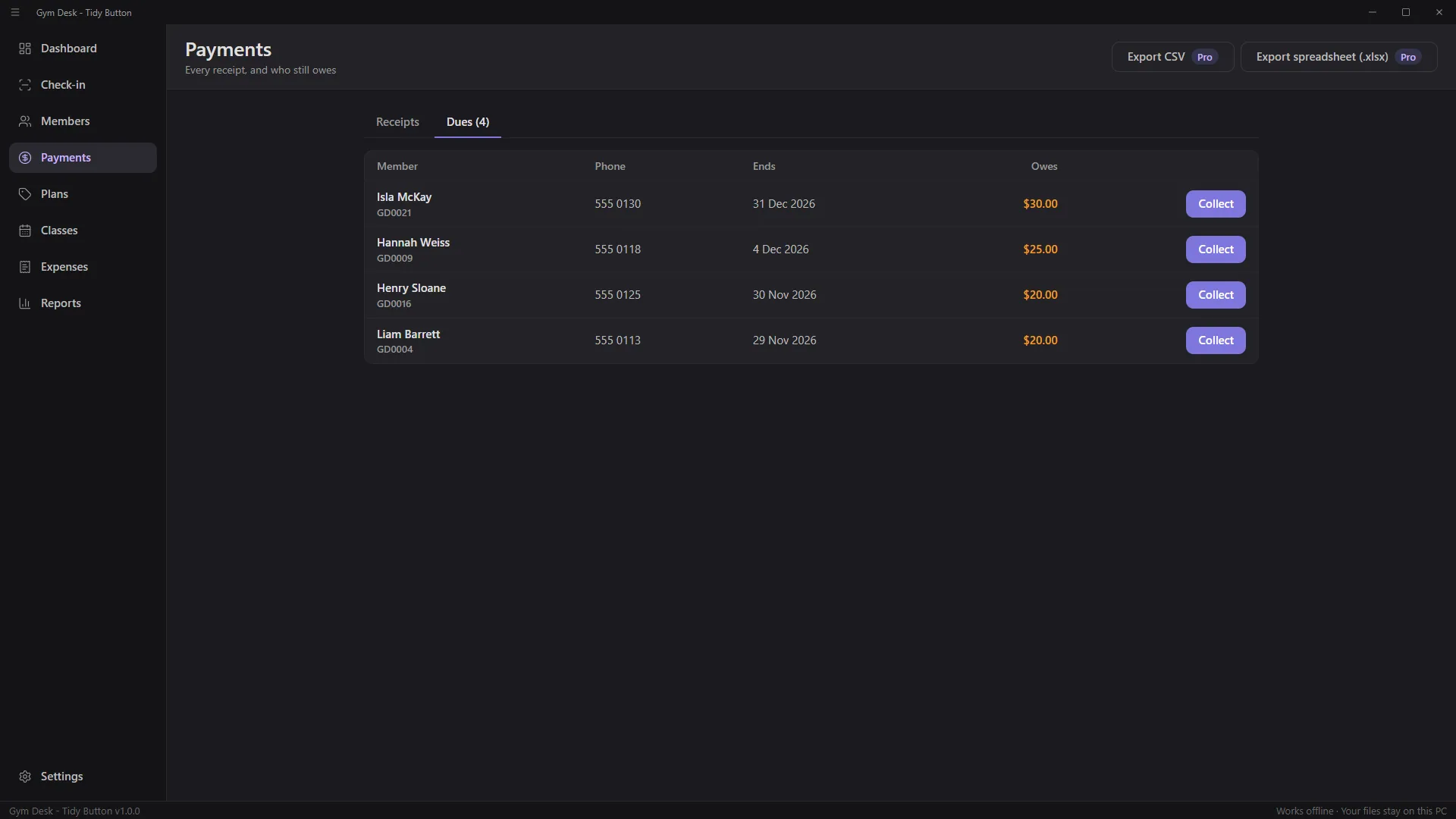
Dues
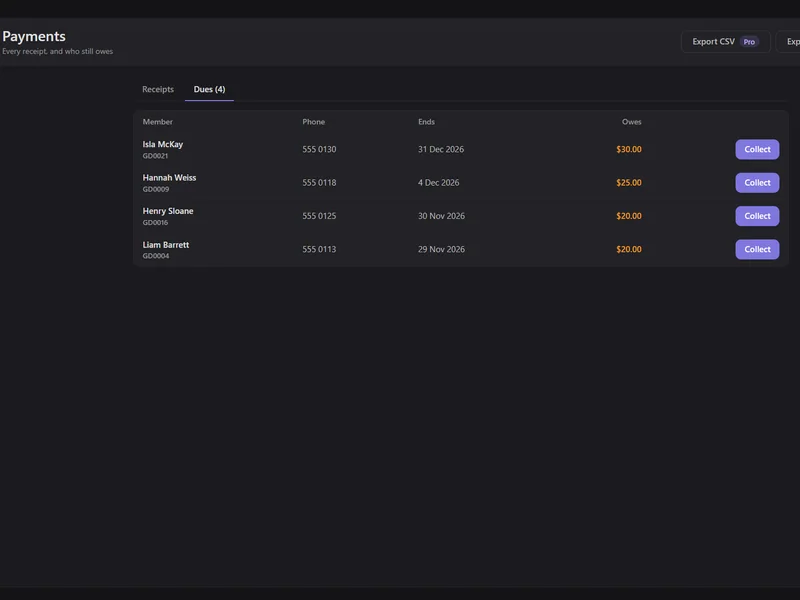
Dues to collect in one list, with a Collect button for each
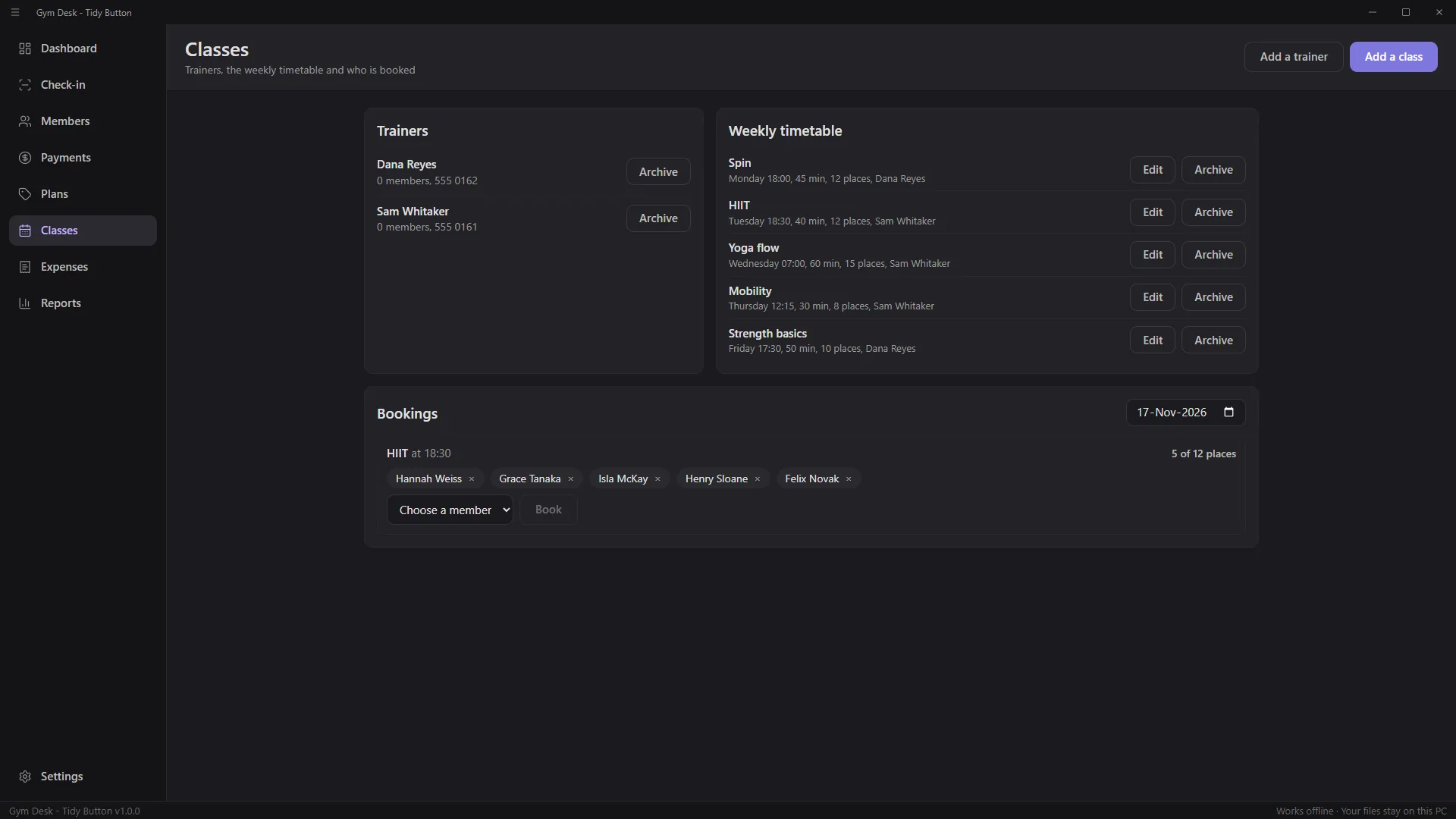
Classes
Pro: trainers, a weekly timetable and bookings that stop when a class is full
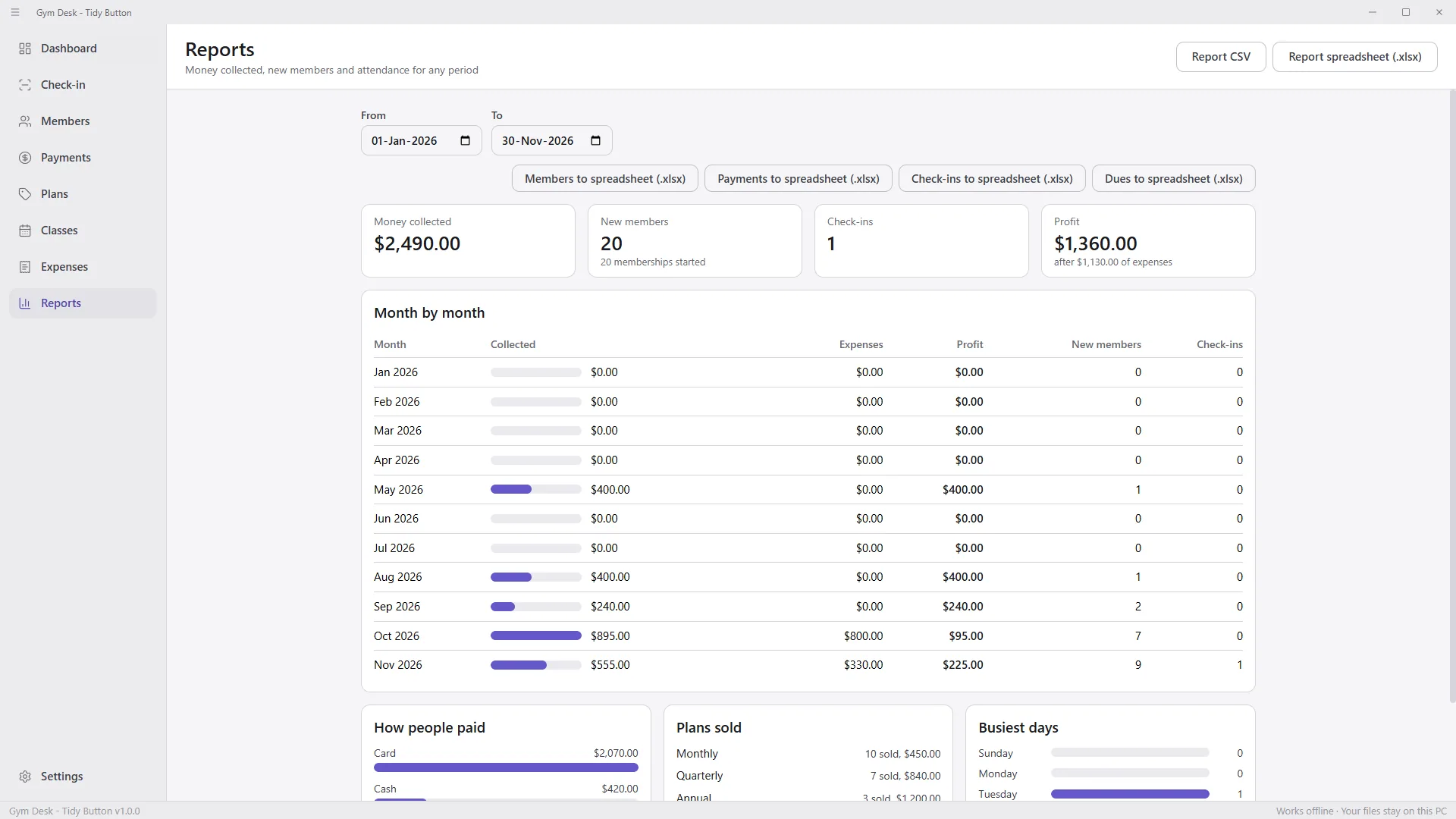
Reports
Pro: money collected and monthly profit after expenses
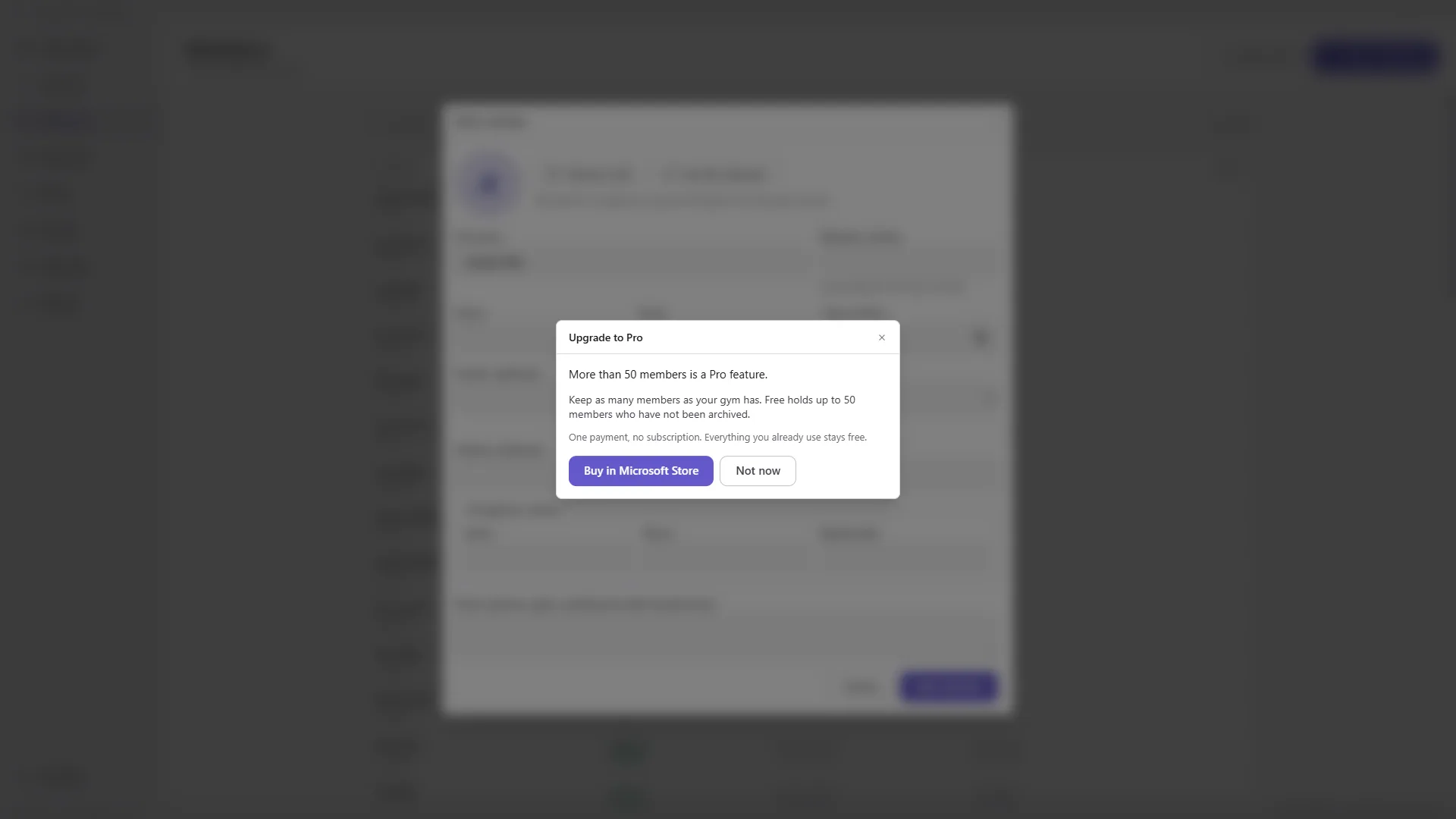
Free limit
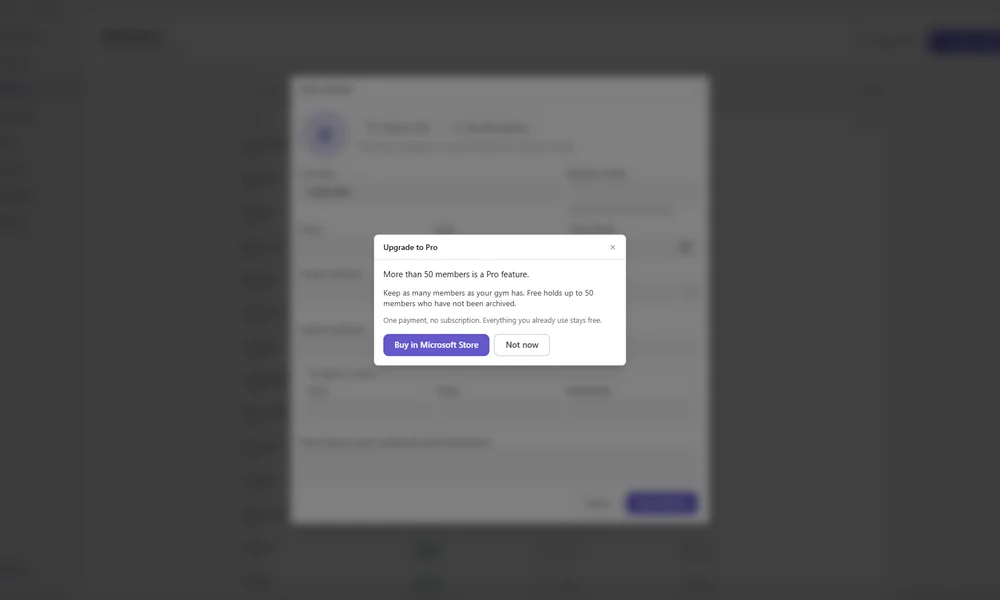
The free version holds up to 50 members and says so plainly
Screens show made-up sample members. The app has light and dark themes.
How it works
Three steps. No manual.
01
Set up your plans
Type your gym name and add the plans you sell, with a length and a price.
02
Add members and sell a plan
Add a member, choose a plan and take the payment. A numbered receipt is ready as a PDF.
03
Check them in
Scan a card or type a name. Green means come in. Red tells the desk why not.
What it does
What it does.
Gym Desk is the front desk for a small gym, yoga or dance studio, or martial-arts club. Add your members, sell them a plan, take the payment and check them in when they arrive. Everything happens on your PC. The records live in one file in Documents, a backup is made every day, and the app works with the internet turned off.
Check-in desk
Scan a member card or type a name or number. Green means the membership is running. Red tells you why it is not.
Dashboard
Today's check-ins, money collected this month, memberships ending this week and dues to collect, with Renew and Collect buttons.
Members
A photo from a file or the webcam, contact details, an emergency contact and notes. Members who leave are archived, never deleted.
Plans and renewals
Plans by days, weeks, months or years with a price. A renewal bought early starts the day after the running plan ends.
Payments and dues
Full or part payments, dues for each membership, and numbered receipts saved as PDF. A cancelled payment keeps its number.
Backups
A backup every day and when you close the app, the newest 30 kept, with restore. Records are kept when you uninstall.
Pro: ID cards and reminders
Member cards with a QR code the desk can scan, and renewal or dues reminder texts you copy and send yourself.
Pro: classes, freeze, expenses
Trainers and classes with bookings, freeze and pause, PIN-protected staff roles, expenses with monthly profit, and CSV or spreadsheet exports.
The small print, in plain English
Safe by design.
Everything the desk needs each morning on one screen.
The free limit is stated plainly, and nothing is taken away.
Nothing is sent anywhere. Your members' details stay on your PC.
No subscription. The free version holds up to 50 members; Pro is a one-time purchase.
Works offline. No account. No ads. No tracking.
Reminder texts are copied for you to send. The app never sends a message.
Members are archived, never deleted, and cancelled payments keep their receipt number.
What it keeps
Your records, your PC.
One file in Documents, backed up every day.
Money collected and monthly profit, with CSV and spreadsheet files in Pro.
Members
Kept
Archived instead of deleted, so a returning member keeps their history.
Payments
Never deleted
A cancelled payment keeps its receipt number and its money goes back on the dues.
Backups
Automatic
Every day and when you close the app. The newest 30 are kept.
Restore
Undoable
Restore any backup. The records from before the restore are kept too.
Staff
Optional
Pro: PINs for the front desk, managers and the owner, with a recovery code.
Reminders
You send them
Pro: text for renewals and dues that you copy. Nothing is sent for you.
Records are kept in Documents\Gym Desk and stay when the app is uninstalled.
Good for
Made for a small gym.
A small gym with one front-desk PC
Yoga, dance and martial-arts studios
Clubs that sell monthly, quarterly or yearly plans
Anyone leaving a monthly subscription tool
Questions
Plain answers.
Is anything uploaded?
No. Your members' details stay on your PC. The only network use is the optional Pro licence check, which sends the licence key and nothing else.
Does it need an account or internet?
No. There is no account, no ads and no tracking, and the free app works with the internet turned off.
How many members can I have for free?
Up to 50 members who are not archived. Archive members who have left to free a place. Pro removes the limit.
Can I scan member cards?
Yes. A scanner that types into the app works on the Check-in screen. Pro adds printable ID cards with a QR code.
What happens to my records if I uninstall?
They stay in Documents\Gym Desk. A backup is made every day and the newest 30 are kept.
Does it send reminders?
Pro makes a reminder text for renewals and dues. You copy it and send it yourself. The app never sends a message.
What does Pro cost?
A one-time purchase of $24.99, with no subscription. It adds unlimited members, ID cards, freeze and pause, trainers and classes, CSV and spreadsheet exports, reminder texts, staff roles and expenses with profit.