Coming to the Microsoft Store
Tidy Gradebook Every grade, explained.
Add students and scores, weight categories, drop the lowest and print a class or student report. Every percentage can be opened to show how it was made. Student names stay on your PC. No account, no cloud, works offline.
Not on sale yet. The app is still being built.
We will link the Store listing here the day it is live. Until then there is nothing to download.
- Works offline
- No account, no ads, no tracking
- Names stay on your PC
- Free
See it
Eight views. From first class to year grade.
Start
Start with a class; names and scores stay on your PC
Grid
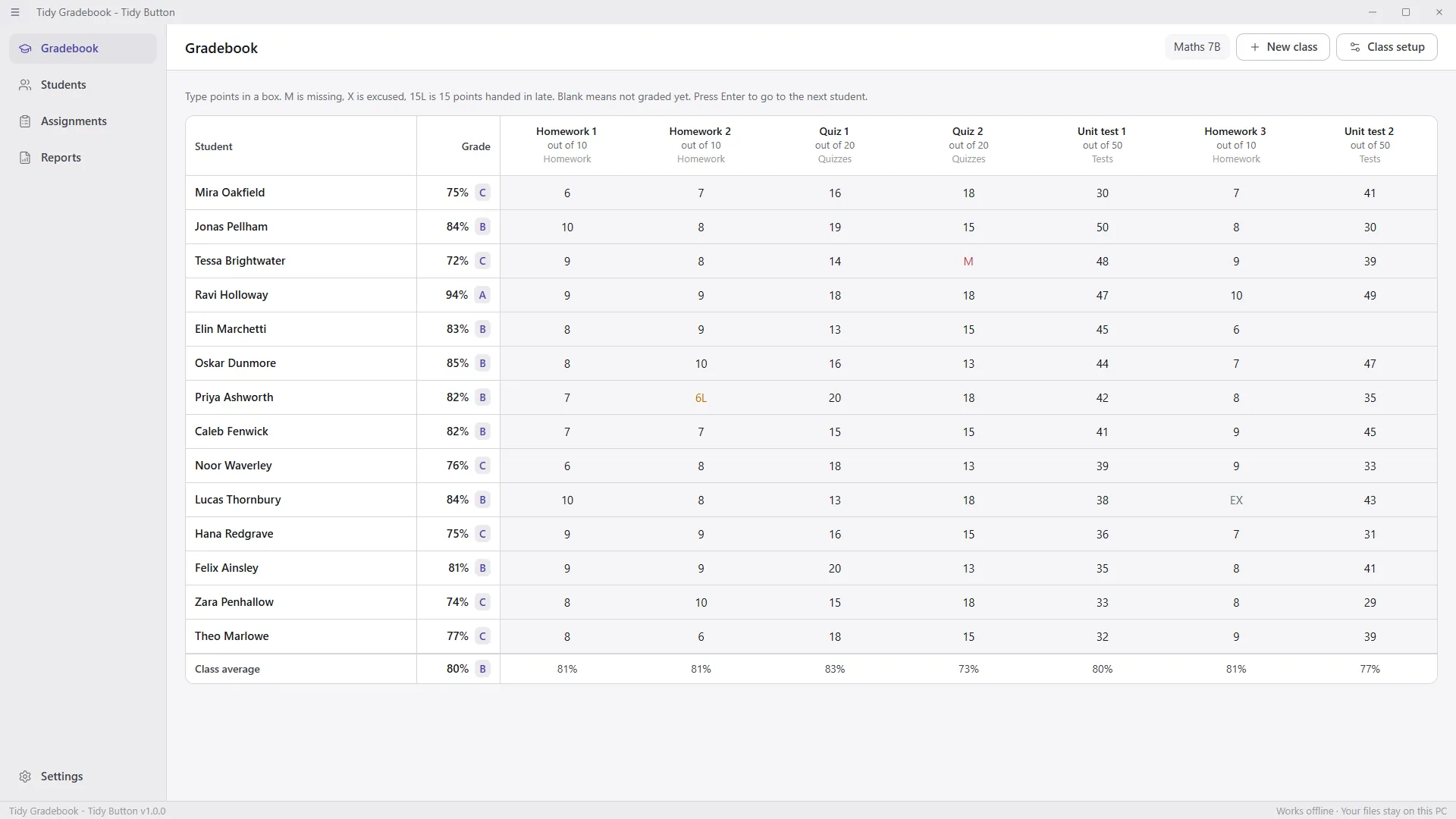
Type points into the grid and the grades update
Student
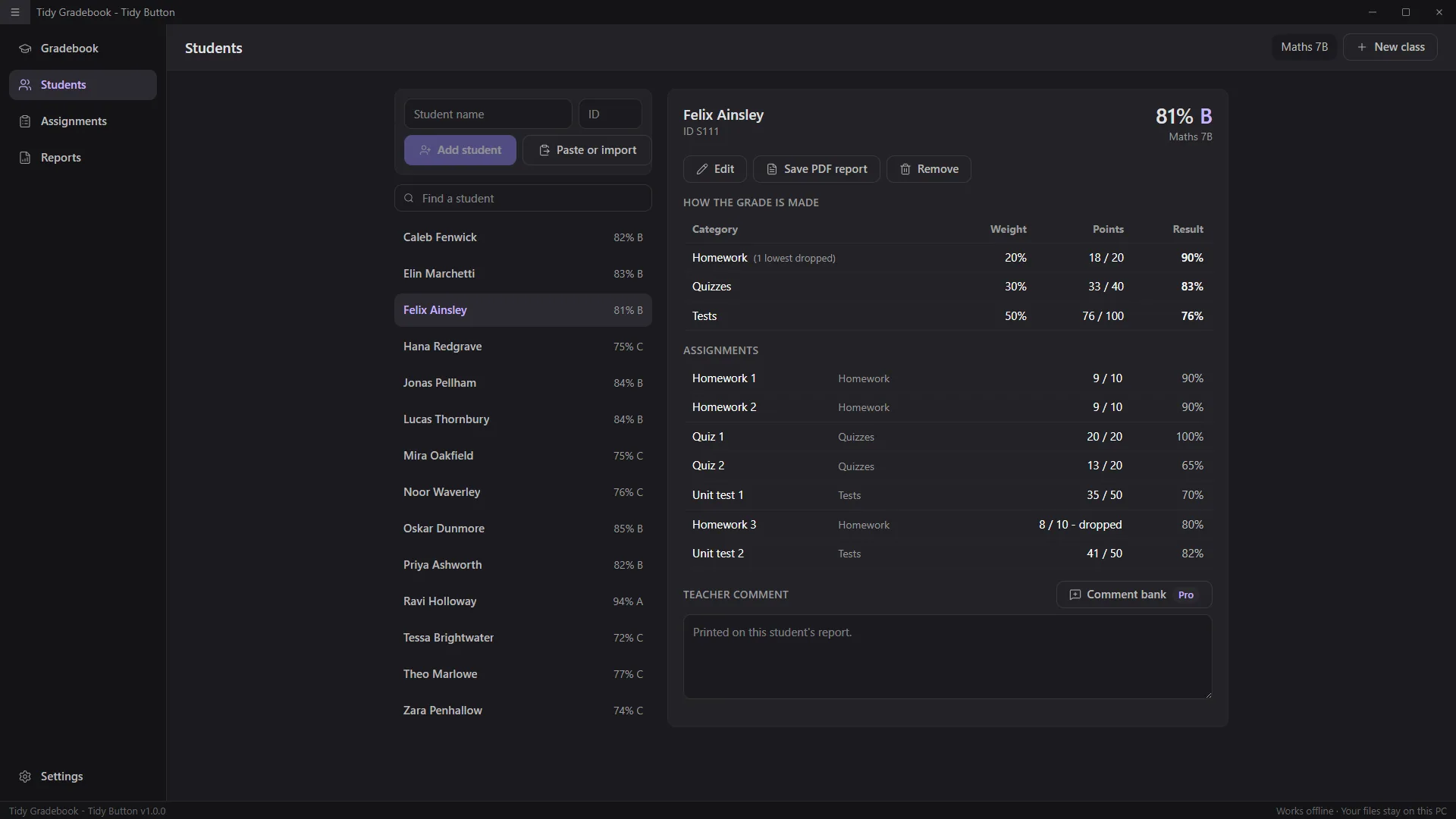
Open a student to see how the grade is made
Assignments
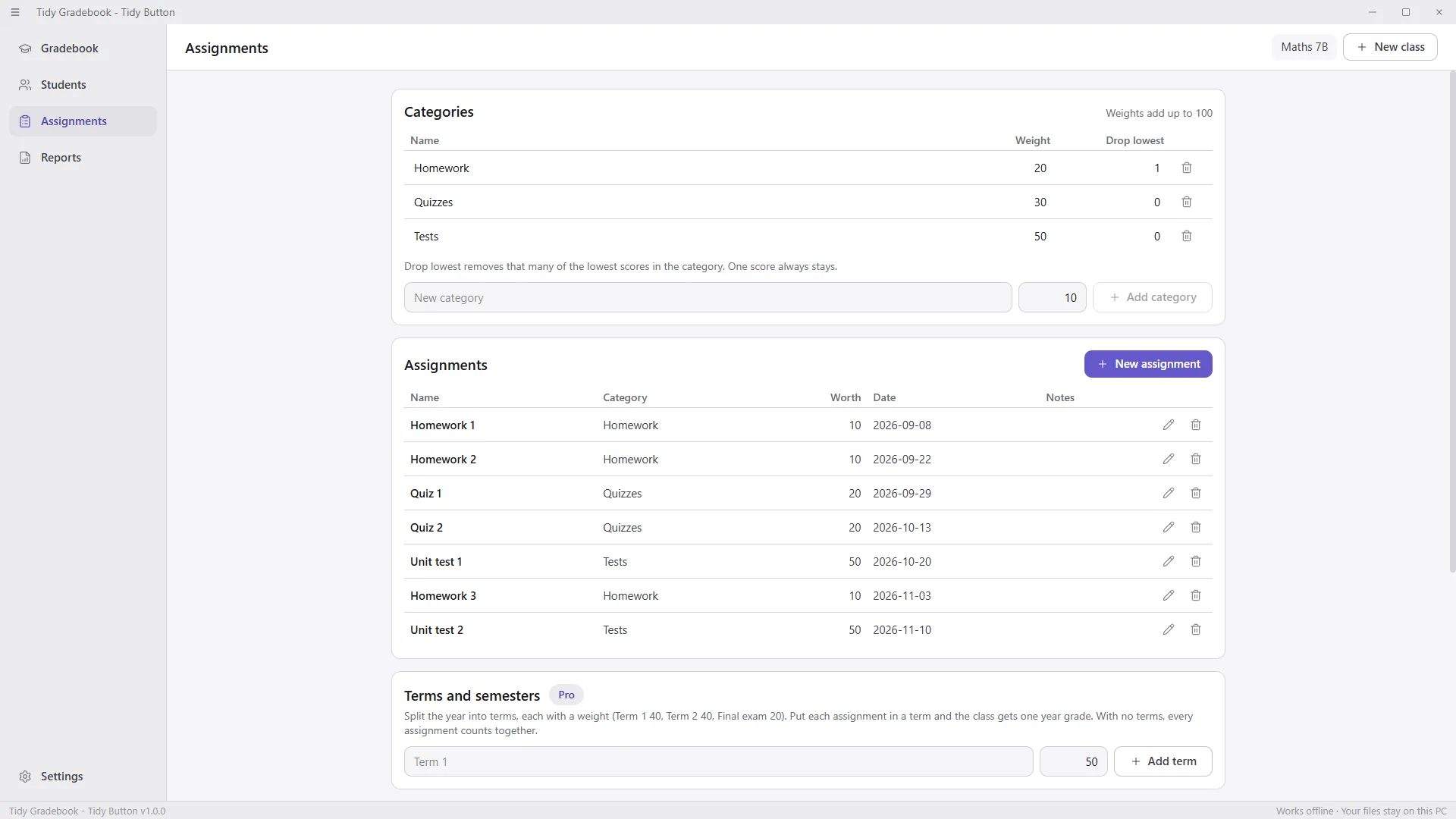
Set category weights and add assignments
Reports
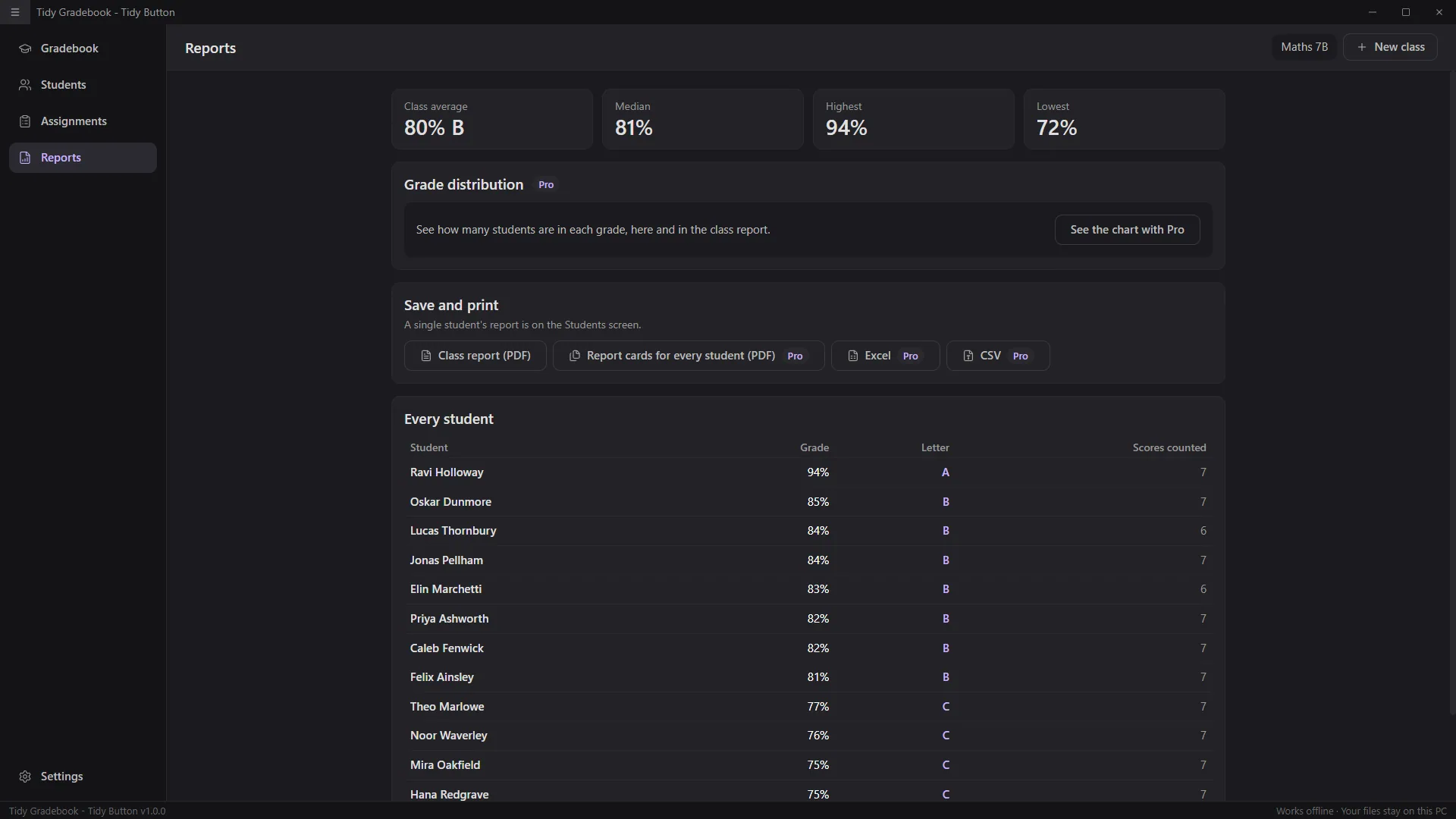
Class statistics and a class report as PDF
Free limit
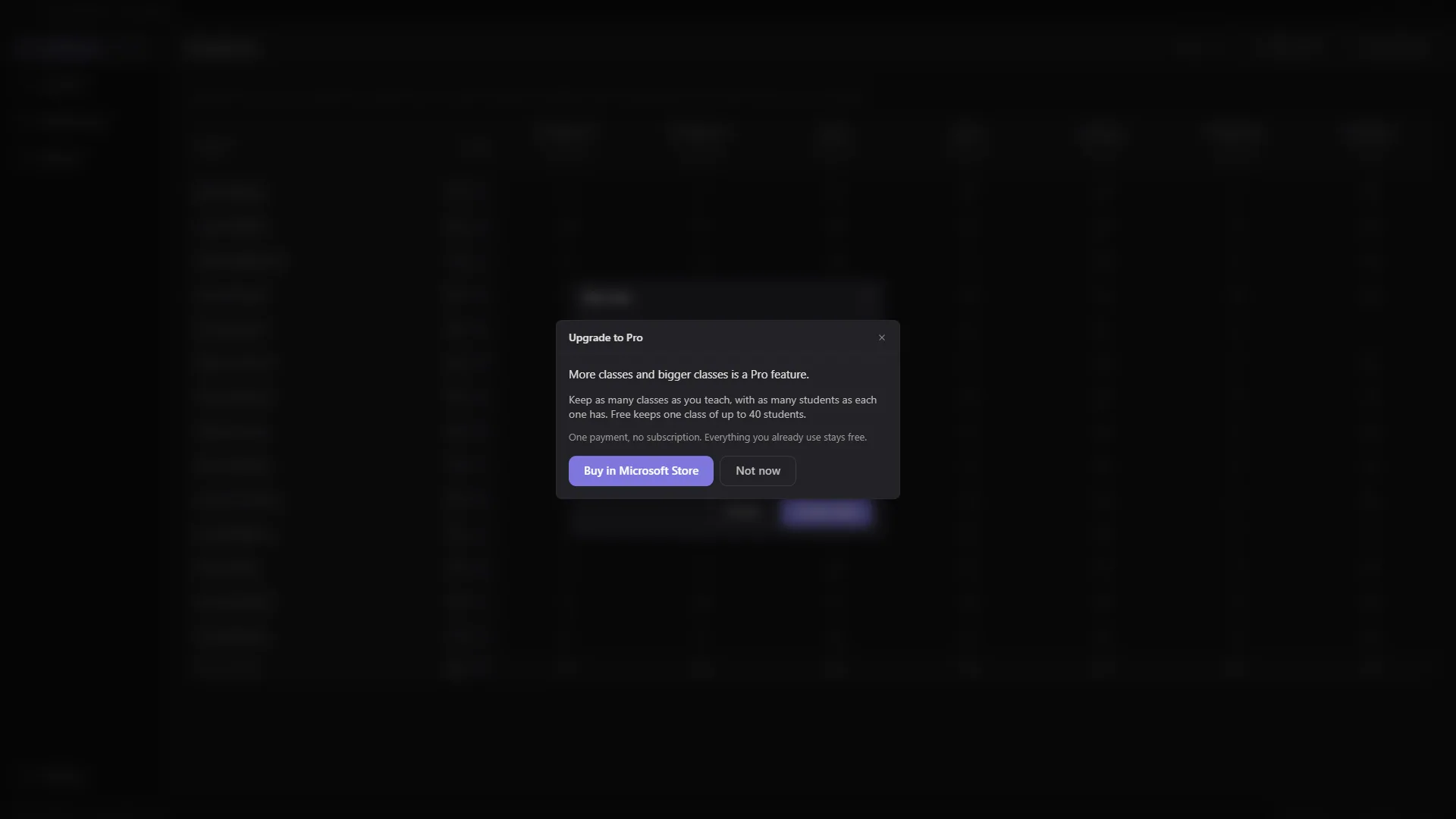
A prompt appears only when you add a second class
Chart
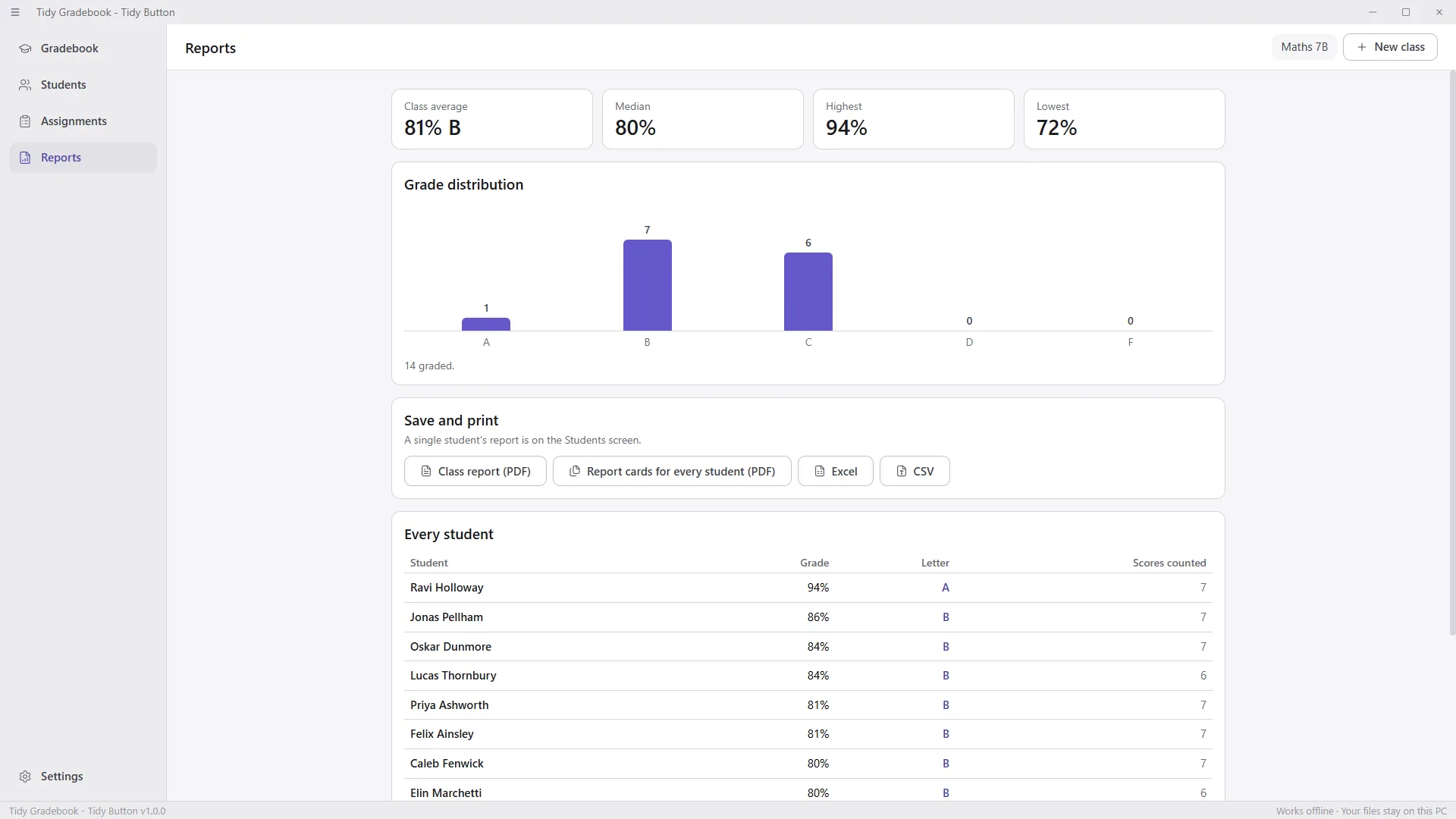
A grade distribution chart (Pro)
Terms
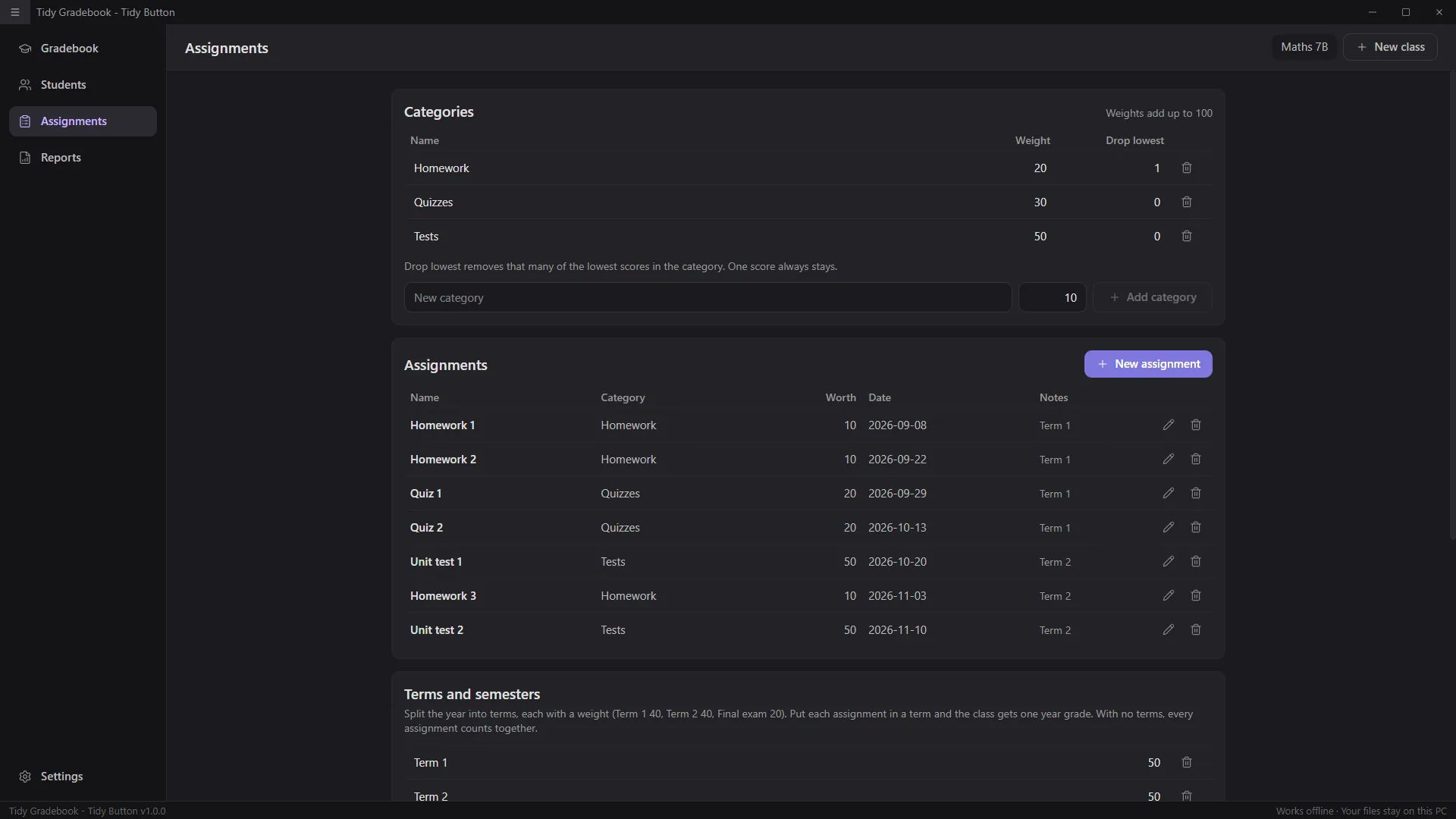
Terms that weight the year grade (Pro)
Screens show an invented class with invented names. It has several themes, including light and dark.
What it does
What it does.
A plain gradebook for tutors, homeschool teachers and small schools that have no school system to log in to. Type points into a grid, and the average and letter update as you type. Excused work is left out, missing is its own mark and a blank box means not graded yet. Each rule is a visible setting.
Classes and students
Add students one by one, paste a list or import a CSV roster.
Weights and drop lowest
Weighted categories or total points, drop the lowest scores and extra credit.
A score grid
Type points, or mark Missing, Late or Excused. Averages and letters update as you type.
Open any grade
See the points, the category and what was left out behind every percentage.
Scales and rounding
Edit the grade scale and choose how rounding works, with 0 to 2 decimals.
Student and class views
A category breakdown and comment per student, and average, median, highest and lowest per class.
Print reports
Save a class report or a single-student report as PDF.
Safe data
Saves as you type, keeps a previous copy and makes daily backups in Documents.
The small print, in plain English
Safe by design.
- Student names and scores stay on your PC. Nothing is uploaded.
- Nothing you entered is deleted or hidden if you do not buy Pro.
- The free version keeps one class of up to 40 students with every grading rule.
- Works offline. No account. No ads. No tracking.
Good for
Handy when a school system is too much.
- Homeschool teachers and private tutors
- Small schools and after-school programmes
- Anyone who wants every grade explained
Questions
Plain answers.
Where are my students saved?
On your PC only, in the app's own data folder, with daily backups in a Tidy Gradebook folder in Documents.
What does Excused do?
Excused work is left out of the grade. Missing is its own mark, and a blank box means not graded yet.
Is there a limit in the free version?
The free version keeps one class of up to 40 students. Pro is an optional one-time add-on for more.
Does it need an account?
No. There is no account, no cloud and no tracking.