Coming to the Microsoft Store
Gantt Planner Plan it, then drag it.
Add tasks and milestones with dates, link the ones that depend on each other and drag the bars on the chart. Export the plan as a picture. Plans are files on your PC. Works offline, no account, no ads.
Not on sale yet. The app is still being built.
We will link the Store listing here the day it is live. Until then there is nothing to download.
- Works offline
- No account, no ads, no tracking
- Plans stay on your PC
- Free
See it
Nine views. From list to timeline.
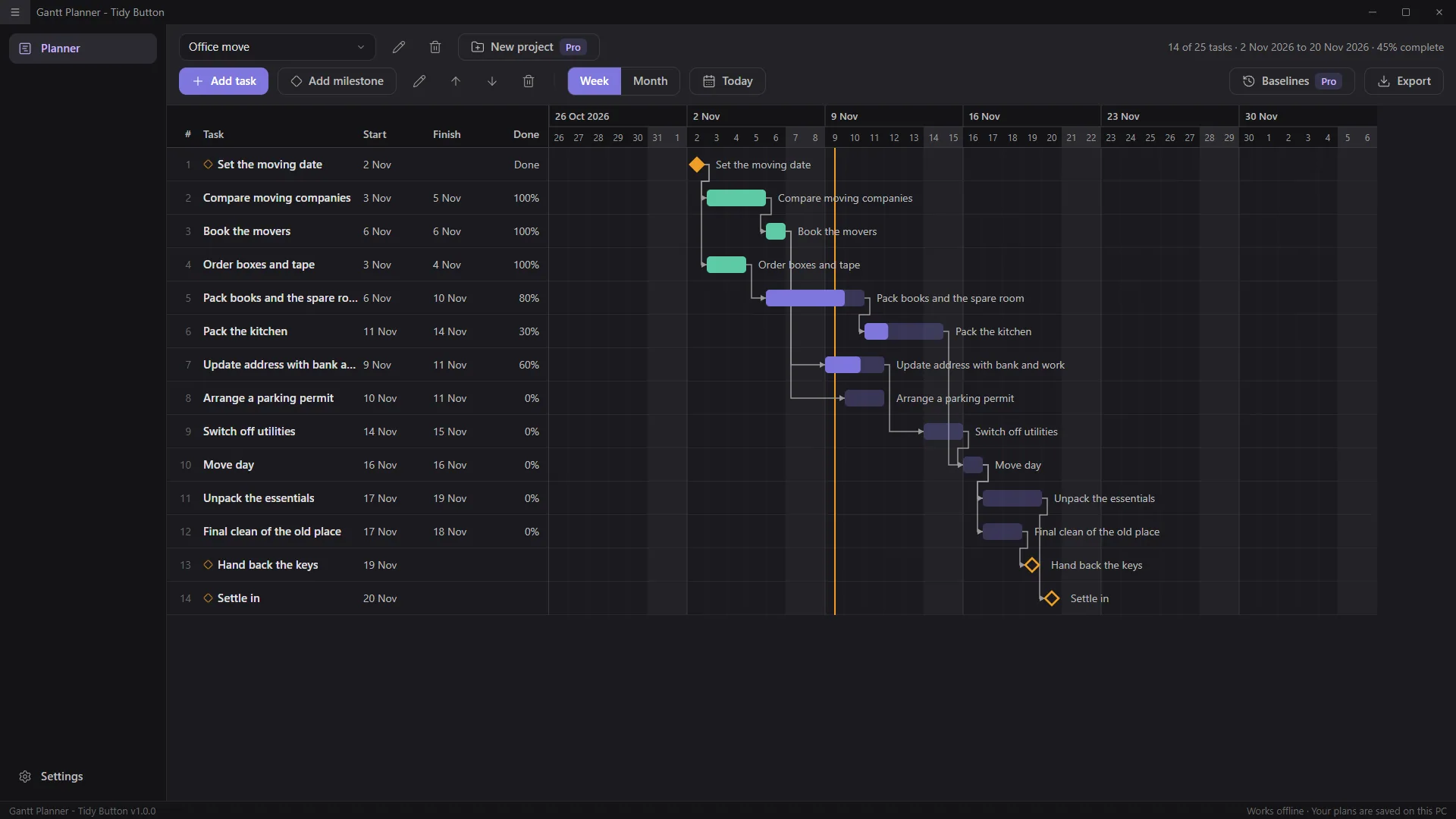
Chart
Tasks and milestones on one timeline, with arrows for the links between them
Month zoom
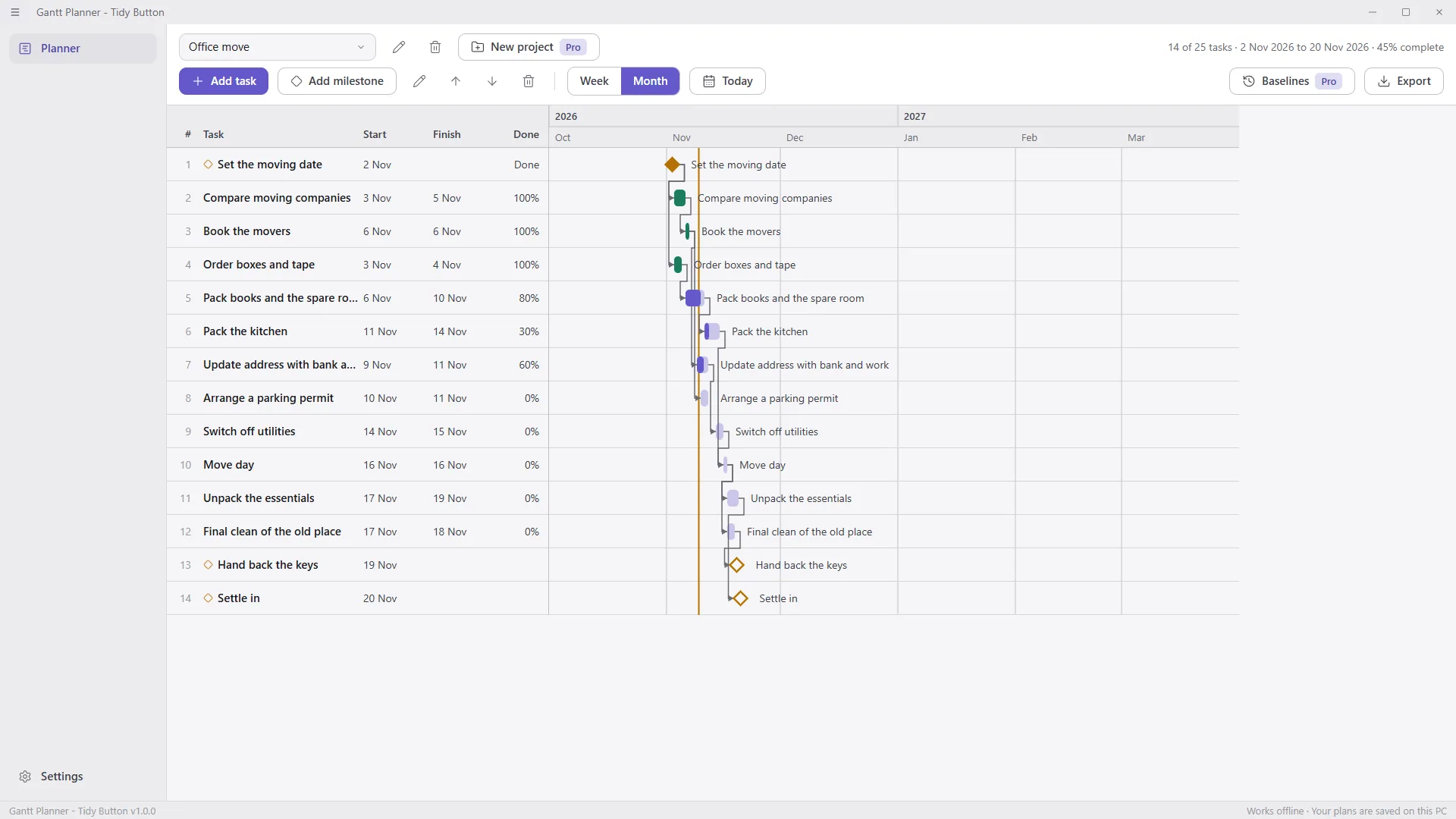
Month zoom shows a longer plan at a glance, in the light theme
Edit a task
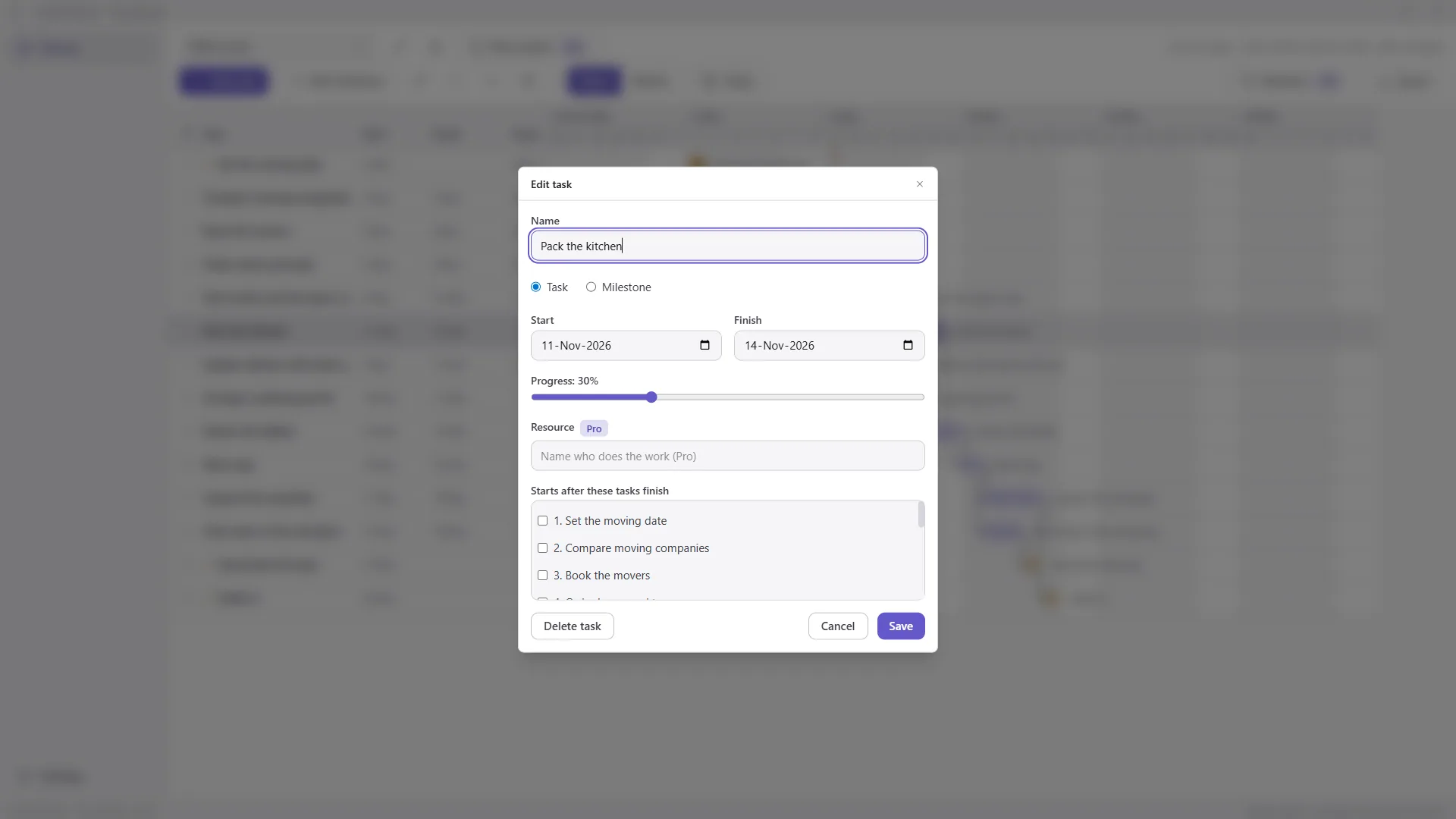
Set dates and progress, and choose the tasks it must start after
Export
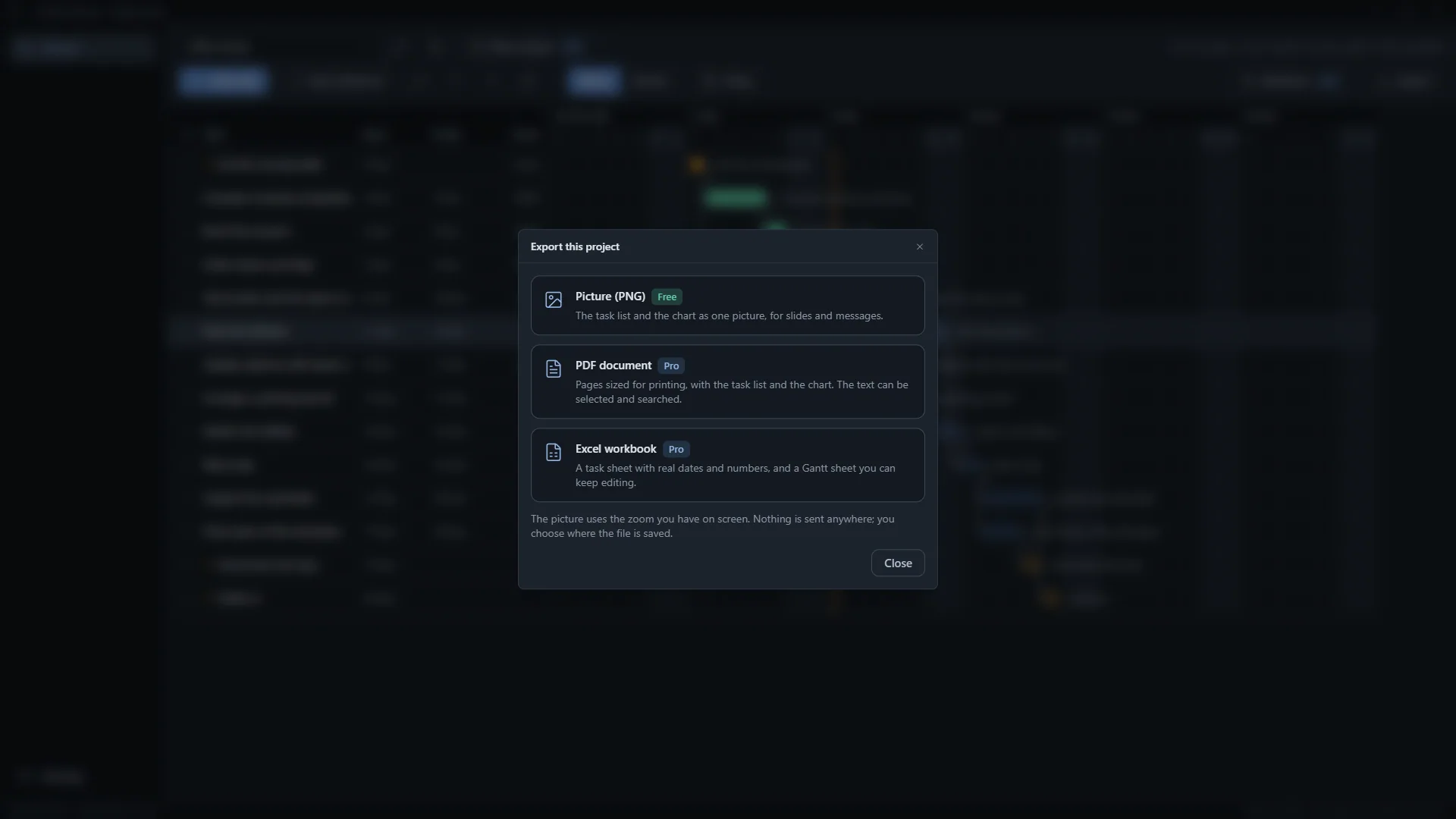
Export the plan as a picture, free in every version
Screens show an invented plan with invented names. It has several themes, including light and dark.
What it does
What it does.
A Gantt chart you edit by dragging. Add tasks and milestones, link them, and see the whole plan on one timeline. Plans are saved as files in your Documents folder, so they are easy to find and back up.
Tasks and milestones
Start and finish dates, a progress percentage and milestones for the dates that matter.
Links that move the plan
A task starts after the ones it depends on, and later tasks move when an earlier one slips.
Drag to edit
Drag a bar to move it or stretch it, or nudge it with the arrow keys.
Week and month zoom
See a short plan in detail or a long one at a glance, with a line for today.
Export a picture
Save the task list and the chart as one PNG picture for slides and messages.
Themes
Dark, light, Slate, Midnight, High contrast or the same as Windows.
Optional Pro
More than 25 tasks, several projects, PDF and Excel export, saved baselines and resource names. The free version plans one project of up to 25 tasks.
The small print, in plain English
Safe by design.
- Plans are saved as files on your PC, in your Documents folder.
- Nothing is deleted if you do not buy Pro.
- Deleting a task asks you first.
- No account. No ads. No tracking.
Good for
Handy when a plan needs a timeline.
- A house move, an event or a school project
- A sprint or a small build
- Any plan that is easier to see on a timeline
Questions
Plain answers.
Where are my plans saved?
As files in a Gantt Planner folder inside your Documents folder. You can copy that folder to back it up.
What happens when a task is late?
Drag its bar to the new dates. Tasks that start after it move with it.
Is there a limit in the free version?
The free version plans one project of up to 25 tasks and milestones. Pro is an optional one-time add-on for more.
Does it need an account?
No. There is no account, no ads and no tracking.