We will link the Store listing here the day it is live. Until then there is nothing to download.
Real app, with a sample controller.
Works offline
No account, no ads, no tracking
Free for one pad
Works over USB or Bluetooth
See it
Eight views. One controller, tested.
Start
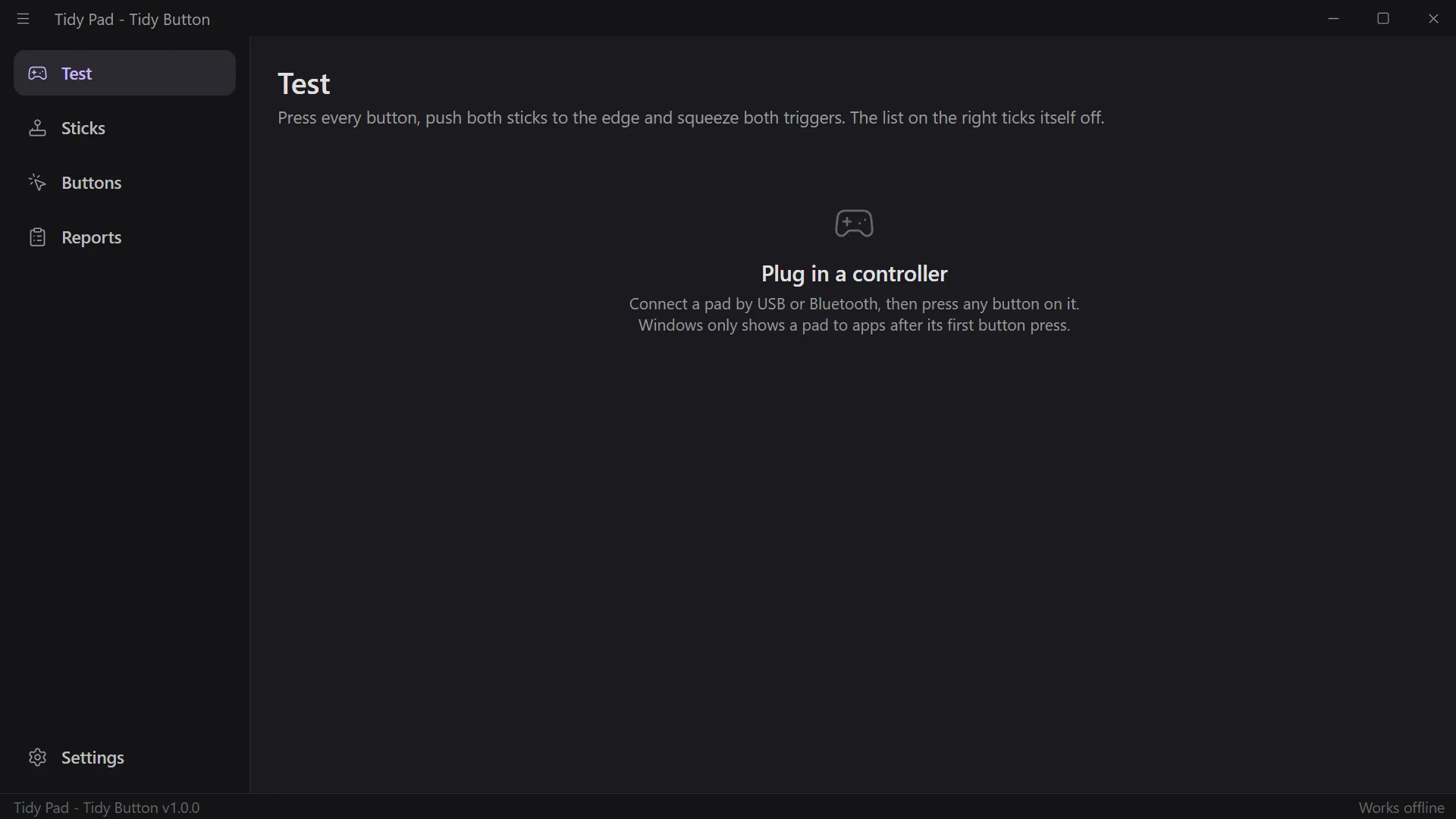
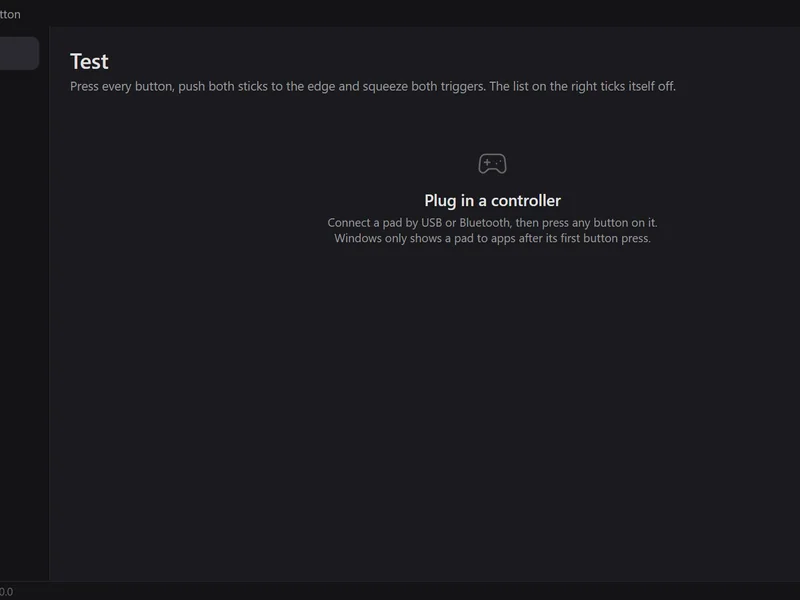
Plug in a pad by USB or Bluetooth and press any button. The Test screen is ready the moment Windows shows the controller.
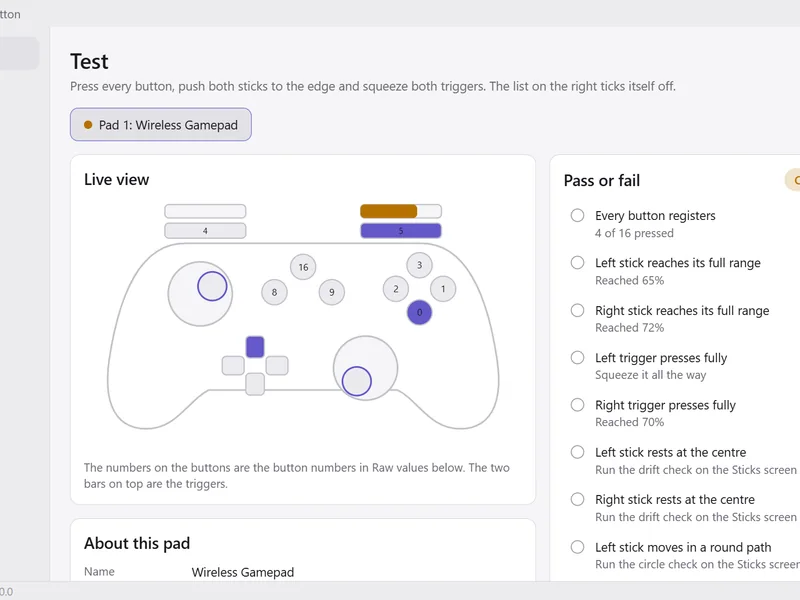
Test
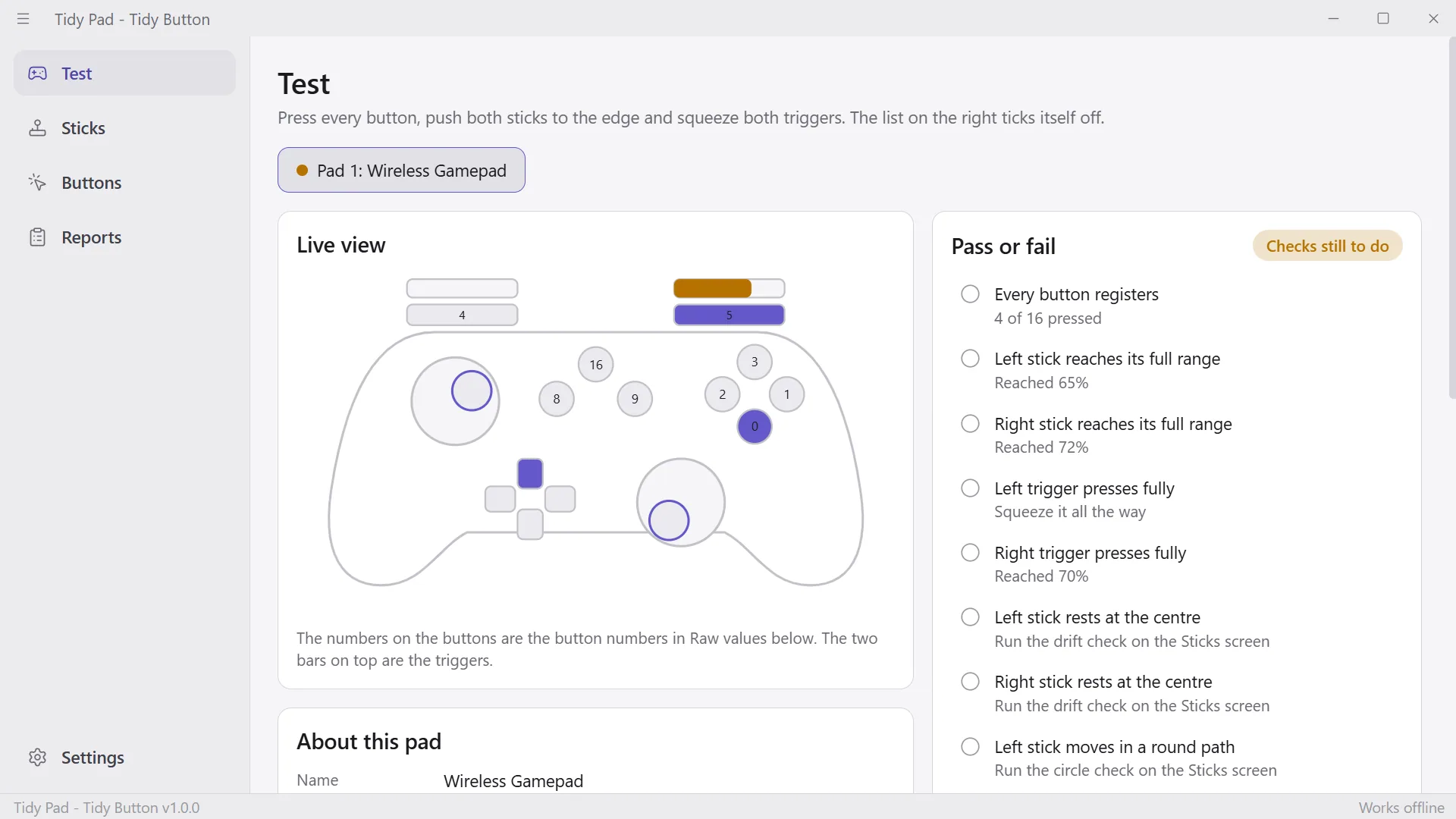
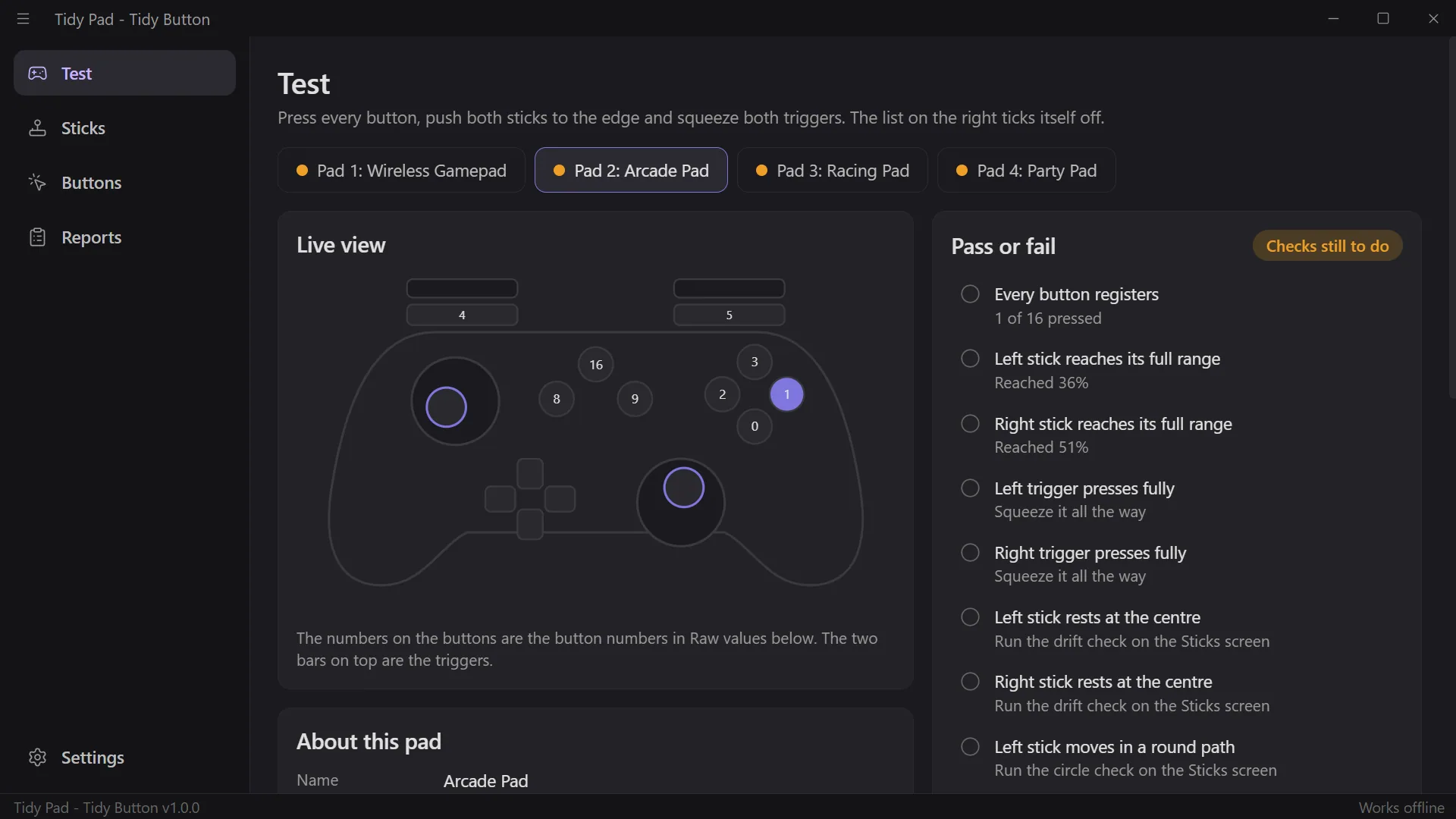
See every button, both sticks and both triggers move live, while the pass or fail list ticks itself off.
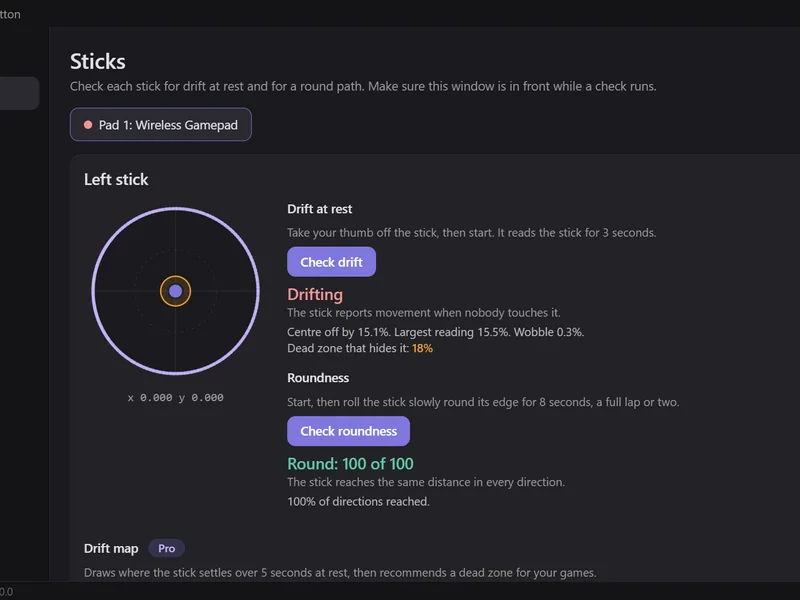
Drift
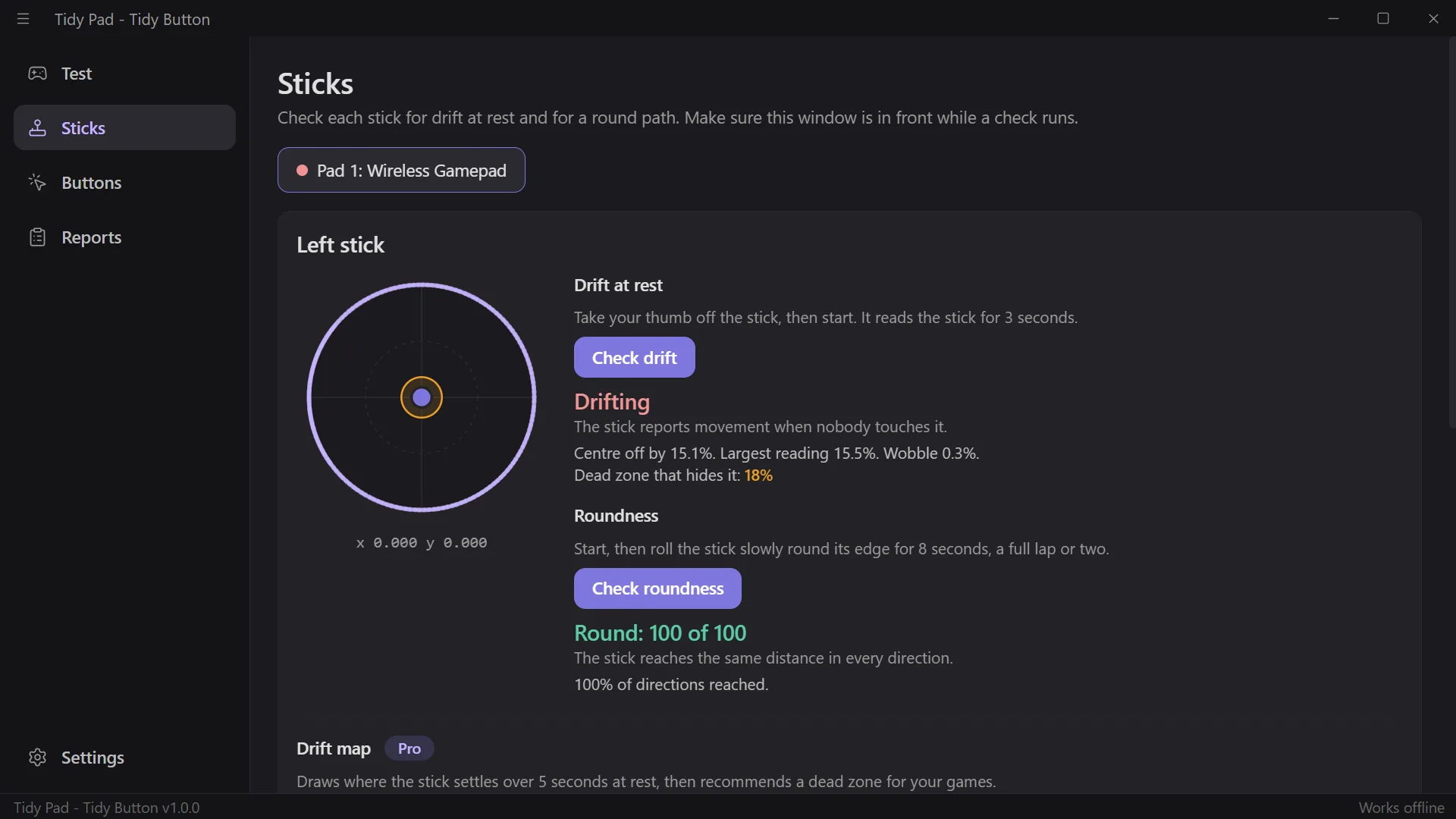
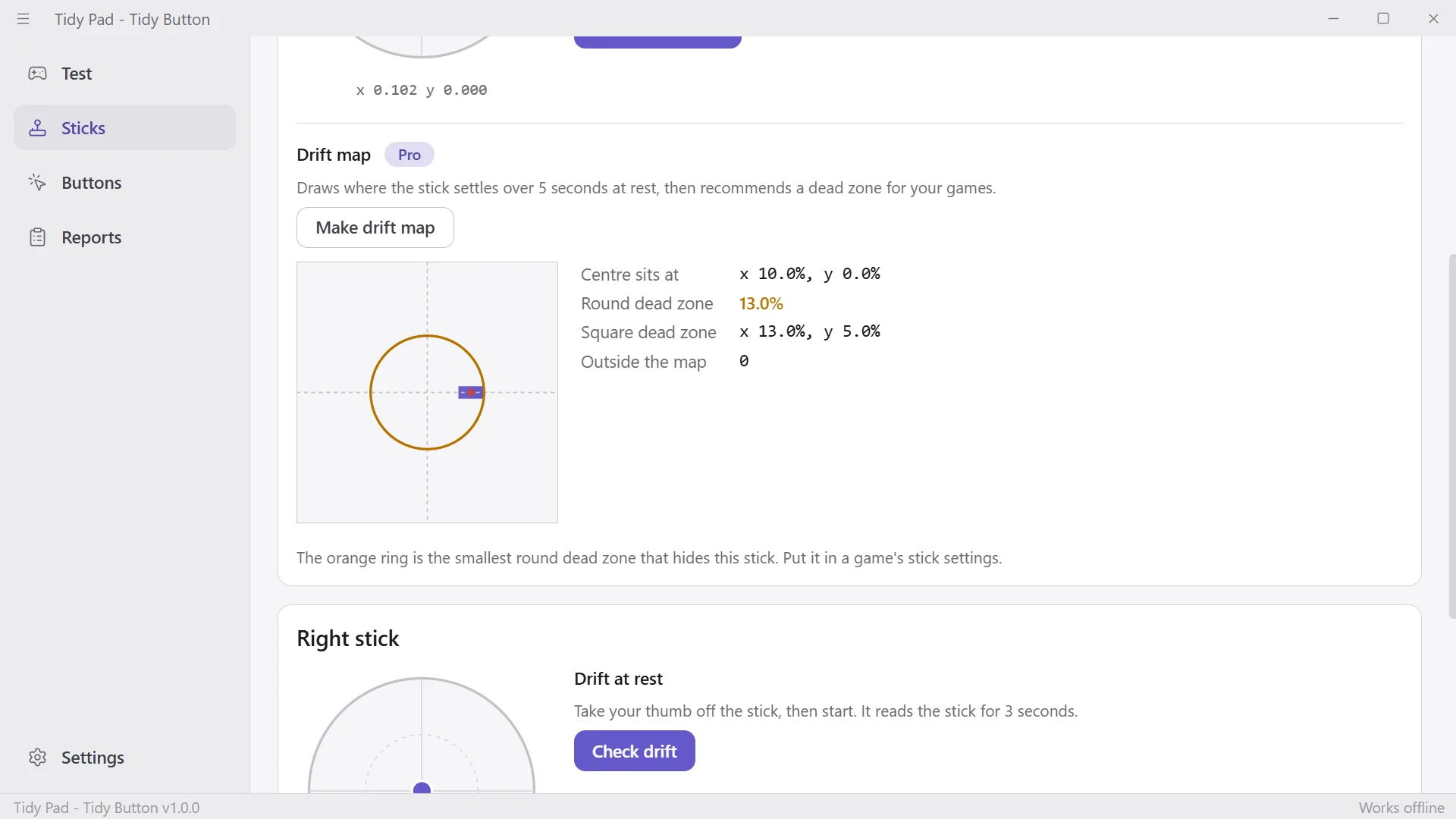
Check each stick for drift at rest and for a round path, with a plain verdict and a roundness score.
Free limit
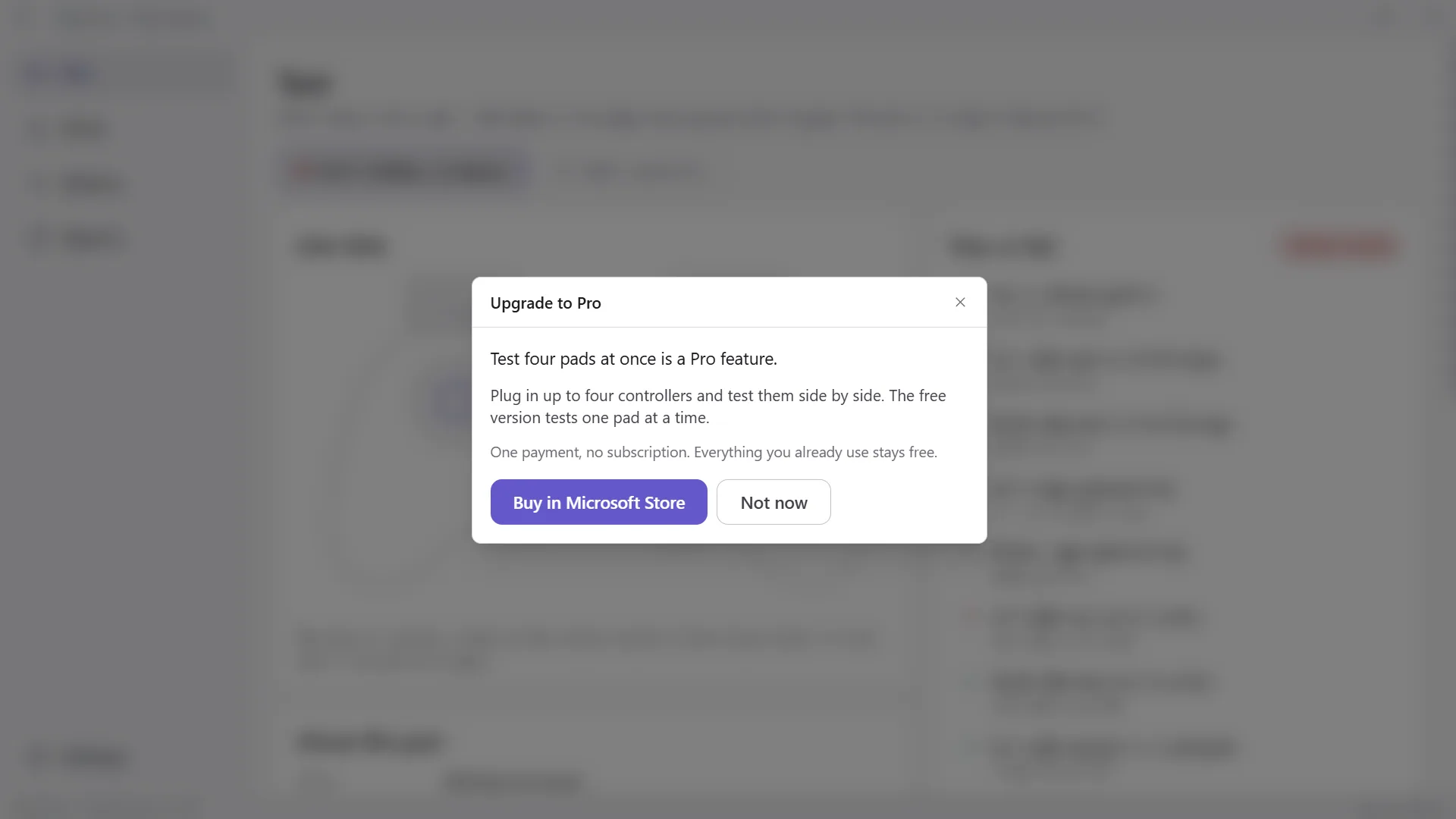
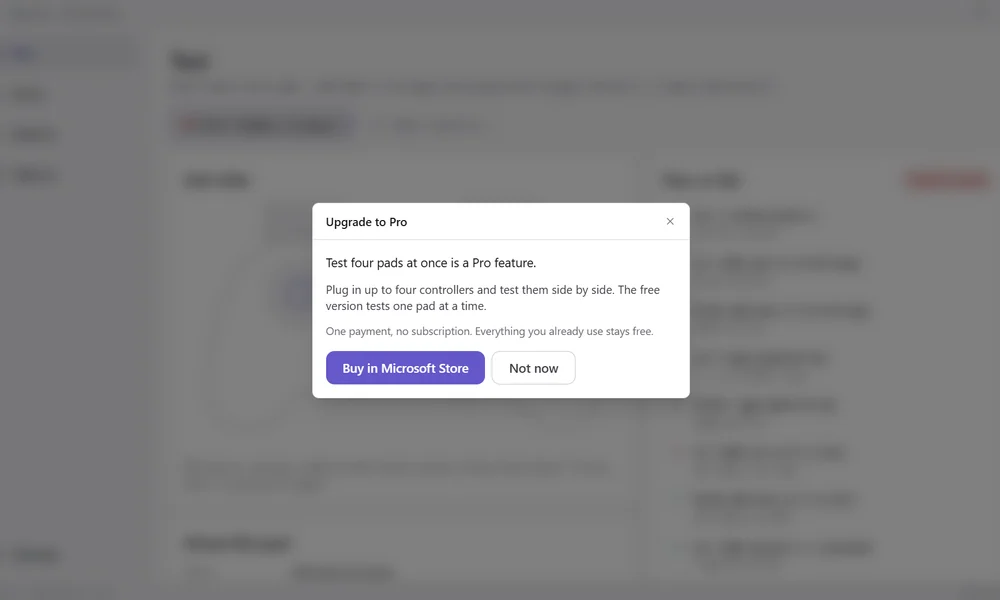
The free version tests one pad. A second pad shows as a locked tab, and the Pro prompt appears only when you click it.
Four pads
Pro: test up to four controllers side by side, each on its own tab with its own checklist.
Drift map
Pro: see where a stick settles at rest and get a recommended round and square dead zone.
Mash and rate
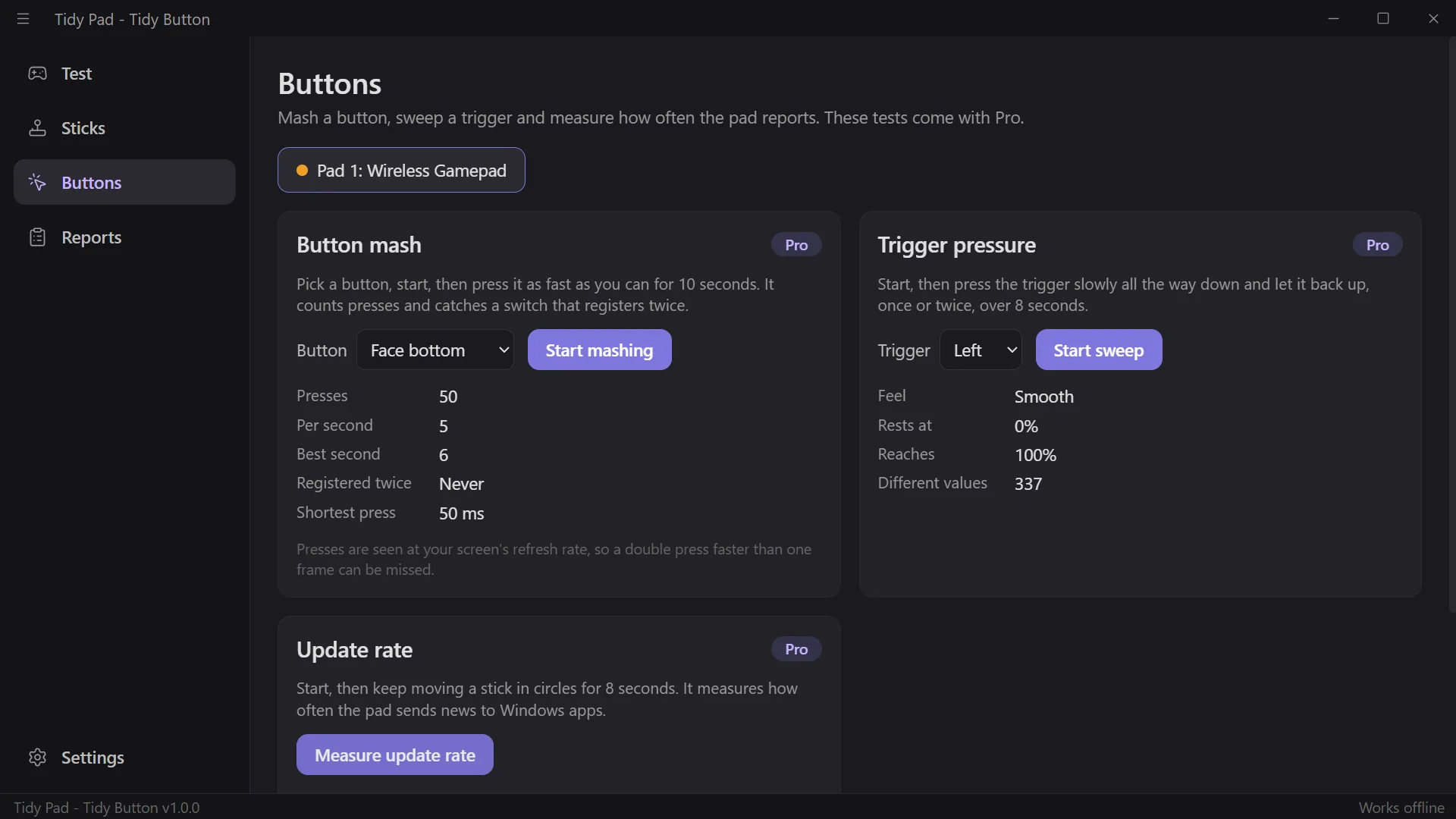
Pro: button mash, trigger pressure and update rate tests with presses per second and trigger smoothness.
Reports
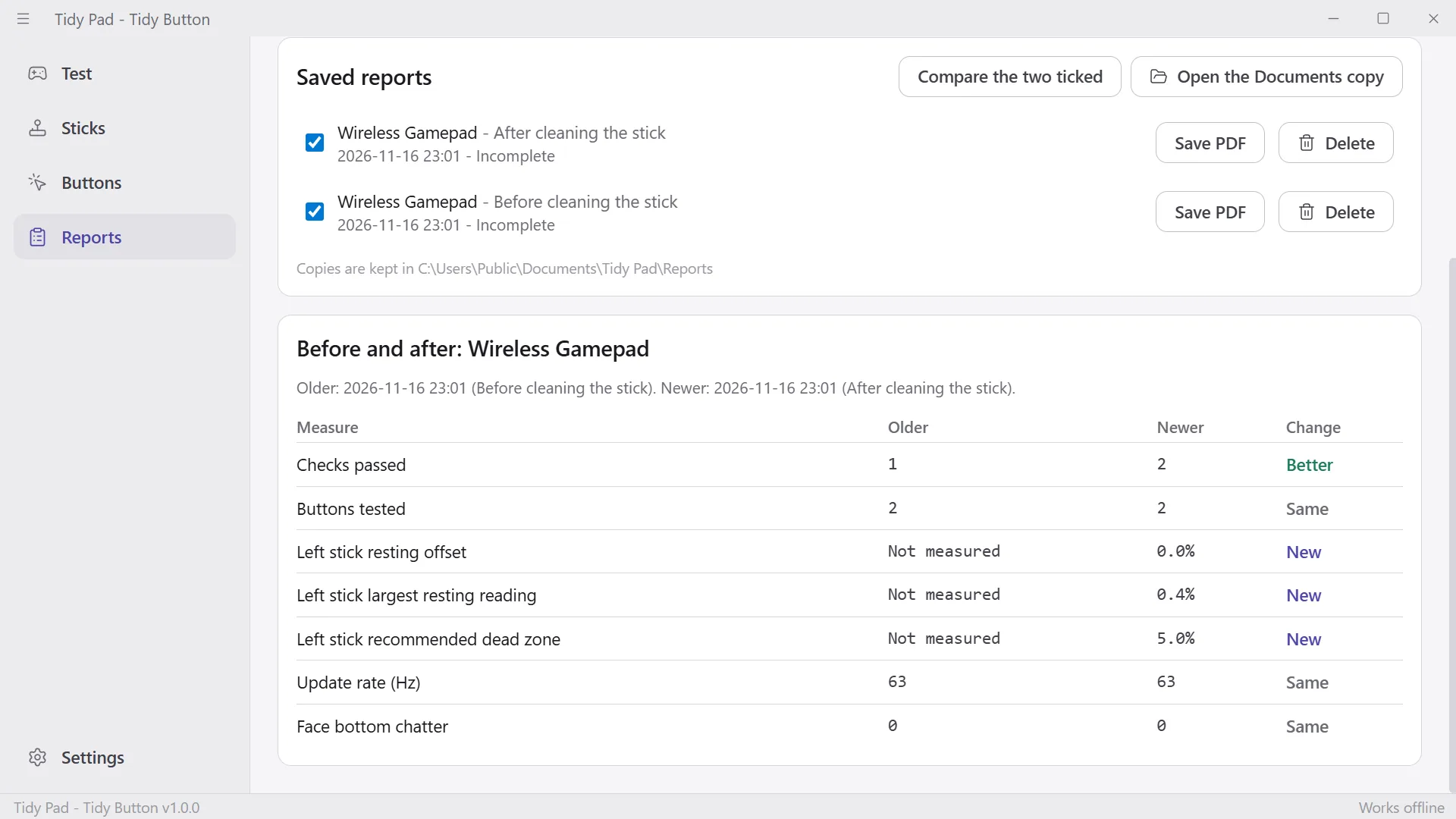
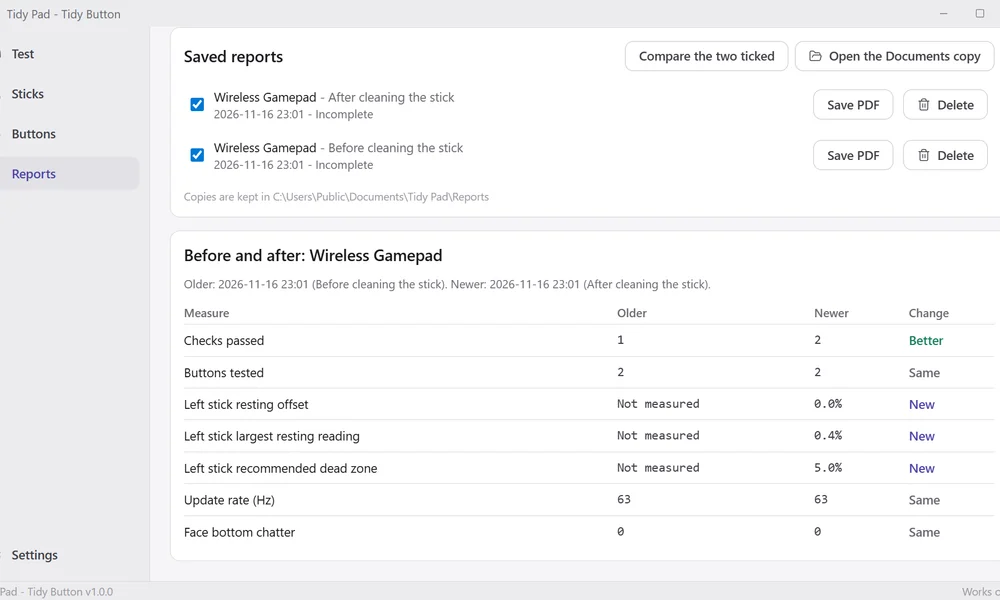
Pro: keep a record of each pad and compare two reports to see what changed. Export a PDF if you need one.
Screens show the app with a sample controller. The app has light and dark themes.
How it works
Three steps. No manual.
01
Plug in and press
Connect a pad by USB or Bluetooth and press any button so Windows shows it to the app.
02
Move everything
Press every button, move both sticks and squeeze both triggers. The checklist ticks itself off.
03
Check drift and roundness
Hold a stick still for a drift verdict and draw a circle for a roundness score.
What it does
What it does.
Tidy Pad is a controller tester for Windows. Plug in a pad by USB or Bluetooth, press a button on it, and see every button, both sticks and both triggers move live, with the raw numbers beside the drawing. A checklist ticks itself off as you test, so you get a plain pass or fail answer in a couple of minutes. It works with any pad that Windows shows to apps. A pad without the standard layout is still listed, with every button and axis shown by number. Testing one pad is free. Pro adds four pads at once, a drift map and saved reports. Everything runs on your PC, with no account and no upload.
Live view
See every button, both sticks and both triggers move live, with the raw values next to the drawing.
Stick drift check
Hold still for 3 seconds and get the centre offset, the wobble, a verdict of good, minor or drifting, and the dead zone that would hide it.
Roundness score
A score from 0 to 100 for how round each stick moves, with the path you drew.
Vibration test
Try the light motor, the heavy motor and both, and say whether you felt it.
Pass or fail checklist
Every button, both sticks, both triggers, drift, roundness and vibration tick themselves off as you test.
Any pad Windows shows
Works over USB or Bluetooth. A pad without the standard layout is listed by button and axis number.
Four pads and a drift map
Pro: test up to four pads at once and see where a stick settles at rest, with a recommended round and square dead zone.
Saved reports
Pro: keep a report for each pad, compare two reports before and after a repair and export a PDF.
The small print, in plain English
Safe by design.
The free version tests one pad. The Pro prompt appears only when you click a locked tab.
Pro: saved reports keep a record of each pad and compare two of them.
Your controller data stays on your PC.
No ads, no pop-ups and no waiting screens.
Works offline. No account. No tracking.
Testing one pad is free. Pro is optional and one payment.
What it does
Every button, every stick, checked.
From a quick look to a full report.
Pro: test up to four pads at once.
Live
See it move
Every button, both sticks and both triggers, with raw values.
Drift
Plain verdict
Centre offset, wobble, a verdict and the dead zone that hides it.
Round
Stick shape
A roundness score from 0 to 100 with the drawn path.
Vibrate
Feel it
Light motor, heavy motor and both, with your answer recorded.
List
Free
A pass or fail checklist that ticks itself off as you test.
Pro
Pro
Four pads, drift map, update rate, mash and trigger tests, saved reports with PDF.
The free app tests one pad completely. Pro adds more pads and saved reports.
Good for
Handy when a stick feels wrong.
Checking a second-hand controller before you buy
Finding out if a stick is drifting
Seeing which button has stopped working
Checking a pad after a repair
Testing several pads side by side
Questions
Plain answers.
Does it work with any controller?
It works with any pad that Windows shows to apps, over USB or Bluetooth. A pad without the standard layout is still listed, with every button and axis shown by number.
Why does it not show my pad?
Windows only shows a pad to apps after its first button press. Press a button on the pad.
Does it show the battery level?
No. Windows does not report battery level or wired or Bluetooth to apps, so the app does not show them.
Is anything sent anywhere?
No. The only network use is the check of a Pro licence.
What does the free version include?
Testing one pad: live view, stick drift, roundness, vibration and the checklist, with no ads and no time limit.
What does Pro add?
One payment, no subscription. Pro adds up to four pads at once, a drift map, update rate, button-mash and trigger tests, and saved reports with comparison and PDF export.
Do I need an account or an internet connection?
Neither. There is no account, no ads and no tracking, and everything works offline.