Tidy Flashcards Flash cards that remember for you.
Spaced repetition on your own PC: the app shows each card just before you would forget it. Big text, keyboard study, automatic backups. No upload, no account.
We will link the Store listing here the day it is live. Until then there is nothing to download.
Real app, with sample decks.
Works offline
No account, no ads, no tracking
Backed up to Documents
Free
See it
Nine views. One deck, remembered.
Start
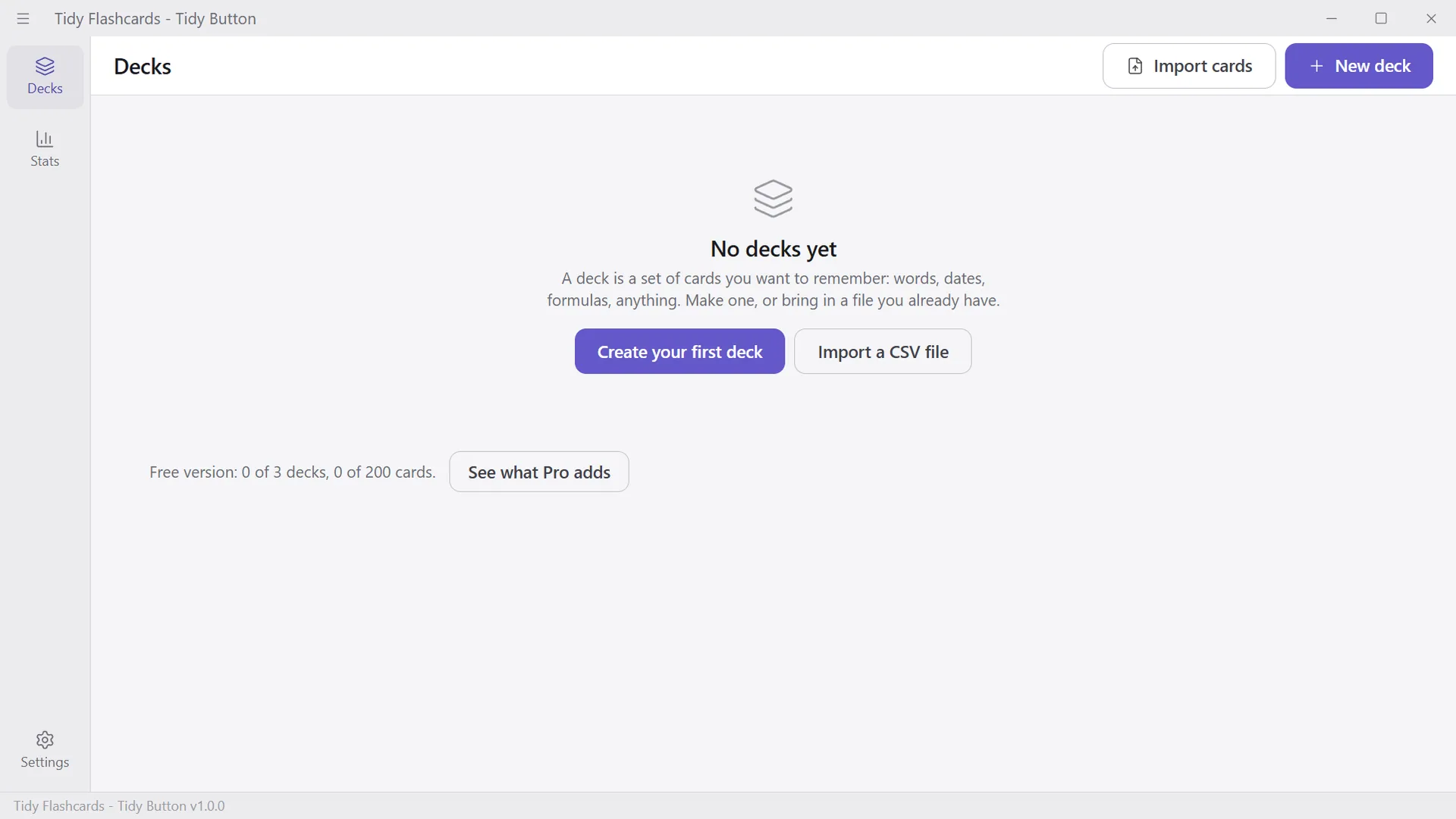
Start with a deck of your own or bring in a list you already have
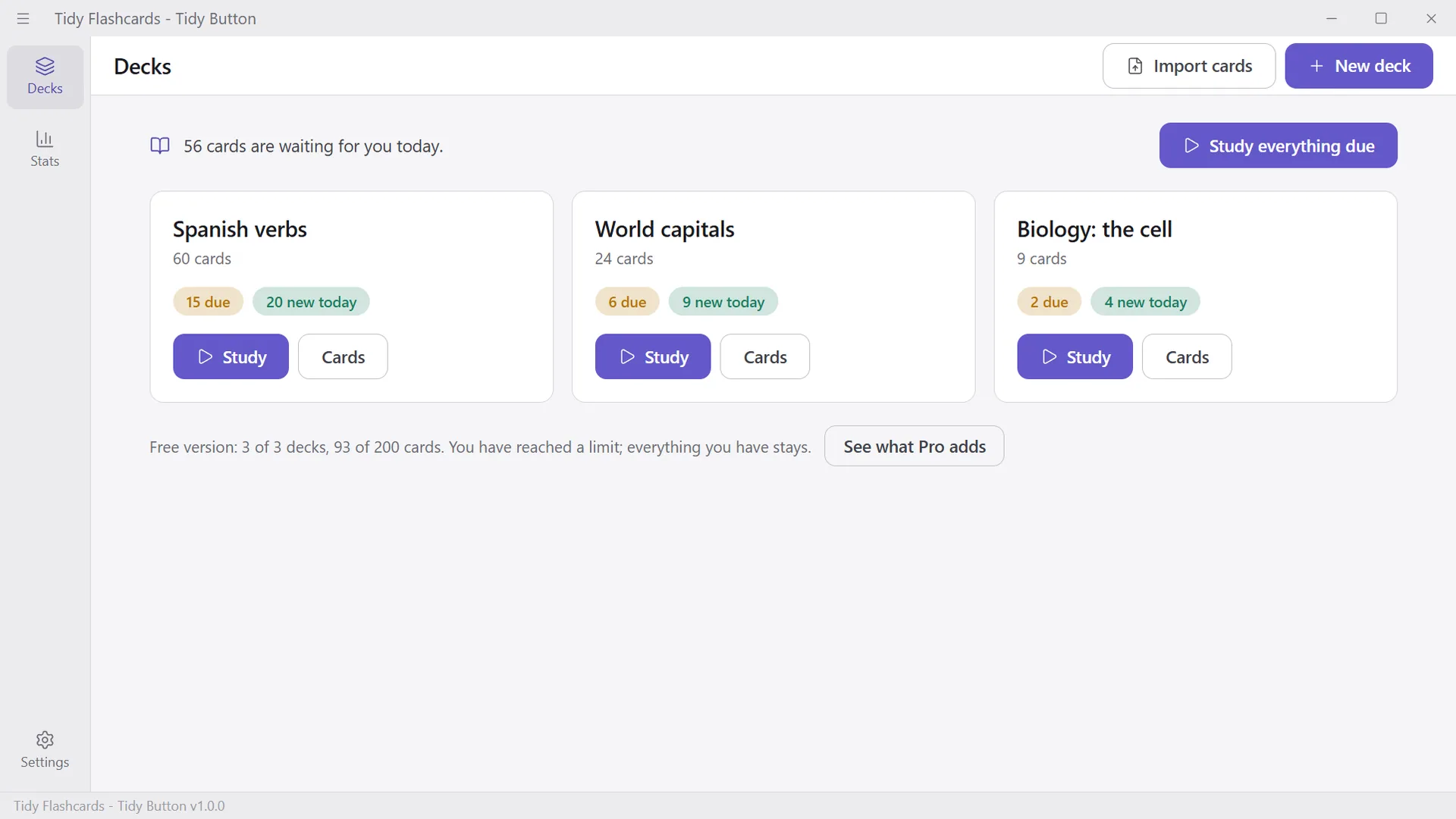
Decks
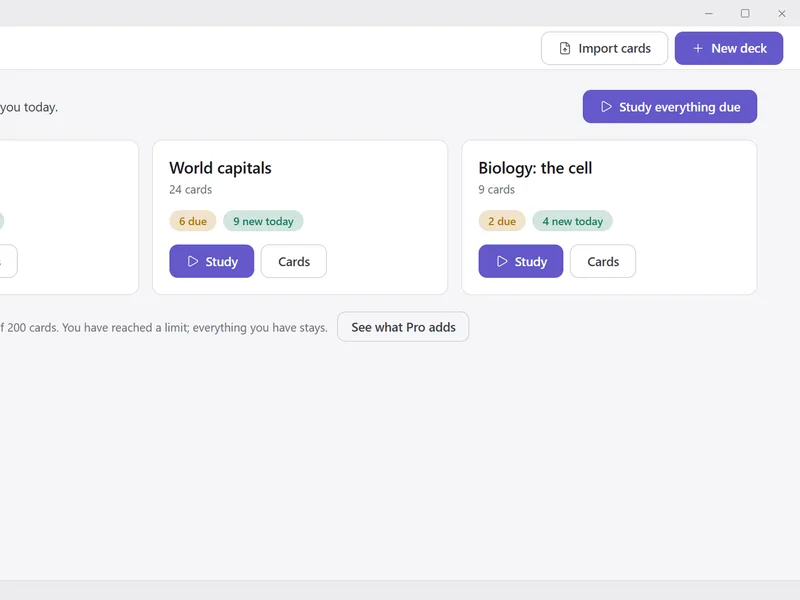
See how many cards are due and how many new ones to learn today
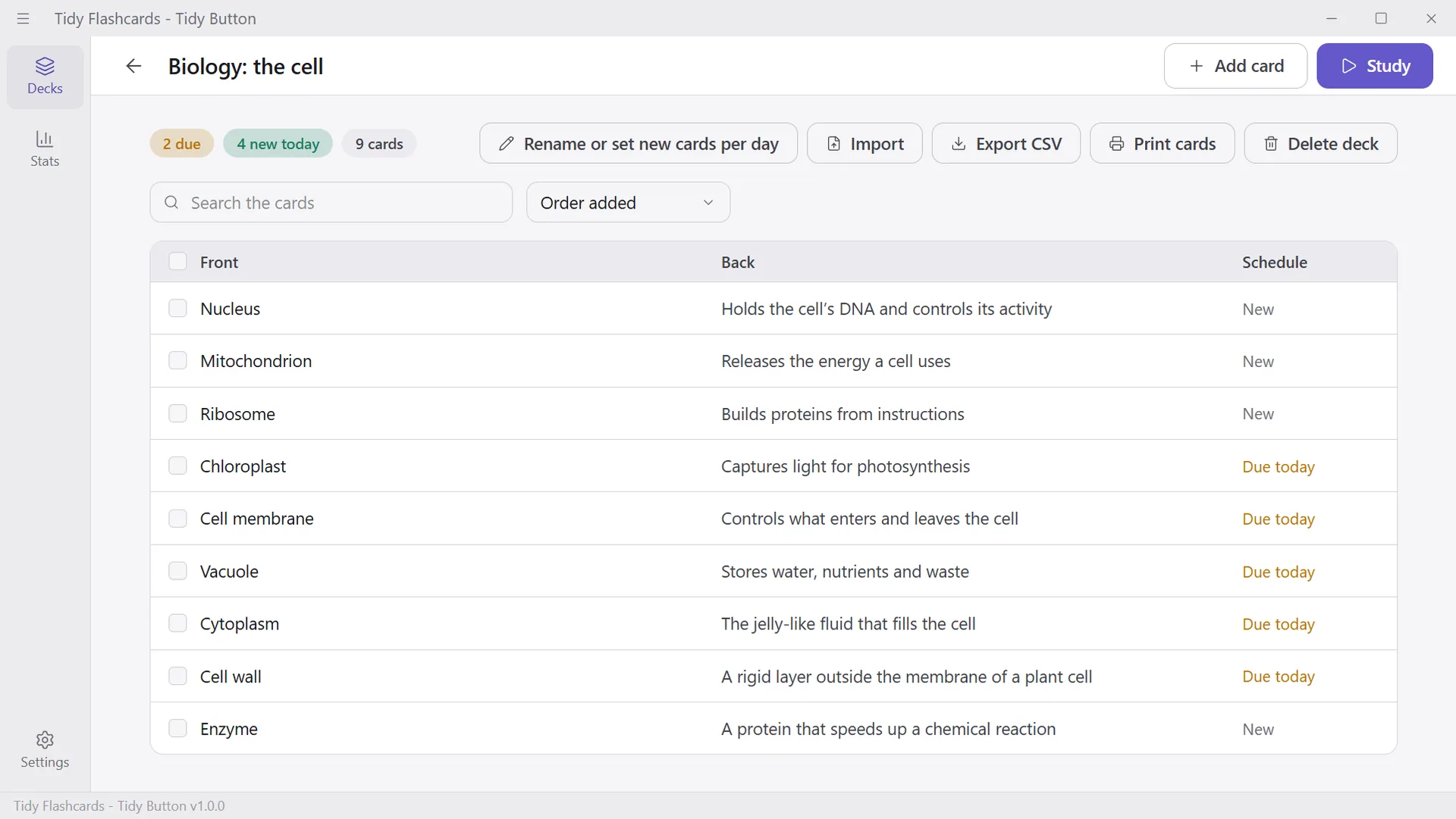
Cards
Search, sort and edit the cards in a deck
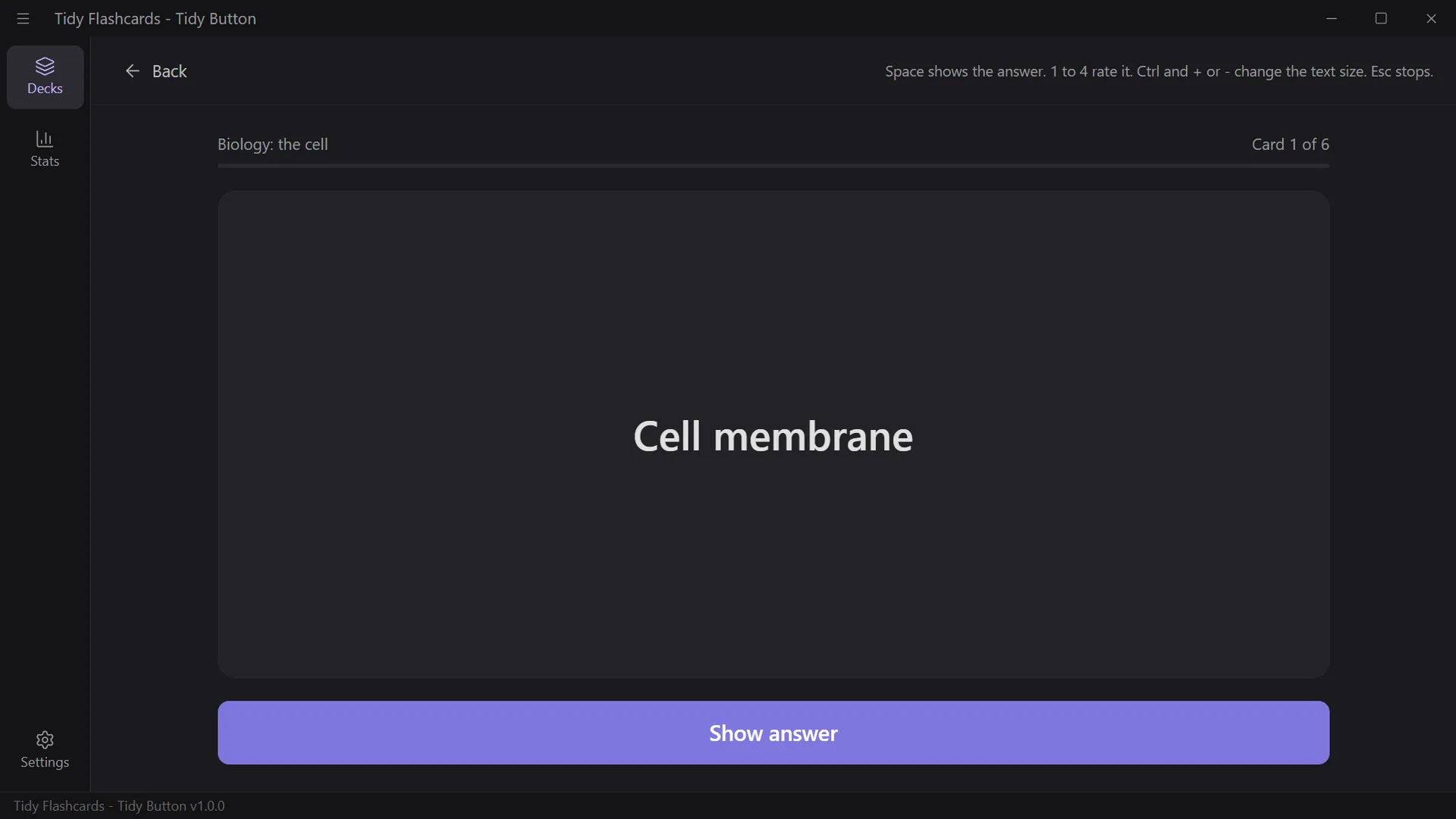
Study
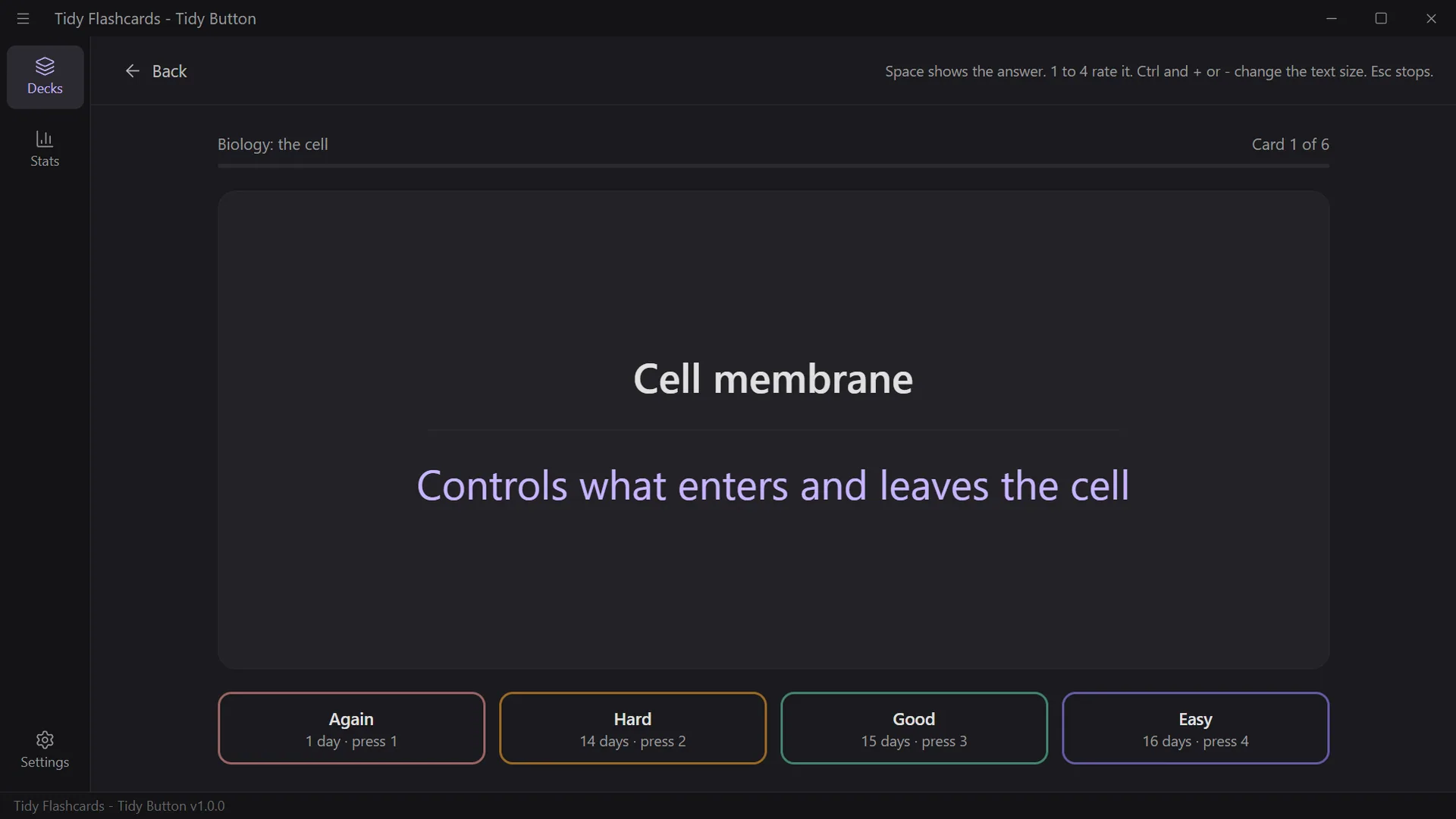
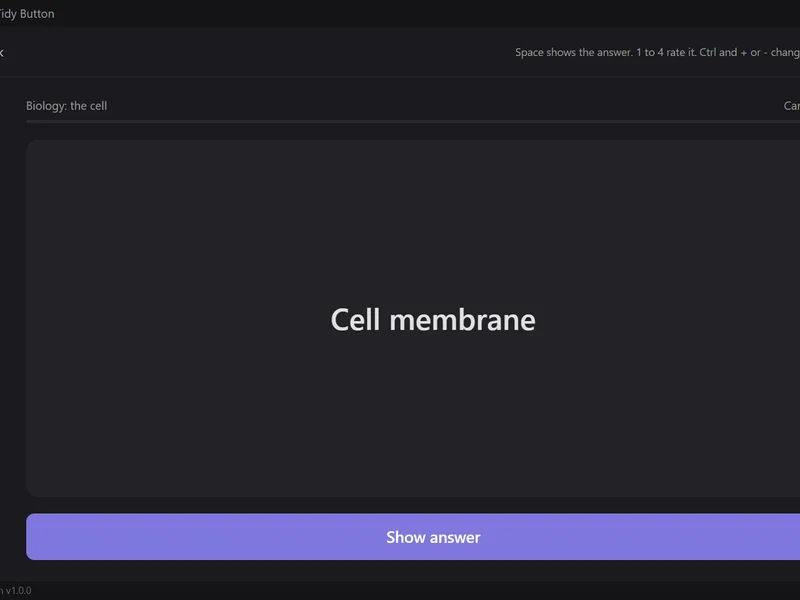
One big, easy-to-read card, with the keyboard doing the work
Rate
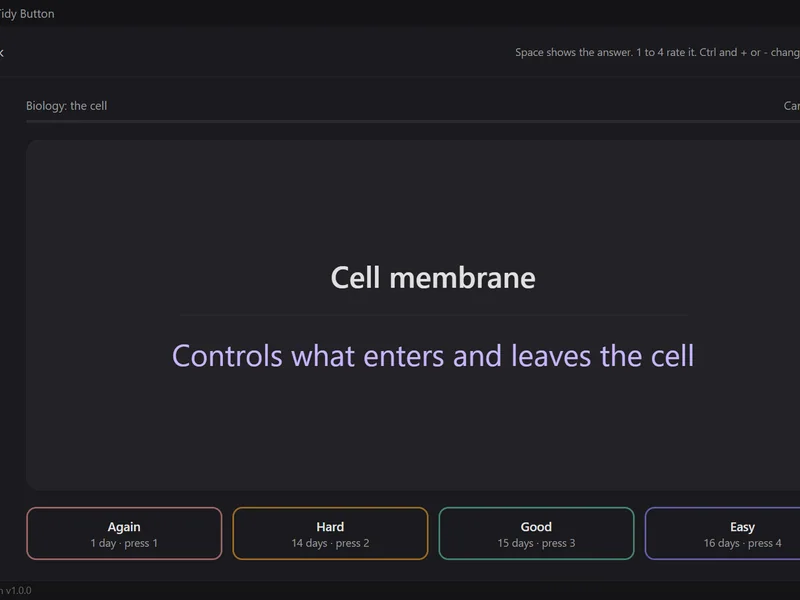
Each answer button shows when the card will come back
Statistics
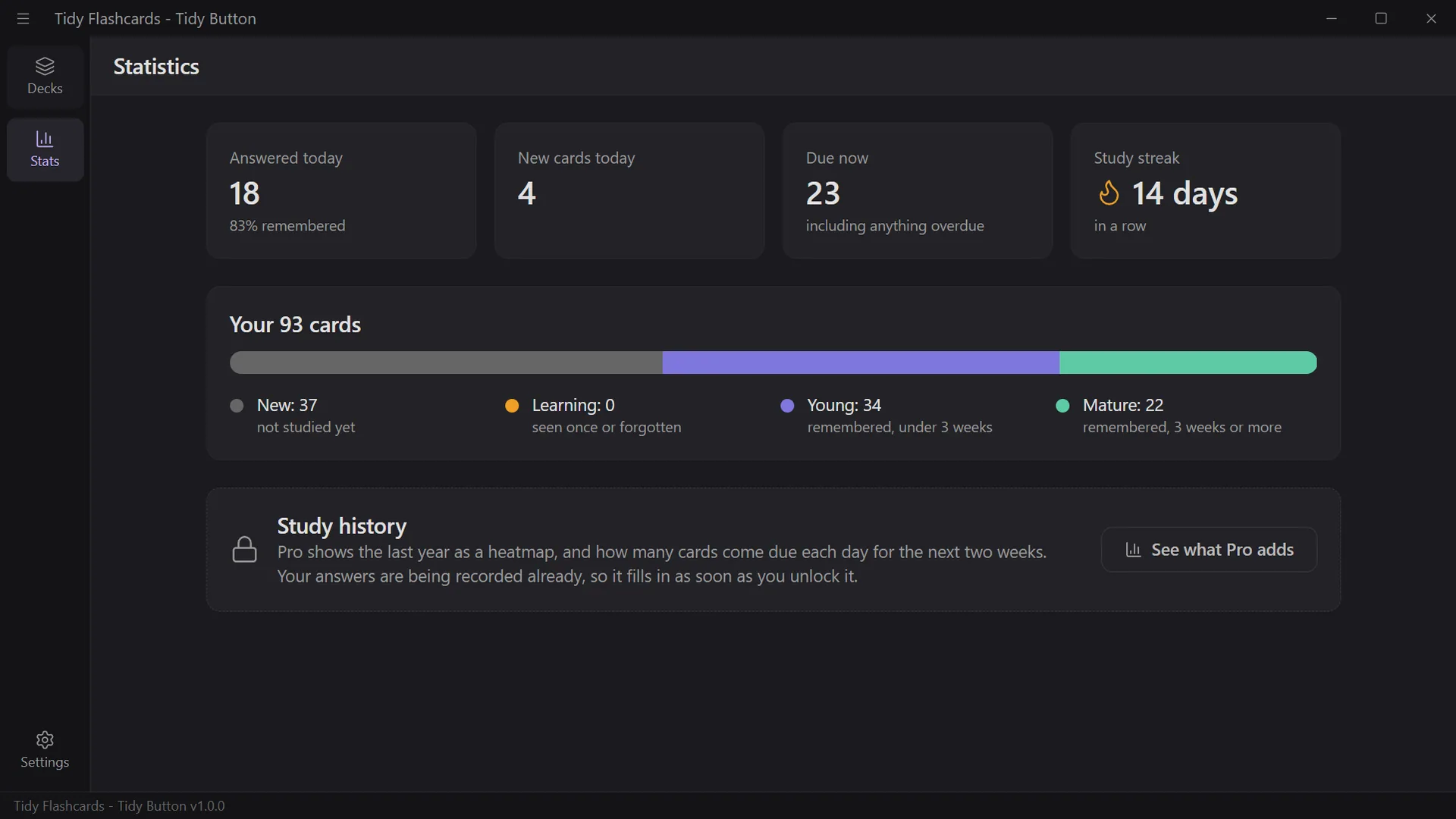
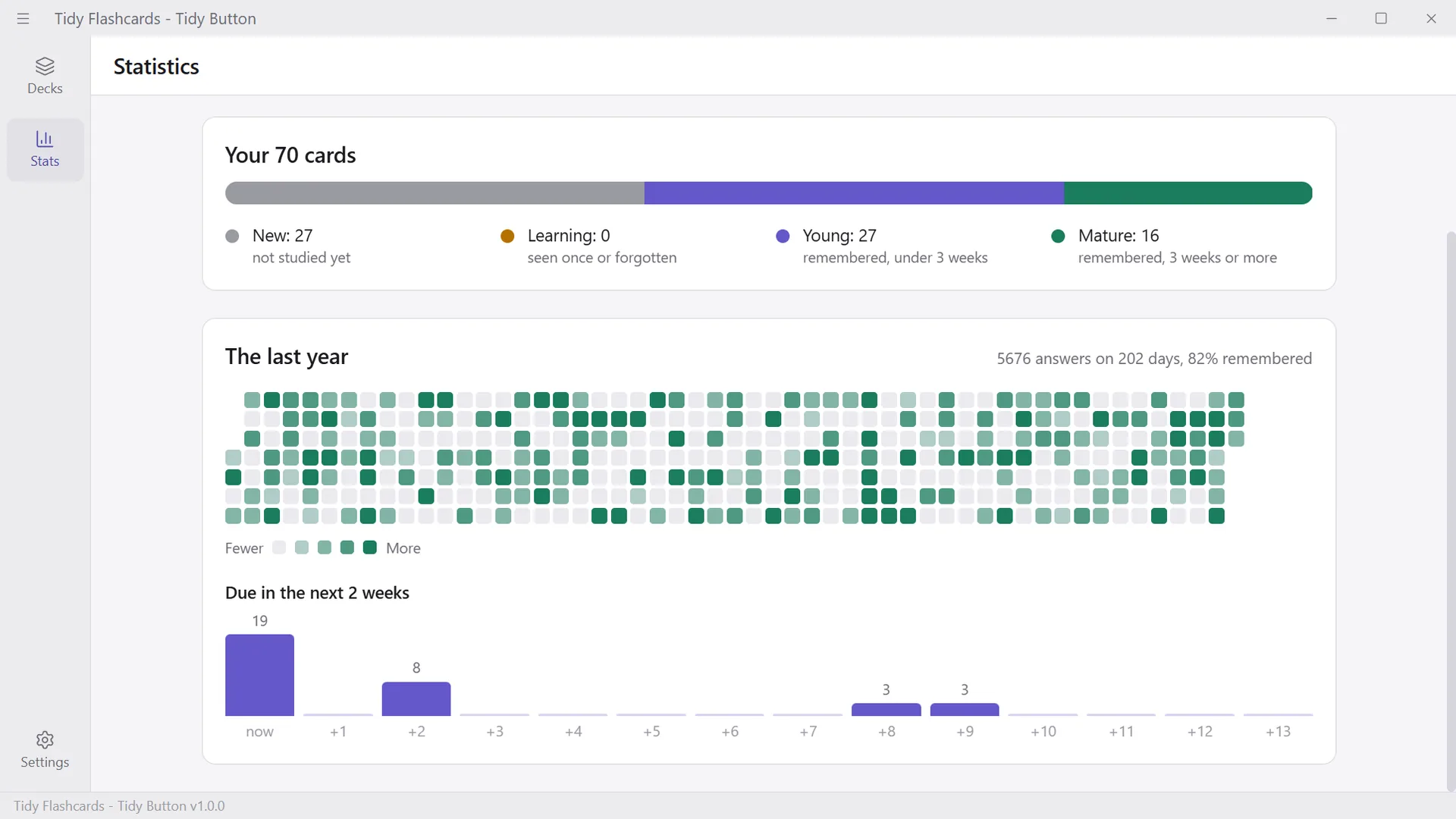
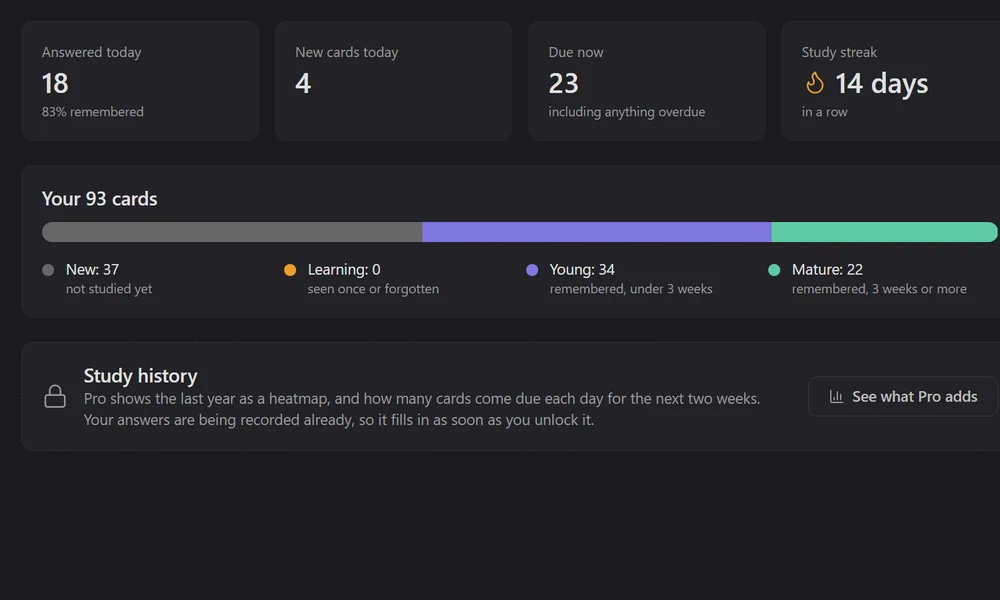
Today's answers, your streak and how well learned your cards are
Free limit
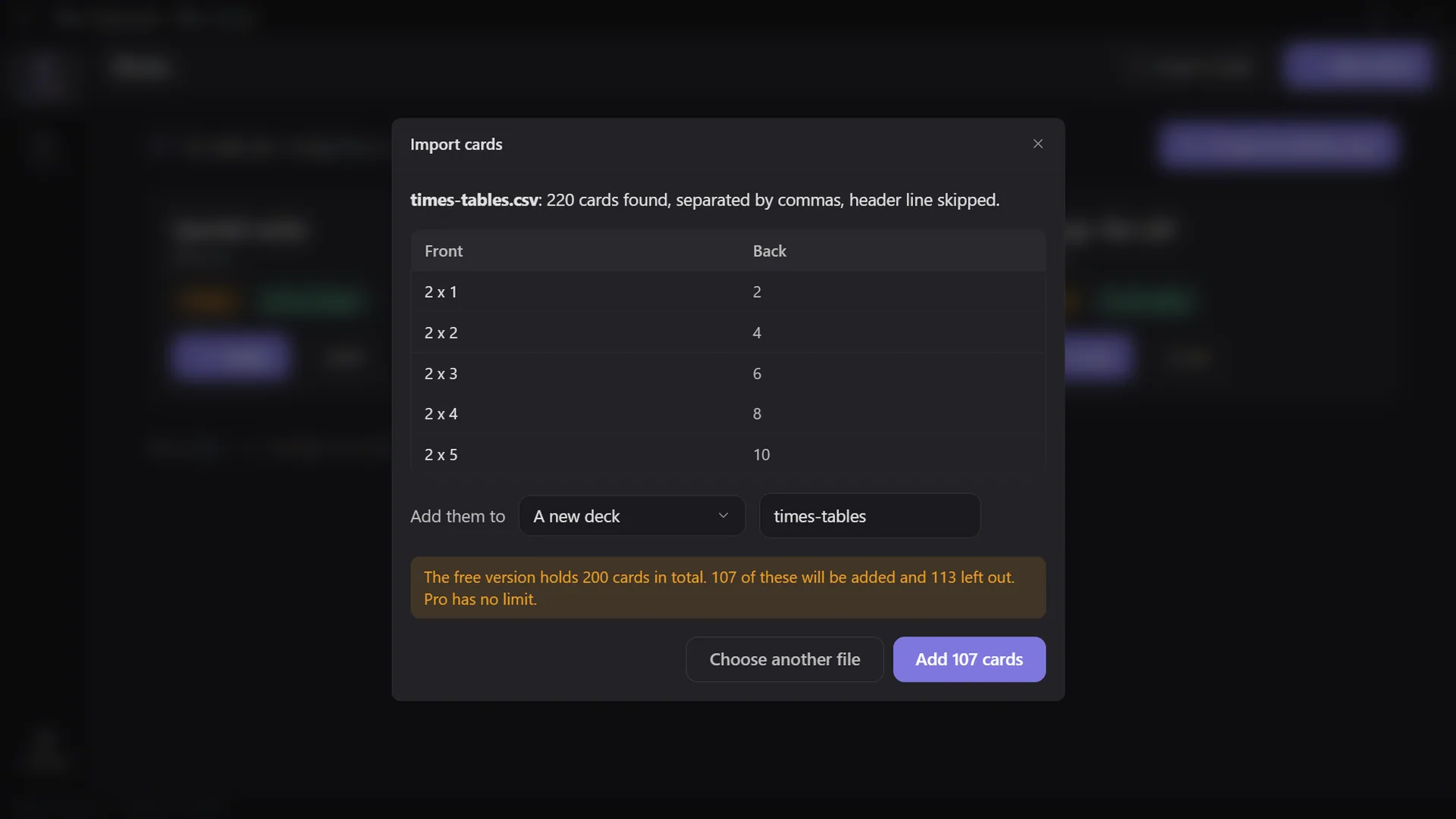
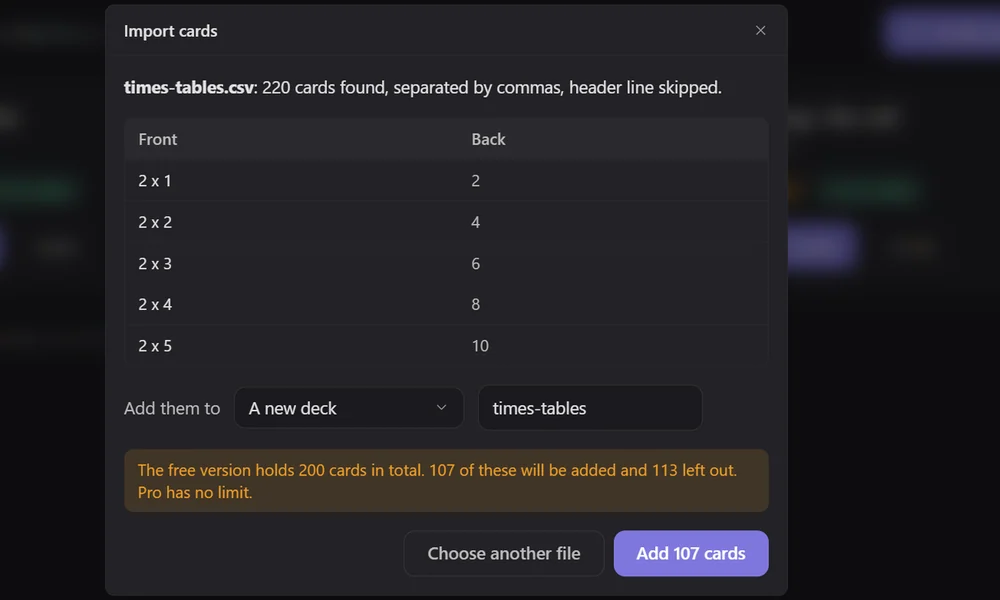
Importing tells you how many cards fit before you commit
Pictures
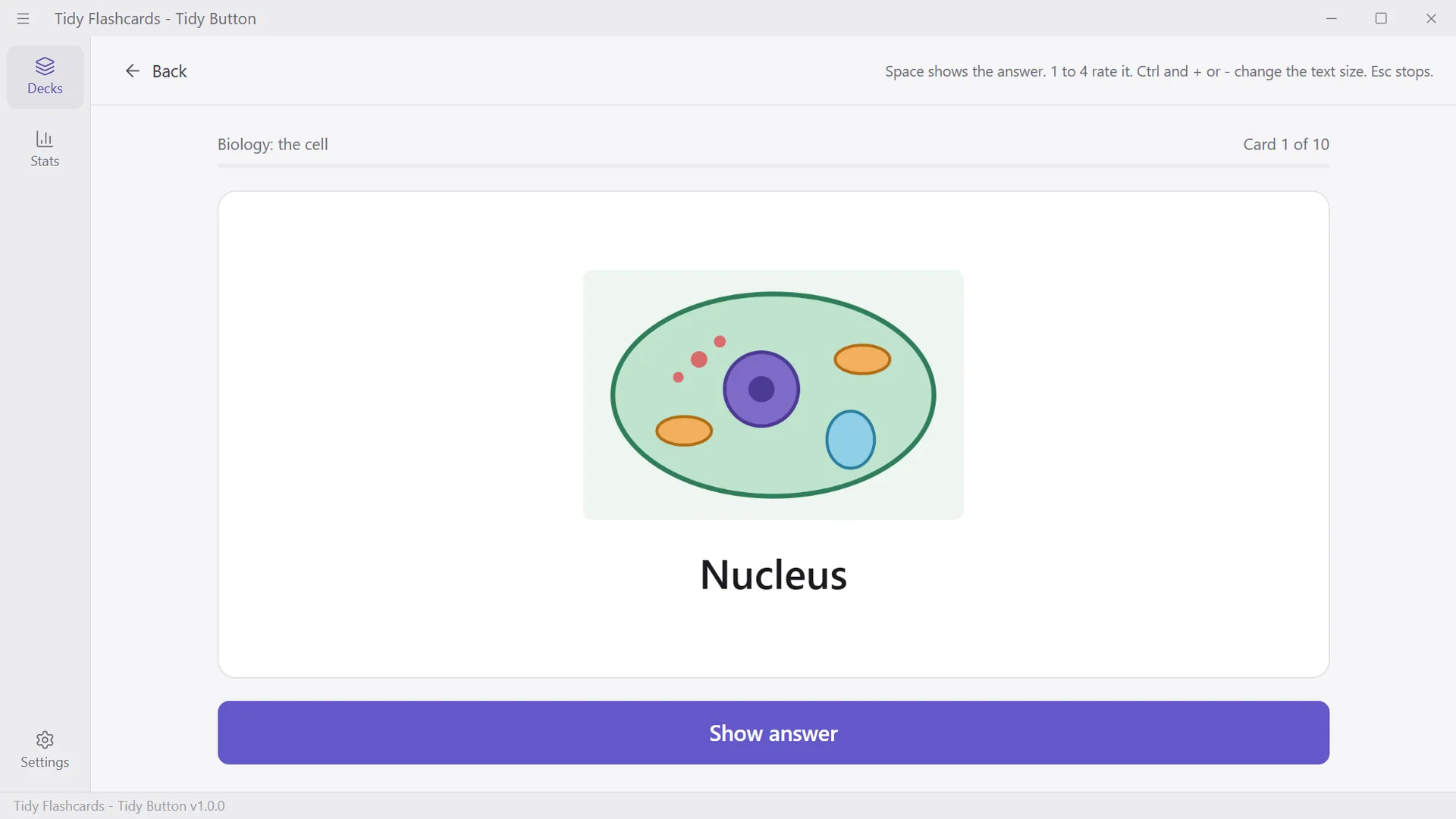
Pro: a picture on a card for diagrams, maps and anything you need to see
History
Pro: a heatmap of the last year and a forecast of the next two weeks
Screens show sample decks. The app has light and dark themes.
How it works
Three steps. No manual.
01
Make a deck
Create a deck and add cards, or import a CSV file you already have.
02
Study
Press Study, then Space to show the answer.
03
Rate and repeat
Press 1 to 4. Each button shows when the card will come back.
What it does
What it does.
Tidy Flashcards helps you remember words, terms, dates and formulas for good. Press Study, press Space to show the answer, then rate how well you knew it. Each button tells you when the card will come back. Everything stays on your PC. The free app works with the internet turned off.
Spaced repetition
Again, Hard, Good or Easy, each showing when the card will come back. A card you answer Again returns once more in the same session.
Keyboard first
Space shows the answer, 1 to 4 rate it, and Esc stops.
Text you can read
Four study text sizes, and Ctrl with + or - while you study.
Bring your own lists
Import a CSV, a TSV or a plain text file with a preview. Headers, quotes, line breaks and other alphabets are handled. Export any deck as a CSV file.
Your cards are safe
Saved after every change, with the previous copy kept, plus a dated backup in Documents that survives an uninstall.
Statistics
Answered today, how many you remembered, your study streak, cards due now and how well learned your cards are.
Search and sort
Search your cards and sort them by the order added, front A to Z or due soonest. Start a card over any time.
New cards per day
Set a limit of new cards for each deck, so a big deck never swamps you.
Pictures (Pro)
Put a picture on the front or back of a card.
Study history (Pro)
A heatmap of the last year and a forecast of the next two weeks.
Print cards (Pro)
Print cut-out cards to PDF, with the backs lined up for double-sided printing.
The small print, in plain English
Safe by design.
Importing shows how many cards will be added before you commit.
Today's answers, your streak and how well learned your cards are.
Nothing is uploaded. Your cards are stored on your PC and never leave it.
Cards over the free limit are never removed or hidden.
Your decks are backed up to Documents, so an uninstall does not lose them.
The free version holds 3 decks and 200 cards in total. Pro is one payment of $6.99.
Works offline. No account. No ads. No tracking.
How it works
Cards come back when you need them.
The schedule decides what to study today.
Each answer button shows when the card will come back.
Again
Forgot it
The card starts over and comes back tomorrow, and once more in the same session.
Hard
Nearly
The card comes back a little sooner than Good.
Good
Remembered
The gap between reviews grows each time you remember.
Easy
Knew it
The longest gap, for cards you know well.
New per day
Your pace
Set how many new cards each deck introduces a day.
Backups
Safe
A dated copy in Documents survives an uninstall.
Cards over the free limit are never removed or hidden.
Good for
Handy when there is a lot to learn.
Language vocabulary and verbs
Exam and certificate revision
Anatomy and science terms
Dates, formulas and anything else to keep in your head
Questions
Plain answers.
Is anything uploaded?
No. Your cards are stored on your PC and never leave it. The free app works with the internet turned off.
Will I lose my cards?
They are saved after every change with the previous copy kept, and a dated backup is written to Documents each day. On a fresh install the app offers to bring them back.
Can I bring in a list I already have?
Yes. Import a CSV, a TSV or a plain text file with the front, a tab and the back. A preview shows how many cards were found before you add them. You can export any deck as a CSV file too.
Can I make the text bigger?
Yes. There are four study text sizes in Settings, and Ctrl with + or - while you study.
Is there a limit in the free version?
The free version holds 3 decks and 200 cards in total, with the full schedule, import, export, statistics and backups. Pro is one payment of $6.99 for unlimited decks and cards, pictures on cards, a study history and printing cut-out cards. Cards over the free limit are never removed or hidden.