Free on the Microsoft Store
File Shredder Gone for good, after you check.
Overwrite files with random data, empty them, scramble their names and delete them, so ordinary undelete tools cannot bring them back. A confirmation shows what will be destroyed first. Honest about SSDs.
3 or 7 overwrite passes.
Pro keys go on sale when this app's Pro update reaches the Microsoft Store.
One key for this app. Free to use without it. See all pricing
Prefer the command line? winget install 9N7VGJ0J06F3 --source msstore
- Works offline
- No account, no ads, no tracking
- Asks before it shreds
- Free
See it
Six views. Check, type, shred.
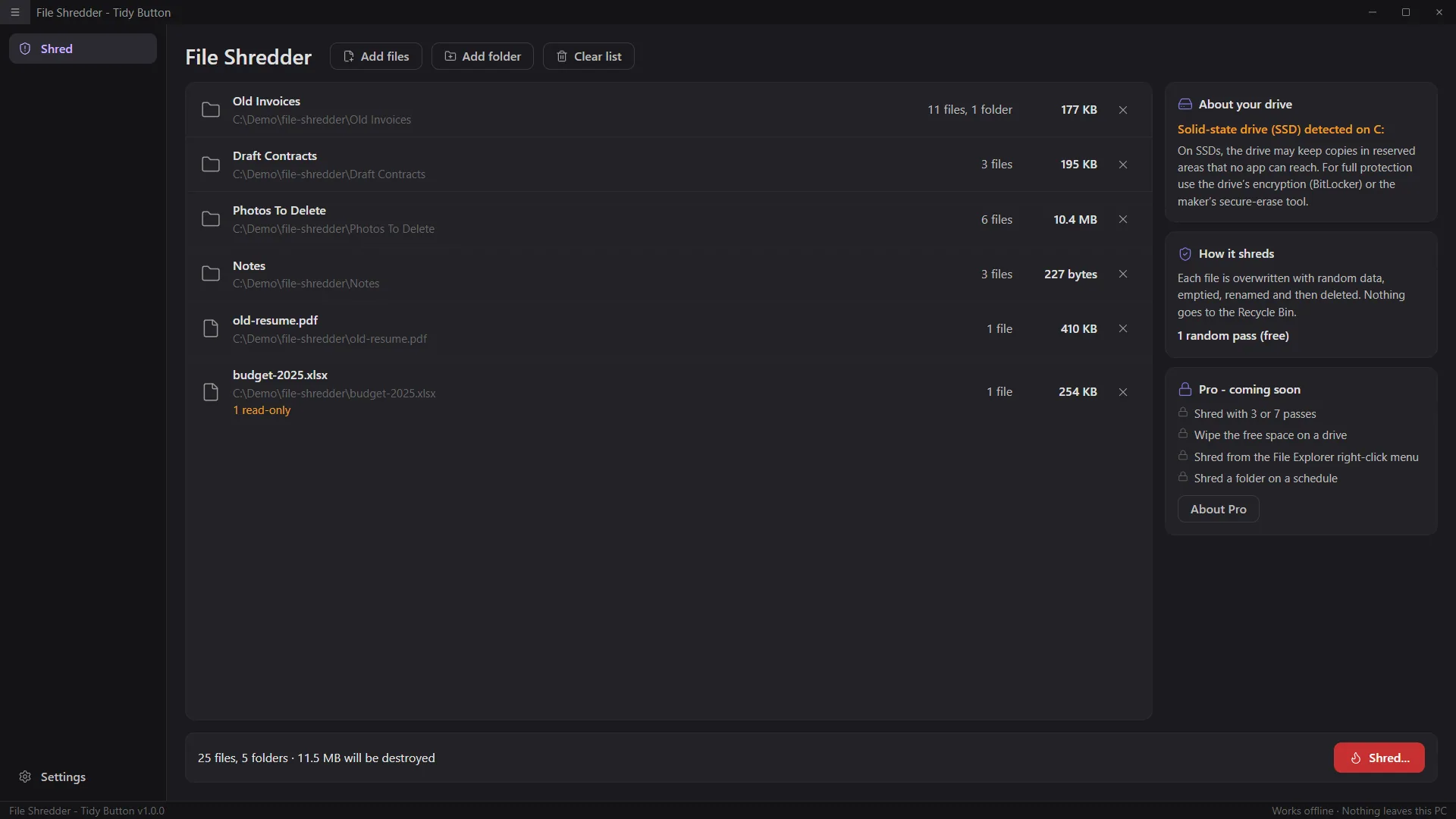
List ready
Every item is listed with its size and file count before you start. Read-only files and links are flagged
Confirm
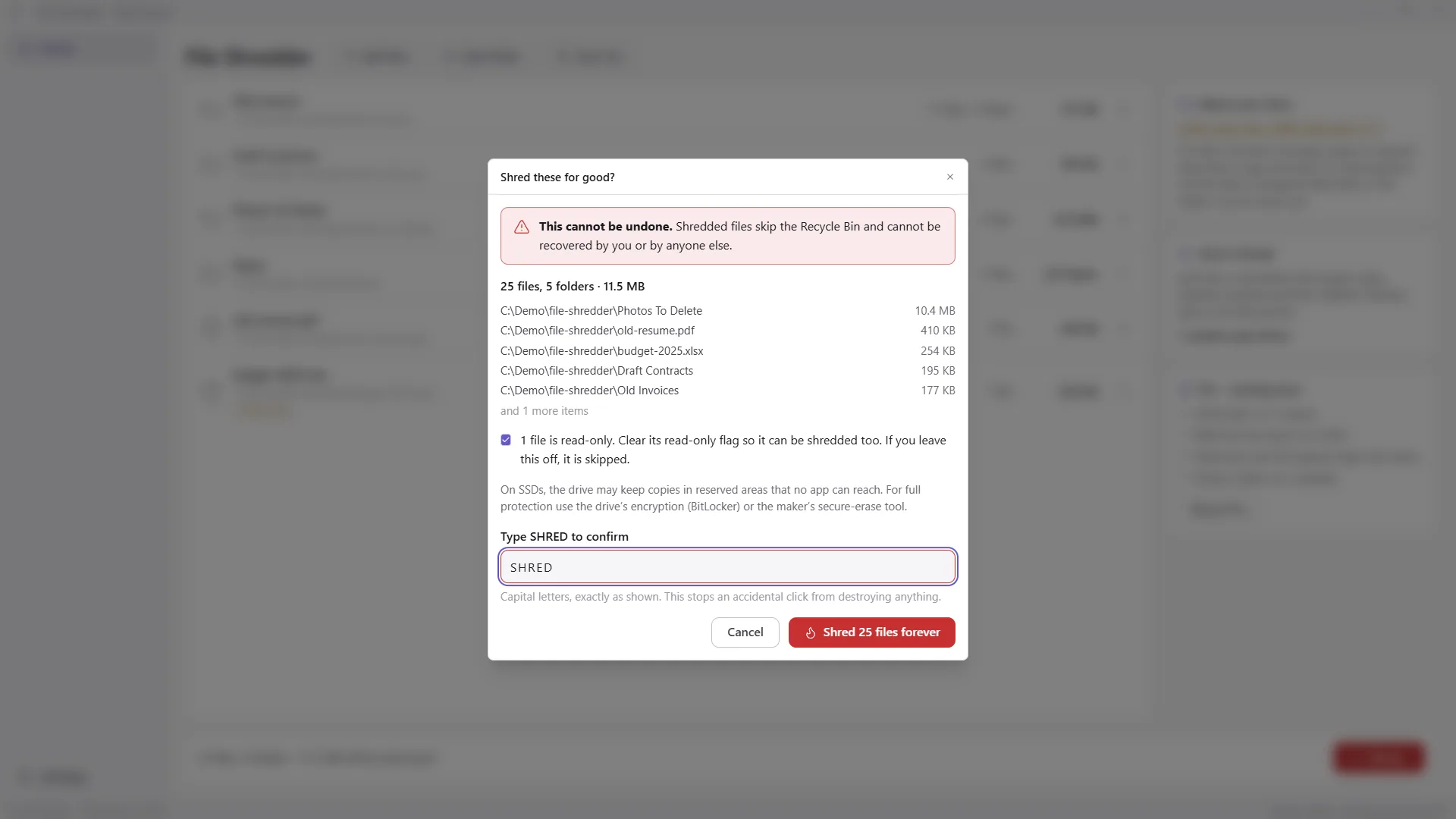
Before anything is destroyed you see how many files, their total size and the largest items, and you type SHRED to confirm
Progress
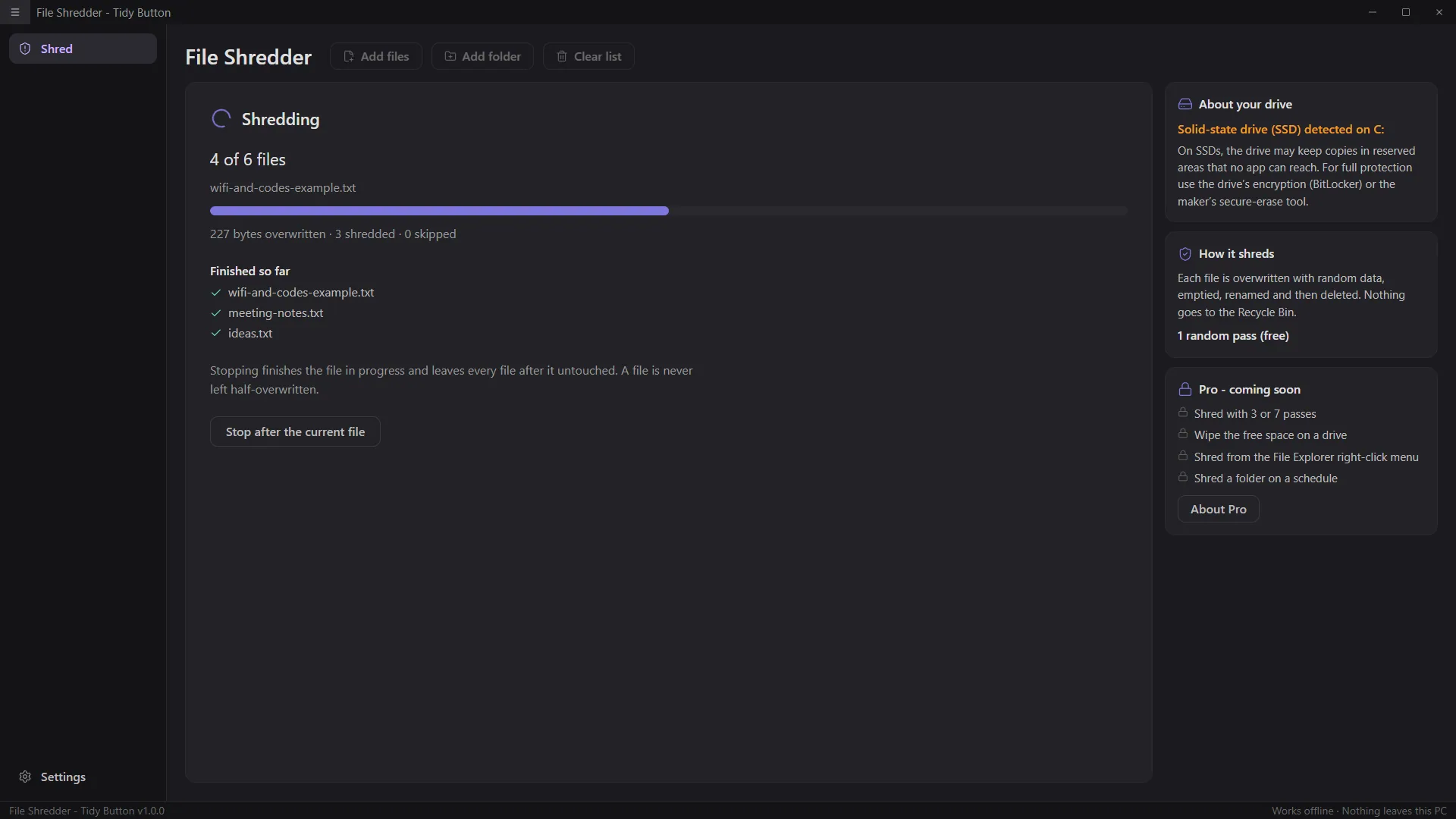
Watch each file being shredded. Stop after the current file at any time; the rest are left untouched
Report
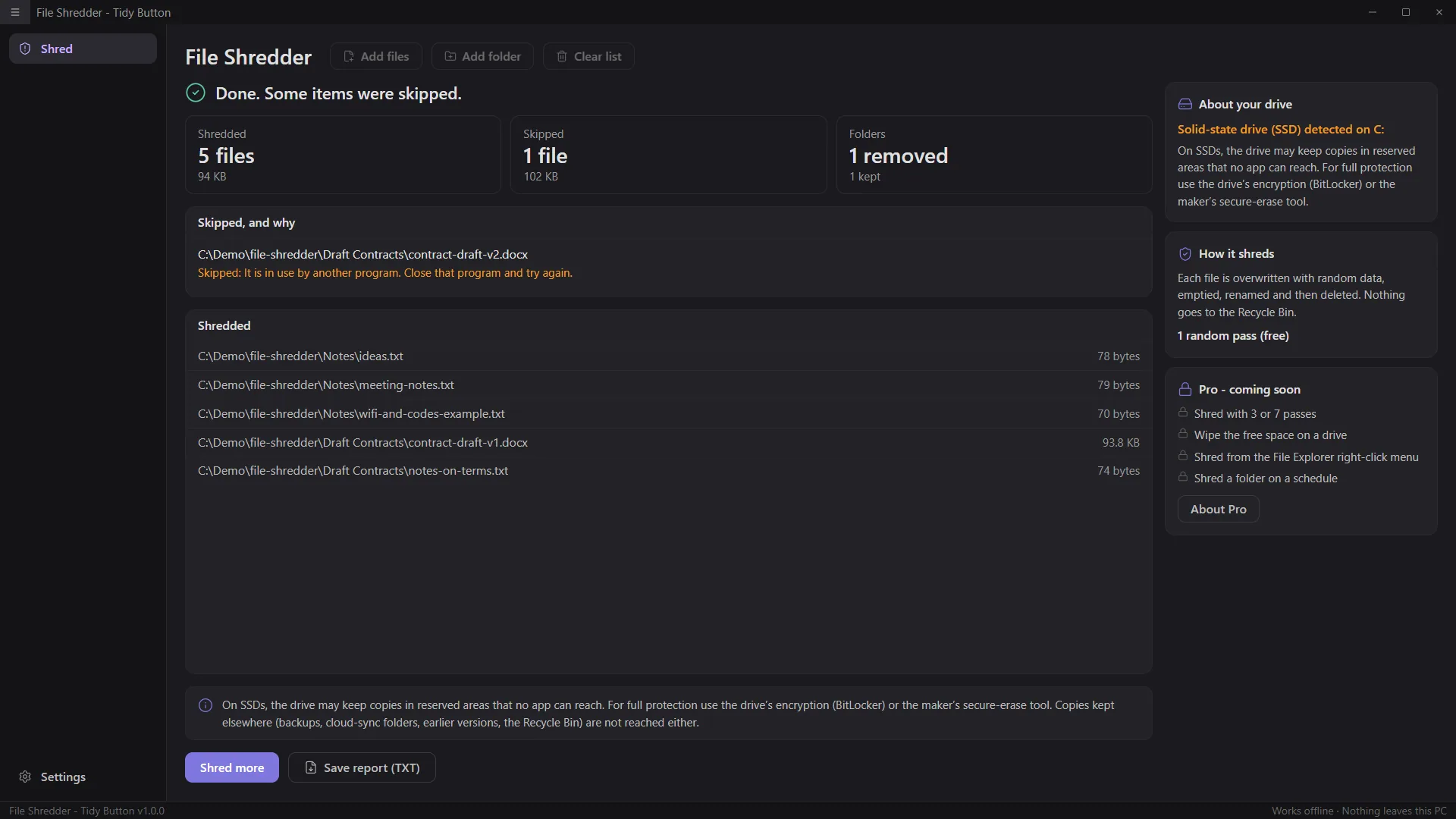
A report of what was shredded and what was skipped and why. Save it as a text file
SSD note
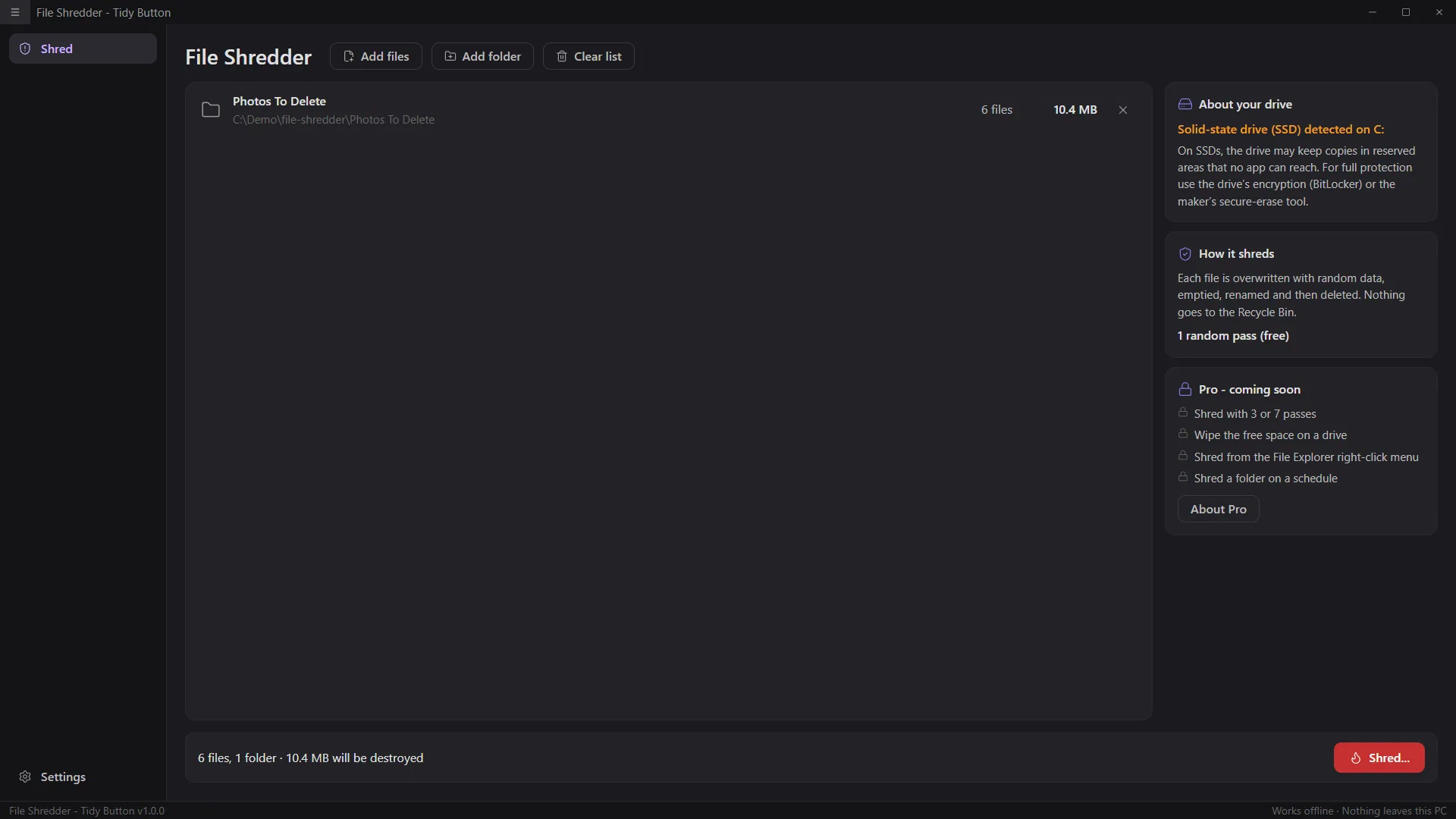
File Shredder checks your drive type and is honest about SSDs: some copies sit in areas no app can reach
Refused folders
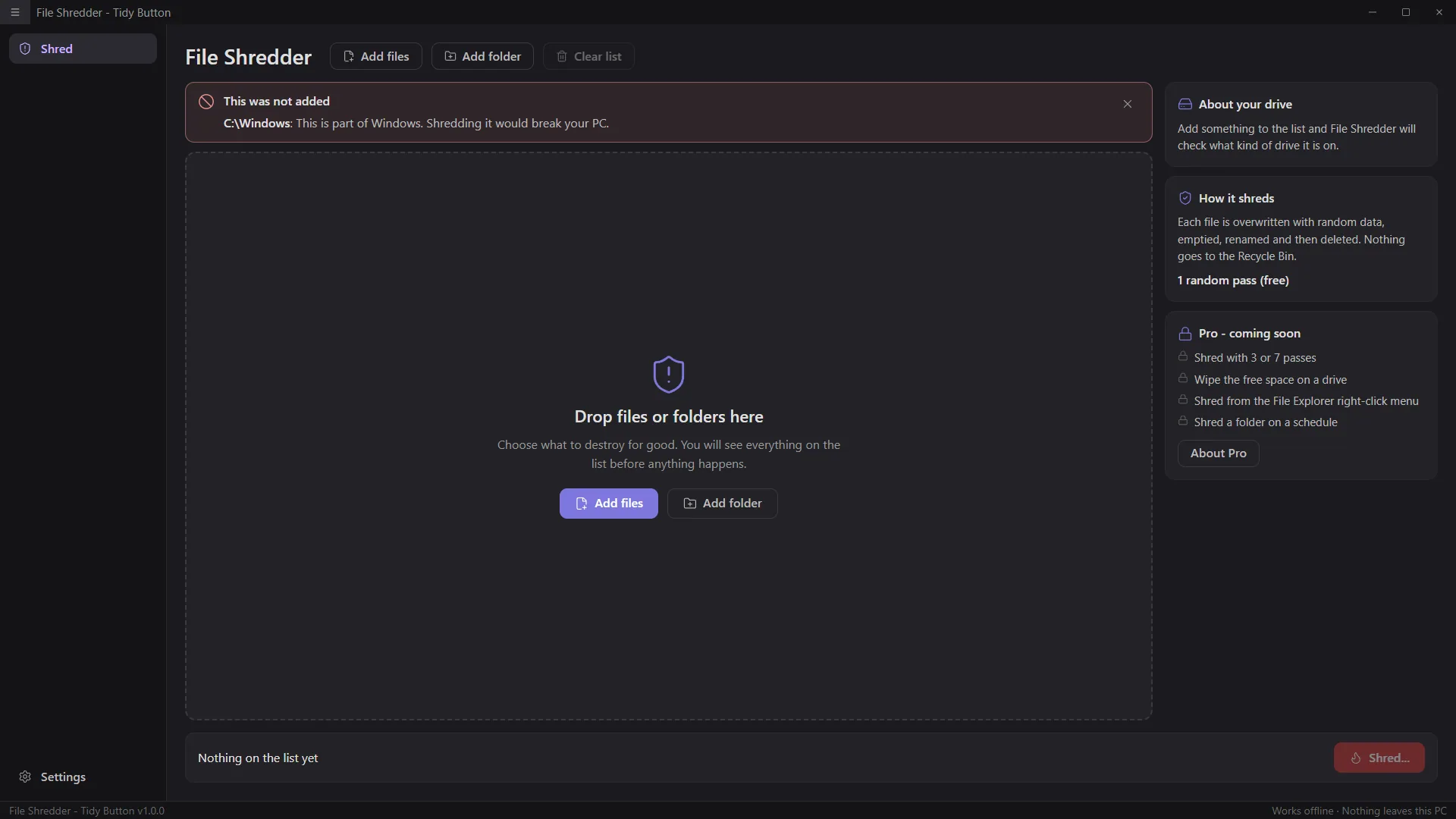
Windows, program folders, whole drives and your profile folder are refused, with a plain reason
Screens show invented sample files. The app has light and dark themes.
What it does
What it does.
Add files or whole folders, check the list and press Shred. Before anything happens, a confirmation shows how many files and folders will be destroyed and their total size, and asks you to type SHRED. A shred cannot be undone, and nothing goes to the Recycle Bin.
See before you shred
Drop files and folders onto the window or pick them. The confirmation lists the file count, the total size and the largest items.
Type SHRED to confirm
Nothing is destroyed until you press Shred and type the word.
How a file is shredded
It is overwritten with random data and flushed to the drive, emptied, renamed several times and deleted. Folders are removed last, from the inside out.
Refuses risky places
Windows and program folders, whole drives, your user profile folder, the app's own data and links that lead out of the folder you chose are all refused.
Skips what is in use
A file in use by another program is skipped with a clear reason and left exactly as it was.
Stop whenever you like
The file in progress is finished and every file after it is left untouched, so nothing is left half-overwritten.
A report you can keep
See what was shredded and what was skipped and why, and save it as a text file if you want.
Honest about SSDs
The app tells you what kind of drive your files are on, and explains what no app can do about copies an SSD keeps in reserved areas.
The small print, in plain English
Safe by design.
- Files are shredded only after you press Shred and type SHRED. A shred cannot be undone.
- On SSDs, the drive may keep copies that no app can reach. For full protection use BitLocker or the maker's secure-erase tool.
- It cannot reach copies kept elsewhere, such as backups, cloud-sync folders, earlier versions of a file or the Recycle Bin.
- Works offline. No account. No ads. No tracking. File names are not sent anywhere.
Good for
Handy when files must be gone.
- Old tax papers and scans of documents
- Client files at the end of a project
- Anything you want gone before you give a PC away
Questions
Plain answers.
Can I get a shredded file back?
The file is overwritten with random data, emptied, renamed and deleted, so undelete tools cannot restore it. Nothing goes to the Recycle Bin. A shred cannot be undone, so the app makes you check the list and type SHRED first.
Does it work on SSDs?
It overwrites the file, but an SSD may keep copies in reserved areas that no app can reach. The app checks the kind of drive and tells you. For full protection use BitLocker or the maker's secure-erase tool.
What will it refuse to shred?
Windows and program folders, whole drives, your user profile folder, its own data and links that lead out of the folder you chose.
What if a file is in use?
It is skipped with a clear reason and left exactly as it was.
Is anything uploaded?
No. The app makes no network requests and file names are not sent anywhere.
Is there a limit in the free version?
The free version shreds any number of files with one random pass. A Pro add-on is planned (coming soon).
Which versions of Windows does it run on?
Windows 10 and Windows 11.