We will link the Store listing here the day it is live. Until then there is nothing to download.
Real app, sharing a neutral sample folder.
Local network only
Read-only by default
No account, no ads, no tracking
Free
See it
Eight views. One folder, shared.
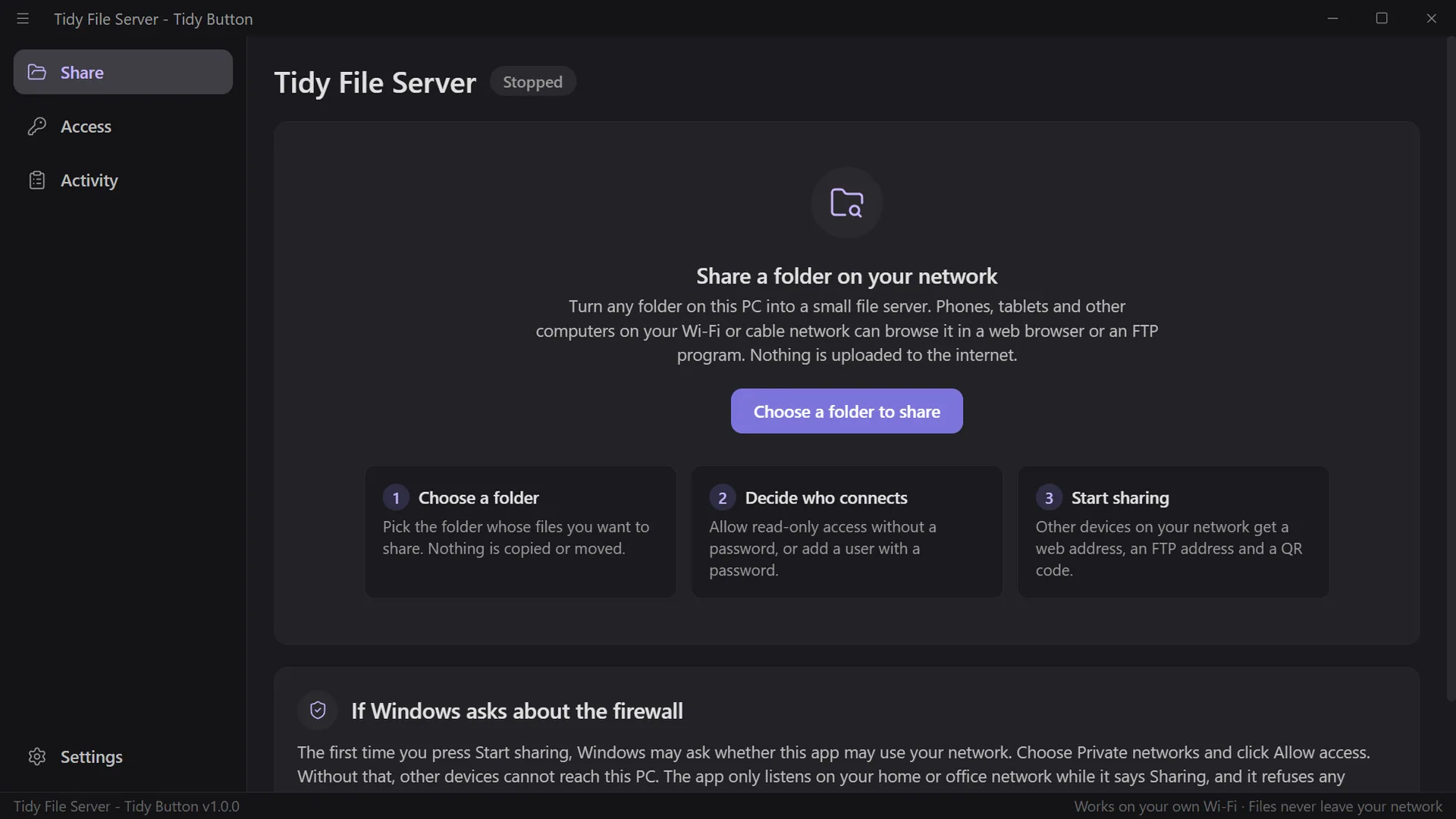
Start
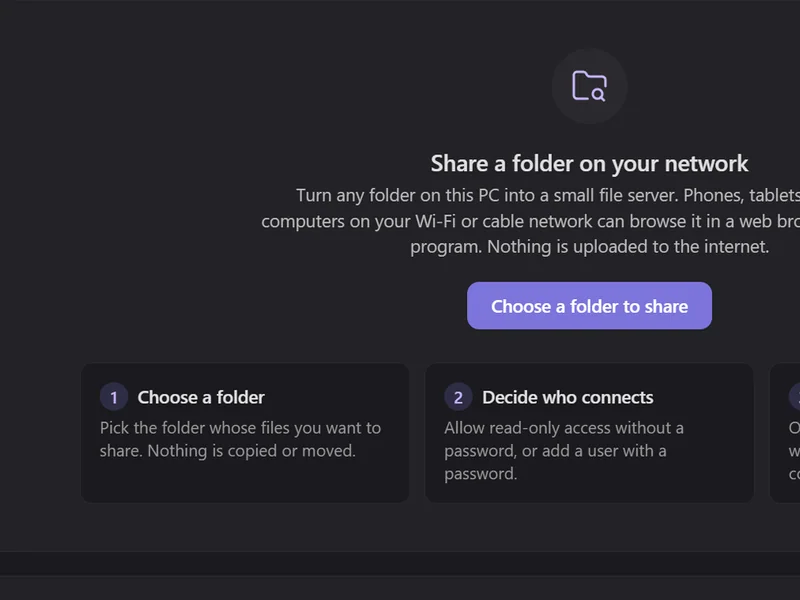
Choose a folder, decide who connects, then press Start sharing
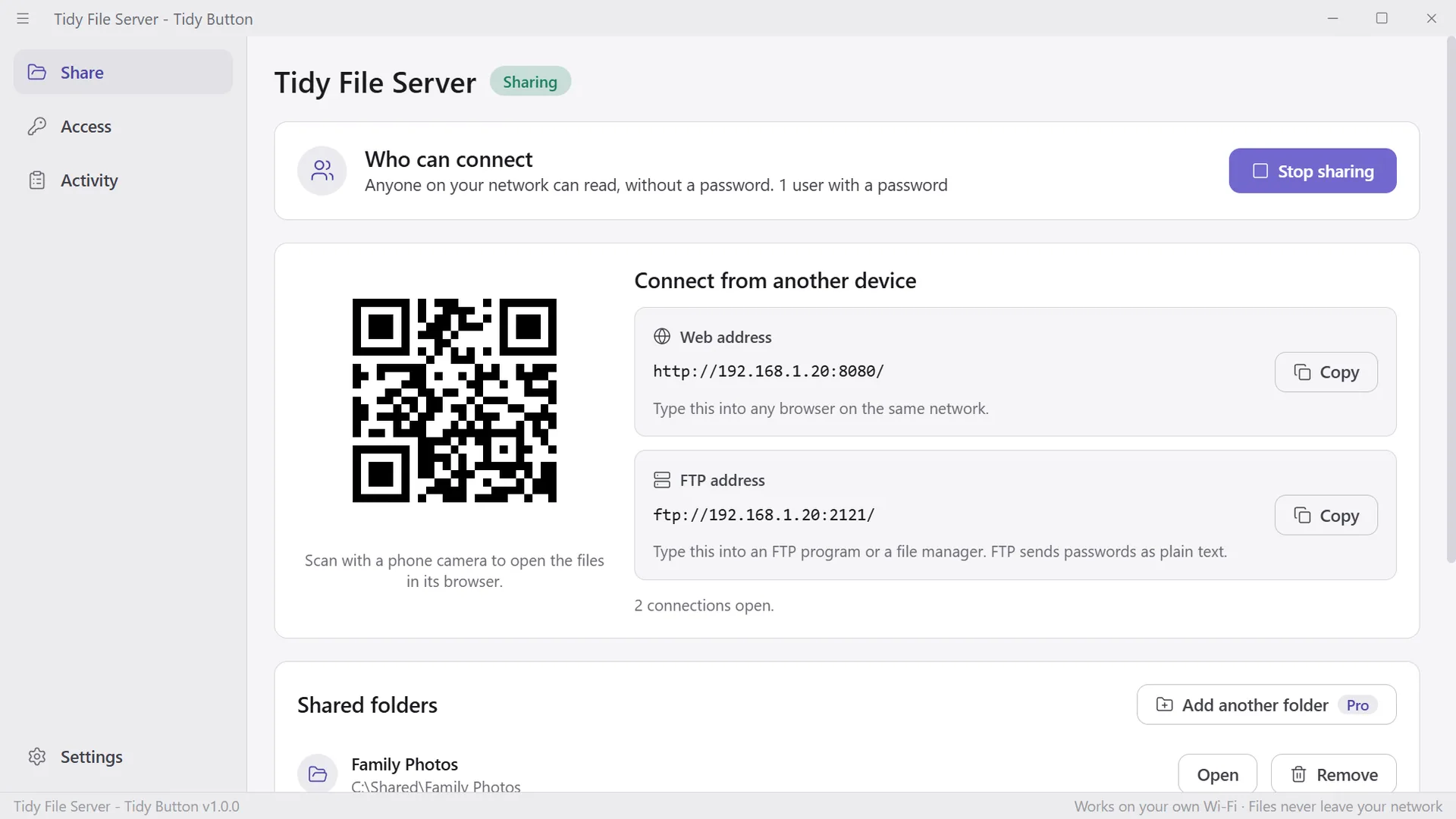
Sharing
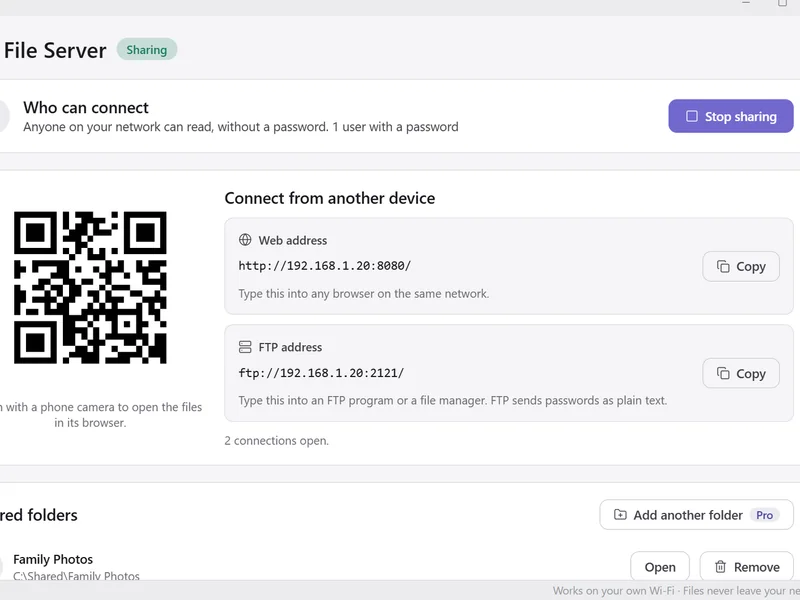
A web address, an FTP address and a QR code while you share
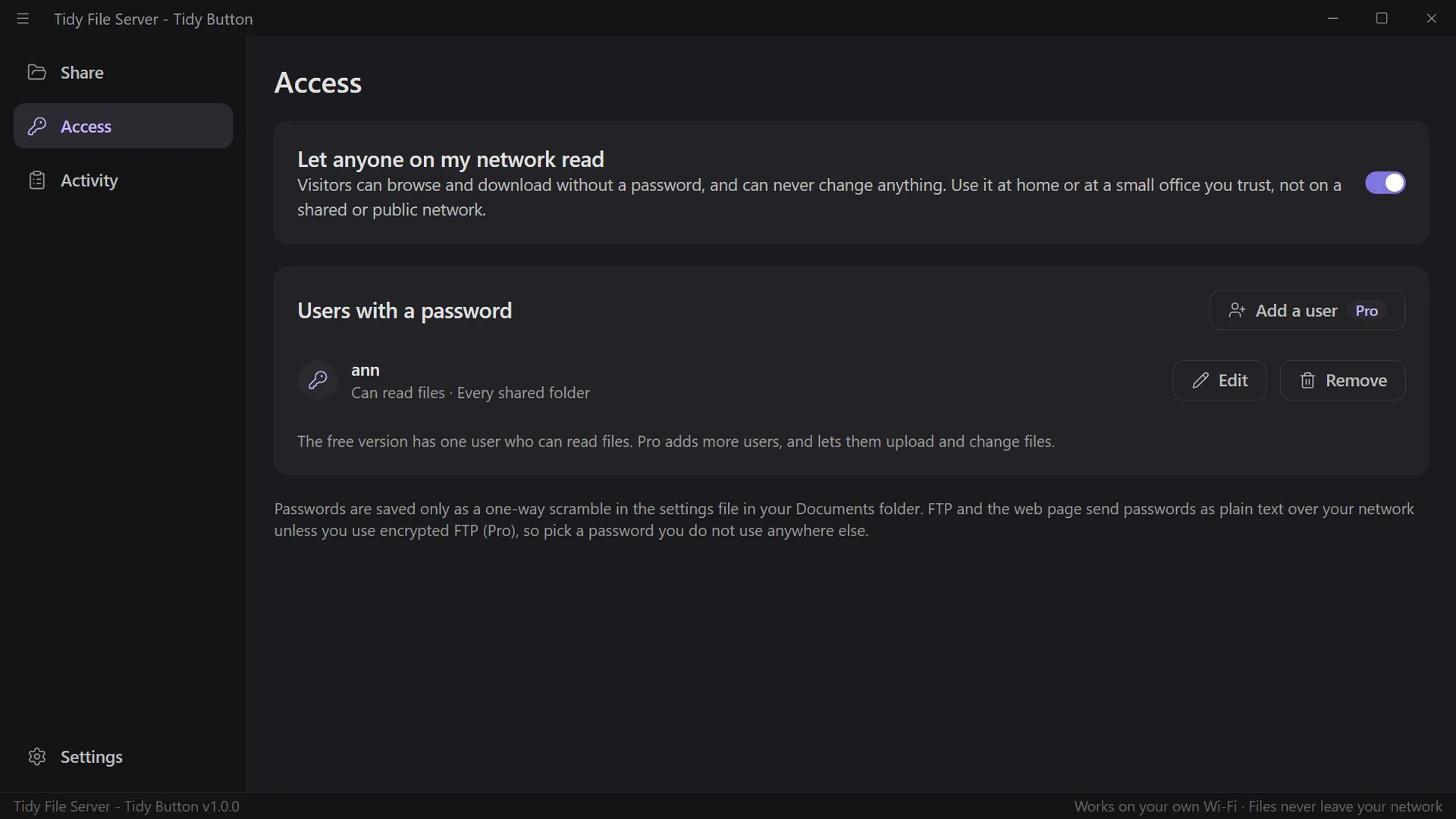
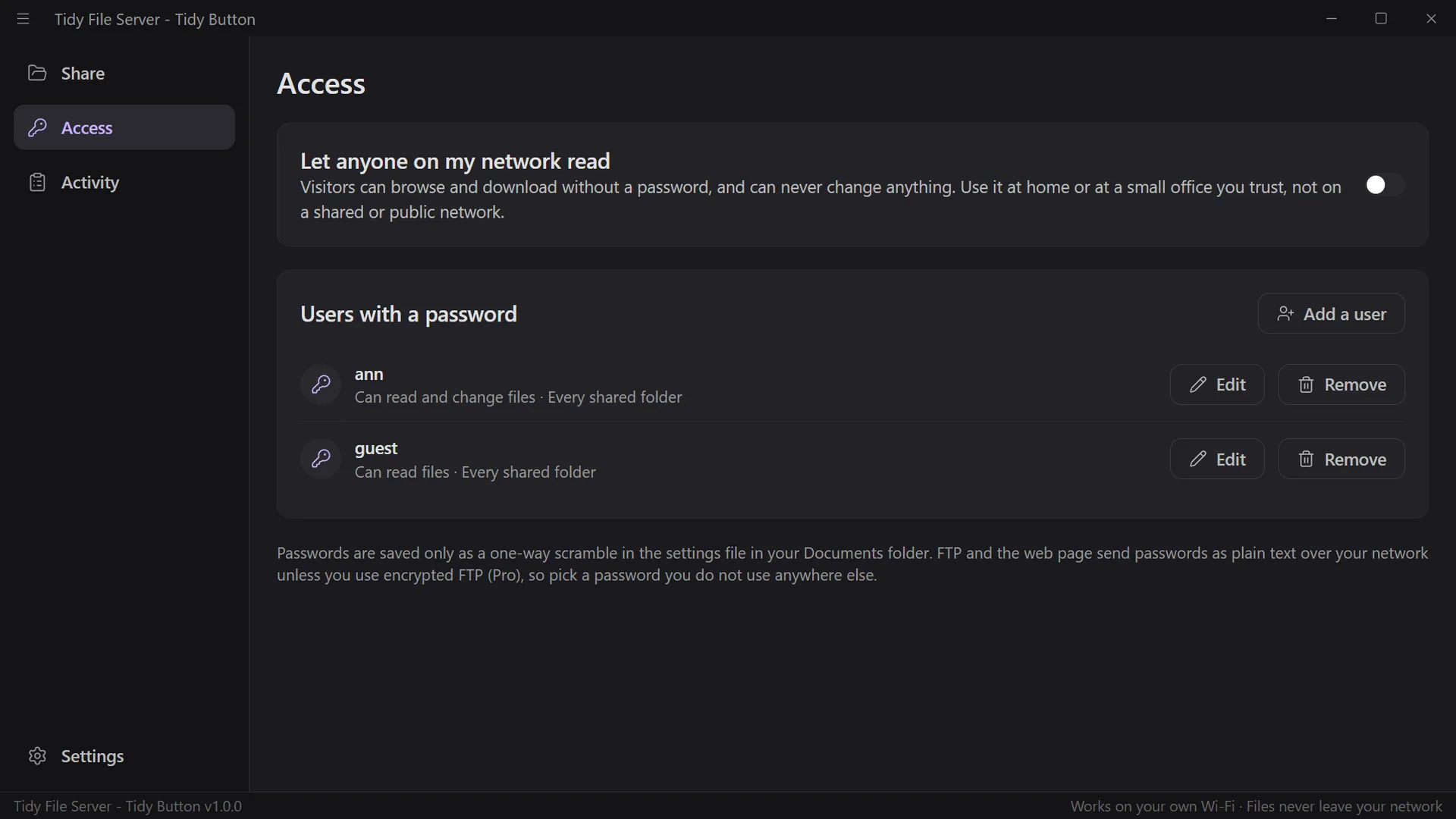
Access
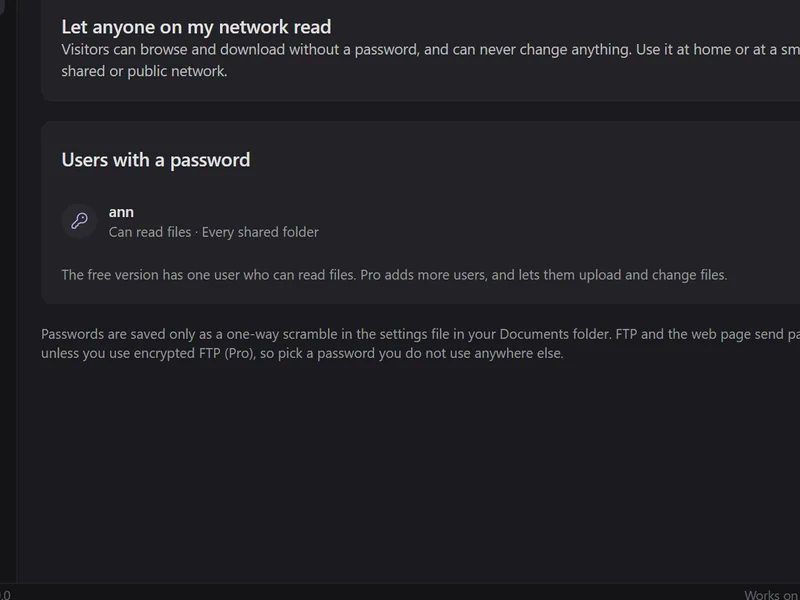
Visitors without a password can only read, and only if you switch it on
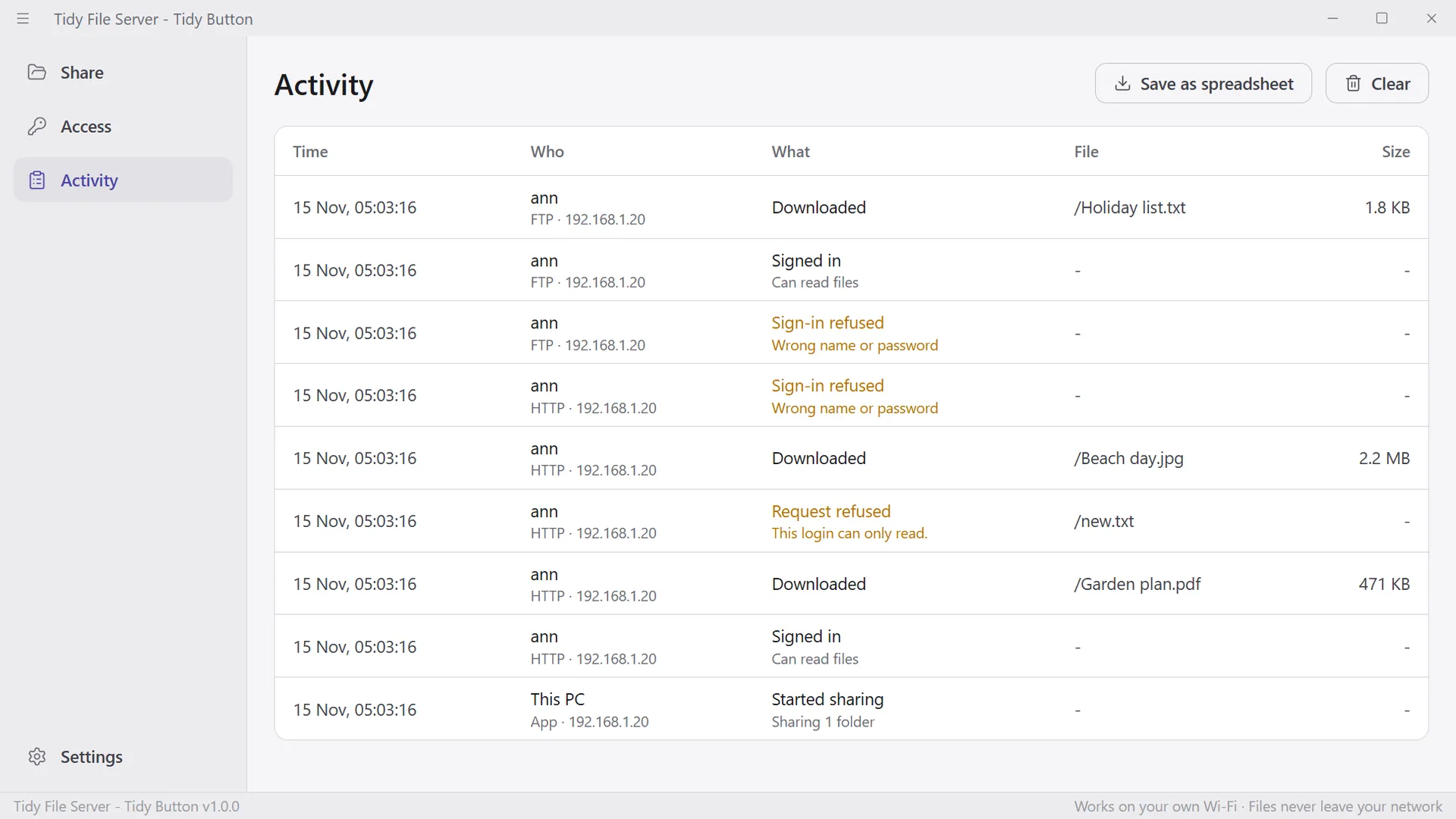
Activity
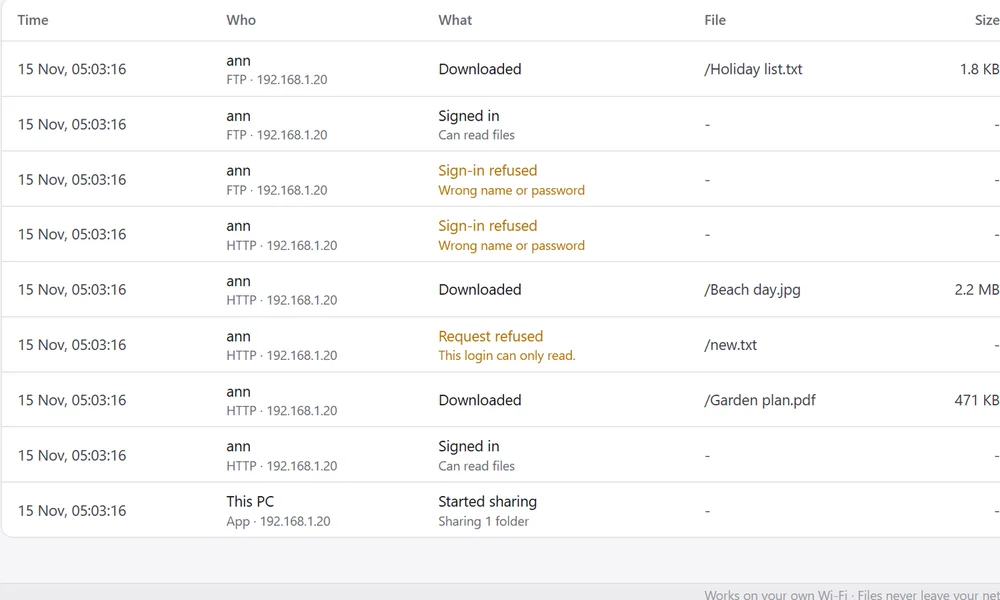
A plain log of sign-ins, downloads and refused requests
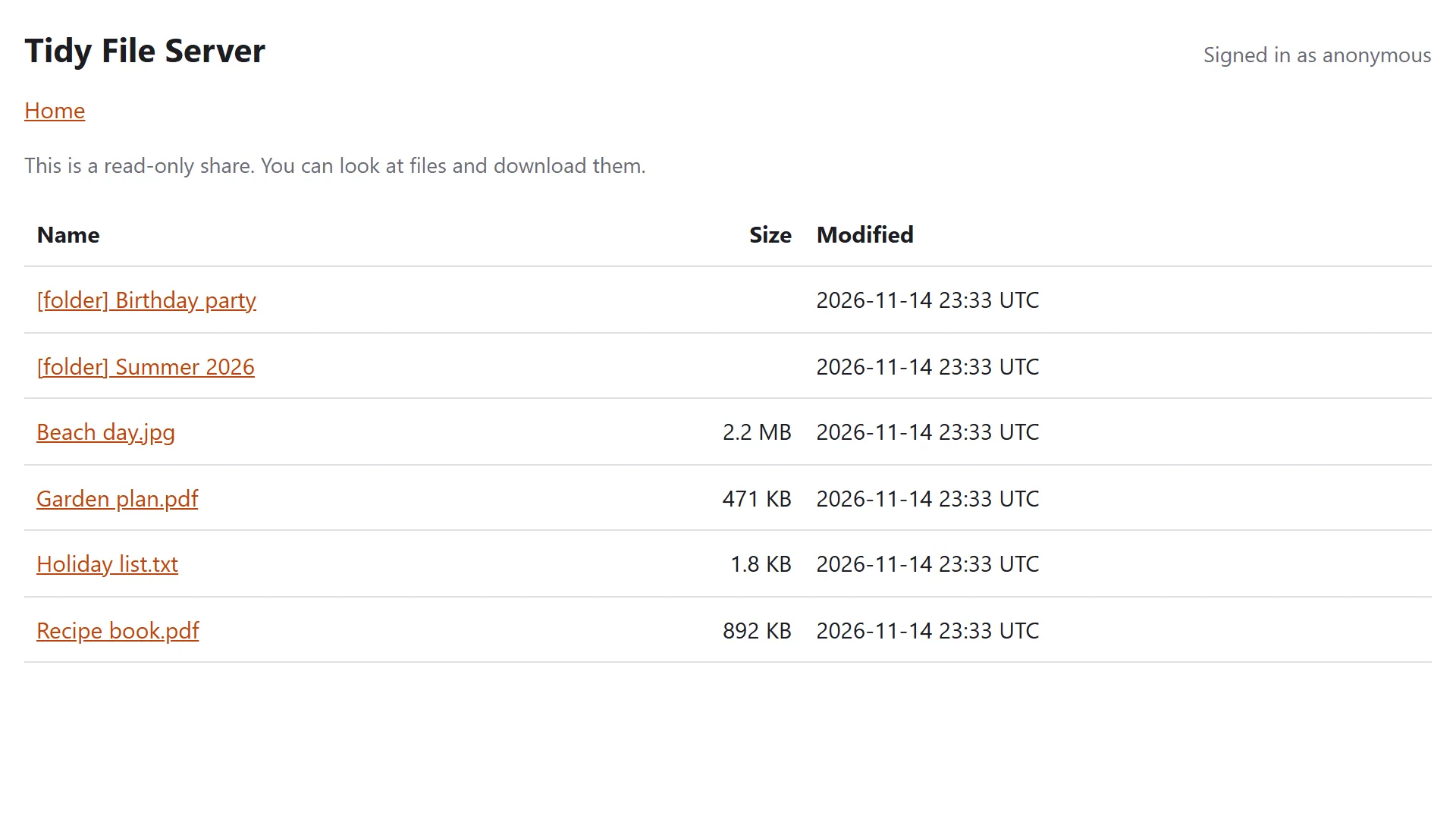
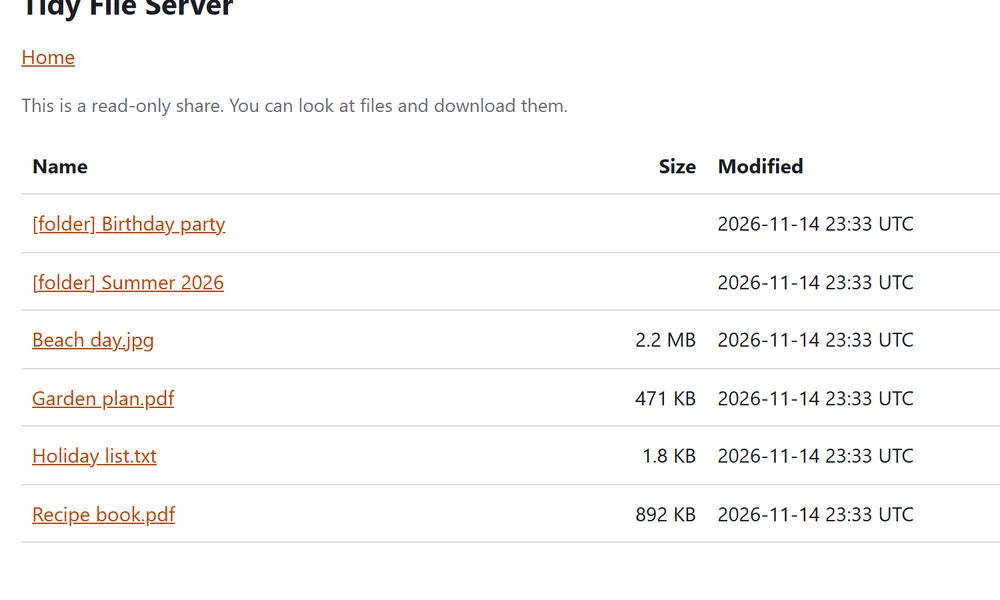
Web page
What another device sees in its browser: a read-only list of your files
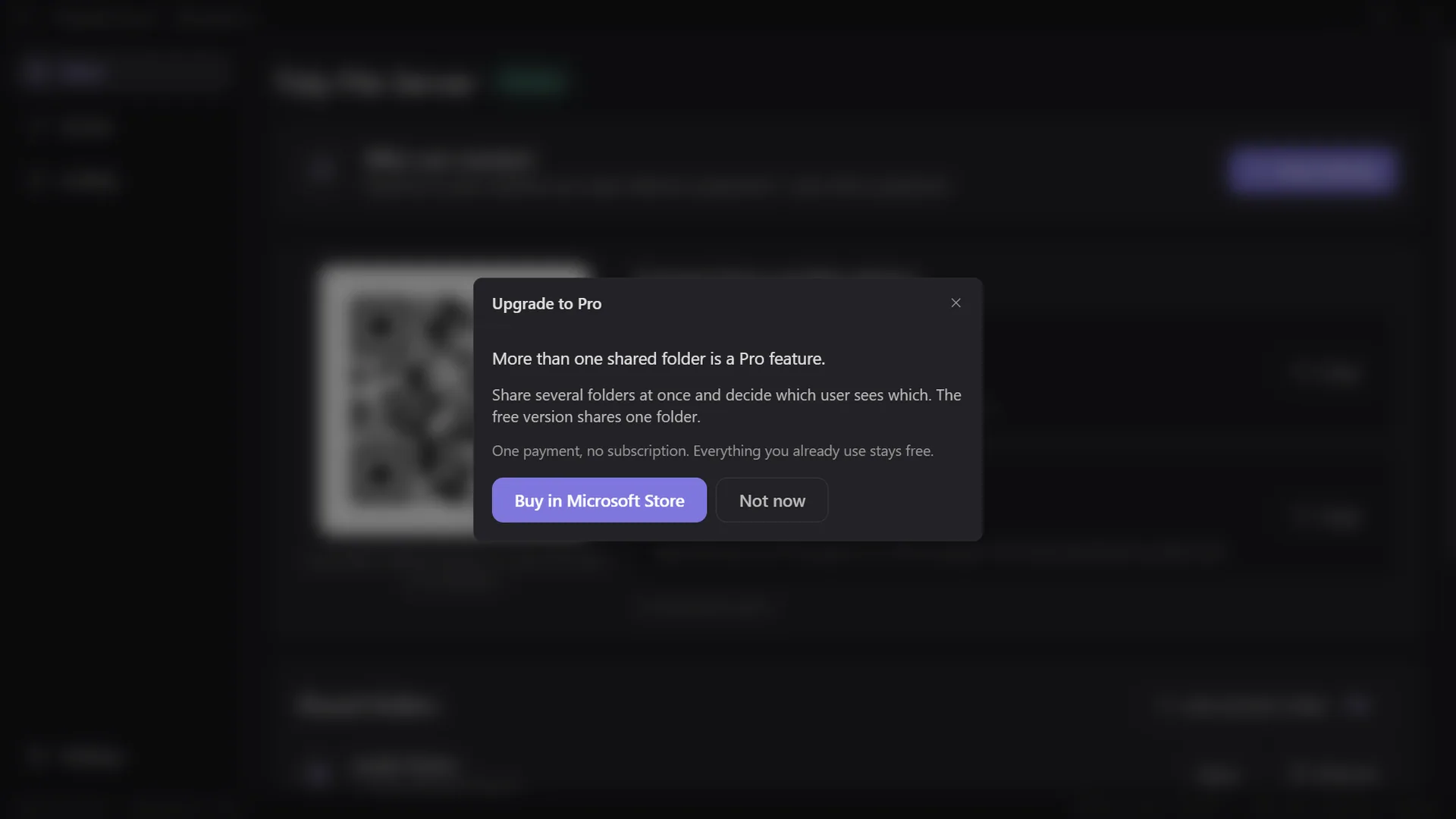
Free limit
The free version shares one folder; more is part of Pro
Pro users
Pro adds several users, each with a read or change right
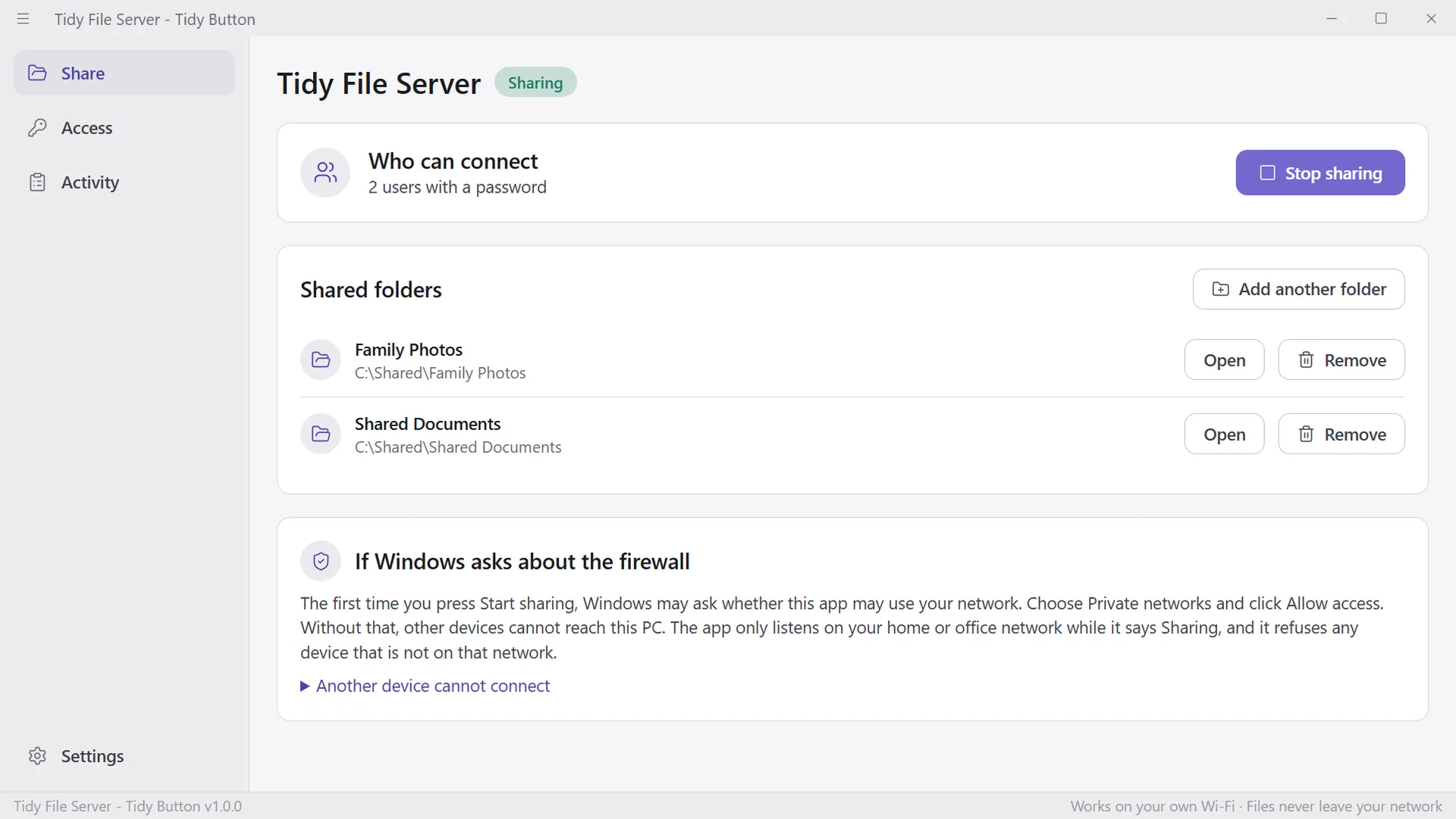
Pro folders
Pro shares several folders at once
Screens show neutral sample folders. The app has light and dark themes.
How it works
Three steps. No manual.
01
Choose a folder
Pick the folder you want to share. Nothing is copied or moved.
02
Decide who connects
Allow read-only visitors, or add a user with a password.
03
Start sharing
Scan the QR code or type the address on another device on the same network.
What it does
What it does.
Tidy File Server shares a folder from your PC with the devices on your own home or office network. Choose a folder, decide who may connect and press Start sharing. The app shows a web address, an FTP address and a QR code. It is for your local network only. It listens on one private address and refuses connections from outside it, it is off until you start it, and it closes when you stop it or quit the app.
Web page and FTP
Share a folder in a browser and over FTP at the same time, with a QR code a phone can scan.
Local network only
Listens on one private address and refuses connections from anywhere else. Nothing is exposed to the internet by default.
Off until you start it
Nothing is shared until you choose a folder and press Start sharing. Stop, or quit the app, and the ports close.
Read-only by default
Visitors can browse and download but not change anything. Changing files is part of Pro.
A log you can read
Sign-ins, refused sign-ins, downloads and refused requests, with who, where from and size. Save it as a spreadsheet file.
Paths stay inside
Requests that try to reach outside the shared folder are refused on both the web and FTP, and shown in the log.
Your own ports
Choose the ports yourself or let Windows pick free ones, with a clear message when a port is taken.
Firewall explained
A plain note about the Windows firewall question, so you know what to click the first time.
The small print, in plain English
Safe by design.
See every sign-in, download and refused request in a plain log.
Other devices see a simple read-only list of your files.
For your local network only. Nothing is exposed to the internet by default.
Off until you press Start sharing, and closed again on Stop or quit.
Read-only by default. Visitors can never change anything in the free version.
Passwords are stored only as a one-way scramble, never as plain text.
No account. No ads. No tracking. Only the optional Pro licence check goes online.
What it allows
Your folder, your rules.
Decide who connects before you start sharing.
Visitors can only read, and only if you switch it on.
Network
Local only
One private address only. Connections from outside the home or office network are refused.
Visitors
Off by default
Without a password they can read only, and only if you switch it on.
Users
Your list
Passwords stored as a one-way scramble. Free has one user; Pro has more.
Paths
Stays inside
Anything that tries to reach outside the shared folder is refused and logged.
Writing
Pro only
Uploading, new folders, rename and delete are part of Pro, per user.
Encryption
Pro only
Encrypted FTP (explicit TLS) is part of Pro.
FTP and the web page send passwords as plain text over your network unless you use encrypted FTP (Pro). Choose a password you do not use anywhere else.
Good for
Handy when a cable is too much.
Sending photos from your PC to a phone
Letting a scanner or camera drop files into a folder (Pro)
Pulling files to a laptop without a cable
Giving a family member a folder for an afternoon
Questions
Plain answers.
Is anything exposed to the internet?
No, not by default. The app listens on one private network address and refuses connections that do not come from a private network address. It is off until you press Start sharing.
Is it only for my local network?
Yes. It is made for your home or office Wi-Fi or cable network. It does not set up access from outside, and it does not change your router.
Can people change my files?
Not in the free version. Visitors can only look and download. With Pro, users you mark as able to change files can upload, create folders, rename and delete inside the shared folders.
What does the app share, and with whom?
Only the folders you choose, with devices on your own network that know the address, as allowed by the access you set. Every sign-in, download and refused request is in the log.
Does Windows ask about the firewall?
The first time you press Start sharing, Windows may ask. Choose Private networks and click Allow access. The app explains this on screen.
What is free and what is Pro?
Free shares one folder, read-only, over the web and FTP, with one user or no-password visitors, the QR code and the log. A one-time Pro add-on ($7.99) adds more folders and users, uploading and changing files, and encrypted FTP.
Does it need an account?
No. There is no account, no ads and no tracking. Only the optional Pro licence check goes online.