Free on the Microsoft Store
File Organizer A tidy folder, with an undo.
Sort Downloads and any folder with rules you set. See exactly where every file will go before anything moves, then undo the whole run. Nothing is deleted or overwritten. Works offline, with no account.
Unlimited rules.
Pro keys go on sale when this app's Pro update reaches the Microsoft Store.
One key for this app. Free to use without it. See all pricing
Prefer the command line? winget install 9P34M2B5BKGP --source msstore
- Works offline
- No account, no ads, no tracking
- Nothing deleted
- Free
See it
Six views. Preview, move, undo.
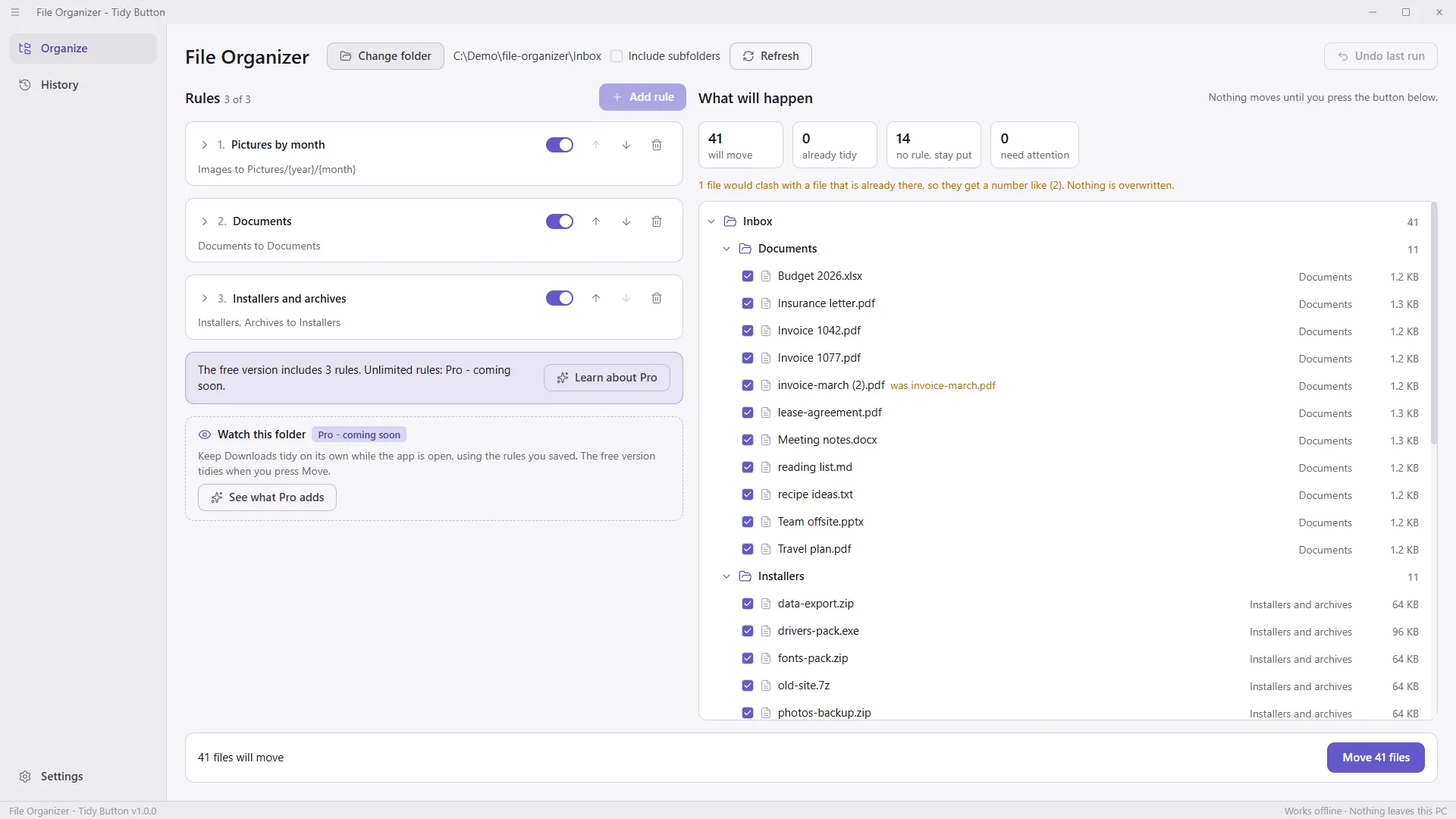
Preview
See exactly where every file will go before anything moves
Rules
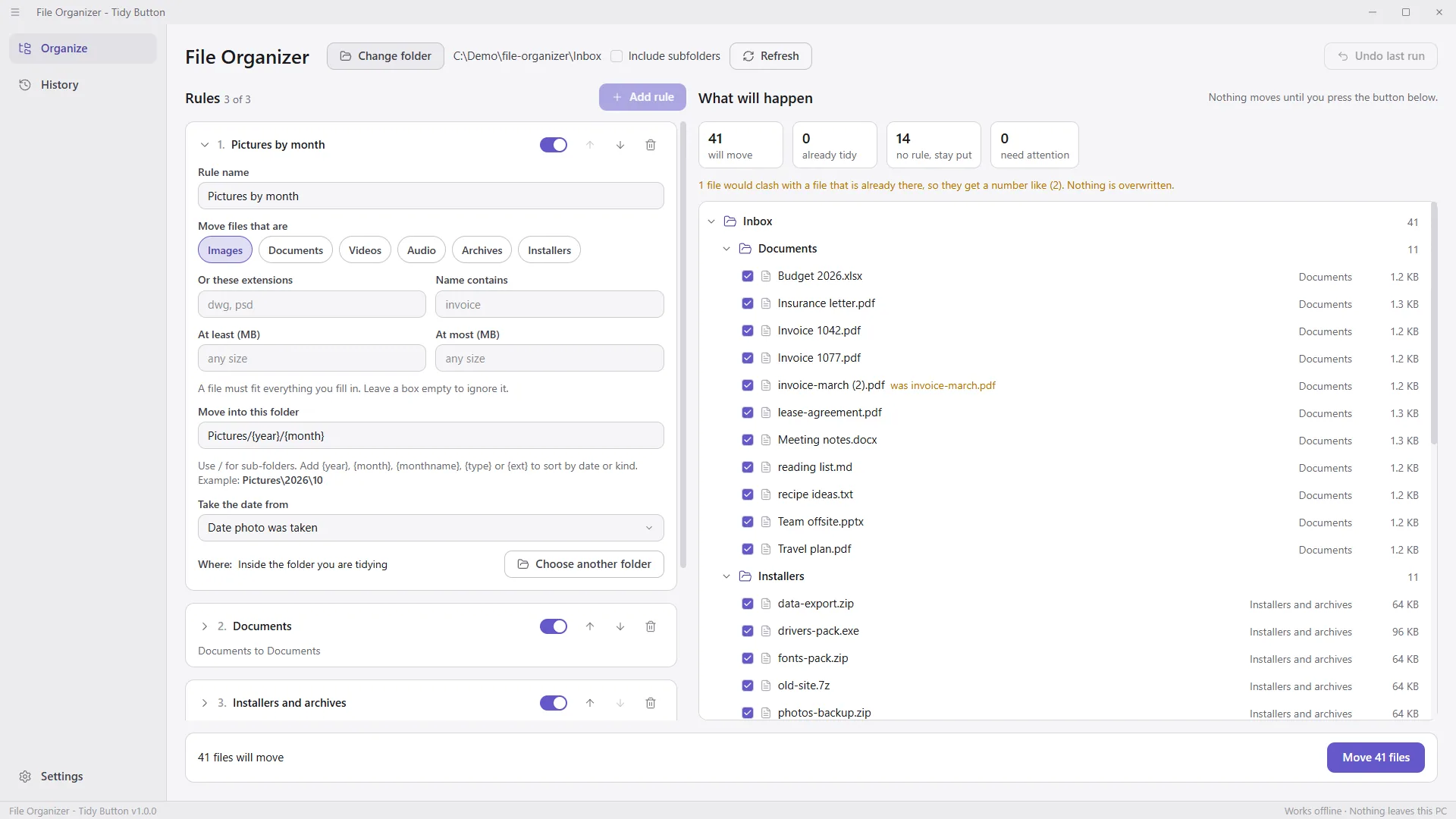
Rules by file kind, extension, name or size, sorted into year and month folders
Leave out
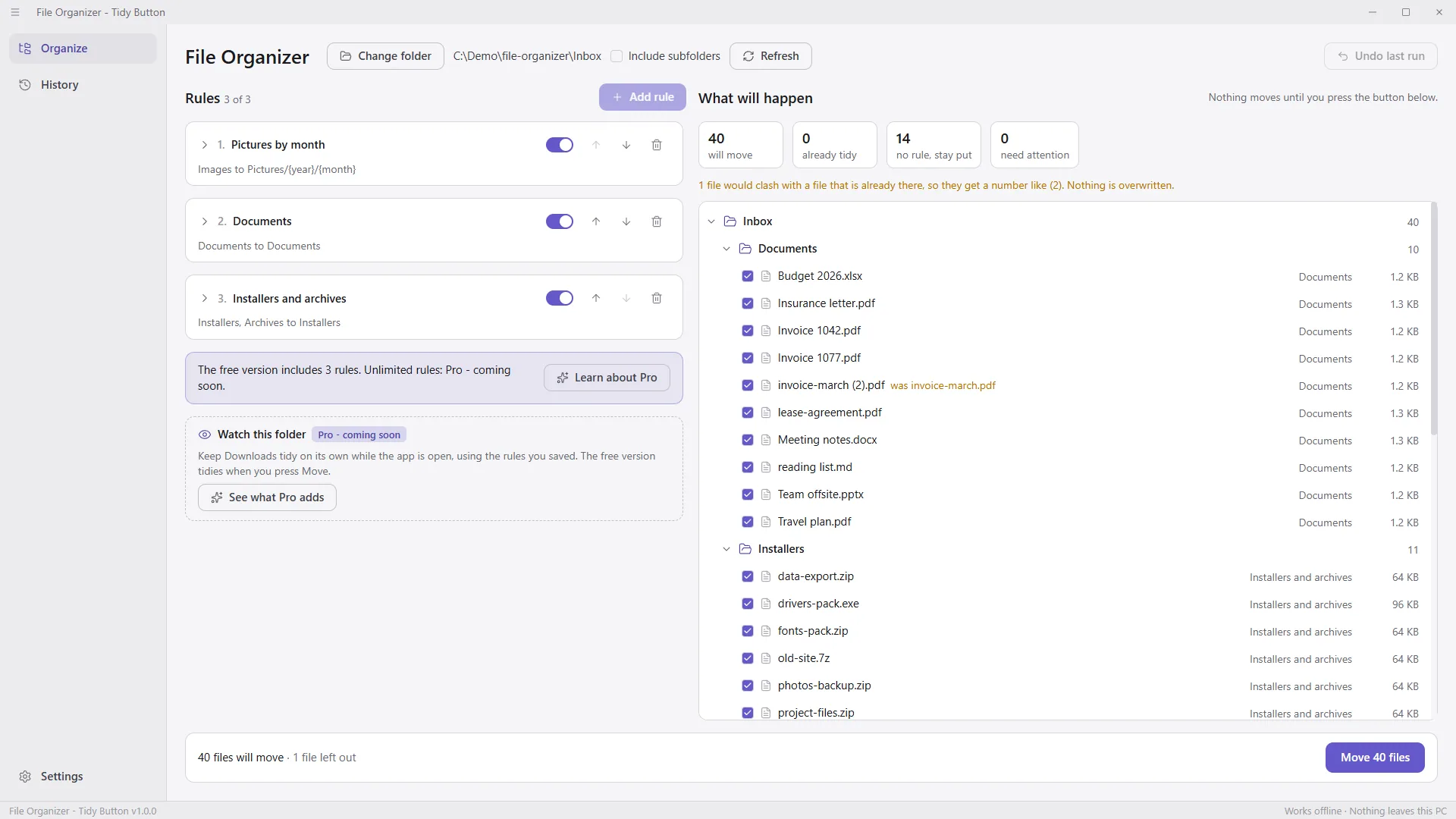
Untick any file to leave it where it is
Confirm
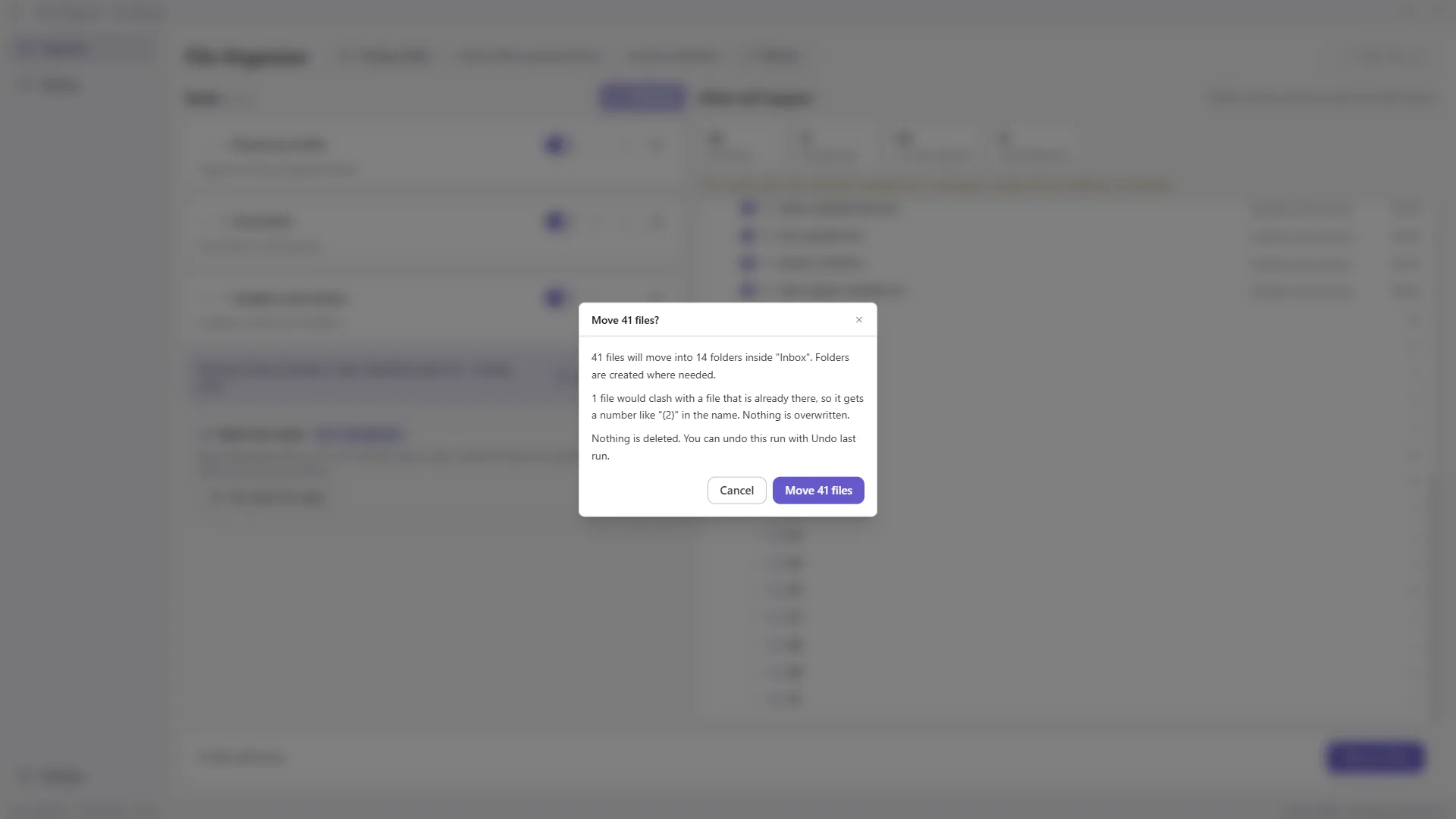
A clear confirmation first. Nothing is deleted or overwritten
History
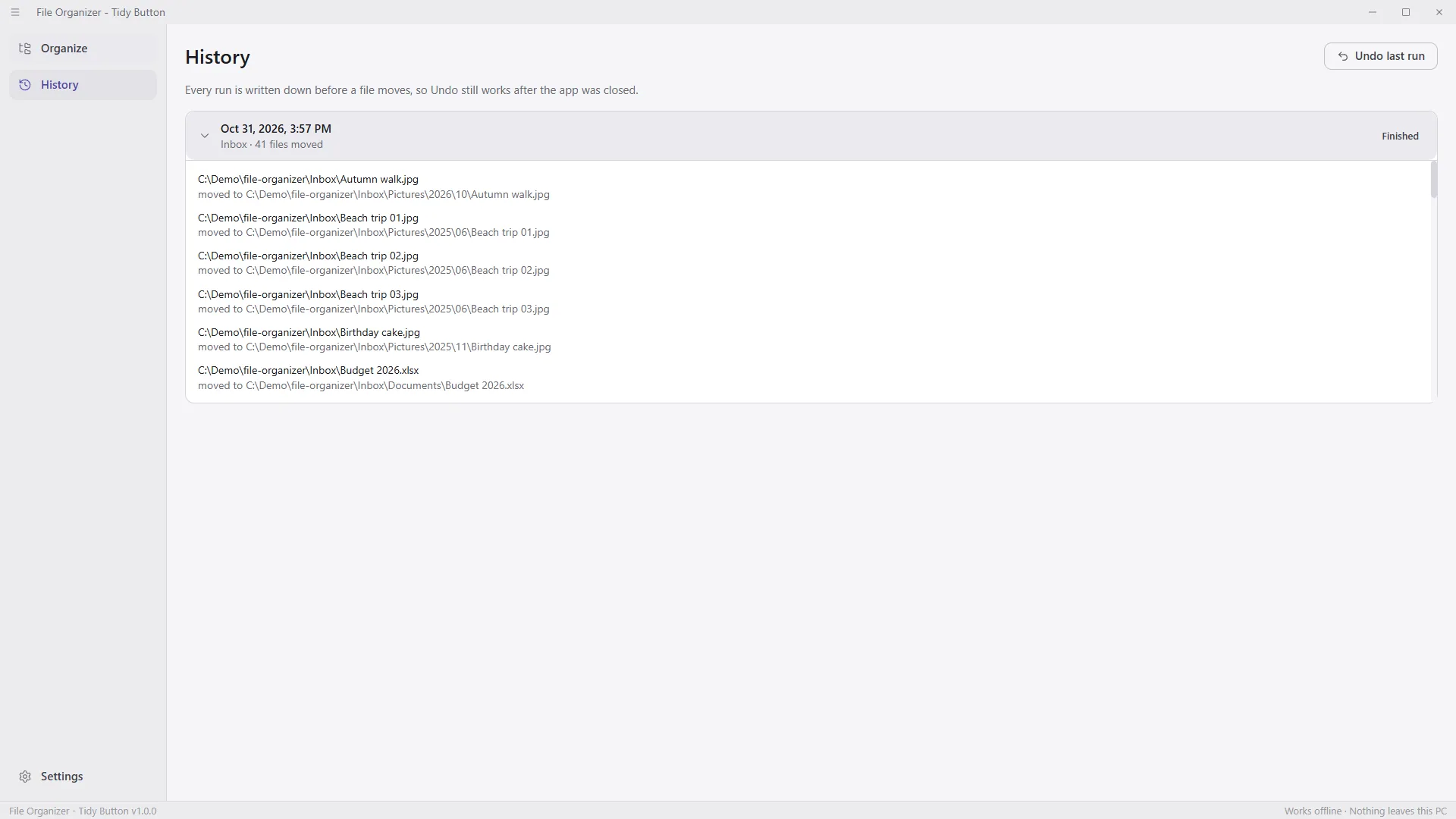
Every run is listed with every file it moved
Undo
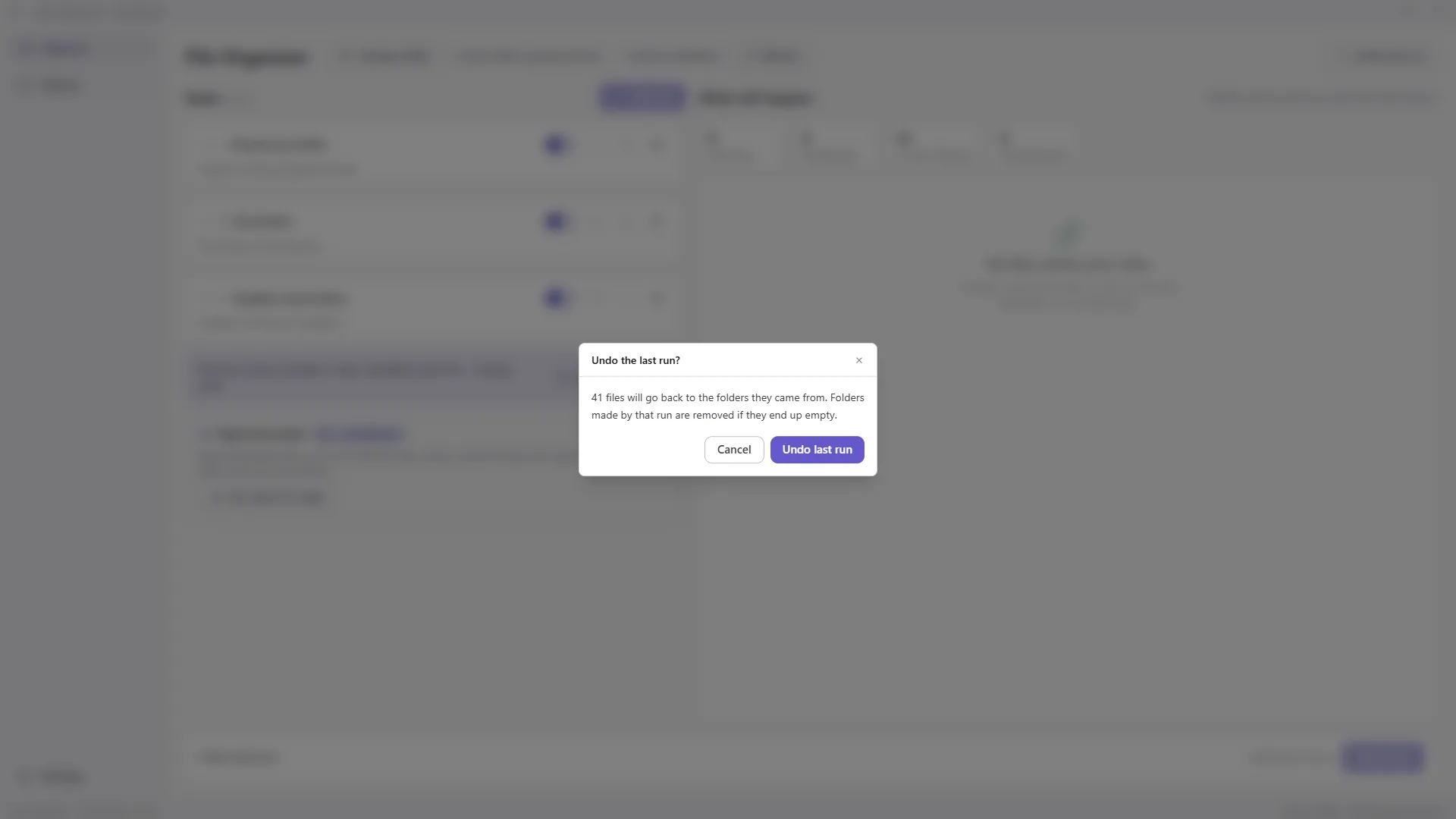
Undo puts every file back where it came from, even after a restart
Screens show an invented sample folder. The app has light and dark themes.
What it does
What it does.
Pick Downloads or any folder. Three ready-made rules are waiting: pictures by month, documents, and installers and archives. Change them or add your own. The preview shows the folders that will be made and the files that will go in each. Untick any file to leave it where it is. When it looks right, press Move and confirm.
See before anything moves
A preview tree shows exactly where every file will go.
Rules you choose
By file kind (images, documents, videos, audio, archives, installers), extensions you add, a word in the name, or size.
Year and month folders
Sort by date modified, date created or the date a photo was taken.
Leave files out
Untick any file to leave it where it is.
Never deletes or overwrites
If a name is taken, the file gets a number like (2).
Undo last run
Every run is written down before the first file moves. Undo puts every file back, even after you close the app or the PC loses power mid-run.
History of every run
See every file each run moved.
Skips risky things
Files in use, hidden files and unfinished downloads are skipped. Windows folders, Program Files, whole drives and your whole user folder are refused.
The small print, in plain English
Safe by design.
- Nothing moves until you press Move and confirm.
- Nothing is deleted and nothing is overwritten. A taken name gets a number.
- Moving to another drive copies, checks the copy and only then removes the original.
- It looks only inside the folder you choose. No account, no ads, no tracking, and no network requests.
Good for
Handy when Downloads is a heap.
- A Downloads folder that has become a pile
- Photos you want in year and month folders
- Installers and archives you want out of the way
Questions
Plain answers.
Will it delete anything?
No. Nothing is deleted and nothing is overwritten. If a name is taken, the file gets a number like (2).
Can I undo?
Yes. Undo last run puts every file back where it was, even after you close the app or the PC loses power mid-run.
Can I leave some files out?
Yes. Untick any file in the preview to leave it where it is.
Which folders will it refuse?
Windows folders, Program Files, whole drives, your whole user folder and AppData.
What about files in use?
Files open in another program, hidden files and downloads still in progress are skipped.
Is there a limit in the free version?
The free version includes 3 rules. A Pro add-on is planned (coming soon) for unlimited rules and watching a folder automatically.
Which versions of Windows does it run on?
Windows 10 and Windows 11.