We will link the Store listing here the day it is live. Until then there is nothing to download.
Real app, with a folder of sample files ready to tidy.
Works offline
No account, no ads, no tracking
Recycle Bin only
Free
See it
Seven views. One folder, tidied.
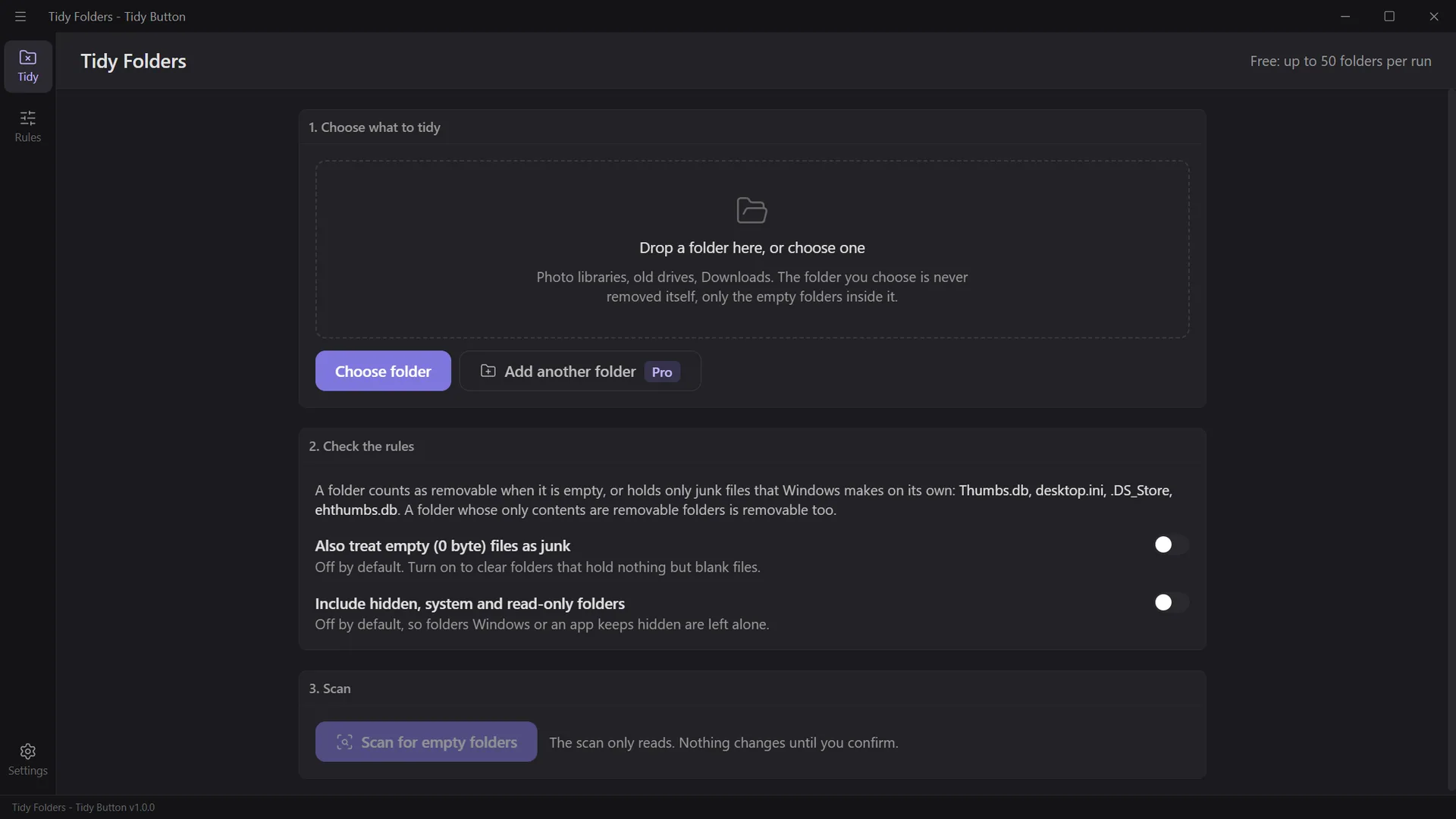
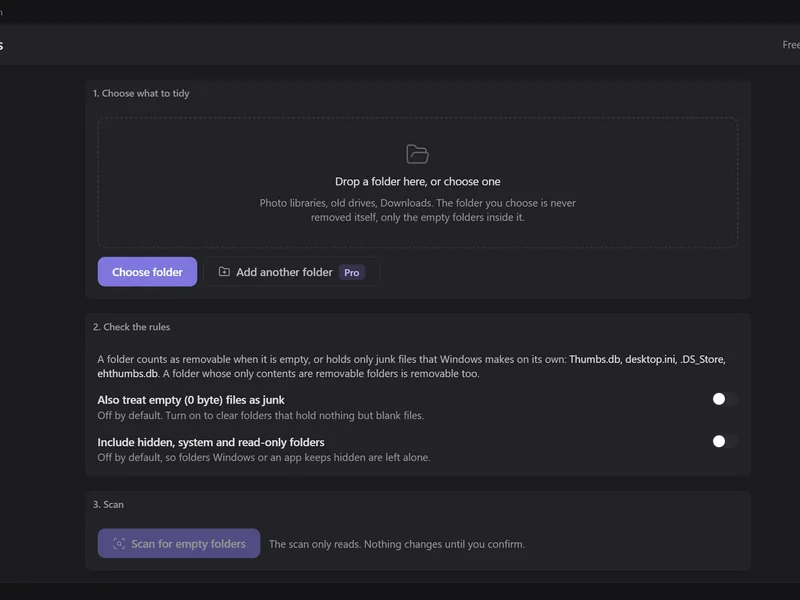
Start
Choose or drop a folder to start. The scan only reads, and nothing changes until you confirm
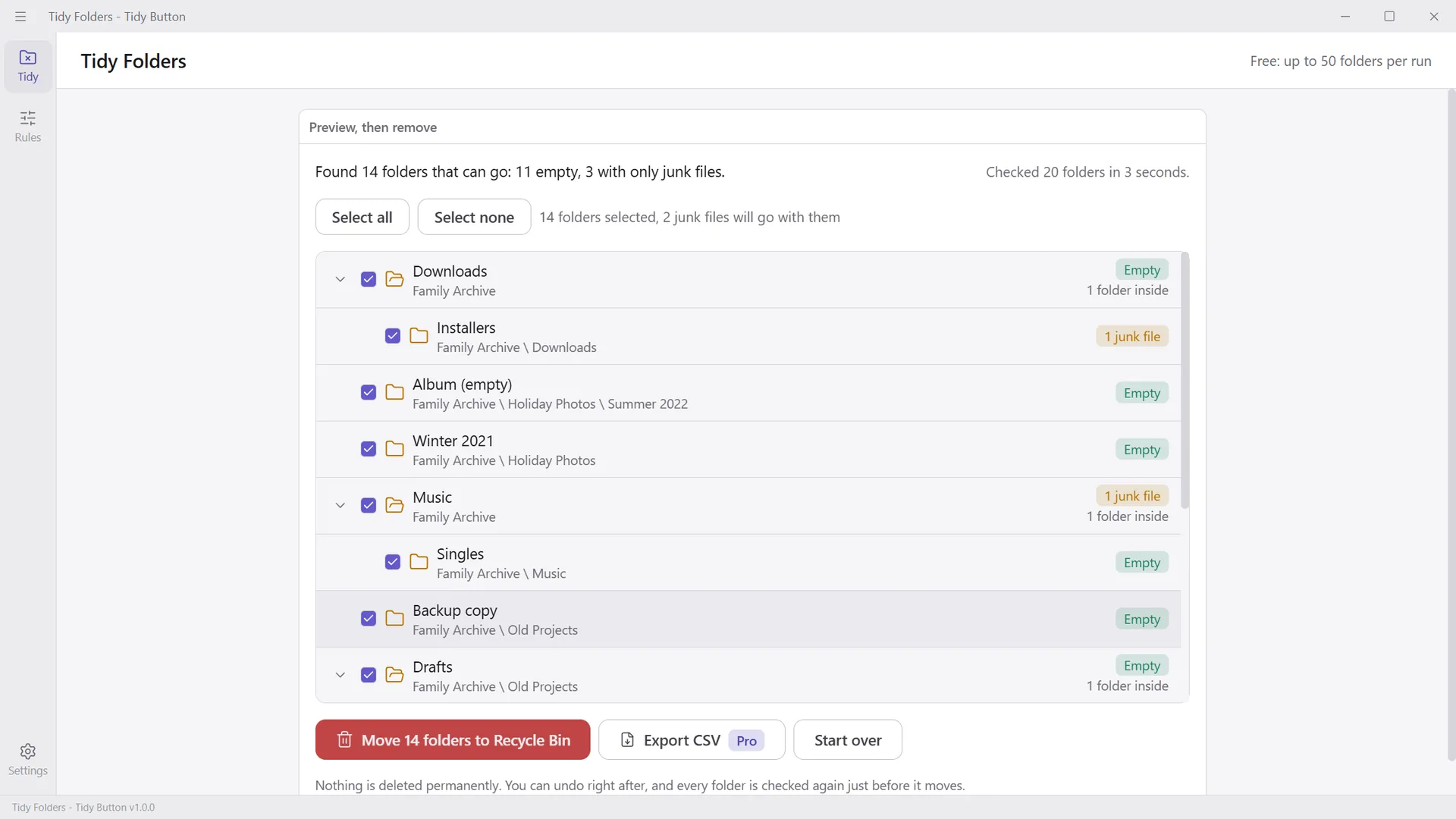
Preview
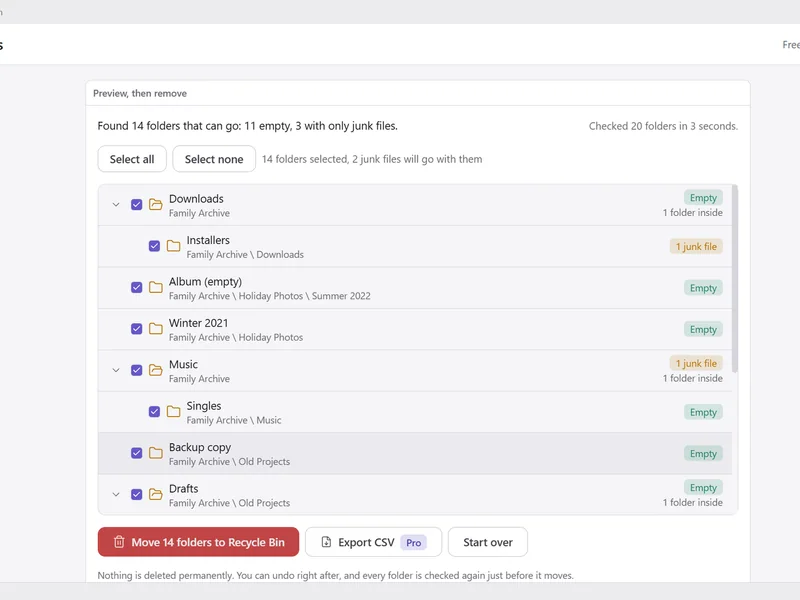
See every empty folder and every junk-only folder as a tree, and untick any you want to keep
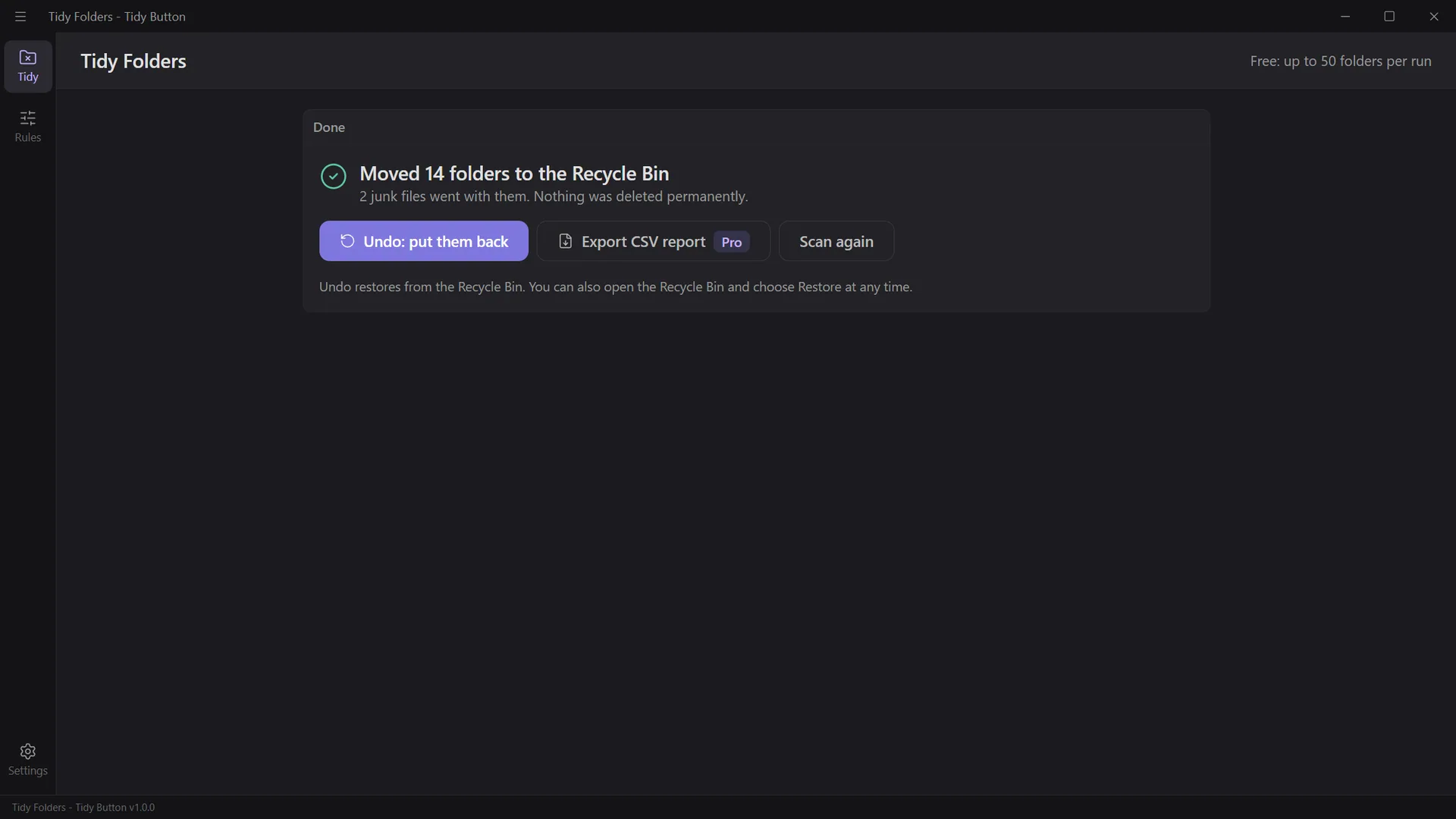
Report
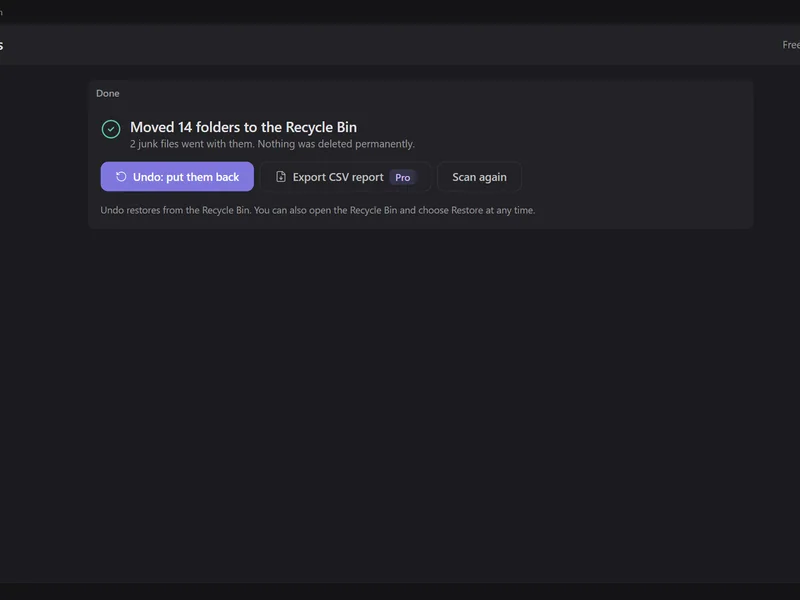
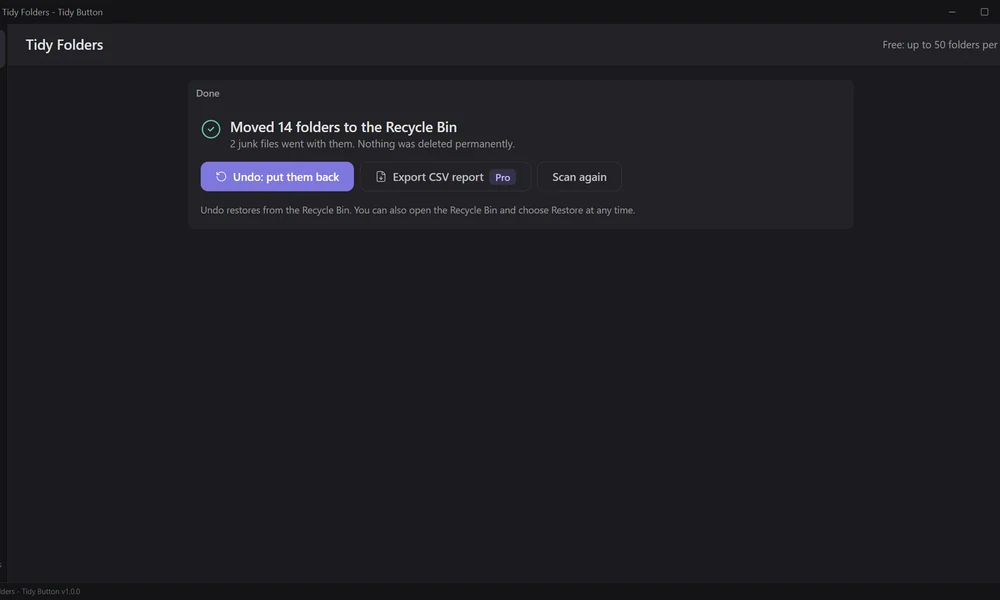
Folders move to the Recycle Bin, never a permanent delete, and Undo puts them back
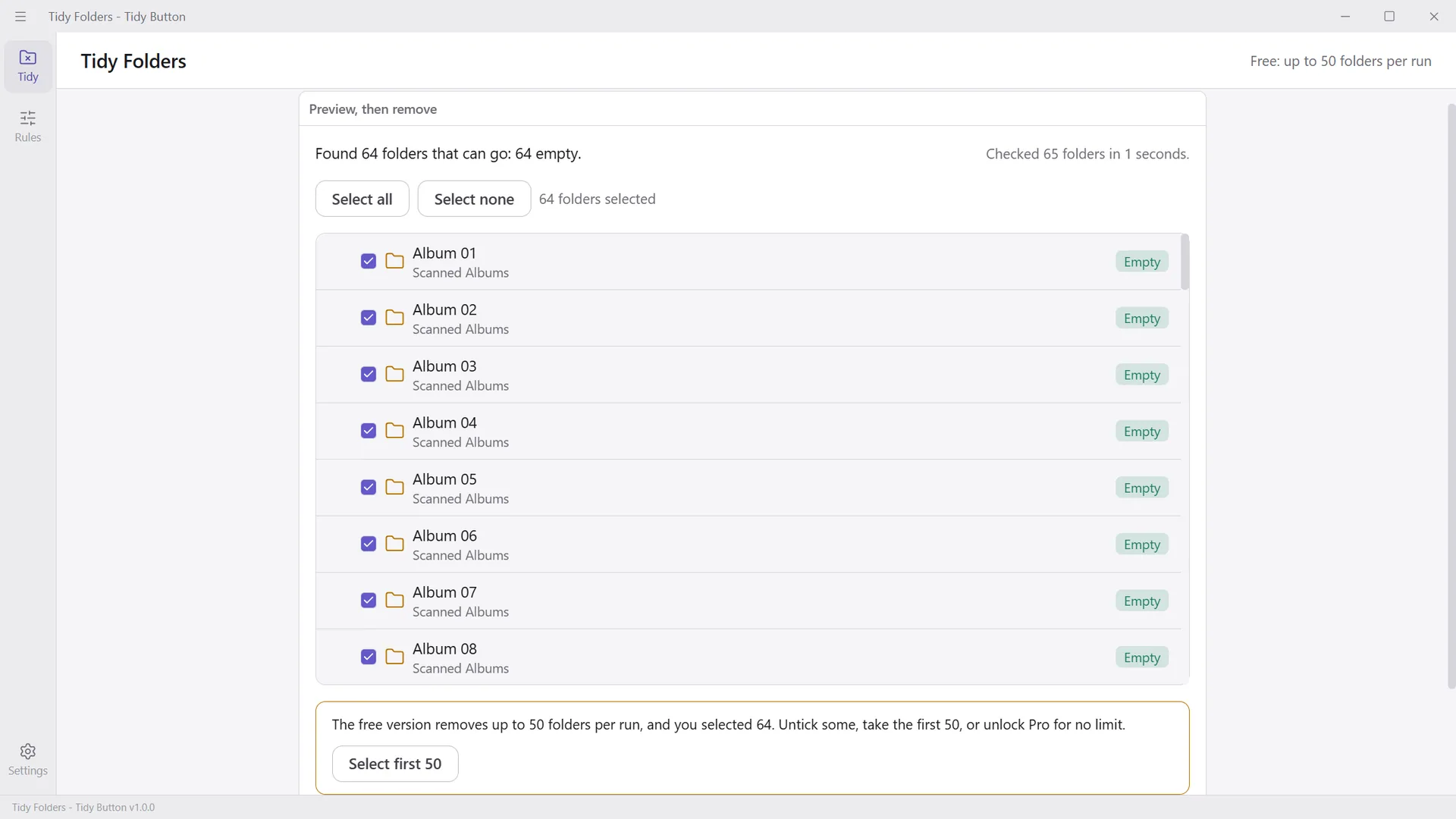
Free limit
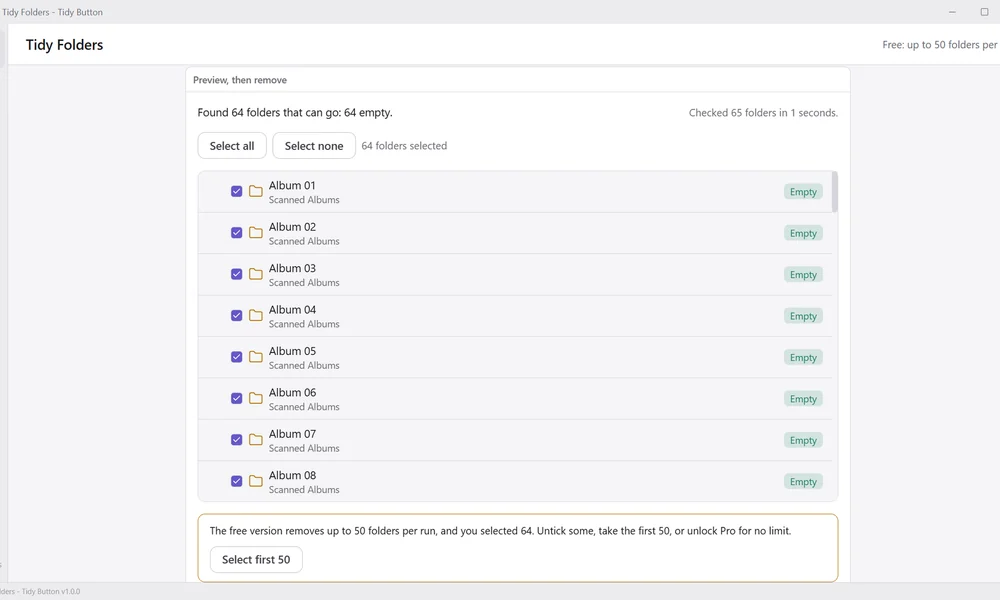
The free version removes up to 50 folders per run and says so plainly
Pro
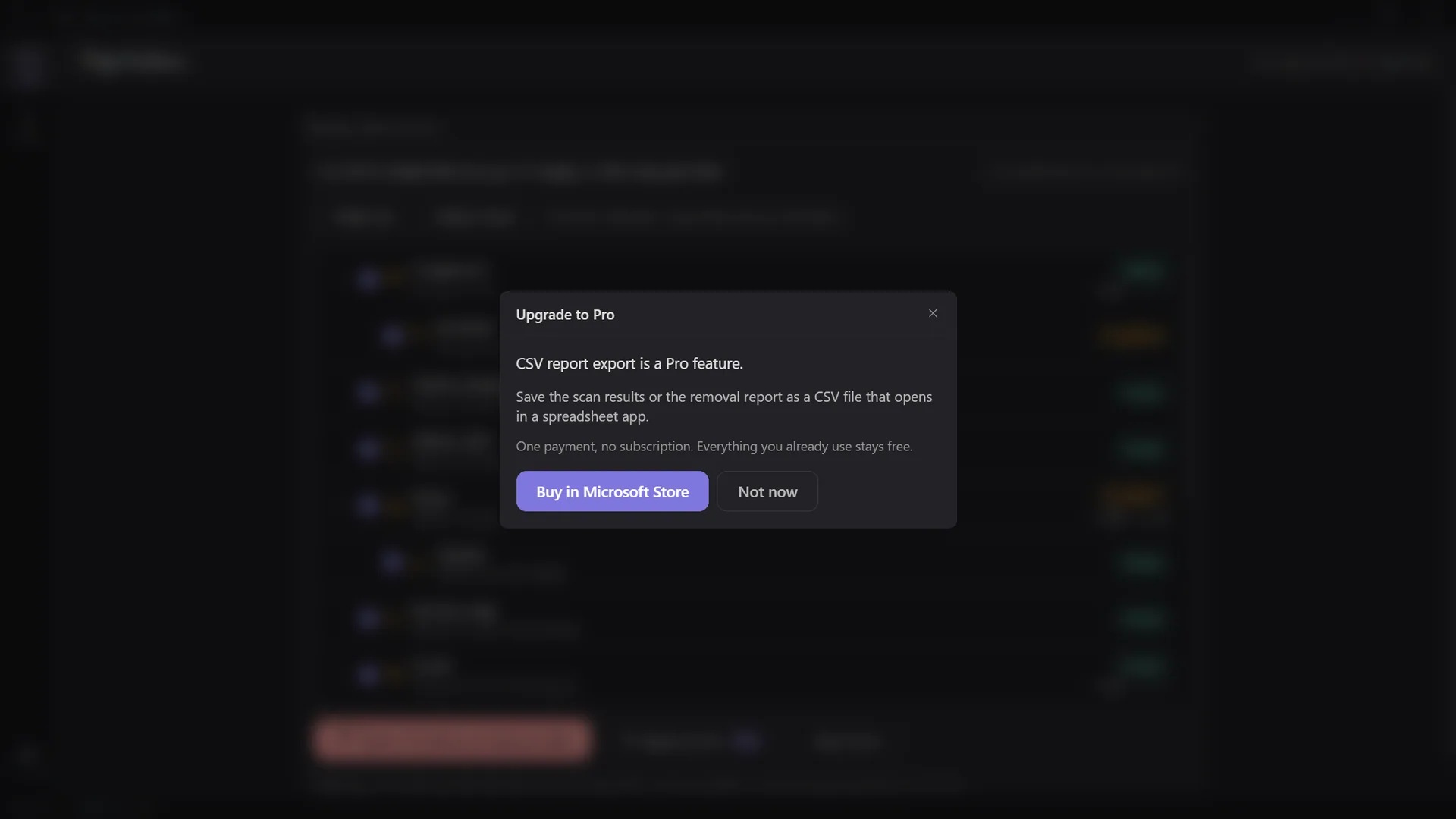
Pro is one payment with no subscription, and it only appears when you touch a Pro control
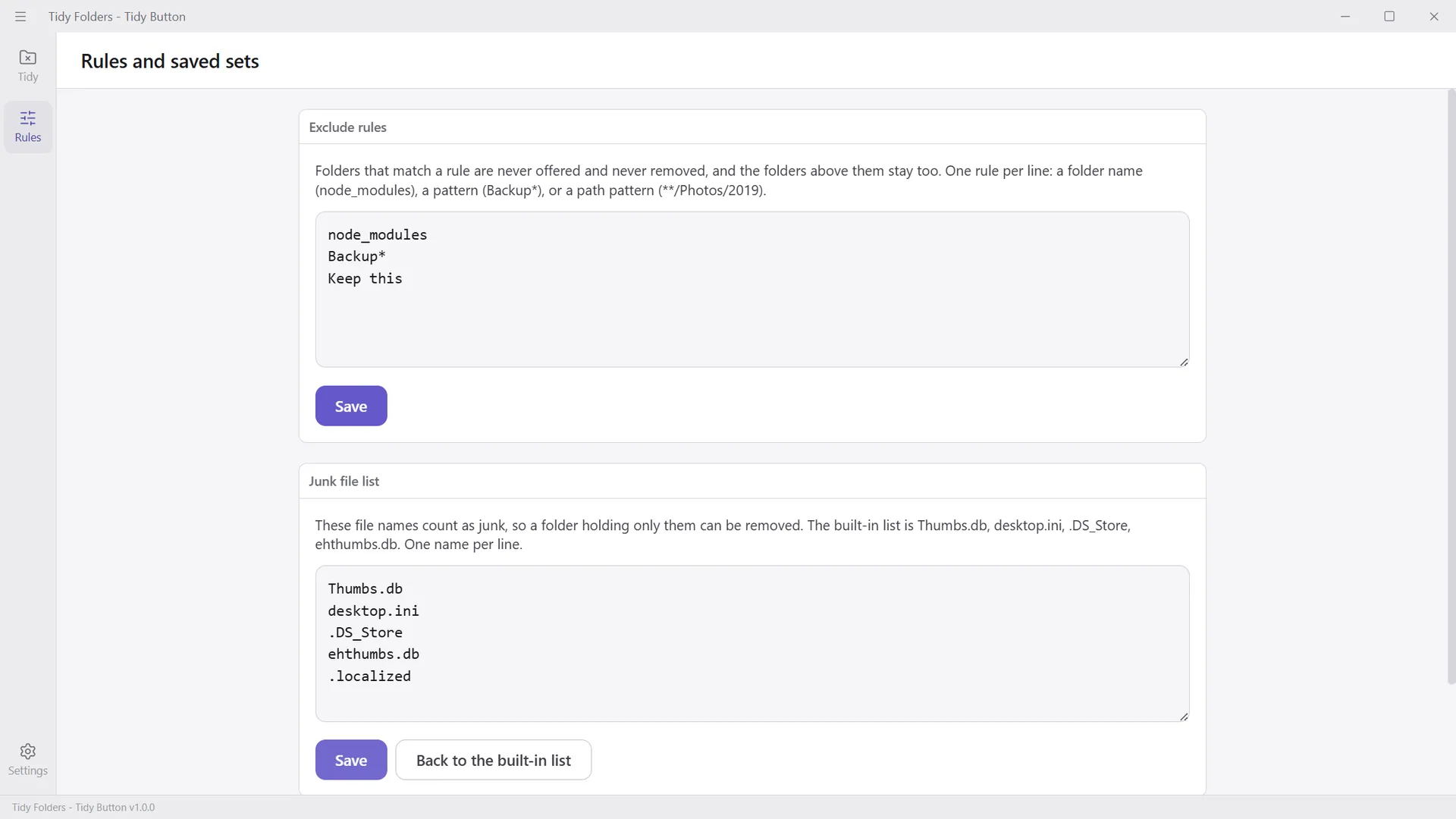
Rules
Pro: keep folders safe by name or pattern, and choose your own junk file list
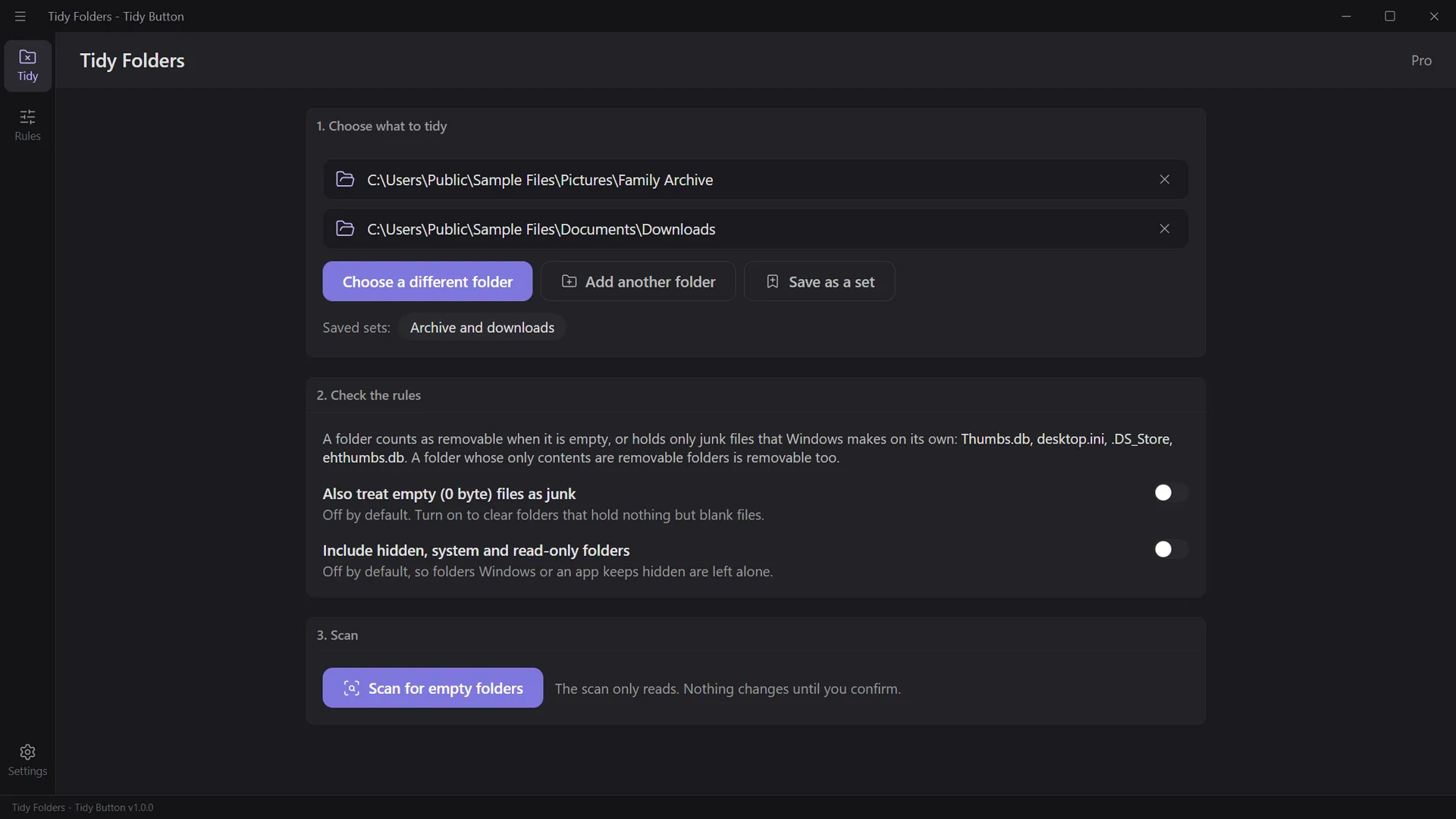
Saved sets
Pro: scan several folders at once and save them as a named set
Screens show sample folders, not real ones. The app has light and dark themes.
How it works
Three steps. No manual.
01
Choose a folder
Drop a folder on the window or press Choose folder. The folder you choose is never removed itself.
02
Check the preview
Each folder that can go is listed in a tree, with a checkbox. Untick any you want to keep.
03
Move and, if needed, undo
Press the Move button. Folders go to the Recycle Bin, and Undo puts them back.
What it does
What it does.
Moving, syncing and sorting files leaves empty folders behind, sometimes hundreds of them. Choose a folder, press Scan and look at exactly what would go before anything moves. Everything happens on your PC. Folders go to the Recycle Bin only, links are never followed, and system folders are refused.
Preview first
A tree of every folder that can go, with a checkbox and counts for each. Nothing moves until you confirm.
Empty or junk only
Finds folders that are empty or hold only junk files such as Thumbs.db and desktop.ini, at any depth.
Recycle Bin only
Folders are moved to the Recycle Bin. The app has no permanent-delete code.
Undo
Put the folders back right after a run. Each one is checked on disk, and anything that could not be restored is listed.
Safety guard
Drive roots, the Windows folder, Program Files, AppData, your user profile, OneDrive folders and network paths are refused.
Links never followed
Shortcut links and junctions are not followed, and a folder that contains one is kept.
Checked again
Every folder is checked again on disk just before it moves, in case something changed after the scan.
Plain report
After each run, a report of what moved and what was kept, and why.
The small print, in plain English
Safe by design.
A clear report after every run, with Undo one click away.
The free limit is stated plainly, before you press anything.
Nothing is deleted permanently. Folders go to the Recycle Bin.
You see the full preview before anything moves, and you can untick any folder.
System folders, drive roots and links are never touched.
The free version removes up to 50 folders per run. Run it again for the rest.
Works offline. No account. No ads. No tracking.
What it keeps
Your folders, your rules.
Decide what is never offered, and what counts as junk.
Pro: exclude folders by name or pattern, and set your own junk list.
Preview
Look before you tidy
Every folder that can go is shown first, with a checkbox. Nothing moves until you confirm.
Recycle Bin
Never for good
Folders are moved to the Recycle Bin. There is no permanent delete.
Undo
Take it back
Right after a run, Undo puts the folders back and checks each one.
Links
Stay inside the folder
Shortcut links and junctions are never followed. A folder that contains one is kept.
System folders
Off limits
Drive roots, the Windows folder, Program Files, AppData, your profile and OneDrive folders are refused.
Hidden folders
Opt in only
Hidden, system and read-only folders are left alone unless you turn them on.
Safety rules are the same for everyone. They are never Pro-only.
Good for
Handy when folders pile up.
Folders left behind after a move or a sync
Tidying a photo library or an old drive
Clearing out Downloads
Cleaning up without risking real files
Questions
Plain answers.
Does it delete anything for good?
No. Folders are moved to the Recycle Bin, and the app has no permanent-delete code. Undo puts them back, and you can also restore them from the Recycle Bin.
Do I see what will go first?
Yes. Every folder that can go is shown as a tree with a checkbox, and nothing moves until you confirm.
What counts as a removable folder?
A folder that is empty, or holds only junk files such as Thumbs.db and desktop.ini. A folder whose only contents are removable folders is removable too.
Can it remove system folders or follow shortcut links?
No. Drive roots, the Windows folder, Program Files, AppData, your profile and OneDrive folders are refused, and links and junctions are never followed.
Is anything uploaded?
No. The app only reads the folders you choose and works with the internet turned off. The only network use is the optional Pro licence check.
Is there a limit in the free version?
The free version removes up to 50 folders per run, and you can run it again for the rest. The optional one-time Pro add-on removes any number, scans several folders at once, and adds exclude rules, a custom junk list, saved scan sets and CSV export.