Coming to the Microsoft Store
Tidy Drive Index Your drives, searchable from the shelf.
Scan a drive once, put it away, and find its files later without plugging it in. Free for 3 drives. Offline, no account.
Not on sale yet. The app is still being built.
We will link the Store listing here the day it is live. Until then there is nothing to download.
- Works offline
- No account, no ads, no tracking
- Read-only scans
- Free for 3 drives
See it
Eight views. One shelf, searchable.
Search
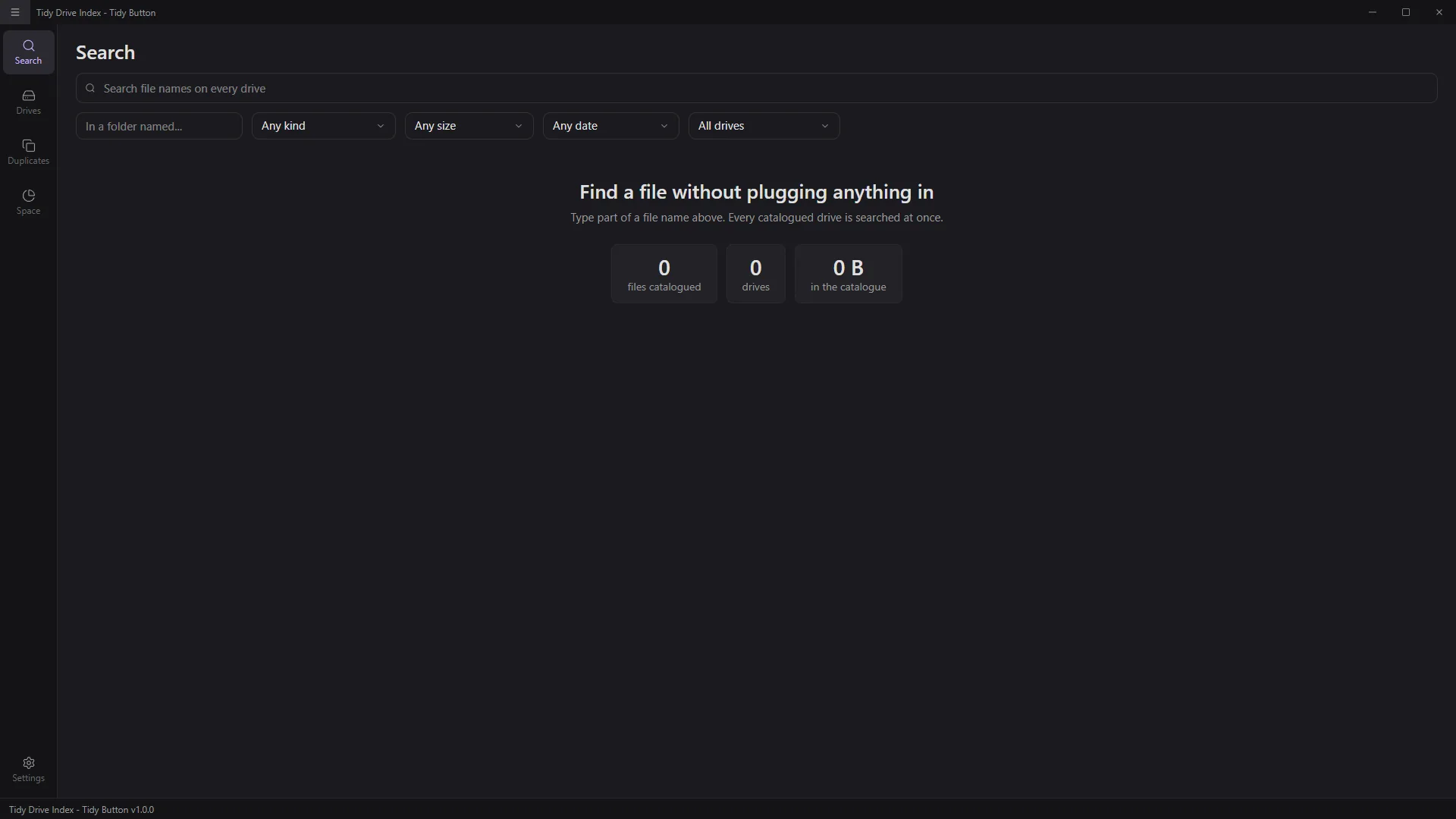
Find a file without plugging anything in. Scan a drive once, and every catalogued drive is searched at the same time
Drives
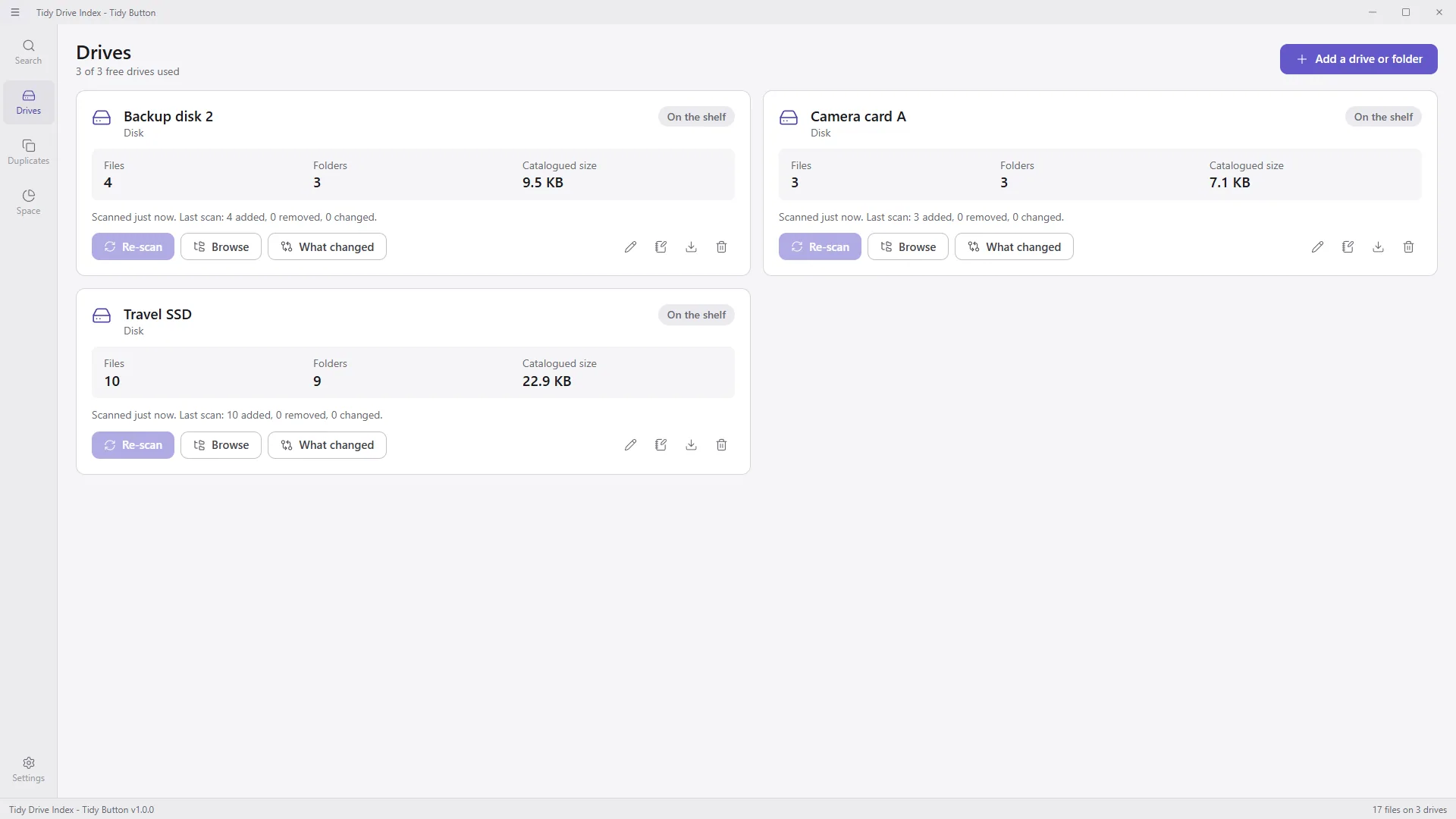
Your drives on the shelf, each with its file count and size. Re-scan, browse, rename or see what changed at any time
Results
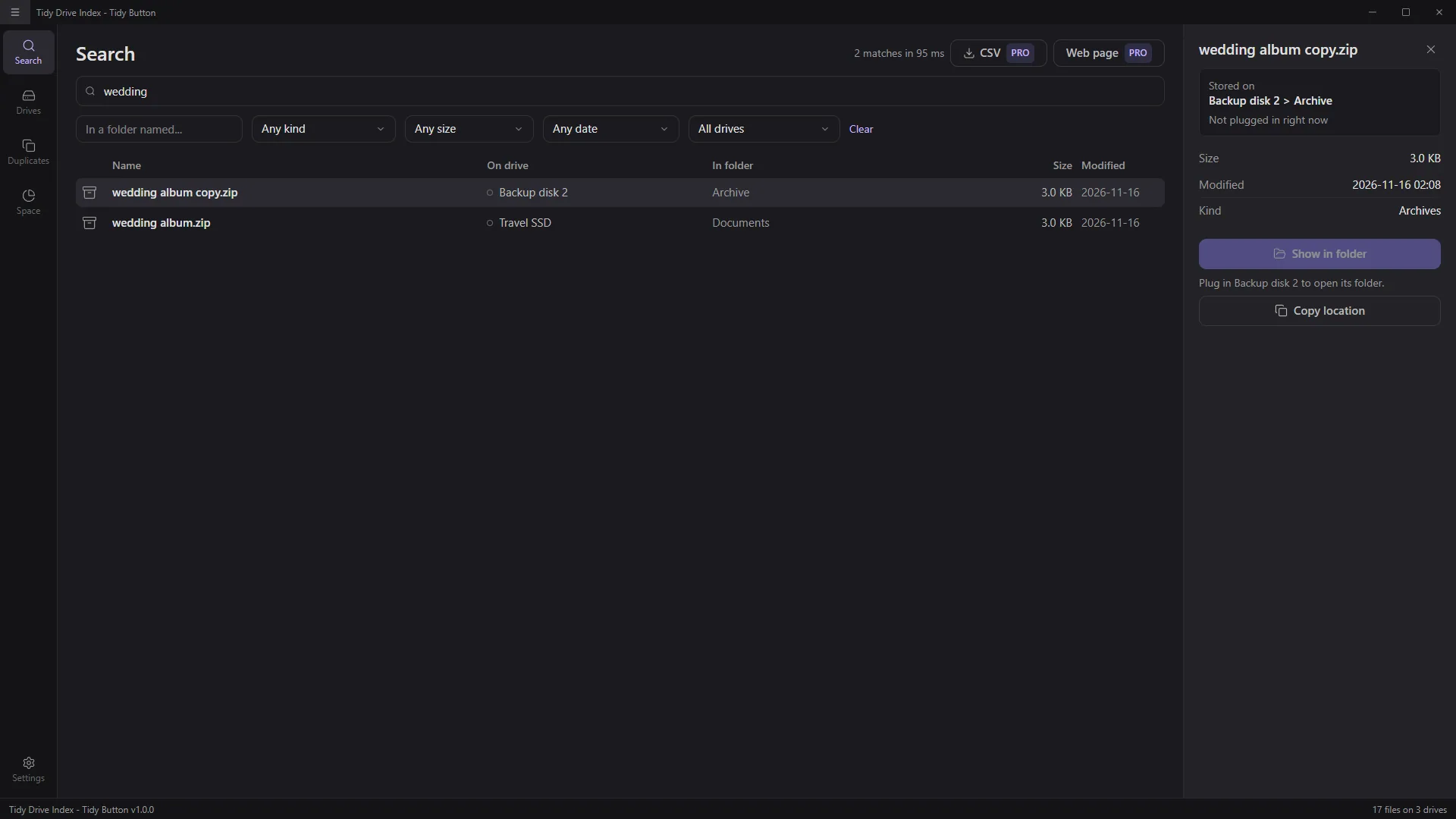
Type part of a name and see which drive and which folder a file is on, even when the drive is not plugged in
What changed
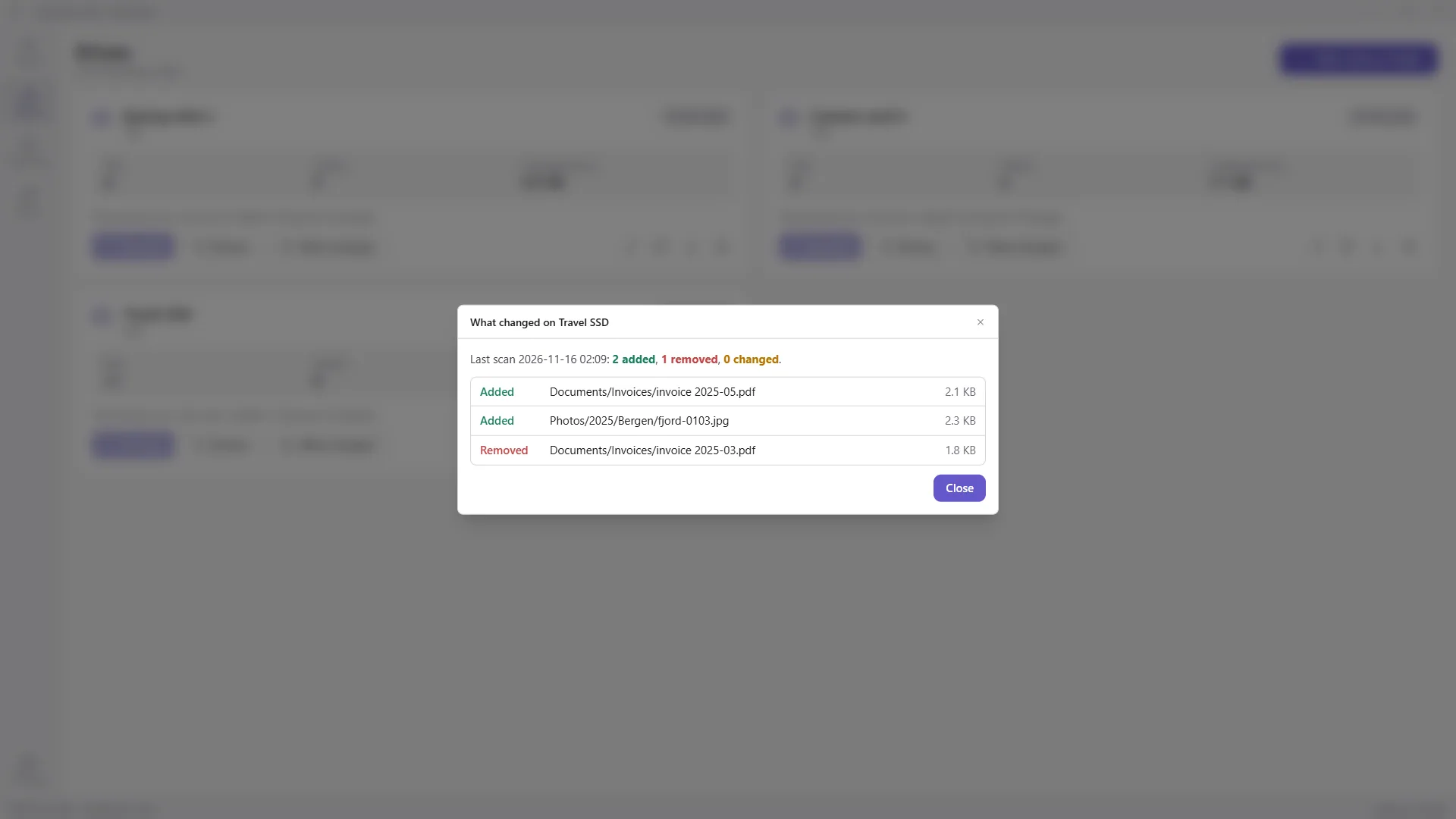
After a re-scan, see exactly which files were added, removed or changed. The drive itself is never written to
Free limit
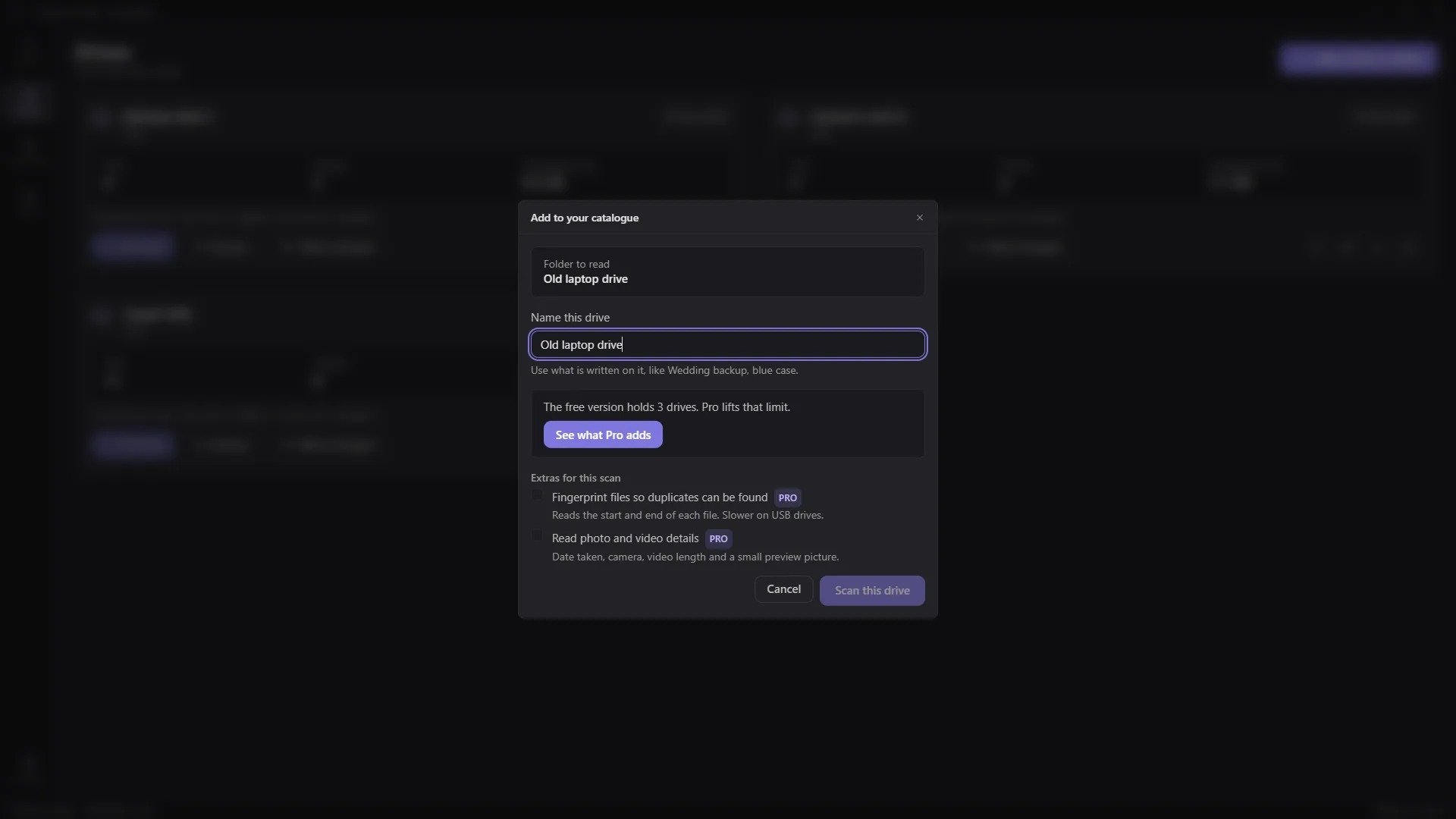
The free version holds 3 drives. Adding a fourth offers Pro; your catalogue stays as it is
Duplicates
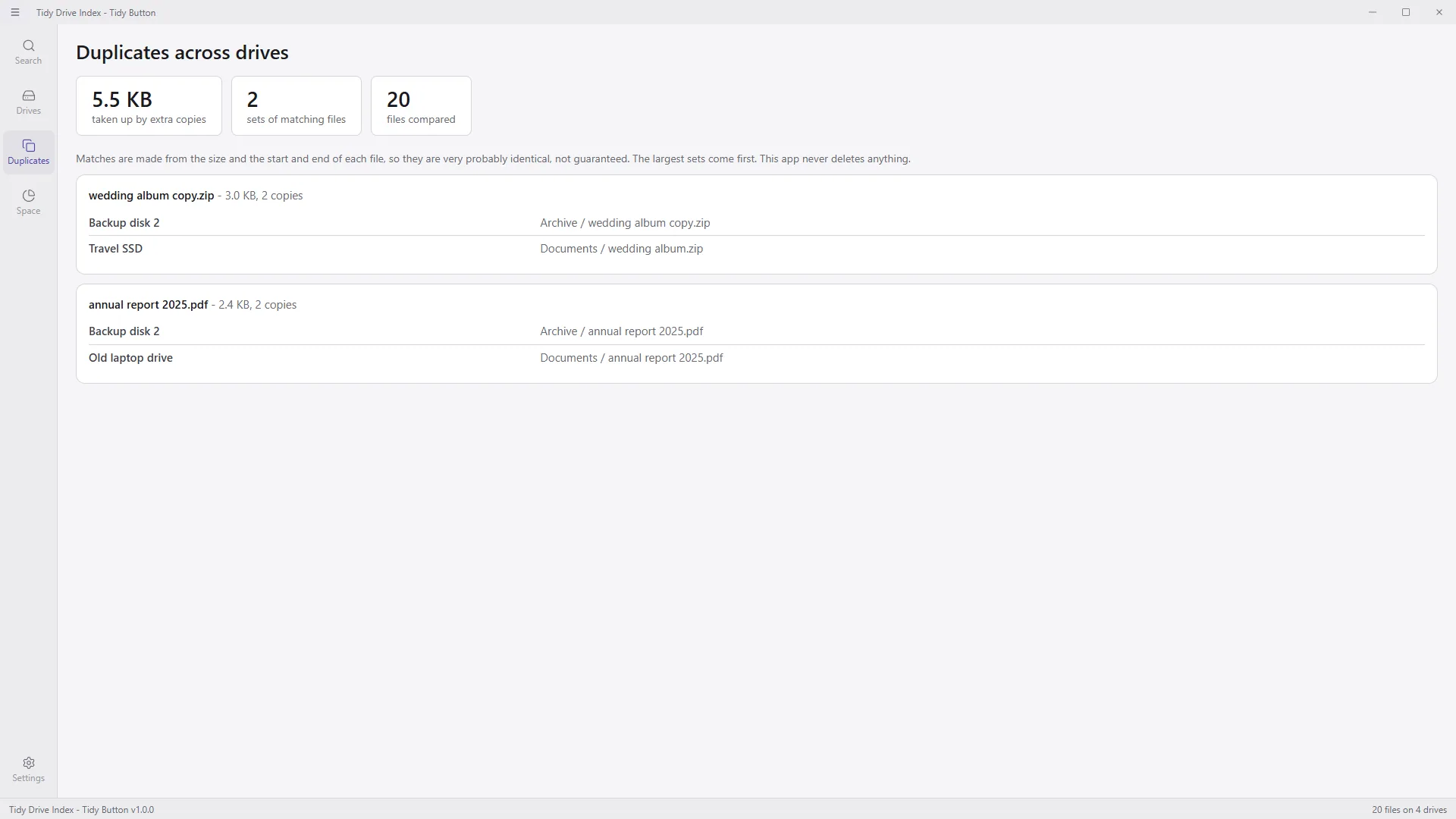
Pro: find files that probably match across different drives, and see which drives hold the extra copies. The app never deletes anything
Free space
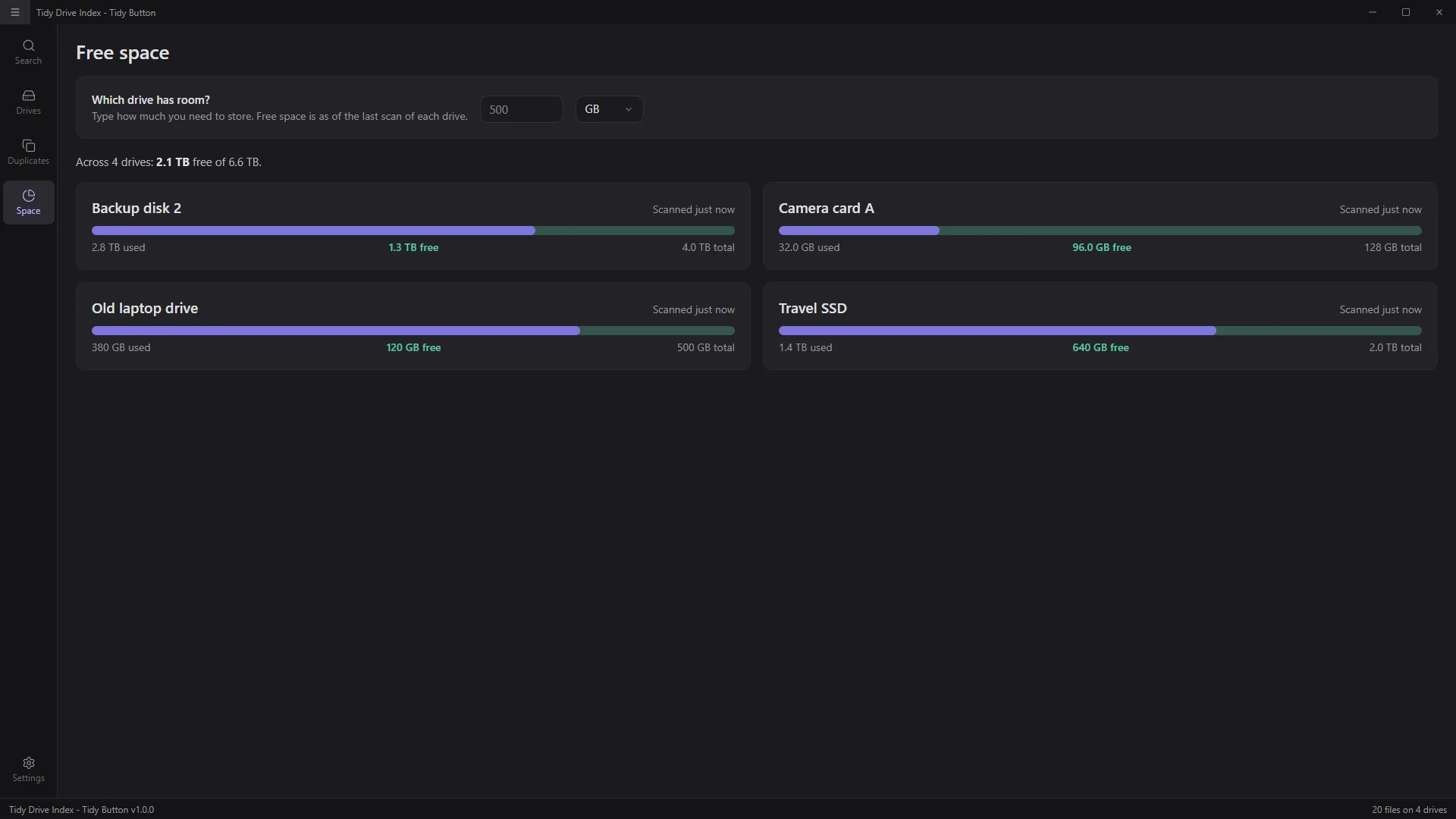
Pro: see how full each drive was at its last scan, and type how much you need to store to find which drive has room
Photo details
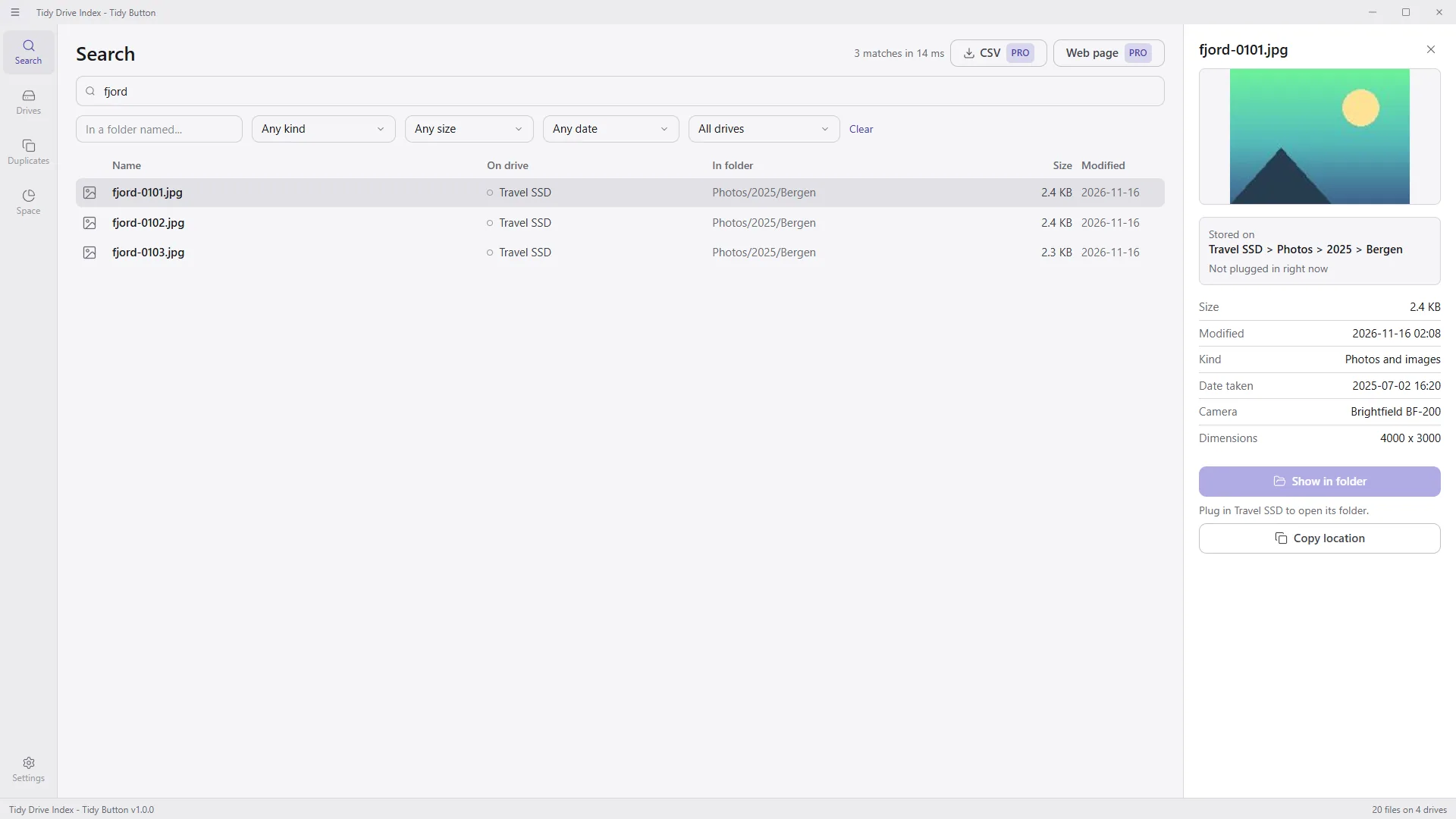
Pro: photo and video details are kept in the catalogue: date taken, camera, size and a small preview, even with the drive on the shelf
Screens show a demo folder, not a real PC. The app has light and dark themes.
What it does
What it does.
Tidy Drive Index remembers what is on your drives. Scan a drive once, put it away, then search by file name and see which drive a file is on and in which folder. It is made for people with a shelf of external drives, USB sticks, SD cards and network shares. Your catalogue stays on your PC, and the free app works with the internet turned off.
Scan once
Add a drive or folder and give it a label. The scan runs in the background with progress and a Cancel button, and only ever reads the drive.
Search every drive
Search by words in the name or the folder, and narrow it by kind, size, date and drive.
Know where it is
Each result says which drive it is on and in which folder, even when the drive is on the shelf.
Keep it current
Re-scan and see what was added, removed or changed. A re-plugged drive is updated, not added twice.
Browse the shelf
Open a drive's folders as they were at the last scan, and see which drives are connected now.
Duplicates (Pro)
Find files that probably match across different drives. The app never deletes anything.
Photo and video details (Pro)
Date taken, camera, size, video length and a small preview, kept in the catalogue.
Free space and export (Pro)
See which drive has room, add notes and tags, and export to CSV or a web page.
The small print, in plain English
Safe by design.
- The scan only reads your drive. It never writes to it.
- Your catalogue stays on your PC and is never uploaded.
- The free version catalogues up to 3 drives, with no time limit. Pro is one payment, no subscription.
- Works offline. No account. No ads. No tracking.
Good for
Handy when the drive is in a drawer.
- A shelf of external drives
- Photographers and video editors
- Archives on USB sticks and SD cards
- Knowing which drive has a file
Questions
Plain answers.
Does it change my drive?
No. A scan only reads the drive and never writes to it.
Is anything uploaded?
No. Your catalogue stays on your PC and the app works with the internet turned off.
Do I need the drive plugged in to search?
No. That is the point. Search shows which drive and folder a file is on. Plug the drive in later to open the folder.
How do I keep a drive up to date?
Plug it in and press Re-scan. The catalogue is updated in place and What changed lists what was added, removed or changed.
What does Pro add?
More than 3 drives, duplicates across drives, photo and video details, export, notes and tags and a free-space overview. It is one payment of $14.99.