Coming to the Microsoft Store
Digital Signage Player Any TV can be a sign.
Loop pictures, videos and web pages full screen. Local files play offline. No account.
Not on sale yet. The app is still being built.
We will link the Store listing here the day it is live. Until then there is nothing to download.
- Works offline
- No account, no ads, no tracking
- Full screen on a TV
- Free
See it
Four views. One playlist, looping.
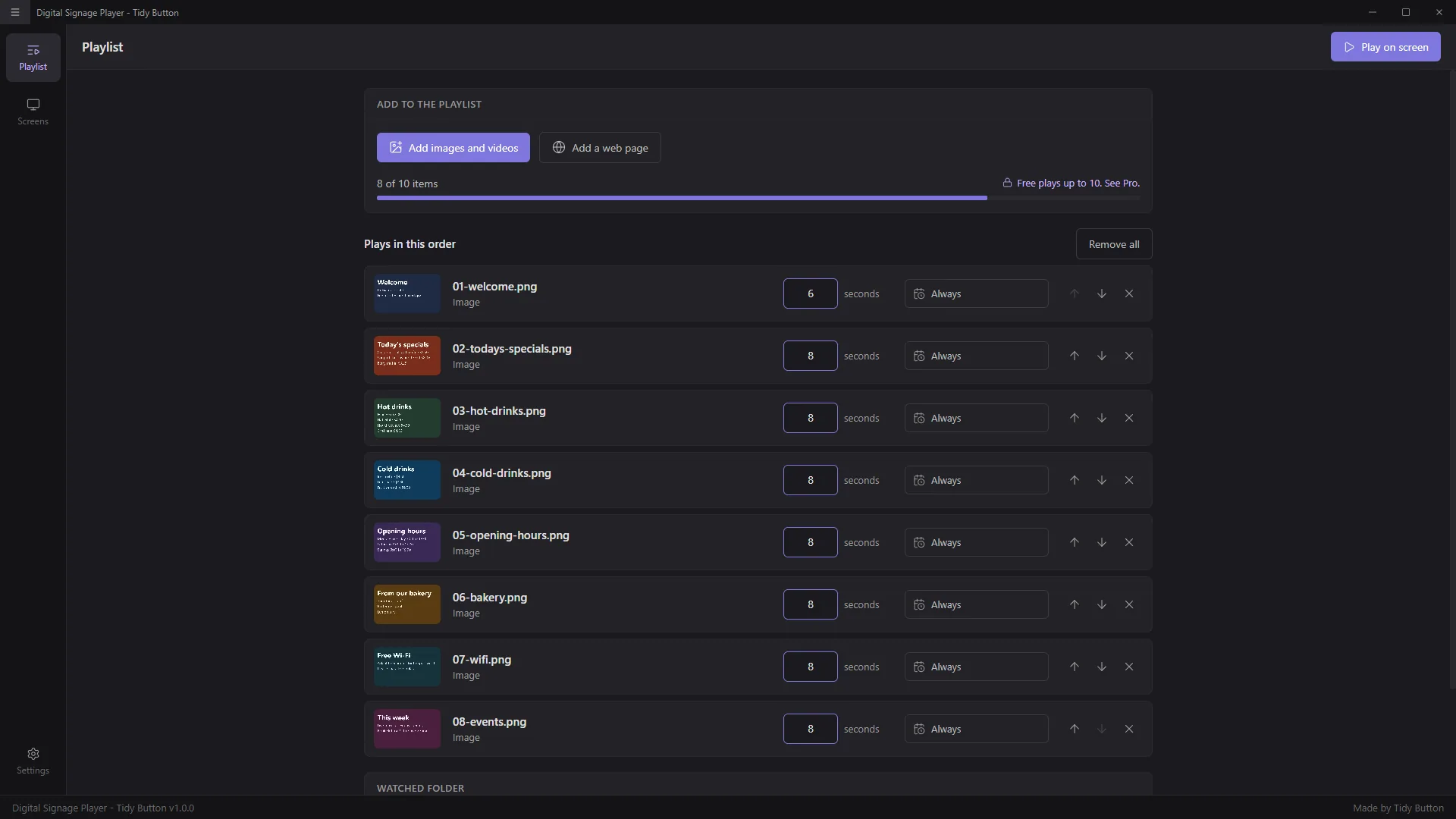
Playlist
Every slide with its thumbnail and its time on screen
Light theme
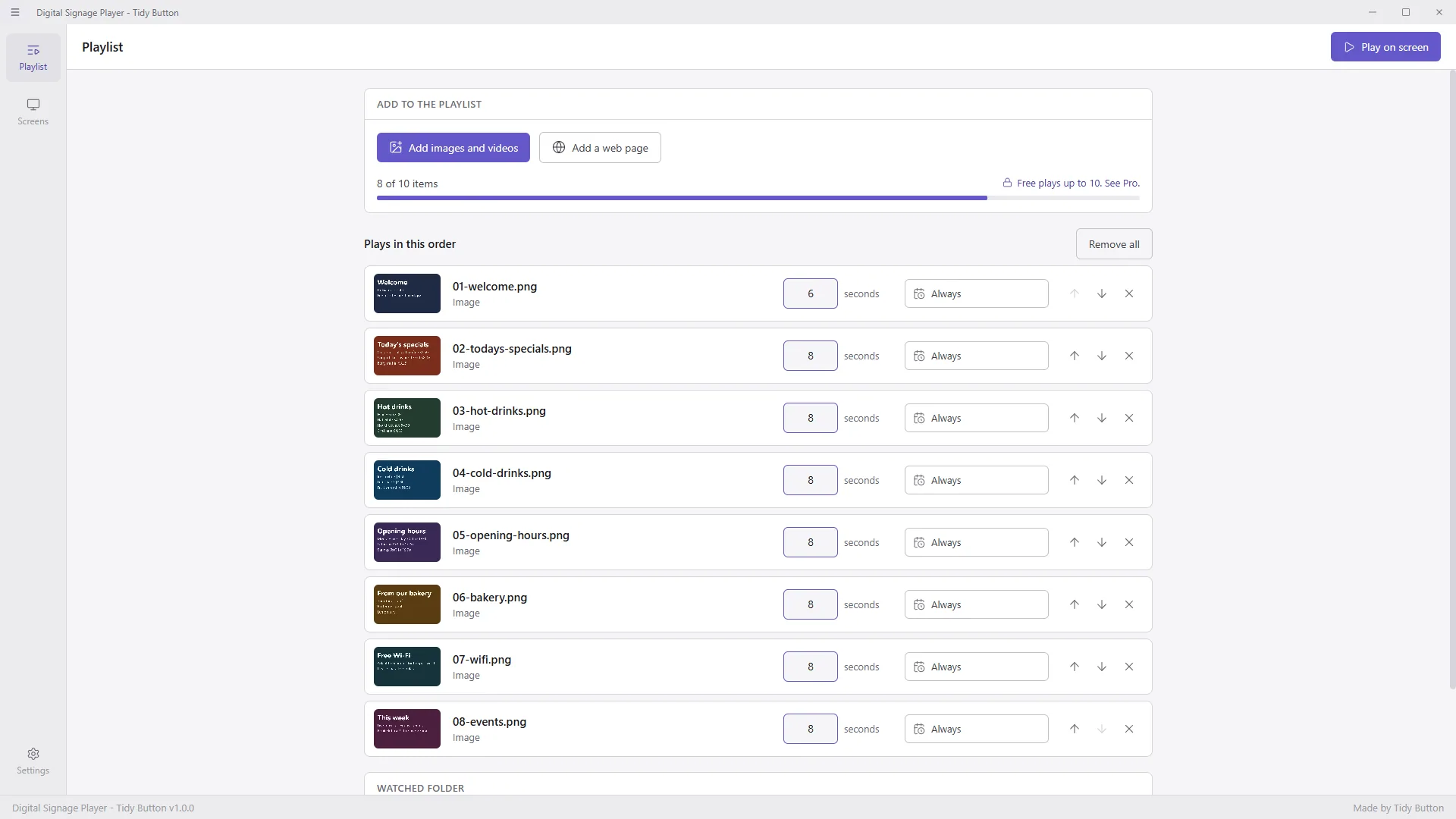
The same playlist in the light theme
Screens
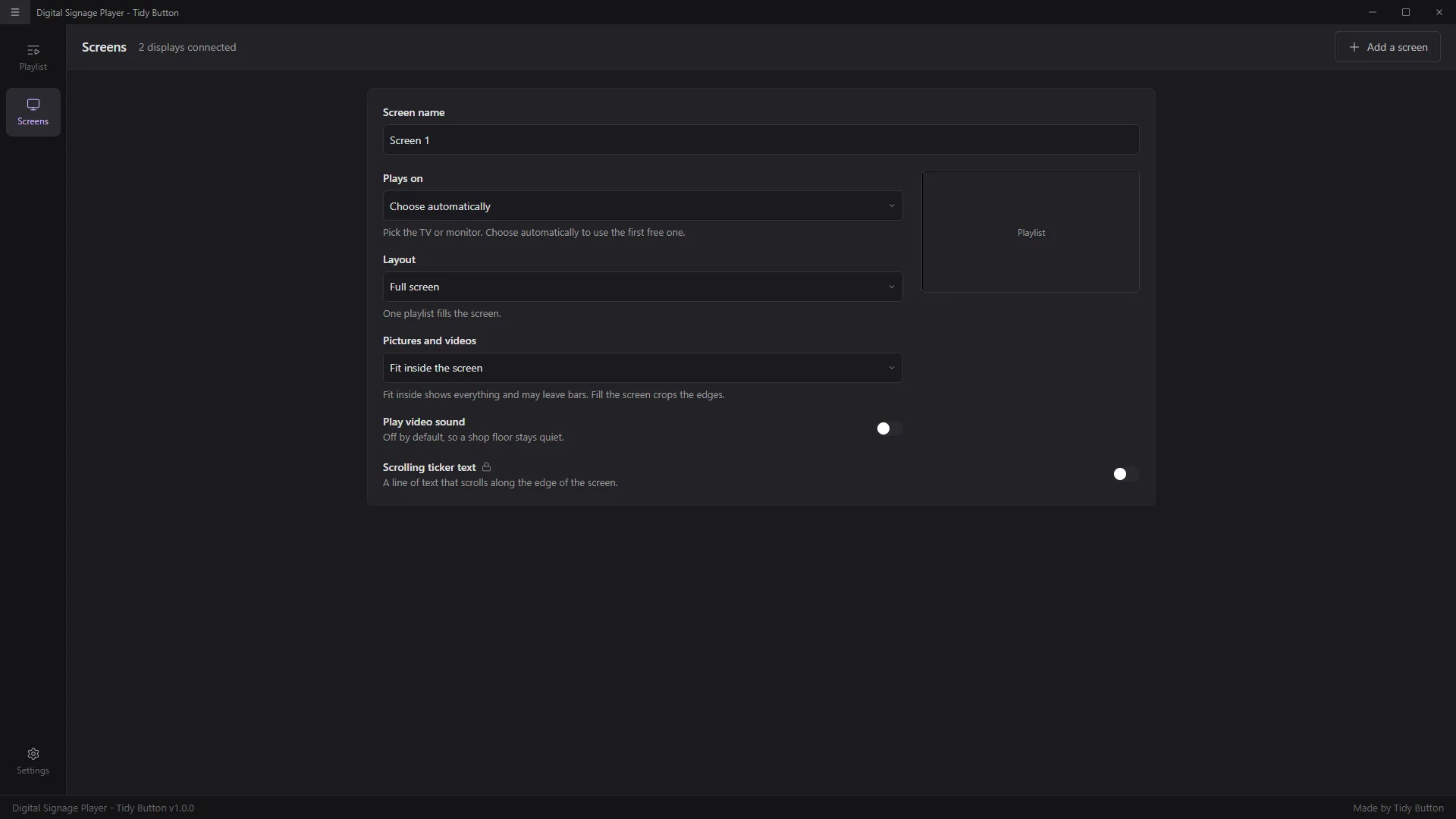
Choose the TV and how pictures fit
Web page
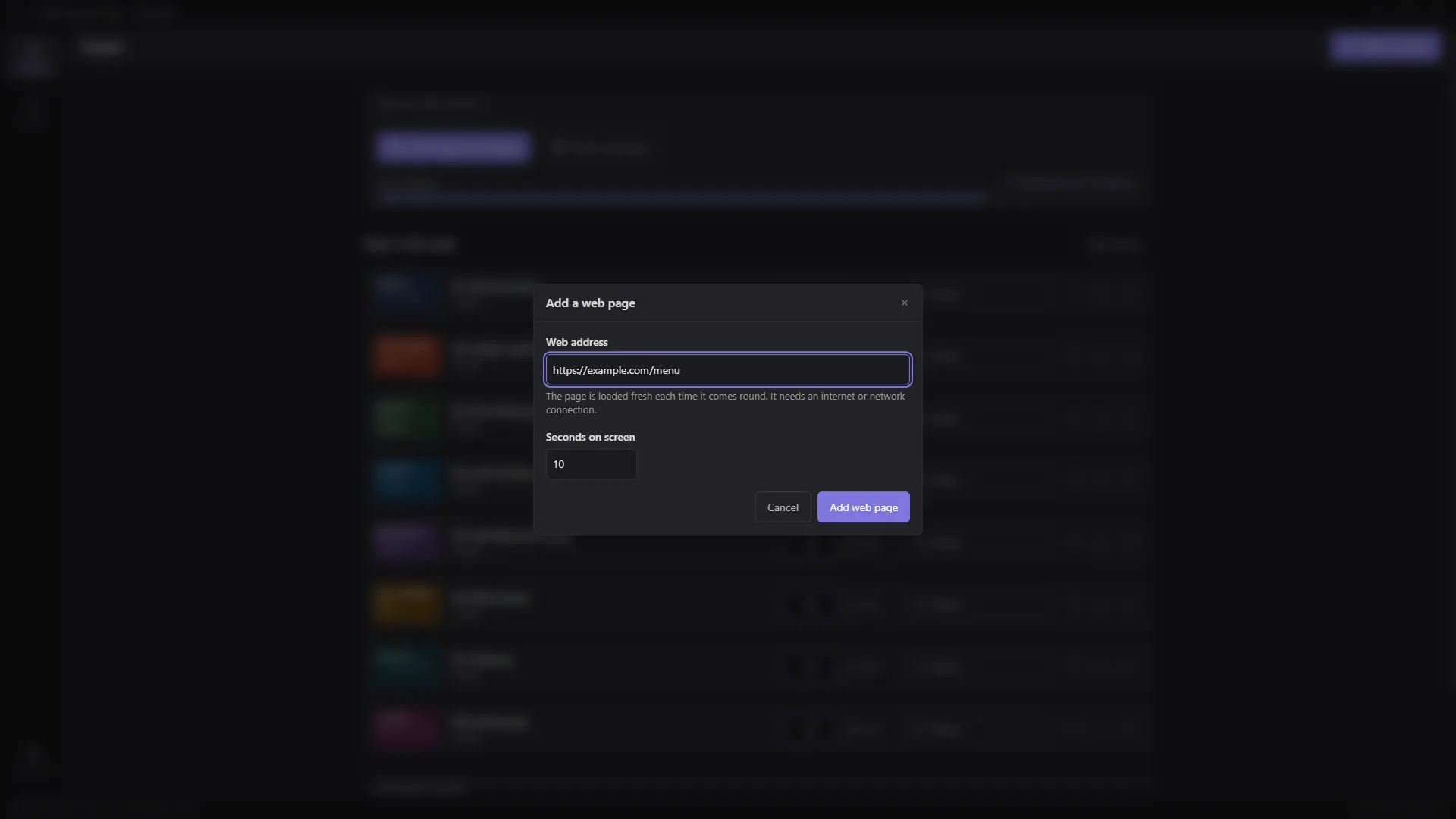
Add a web page by its address
Screens show a demo folder, not a real PC. The app has light and dark themes.
What it does
What it does.
Digital Signage Player plays a playlist full screen on the TV or monitor you choose. Each item stays for the seconds you set, then the next one appears, and the list loops. Use it for a menu board, a waiting room, a reception screen or a notice board. Watch a folder and anything you drop into it joins the playlist by itself.
Pictures, videos and web pages
Add files or a web address. Set the seconds for each item and change the order.
Full screen on a TV
Choose which display to play on and whether pictures fit inside the screen or fill it.
Watched folder
Pictures and videos you drop into a folder join the playlist. Files you take out leave it.
Starts by itself
Start playing as soon as the app opens, and start with Windows in the Store version.
Offline playback
Local pictures and videos need no internet connection. Press Esc to stop.
Safe by design
Removing every item asks first, and your files are never touched.
The small print, in plain English
Safe by design.
- Never uploads your files.
- Local pictures and videos play without a connection.
- Removing items from the playlist never deletes your files.
- No account. No ads. No tracking.
Good for
Handy for menu boards.
- Cafe and shop menu boards
- Waiting rooms and reception desks
- School and office notice boards
- Window and event displays
- A looping photo slideshow on a TV
Questions
Plain answers.
Does it need the internet?
No. Local pictures and videos play offline. Only a web page in the playlist needs a connection when it comes round.
How do I stop it?
Press Esc while the player is showing.
Can I use more than one screen?
The free version plays one playlist on one screen. An optional one-time Pro unlock adds several screens, zones, schedules and ticker text.
How many items can a playlist hold?
The free version holds up to 10 items. An optional one-time Pro unlock removes the limit.
Does it upload my files?
No. Your pictures and videos stay on your PC.