Free on the Microsoft Store
DICOM Viewer Your scan disc, on your own PC.
Open the pictures from a scan on a CD, USB stick or folder. Scroll through them, adjust brightness, measure, read the tags and save pictures. For viewing and education only, not for diagnosis or treatment decisions. Everything stays on your PC.
Unlimited image export.
Pro keys go on sale when this app's Pro update reaches the Microsoft Store.
One key for this app. Free to use without it. See all pricing
Prefer the command line? winget install 9PLQWSSQG5BK --source msstore
- Works offline
- No account, no ads, no tracking
- For viewing and education only
- Free
See it
Six views. Look, scroll, measure.
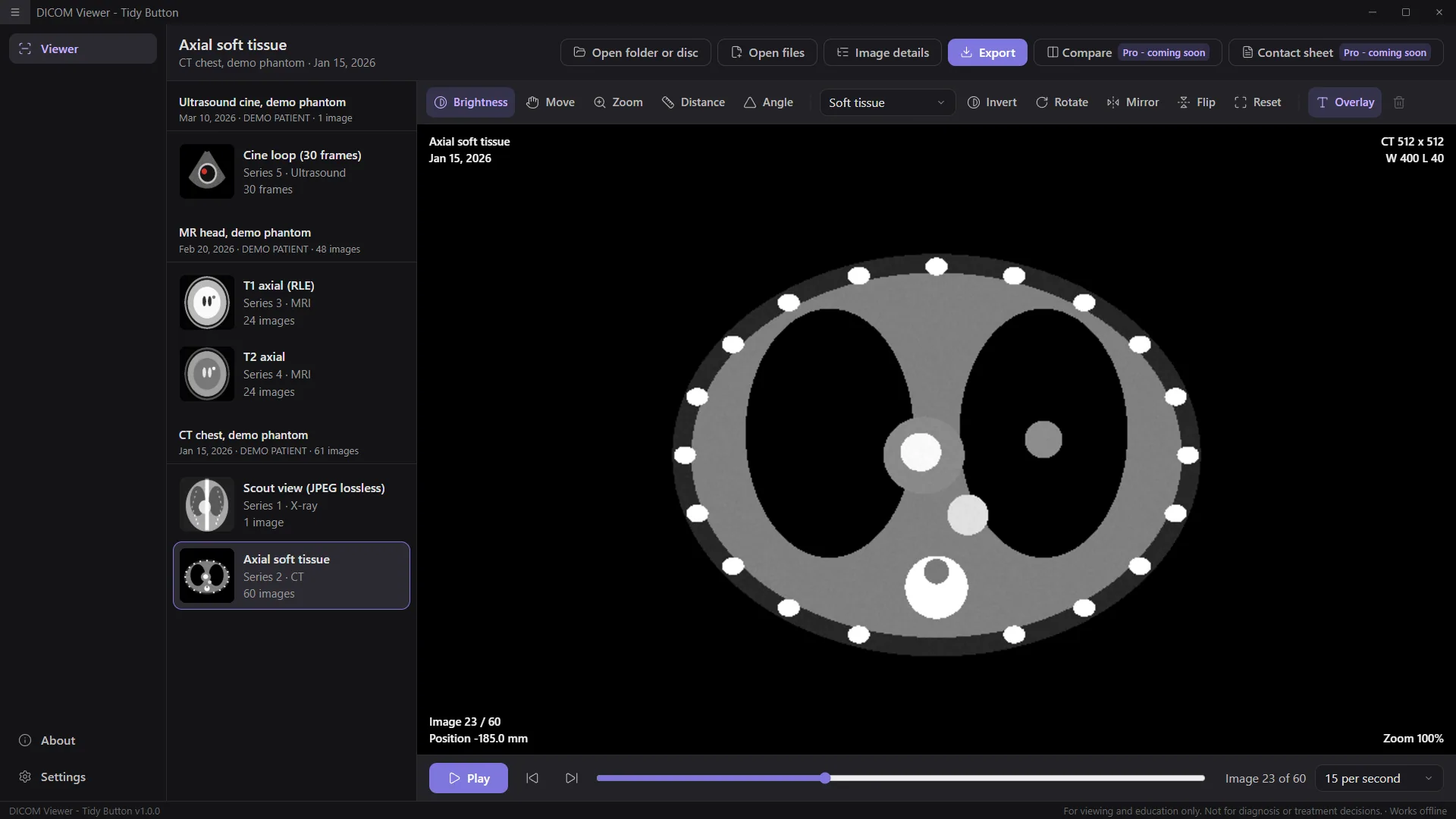
CT preset
Scroll through the images and pick a CT preset such as soft tissue. The overlay shows the study date, series and position
Series browser
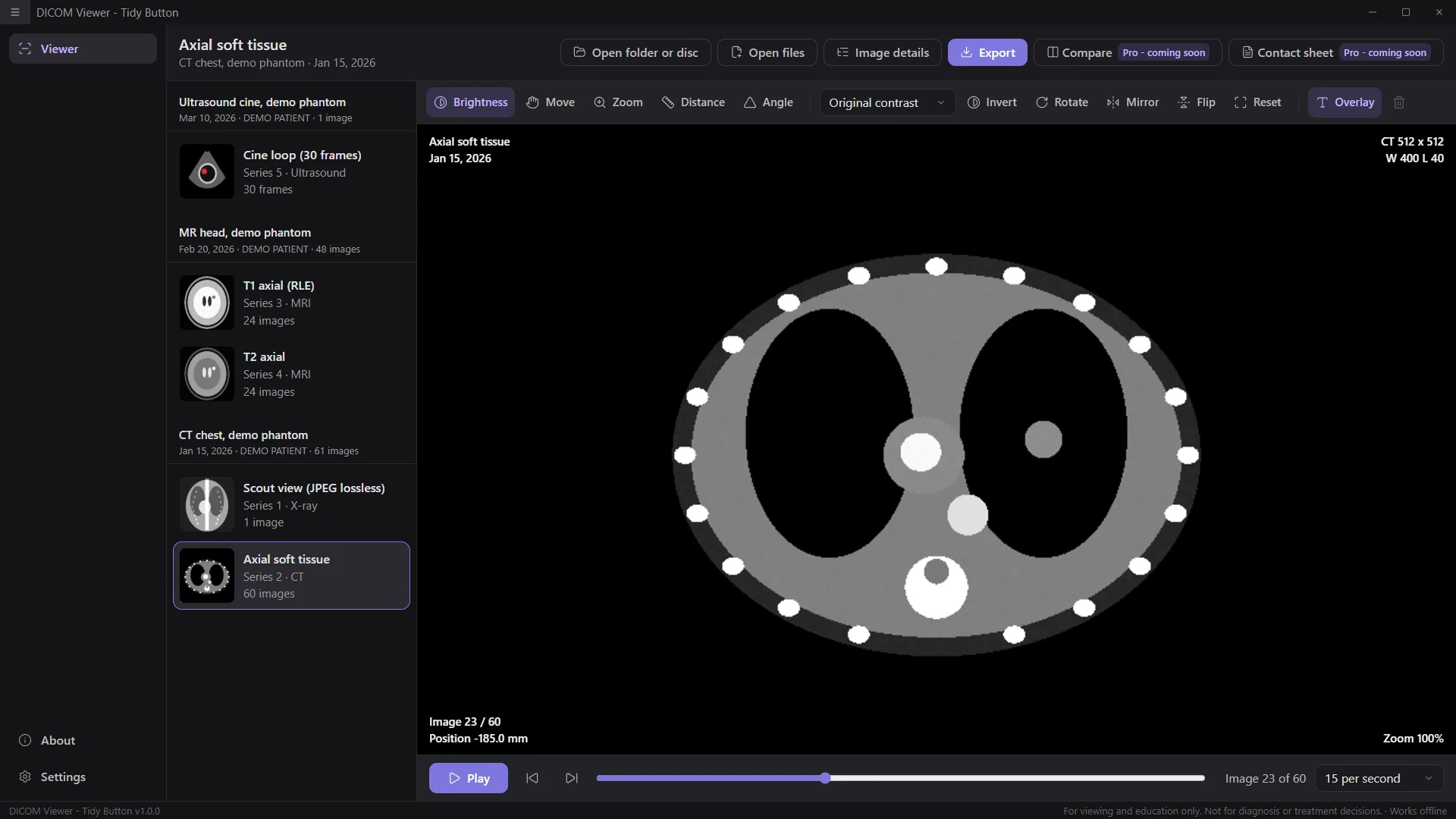
Open a disc or folder and see every study and series with a preview
Measure
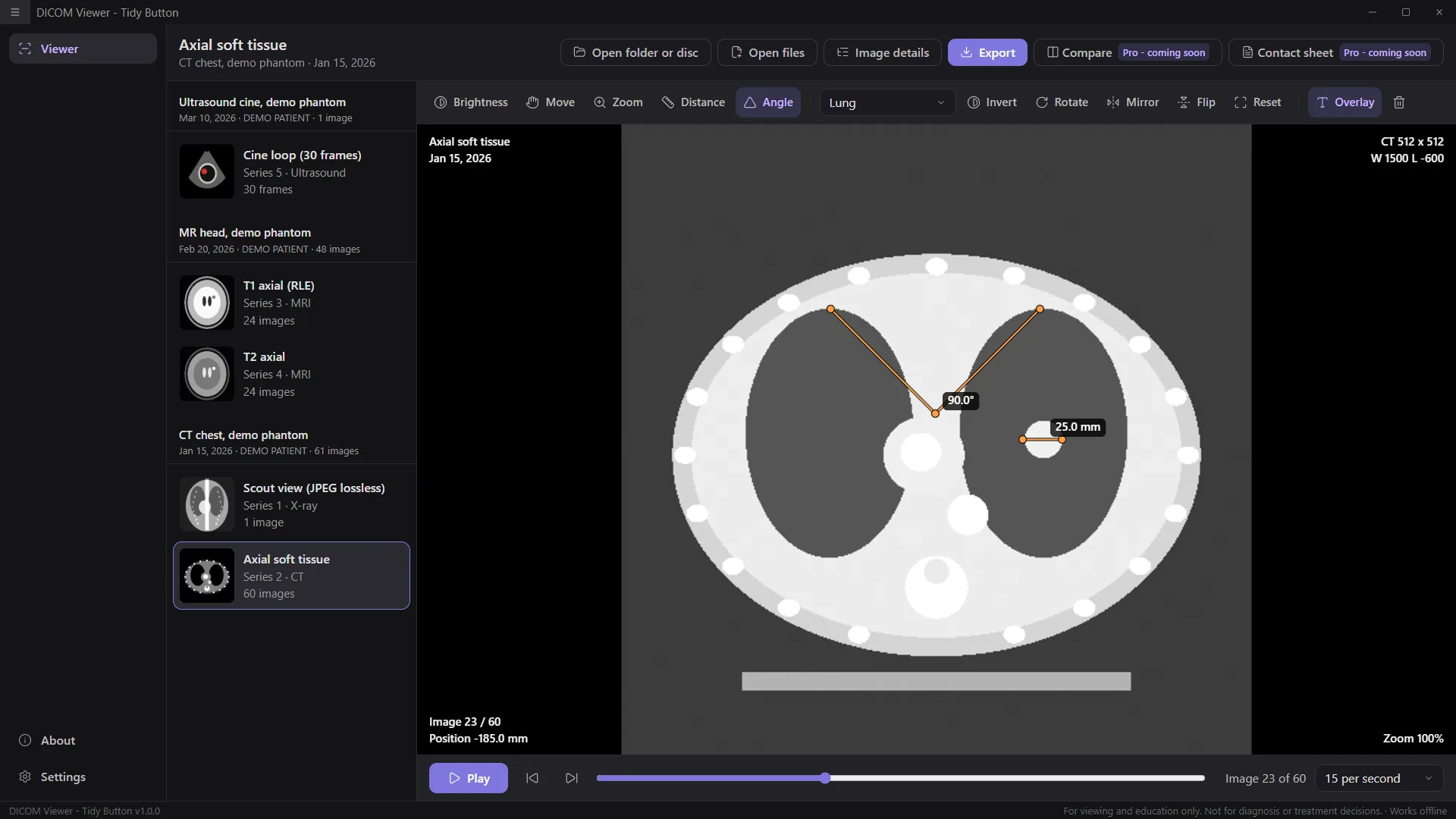
Measure a distance or an angle. Distances are in millimetres when the file gives the pixel size, and in pixels when it does not
Image details
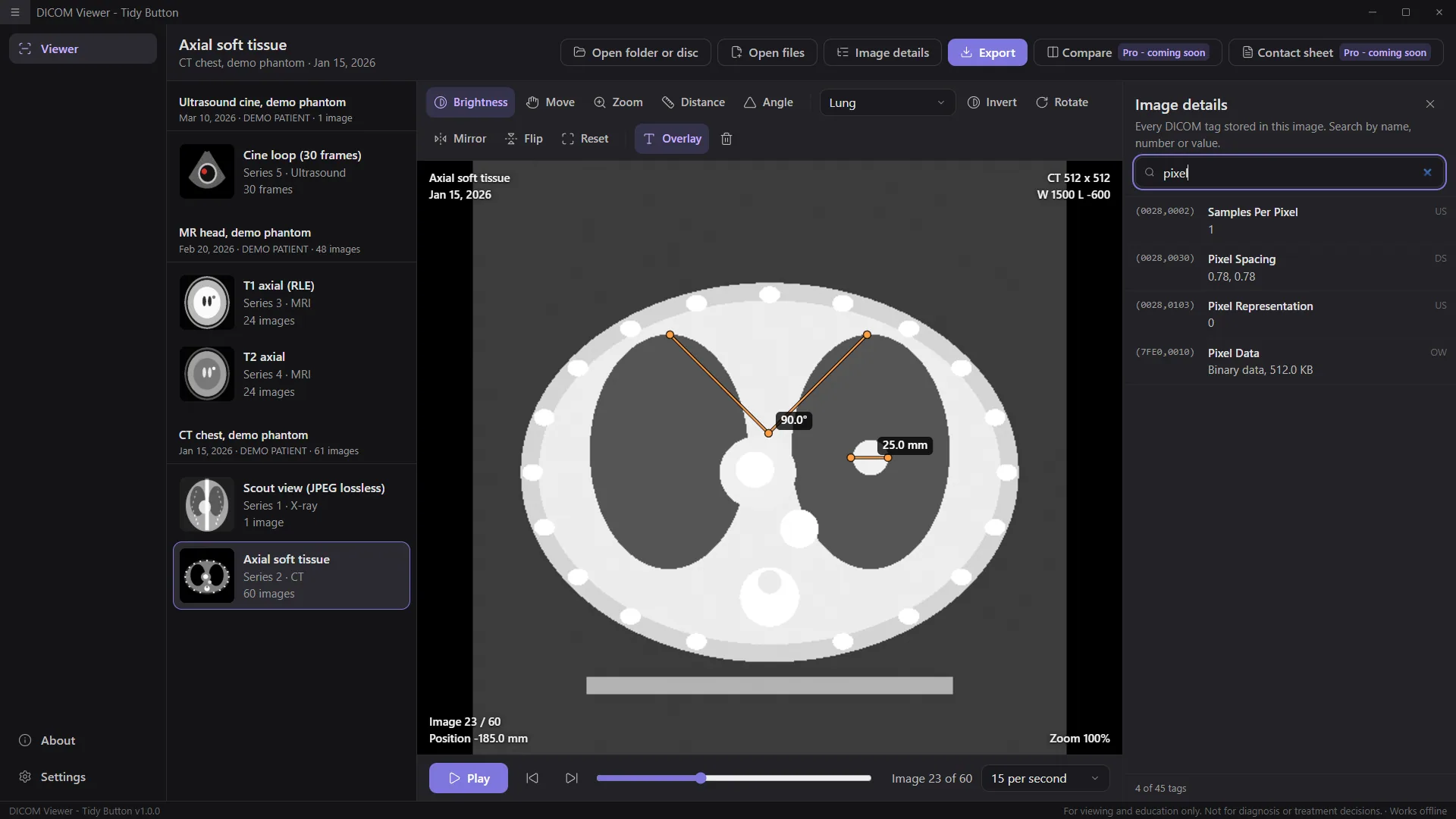
Every DICOM tag with a plain-English name. Search by name, number or value
Export
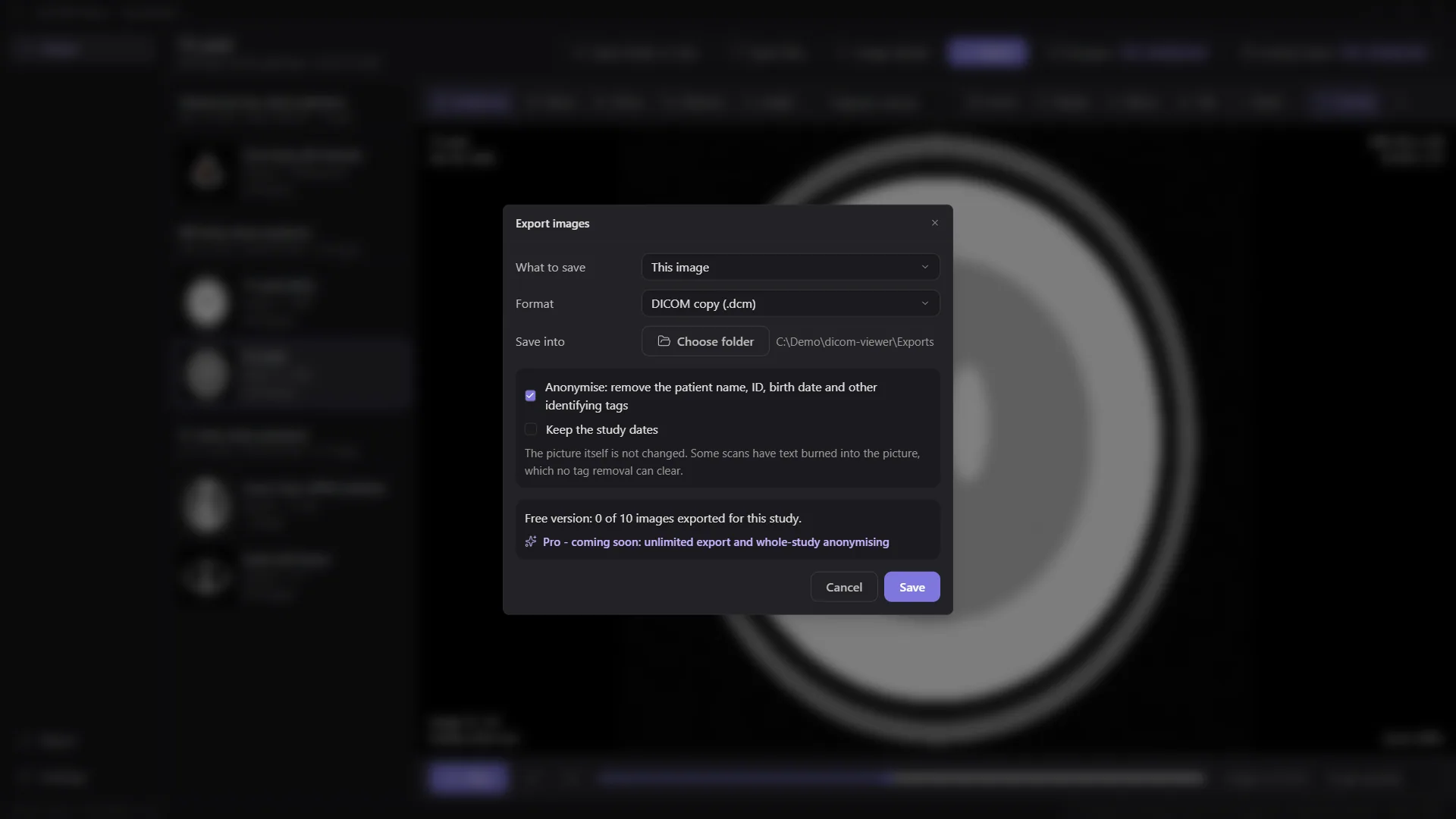
Save a DICOM copy with the patient name, ID, birth date and other identifying tags removed, or save pictures as PNG or JPEG
First-run notice
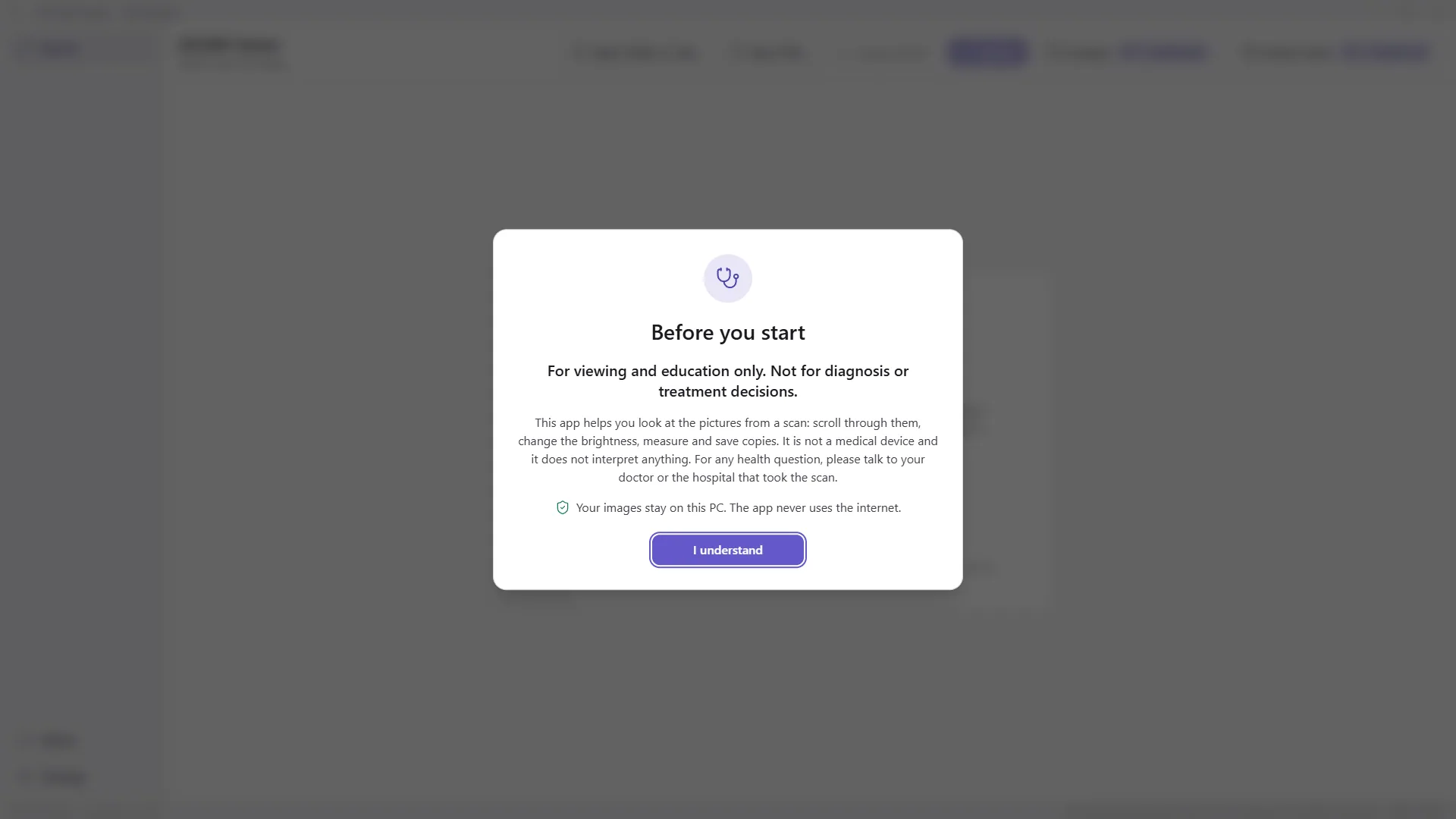
A calm first-run notice: for viewing and education only, not for diagnosis or treatment decisions
Screens show a drawn demo scan, not a real person. The app has light and dark themes.
What it does
What it does.
Choose the disc or folder you were handed and the pictures appear, grouped by study and series with a small preview of each. A DICOMDIR file is used when the disc has one. For viewing and education only. This app is not a medical device and it does not interpret, analyse or report on images. For any health question, talk to your doctor or the hospital that took the scan.
Open a disc, USB stick or folder
Open a disc, folder or single file. A study and series browser shows a preview of each series.
Scroll and adjust
Scroll with the mouse wheel, arrow keys or a slider. Drag to change brightness and contrast, or pick a CT preset for soft tissue, lung, bone or brain.
Zoom, move, rotate, mirror, invert
Look at the picture the way you need to, and play multi-frame images as a loop at the speed you choose.
Measure
Measure a distance or an angle. Distances are in millimetres when the file gives the pixel size, and in pixels when it does not.
Read the image details
Every DICOM tag is listed with a plain-English name, and you can search by name, number or value.
Save pictures
Save the current image or a whole series as PNG or JPEG, with no patient text added to the picture.
Anonymised copies
Save a DICOM copy with the patient name, ID, birth date and other identifying tags removed. Some scans have text burned into the picture itself, and no tag removal can clear that.
A calm message for what it cannot show
If one image uses a format that cannot be shown, you get a clear message for that image and the rest of the series still works.
The small print, in plain English
Safe by design.
- For viewing and education only. Not for diagnosis or treatment decisions. The app is not a medical device and makes no medical claims.
- Your scans stay on your PC. The app has no network features, no account, no ads and no tracking.
- It reads only what you open, and writes only to the folder you choose when you export.
- Your original files are never changed or deleted.
Good for
Handy when you are handed a disc.
- A disc or USB stick from the hospital
- Students and teachers studying scans
- Anyone who needs to look at a DICOM file without a large program
Questions
Plain answers.
Can I use it to diagnose something?
No. DICOM Viewer is for viewing and education only. It is not a medical device, it does not interpret or analyse images and it is not for diagnosis or treatment decisions. For any health question, talk to your doctor or the hospital that took the scan.
Are my scans uploaded?
No. Everything happens on your PC. The app has no network features, no account, no ads and no tracking.
Does it work offline?
Yes. It needs no internet connection.
What can I open?
A disc, USB stick, folder or single file. It opens uncompressed, RLE, JPEG baseline, lossless JPEG, JPEG-LS and JPEG 2000 images. If one image uses a format that cannot be shown, you get a message for that image and the rest still works.
Does it change my original files?
No. Exports go only into the folder you choose, and a file that already exists is never overwritten.
Is there a limit in the free version?
The free version saves up to 10 images per study. Viewing, measuring, image details and loops are free. A Pro add-on is planned (coming soon).
Which versions of Windows does it run on?
Windows 10 and Windows 11.