Coming to the Microsoft Store
Calendar Widget A calendar that is simply there.
A small month on your desktop with your next events under it. Repeats, reminders and export, all kept on your own PC. No account.
We will link the Store listing here the day it is live. Until then there is nothing to download.
- Works offline
- No account, no ads, no tracking
- Reminders
- Free for 40 events
See it
Eight views. One month, your events.
Empty month
Start with a clear month. Pick a day to see its events, or add one. Everything is kept on your own PC
Month
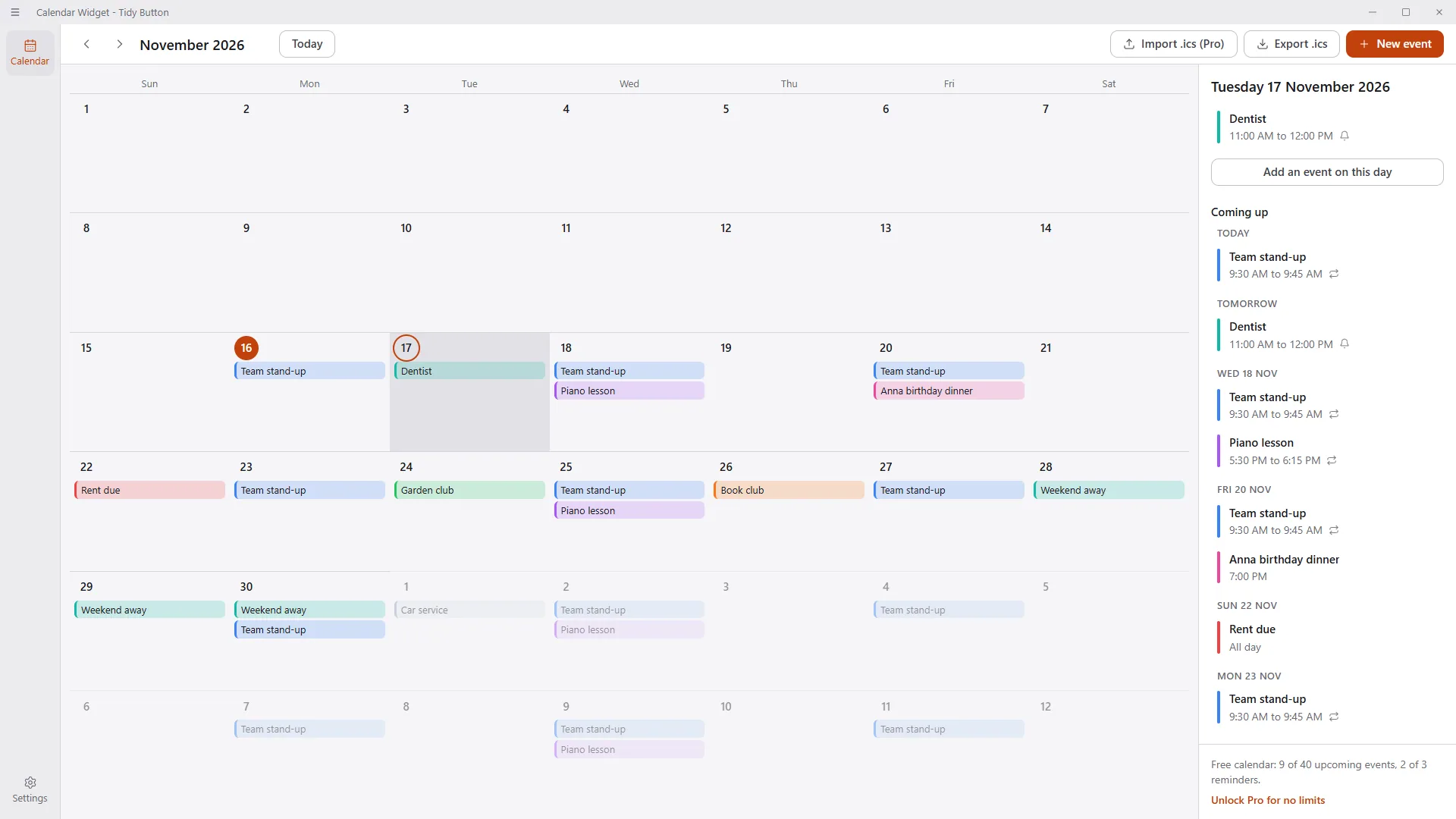
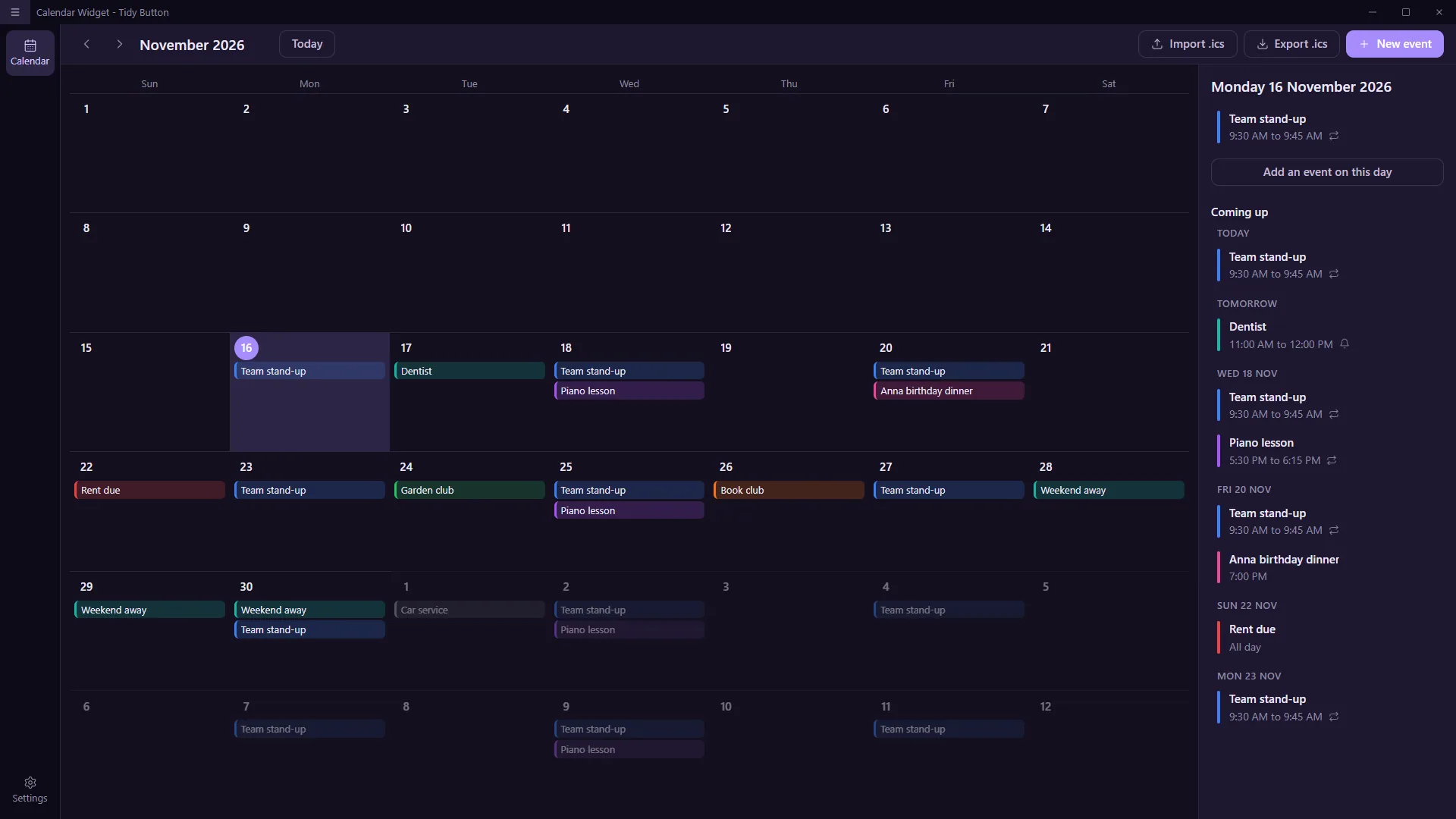
A full month with event titles, repeats and colours, the selected day, and a Coming up list. Free for up to 40 upcoming events
New event
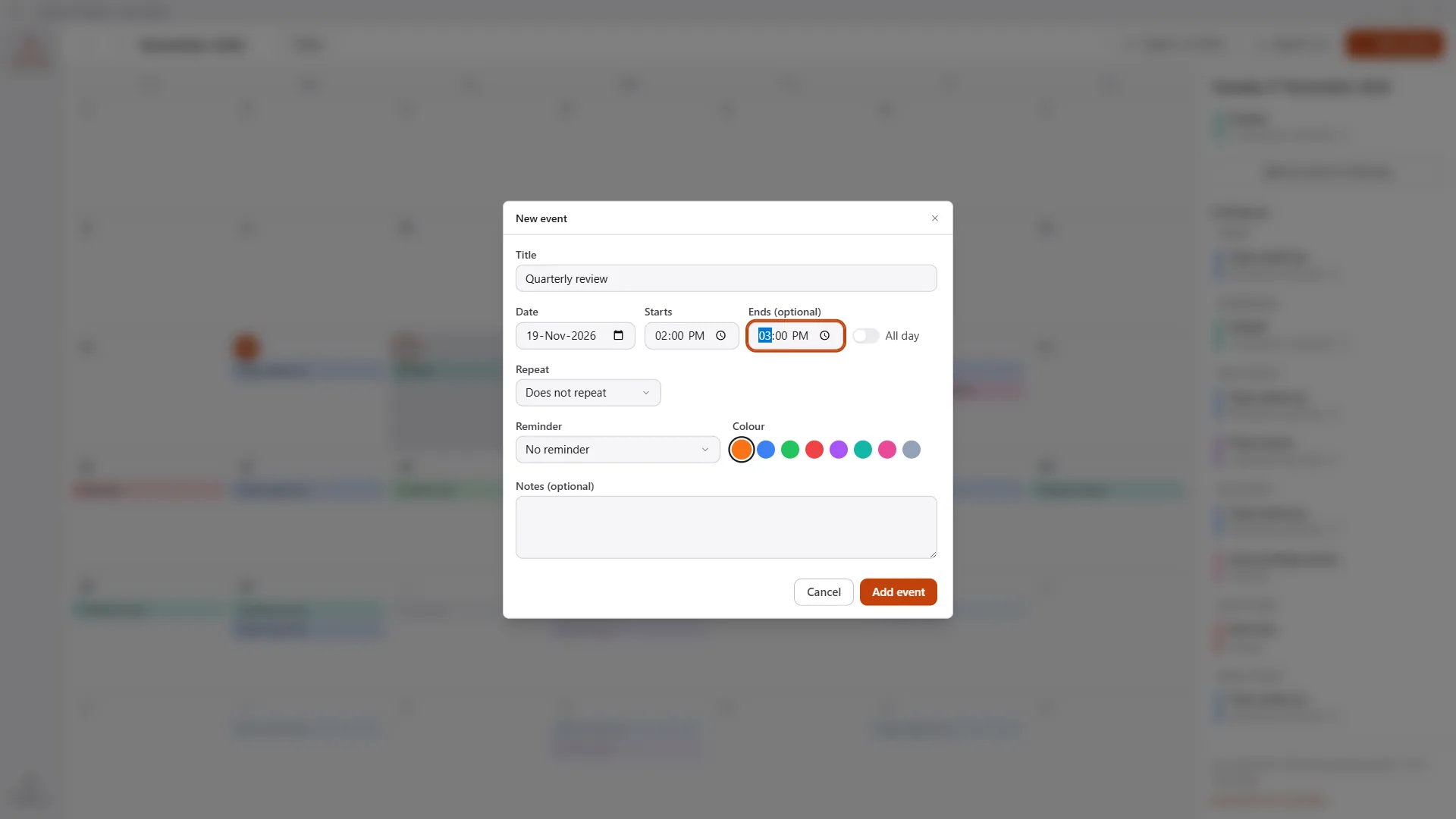
Add an event with a date, start and end time, a repeat, a reminder and a colour. Repeat daily, weekly on chosen days, monthly or yearly
Widget dark
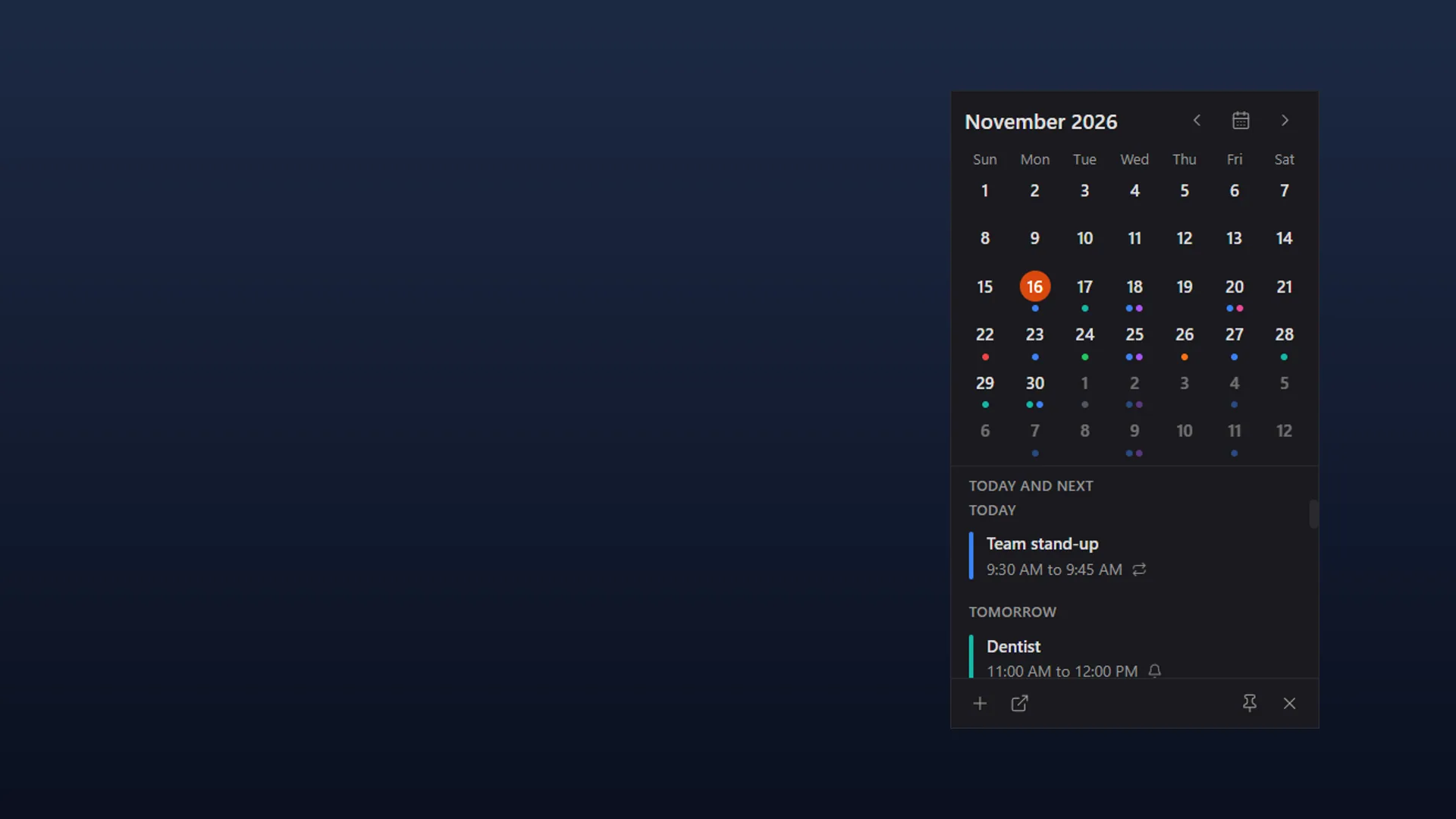
The desktop widget: a small month with dots on busy days, and today and your next events under it
Widget light
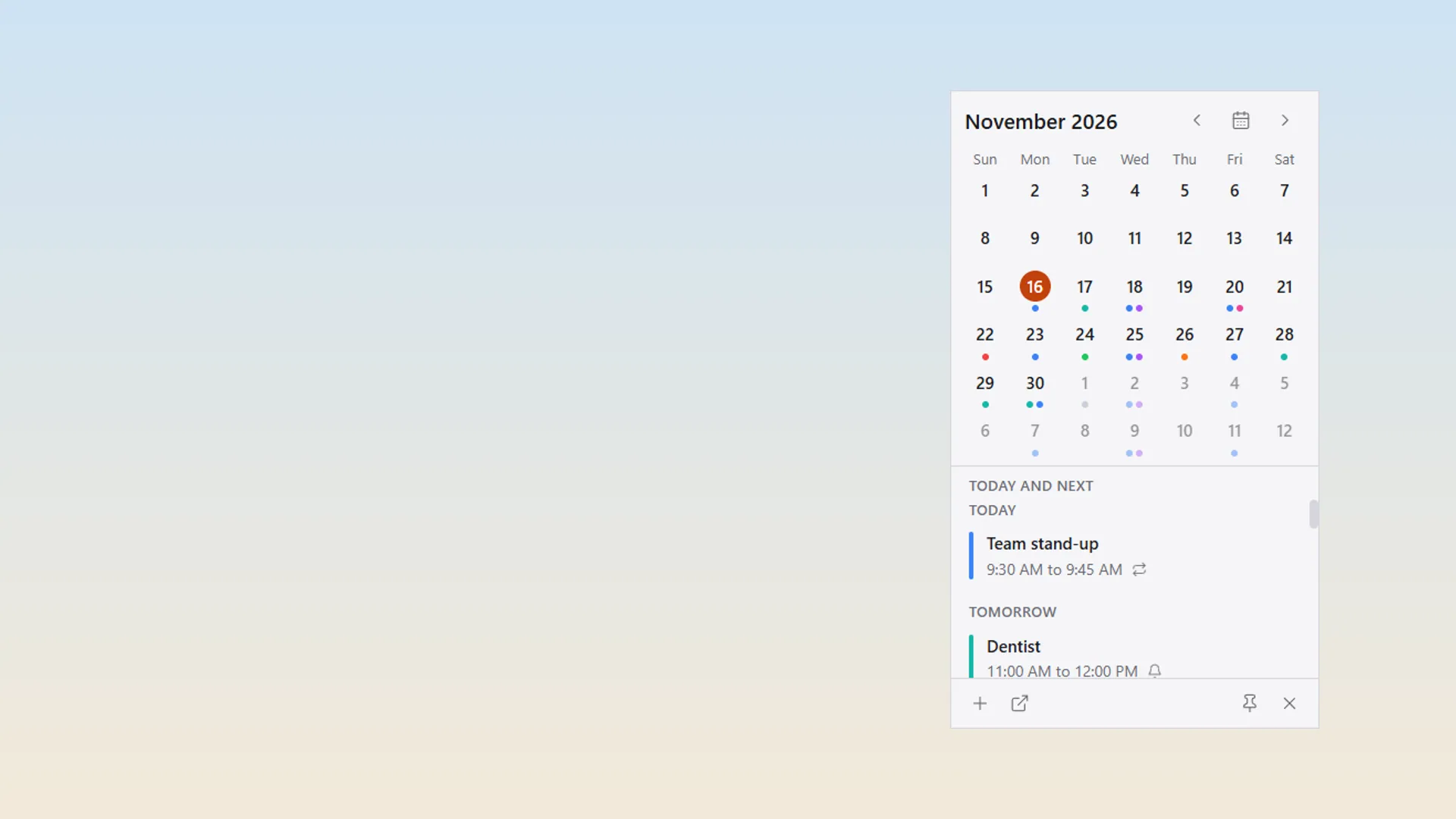
The same widget in the light theme. It sits quietly on the desktop, and the tray icon hides or shows it
Free limit
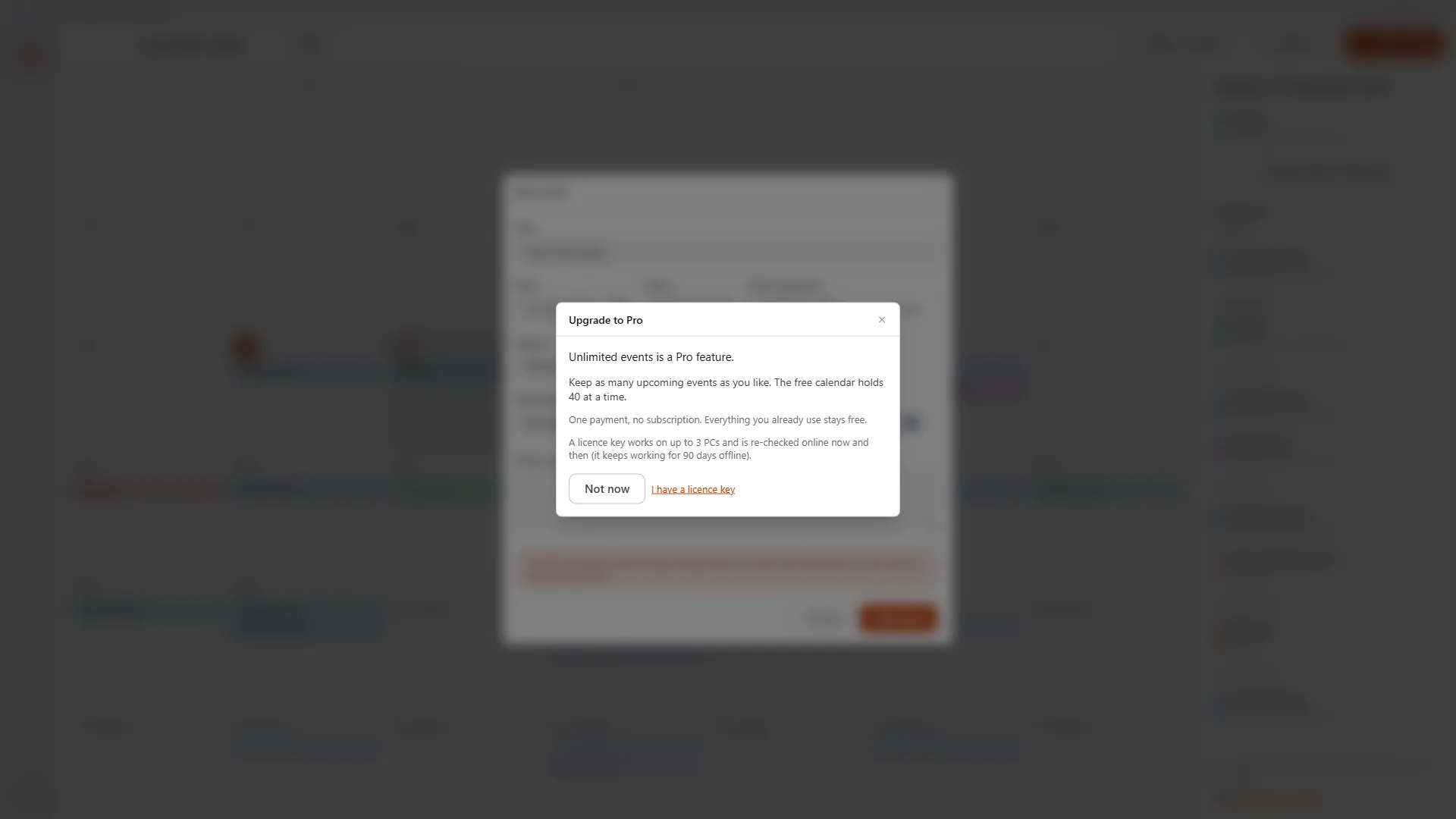
The free version holds up to 40 upcoming events at a time. Past events never count, and nothing is deleted
Midnight
Pro: the Midnight theme, one of two extra themes that come with Pro, together with unlimited events and reminders
Settings
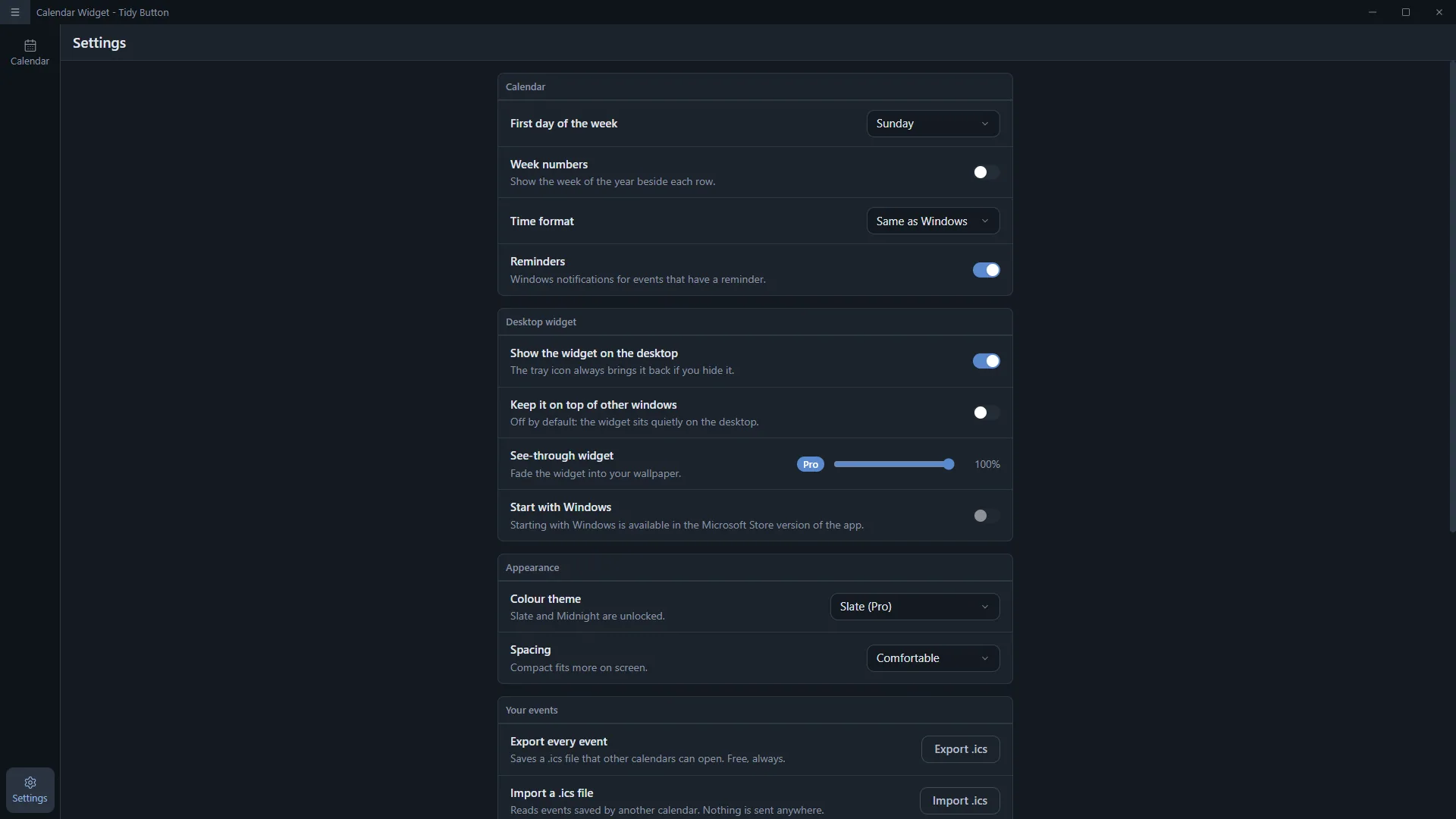
Settings: the widget, week numbers, reminders, appearance, and export and backup of your events. Slate is shown here (Pro)
Screens show a demo folder, not a real PC. The app has light and dark themes.
What it does
What it does.
Calendar Widget puts a small month calendar on your desktop, with today and your next events underneath. Add your own events with a colour, a time and a repeat, and get a Windows notification when they are due. Open the bigger calendar window when you want to plan. Your events stay on your PC, and the free app works with the internet turned off.
A month on the desktop
A small frameless widget with week numbers, dots on busy days and a Today and next list. It is not always on top unless you choose that.
A full calendar window
A big month with event titles, the selected day and a Coming up list.
Your own events
Title, date, start and end time, all day or several days, a colour and notes.
Repeats that fit
Daily, weekly on chosen days, monthly by date or second Tuesday, yearly, every N, ending never, after N times or on a date.
Reminders
Windows notifications from the start time up to a day before. A reminder missed while the PC was off shows once at the next start.
Yours to keep
Export every event to an .ics file for free, a daily backup in your Documents folder, and start with Windows in the Store version.
Unlimited (Pro)
No limit on events or reminders, .ics import, the Slate and Midnight themes and a see-through widget.
Quiet by design
No ads, no rating pop-ups and a tray icon to hide or show the widget.
The small print, in plain English
Safe by design.
- Your events are kept on your PC and are never uploaded.
- The free version holds up to 40 upcoming events and 3 reminders at a time. Past events never count and nothing is deleted.
- Pro is one payment, no subscription. Everything free stays free.
- Works offline. No account. No ads. No tracking.
Good for
Handy when you just need the date.
- Seeing the month at a glance
- Remembering birthdays and bills
- Repeating events like weekly lessons
- Keeping events off the cloud
Questions
Plain answers.
Is anything uploaded?
No. Your events are kept on your PC and the app works with the internet turned off.
Does it stay on top of my windows?
Not unless you turn that on. By default the widget sits quietly on the desktop. A tray icon hides or shows it.
How many events can I add for free?
Up to 40 upcoming events and 3 reminders at a time. Events in the past never count, and nothing is deleted.
Can I take my events with me?
Yes. Export every event to an .ics file for free, whenever you like. A daily backup is also kept in your Documents folder.
What does Pro add?
Unlimited events and reminders, .ics import, the Slate and Midnight themes and a see-through widget. It is one payment of $6.99.