How to plan cuts from plywood sheets on a Windows PC
This guide shows how to enter your sheets and parts and read the cutting diagrams, with the saw blade width taken out.
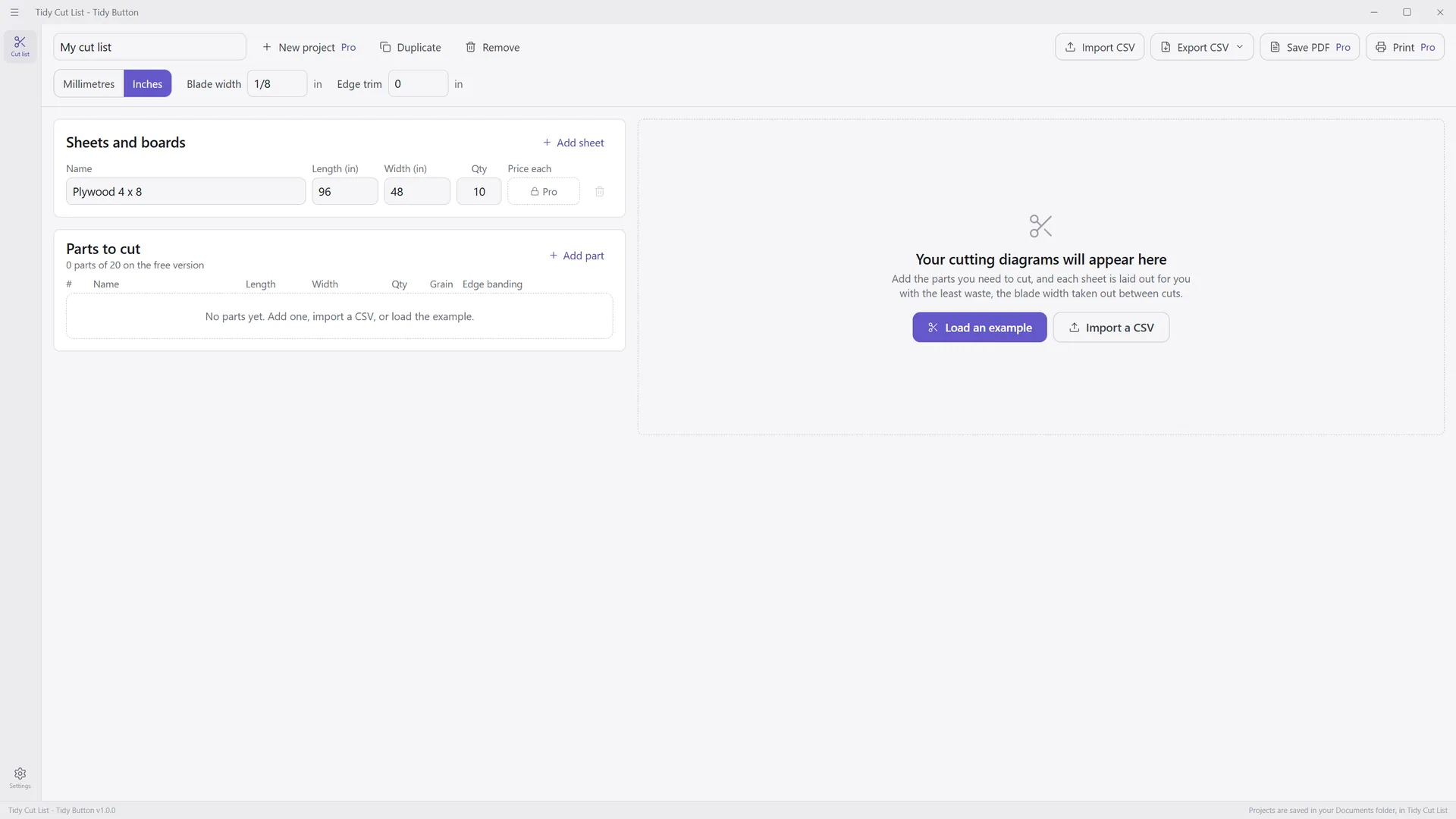
This app is not on the Microsoft Store yet. This guide is ready for the day it arrives.
Enter your sheets
- Open Tidy Cut List and choose Millimetres or Inches at the top.
- Set the Blade width of your saw and an Edge trim if you need one.
- Under Sheets and boards, type the name, length, width and quantity of the sheet you have.
- Press Add sheet for another kind of sheet.
Add your parts
- Under Parts to cut, press Add part.
- Type each part name, length, width and quantity.
- Or press Import a CSV to fill the list from a file.
- To see how it works first, press Load an example.
Read the cutting diagrams
- Look at the sheets on the right. Every piece shows its number, name and size.
- Read the figures at the top: sheets used, waste and pieces placed.
- Check the list under each sheet for the parts on that sheet.
- Press Export CSV to save every piece with its sheet and position.
If something goes wrong
A part is missing from the diagrams. Why?
A part that cannot be placed is named with the reason: too big for the sheet, or not enough sheets on the shelf. Add a bigger sheet or more sheets.
How many parts can the free version hold?
It holds 20 parts, 1 kind of sheet and 1 saved project, with every diagram and waste figure included.
Can I type fractions of an inch?
Yes. Fractions of an inch are accepted when you work in inches.
Where are my projects saved?
As files in your Documents folder. A copy is kept on every save and a backup every day.
Coming to the Microsoft StoreAbout Tidy Cut List
Still stuck? Support is by email, and a person reads it.