A cutting diagram for every sheet of plywood or board, with the blade width taken out and the waste worked out. Inches or millimetres. No upload, no account.
We will link the Store listing here the day it is live. Until then there is nothing to download.
Real app, with a sample bookshelf ready to cut.
Works offline
No account, no ads, no tracking
No watermark
Free
See it
Six views. One job, planned.
Start
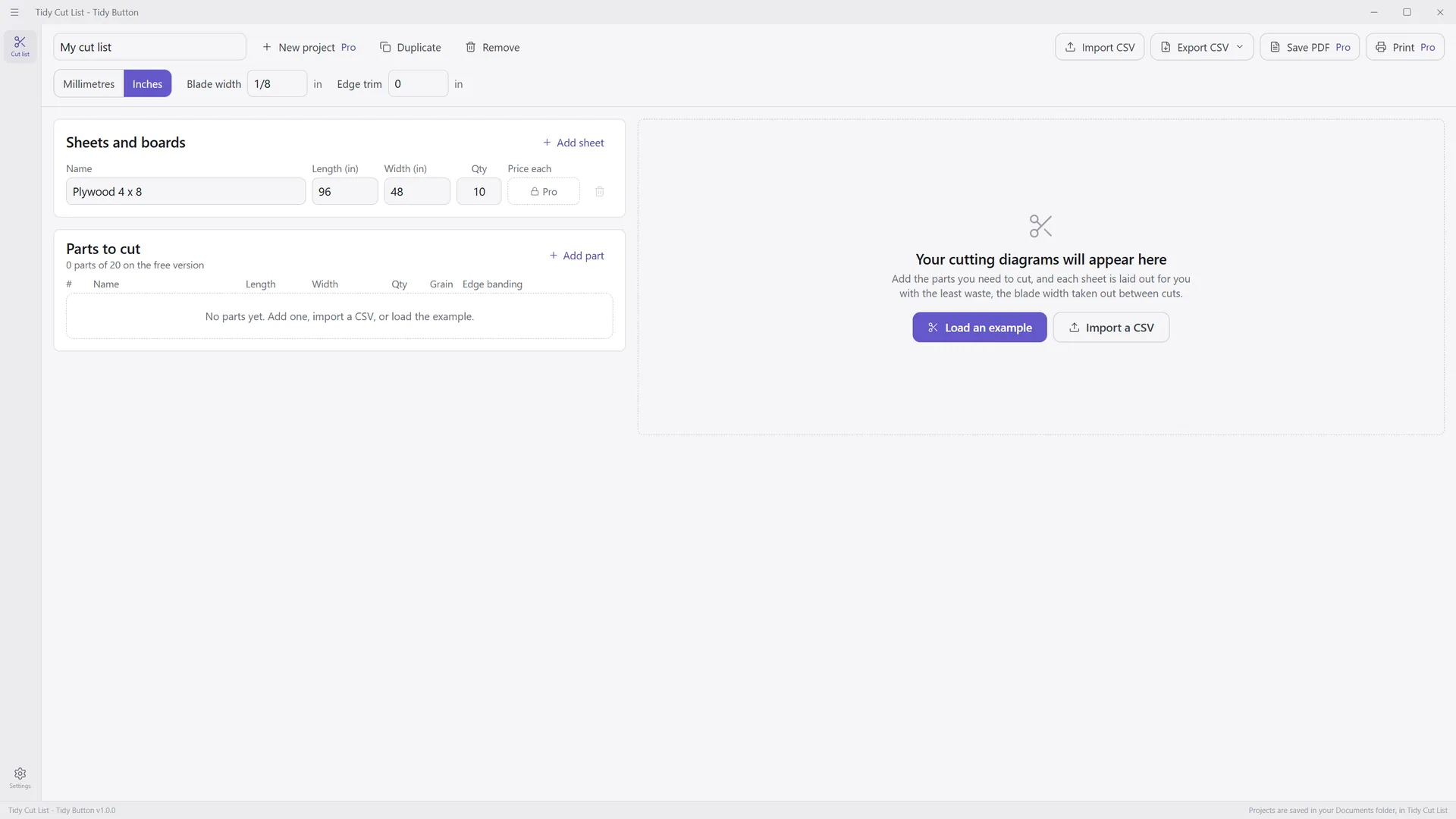
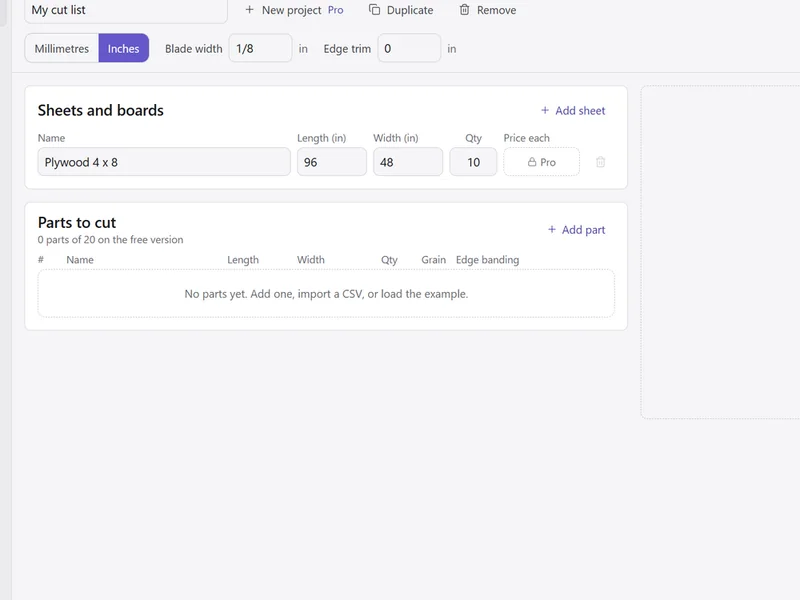
Start with your sheets and parts, or press Load an example
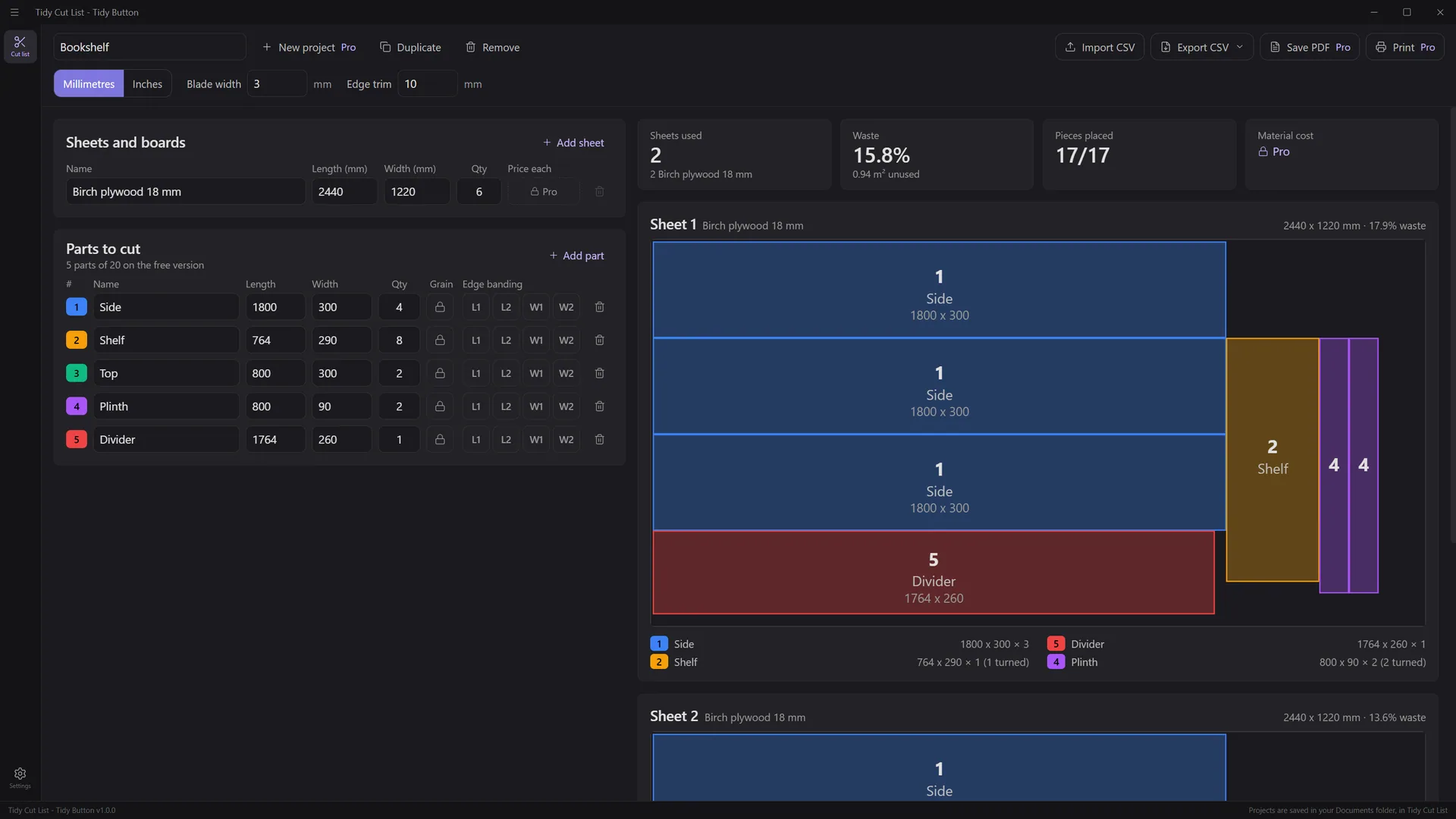
Bookshelf
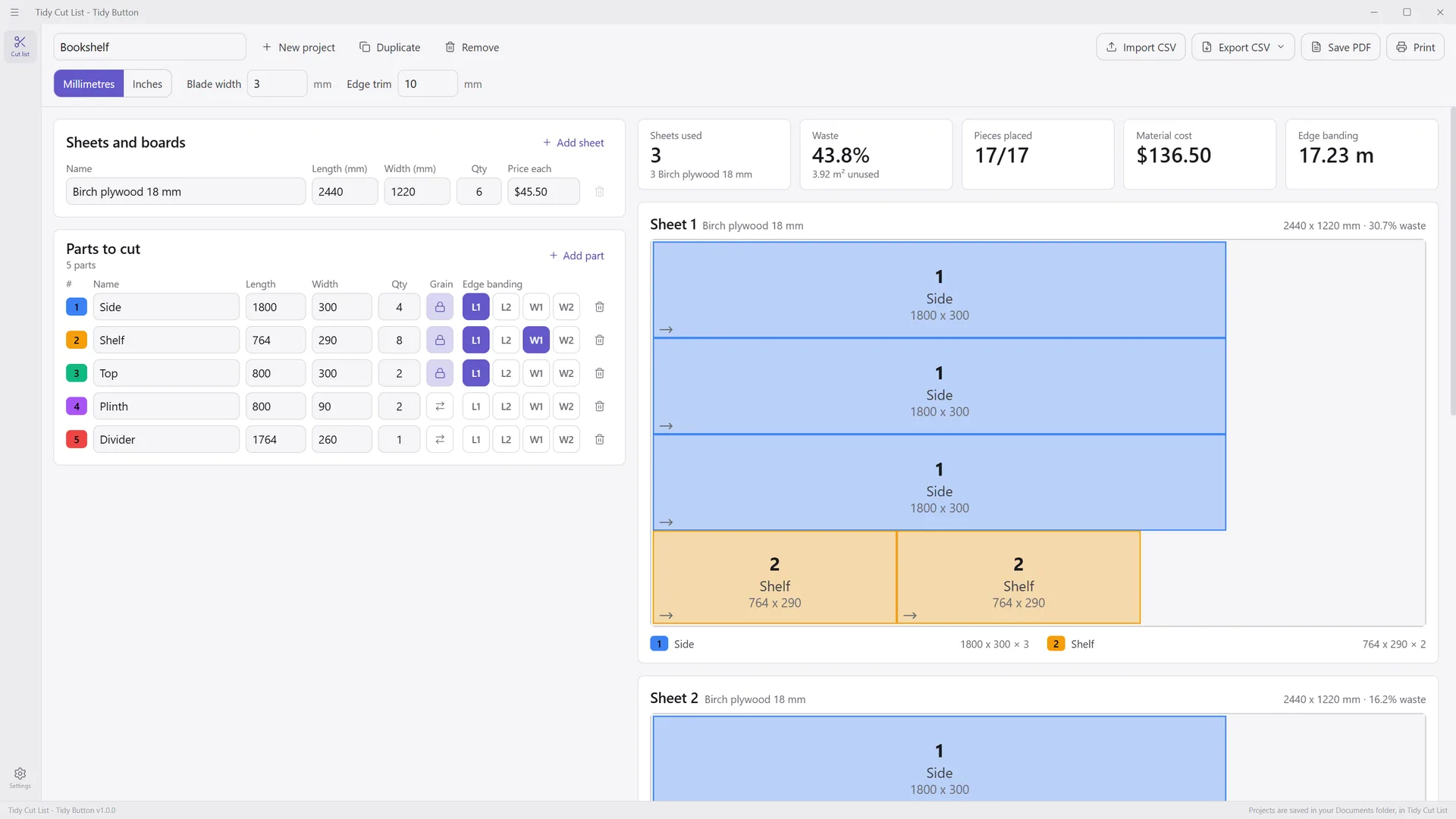
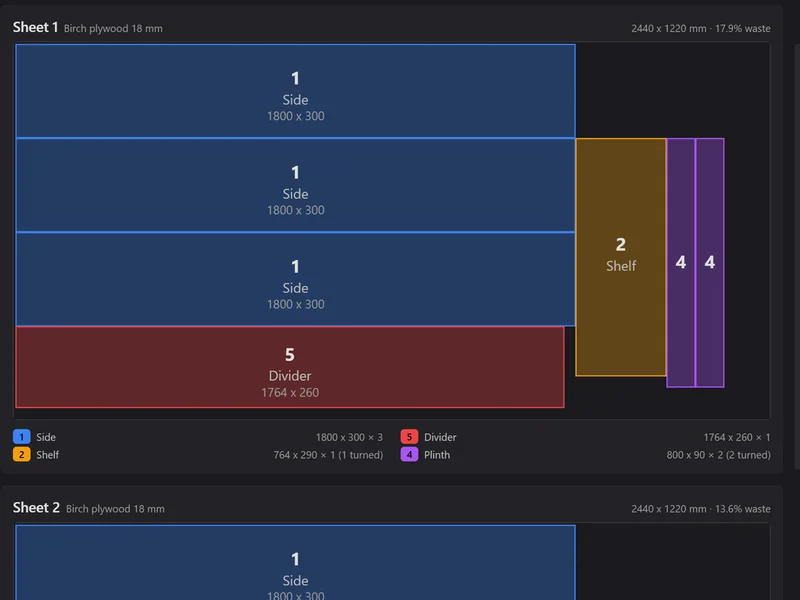
A bookshelf from 18 mm plywood: sheets used, waste, and a diagram of every sheet
Sheet layout
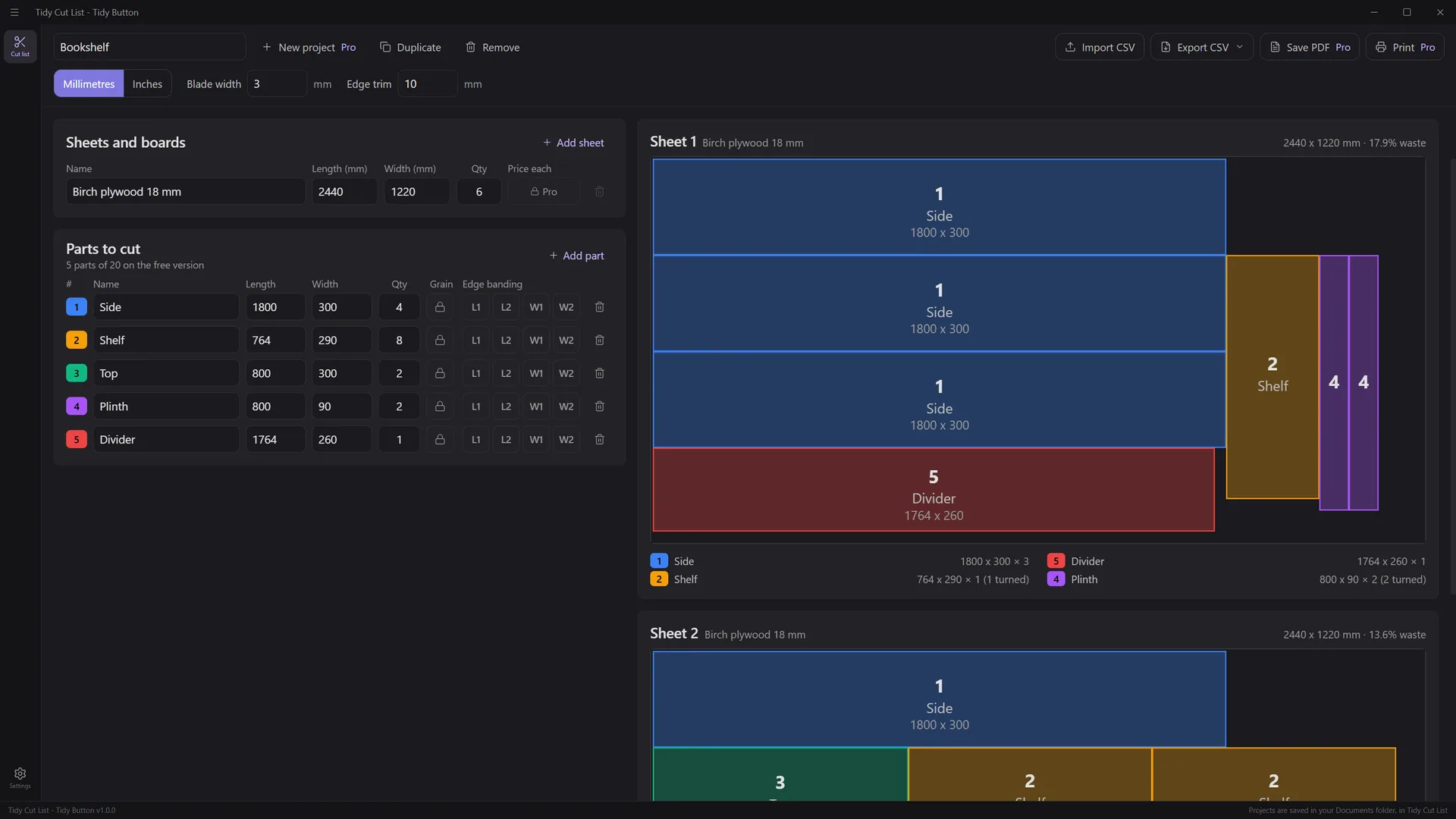
Every sheet is drawn so you can follow it at the saw
Waste and yield
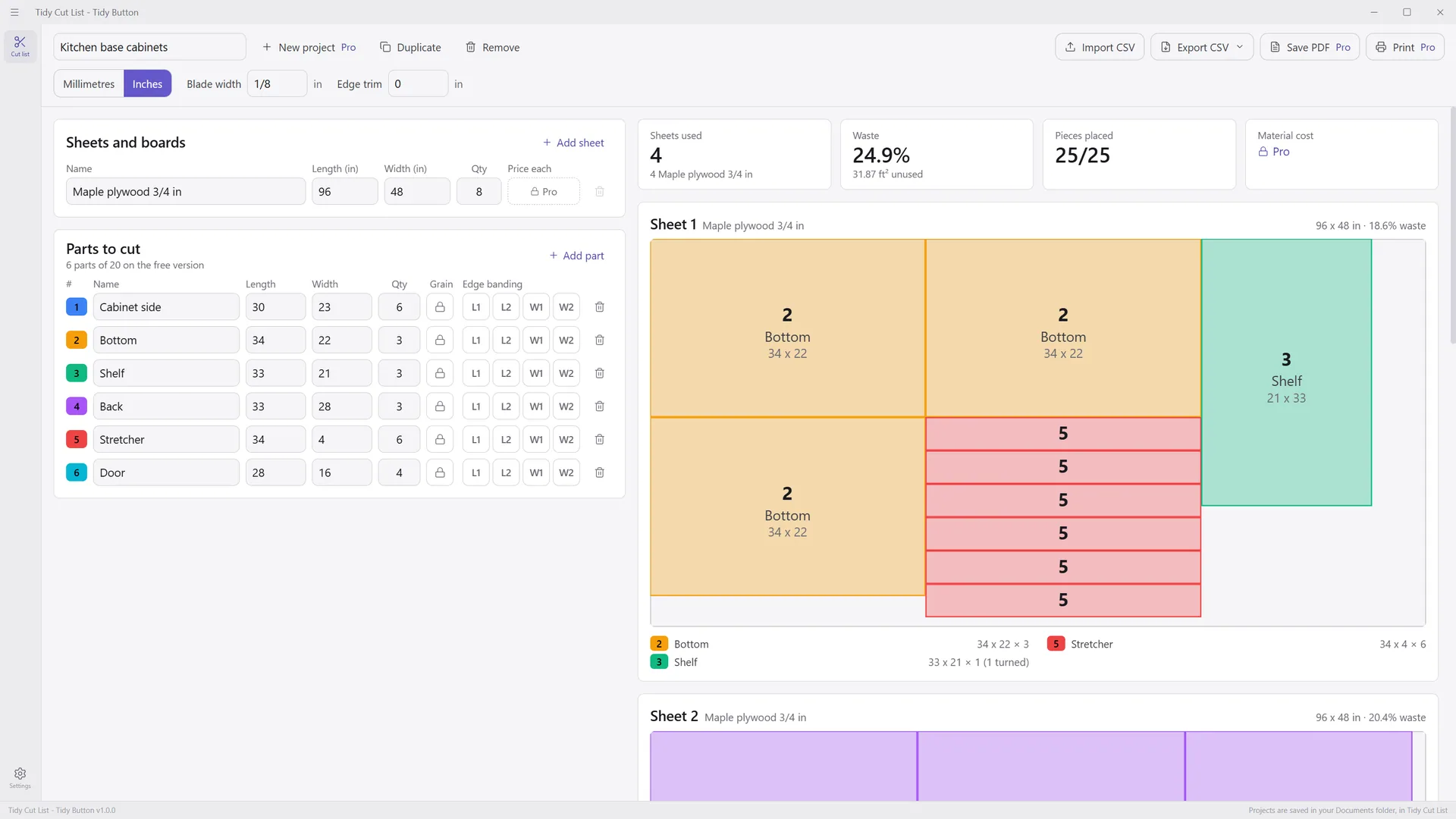
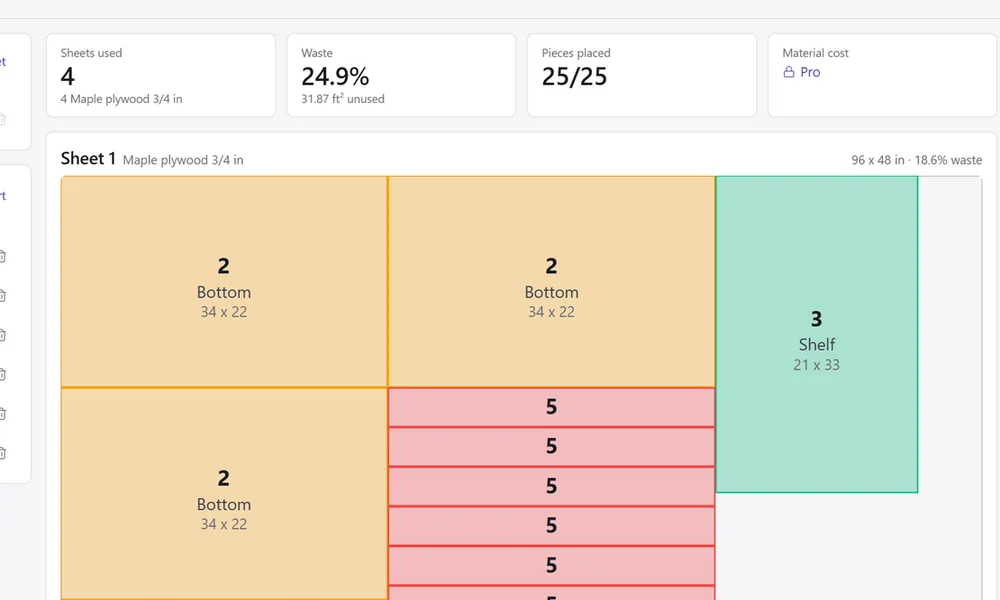
Kitchen cabinets in inches: waste, area left over and pieces placed
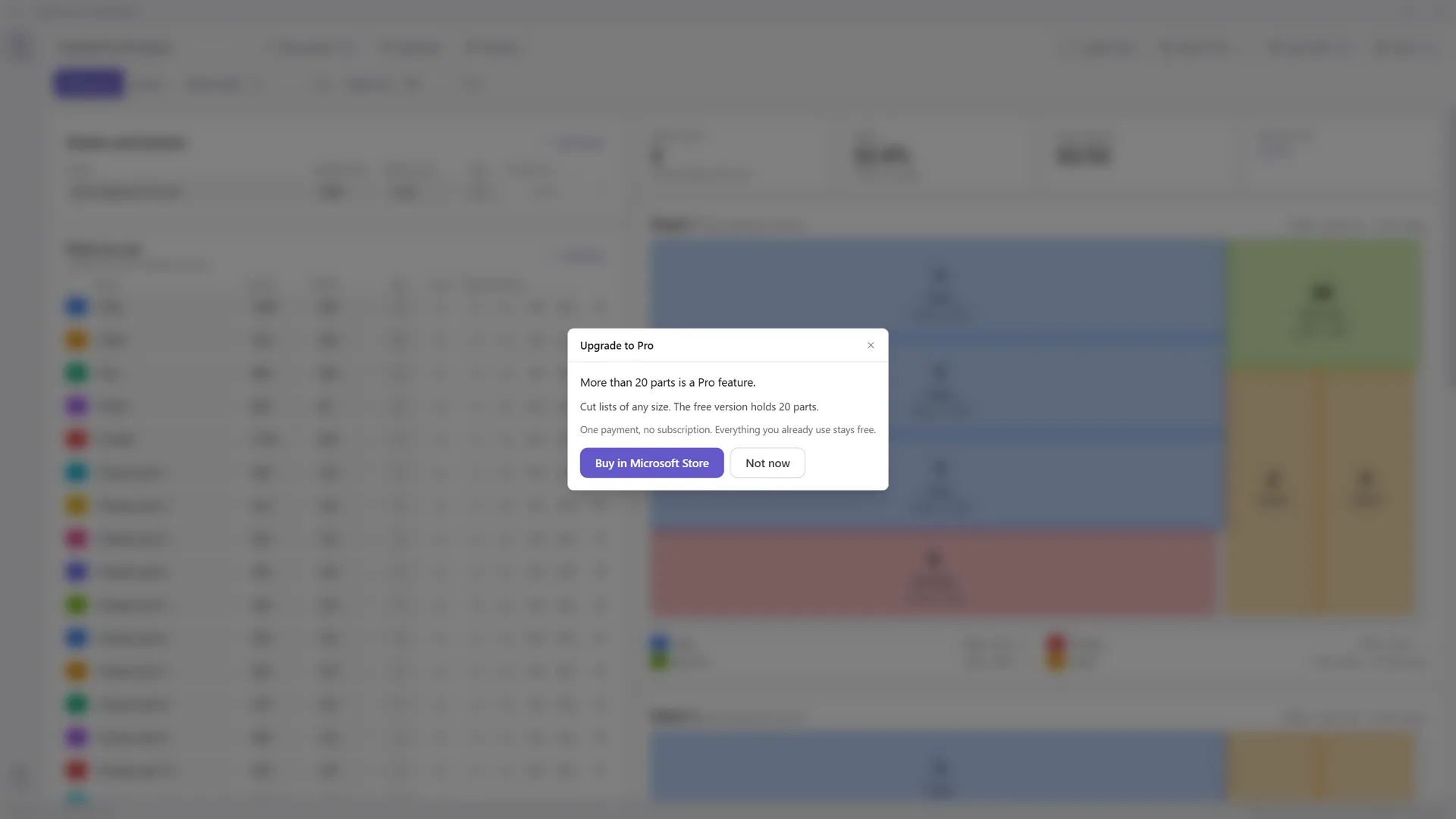
Free limit
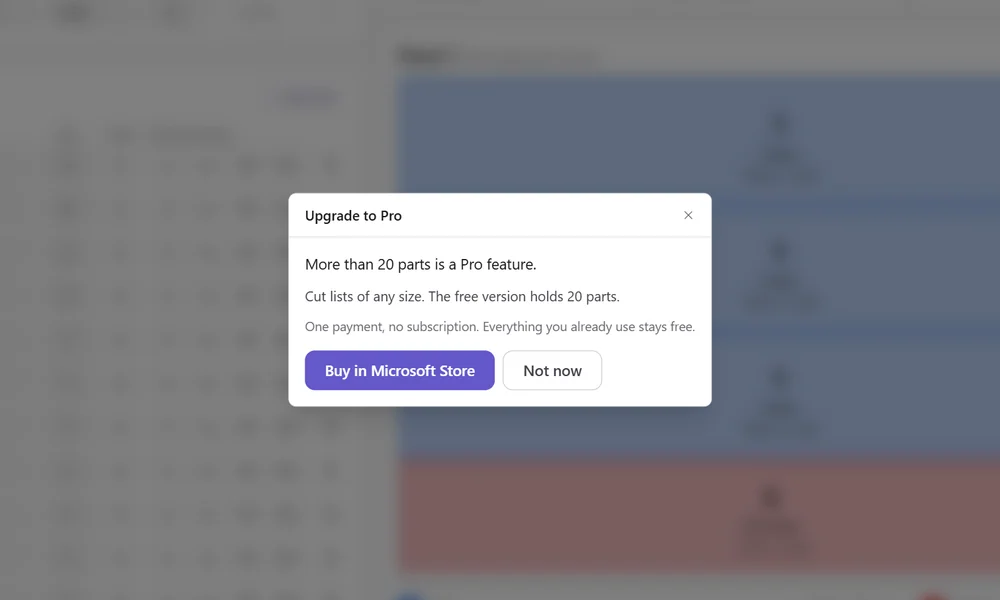
The free version holds 20 parts and says so plainly
Pro
Pro: grain lock, edge banding and a material cost
Screens show a sample bookshelf and kitchen job. The app has light and dark themes.
How it works
Three steps. No manual.
01
Enter your sheets
Type the size and number of the sheets you have, in inches or millimetres, and your saw blade width.
02
Add your parts
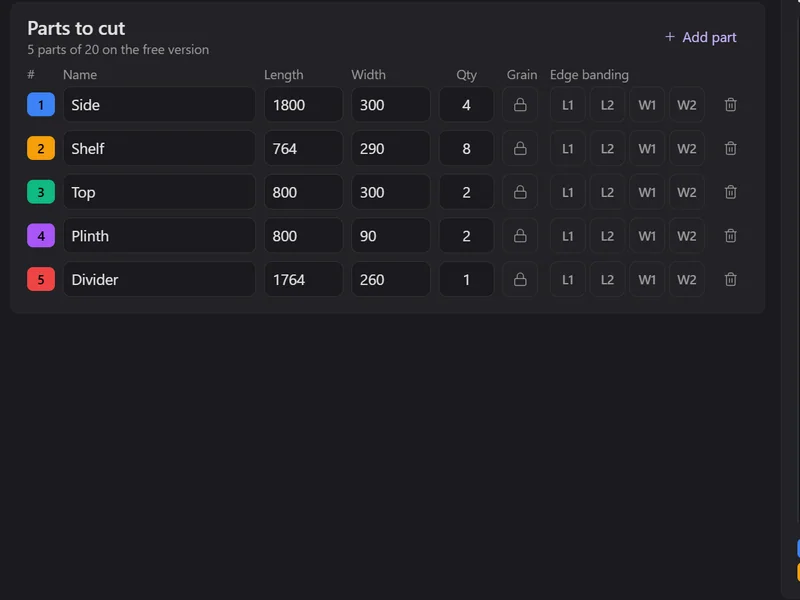
Type each part's length, width and quantity, or import a CSV. Press Load an example to see how it works.
03
Cut from the diagrams
Each sheet is drawn with a number and size on every piece. Print or save a PDF with Pro.
What it does
What it does.
Tidy Cut List lays your parts out on plywood, MDF or melamine sheets so you buy fewer sheets and make fewer mistakes at the saw. Each sheet is drawn with a number and size on every piece. Everything happens on your PC. Your projects are ordinary files in your Documents folder, with backups, and the free app works with the internet turned off.
A diagram for every sheet
Each sheet is drawn with a part number, name and size on every piece, and the parts on that sheet are listed underneath.
Blade width and trim
The saw blade width is taken out between every cut, and an edge trim can be set, so the plan matches what the saw does.
Waste you can see
Waste is shown for each sheet and for the whole job, with the area left unused and the pieces placed.
Nothing silently dropped
A part that cannot be placed is named, with the reason: too big for the sheet, or not enough sheets on the shelf.
Layouts are checked
The app checks every layout before it shows it: no overlaps and nothing outside the sheet.
Inches or millimetres
Work in whichever your tape measure uses. Fractions of an inch are accepted.
CSV in and out
Import a parts list, export your parts, or export every piece with its sheet and position.
Your jobs are safe
Projects are files in Documents. A copy is kept on every save, a backup every day, and a removed project can be restored from Settings.
Pro for bigger jobs
Unlimited parts and sheets, a grain lock, edge banding totals, a material cost estimate, print and PDF, and more saved projects.
The small print, in plain English
Safe by design.
Waste and pieces placed are shown for the whole job and for each sheet.
The free limit is explained in plain words, and everything you already use stays free.
Nothing is uploaded. Your cut lists stay on your PC.
The free version holds 20 parts, 1 kind of sheet and 1 saved project, with every diagram and waste figure included.
Works offline. No account. No ads. No tracking. No watermark.
Pro is one payment, no subscription.
What it counts
Every cut, accounted for.
The plan matches what the saw does.
Every sheet is drawn so you can follow it at the saw.
Blade width
Every cut
Taken out between every cut, so pieces are the size you typed.
Edge trim
Optional
Waste trimmed off every edge of a sheet before cutting, if you set one.
Waste
Plainly stated
Shown for each sheet and for the whole job, with the area left unused.
Parts that do not fit
Nothing hidden
Named in the results with the reason, never dropped silently.
Checked layouts
Verified
No overlaps and nothing outside the sheet, checked before a layout is shown.
Grain and banding
Pro
Pro: a grain lock that never turns a part, and edge banding counted in metres or feet.
The free version holds 1 kind of sheet, 20 parts and 1 saved project. Pro is a one-time payment.
Good for
Handy when sheets cost money.
A bookcase or shelving cut from plywood
Kitchen and wardrobe cabinets
Workshop jigs and storage
Working out how many sheets to buy
Questions
Plain answers.
Is anything uploaded?
No. Your cut lists stay on your PC. The free app works with the internet turned off.
Does it allow for the saw blade?
Yes. Set the blade width and an edge trim, and the blade width is taken out between every cut.
What if a part does not fit?
It is named in the results with the reason, for example too big for the sheet or not enough sheets on the shelf. Nothing is dropped silently.
Where are my projects kept?
In a folder called Tidy Cut List inside your Documents folder. A copy is kept on every save and a backup every day, and you can restore from Settings.
Is there a limit in the free version?
The free version holds 1 kind of sheet, 20 parts and 1 saved project. Pro is a one-time payment that adds unlimited parts and sheets, a grain lock, edge banding, a cost estimate, print and PDF, and more projects.
Can I bring in a parts list?
Yes. Import a CSV, and export your parts or every piece with its sheet and position.
Does it need an account?
No. There is no account, no ads, no tracking and no watermark.