Coming to the Microsoft Store
Cursor Studio A new pointer, a click to undo.
Original mouse pointers for Windows, in the size you choose. Restore the Windows pointers any time. No account, no ads.
We will link the Store listing here the day it is live. Until then there is nothing to download.
- Works offline
- No account, no ads, no tracking
- Original art
- Free sets
See it
Seven views. One pointer, your way.
Gallery
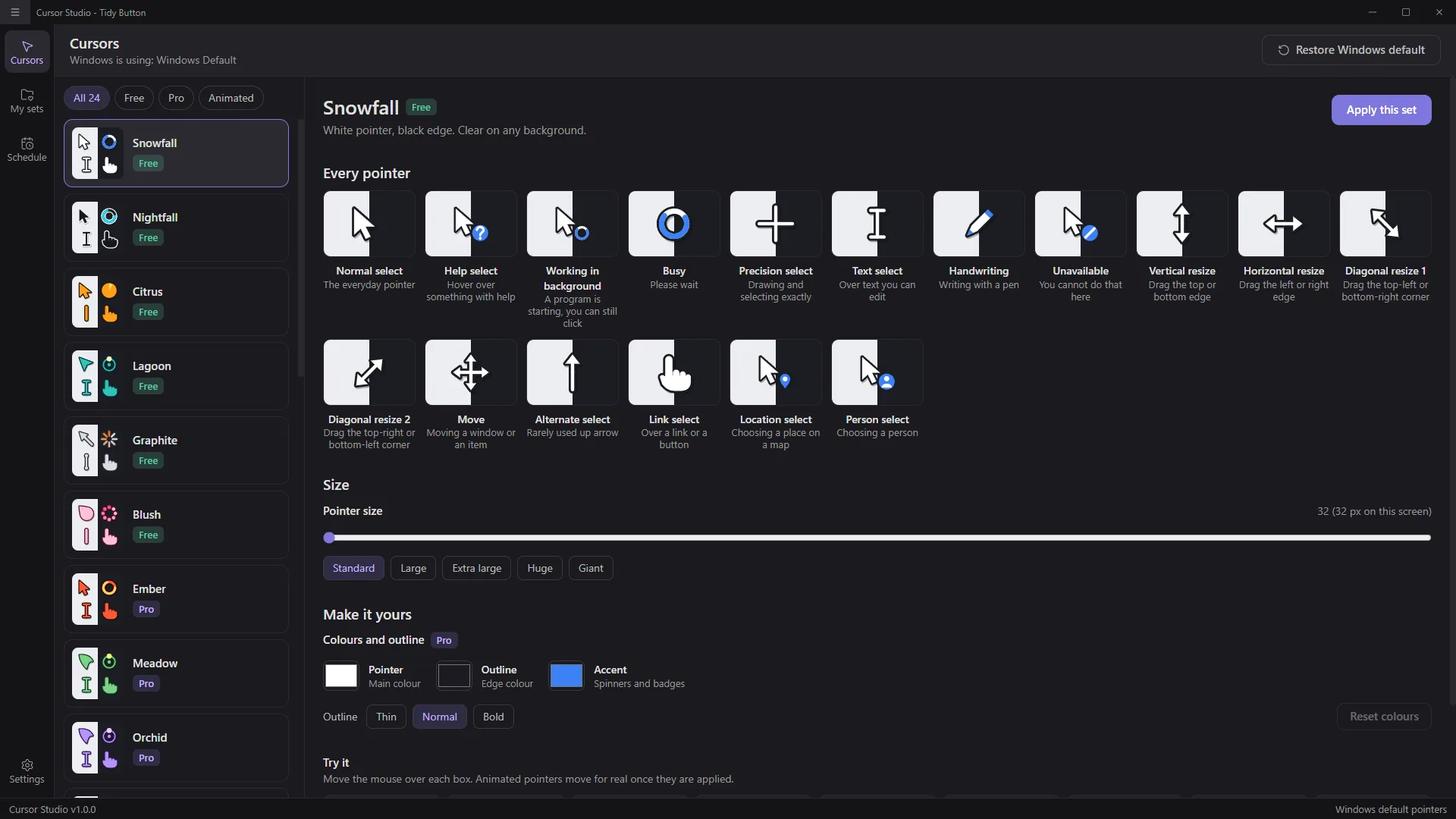
Browse original pointer sets. Each one shows every pointer it contains, from the normal arrow to resize, text, busy and link
A set
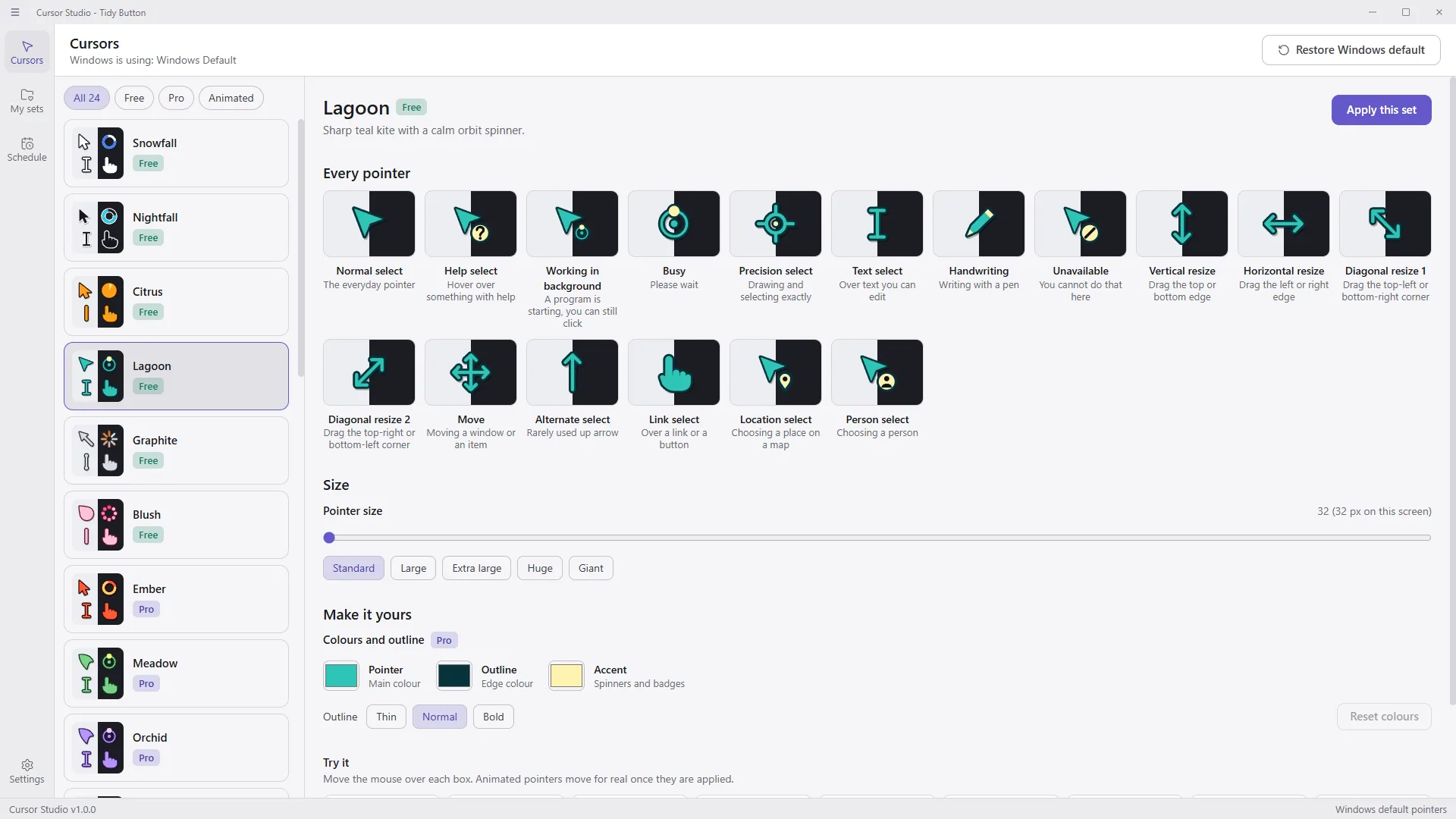
See a whole set at once, choose a size from Standard to Giant, and try the pointers on the preview boxes before you apply
Free limit
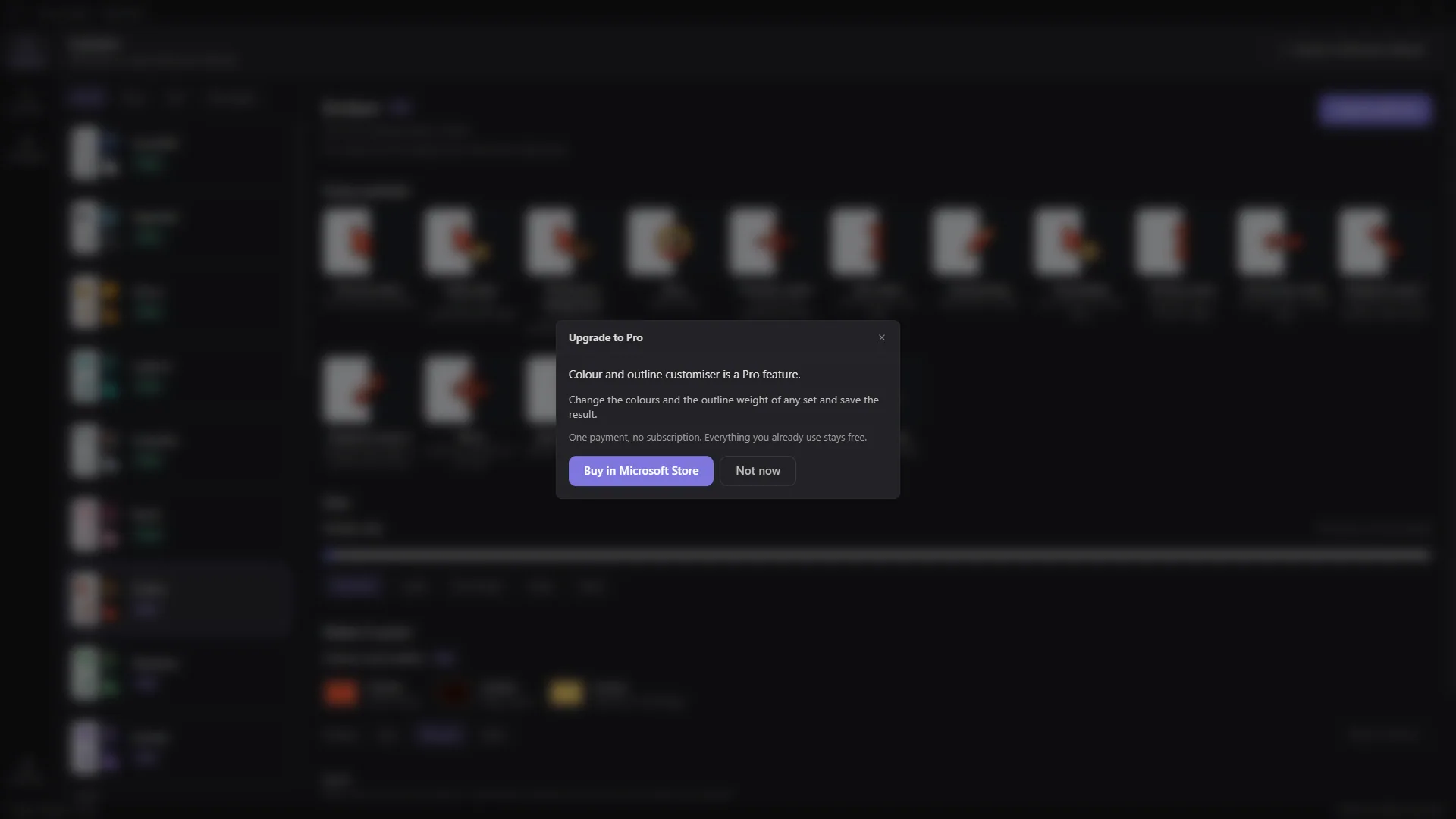
The free version has 6 sets. Pro sets and the colour customiser offer Pro when you touch them; nothing is applied until you press Apply
Animated
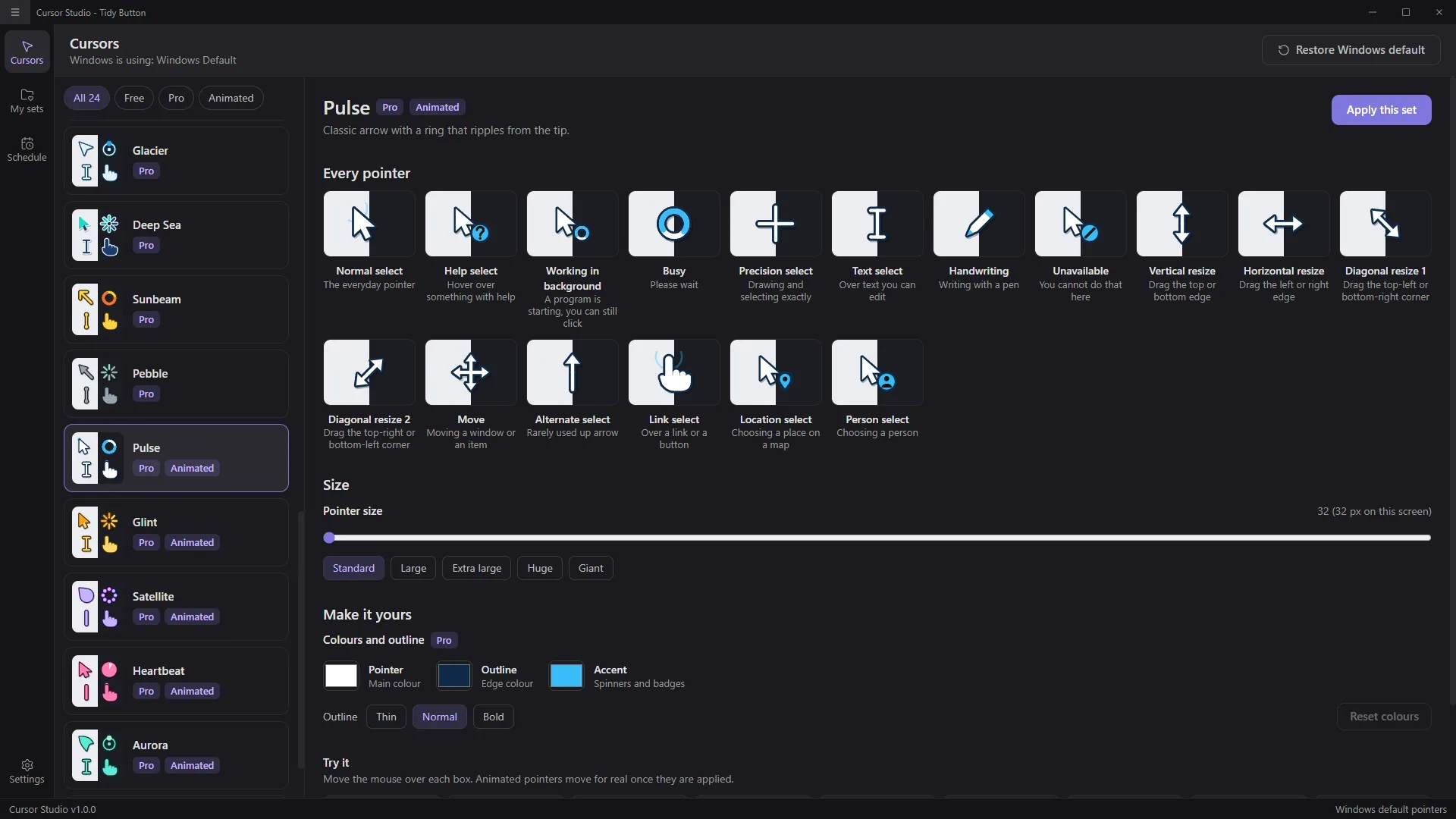
Pro: animated sets, such as a ring that ripples from the tip of the pointer
Colours
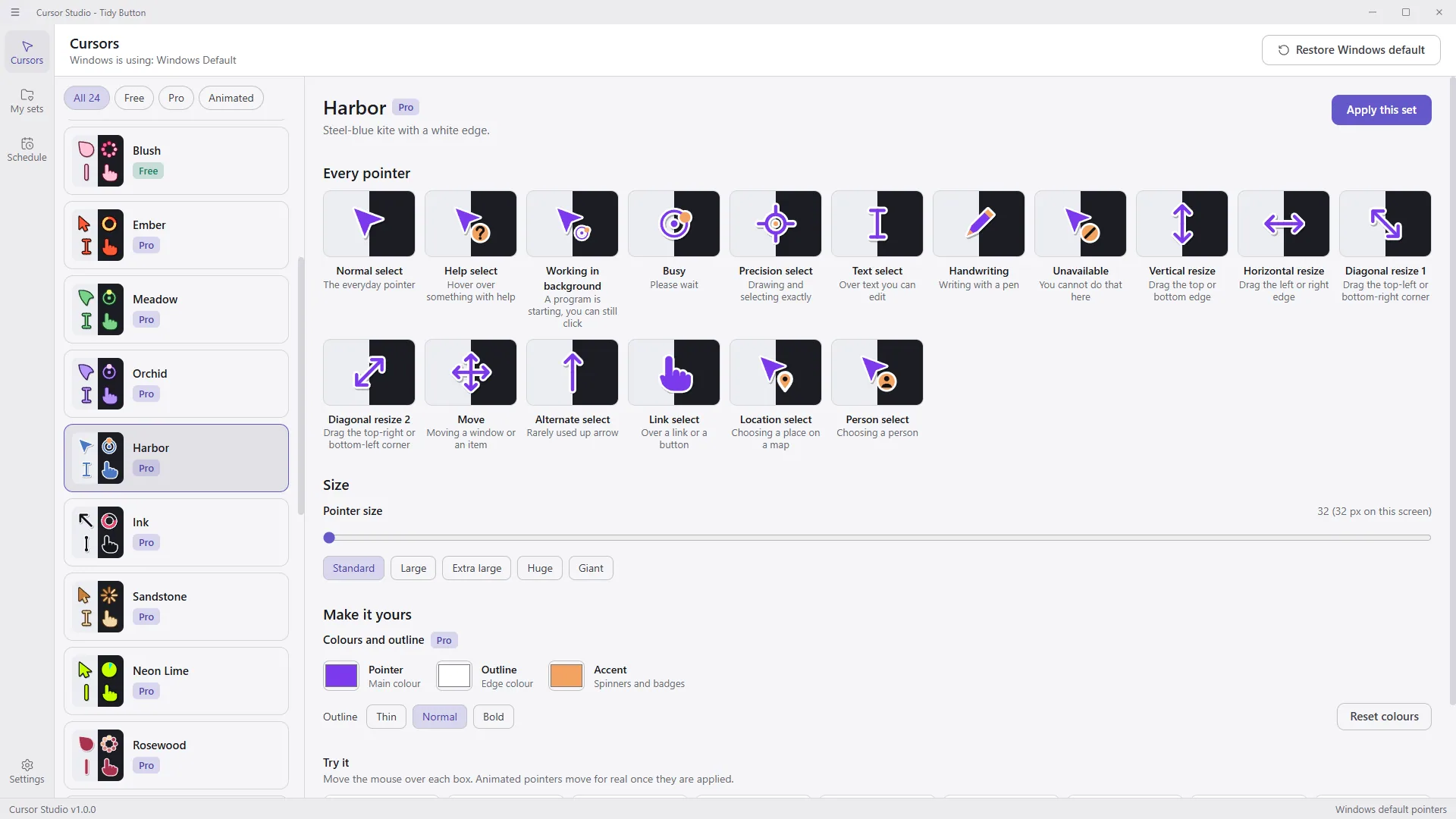
Pro: change the pointer, outline and accent colours of any set, and the preview follows at once
Schedule
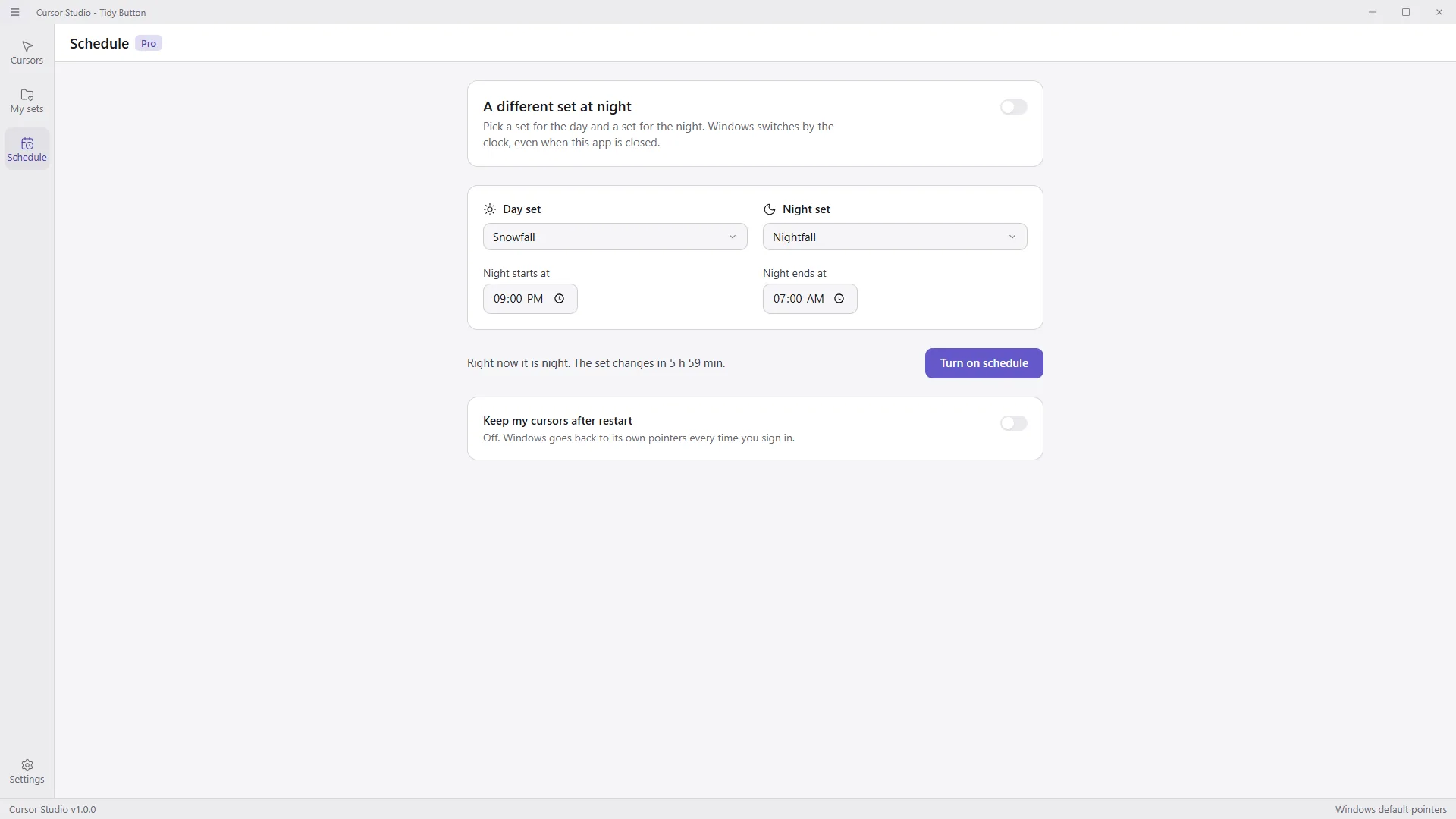
Pro: pick a day set and a night set. Windows switches between them by the clock, even when this app is closed
Filter
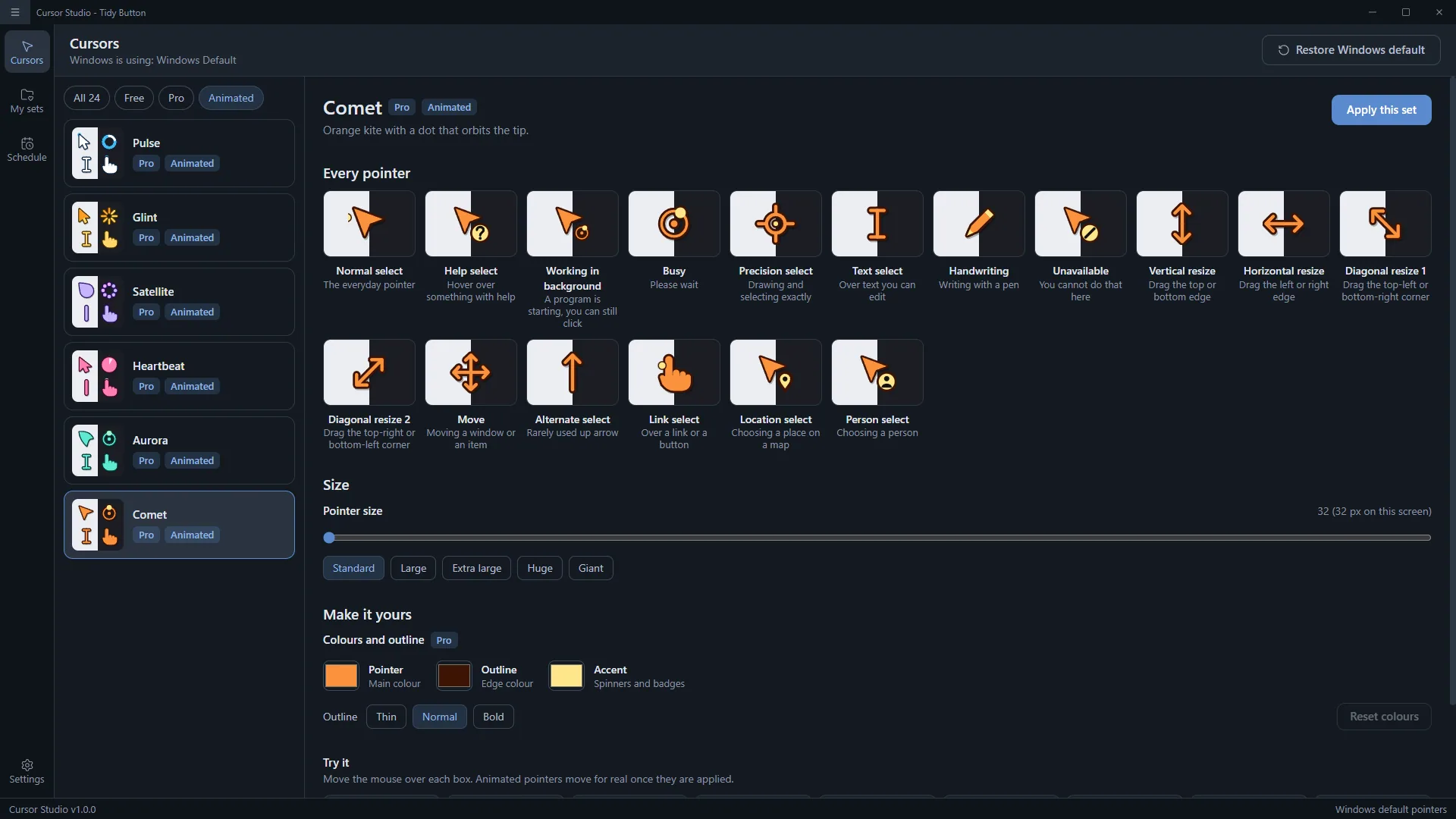
Filter the gallery by Free, Pro or Animated. Here the Animated sets are shown in the Slate theme
Screens show a demo folder, not a real PC. The app has light and dark themes.
What it does
What it does.
Cursor Studio changes your Windows mouse pointer to a set of original pointers drawn for this app, at a size you choose. The Windows pointers are always one click away. It suits gamers and streamers, teachers and presenters, people who find the default pointer too small, and anyone who wants a dark pointer at night. The free app works with the internet turned off.
Original pointer sets
A gallery of sets drawn for this app, each shown with every pointer in it: normal, help, busy, precision, text, resize, move, link and more.
Try before you apply
Move the mouse over the preview boxes to see how each pointer looks and moves.
Any size
Choose Standard to Giant or drag the slider, up to the size your screen can show.
Always a way back
Restore Windows default is on every screen and puts the Windows pointers back with one click.
Kept after a restart
Choose whether your cursors stay after you restart or sign in again.
Real cursor files
The pointer files are real .cur and .ani files in your Documents folder, so Windows can read them after the app is closed.
Animated and colours (Pro)
All 24 sets, animated pointers, and a colour and outline customiser for any set.
Your own and a schedule (Pro)
Build a set from your .cur and .ani files, and switch a day set and a night set by the clock.
The small print, in plain English
Safe by design.
- Every pointer is original art drawn for this app, with no copied characters or brands.
- Restore Windows default is always available and puts the Windows pointers back.
- The free version has 6 sets and the size control, with no time limit. Pro is one payment, no subscription.
- Works offline. No account. No ads. No tracking.
Good for
Handy when you lose the pointer.
- A bigger, easier-to-find pointer
- Streams, videos and presentations
- A dark pointer for night
- A change from the default arrow
Questions
Plain answers.
How do I go back to the Windows pointers?
Press Restore Windows default. It is on every screen and always works.
Are the pointers original?
Yes. Every pointer is original art drawn for this app. There are no copied characters or brands.
Will my cursor stay after I restart?
If you turn on Keep my cursors after restart, yes. If you leave it off, Windows goes back to its own pointers when you sign in.
Is anything uploaded?
No. The app changes only your own pointer settings on this PC and works with the internet turned off.
What does Pro add?
All 24 sets, animated pointers, a colour and outline customiser, building your own set from .cur and .ani files, and a day and night schedule. It is one payment of $3.99.