How to make a crossword puzzle from your own words
This guide shows how to turn a list of words and clues into a crossword or a word search, and how to save it as a PDF with an answer key.
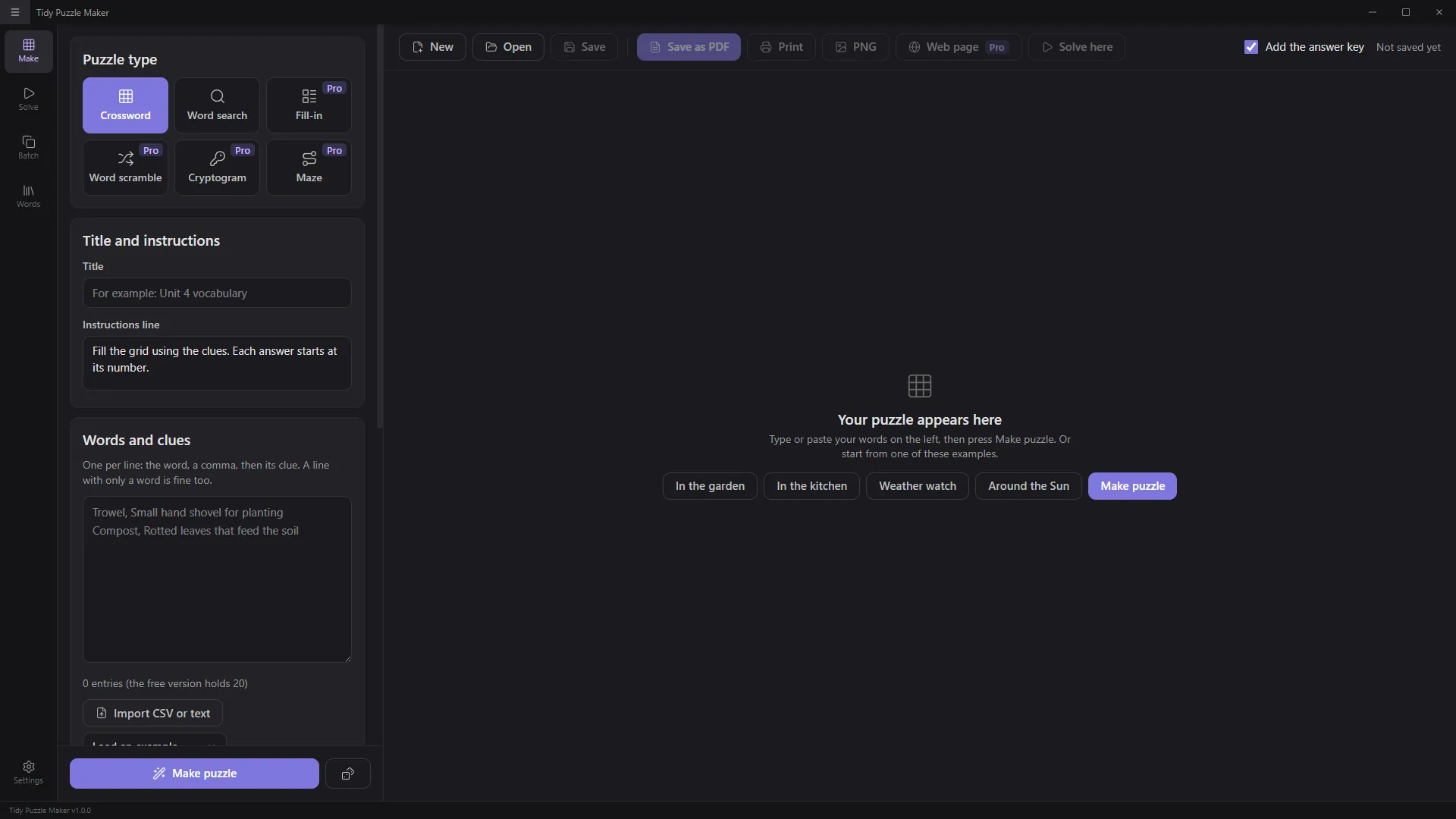
This app is not on the Microsoft Store yet. This guide is ready for the day it arrives.
Make a crossword from a word list
Each line holds a word, a comma, then its clue.
- Open Make in the left menu.
- To try the app first, open Load an example and pick a list. Otherwise, go on to the next step.
- Under Puzzle type, choose Crossword.
- Type a name in Title, for example Unit 4 vocabulary.
- In Words and clues, type one entry per line, such as Trowel, Small hand shovel for planting.
- Press Make puzzle. The page appears on the right.
A line with only a word is fine. That word then has no clue text.
Make a word search
- Open Make and choose Word search under Puzzle type.
- Type or paste your words into Words and clues.
- Under Grid, open Size and pick a size, or leave it on the automatic choice.
- Tick the directions you want: Across, Down, Diagonal and Backwards.
- Open Filler letters to choose which letters fill the empty squares.
- Press Make puzzle.
The app redraws any filler letters that spell a word on its list of rude words.
Bring in a word list from a file
- Open Make and find Words and clues.
- Press Import CSV or text.
- Choose your file. It can be a .csv, .tsv or .txt file. The words are added to the box.
- Read through the list and fix any line you want to change.
- Press Make puzzle.
The app shows how many lines it skipped, if any.
Save the puzzle as a PDF with an answer key
- Press Puzzle above the page to check the puzzle. Press Answer key to see the answers.
- Under Look of the page, open Paper and choose US Letter or A4.
- Tick Name and date line on the puzzle page if you want a line for the student.
- Make sure Add the answer key is ticked.
- Press Save as PDF and choose where to save the file.
- To print, press Print. The PDF opens in your PDF viewer, and you print it from there.
Press PNG to save the page you are looking at as a picture instead. Only the first page is saved.
Solve the puzzle on screen
- Make your puzzle first.
- Press Solve here at the top of the page.
- Click a square and type your answer with the keyboard.
- Press Back to Make when you want to change the words.
If something goes wrong
Some of my words are missing from the puzzle. Why?
Words that do not fit are listed under the preview with a note. Press Make puzzle again for another layout, or try a larger grid in a word search.
I changed my words but the page did not change. What do I do?
Press Make puzzle again. The app shows a note that the page is out of date until you do.
How do I save my puzzle to edit later?
Press Save at the top and pick a place for the file. Later, press Open to bring it back.
The crossword grid is too big. Can I make it smaller?
Use a shorter list. Under Grid, set Shape to Free-form, which keeps the grid as small as the words allow.
Good to know
- A puzzle holds up to 20 words and clues.
Still stuck? Support is by email, and a person reads it.