Coming to the Microsoft Store
Contacts Your address book, in your hands.
Search, birthdays, vCard and CSV import and a daily backup, all in one private file on your PC. No account, no cloud.
Not on sale yet. The app is still being built.
We will link the Store listing here the day it is live. Until then there is nothing to download.
- Works offline
- No account, no ads, no tracking
- Daily backup
- Free for 100 contacts
See it
Eight views. One private book.
Start
Start with a blank, private address book. Add a person or import a vCard or CSV file. Everything stays in one file on this PC
Contacts
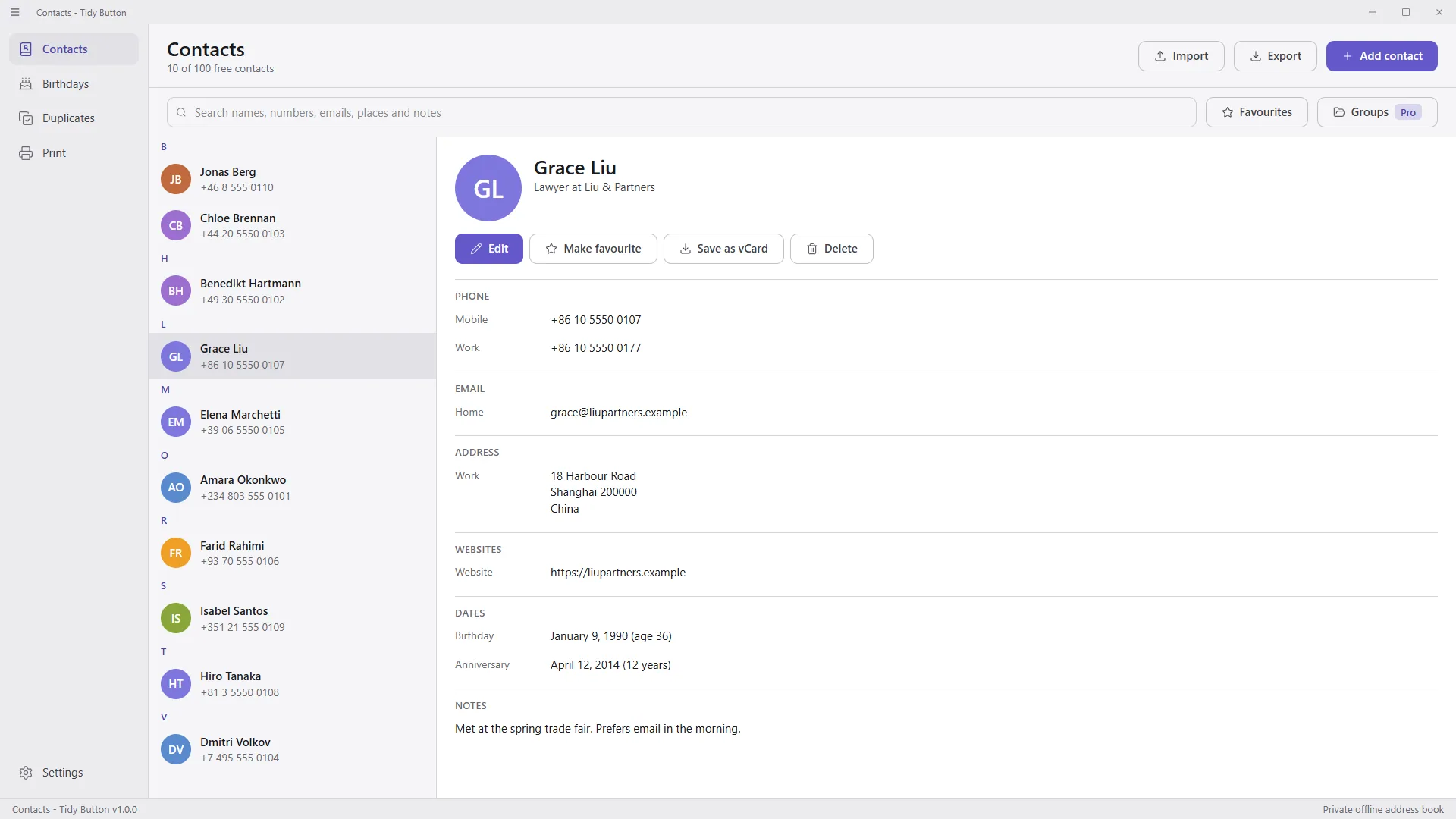
Phones, email, address, website, birthday, anniversary and notes for each person, with fast search across all of it
Birthdays
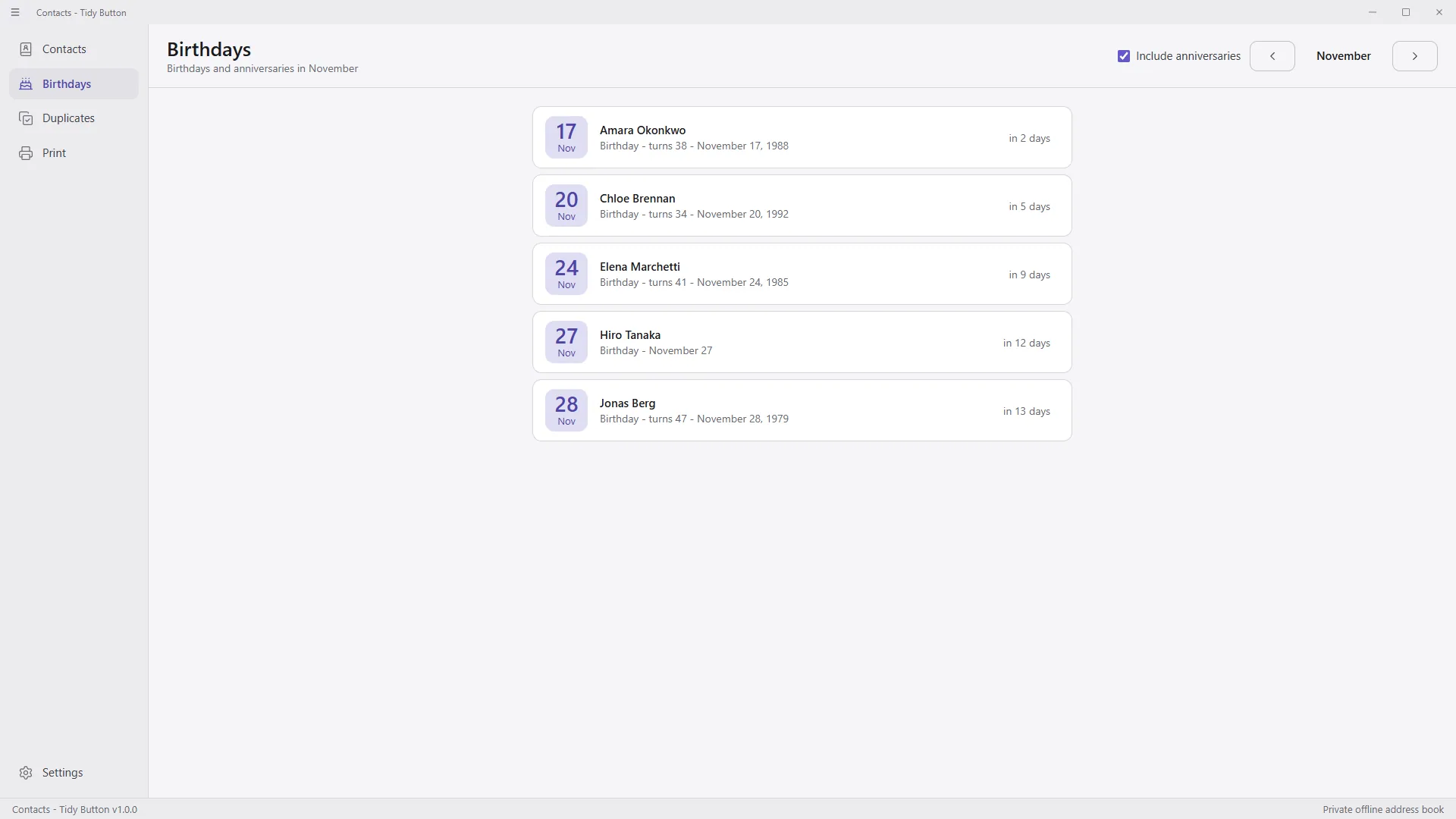
See who has a birthday or anniversary this month, how old they are turning, and how many days are left
Free limit
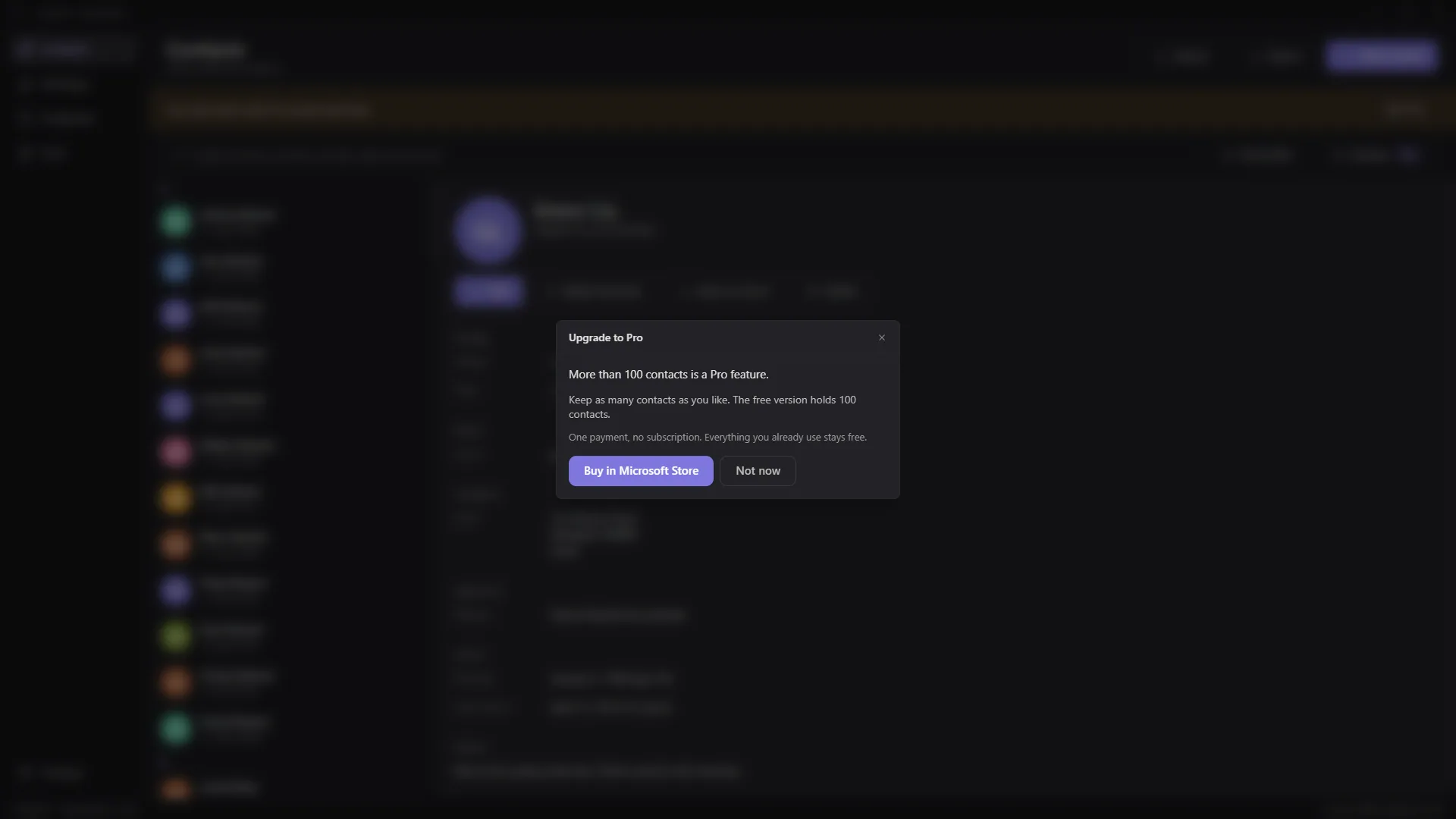
The free version keeps up to 100 contacts. At the limit you are offered Pro; nothing is deleted or hidden
Groups
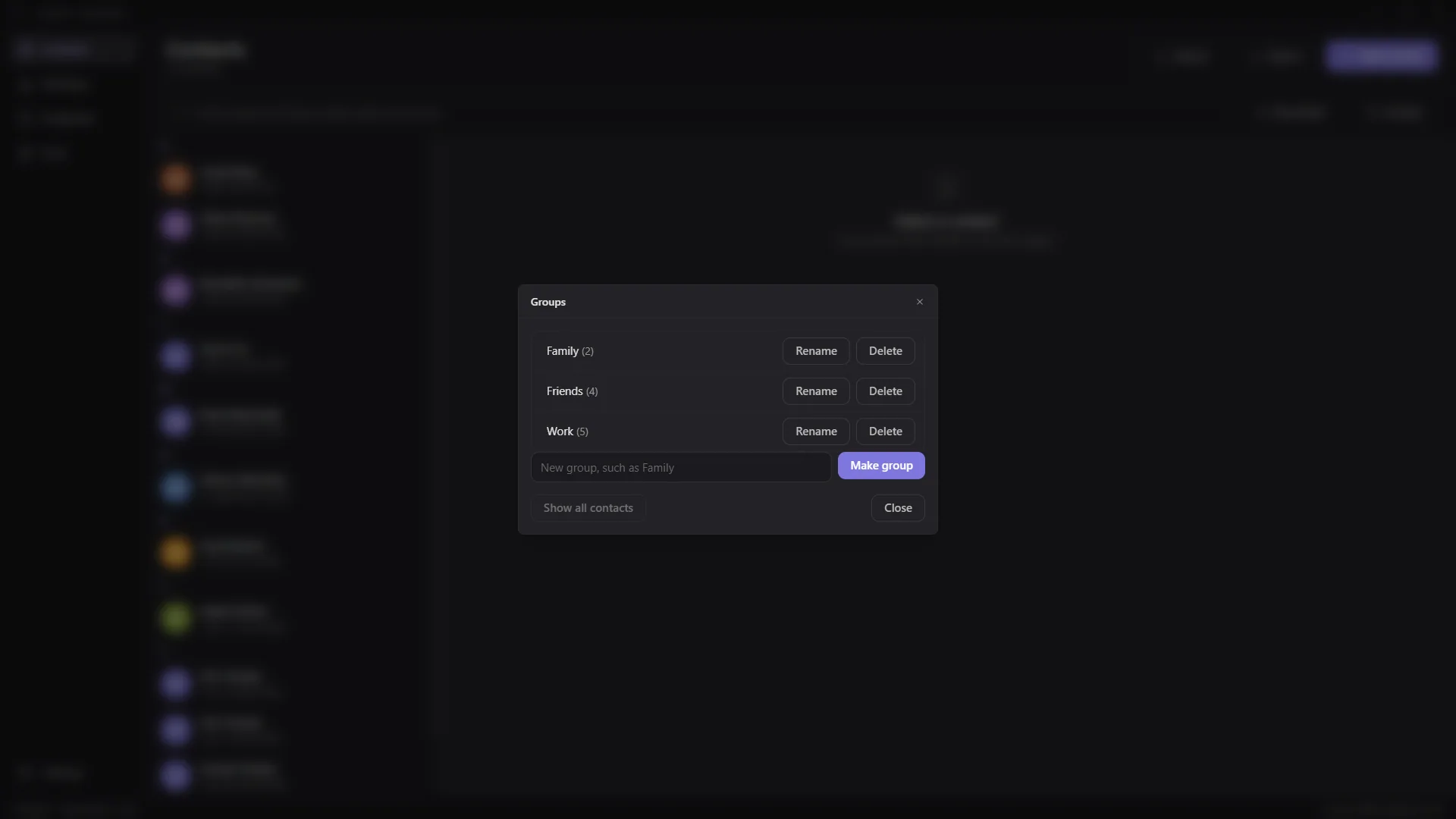
Pro: put people in groups such as Family, Friends or Work, and show one group at a time
One group
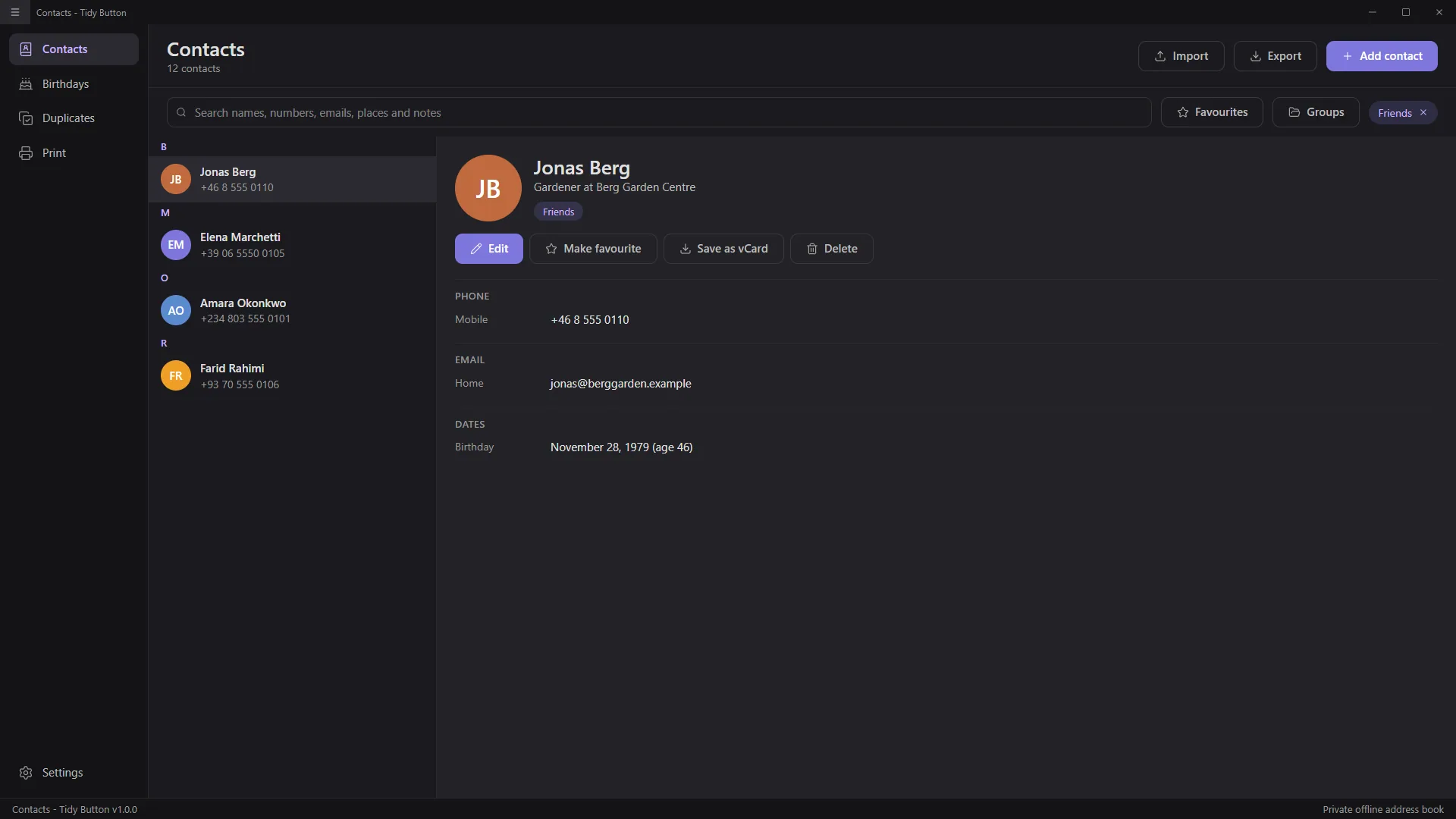
Pro: choose a group to see only its people. One tap on the group tag brings everyone back
Merge
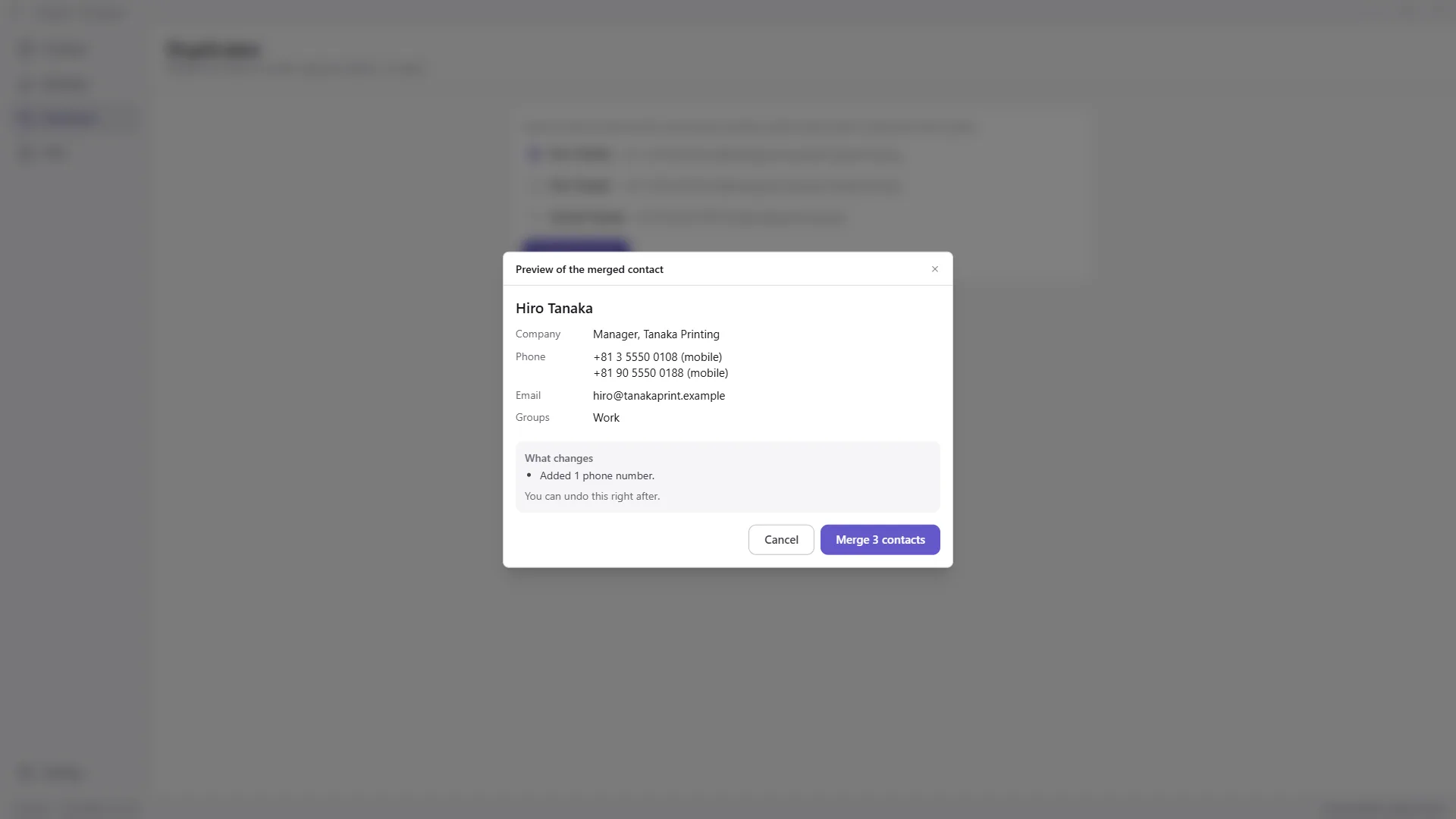
Pro: duplicates are found for you. Preview the merged contact before you merge, and Undo it afterwards
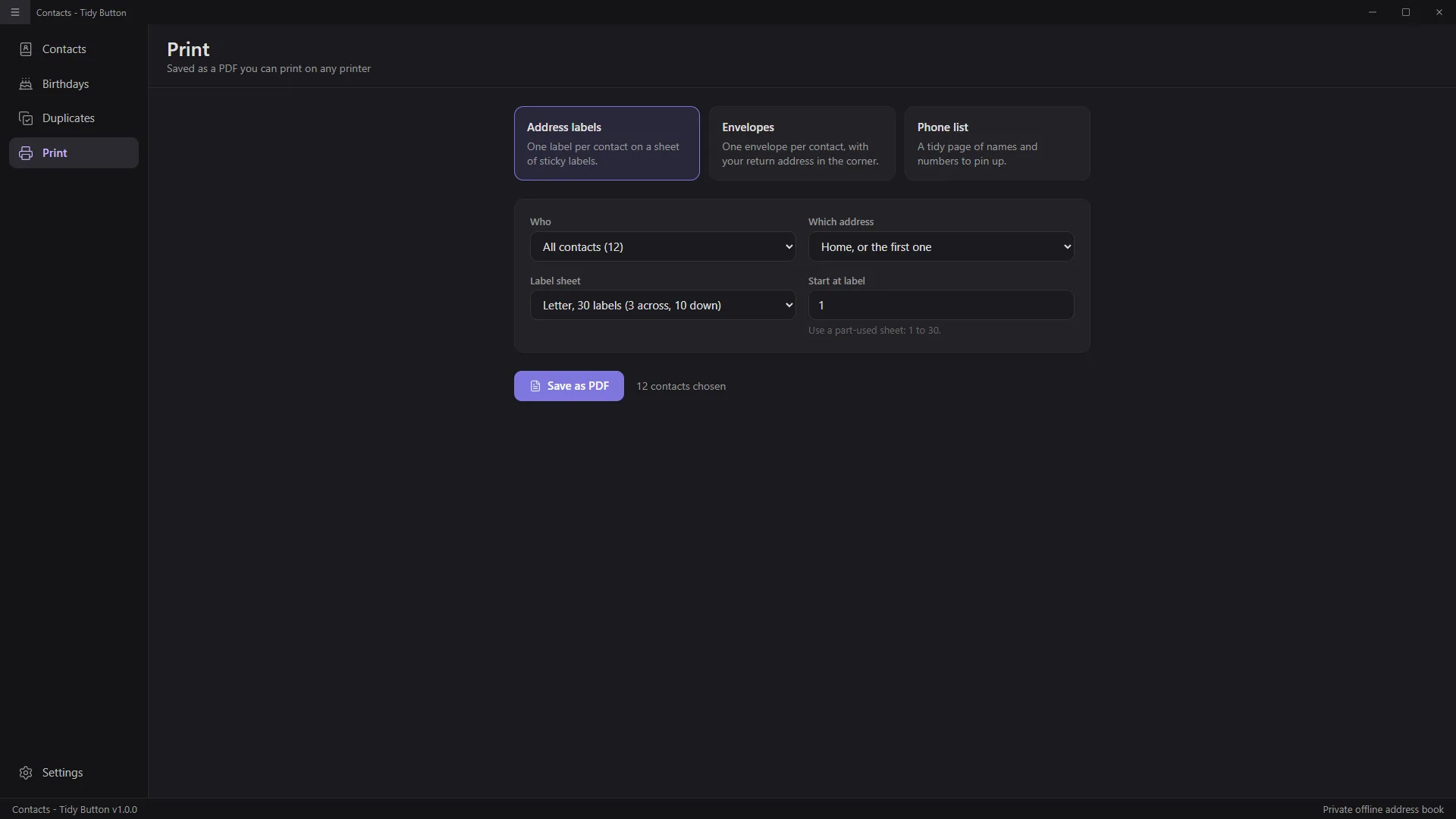
Pro: print address labels, envelopes or a phone list as a PDF for any printer
Screens show a demo folder, not a real PC. The app has light and dark themes.
What it does
What it does.
Contacts is an address book that lives on your Windows PC in one file. There is no account, no cloud and no sync service that can lose your people. Moving from a phone or an old program? Import your vCard or CSV file and everyone arrives with their phones, emails, addresses and birthdays. It works with the internet turned off.
Everything about a person
Several phones, emails and addresses with a type each, plus birthday, anniversary, company, job title, notes, websites and a photo.
Fast search
Search names, phone digits, emails, places and notes together. Accents are ignored and phone numbers match however they are written.
Birthdays
See birthdays and anniversaries for this month or any month, with the age someone is turning and the days to go.
vCard and CSV in
Import vCard 3.0, vCard 4.0 and CSV files. Common contact spreadsheet layouts are recognised. Free up to the contact limit.
Daily backup
A backup every day and one when you close, newest 30 kept. Back up to your own file and restore it; the current book is saved first.
Groups (Pro)
Put people in groups such as Family or Work and show one group at a time.
Duplicates and merge (Pro)
Duplicates are found for you. Preview the merged contact before you merge and Undo it afterwards.
Print (Pro)
Print address labels on three sheet layouts, envelopes (US No. 10 and DL) and a phone list as a PDF.
The small print, in plain English
Safe by design.
- Your contacts are kept in one file on your PC and are never uploaded.
- Nothing is deleted or hidden if you never buy Pro. Contacts over the free limit stay and can be edited.
- The free version keeps up to 100 contacts. Pro is one payment, no subscription.
- Works offline. No account. No ads. No tracking.
Good for
Handy when your people move.
- Moving contacts off an old phone or program
- A club, family or holiday-card list
- Remembering birthdays
- Printing address labels and envelopes
Questions
Plain answers.
Is anything uploaded?
No. Your contacts stay in one file on your PC and the app works with the internet turned off.
Can I bring my contacts from my phone?
Yes. Export a vCard or CSV file from your phone or old program and use Import. Free import works up to the 100-contact limit.
What happens at 100 contacts?
You can keep everything you have and edit or delete it. Adding more needs Pro. Nothing is deleted or hidden.
How is my book backed up?
The app makes a backup every day and one when you close it, and keeps the newest 30. You can also back up to a file and restore it.
What does Pro add?
More than 100 contacts, groups, bulk export, duplicate merge with Undo, custom fields and printing labels, envelopes and a phone list. It is one payment of $7.99.