Coming to the Microsoft Store
Tidy Comics Your comics, in one calm place.
Add your comics folder and read CBZ, CBR and CB7 files with covers, series, two-page spreads, manga mode, zoom and resume. Free and offline, no account. Pro adds collections, bookmarks, filters and webtoon mode.
Not on sale yet. The app is still being built.
We will link the Store listing here the day it is live. Until then there is nothing to download.
- Works offline
- No account, no ads, no tracking
- CBZ, CBR and CB7
- Free
See it
Eight views. One library, read.
Start
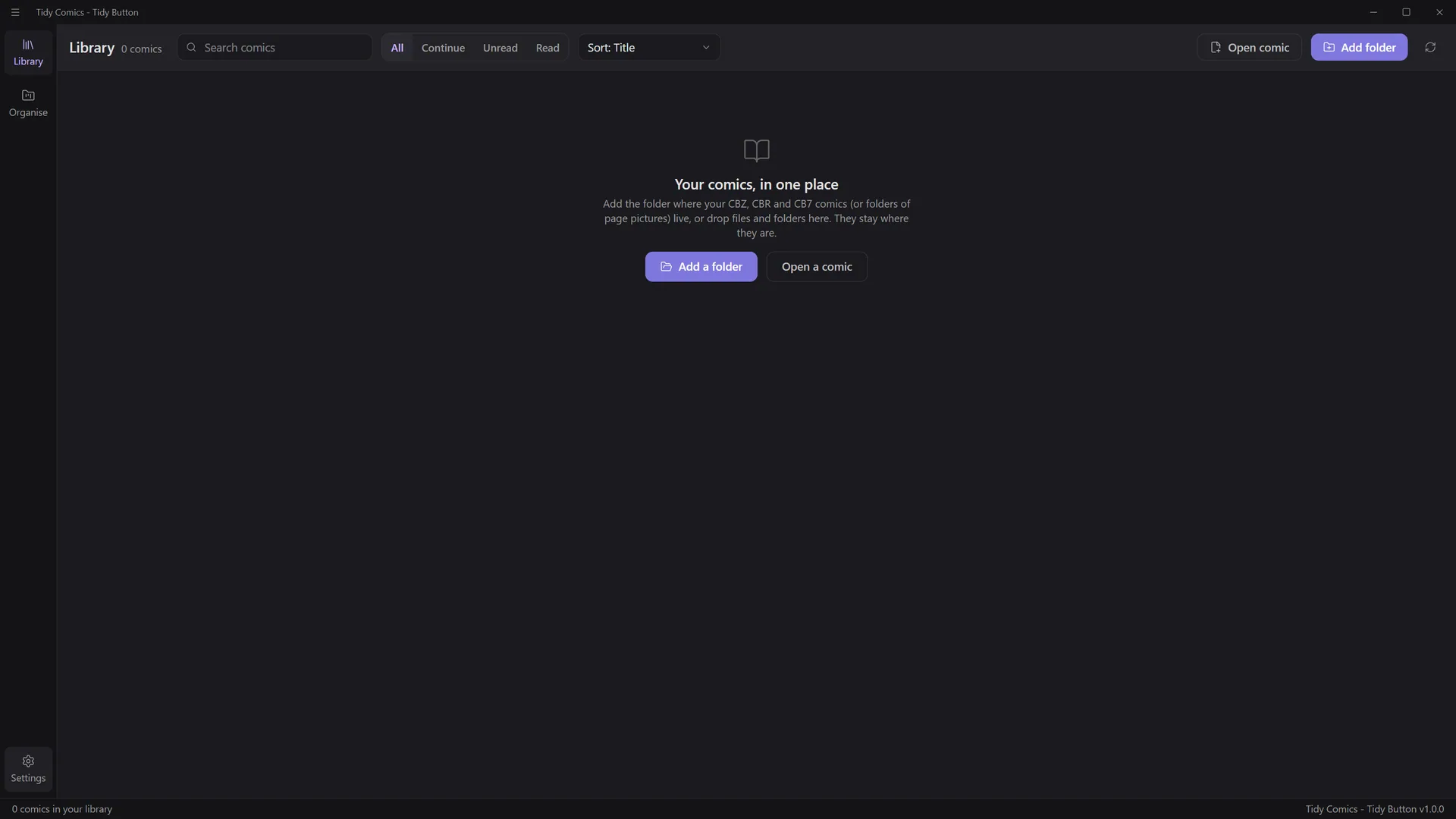
Start by adding your comics folder, or drop files on the window
Library
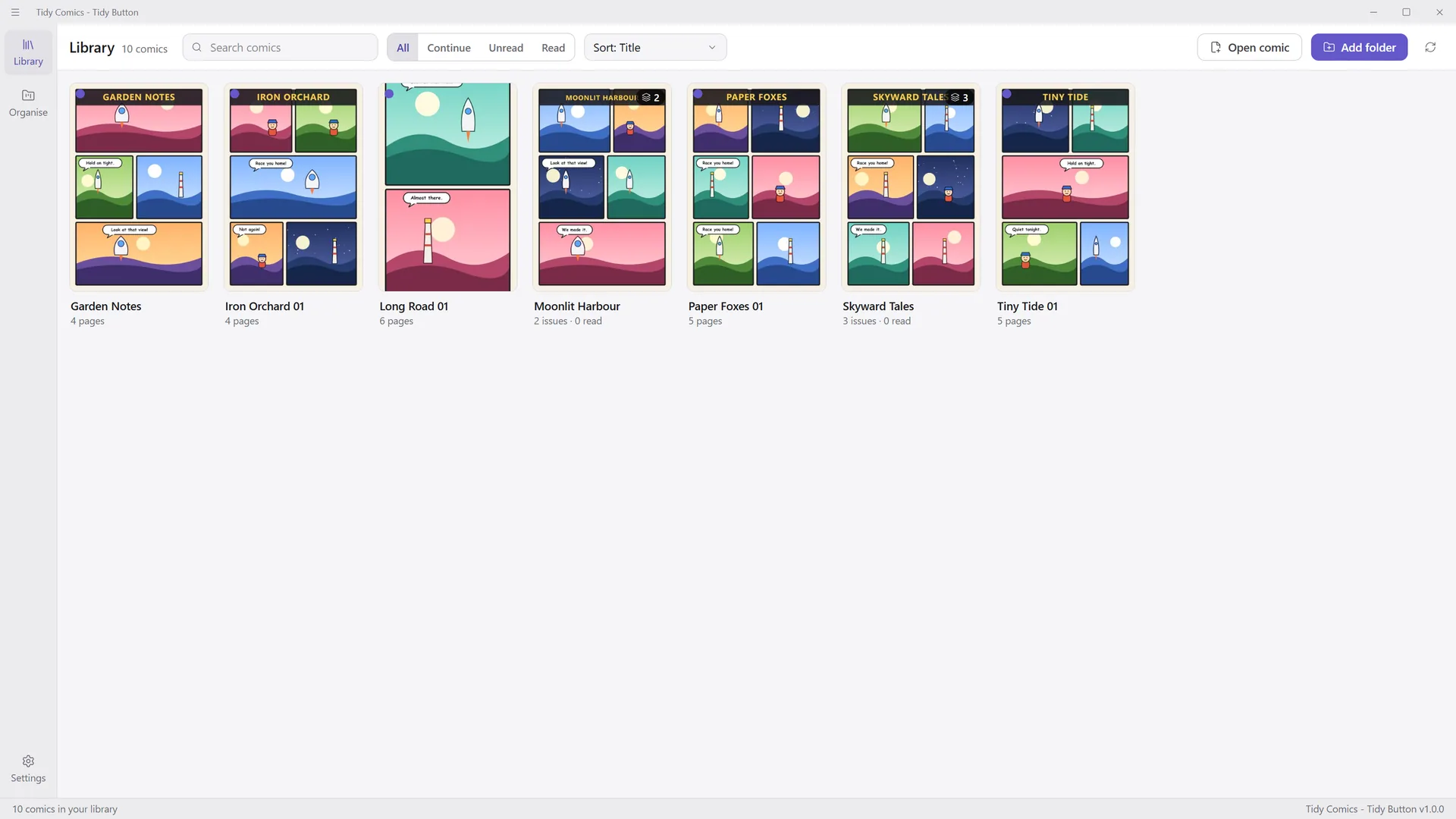
A library of covers, grouped into series
Reading
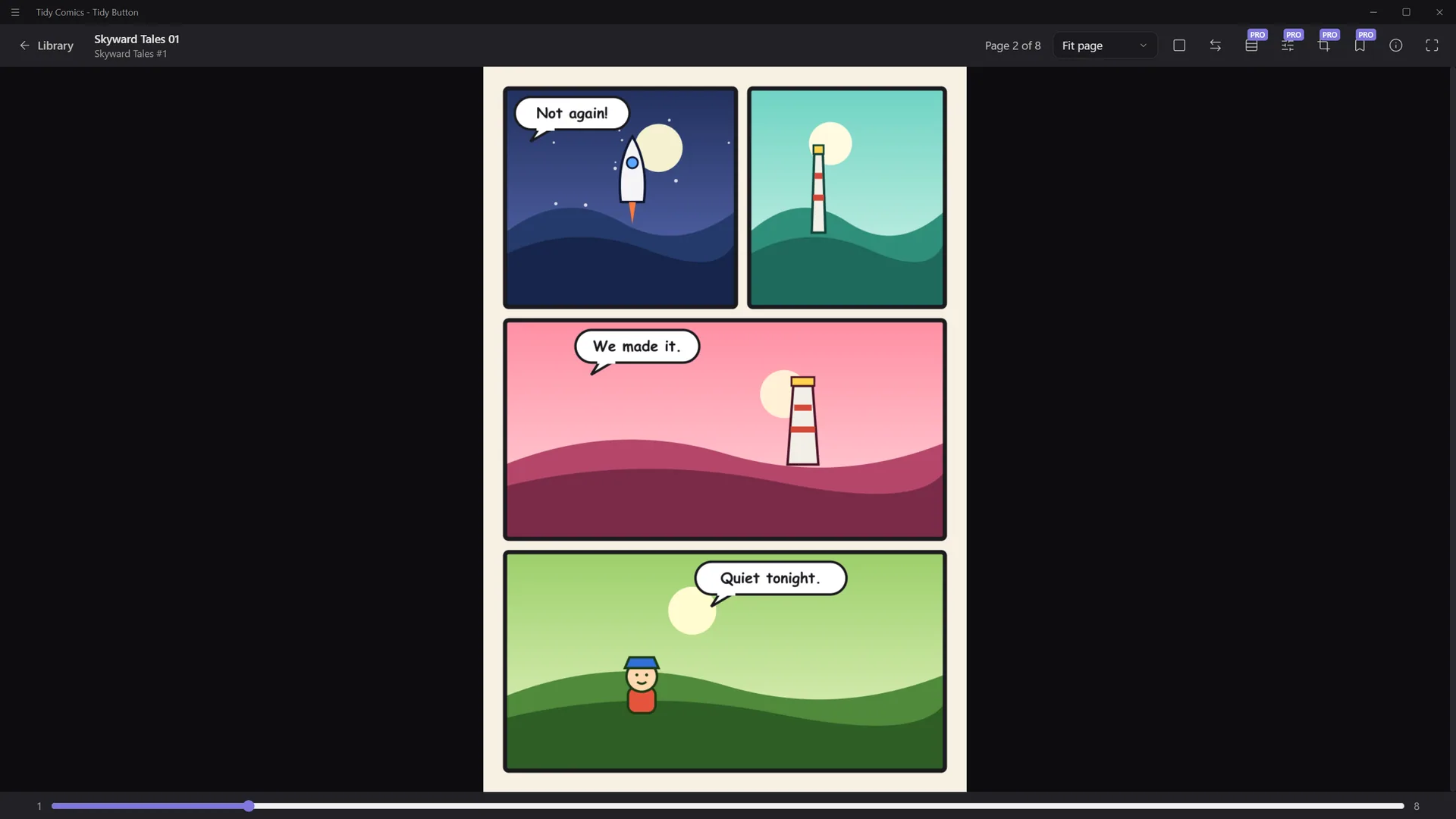
Fit, zoom and full screen, with a slider to jump anywhere
Spreads
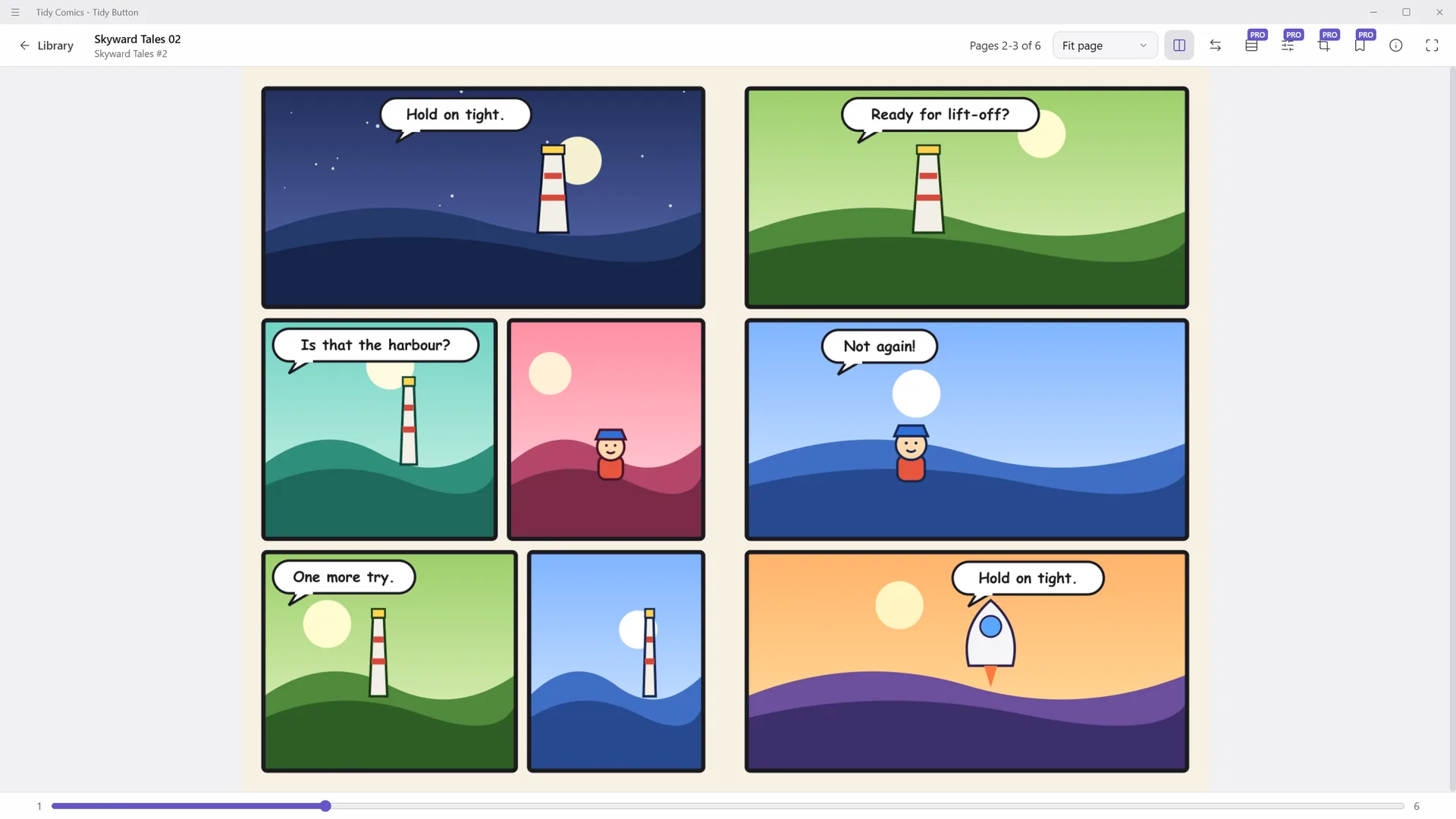
Two-page spreads, with a right-to-left manga mode
Webtoon (Pro)
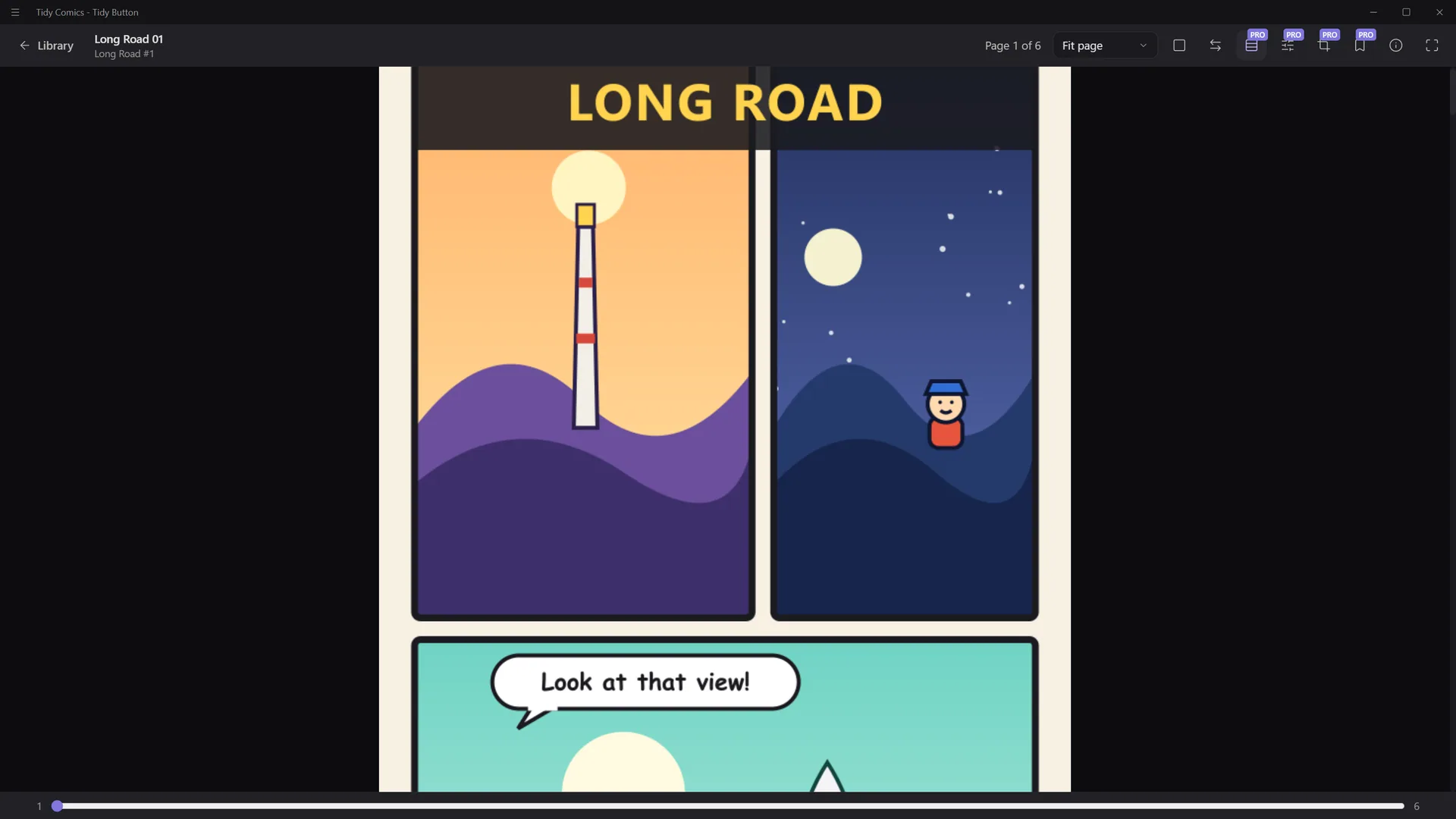
Pro: long vertical strips as one scroll
Filters (Pro)
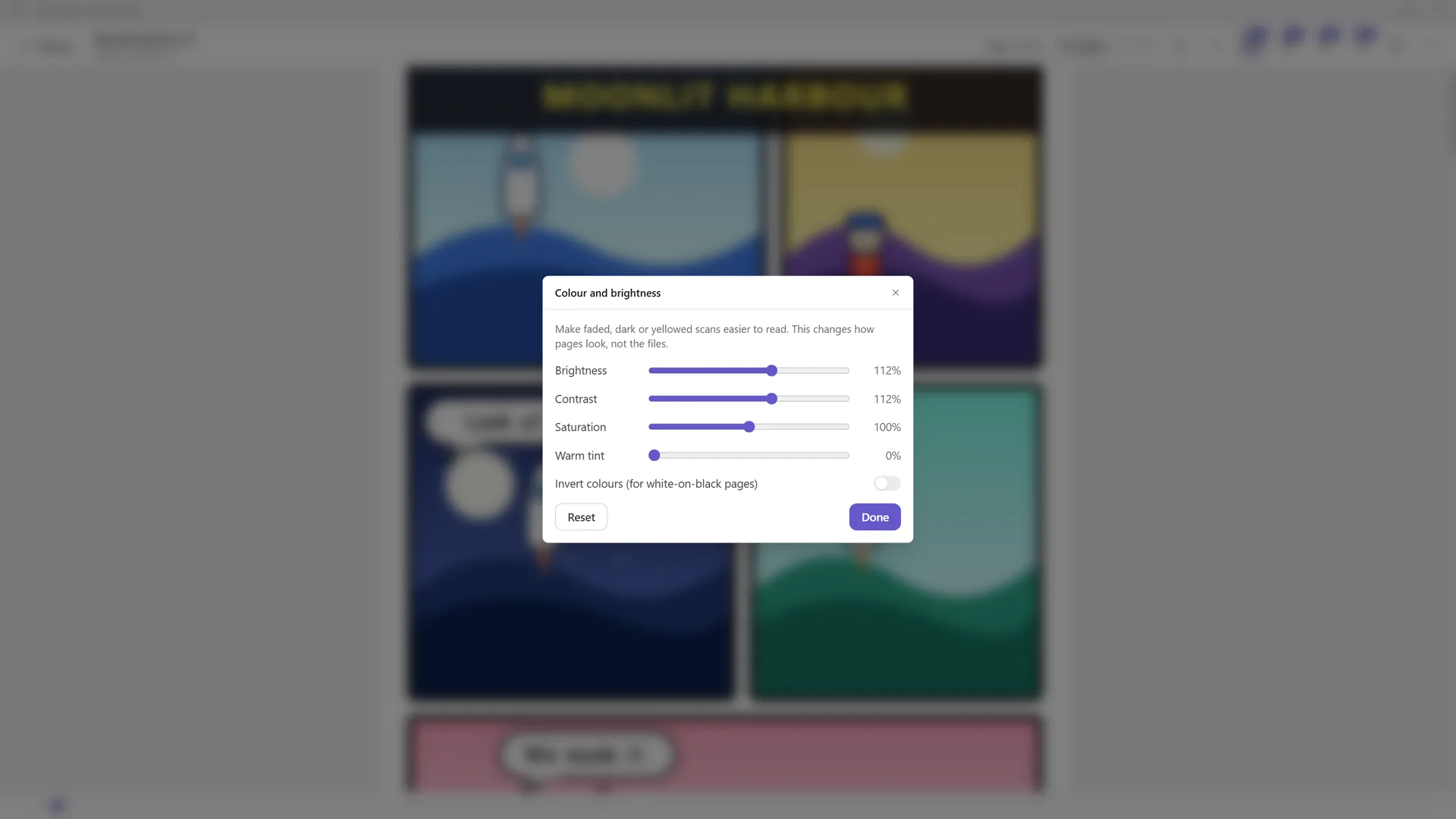
Pro: make faded scans easier to read
Organise (Pro)
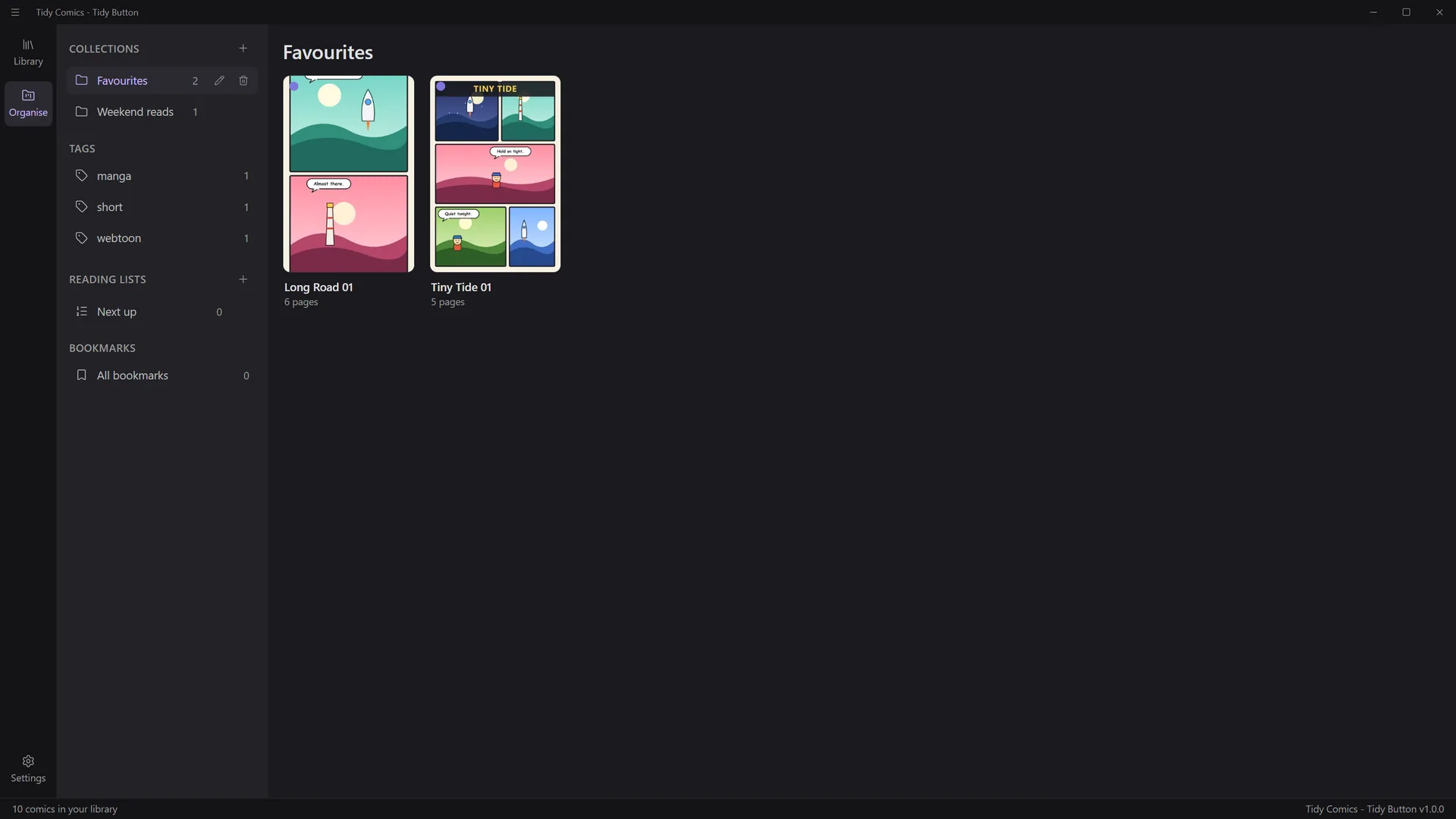
Pro: collections, tags and reading lists
Pro prompt
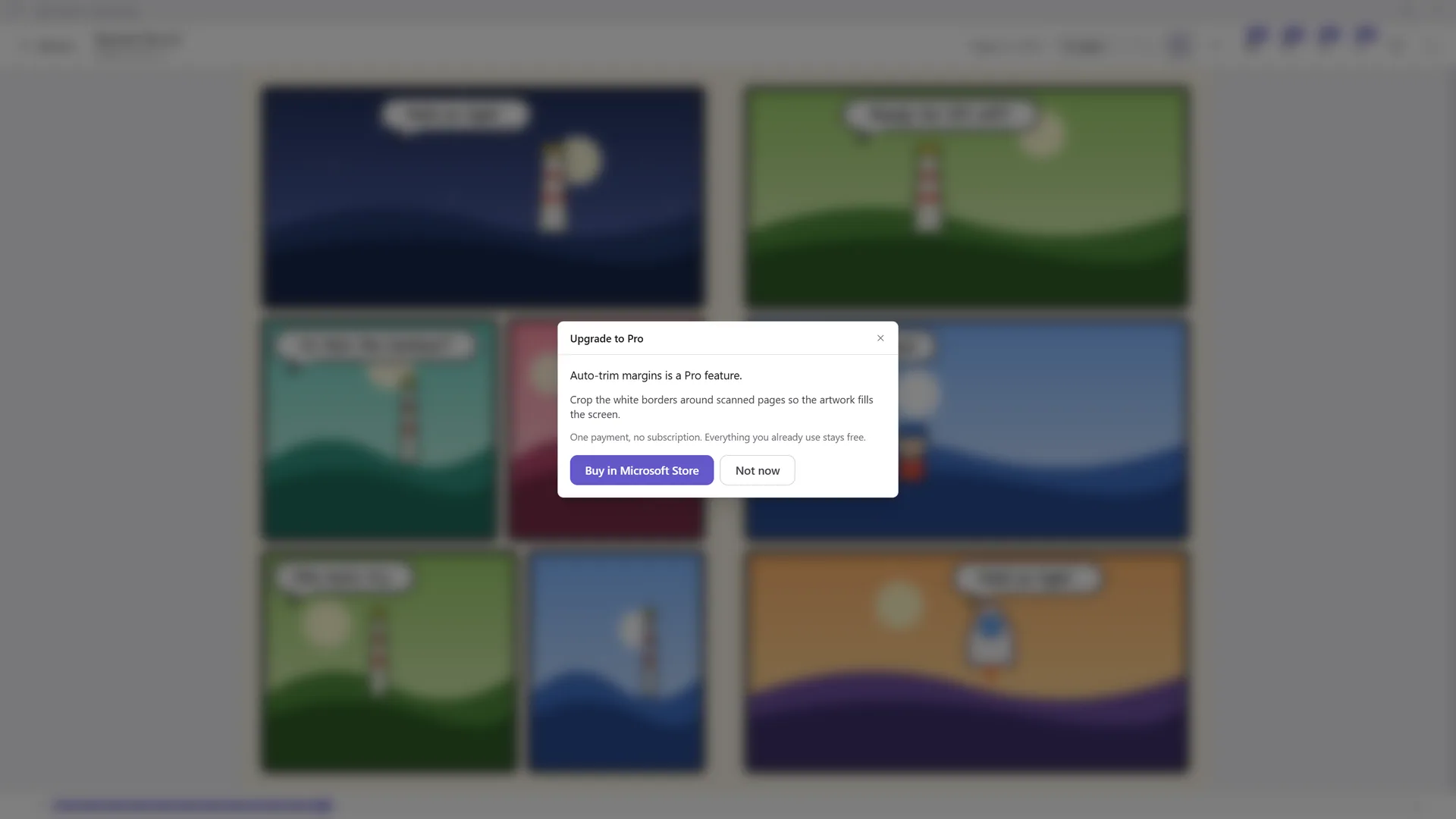
Pro controls are marked and explained, never forced
Screens show comics drawn for these pictures. The app has light, dark and other themes.
What it does
What it does.
Tidy Comics reads the comics you already own: CBZ, CBR, CB7 or a folder of page pictures. Add your folder once and every comic appears with its cover, grouped into series, and the app remembers where you stopped. Everything happens on your PC. The free app is a full reader and library; an optional one-time Pro adds collections, bookmarks, filters and more.
Every common format
CBZ, CBR and CB7 comics, or a folder of pictures, with JPEG, PNG, WebP, GIF and BMP pages.
A library of covers
Series are grouped, and you can search, sort and filter by Continue, Unread or Read.
Reading that feels right
Fit page, width, height or 100%, smooth zoom and pan, and full screen.
Spreads and manga
Two-page spreads with the cover alone, and a right-to-left manga mode.
Quick page turns
Arrow keys, the mouse wheel or a click on either side, with pages loaded ahead.
Resume anywhere
The app remembers your page in every comic. Mark comics read or unread.
Safe backup
Your library and progress are copied to Documents\Tidy Comics as you read and come back after a reinstall.
Pro extras
Collections, reading lists, bookmarks, filters, auto-trim, webtoon mode and ComicInfo details.
The small print, in plain English
Safe by design.
- Nothing is uploaded. Your comics are read on your PC and never leave it.
- Your comic files are never changed, moved or deleted.
- The free app is a complete reader and library, with no limit on comics or pages.
- Pro is one payment, no subscription, and the prompt never appears on launch.
- Works offline. No account. No ads. No tracking.
Good for
Handy when the pile grows.
- A folder of CBZ and CBR files that needs a proper library
- Manga that reads right to left
- Long vertical webtoon strips
- Picking up a comic exactly where you stopped
Questions
Plain answers.
Which comic formats does it open?
CBZ, CBR and CB7 files, and a plain folder of pictures. Pages can be JPEG, PNG, WebP, GIF or BMP.
Does it change or move my comics?
No. Your files stay where they are and are never changed or deleted.
Does it read manga right to left?
Yes. Press M for manga mode. With Pro, a comic marked as manga in its ComicInfo opens right to left automatically.
Is anything uploaded?
No. Everything is read on your PC. The free app works with the internet turned off.
What does Pro add?
Collections and tags, reading lists, bookmarks with thumbnails, colour and brightness filters, auto-trim of white margins, webtoon mode and ComicInfo details. It is one payment with no subscription.
Is there a limit in the free version?
No limit on comics or pages. The free app is a complete reader and library.
Does it need an account?
No. There is no account, no ads and no tracking.
Which versions of Windows does it run on?
Windows 10 and Windows 11.