Free on the Microsoft Store
Check Printer Print checks on pre-printed stock.
Type who the check is for and how much, see where everything will land, line it up with a calibration page and print. A register keeps every check. It prints on checks your bank already printed, works offline and needs no account.
Unlimited checks and layouts.
Pro keys go on sale when this app's Pro update reaches the Microsoft Store.
One key for this app. Free to use without it. See all pricing
Prefer the command line? winget install 9MXHKRM58ZPF --source msstore
- Works offline
- No account, no ads, no tracking
- No bank login
- Free
See it
Six views. Write, align, print, log.
Write a check
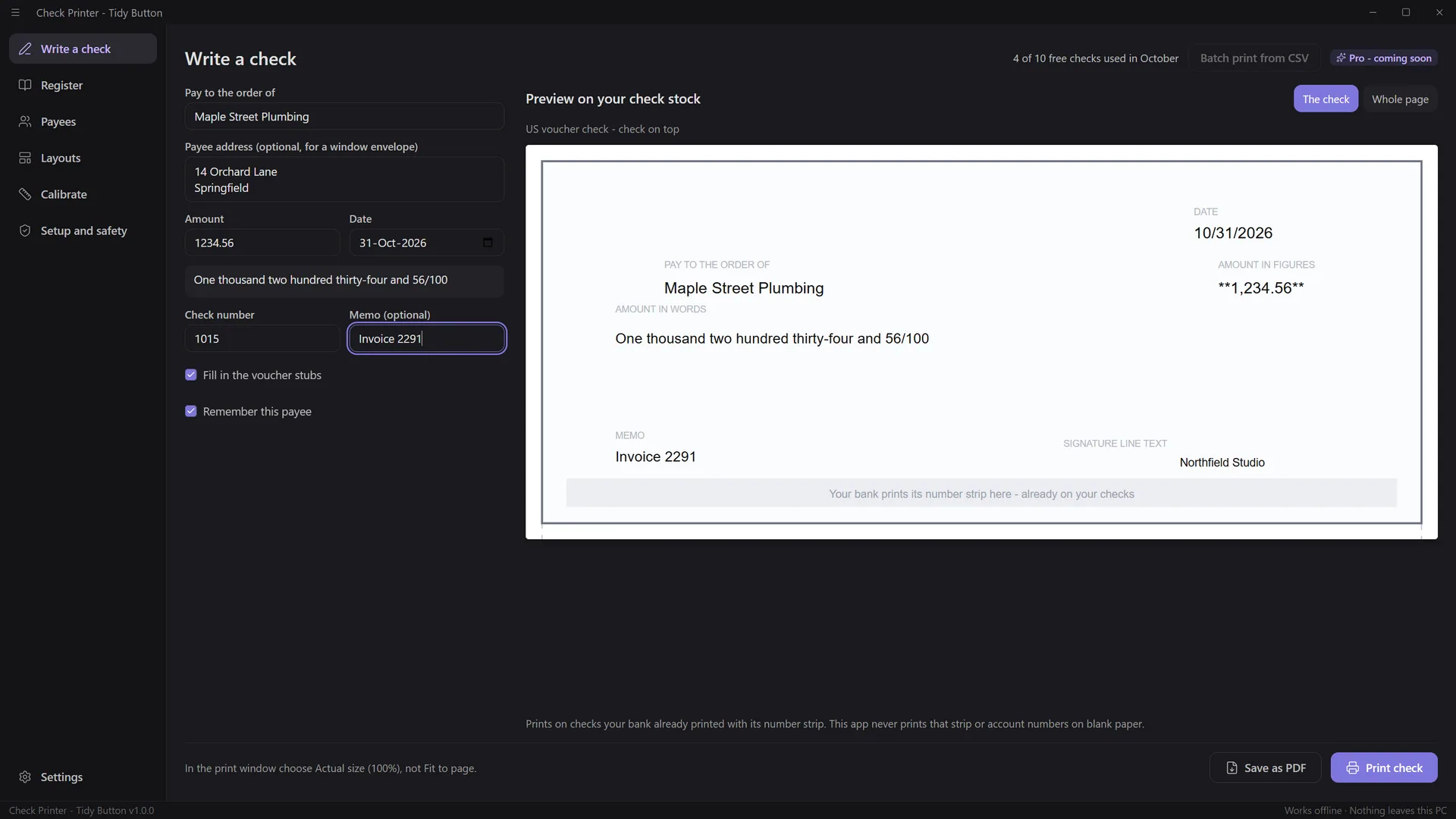
Type the payee and amount. The amount in words fills in by itself and the preview shows where everything prints
Preview
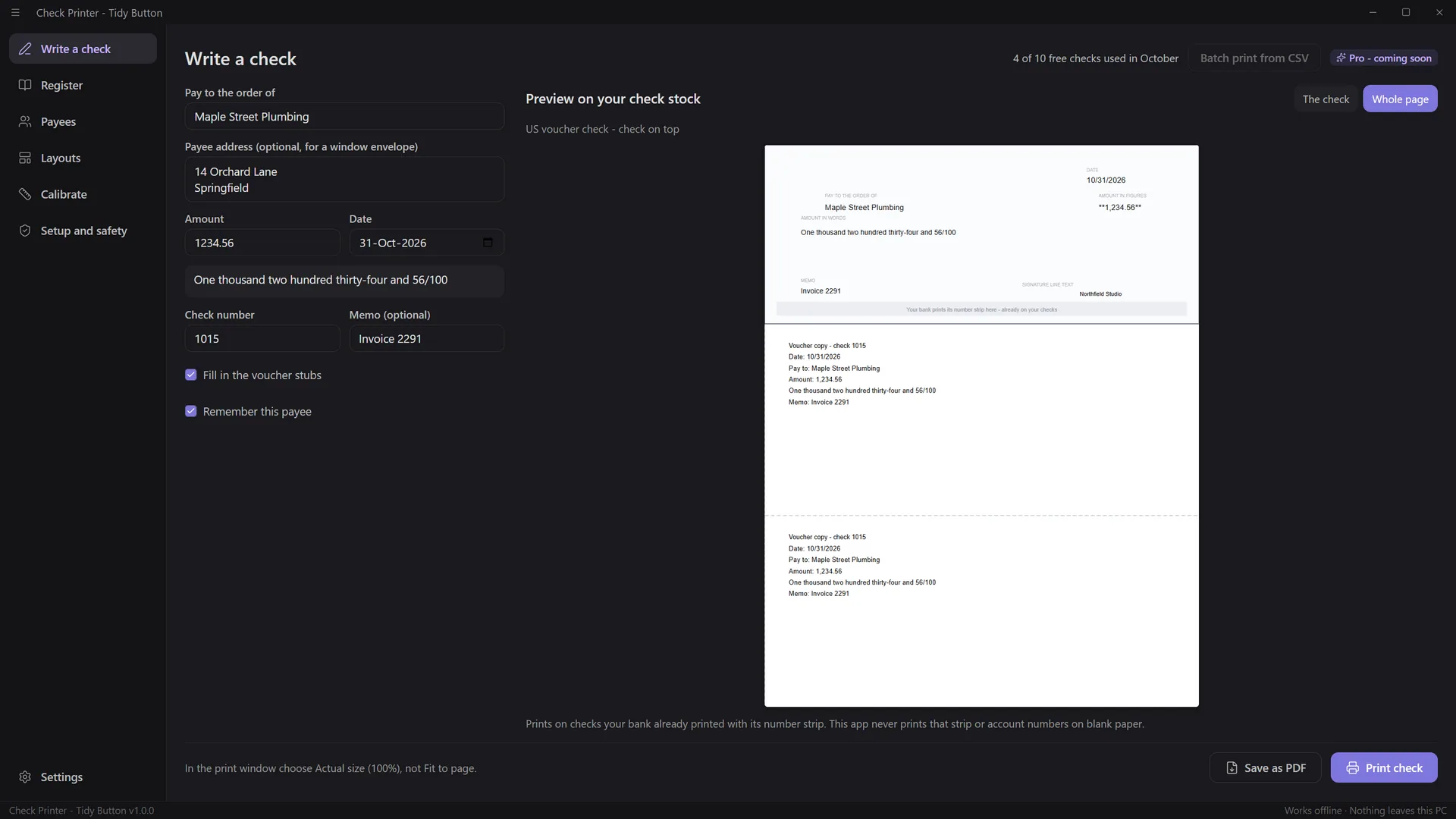
See the whole page before you print: the check on top and the voucher stubs below, filled in and to scale
Layout designer
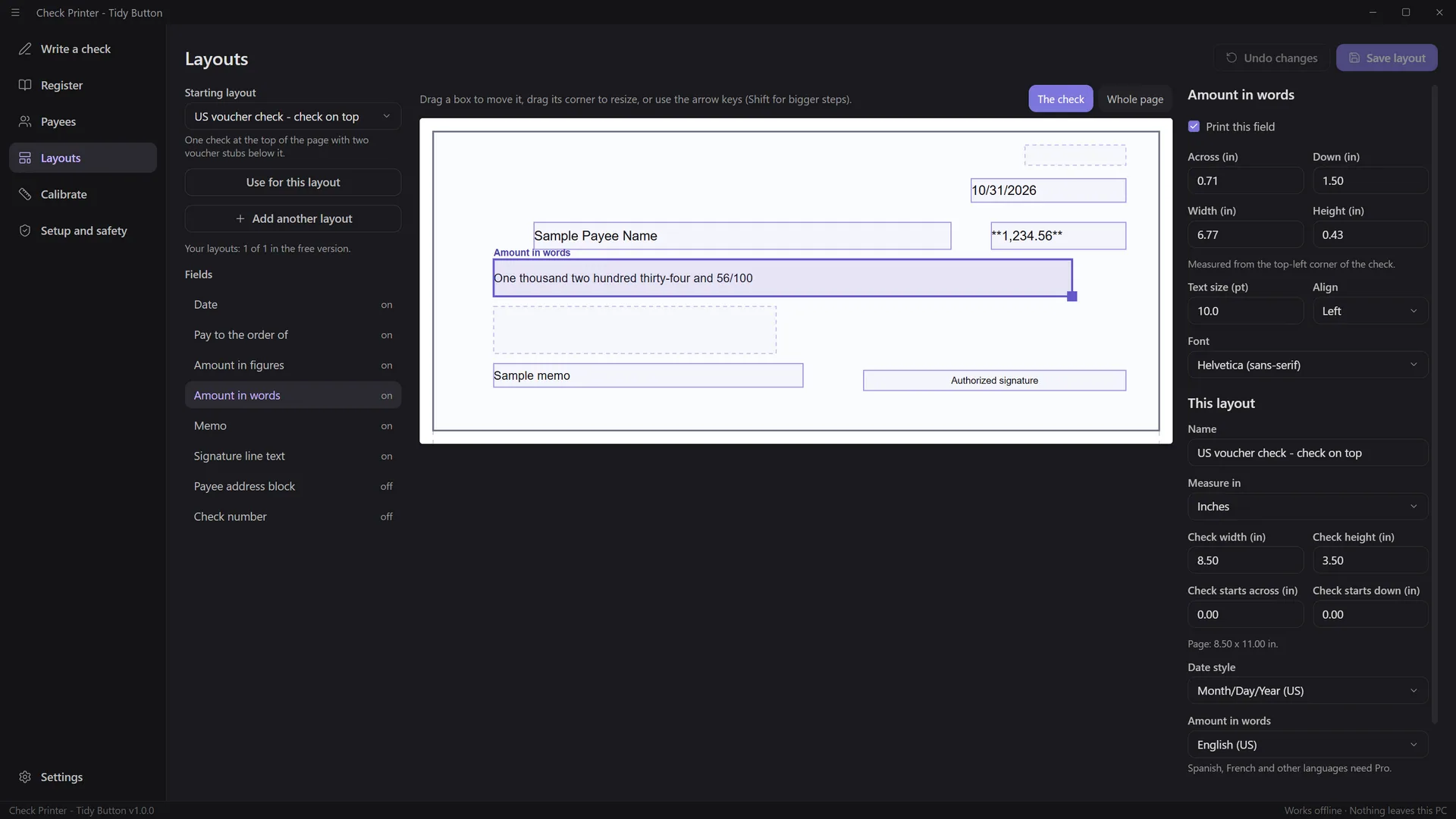
Drag each field where your check needs it, or nudge it with the arrow keys. Work in inches or millimetres
Calibration
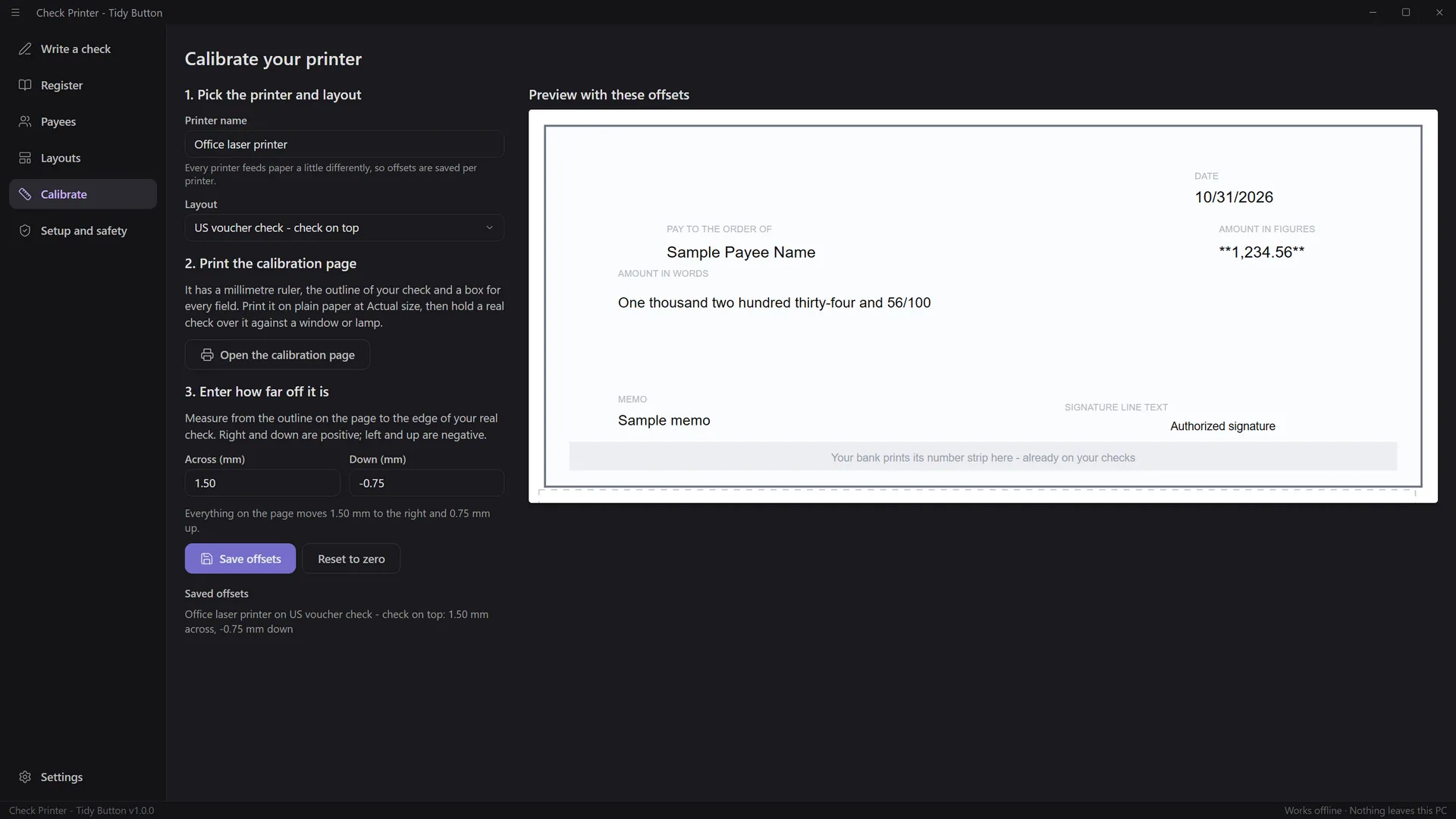
Print the calibration page, measure how far off it is and enter the offsets, saved for each printer and layout
Register
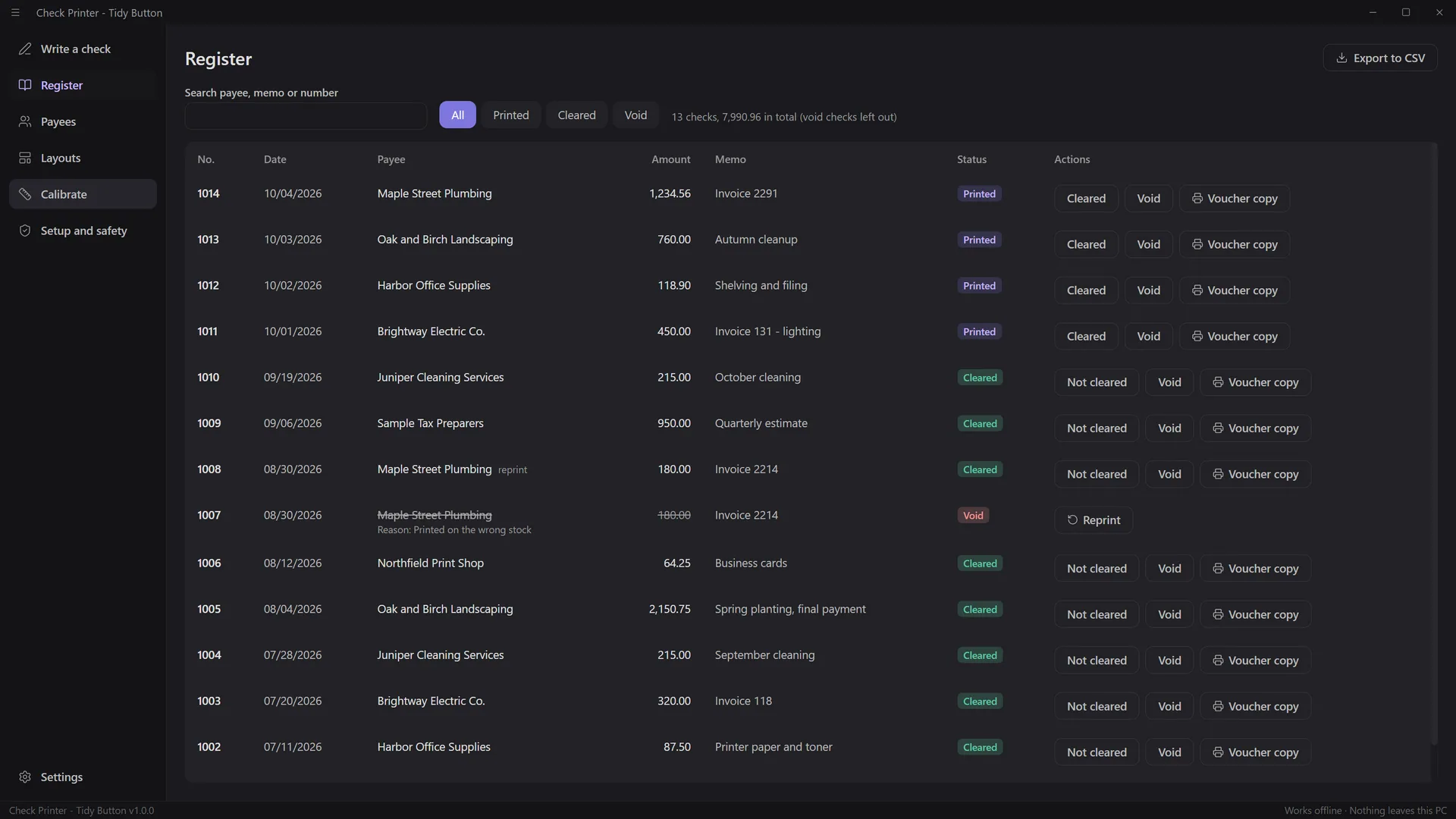
Every check is logged with its number, date, payee, amount and status. Search it, filter it or export it to CSV
Void and reprint
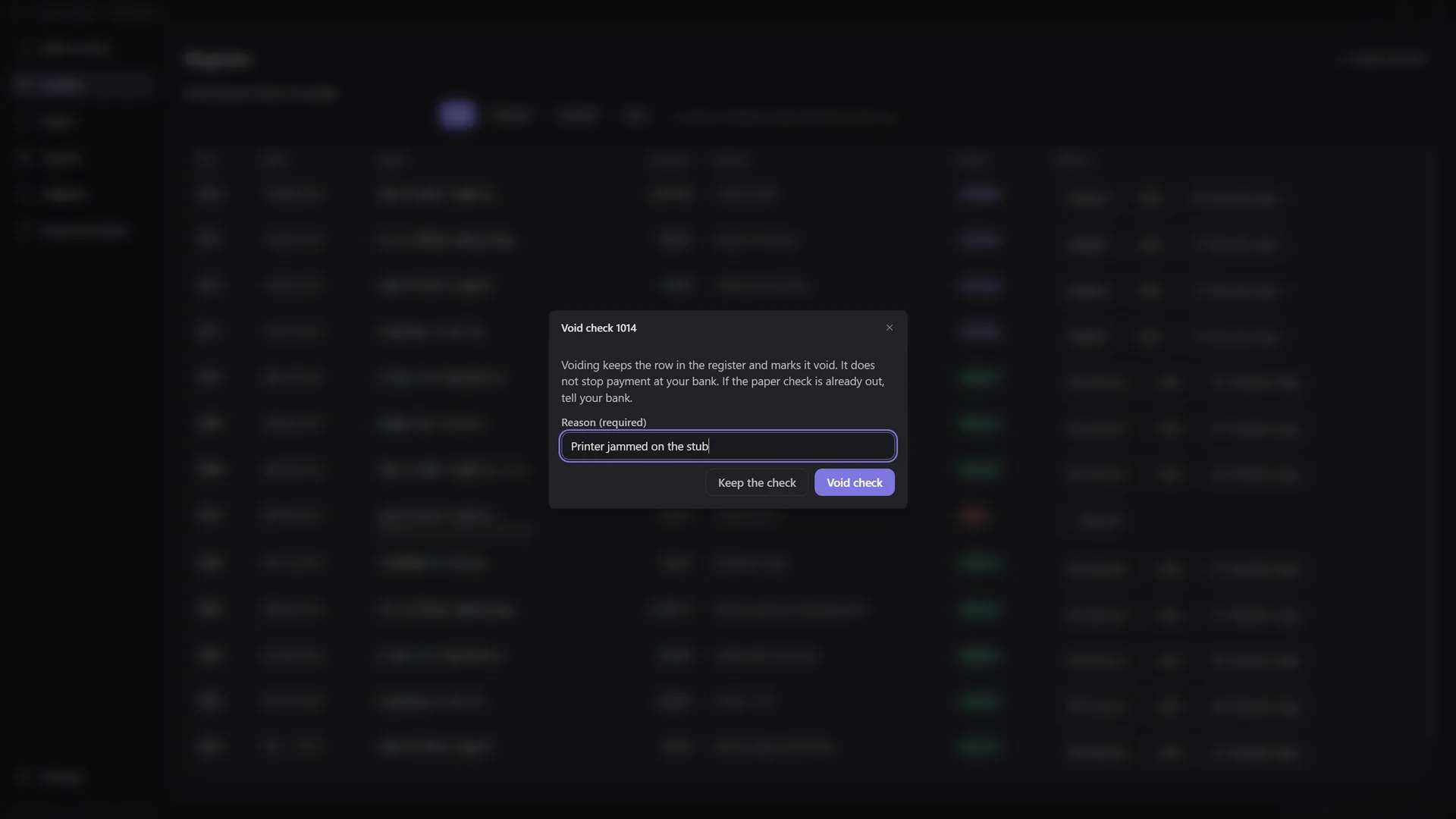
Void a check with a reason. The row stays in the register, and the reprint gets the next check number
Screens show invented sample checks. The app has light and dark themes.
What it does
What it does.
Type who it is for and how much. The amount in words fills in by itself, and a preview shows exactly where everything lands on your check stock. It is made for people who write a handful of checks a month: rent, contractors, suppliers, a club or a household.
Amount in words
Filled in for you, in US style or in the Indian lakh and crore style, worked out from exact cents.
Preview before you print
See the check on your stock first, with a whole-page view. The check is saved as a PDF at its exact physical size and opened for printing.
Ready layouts and your own
US voucher checks with the check on top, in the middle or at the bottom, 3 checks per page, and approximate Canada, UK and India sizes. Drag each field where you want it.
Calibration page
Print a ruler page, measure how far off the first try is and enter the offsets. They are saved for each printer and layout.
A register you can trust
Every check is logged with its number, date, payee, amount and status. Numbers count up on their own and a number already in use is refused.
Void, reprint, mark cleared
Void a check with a reason, reprint it and mark checks as cleared. Export the register to CSV for Excel.
Saved payees and voucher copies
Pick a payee from your list, and print a voucher copy for your records on plain paper.
Backup and restore
Your payees, layouts and register live in one file you can back up and restore.
The small print, in plain English
Safe by design.
- It never asks for bank login details.
- It prints on pre-printed checks. It does not print the number strip along the bottom of a check, or account numbers, on blank paper.
- Payees, amounts and the register stay on your PC. Nothing is uploaded.
- Works offline. No account. No ads. No tracking.
Good for
Handy when you still write checks.
- Rent, contractors and suppliers
- Clubs, small associations and households
- Anyone who keeps a record of every check written
Questions
Plain answers.
Does it print on blank paper?
It prints onto checks your bank or a check supplier already printed. It does not print the number strip along the bottom, or account numbers, on blank paper. A voucher copy for your records can be printed on plain paper.
Does it ask for my bank details?
No. It never asks for bank login details.
Is anything uploaded?
No. The app makes no network requests. Payees, amounts and the register stay in a file on your PC.
How do I line it up with my printer?
Print the calibration page, measure how far off the first try is and enter the offsets. They are saved for each printer and layout.
Are the Canada, UK and India sizes exact?
They are approximate. Measure your own stock and adjust the layout.
Is there a limit in the free version?
The free version prints 10 checks every calendar month and keeps 1 layout. A Pro add-on is planned (coming soon).
Which versions of Windows does it run on?
Windows 10 and Windows 11.