Coming to the Microsoft Store
Checkbook Register Balance your checkbook.
A running register, a live reconcile difference and a CSV export. Offline, no account.
Not on sale yet. The app is still being built.
We will link the Store listing here the day it is live. Until then there is nothing to download.
- Works offline
- No account, no ads, no tracking
- Reconcile to zero
- Free
See it
Four views. One register, balanced.
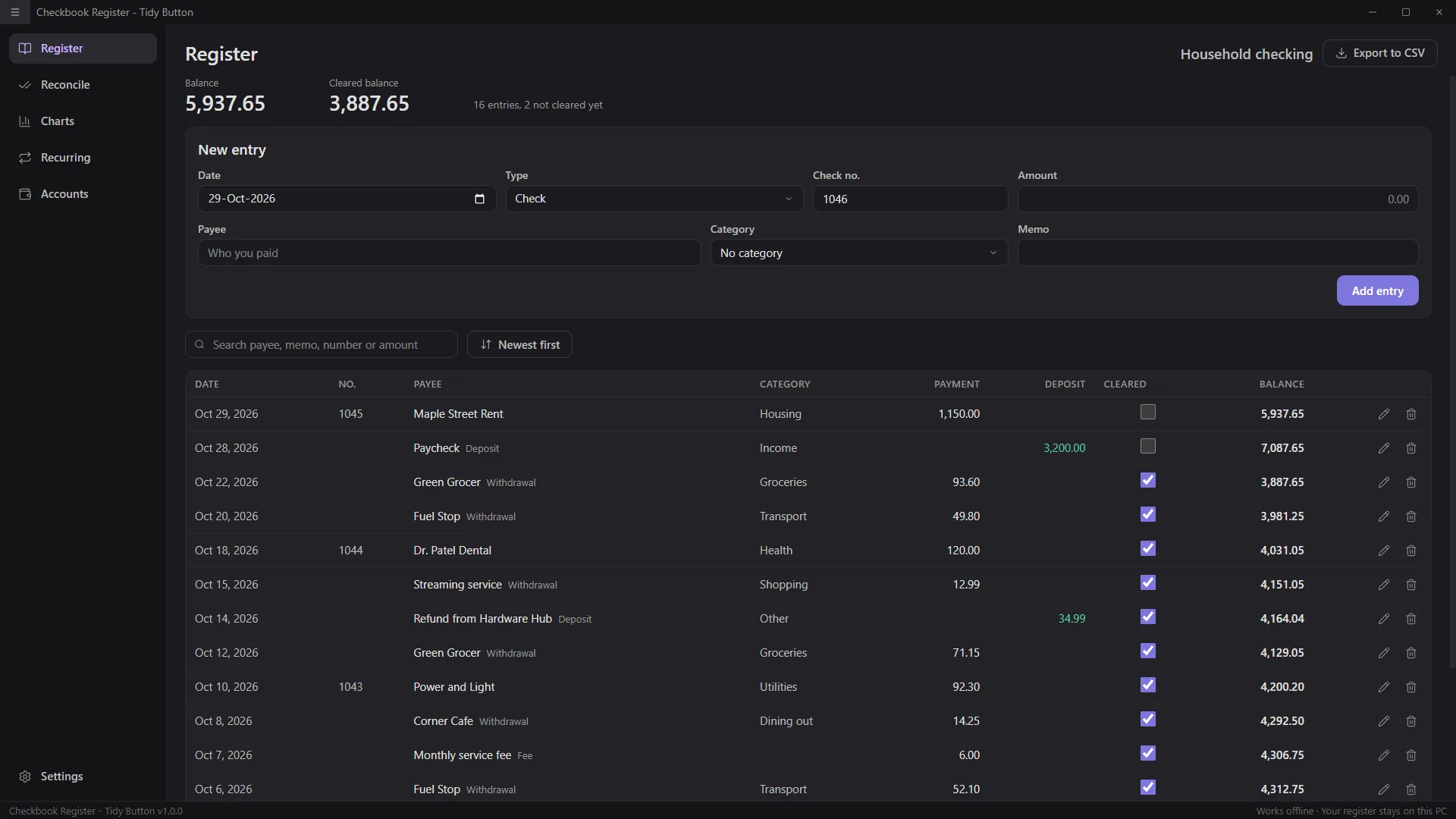
Register
Every check and deposit, with a running balance
Reconcile
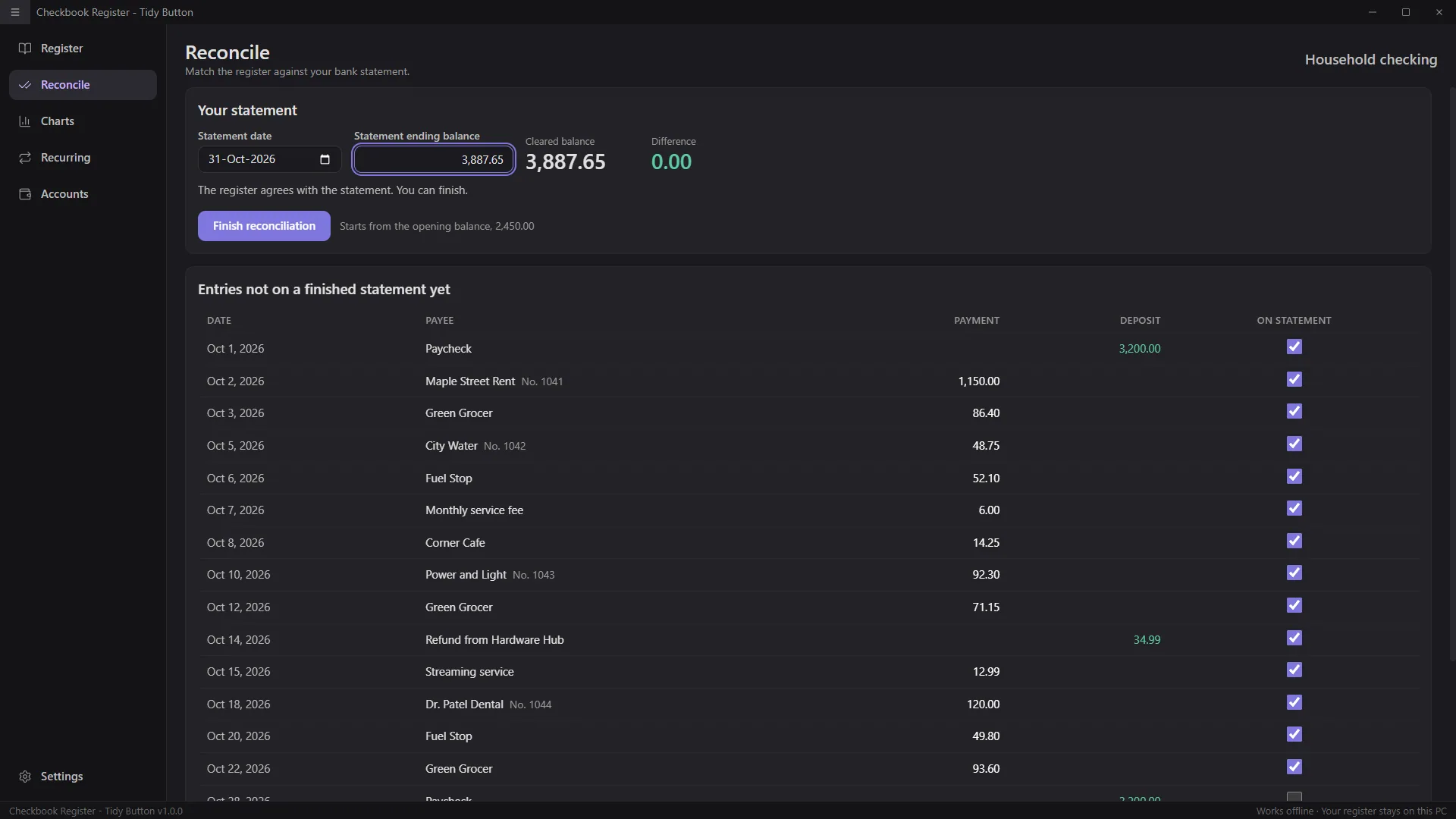
Reconcile until the difference is zero
Difference
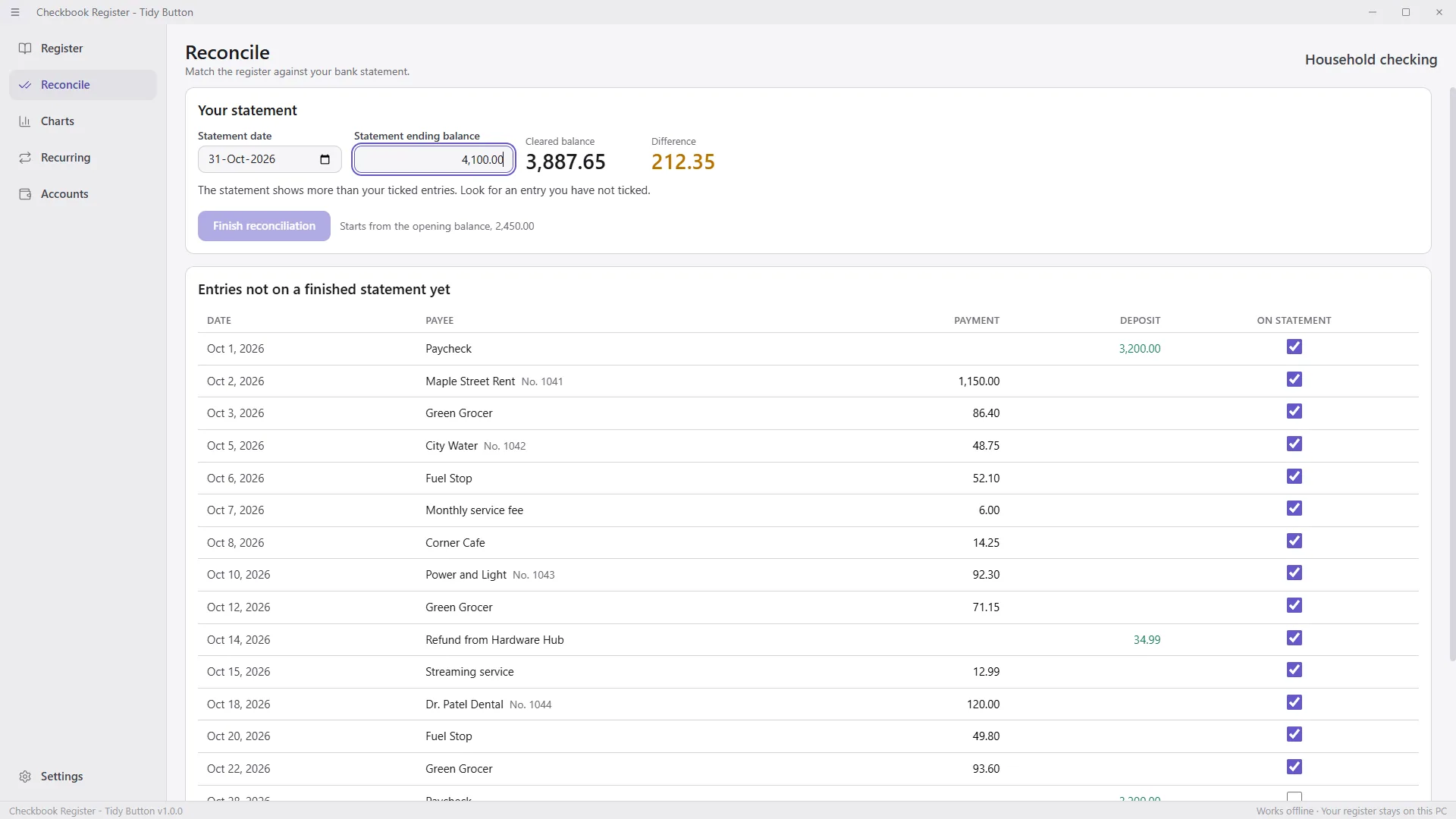
See how far off the register is, live
Locked entries
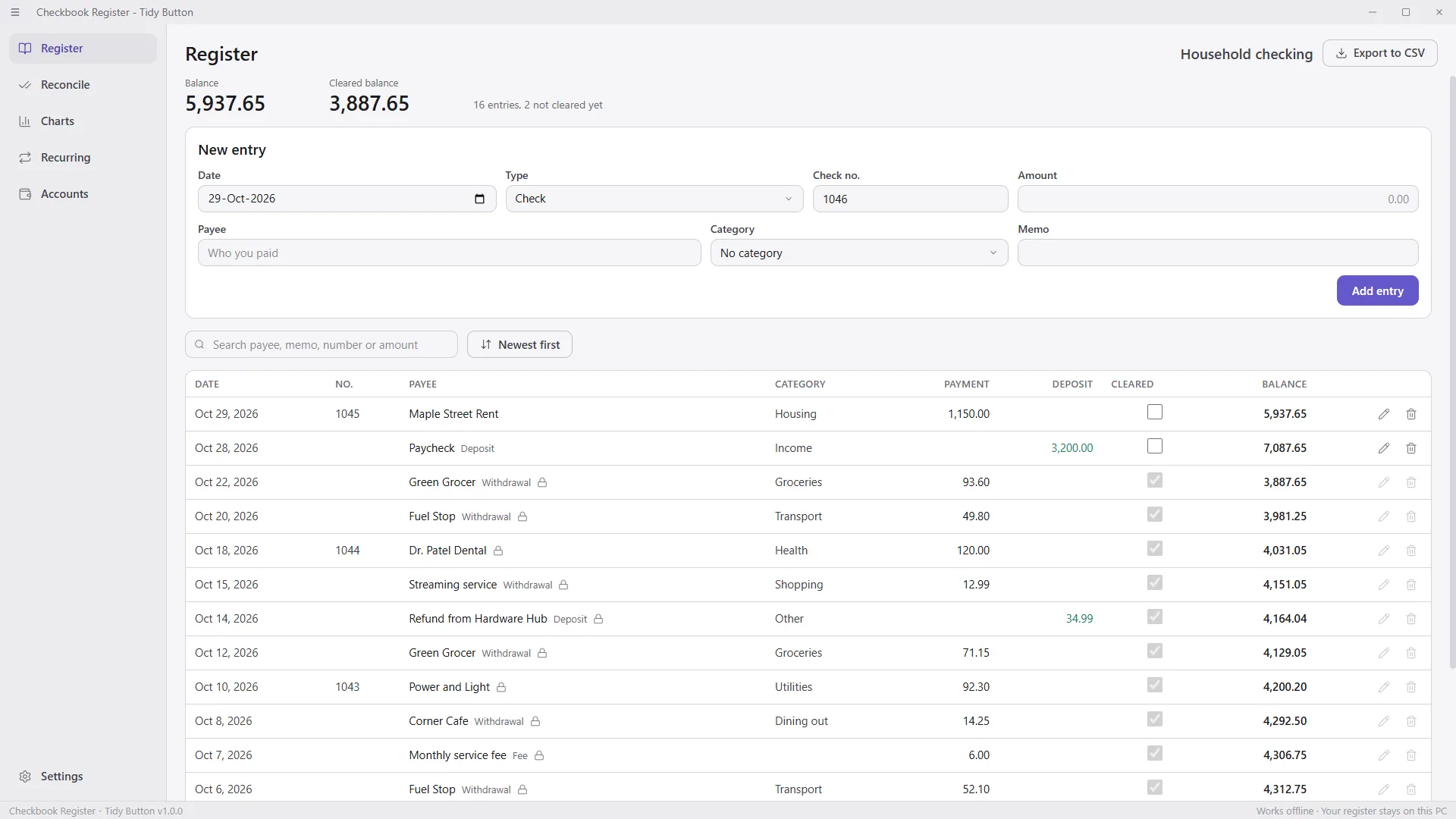
Reconciled entries are locked
Screens show a demo folder, not a real PC. The app has light and dark themes.
What it does
What it does.
Checkbook Register keeps a register of your account the way a paper checkbook does. Each entry has a date, check number, payee, category and amount, and the balance updates as you go. When your statement arrives, tick the entries the bank shows and type the ending balance. The difference updates live. When it reaches zero you can finish the reconciliation, and those entries are locked.
Register with a running balance
Checks, deposits, withdrawals and fees, with the balance and the cleared balance at the top.
Automatic check numbers
The next check number is filled in for you. A warning shows if a number is already used.
Payees and categories
Payees are suggested as you type. Every entry can have a memo and one of nine built-in categories.
Reconcile with a live difference
Tick cleared entries, type the statement balance and watch the difference reach zero.
Locked once reconciled
Finished entries show a lock. Undo the last statement if you need to change them.
Search and CSV export
Find an entry by payee, memo, number or amount, or export the register to a spreadsheet file.
The small print, in plain English
Safe by design.
- Your register stays in a file on your PC. Nothing is uploaded.
- The app does not connect to your bank.
- Deleting an entry asks first.
- Works offline. No account. No ads. No tracking.
Good for
Handy for monthly statements.
- A household register
- A club or society account
- Agreeing a balance with the monthly statement
- Anyone who prefers a simple register
- Keeping a record of checks written
Questions
Plain answers.
Does it connect to my bank?
No. You type the entries yourself. The app keeps a register on your PC and never sends it anywhere.
How does reconciling work?
Tick the entries that appear on your statement, type the statement ending balance, and the app shows the difference. When it is zero you can finish the reconciliation and those entries are locked.
Can I undo a reconciliation?
Yes. On the Reconcile screen, Undo next to the last finished statement unlocks its entries.
Can I use it for more than one account?
The free version keeps one account. An optional one-time Pro unlock adds more accounts, charts, your own categories, recurring entries and more.
Is this financial advice?
No. The app keeps records of what you type. It does not give financial, tax or legal advice.