Coming to the Microsoft Store
Business Cards A card for tomorrow's meeting.
Design a business card, print ten to a sheet with crop marks, or save a sharp picture. No watermark, no account.
Not on sale yet. The app is still being built.
We will link the Store listing here the day it is live. Until then there is nothing to download.
- Works offline
- No account, no ads, no tracking
- No watermark
- Free
See it
Eight views. One card, printed.
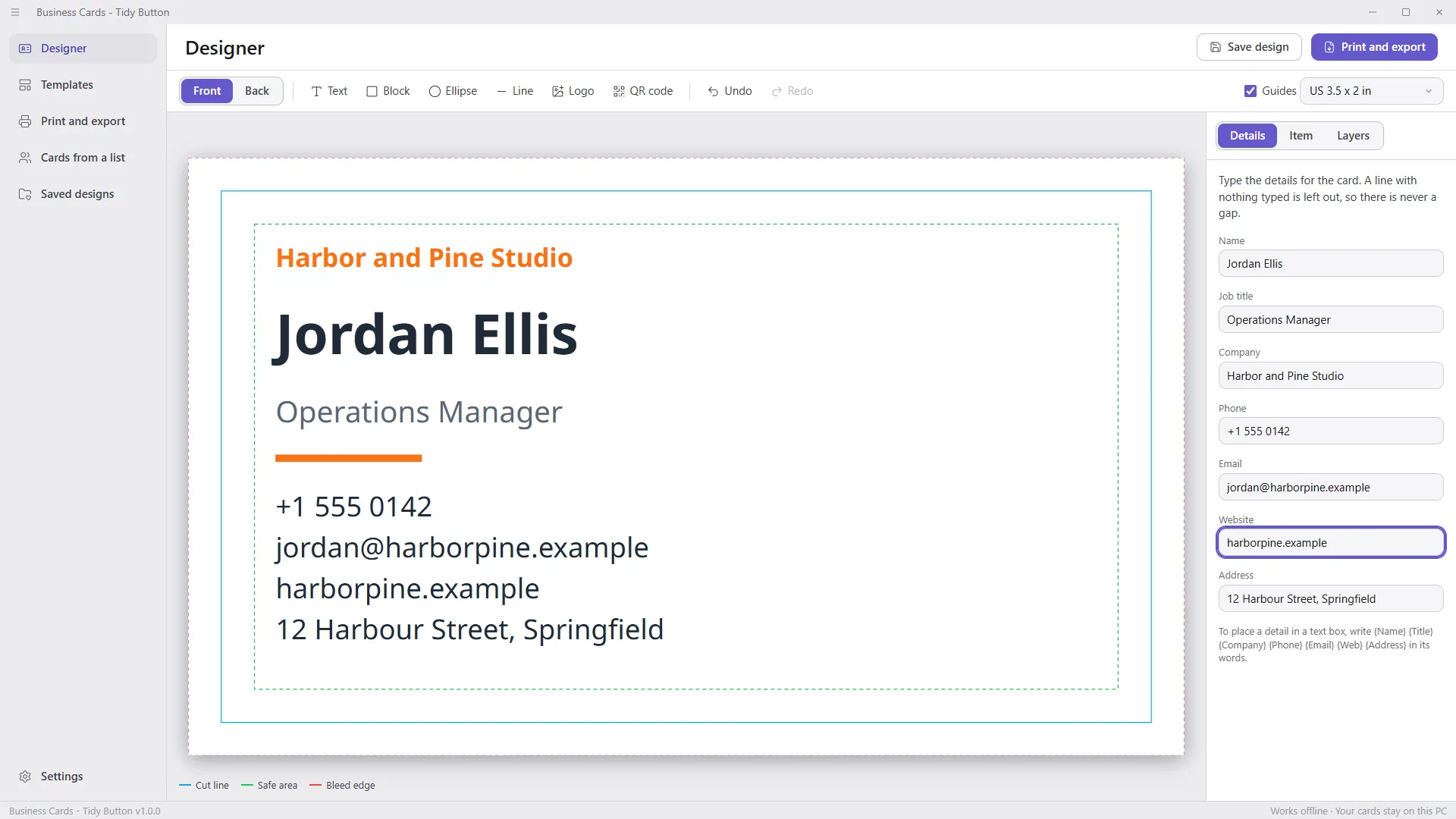
Designer
Type your details once and see them on the card. The guides show the safe area and the bleed
Templates
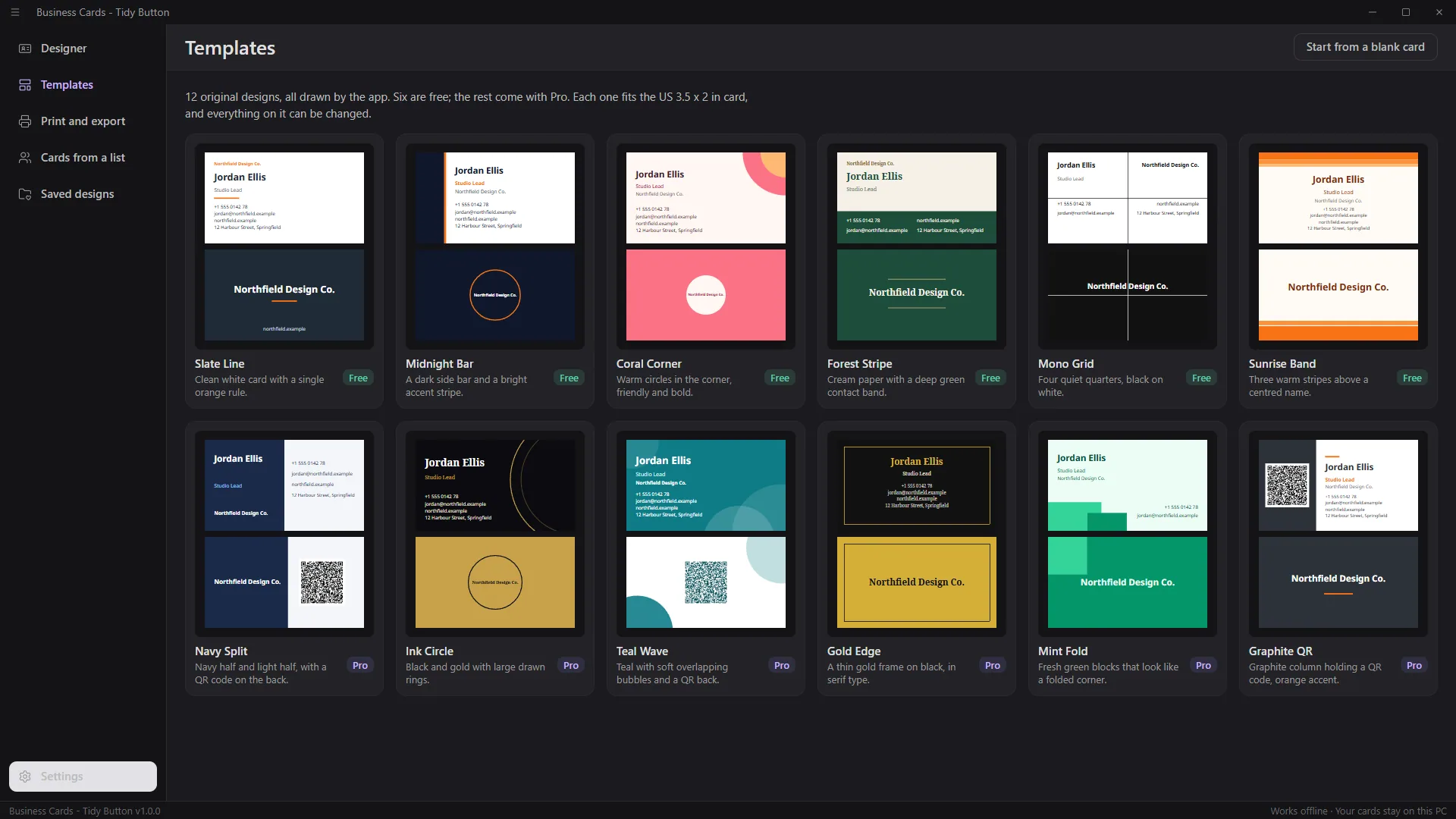
Pick from original templates, each drawn by the app and fully editable. Six are free; the rest come with Pro
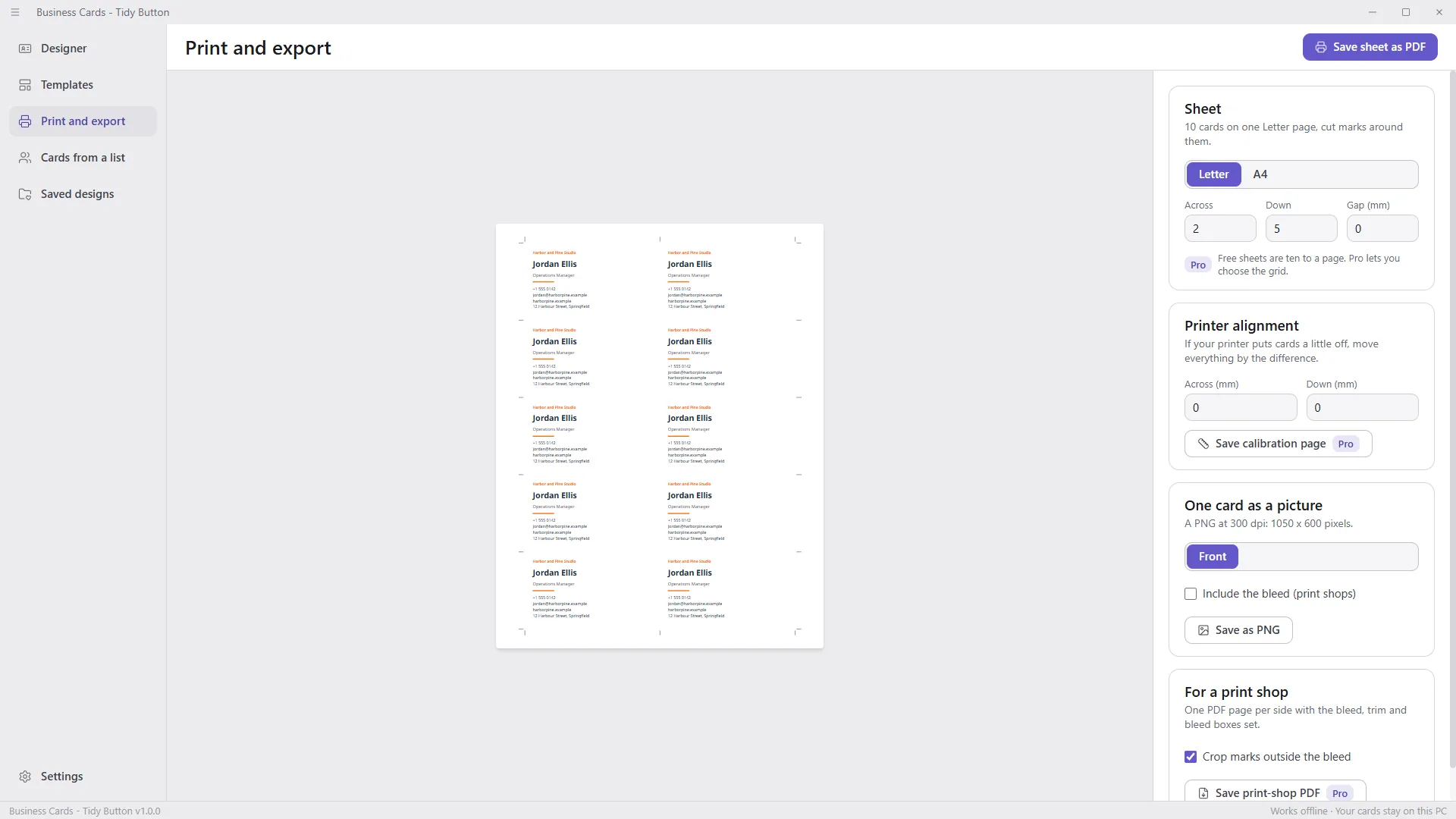
Print ten cards on a Letter or A4 sheet with crop marks, or save a 300 dpi picture of the card
Free limit
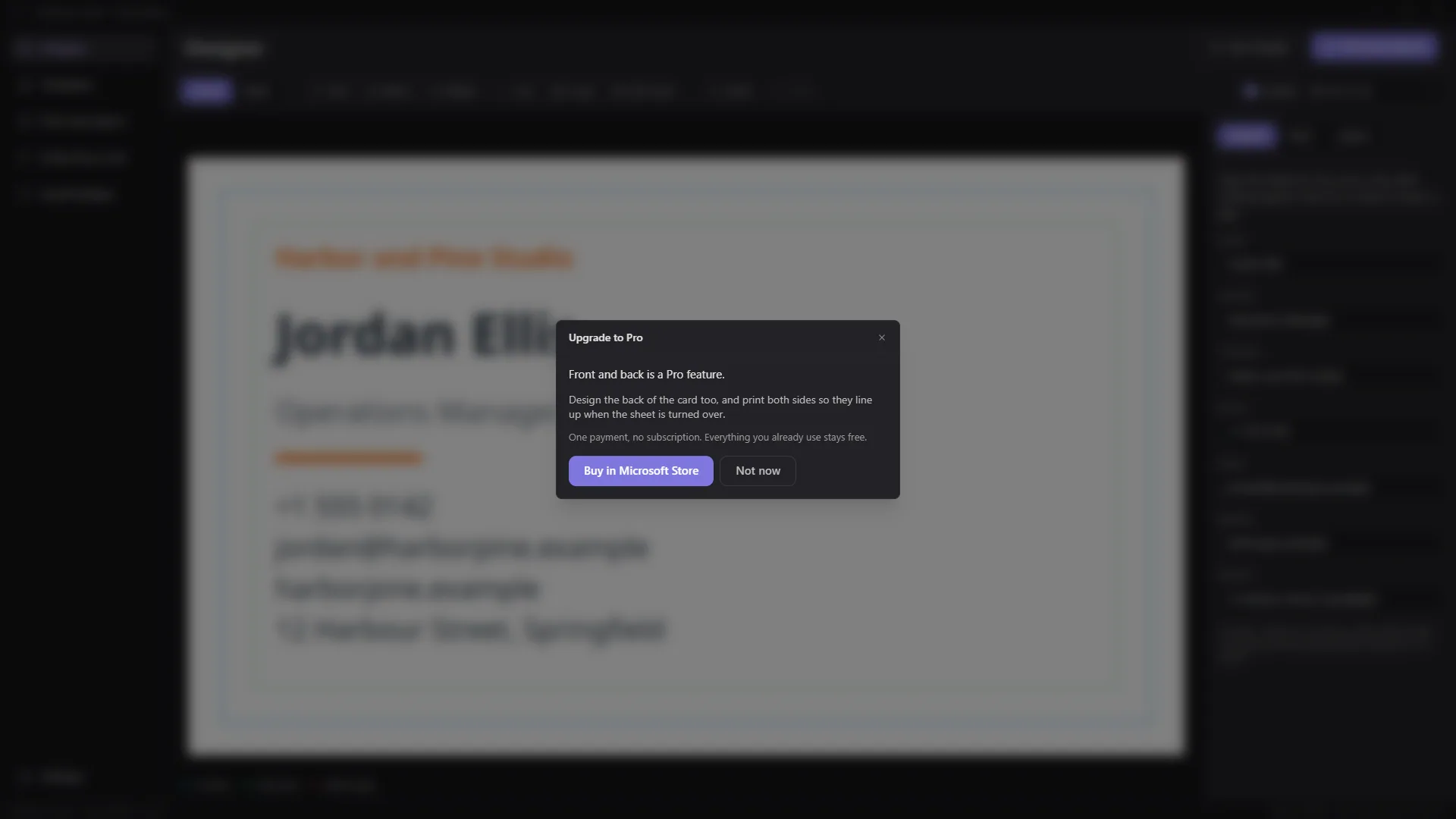
The free version has a full designer and a front side. A printed back comes with the optional one-time Pro add-on
Pro template
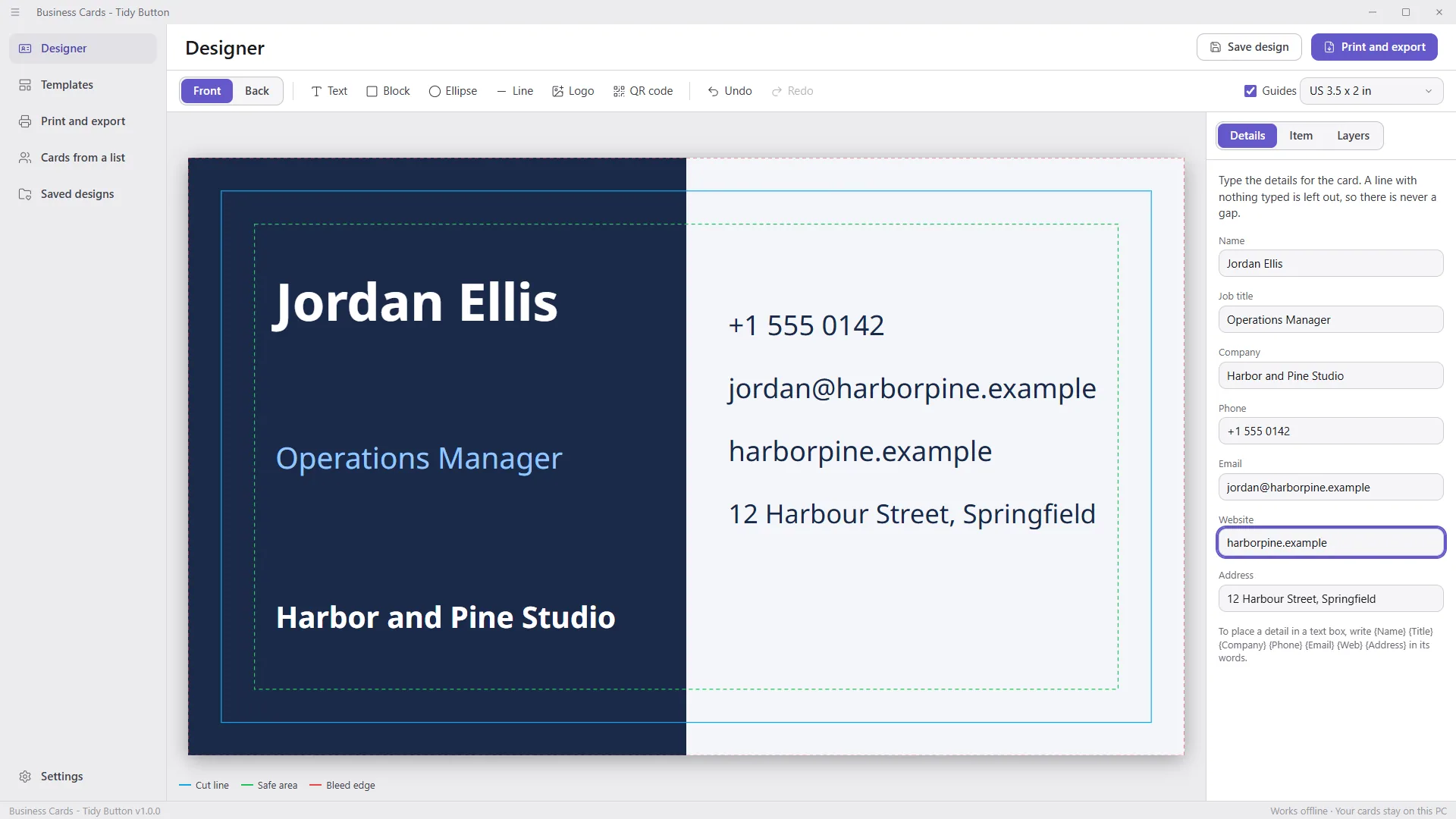
Pro adds six more templates, 12 in all, and every one can be changed
Back side
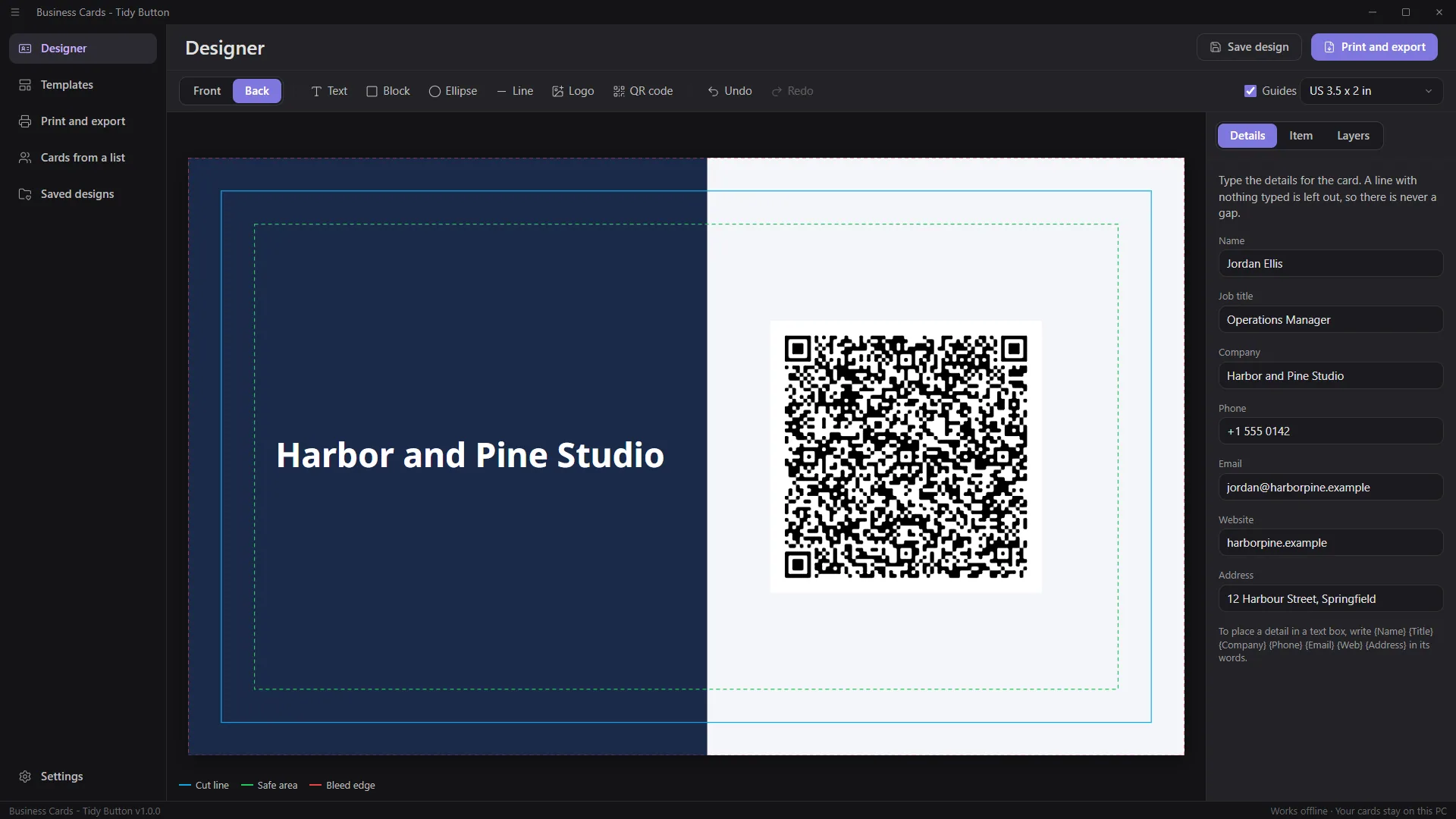
Pro lets you design the back of the card, with a QR code if you like, and print a back sheet to match
Cards from a list
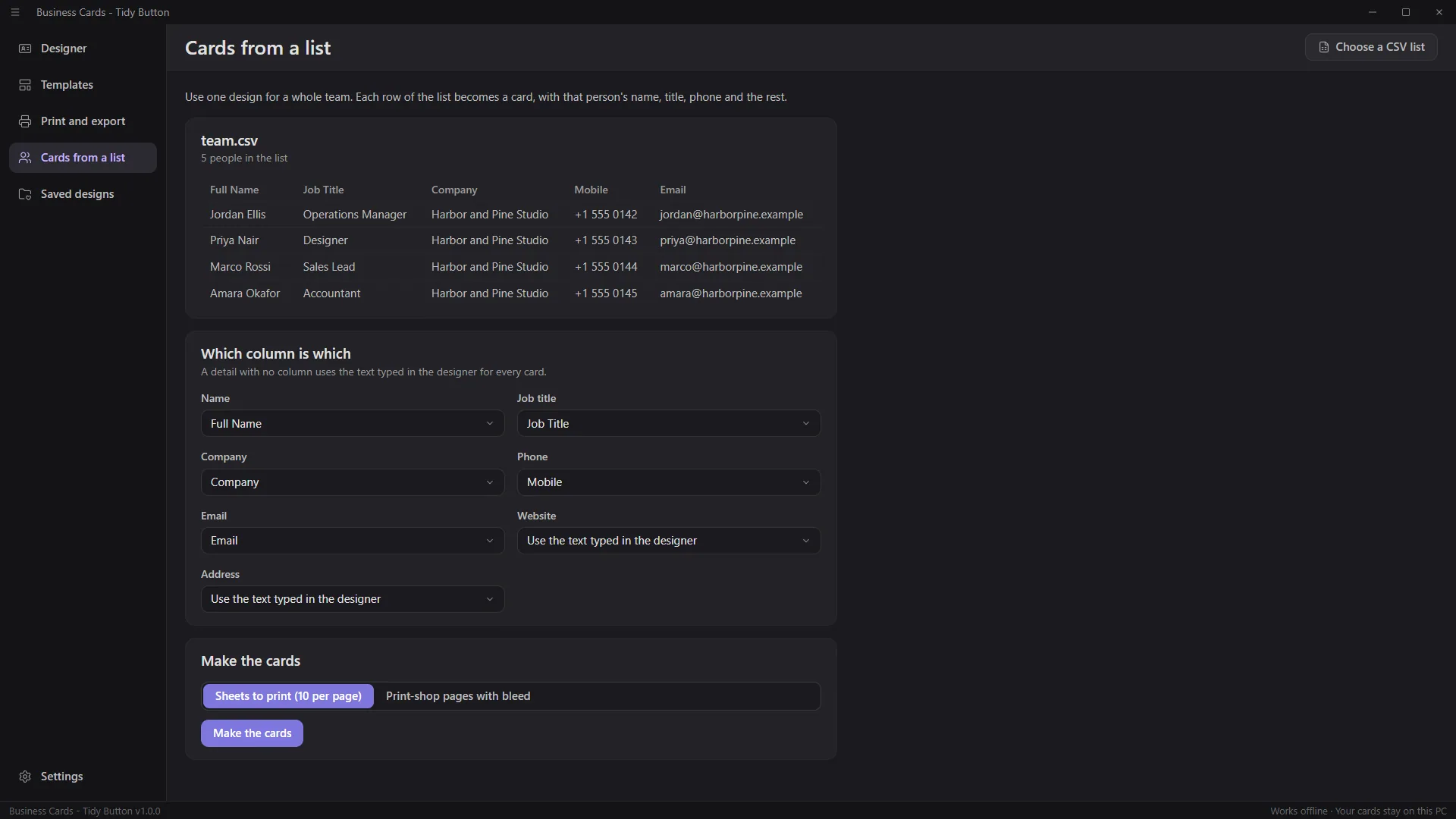
Pro makes a card for every person in a CSV list in one run
Print layouts
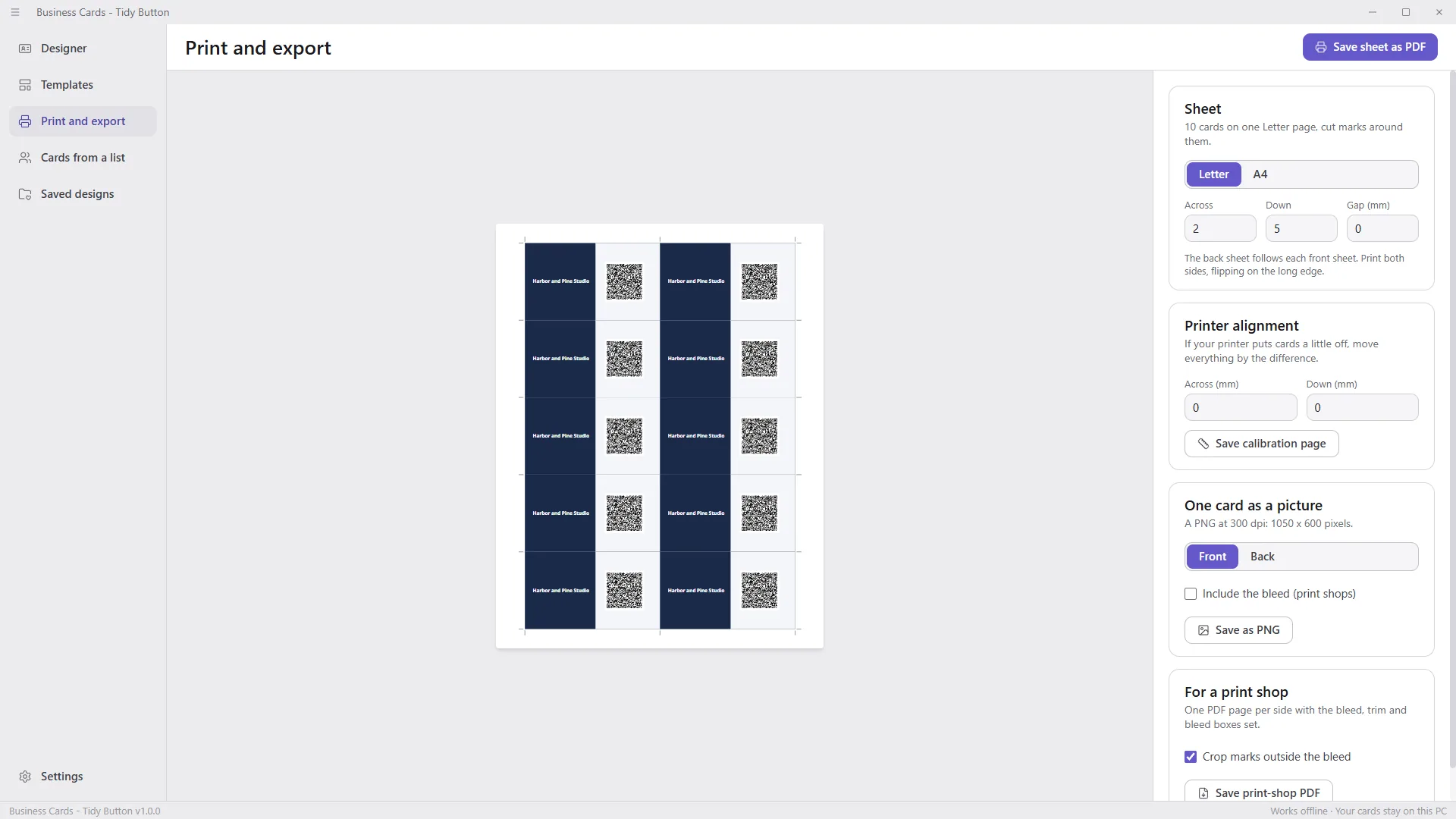
Pro print layouts: other sheet grids, an offset, print-shop files with bleed and a calibration page for your printer
Screens show a demo folder, not a real PC. The app has light and dark themes.
What it does
What it does.
Business Cards helps you design a business card and print it at home or at a print shop. Type your details, pick a template and print a sheet of ten cards with crop marks, or save a sharp picture of the card. No watermark, no sign-in. Your details stay on your PC, so it works with the internet turned off.
Type once
Your name, job title, company, phone, email and website appear on the card straight away.
Original templates
Six templates drawn by the app, all editable. Twelve with Pro.
Your own design
Add text, your logo, shapes and lines, and move, resize and layer them.
Three card sizes
US 3.5 x 2 inch, Europe 85 x 55 mm or Japan 91 x 55 mm, with bleed and safe-area guides.
Ten to a sheet
A Letter or A4 PDF with crop marks, with the fonts embedded.
A sharp picture
A 300 dpi PNG of the card with no watermark.
Backs and QR codes (Pro)
A printed back with a back sheet, and a QR code on the card.
Print shop and lists (Pro)
Print-shop files with bleed, and a card for every person in a CSV list.
The small print, in plain English
Safe by design.
- Nothing is uploaded. Your details and logo stay on your PC.
- No watermark on anything you save, in the free version too.
- Pro is one payment, no subscription. Everything free stays free.
- Works offline. No account. No ads. No tracking.
Good for
Handy when you need a card.
- A new business or side project
- A freelancer
- A club or a shop
- A card before tomorrow's meeting
Questions
Plain answers.
Is there a watermark?
No. Nothing you save is watermarked, in the free version too.
Is anything uploaded?
No. Your details and logo stay on your PC and the app works with the internet turned off.
What does the free version include?
The whole designer with six templates and one design, a ten-up Letter or A4 PDF sheet with crop marks, and a 300 dpi PNG.
What does Pro add?
Six more templates, a printed back, a QR code, print-shop files with bleed, cards from a CSV list, other sheet layouts and saved designs. It is one payment of $9.99.
Which versions of Windows does it run on?
Windows 10 and Windows 11.