Coming to the Microsoft Store
Tidy Budget Give every dollar a job.
A monthly budget that stays on your PC: plan, add spending, track bills and a savings goal. No account, no bank login.
Not on sale yet. The app is still being built.
We will link the Store listing here the day it is live. Until then there is nothing to download.
- Works offline
- No account, no ads, no tracking
- No bank login
- Free
See it
Eight views. One month, planned.
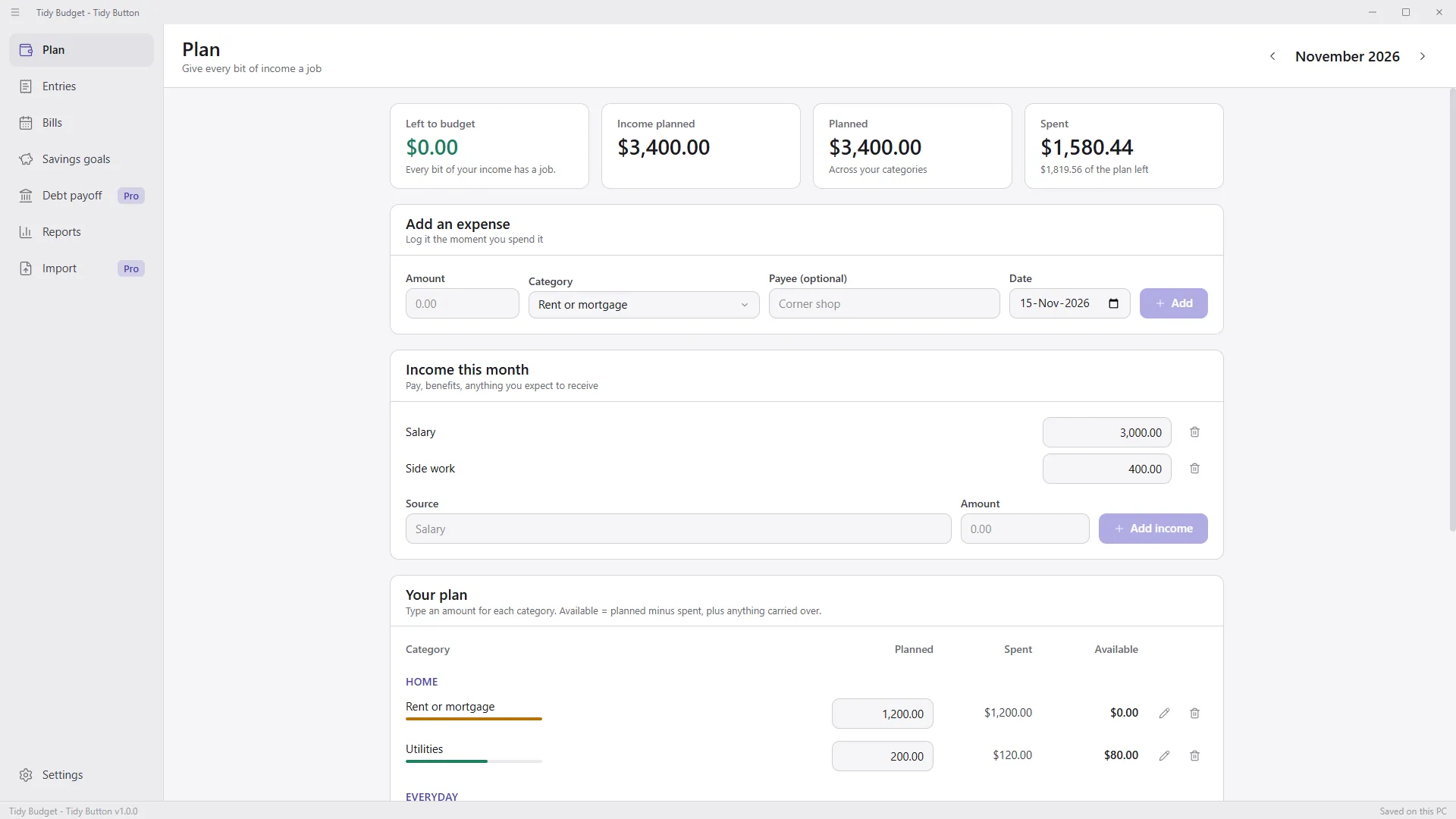
Plan
Give every bit of income a job. Each category shows what you planned, what you spent and what is still available
Entries
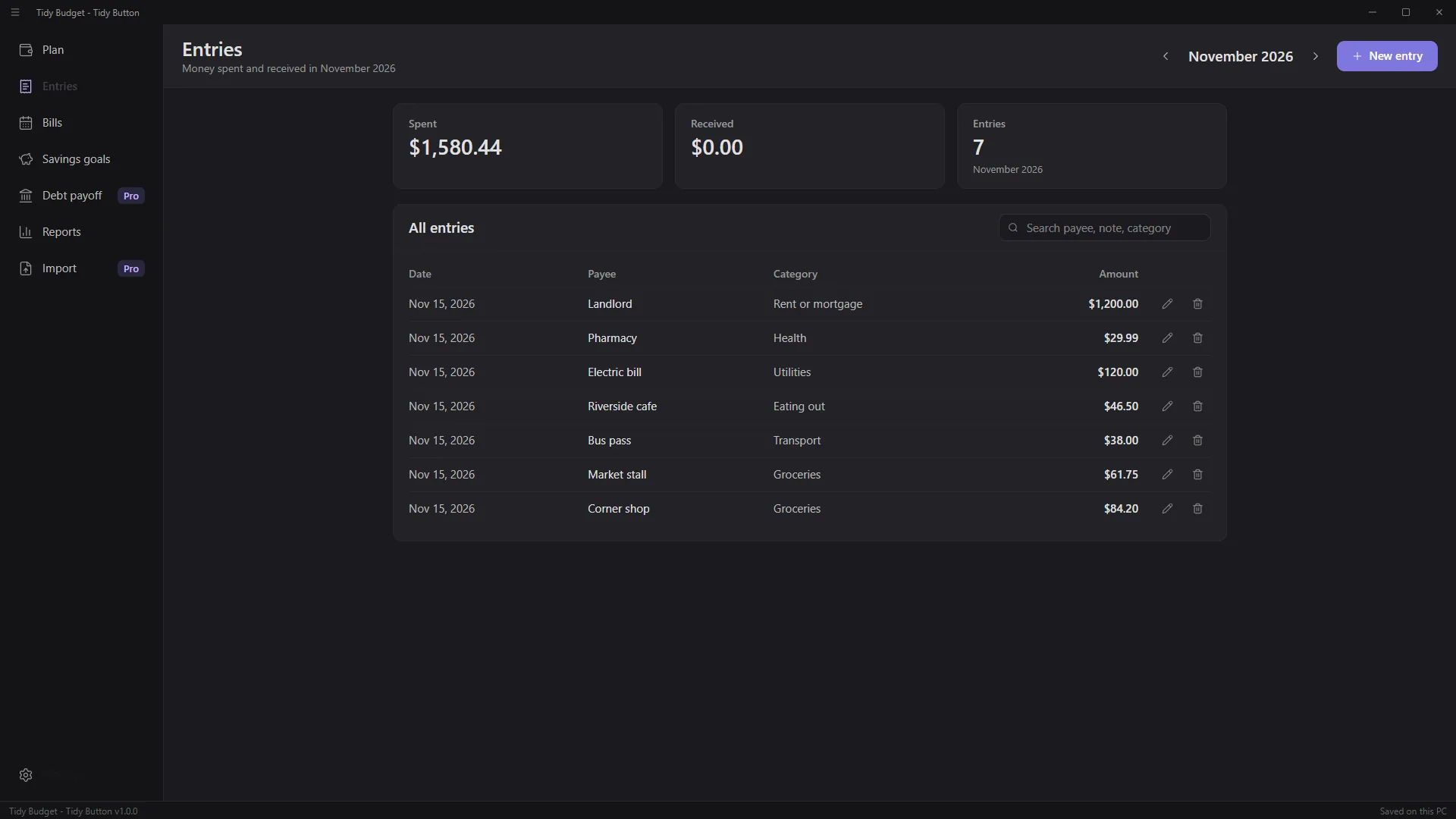
Every expense in one list, with the totals for the month. Search, edit or delete any entry
Bills
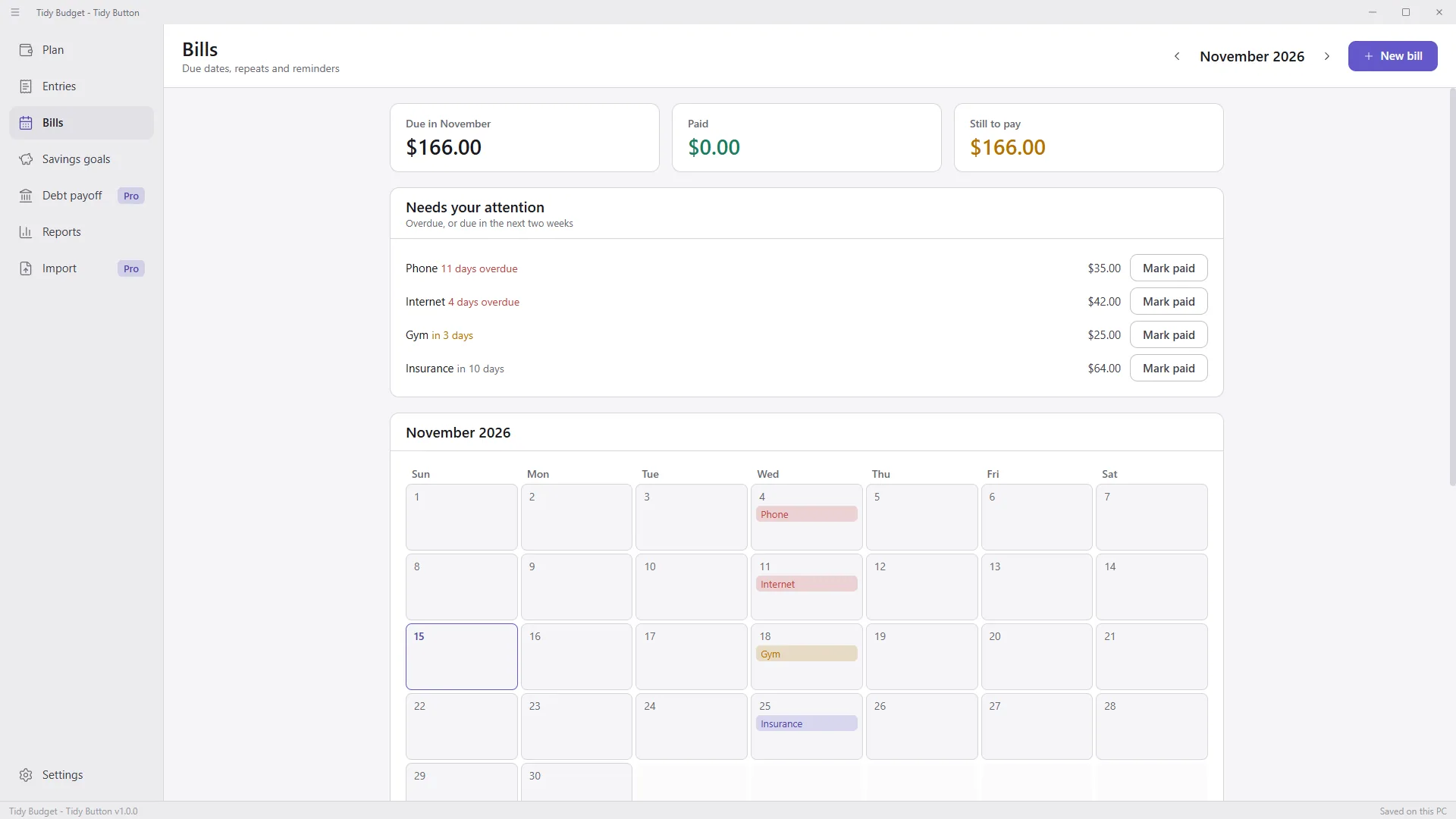
A bills calendar with an overdue list, Mark paid and Windows reminders. Paying a bill adds the spending entry for you
Savings goal
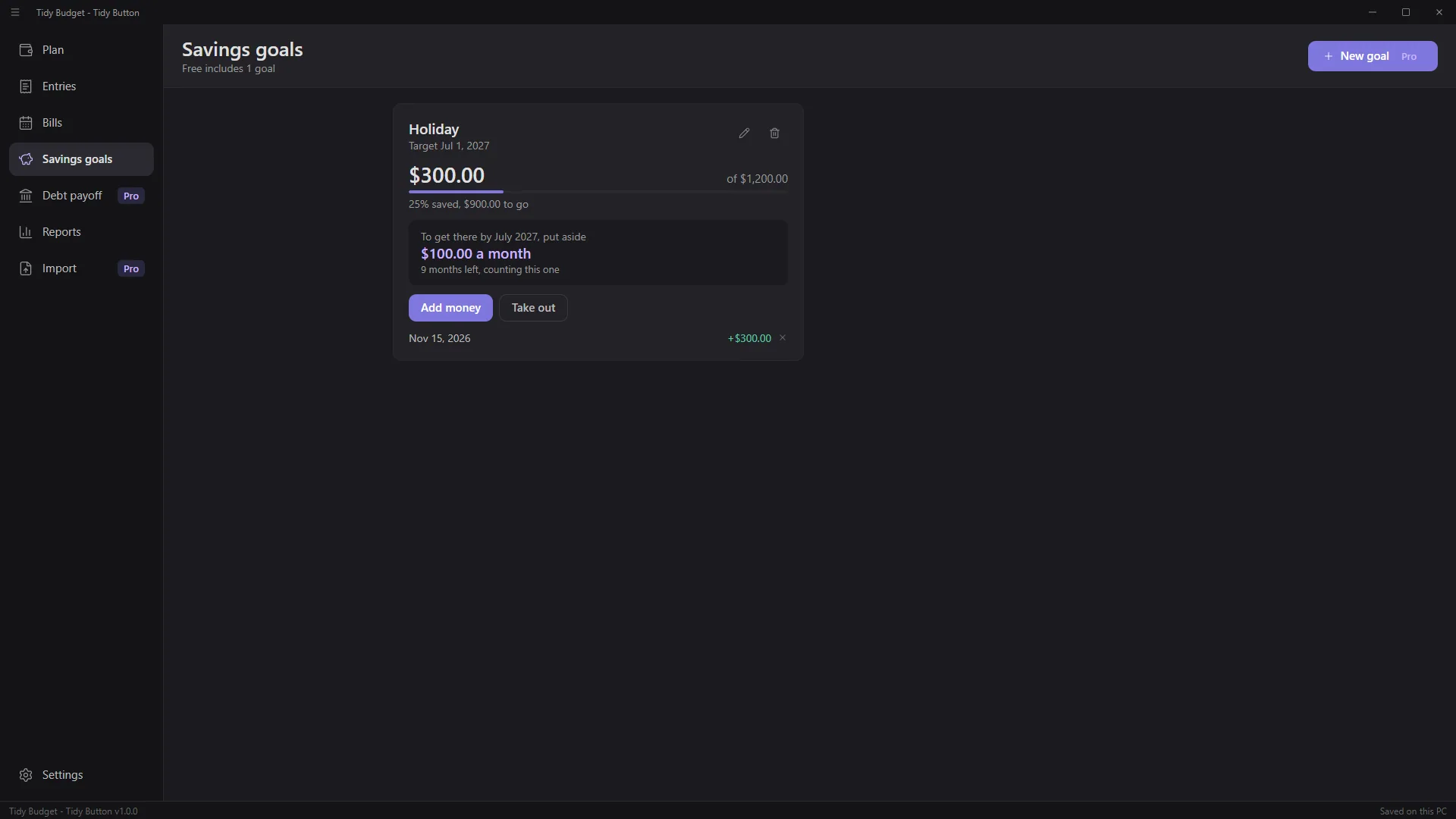
A savings goal shows how much is saved and the monthly amount needed to reach the target by your date
Report
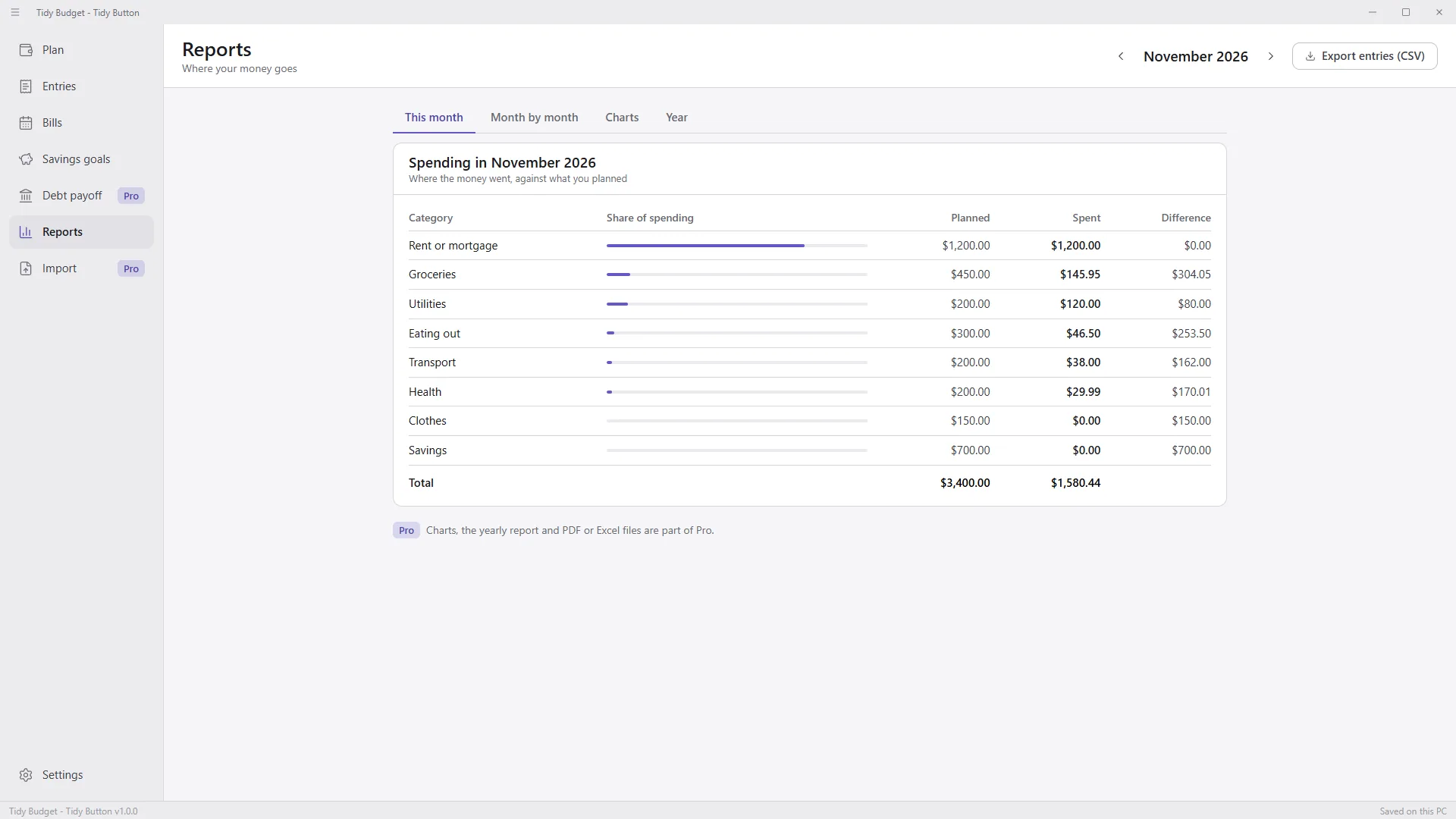
See where the money went this month, planned against actual, and export your entries as a CSV file
Free limit

Planning future months is part of the optional one-time Pro add-on. The current month and every past month stay free
Debt payoff
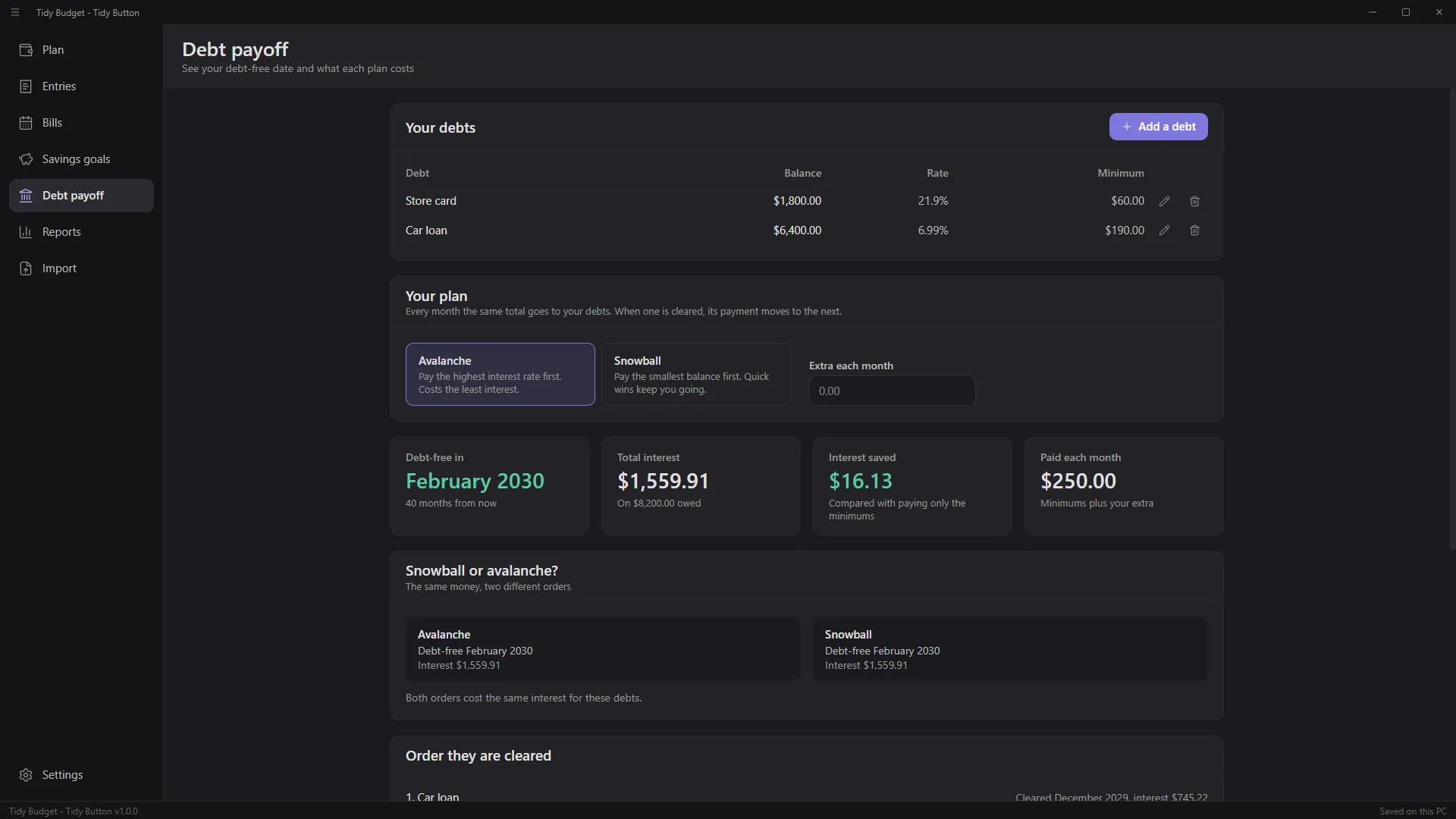
Pro debt payoff adds each card or loan, then shows your debt-free date and what each plan costs
Charts
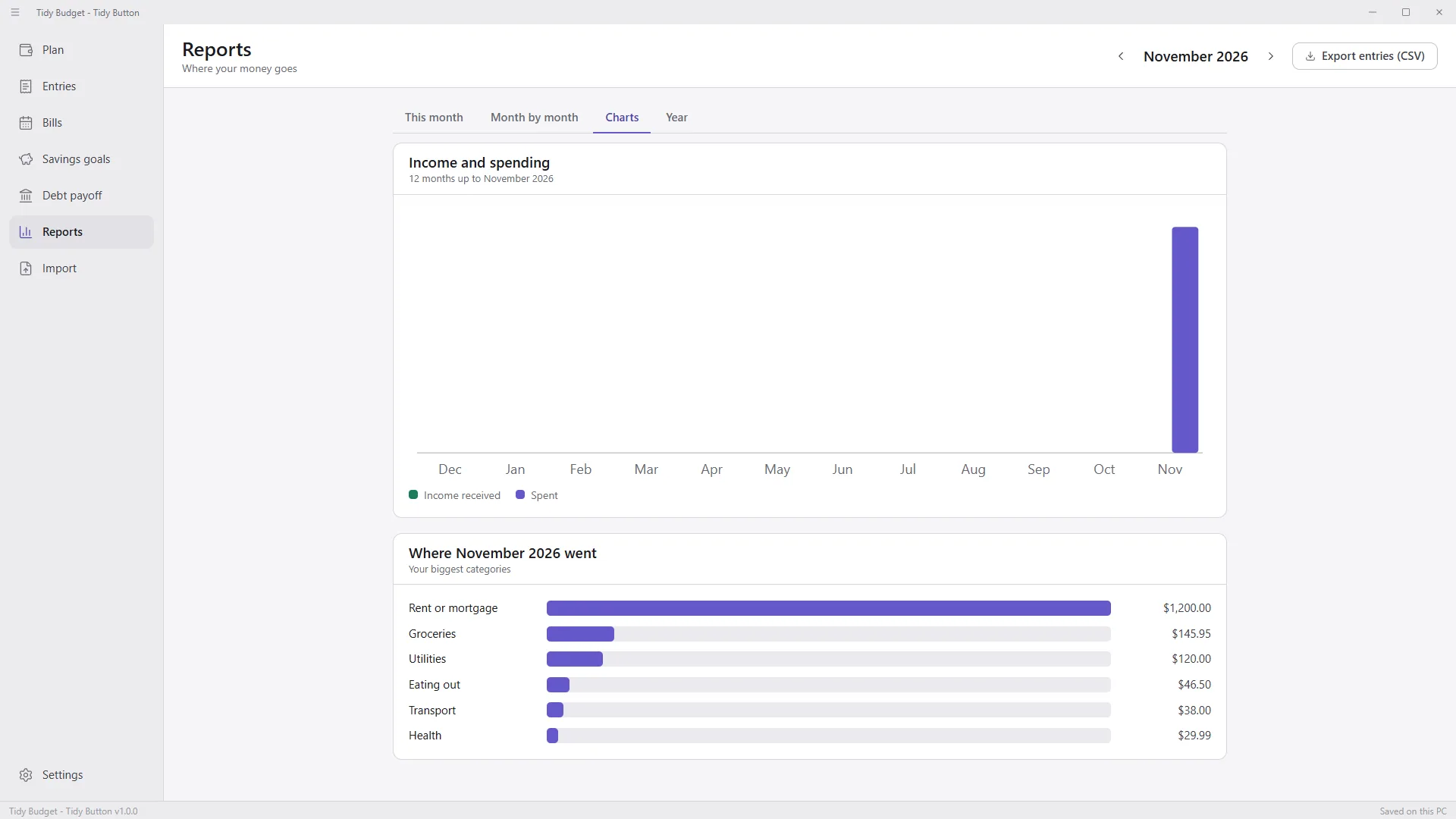
Pro charts show income and spending by month and where the biggest categories went
Screens show a demo folder, not a real PC. The app has light and dark themes.
What it does
What it does.
Tidy Budget is a monthly budget for your PC. Tell every bit of your income what to do, add what you spend, and see what is left in each category. No account, no bank login. Bills, a savings goal and month reports are included. Your budget stays on your PC, so it works with the internet turned off.
Zero-based plan
Give every unit of income a job and watch Left to budget fall to zero. Unspent money rolls over.
Quick expenses
Add spending in seconds with an amount, a category, a payee and a date.
Bills calendar
Repeats, an overdue list, Mark paid and Windows reminders. Paying a bill adds the entry for you.
A savings goal
Set a target and a date and see the monthly amount needed.
Reports and backups
Month and month-by-month tables, CSV export, automatic backups and restore.
Several budgets (Pro)
Keep more than one budget and plan future months before they start.
Charts and files (Pro)
Charts, a yearly report, and PDF and spreadsheet files of your reports.
Debt payoff (Pro)
See your debt-free date and what each plan costs. Import bank CSV files and add a PIN lock.
The small print, in plain English
Safe by design.
- Nothing is uploaded. Your budget stays on your PC and no bank is contacted.
- Every past month is kept, with unlimited categories and entries, free.
- Pro is one payment, no subscription. Everything free stays free.
- Works offline. No account. No ads. No tracking.
Good for
Handy when money is tight.
- A household budget
- A student budget
- A shared flat
- Planning every month on purpose
Questions
Plain answers.
Is anything uploaded?
No. Your budget stays on your PC and no bank is contacted. The app works with the internet turned off.
Is my history limited?
No. Every past month is kept, with unlimited categories and entries, in the free version.
Can I protect it with a PIN?
Yes, with Pro. A PIN lock keeps the budget closed until the PIN is typed.
What does Pro add?
Several budgets, planning future months, charts, a yearly report, PDF and spreadsheet files, a debt payoff planner, bank CSV import, more goals, a PIN lock and extra themes. It is one payment of $12.99.
Which versions of Windows does it run on?
Windows 10 and Windows 11.