Coming to the Microsoft Store
Tidy Bracket Brackets without the fuss.
Paste your names, enter the scores, print the bracket. Single elimination and round robin are free.
Not on sale yet. The app is still being built.
We will link the Store listing here the day it is live. Until then there is nothing to download.
- Works offline
- No account, no ads, no tracking
- Up to 16 entrants free
- Free
See it
Eight views. One event, run.
Setup
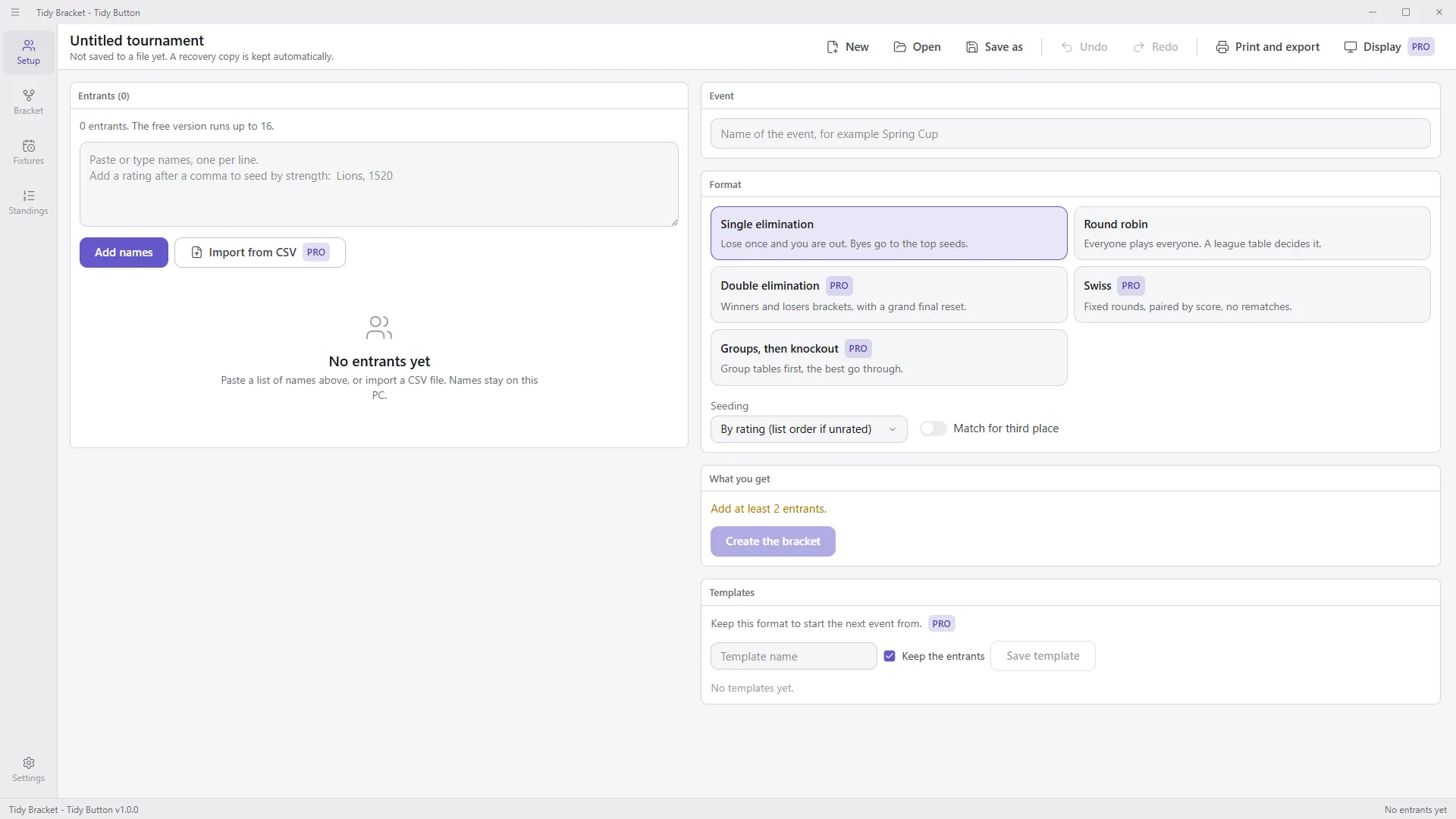
Paste a list of names, choose a format and create the bracket. Pro formats and more than 16 entrants are marked
Entrants
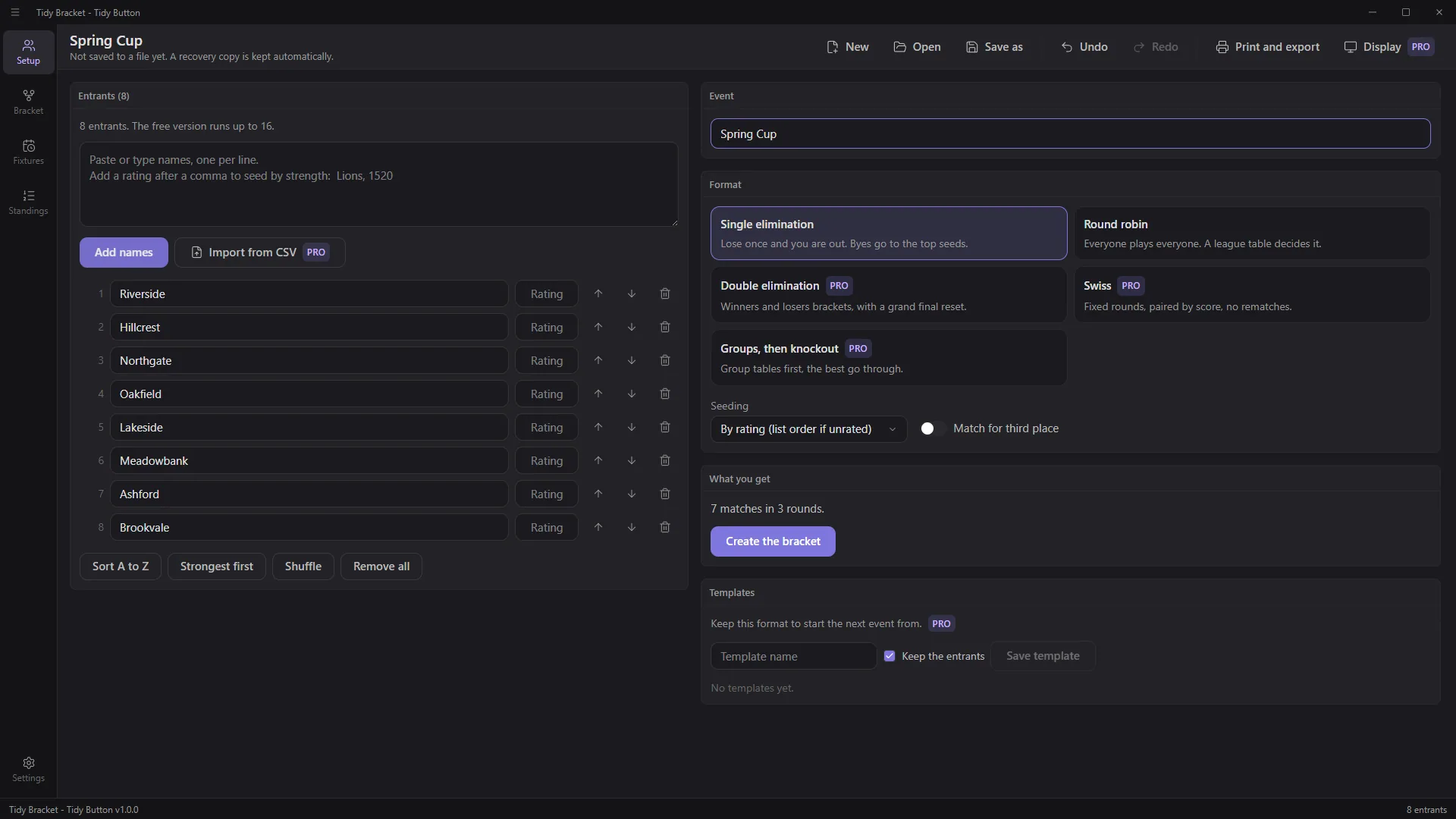
Eight entrants pasted in. The summary says what the format will make before you press Create the bracket
Bracket
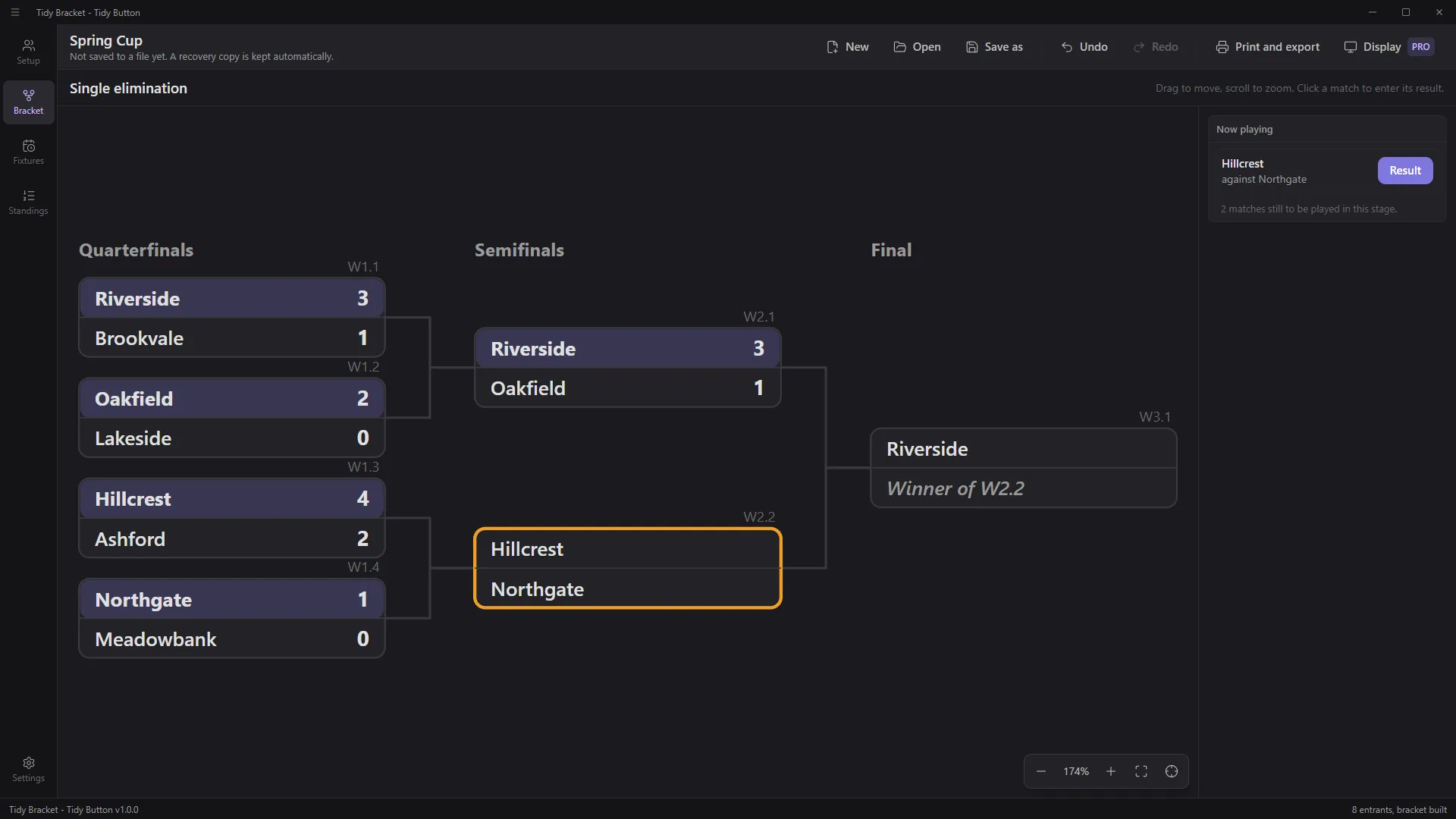
Click a match to enter the score. Winners move on by themselves, and Now playing lists what is ready
Result
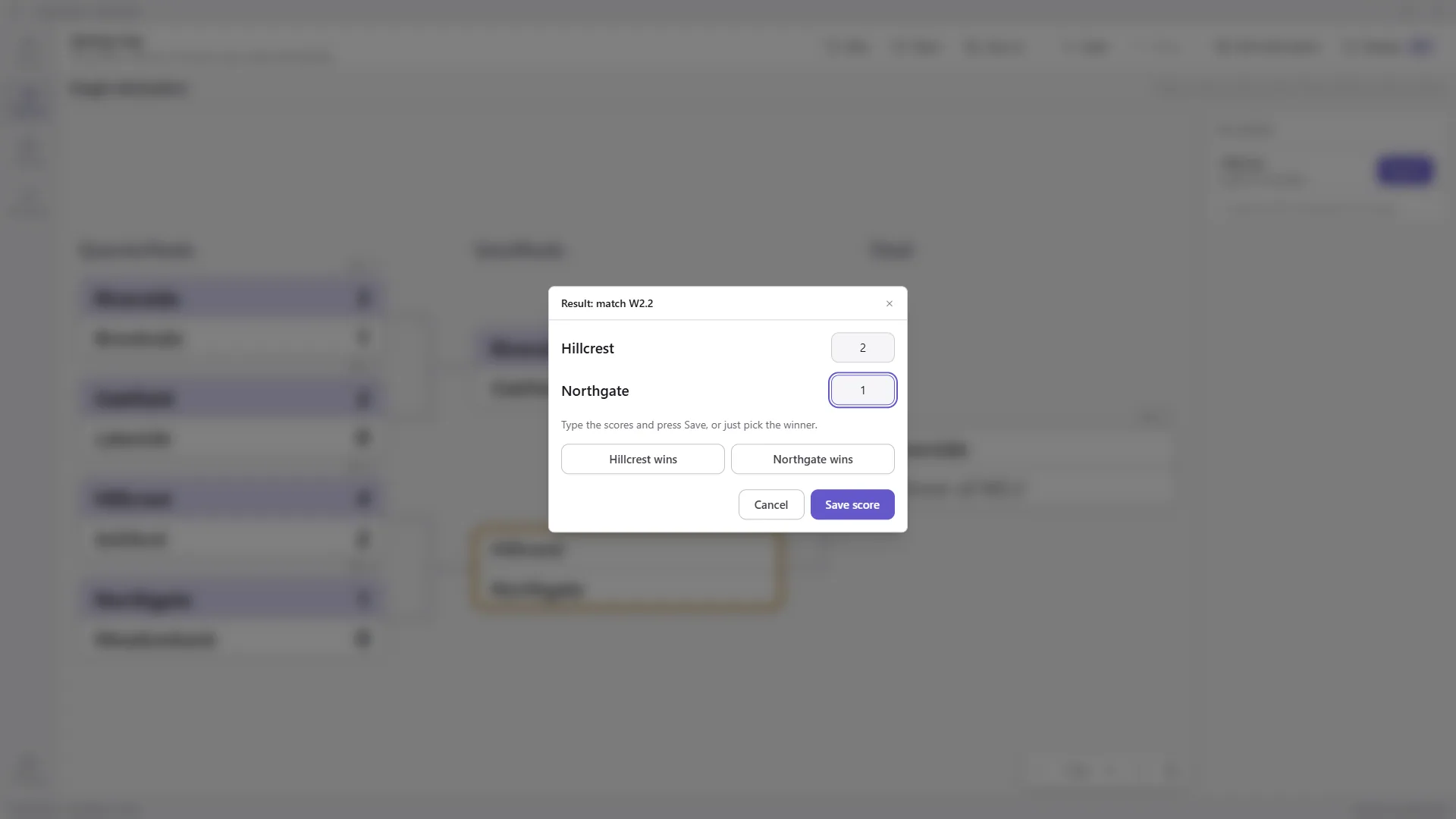
Type the score, or just pick the winner. Undo and Redo are always at the top
Standings
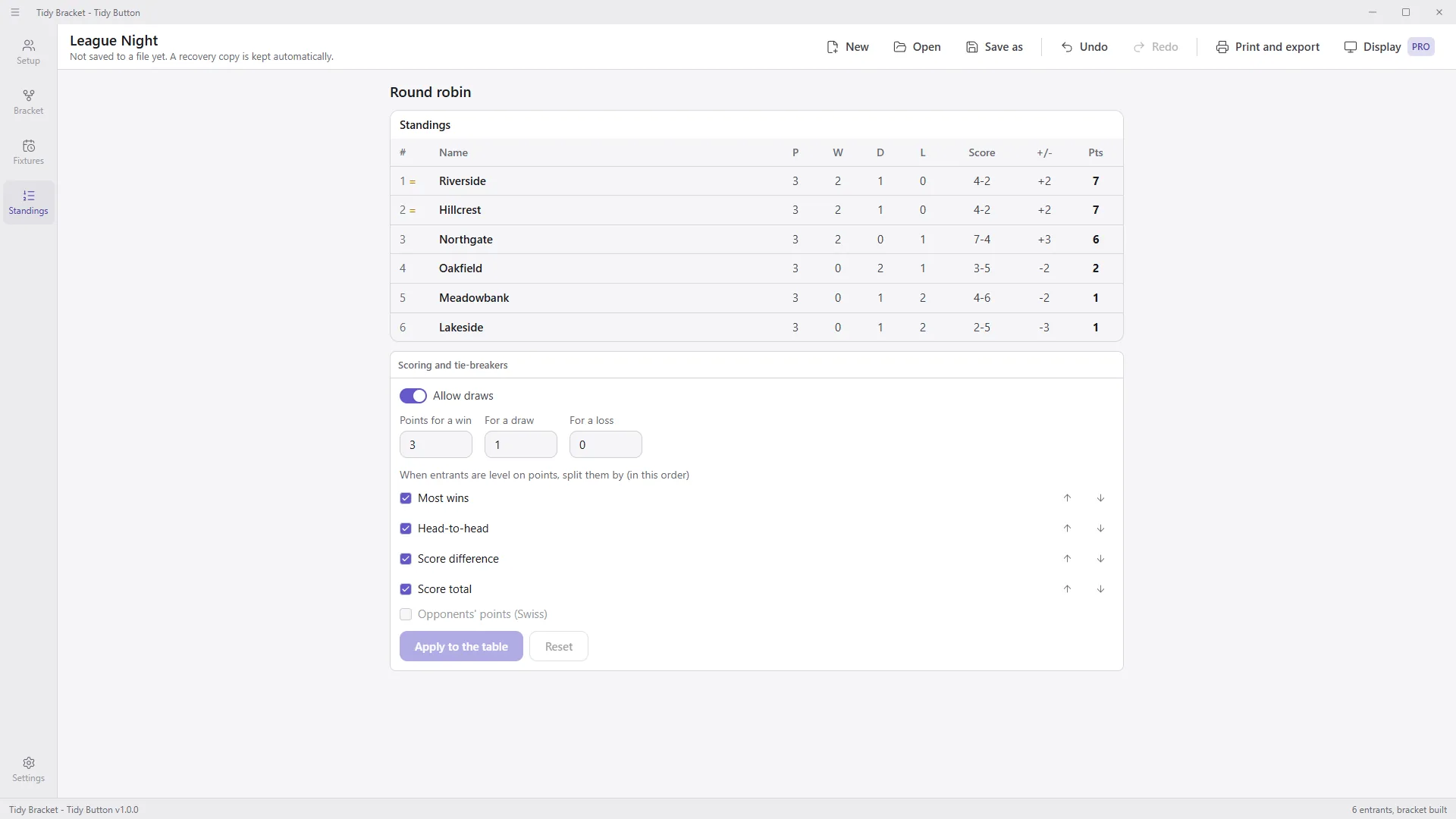
A league table with points, wins, draws and losses. Change the points and the tie-breakers, and the table follows
Free limit
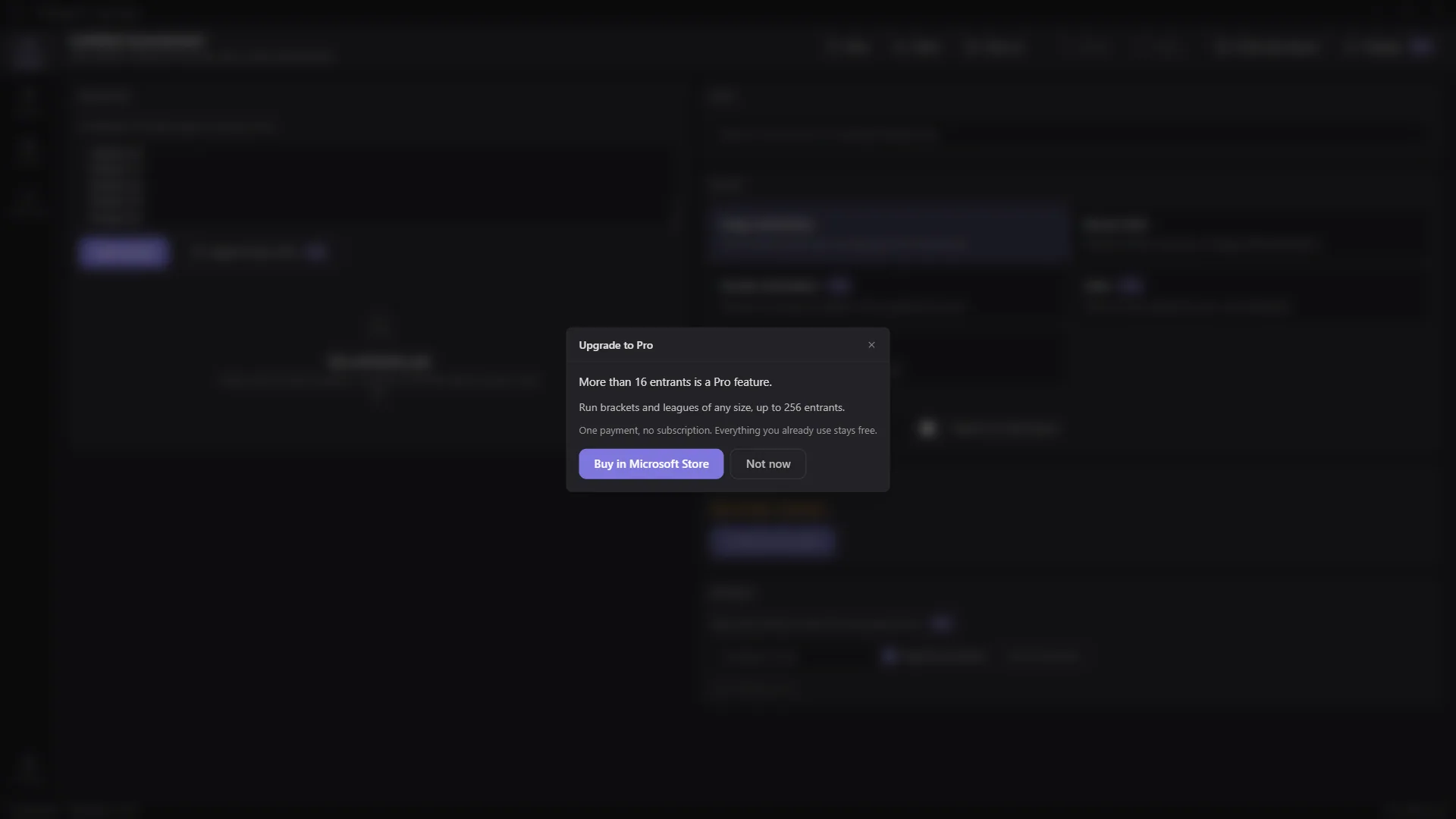
The free version runs events of up to 16 entrants. Larger events are part of the optional one-time Pro add-on
Double elimination
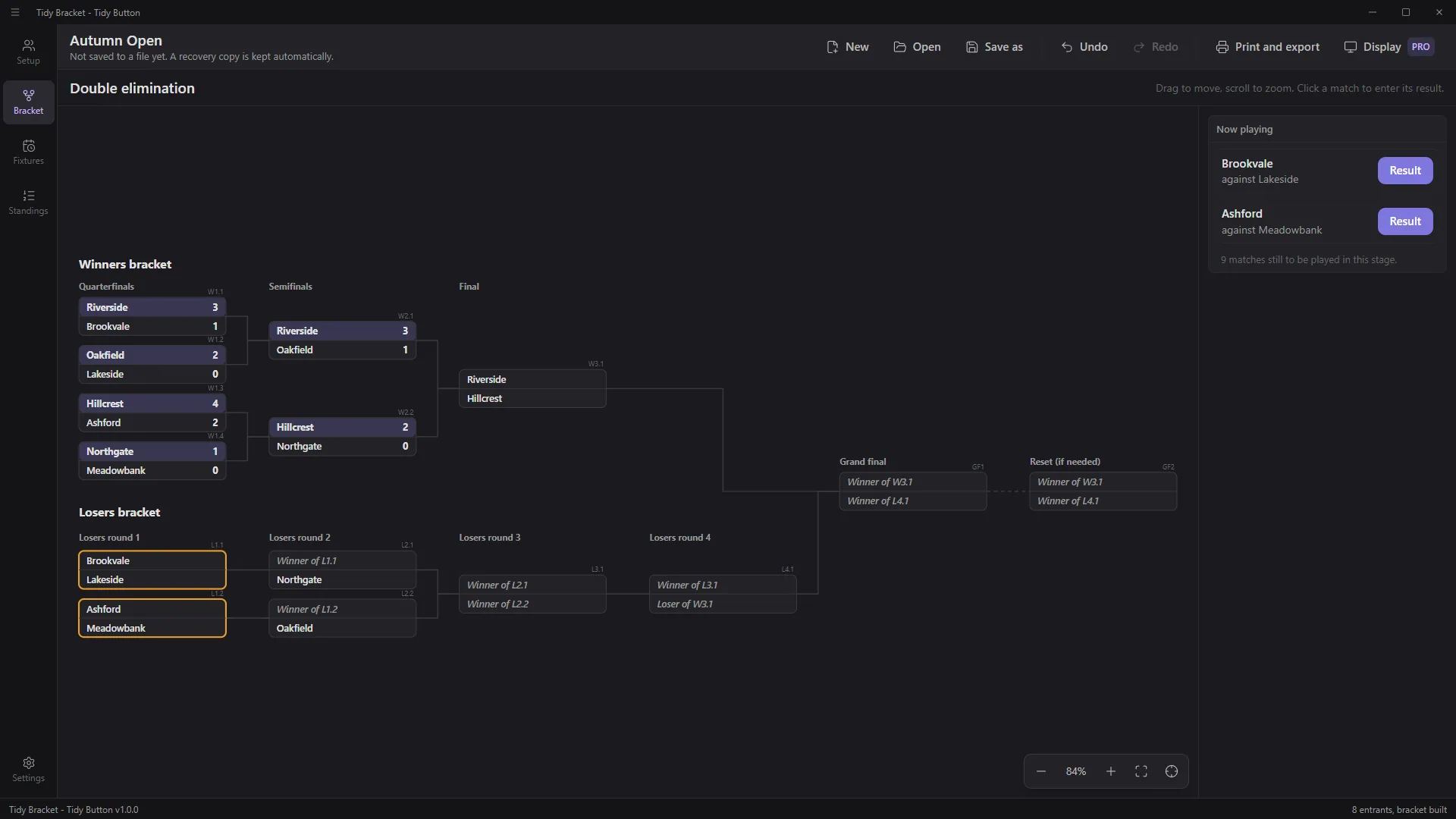
Pro double elimination has a winners bracket, a losers bracket and a grand final with a reset match
Fixtures
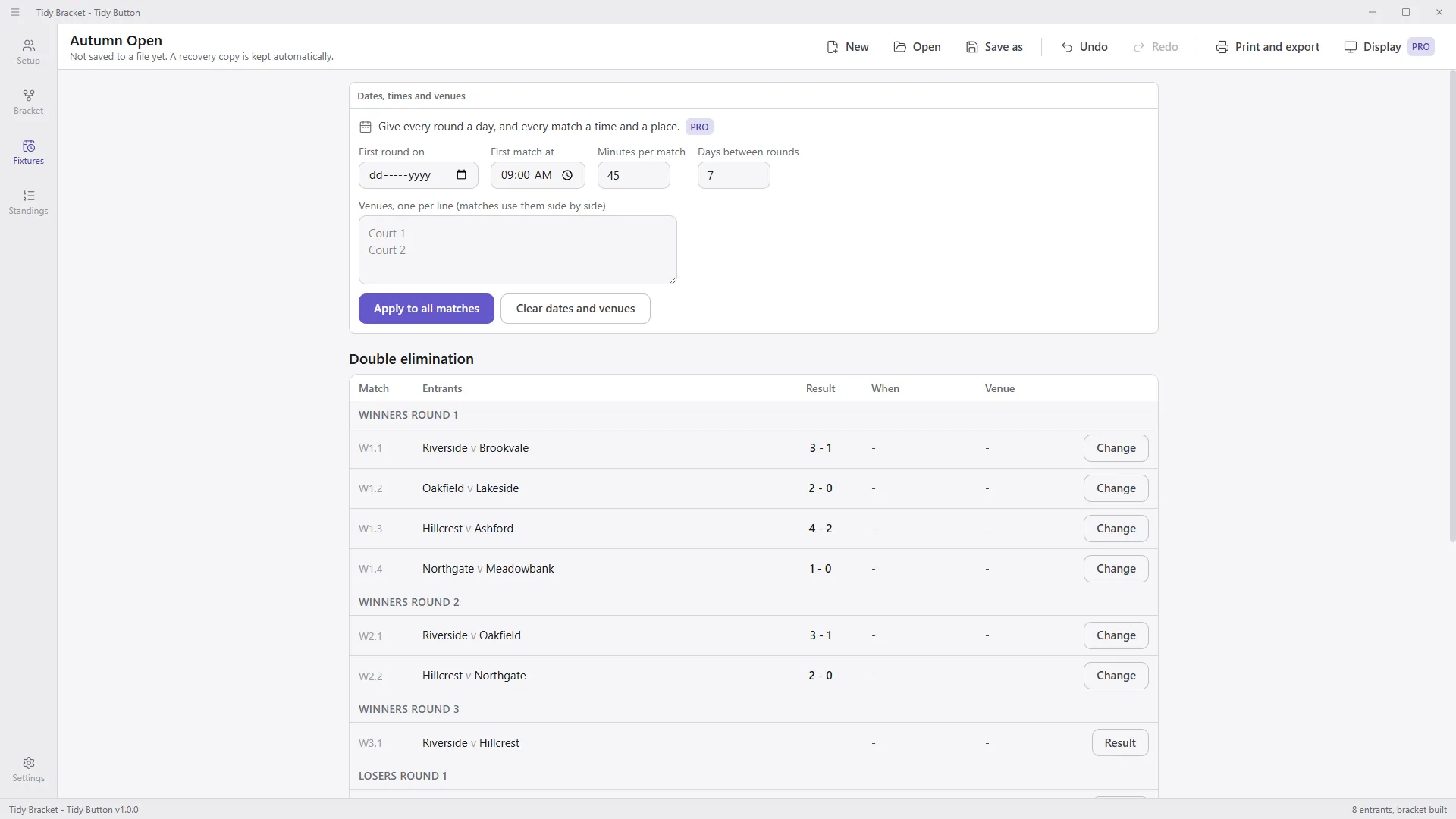
Pro dates, times and venues are applied to every match. The list shows each fixture, its result, when and where
Screens show a demo folder, not a real PC. The app has light and dark themes.
What it does
What it does.
Tidy Bracket makes a tournament bracket or a league table from a list of names, keeps the results as you play and prints the lot. Paste the names, press Create the bracket, then click a match to enter the score. Winners move on by themselves, and Undo and Redo are always there. Everything stays on your PC, so it works with the internet turned off.
Single elimination
Byes for the top seeds, an optional match for third place, and winners that move on by themselves.
Round robin
Everyone plays everyone, with a league table of points, wins, draws and losses.
Paste your names
One name per line. Add a rating after a comma to seed by strength, or draw at random.
Scores and standings
Enter a score or pick a winner. Set the points and reorder the tie-breakers.
Print and share
Print, save as a PDF or a PNG picture, or save the tournament as a file to open later.
More formats (Pro)
Double elimination with a grand final reset, Swiss, and groups then knockout, up to 256 entrants.
Dates and venues (Pro)
Give every match a date, a time and a place, and put your logo on printouts.
Projector display (Pro)
A full-screen view for a big screen, plus CSV import and export and saved templates.
The small print, in plain English
Safe by design.
- Nothing is uploaded. Names, scores and results stay on your PC.
- A whole 16-entrant event, from the draw to the champion, is free.
- Pro is one payment, no subscription. Everything free stays free.
- Works offline. No account. No ads. No tracking.
Good for
Handy when you run the night.
- A club night or school sports day
- A gaming evening
- A table tennis or chess ladder
- A league for a team or a class
Questions
Plain answers.
Is anything uploaded?
No. Names, scores and results stay on your PC and the app works with the internet turned off.
How many entrants can I have?
Up to 16 in the free version, in single elimination or round robin. Pro goes up to 256.
Can I print the bracket?
Yes. Print it, save it as a PDF or save it as a PNG picture. With Pro you can add your own logo.
What does Pro add?
Double elimination, Swiss, groups then knockout, more than 16 entrants, dates and venues, your logo, a projector display, CSV and templates. It is one payment of $9.99.
Which versions of Windows does it run on?
Windows 10 and Windows 11.