How to make printable bingo cards on a Windows PC
This guide shows how to make a stack of different cards, print them and call a game.
This app is not on the Microsoft Store yet. This guide is ready for the day it arrives.
Choose your cards
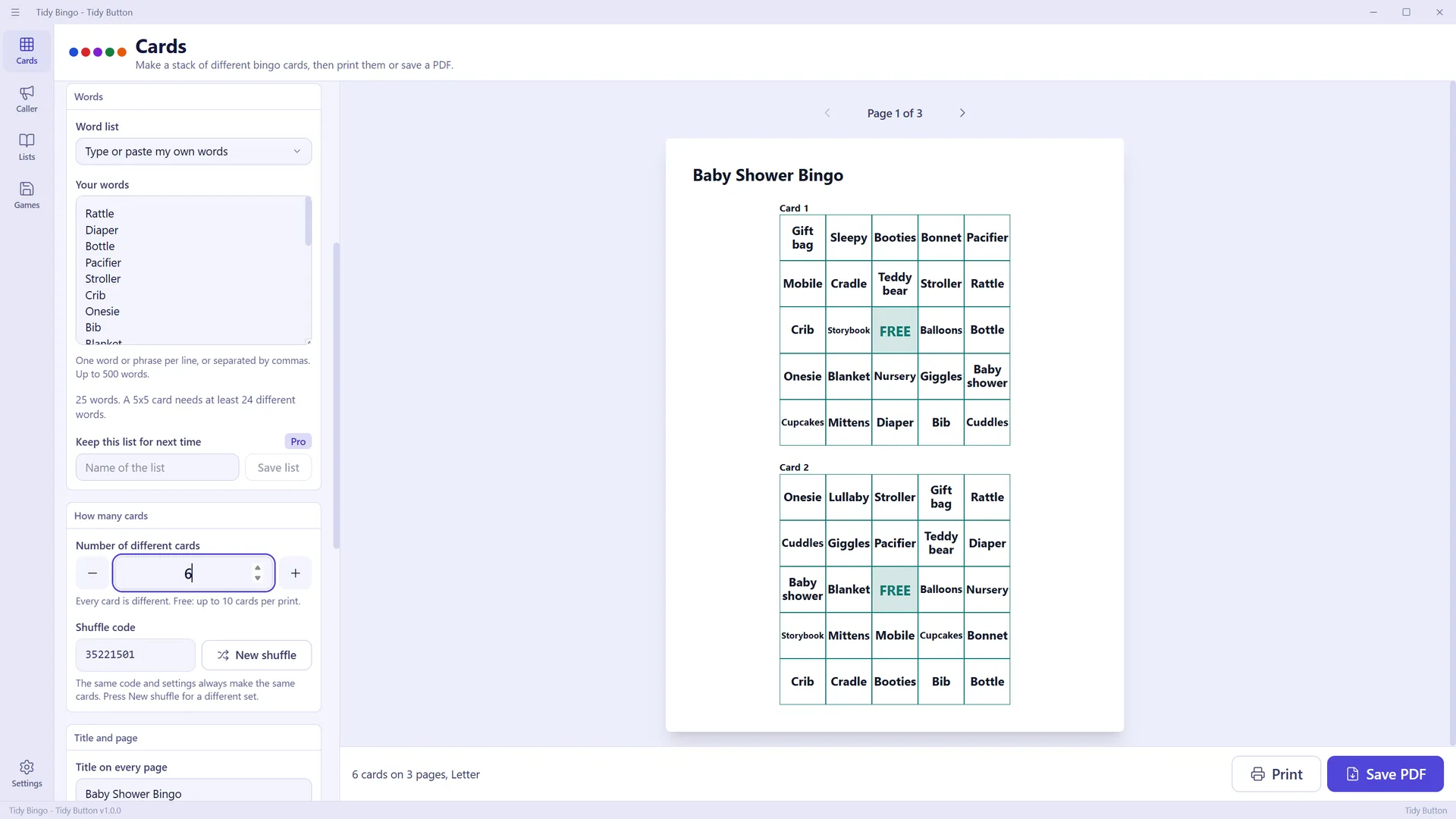
- Open Tidy Bingo. The Cards screen is the first screen.
- Choose 75-ball cards, or Word bingo and type your own words, one per line.
- Set Number of different cards.
- Turn the free space in the middle on or off.
- Type a title for every page.
Print or save a PDF
- Choose Letter or A4 paper and how many cards go on each page.
- Flip through the pages in the preview.
- Press Print or Save PDF.
The shuffle code makes the same cards again from the same settings. Press New shuffle for a different set.
Call the game
- Open Caller in the left menu.
- Press Call next, or press Space, to call the next ball or word.
- Press Undo to take the last call back.
- Press Start auto-call to call at your own pace, and turn on Speak the call to hear each one.
- Type a card number under Check a card to see what it still needs.
If something goes wrong
How many cards can I print for free?
The free version makes up to 10 different cards per print, and word lists of your own of up to 25 words.
How do I start a new game?
Press New game on the Caller screen.
Can I keep a game for later?
Yes. Save a game to a file and open it again later with its cards and the calls made so far.
Coming to the Microsoft StoreAbout Tidy Bingo
Still stuck? Support is by email, and a person reads it.