Coming to the Microsoft Store
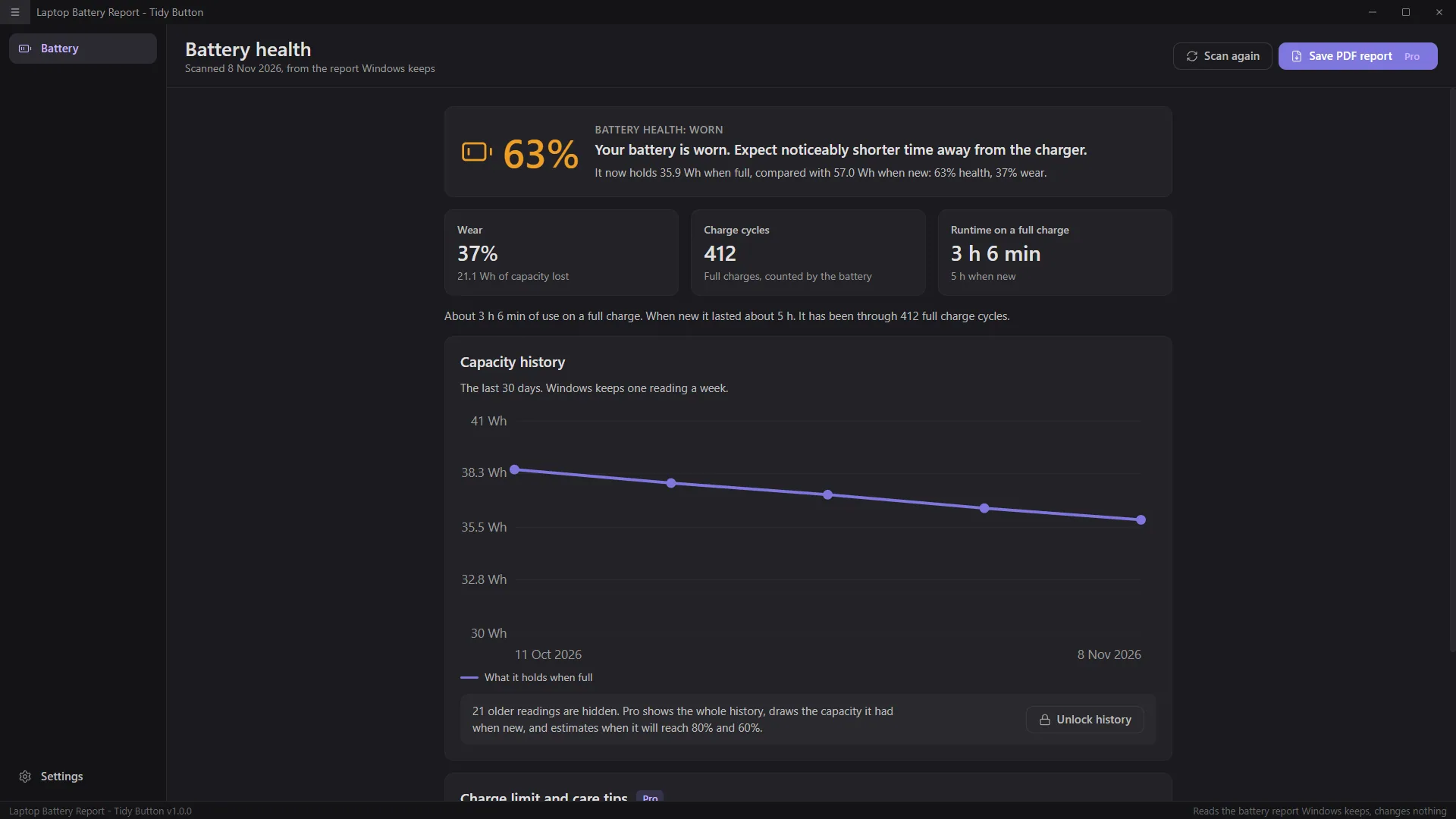
Laptop Battery Report Know your battery's health.
One number, a plain verdict, and the figures behind it. Offline, no account.
Not on sale yet. The app is still being built.
We will link the Store listing here the day it is live. Until then there is nothing to download.
- Works offline
- No account, no ads, no tracking
- Reads only, changes nothing
- Free
See it
Four views. One battery, explained.
Verdict
One health number and a plain verdict first
Healthy battery
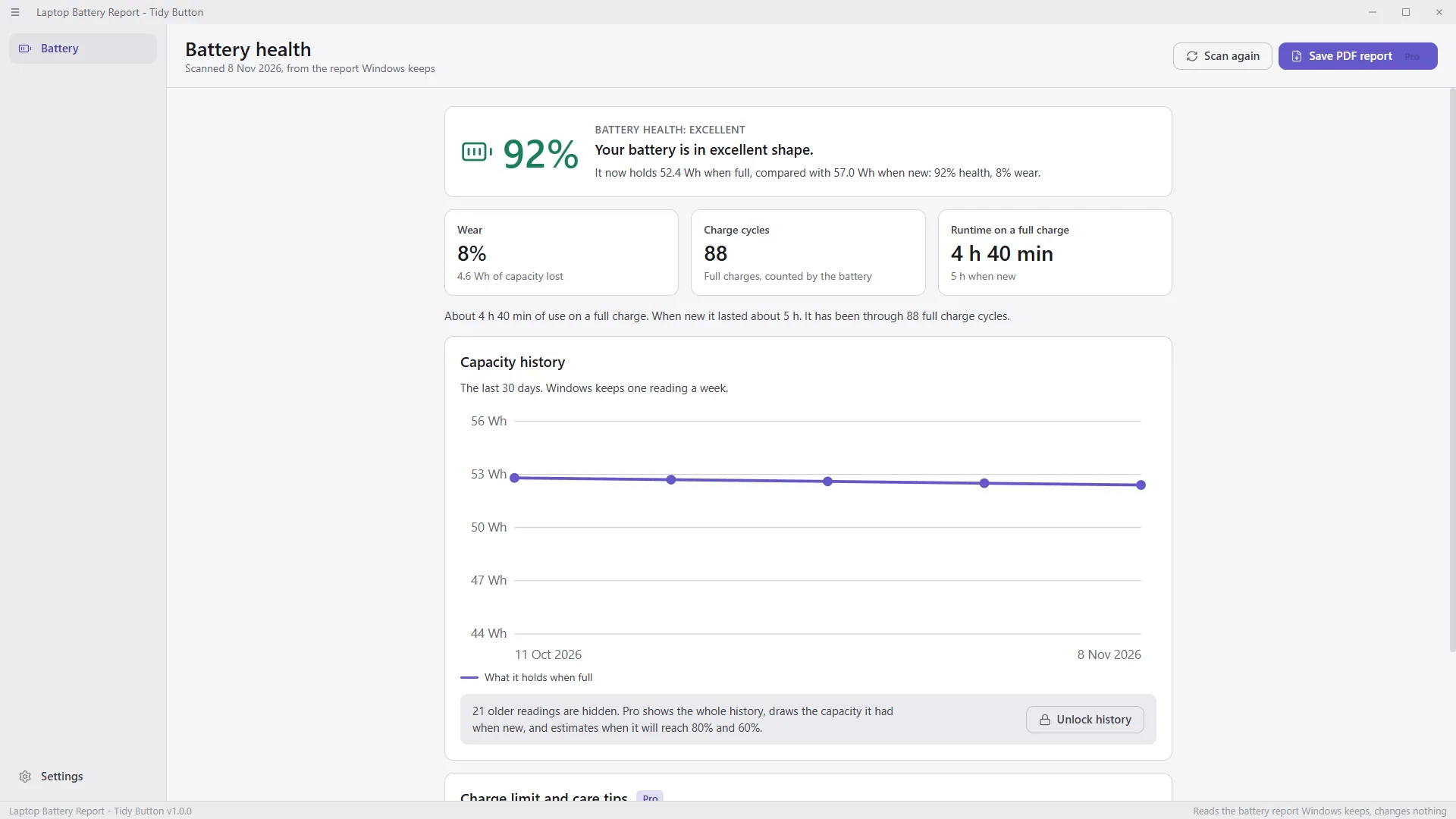
A healthy battery reads as excellent
History
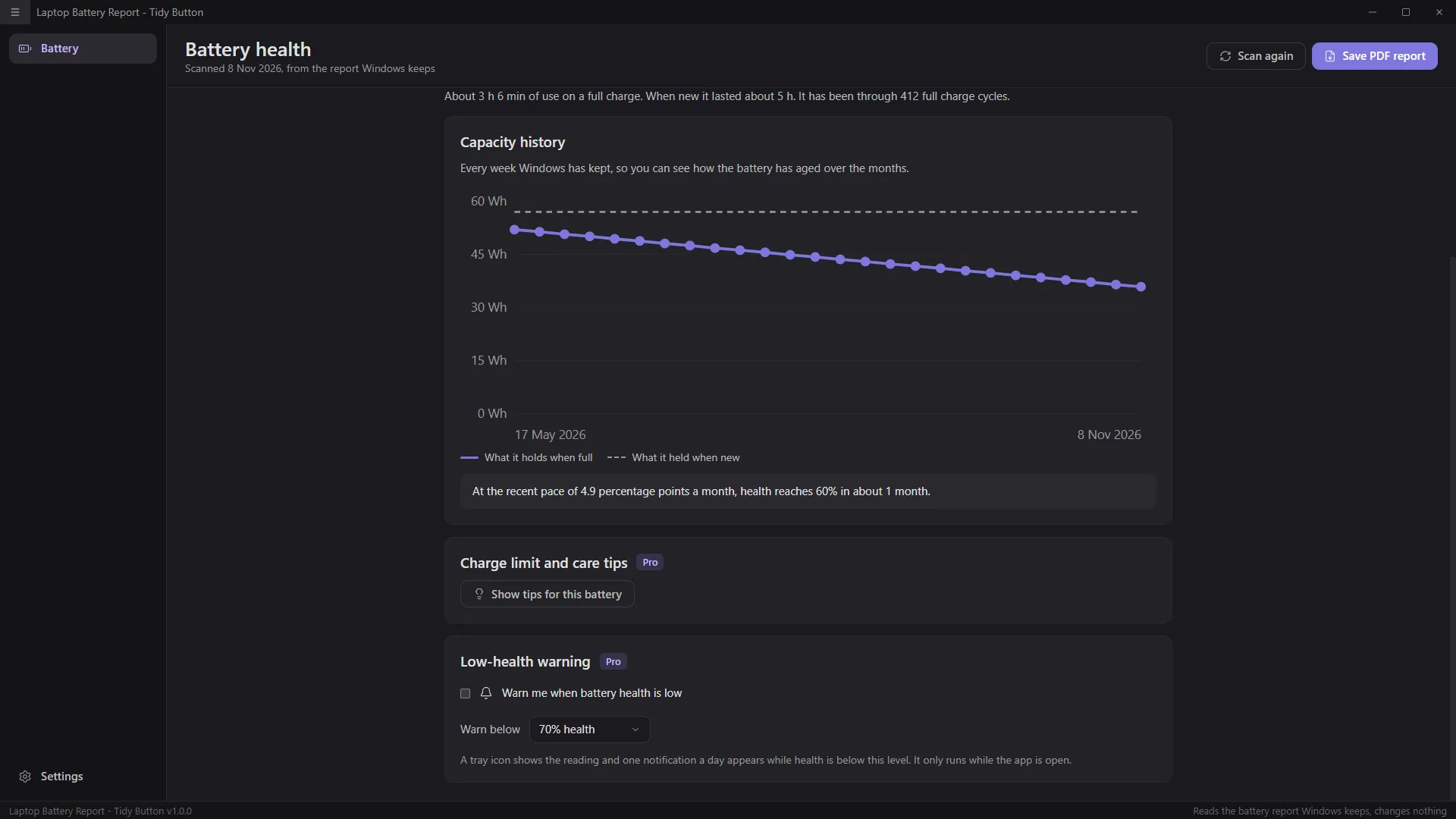
Pro: every weekly reading, with the capacity when new
Care tips
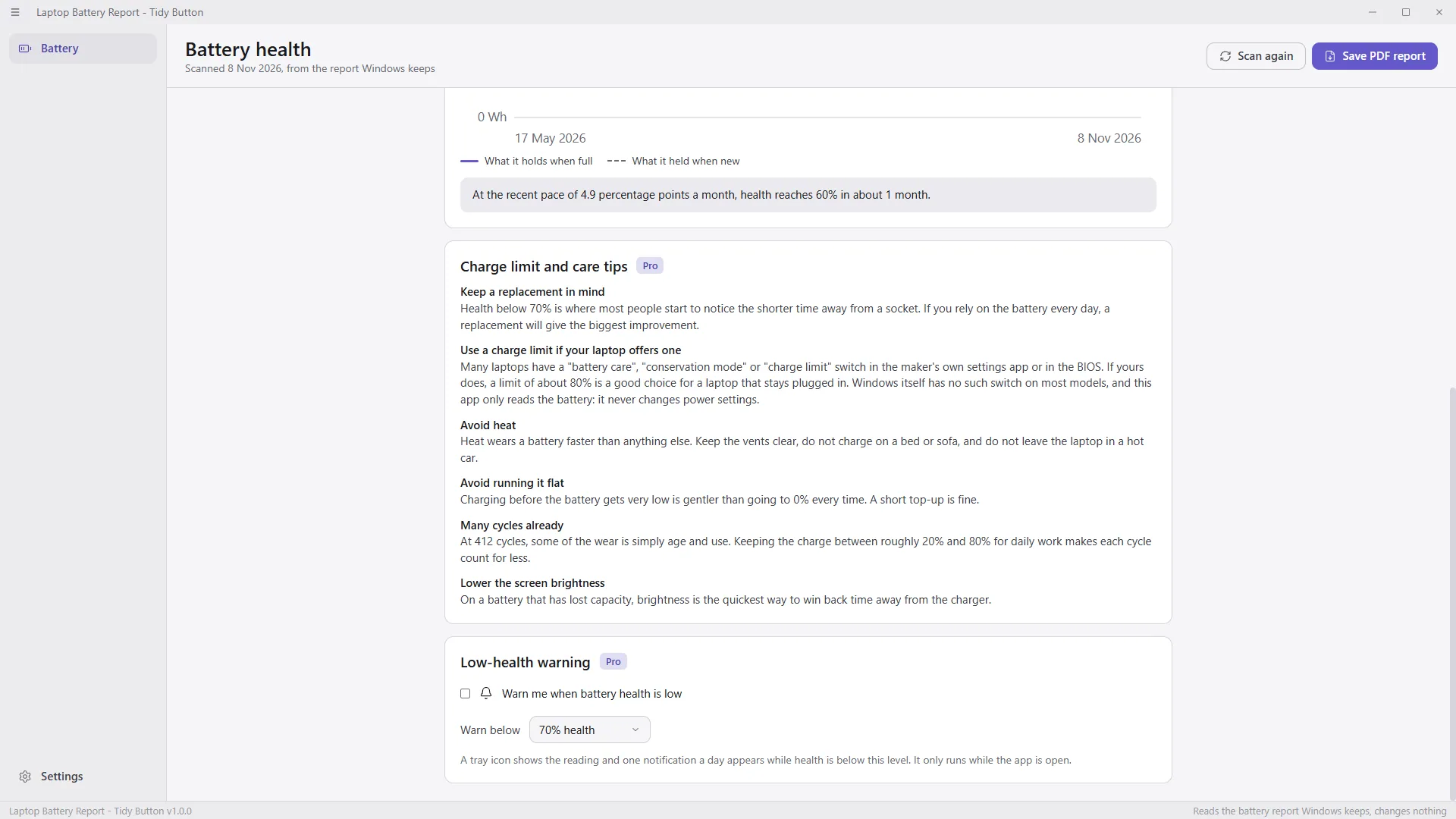
Pro: charge limit and care tips for this battery
Screens show a demo folder, not a real PC. The app has light and dark themes.
What it does
What it does.
Windows keeps a battery report, but it is a long page of tables. This app reads it for you and puts the answer first: how much charge the battery holds now compared with when it was new, and what that means. It only reads the battery. It never changes power or charge settings.
Health and verdict
One health number and a plain verdict, from excellent to replace soon.
Wear, cycles and runtime
How much capacity is lost, how many full charges the battery has had, and how long a full charge lasts compared with a new battery.
Last 30 days
A chart of the battery capacity over the last 30 days. Windows keeps one reading a week.
Honest about gaps
Some batteries do not report every figure. The app says so, and says so plainly on a PC with no battery.
Themes
Same as Windows, light, dark, slate, midnight or high contrast.
Pro tools
An optional one-time Pro add-on shows history over months with a capacity-when-new line and an 80% and 60% estimate, saves a PDF report, warns when health is low and gives charge limit tips.
The small print, in plain English
Safe by design.
- Reads only the battery report Windows makes on your PC.
- Changes no power, charge or system setting.
- Works offline. No account. No ads. No tracking.
- Pro is optional and one payment. Everything above stays free.
Good for
Handy when a battery feels tired.
- Checking a used laptop before you buy it
- Deciding whether a battery needs replacing
- Seeing how fast a battery is wearing
- Keeping a record of battery health
Questions
Plain answers.
Does it change any setting on my PC?
No. It only reads the battery report Windows makes. It never changes power, charge or system settings.
Why does it show no battery?
The PC has no battery, as most desktop PCs do, so there is nothing to report. The app is for laptops and tablets.
Why is a figure missing?
Some batteries do not report a cycle count or a runtime estimate. The app says so instead of guessing.
How much history does the free version show?
The last 30 days. Windows keeps one reading a week. Seeing every reading Windows has kept is part of the optional Pro add-on.
Does it need an account or an internet connection?
Neither. There is no account, no ads and no tracking. The only network use is the optional check of a Pro licence.
Which versions of Windows does it run on?
Windows 10 and Windows 11.