Coming to the Microsoft Store
Bank Statement to Excel Statement in. Spreadsheet out.
Open a PDF or CSV, check the table, save as Excel. Offline, no account.
Not on sale yet. The app is still being built.
We will link the Store listing here the day it is live. Until then there is nothing to download.
- Works offline
- No account, no ads, no tracking
- Nothing is uploaded
- Free
See it
Four views. One statement, open.
Convert
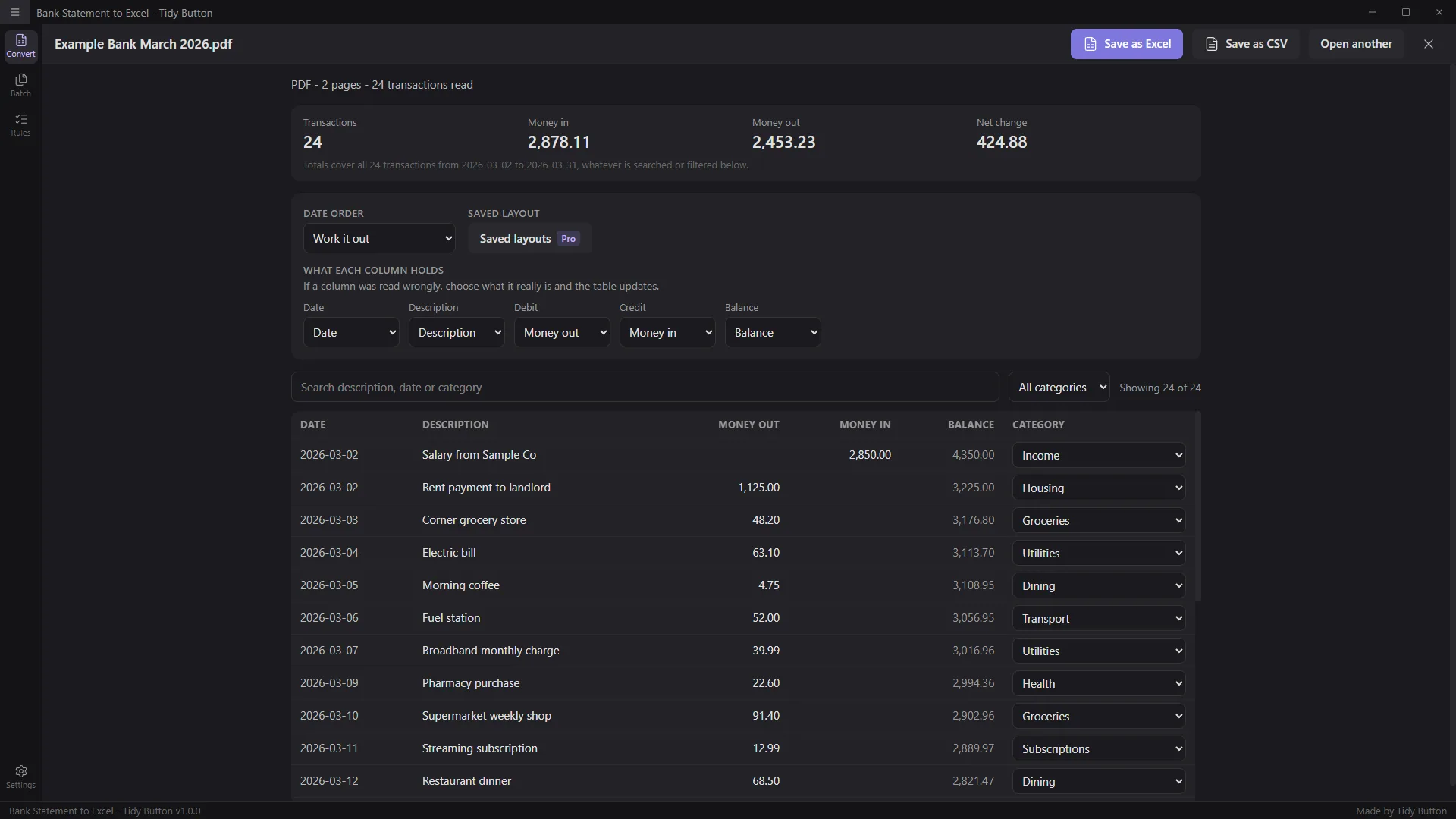
A statement as a table, with totals for the whole statement
Filter
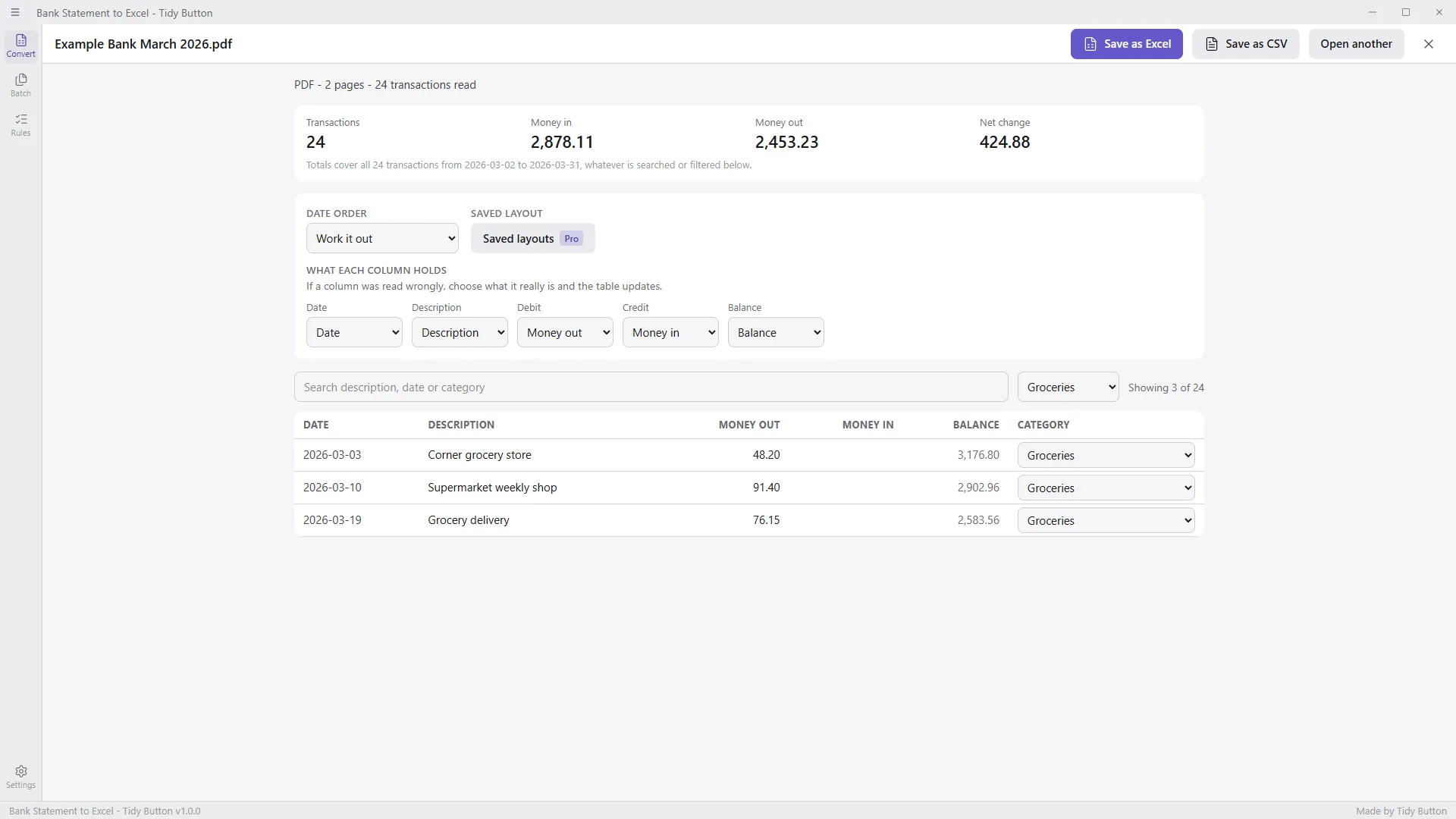
Show one category while the totals stay for everything
Excel
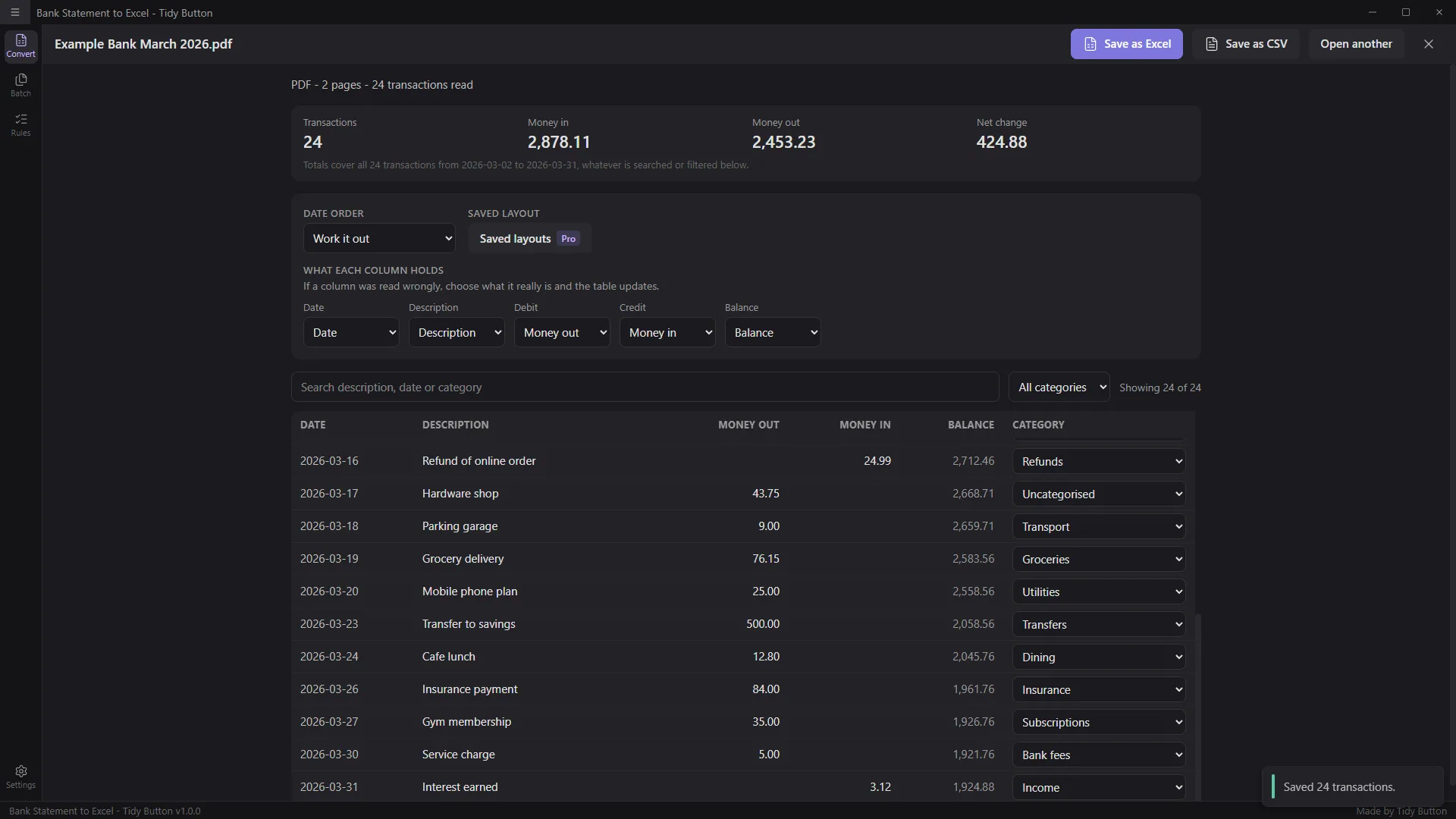
Save as Excel, with a Summary sheet of categories
CSV
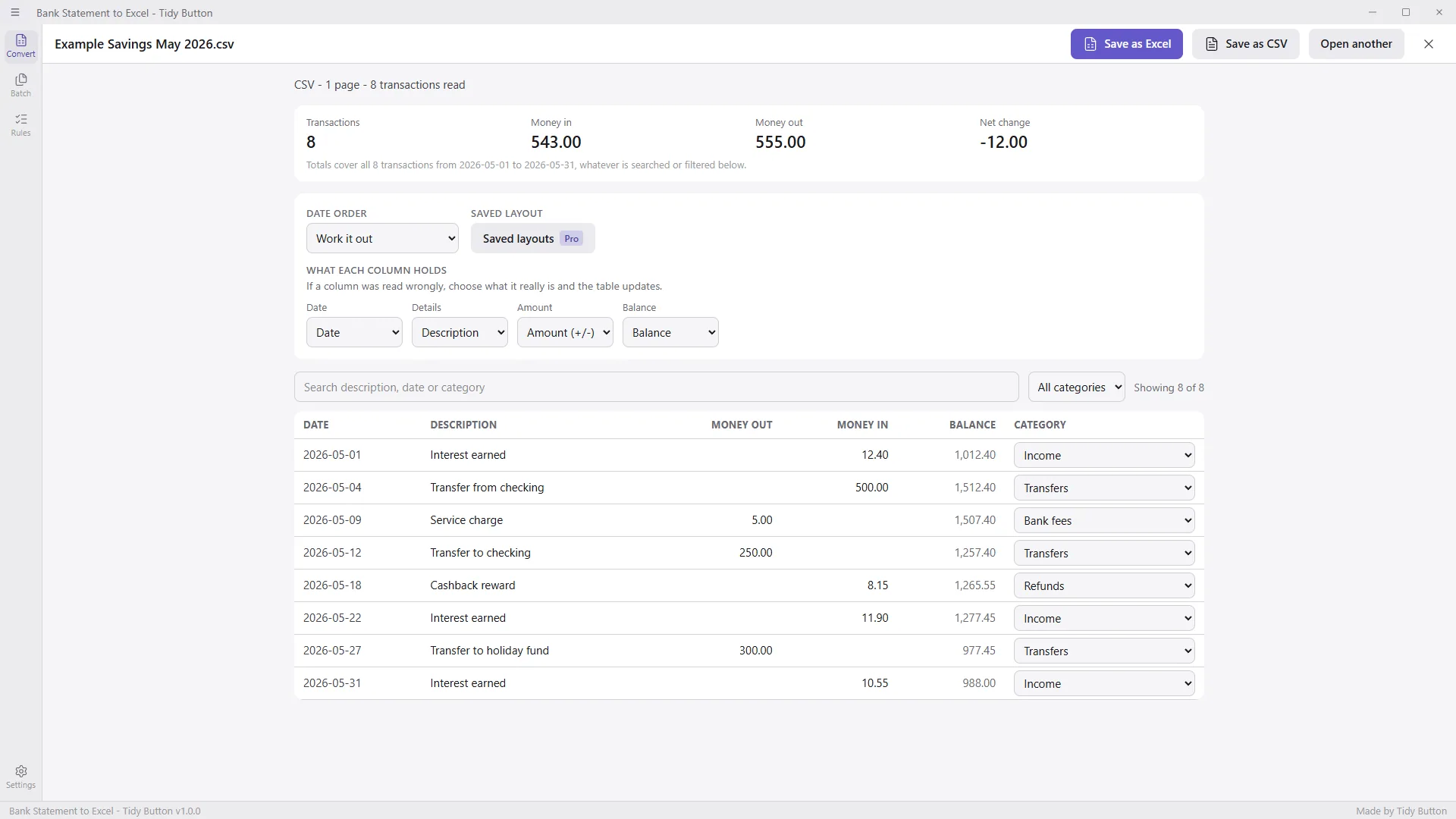
A CSV statement opens the same way
Screens show a demo folder, not a real PC. The app has light and dark themes.
What it does
What it does.
Open a statement you already have, as a PDF with selectable text or a CSV file. The app builds a table of every transaction and adds up money in, money out and the net change. If a column was read wrongly, say what it really holds and the table updates. When it looks right, save it as an Excel workbook or a CSV file.
Table and totals
Every transaction with date, description, money out, money in, balance and category, and totals for the whole statement.
Fix the columns
Choose what each column holds and whether dates are day first or month first. The table updates at once.
Balance check
A warning appears when the balance column does not add up with the rows, so you know to check the columns.
Categories
Built-in rules sort each row into a category such as Groceries or Housing. Change any row by hand.
Search and filter
Search the table or show one category. The totals always stay for the whole statement.
Excel and CSV
Save as Excel with a Transactions sheet and a Summary sheet, or as a CSV file.
The small print, in plain English
Safe by design.
- Statements are read and converted on your PC and are never uploaded.
- Nothing is saved until you choose where to save it.
- Works offline. No account. No ads. No tracking.
- Pro is optional and one payment. Everything above stays free.
Good for
Handy when you need it in Excel.
- Turning a month of statements into a sheet you can total
- Sorting spending into categories
- Keeping a copy of your records in Excel
- Preparing figures for your own bookkeeping
- Opening a CSV from your bank in a cleaner layout
Questions
Plain answers.
Does it upload my statement?
No. The statement is read and converted on your PC. The app does not send it anywhere.
Which statements can it read?
PDF statements that contain real text, and CSV files. It looks for the table and its column headings. If a column is read wrongly, you can choose what it holds and the table updates.
Can it read a scanned statement or a photo?
No. A PDF that is only a picture of paper has no text to read, and the app says so. Ask your bank for the PDF or CSV version.
Is the conversion always correct?
Statements are laid out in many ways, so check the table against the original. The app warns you when the balance column does not add up with the rows.
How long can a statement be for free?
Up to 2 pages. A CSV counts one page for every 50 rows. Longer statements, your own category rules, saved bank layouts and batch conversion of a folder are part of the optional Pro add-on.
Does it give financial or tax advice?
No. It turns a statement into a table and a file. What you do with the figures is up to you.
Does it need an account or an internet connection?
Neither. There is no account, no ads and no tracking. Opening, converting and saving work offline. The only network use is the optional check of a Pro licence.
Which versions of Windows does it run on?
Windows 10 and Windows 11.