We will link the Store listing here the day it is live. Until then there is nothing to download.
Real app, with a library of invented sample books.
Works offline
No account, no ads, no tracking
Free to use
See it
Six views. One library, kept.
Start
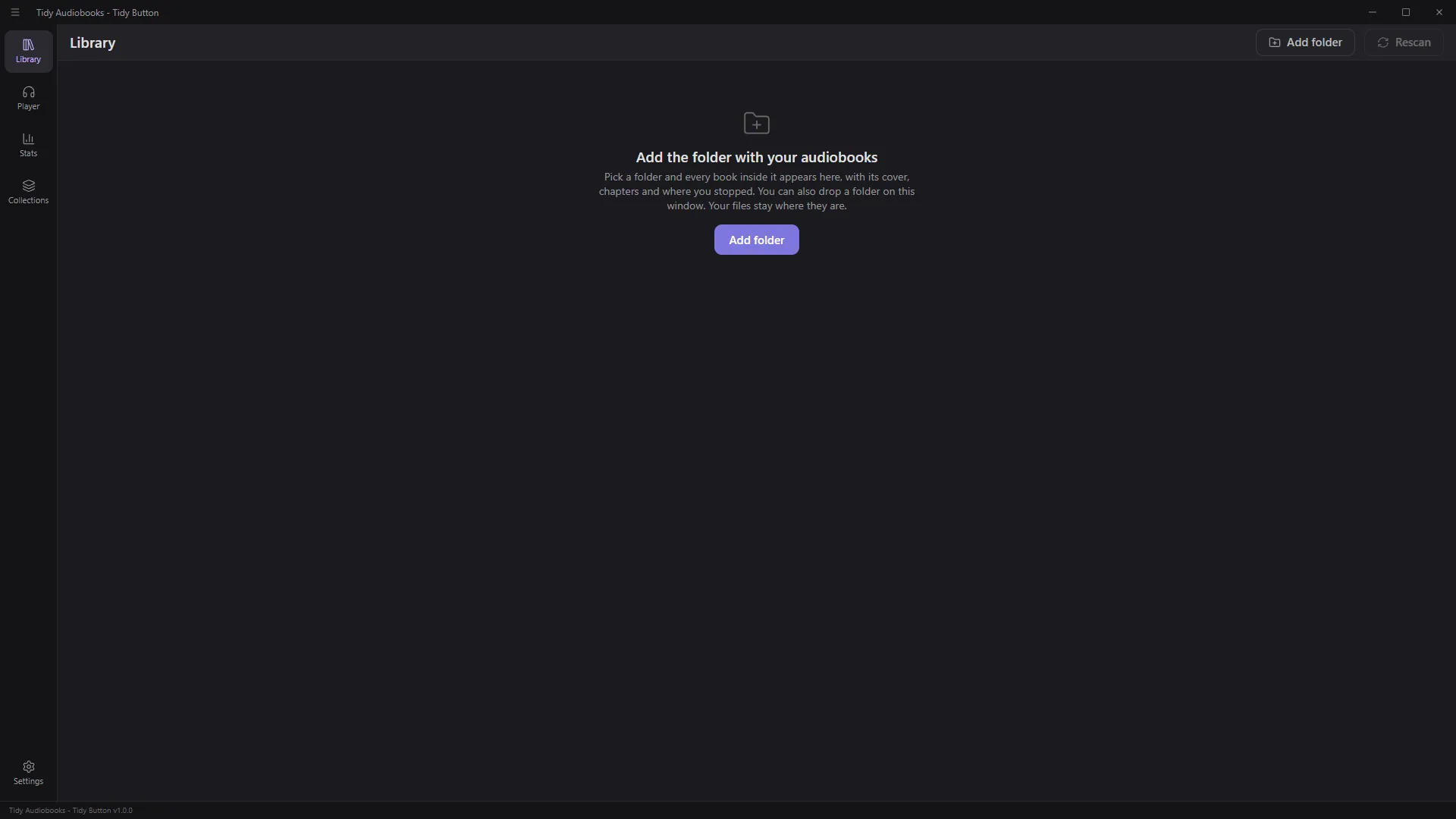
Pick the folder with your audiobooks, or drop it on the window
Library
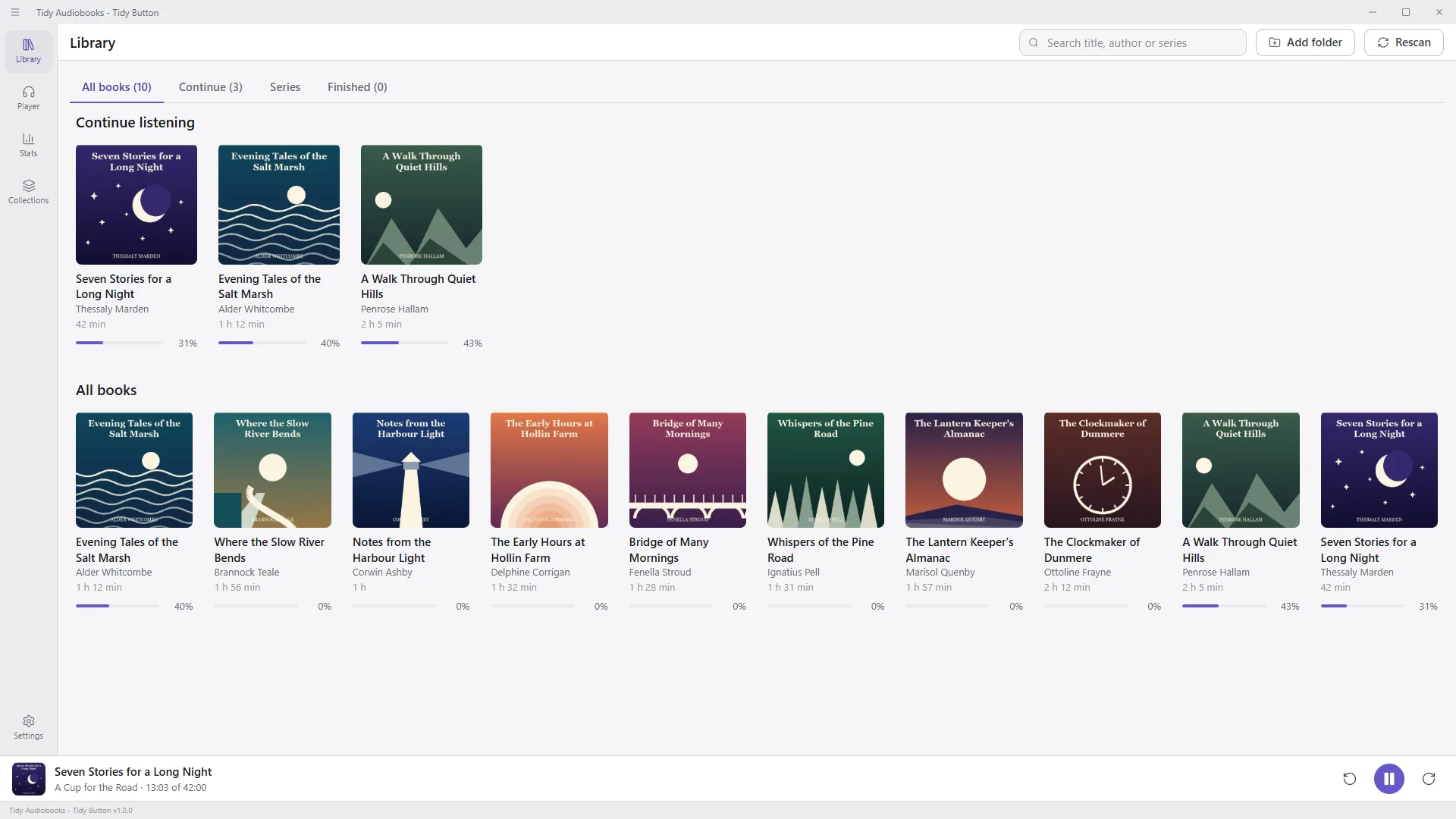
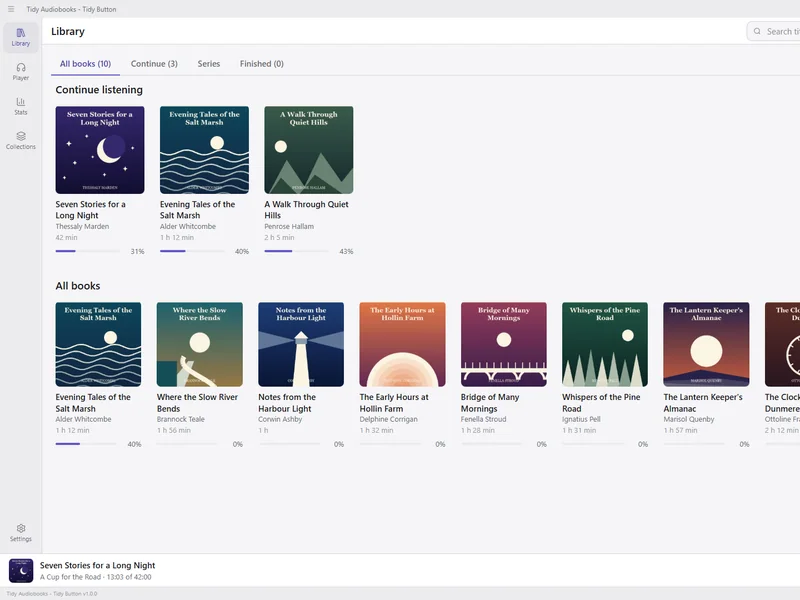
Your whole library with covers, authors and progress
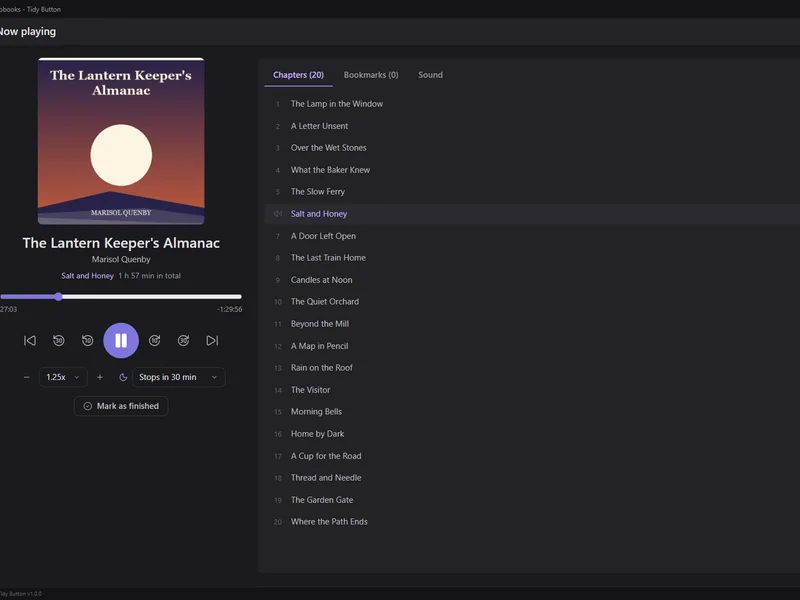
Player
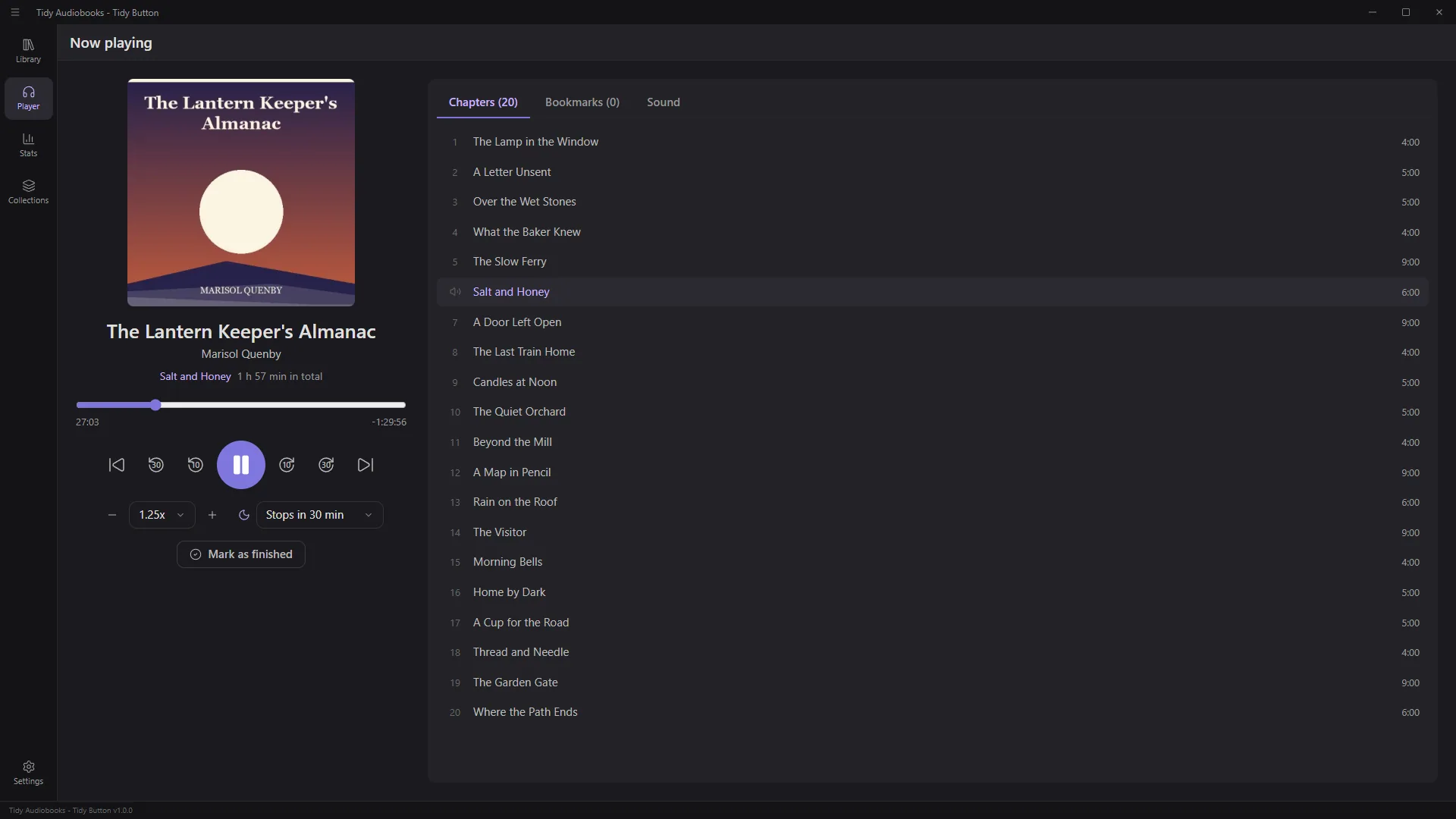
Chapters, speed from 0.5x to 3x, skip buttons and a sleep timer
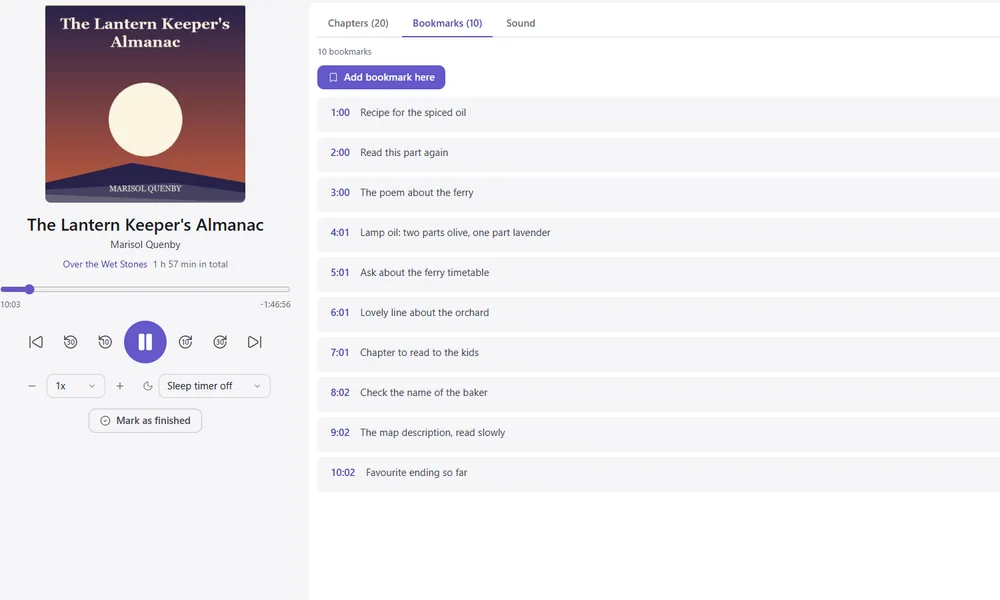
Bookmarks
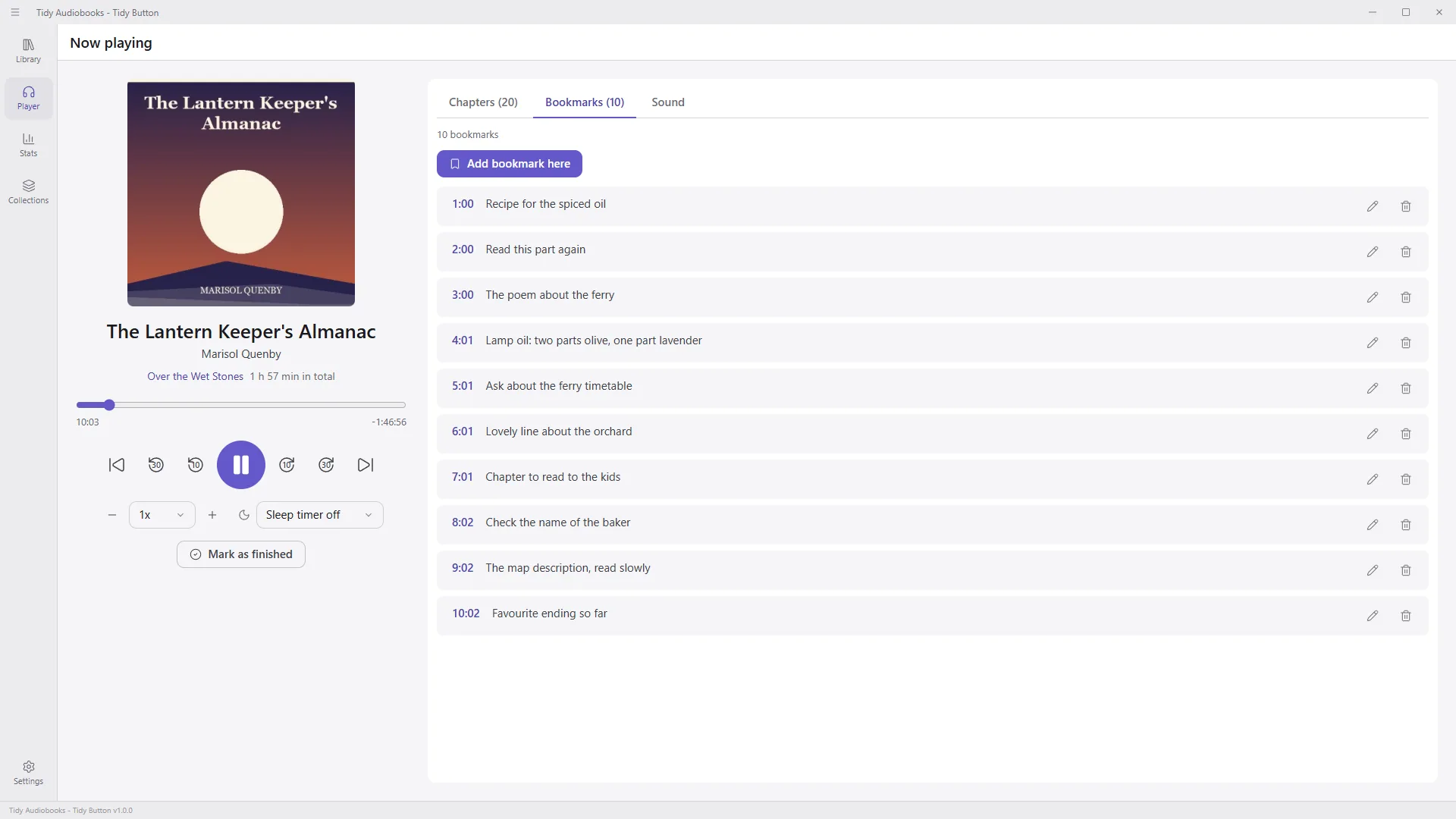
Bookmarks with your own notes
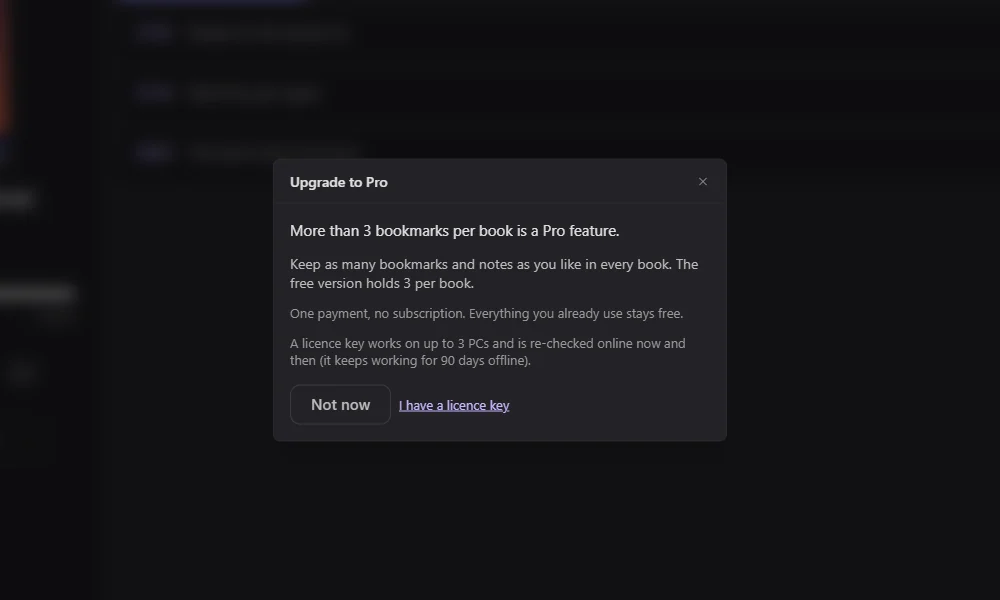
Free limit
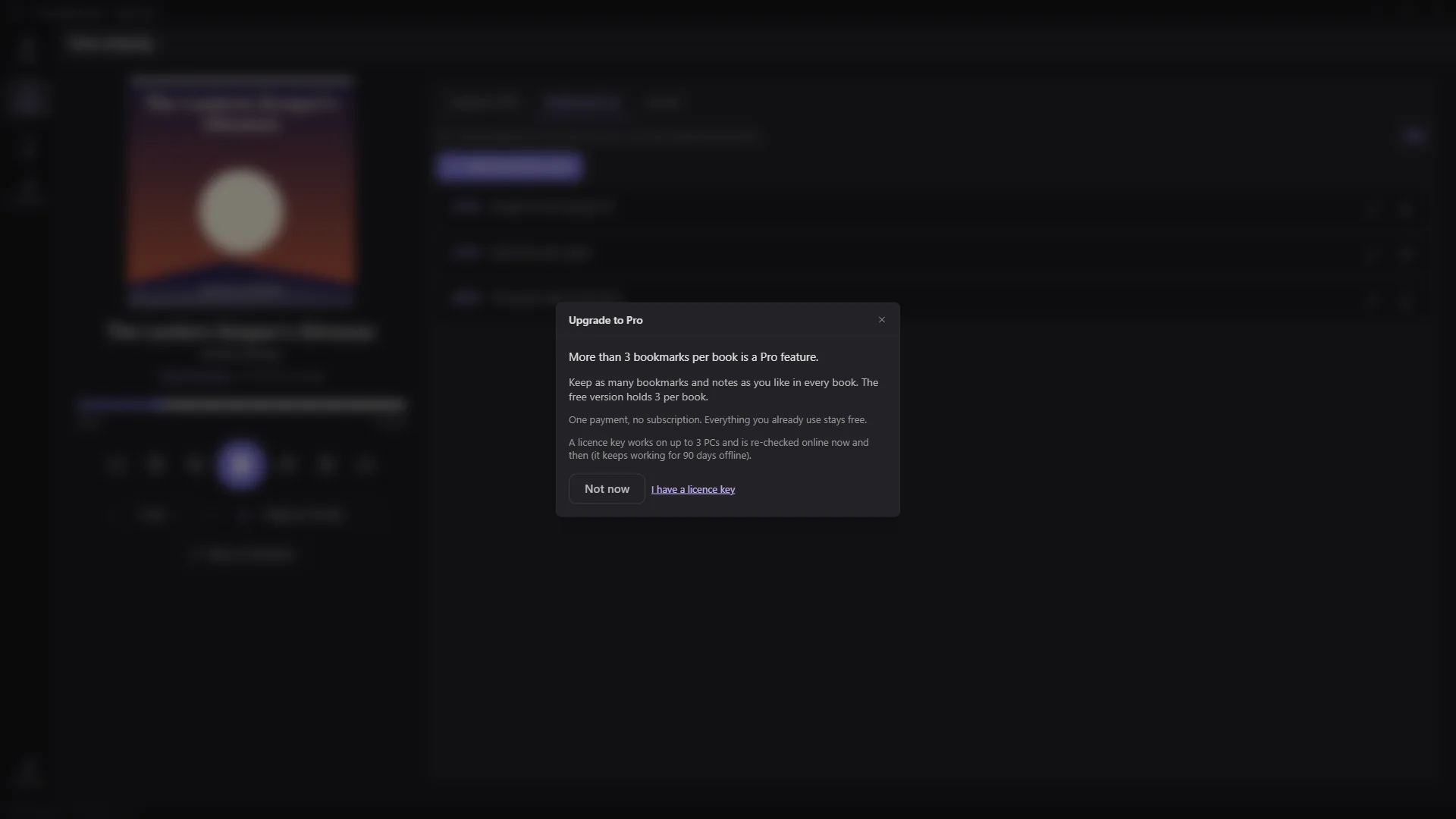
The free version holds 3 bookmarks per book and says so plainly
Collections
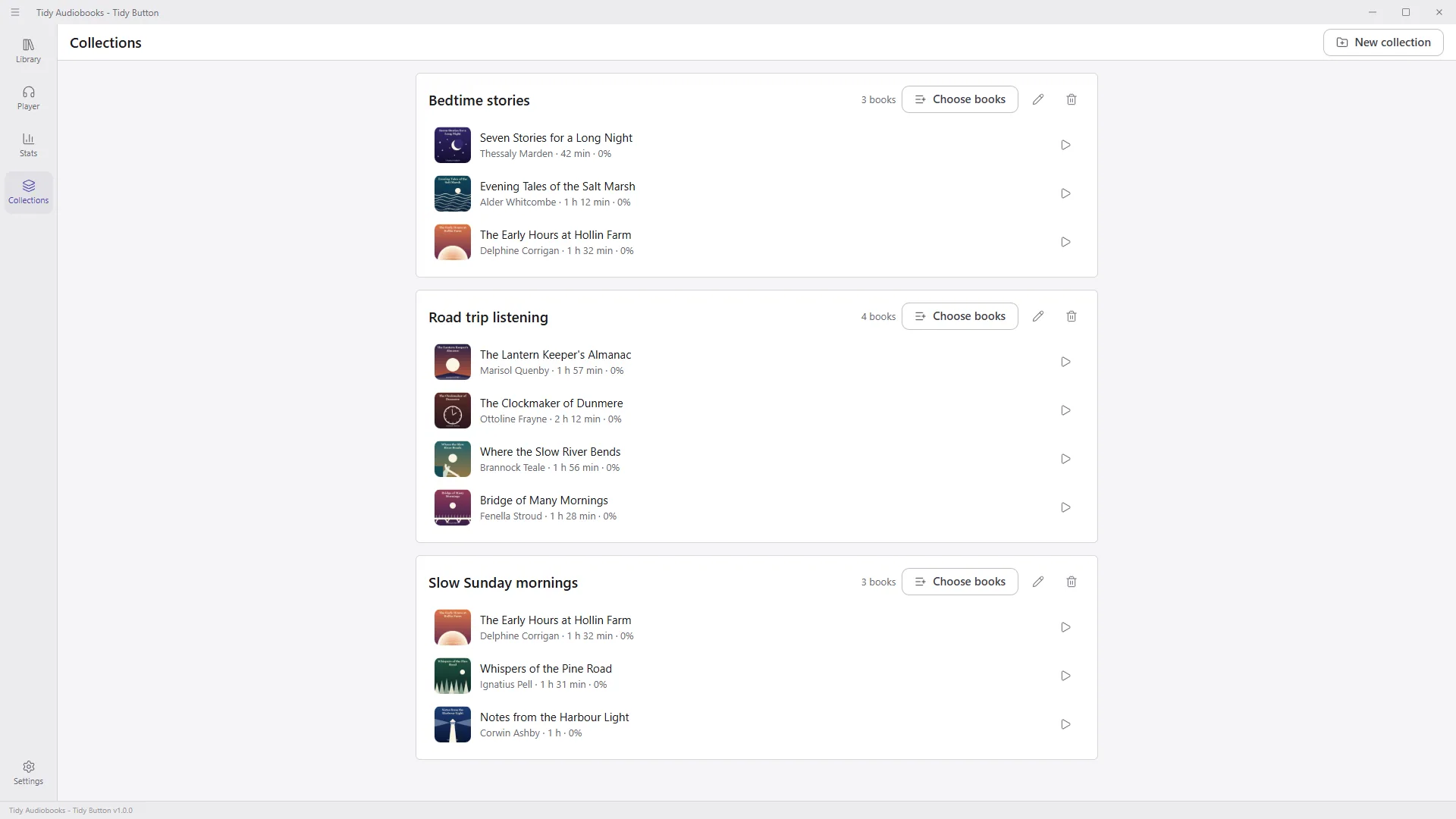
With Pro, sort your books into your own collections
Screens show invented sample books with generated covers. The app has light and dark themes.
How it works
Three steps. No manual.
01
Add your folder
Choose the folder with your audiobooks, or drop it on the window.
02
See your library
Every book shows its cover, author, length and how far you are.
03
Press play
Open a book, pick a chapter, set the speed or a sleep timer. It remembers your place.
What it does
What it does.
Tidy Audiobooks plays the audiobooks you already have: MP3 folders, M4B books with chapters, OGG, Opus and FLAC. Add a folder and the library builds itself. Everything happens on your PC, and the free app works with the internet turned off.
A library that builds itself
Add a folder or drop it on the window. Books, covers, authors and series appear, and your files are never changed.
Remembers your place
Every book resumes where you stopped, saved safely while you listen. A Continue listening row shows what you started.
Chapters
Chapters from the file, or one chapter per file for a folder of MP3s. Tap to jump.
Speed and skip
0.5x to 3x with natural pitch, and 10 and 30 second skip buttons.
Sleep timer
Stop after a number of minutes or at the end of the chapter.
Bookmarks with notes
Three per book free; Pro lifts the limit.
Media keys
Your keyboard media keys and the Windows media overlay show the cover and title.
Backed up
Your library and progress are also kept in Documents, so they survive an uninstall.
The small print, in plain English
Safe by design.
Bookmark a moment and add a note.
The free limit is said plainly, and everything else stays free.
Nothing is uploaded. Your books are read on your PC and never leave it.
Your audio files are never changed, moved or deleted.
Plays only DRM-free files you already have.
The free version has the whole library and player. Pro is a one-time $7.99.
Works offline. No account. No ads. No tracking.
What it does
Your books, your place.
A quiet player for audiobooks you already own.
Chapters, speed and a sleep timer.
Formats
Open formats
MP3, M4B, M4A, OGG, Opus and FLAC, as one file per book or a folder per book.
Resume
Never lose your place
Your place in every book is saved while you listen and when you pause or close the app.
Chapters
Jump anywhere
Taken from the file, or one per file for a folder of MP3s.
Speed
Your pace
From 0.5x to 3x with the voice kept natural.
Sleep timer
Fall asleep to it
Stop after a number of minutes or at the end of the chapter.
Backup
Safe
Your library and progress are also kept in Documents, so they survive an uninstall.
The app plays DRM-free files only. Copy-protected files are skipped.
Good for
Handy when the book is long.
MP3 audiobook folders
M4B books with chapters
Public-domain recordings
Bedtime story collections
Questions
Plain answers.
Is anything uploaded?
No. Your books are read on your PC and never leave it. The free app works with the internet turned off.
Does it change my audio files?
No. Your files are never changed, moved or deleted.
Which files does it play?
DRM-free MP3, M4B, M4A, OGG, Opus and FLAC files. Copy-protected files are skipped.
Will it remember where I stopped?
Yes. Your place in every book is saved while you listen and when you pause or close the app.
Is there a limit in the free version?
The free version has the whole library and player, with 3 bookmarks per book. Pro is a one-time $7.99 and adds unlimited bookmarks with notes, listening stats, collections, volume boost, silence trimming and progress export.