Coming to the Microsoft Store
Attendance Tracker Know who came, every day.
A daily register with a monthly report. Offline, no account.
Not on sale yet. The app is still being built.
We will link the Store listing here the day it is live. Until then there is nothing to download.
- Works offline
- No account, no ads, no tracking
- Records stay on your PC
- Free
See it
Four views. One register, open.
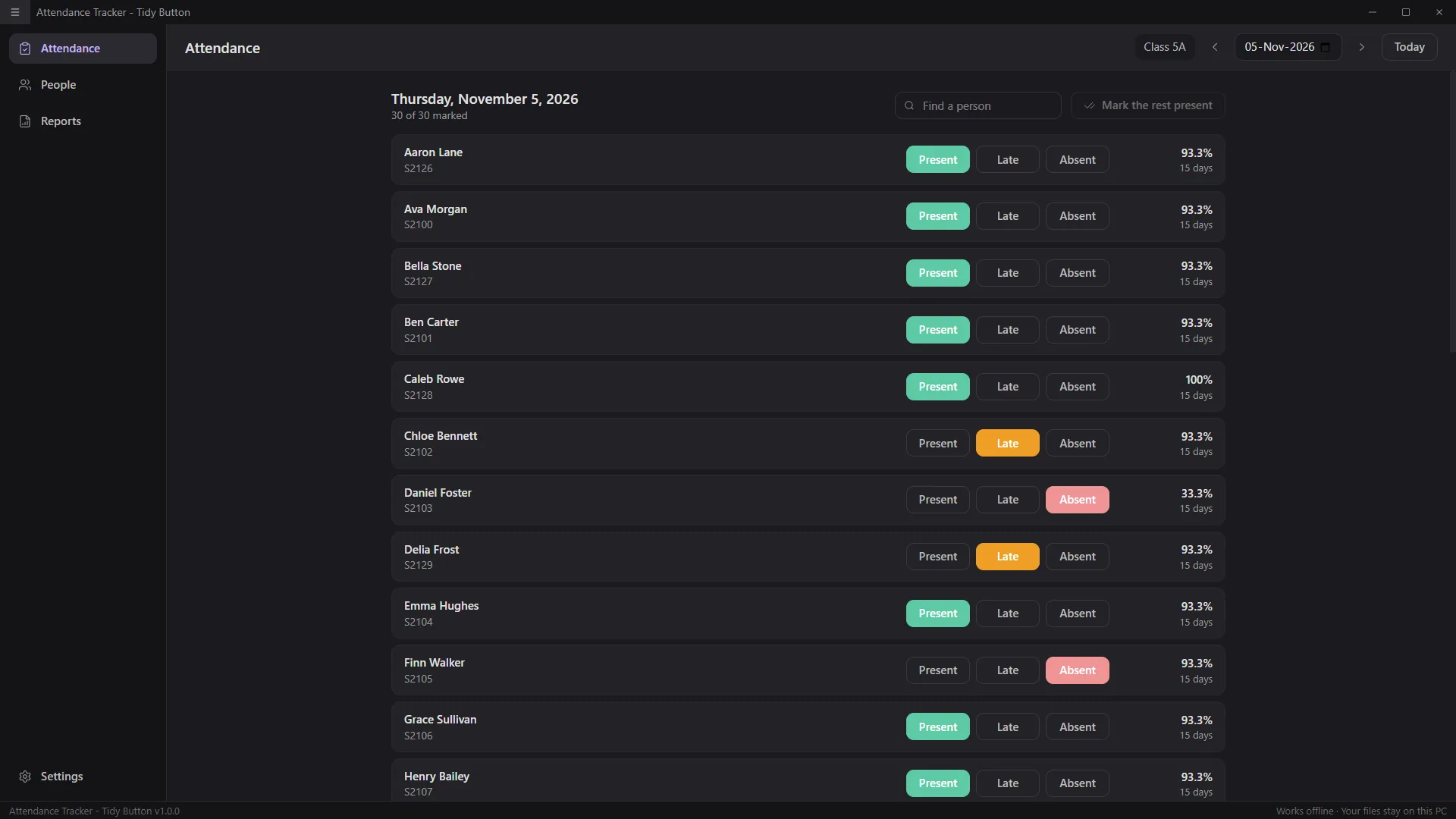
Register
Mark each person Present, Late or Absent for the day
Mark the rest
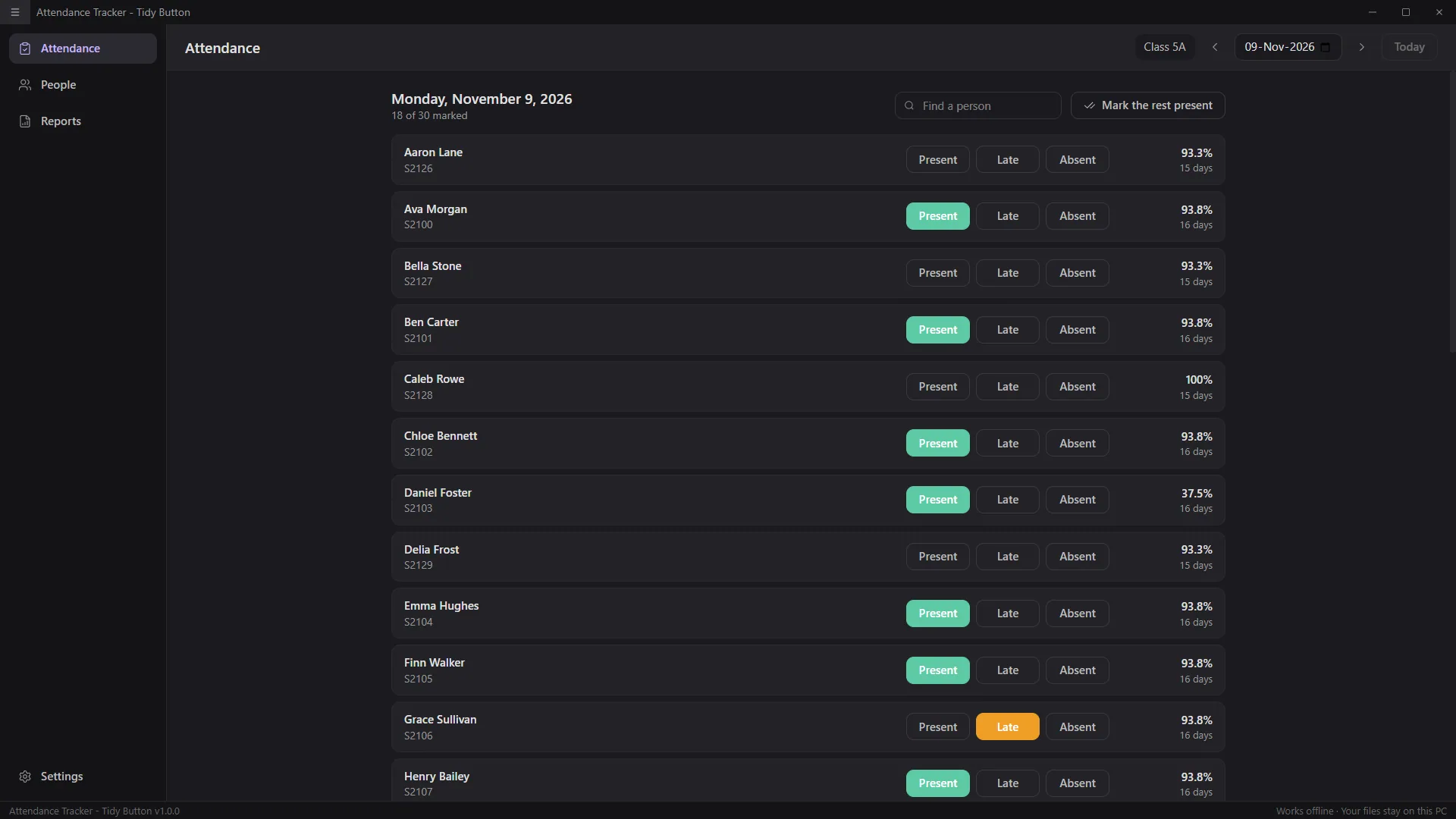
Mark the rest present, then fix the exceptions
Import
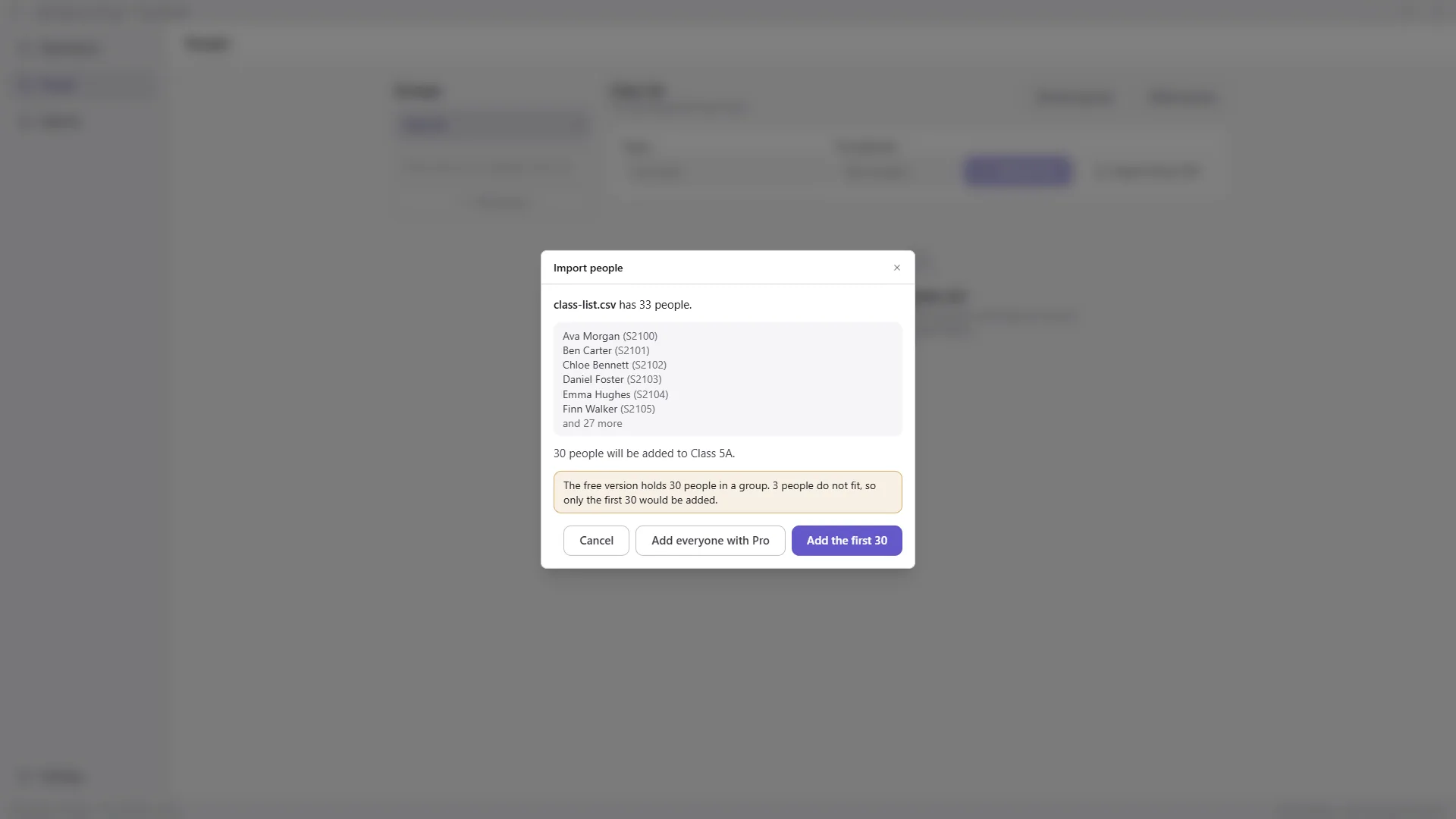
Import a class list from a CSV file
Monthly report
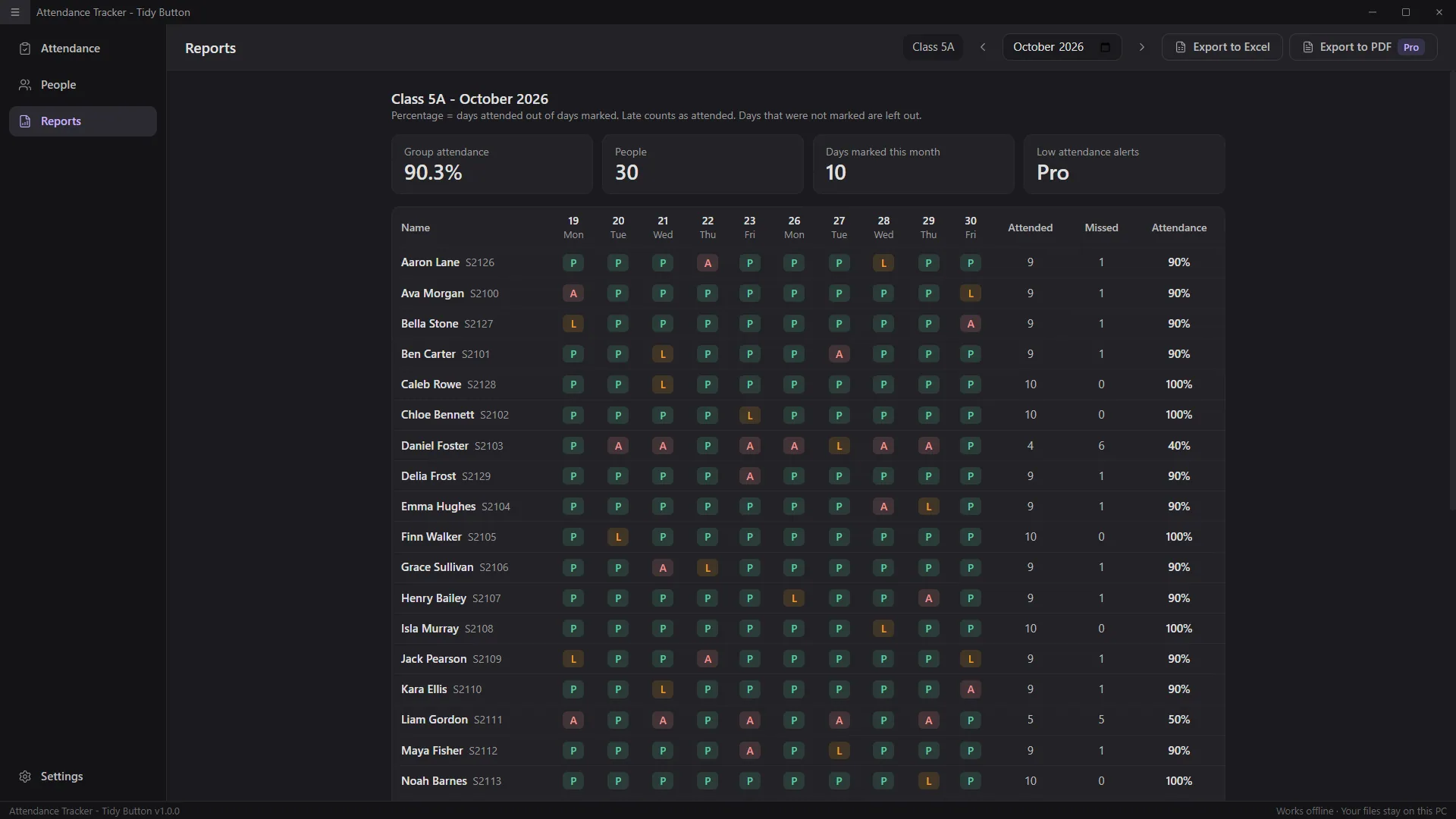
The month in one grid, with a percentage for each person
Screens show a demo folder, not a real PC. The app has light and dark themes.
What it does
What it does.
Add your people once, then each day press Present, Late or Absent beside each name. The app works out every person's percentage and shows the month in one grid. Your records are saved on your own PC, in a folder called Attendance Tracker inside Documents.
Daily register
Mark each person Present, Late or Absent for any date. Mark the rest present fills in everyone you have not marked yet.
Running percentages
Days attended out of days marked, for every person. Late counts as attended. Days nobody marked are left out.
Monthly report
A grid with a letter for every day, plus Attended, Missed and Attendance for each person. Pick any month.
Excel export
Save the monthly report as an Excel file, with a second sheet for your day notes.
CSV import and notes
Import people from a CSV file with an optional ID column, and write a note for each day.
Pro tools
An optional one-time Pro add-on adds more groups and bigger groups, your own statuses, low attendance alerts, monthly PDF reports, and backup and restore.
The small print, in plain English
Safe by design.
- Your records stay on your PC.
- Nothing is sent anywhere.
- Works offline. No account. No ads. No tracking.
- Pro is optional and one payment. Everything above stays free.
Good for
Handy when you take the register.
- A teacher keeping a class register
- A coach tracking training sessions
- A club or choir leader
- A small team or tutoring group
- Turning a month of marks into a report
Questions
Plain answers.
Where are my records saved?
On your own PC, in a folder called Attendance Tracker inside your Documents folder. Nothing is sent anywhere.
How is the percentage worked out?
It is the days a person attended out of the days that were marked. Present and Late count as attended, Absent counts as missed. Days nobody marked are left out.
Can I bring in a list of names?
Yes. Press Import from CSV and choose a CSV file with a Name column and, if you like, an ID column.
How many people can I track for free?
One group of up to 30 people. More groups and bigger groups are part of the optional Pro add-on.
Does it need an account or an internet connection?
Neither. There is no account, no ads and no tracking. Keeping a register and exporting a report work offline. The only network use is the optional check of a Pro licence.
Which versions of Windows does it run on?
Windows 10 and Windows 11.