We will link the Store listing here the day it is live. Until then there is nothing to download.
Real app, transcribing a sample recording.
Works offline
No account, no ads, no tracking
Nothing is uploaded
Free
See it
Ten views. One recording, finished.
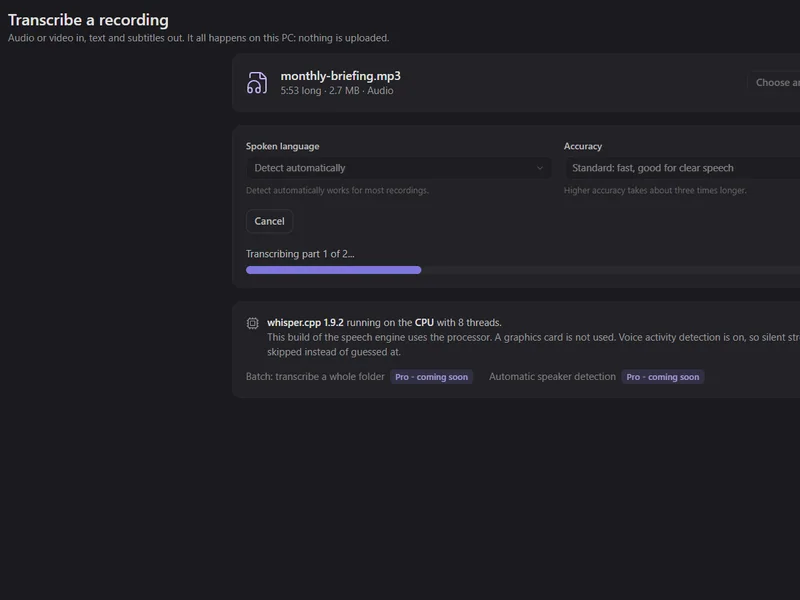
Transcribe
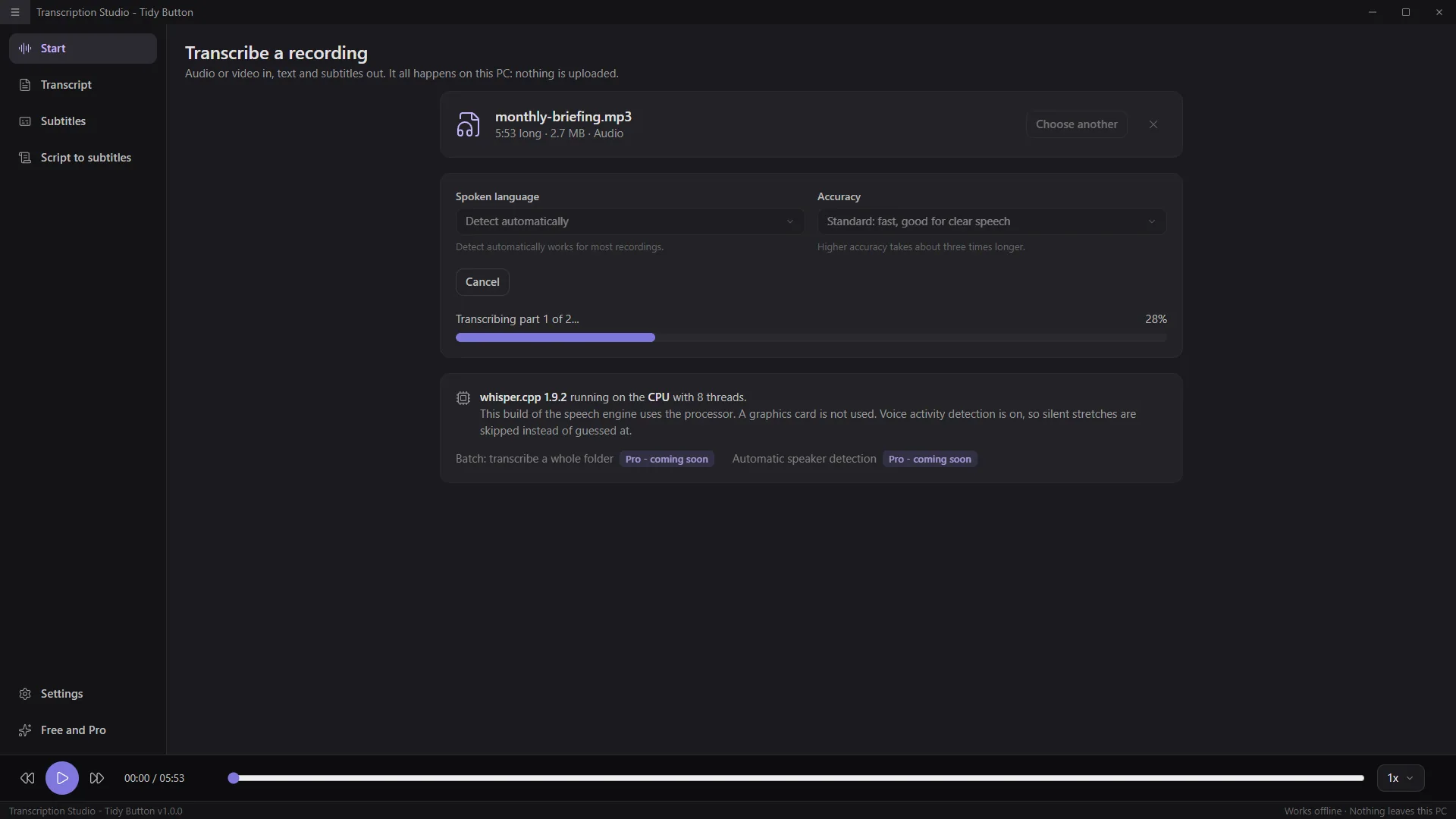
Drop in audio or video and press Transcribe. A progress bar shows how far it is, with a Cancel button, all on your own PC
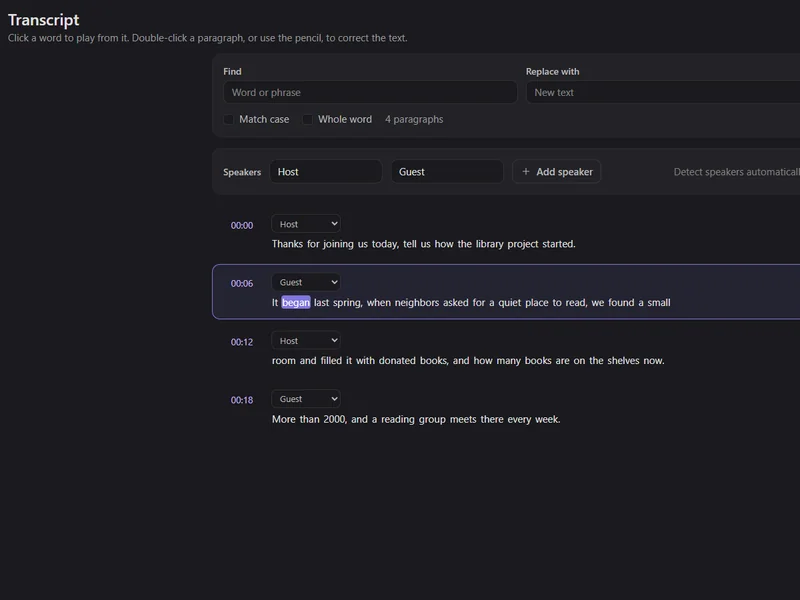
Transcript
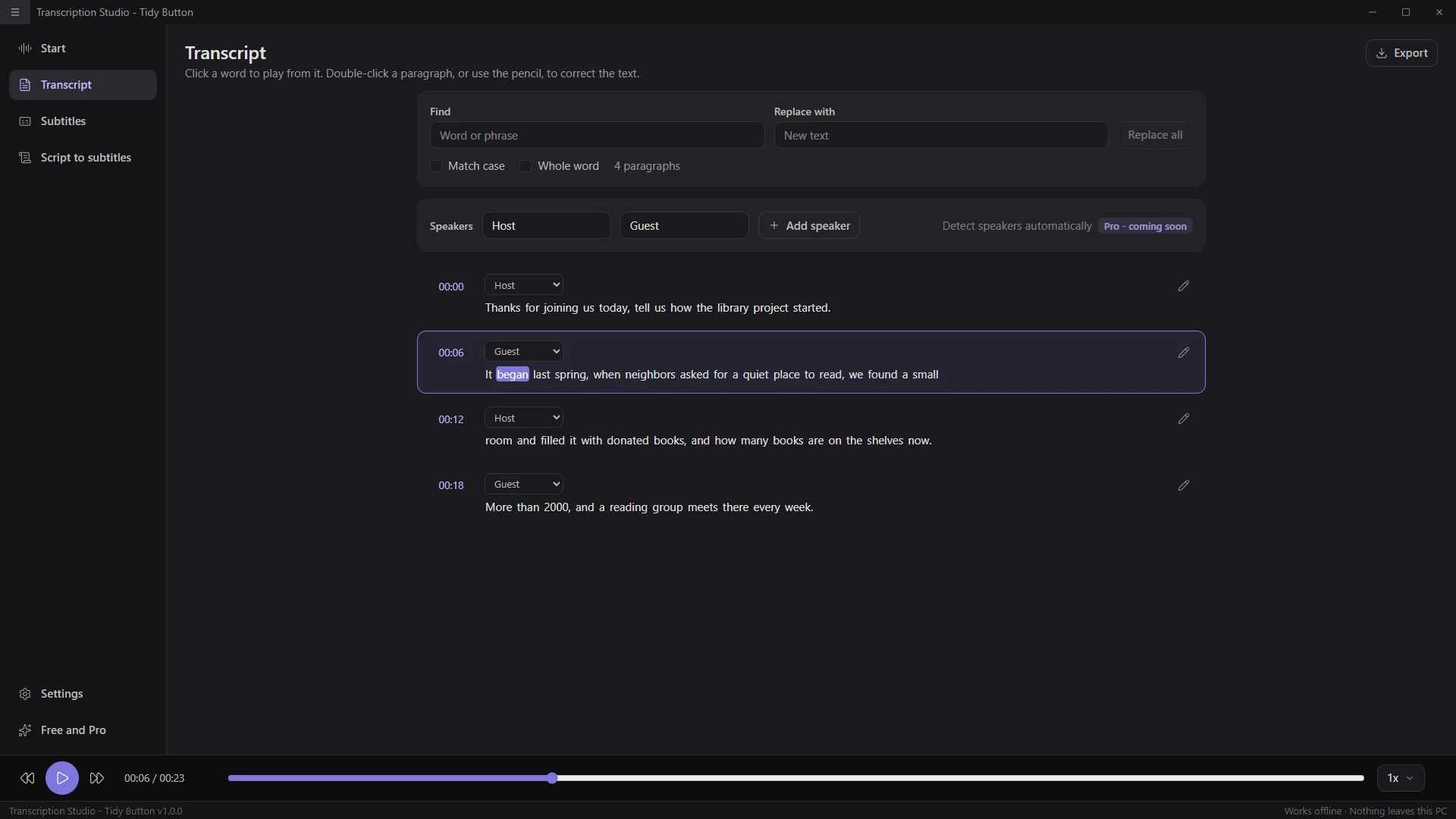
Click any word to hear it, correct the text and name your speakers. The paragraph that is playing is highlighted
Subtitles
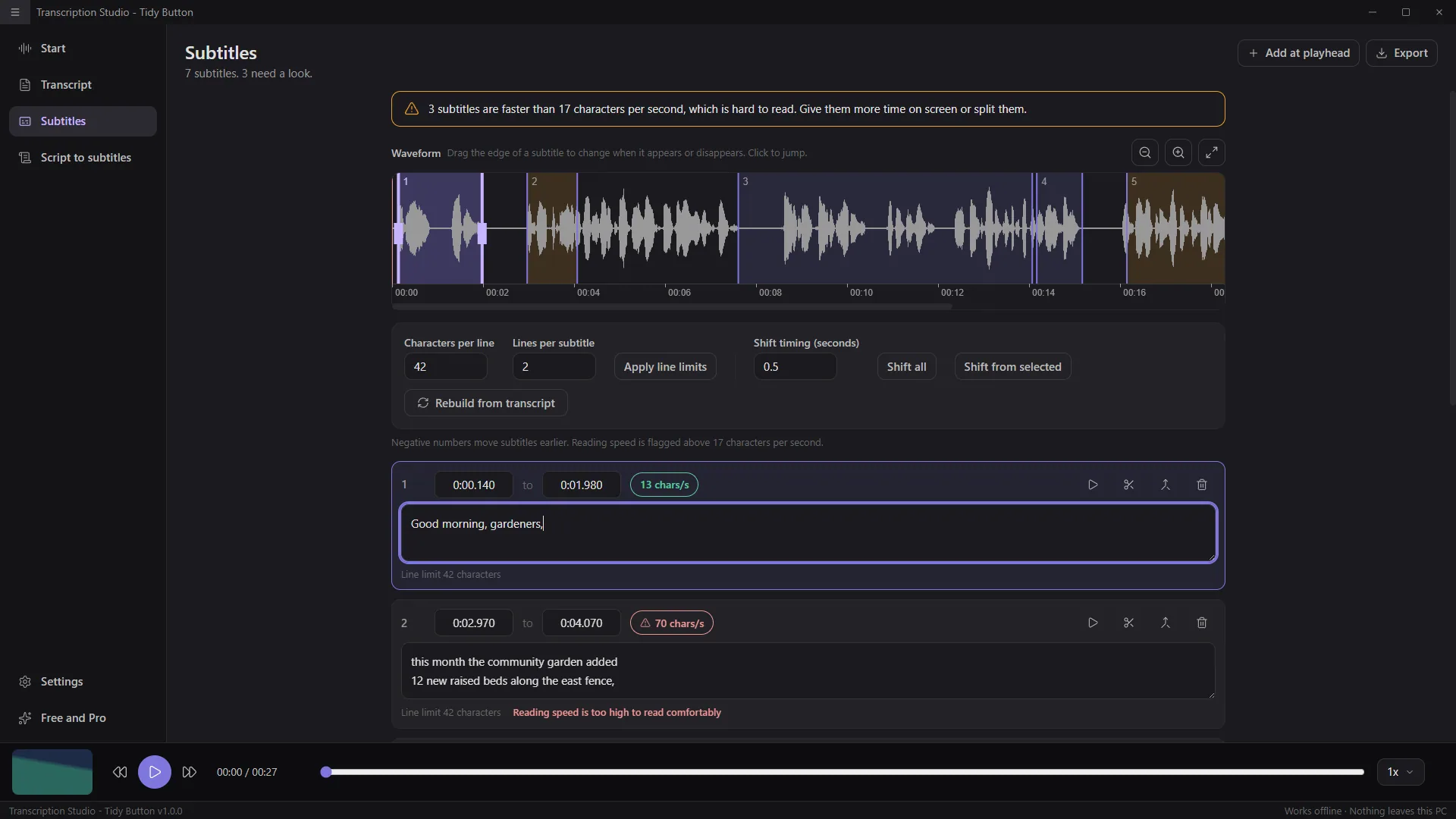
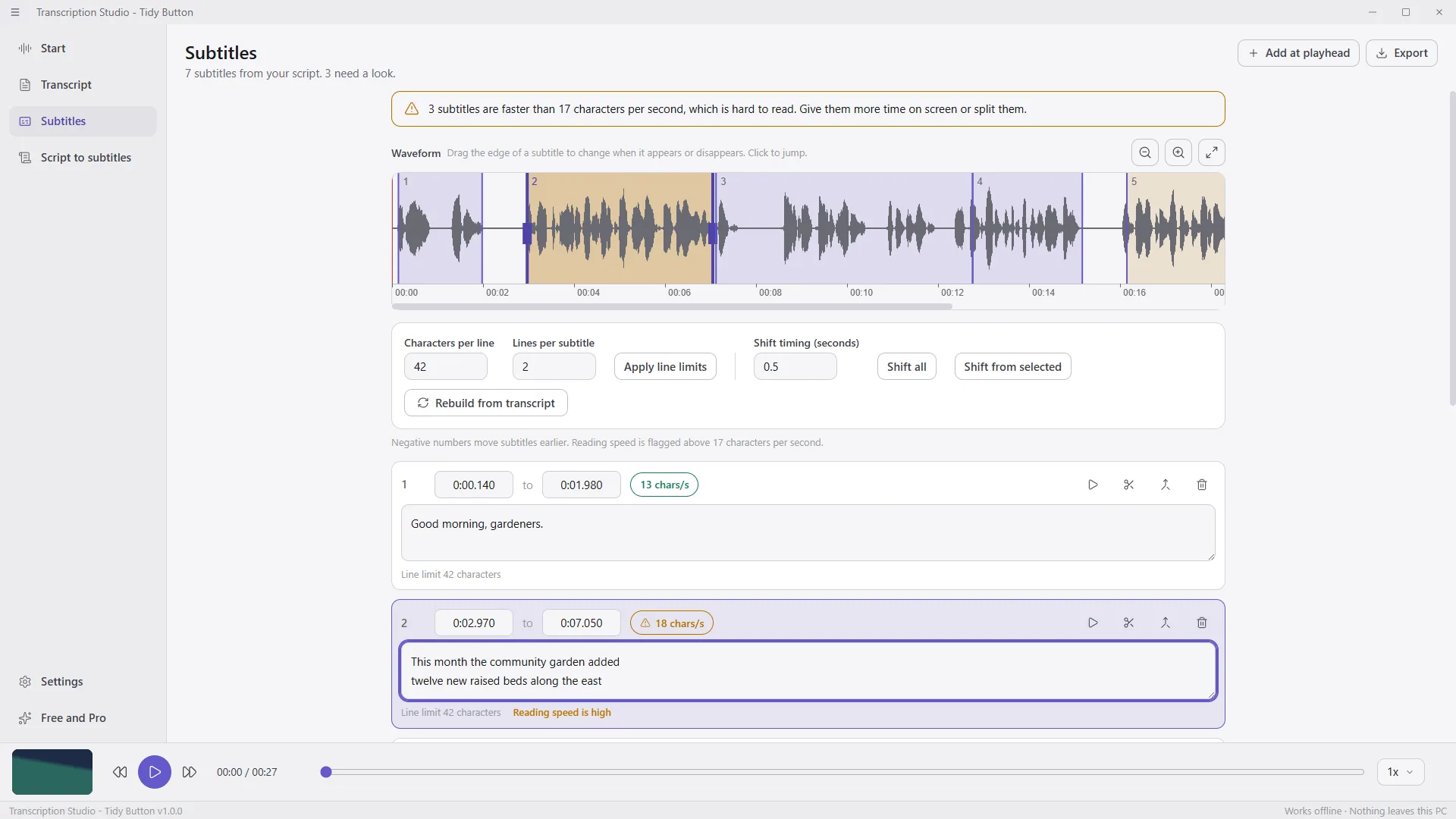
The recording as a waveform with the subtitles on top. Drag an edge to time a subtitle, and a warning marks any that is too fast to read
Script
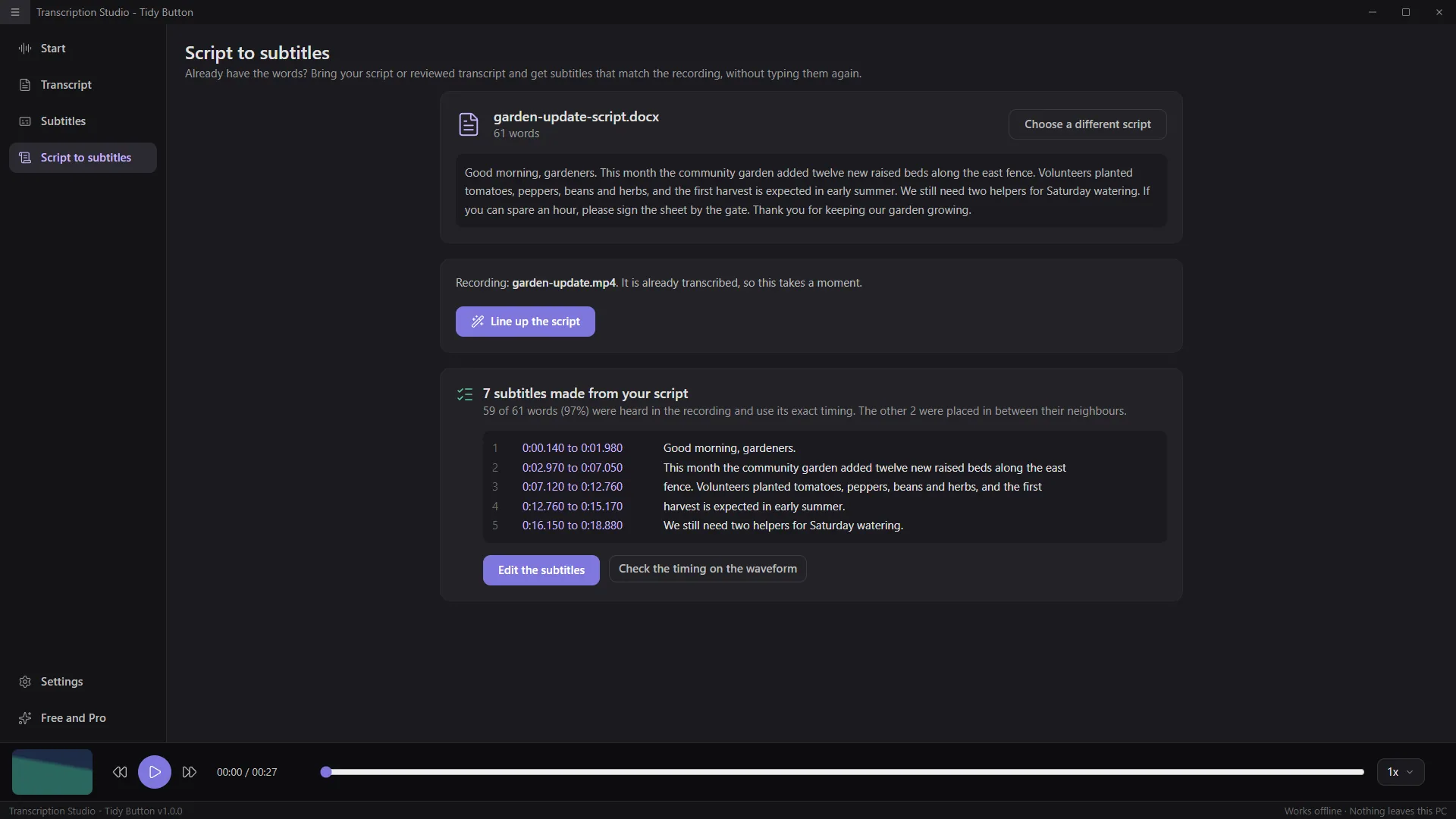
Have a script already? Line it up with the recording and get timed subtitles without retyping it
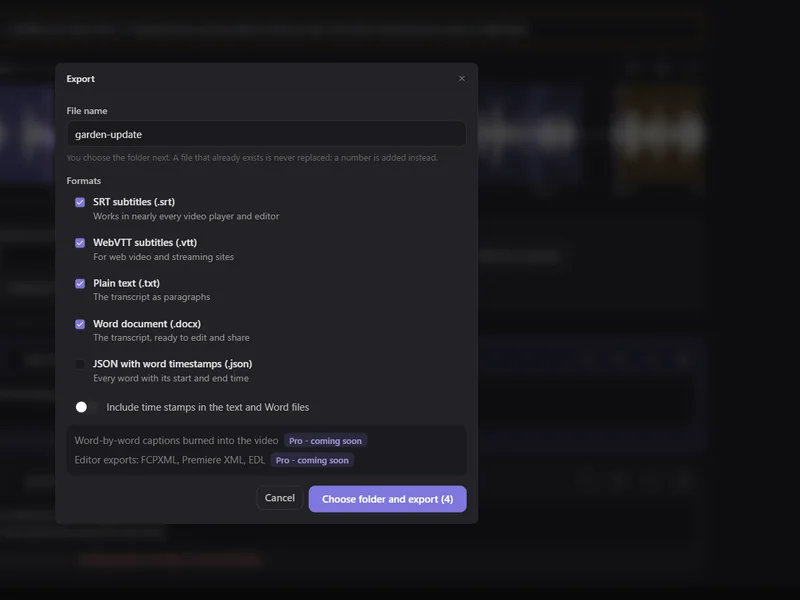
Export
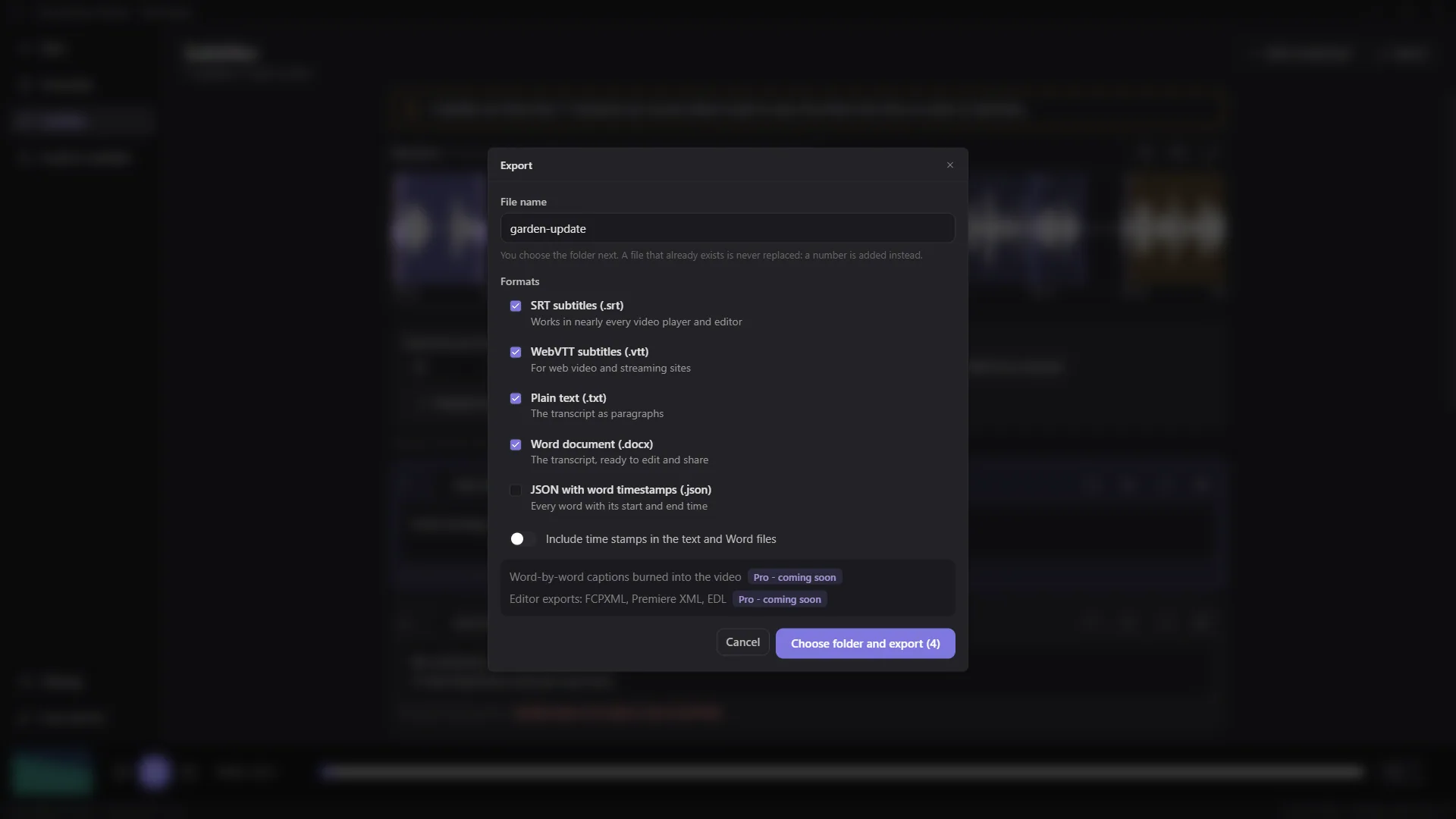
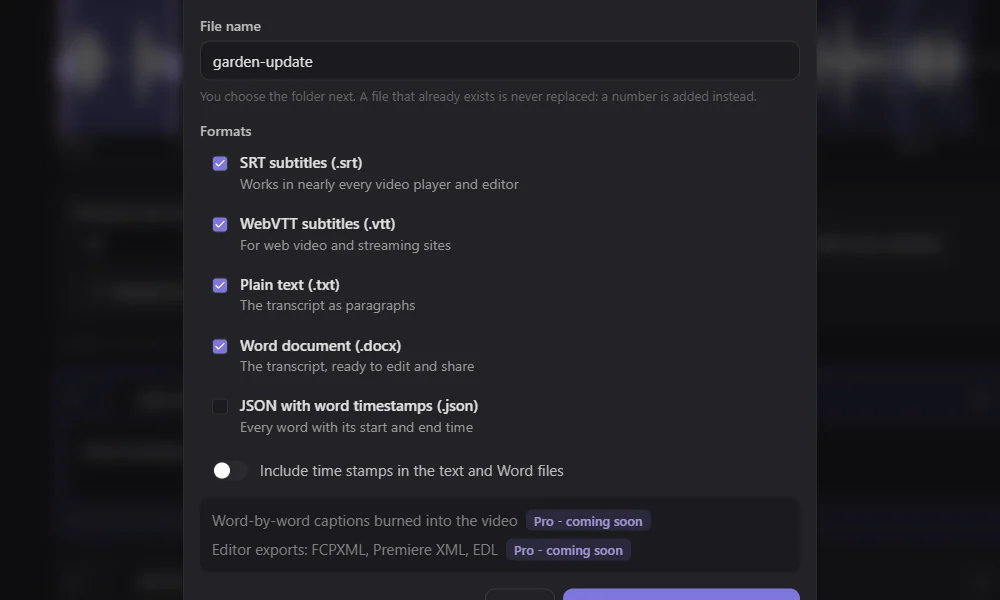
Export text, Word, SRT, WebVTT or JSON with word times. You choose the folder, and an existing file is never replaced
Languages
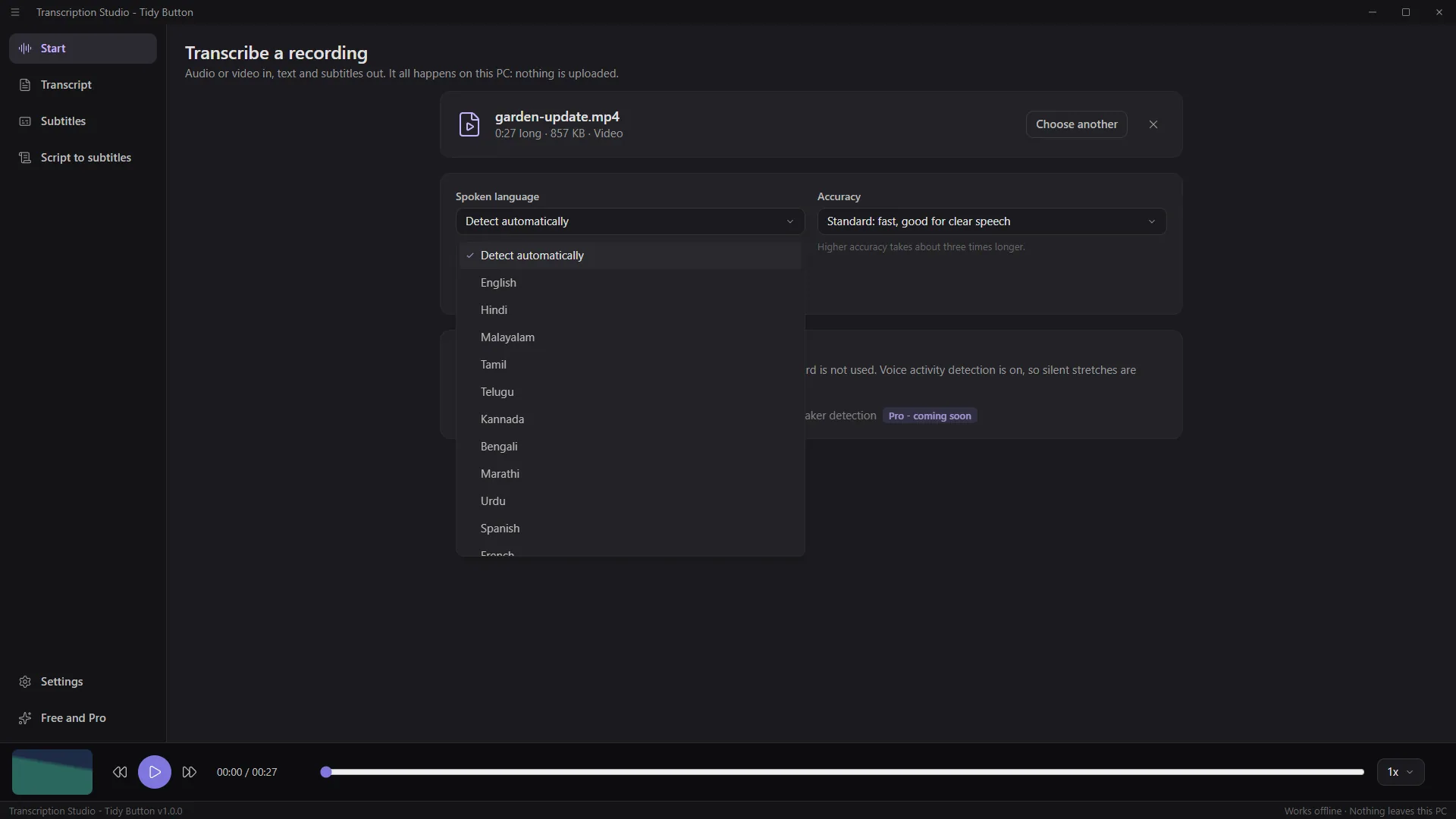
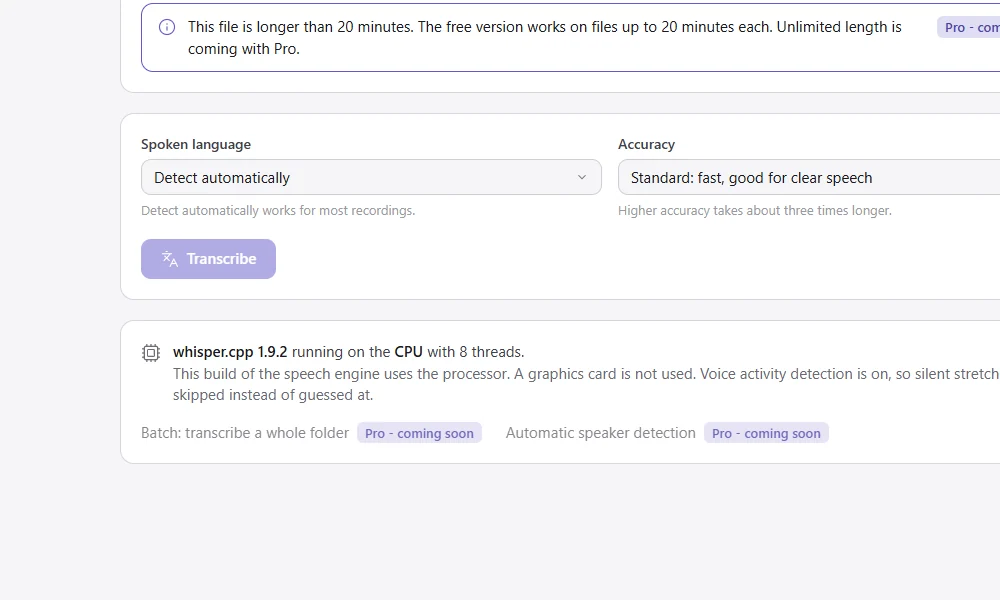
Pick the spoken language, or let the app detect it. Many languages are included, among them Hindi, Malayalam and Tamil
Light theme
The same editor in the light theme. Set the characters per line, merge or split subtitles and shift all the timings
Free limit
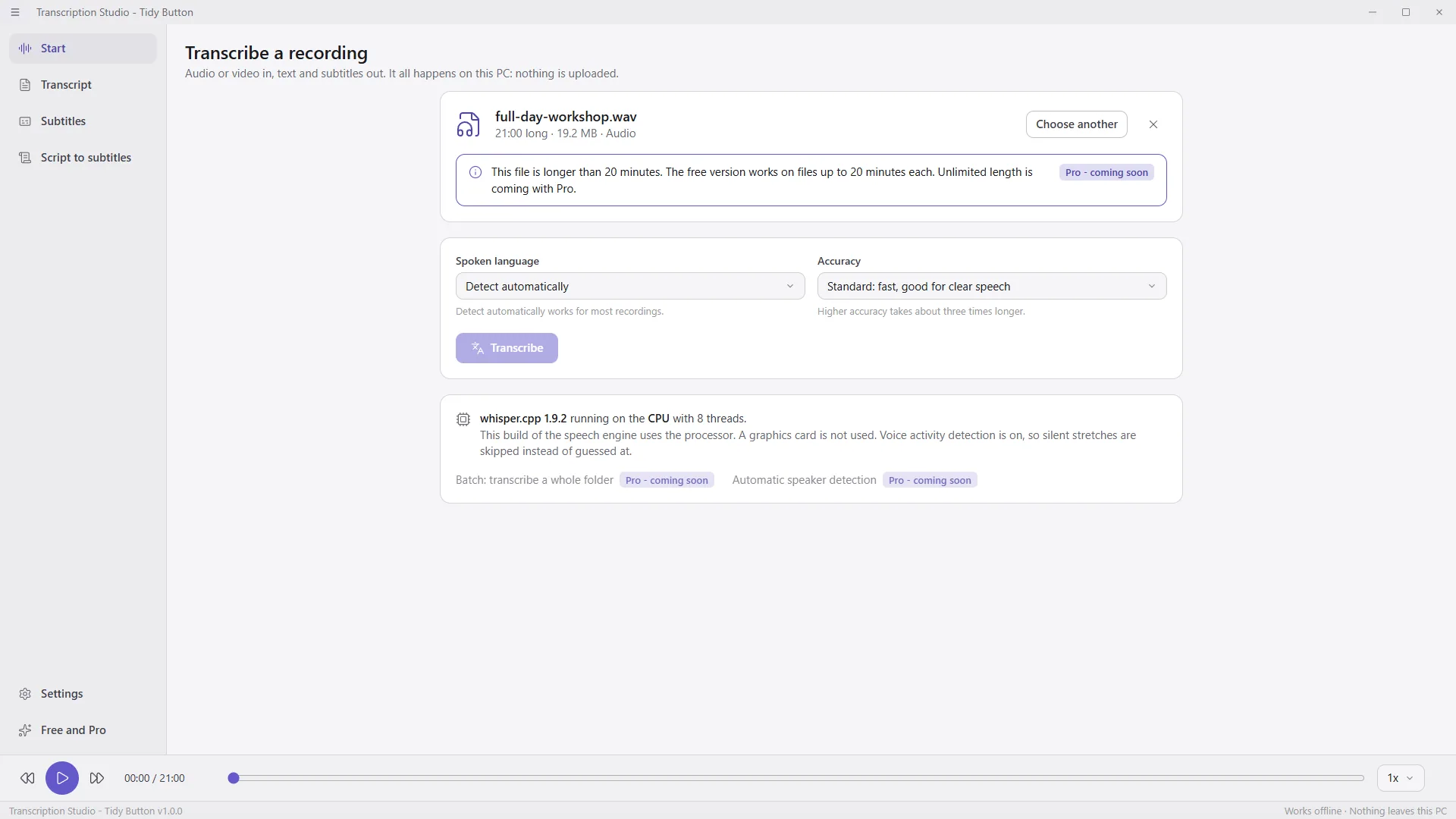
The free version works on files up to 20 minutes each. A longer file is marked with a clear note, and Pro is coming soon
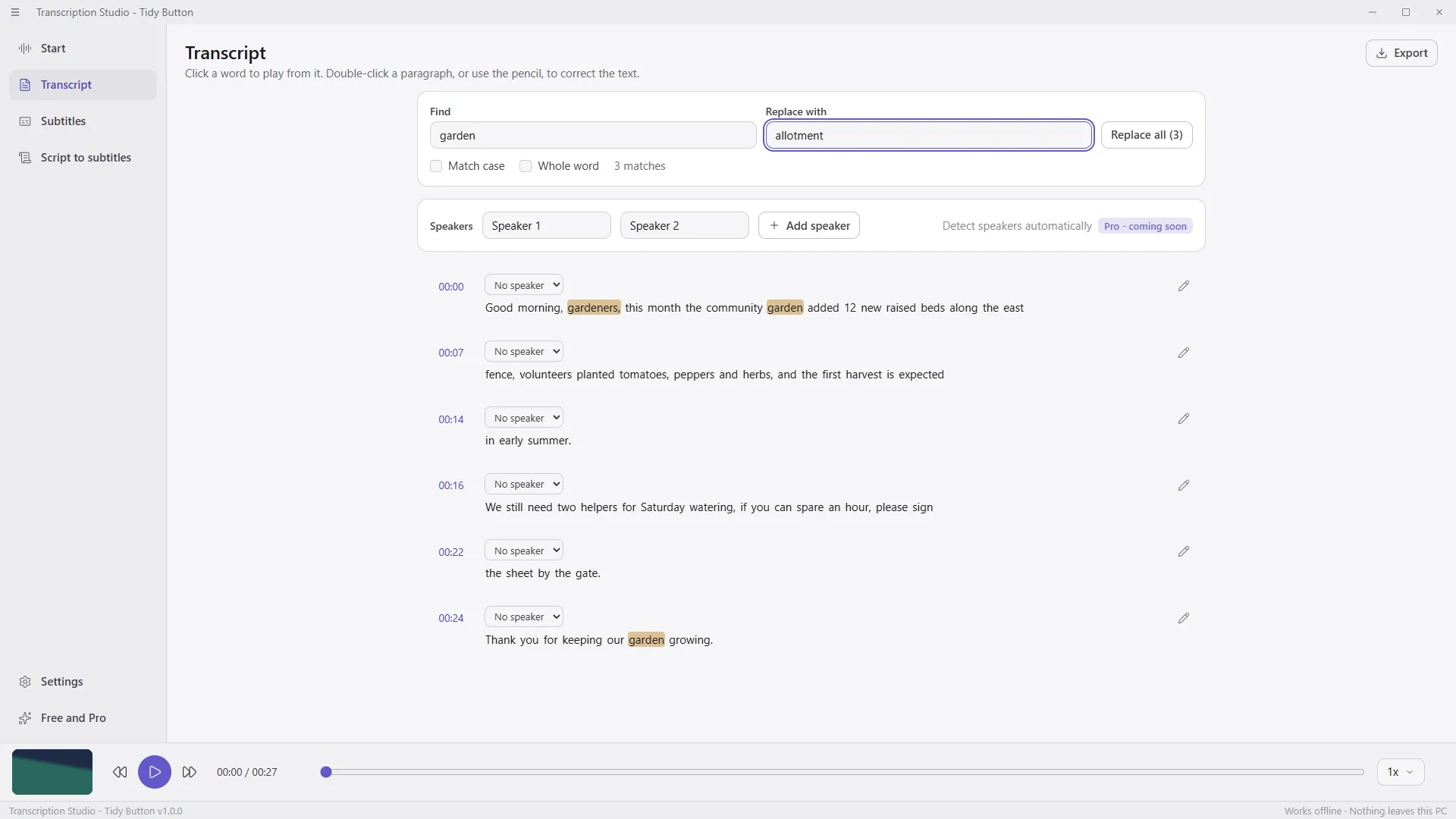
Find and replace
Find and replace across the whole transcript, with match case, whole word and a count of matches
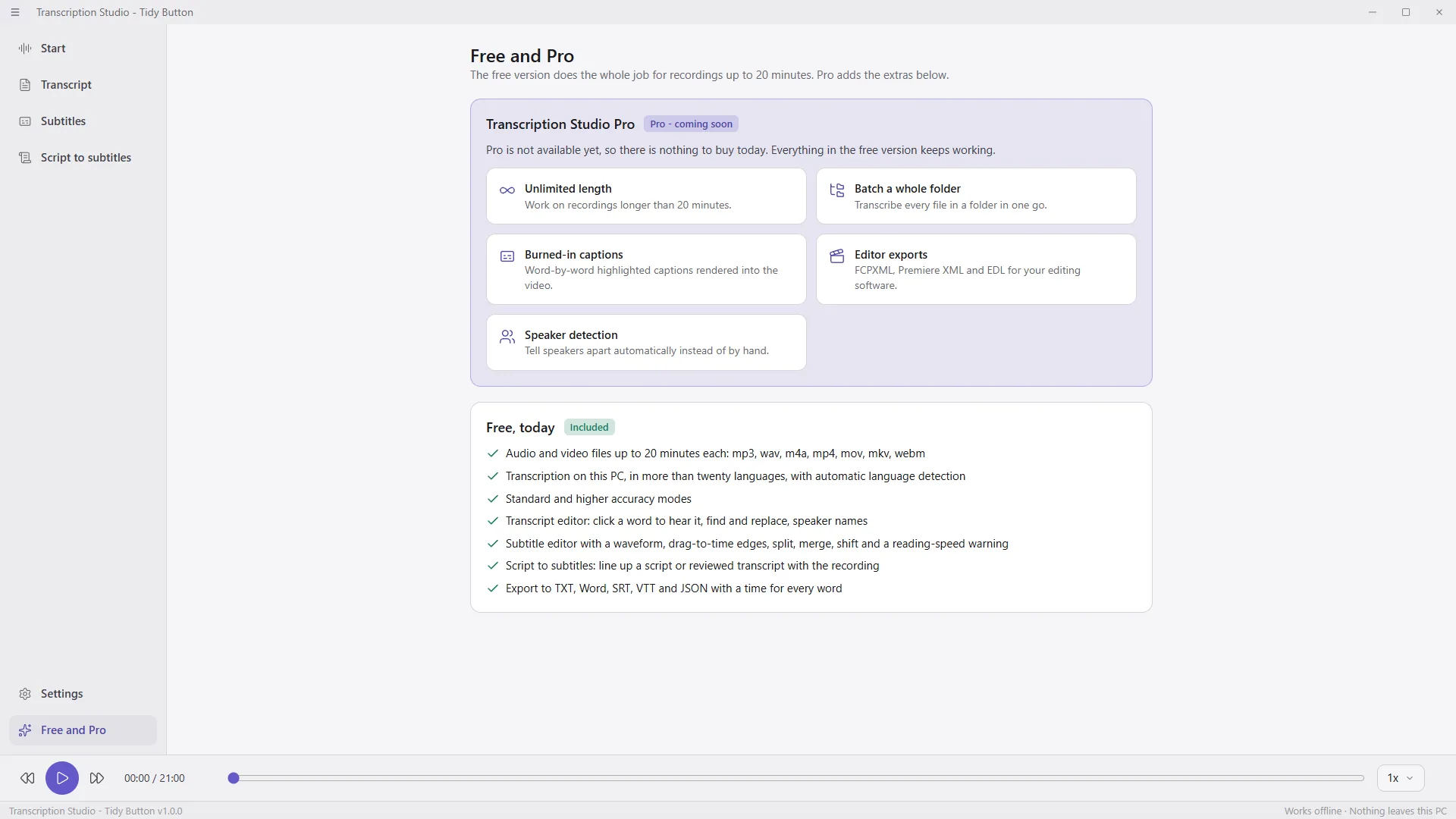
Free and Pro
What is free today, and what is planned for Pro (coming soon)
Screens show a sample recording. The app has light and dark themes.
How it works
Three steps. No manual.
01
Choose a file
Press Choose a file or drop audio or video onto the window, and pick the spoken language.
02
Fix the words
Press Transcribe. Click a word to hear it, correct the text and time the subtitles on the waveform.
03
Export
Tick SRT, WebVTT, Word, text or JSON, choose a folder and export.
What it does
What it does.
Drop in an mp3, wav, m4a, mp4, mov, mkv or webm file and press Transcribe. A speech engine that is part of the app turns the speech into text, and it works with the internet turned off. Then fix the words, time the subtitles and export. Recordings, transcripts and subtitles stay on your PC, and nothing is uploaded.
Transcribes on your PC
A speech engine and its language models are included in the app. There is no upload and no subscription.
Many languages
Pick the spoken language, including Hindi, Malayalam, Tamil, Spanish, French, German, Portuguese and Arabic, or let the app detect it.
Standard or higher accuracy
Choose Higher accuracy for the larger model when you can wait a little longer. Quiet stretches are skipped rather than filled with invented words.
Edit the transcript
Click any word to hear it, correct a paragraph, find and replace across the whole text and name your speakers.
Subtitle editor with a waveform
See the recording as a waveform with every subtitle on top. Drag an edge to change the timing, merge, split or shift them all.
Reading speed warning
A subtitle that goes by too fast to read comfortably is marked, and you set the characters per line and lines per subtitle.
Script to subtitles
Bring a .txt or .docx script and the app lines it up with the recording, without retyping anything.
Export what you need
Plain text, a Word document, SRT, WebVTT or JSON with a start and end time for every word. A file that already exists is never replaced.
The small print, in plain English
Safe by design.
A file over the free 20 minute limit is marked with a clear note before anything runs.
You choose the folder and the file types, and a file that already exists is never replaced.
Your recordings are never uploaded. The speech engine runs on your PC and the app makes no network requests.
Only the files you export are written, into a folder you choose, and an existing file is never replaced.
Your original recording is never changed.
Works offline. No account. No ads. No tracking.
Speech recognition is not perfect, so read the transcript before you share it.
What it makes
One recording, five file types.
Pick what you need when you export.
Export options.
SRT
Subtitles
Subtitles for most video players and editors.
WebVTT
Subtitles
Subtitles for the web.
Plain text
Text
The transcript as a text file.
Word document
Text
The transcript as a .docx file.
JSON
Data
A start and end time for every word.
Files in
Seven types
mp3, wav, m4a, mp4, mov, mkv and webm.
Pro is planned, not available yet, and would add unlimited length, a whole folder at once, word-by-word highlighted captions burned into the video, exports for video editing software and automatic speaker detection. Everything in the app runs on your PC only.
Good for
Handy when the recording is private.
Meeting and lecture notes
Interviews and podcasts
Captions for a video you post
Recordings you would rather not upload to a website
Questions
Plain answers.
Is anything uploaded?
No. The speech engine and its language models are part of the app and run on your PC. There is no upload, no account, no telemetry and no ads.
Does it work offline?
Yes. Everything it needs is included, so it works with the internet turned off.
Which file types can I add?
Audio and video: mp3, wav, m4a, mp4, mov, mkv and webm.
Which languages work?
You pick the spoken language or let the app detect it. Many are included, among them Hindi, Malayalam, Tamil, Spanish, French, German, Portuguese and Arabic.
How accurate is it?
Speech recognition is not perfect. Clear speech with little background noise gives the best results, so always read the transcript before you share it.
Does it change my recording?
No. Your original file is never changed. Exports go only into the folder you choose, and a name that already exists is never replaced.
Is there a limit in the free version?
The free version works on files up to 20 minutes each. A Pro add-on is planned (coming soon) with unlimited length, a whole folder at once, burned-in captions, editor exports and automatic speaker detection.
Does it need an account?
No. There is no account, no ads, no tracking and no subscription.