We will link the Store listing here the day it is live. Until then there is nothing to download.
Real app, reviewing a group of sample pictures.
Works offline
No account, no ads, no tracking
Every move can be undone
Free
See it
Nine views. One keeper, chosen.
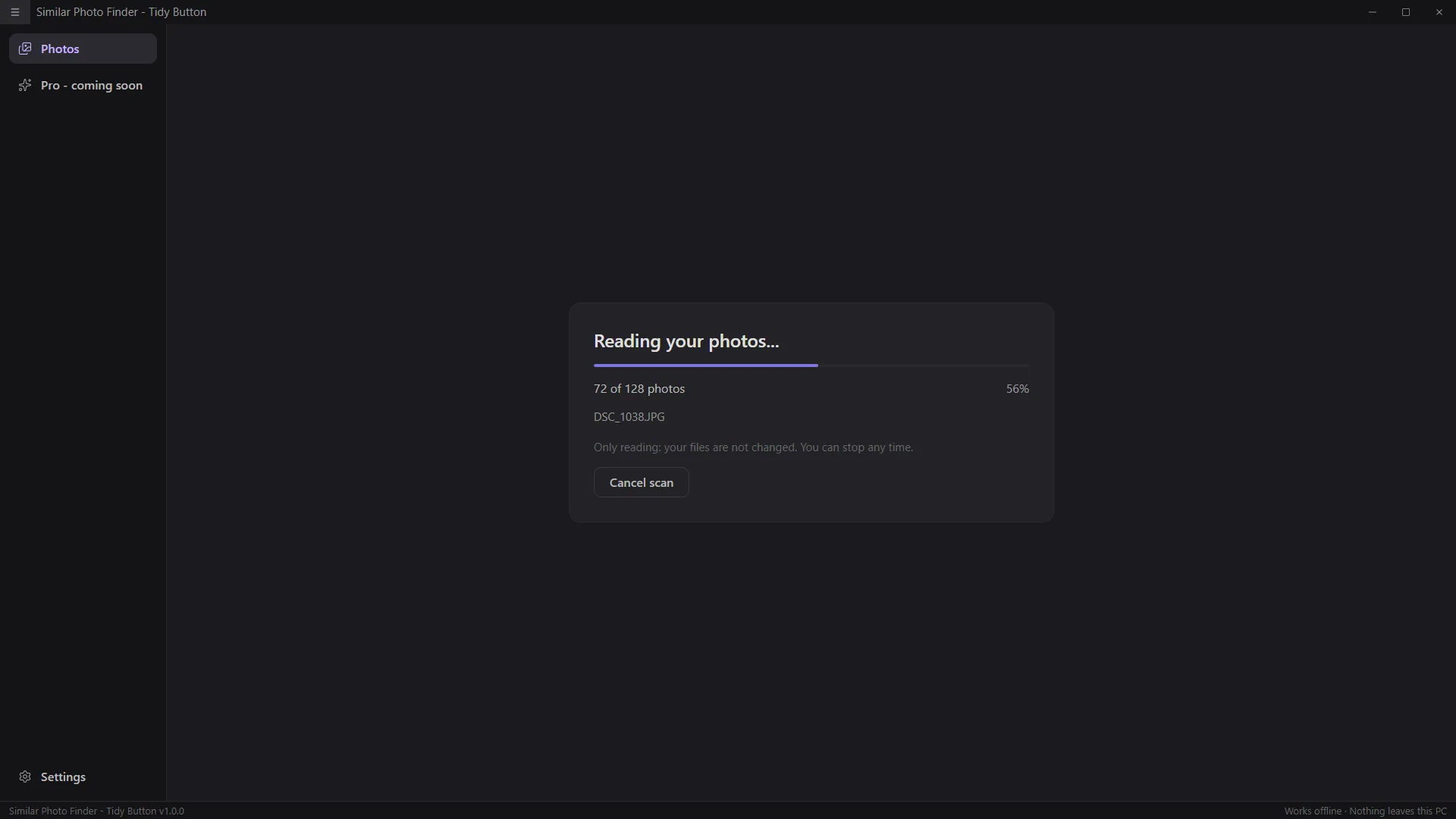
Scanning
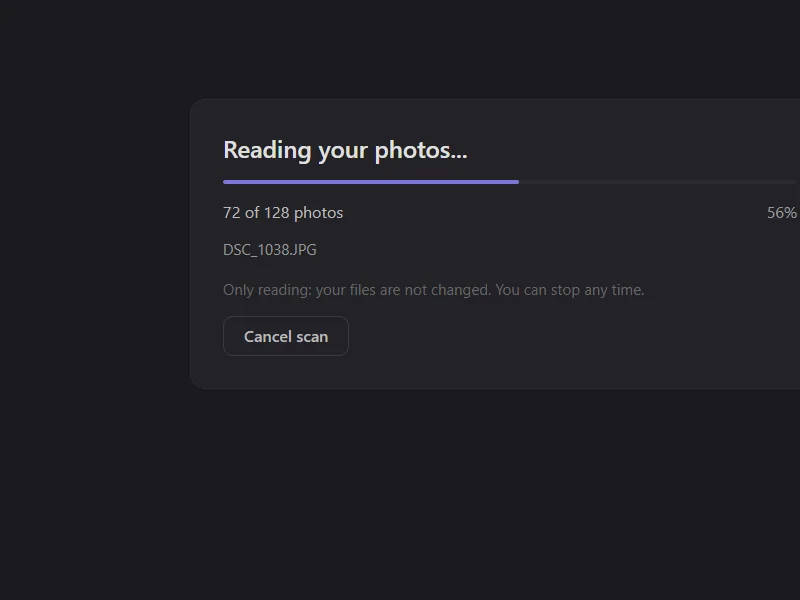
Scanning stays on your PC. A progress bar shows each photo being read, and you can stop at any time
Results
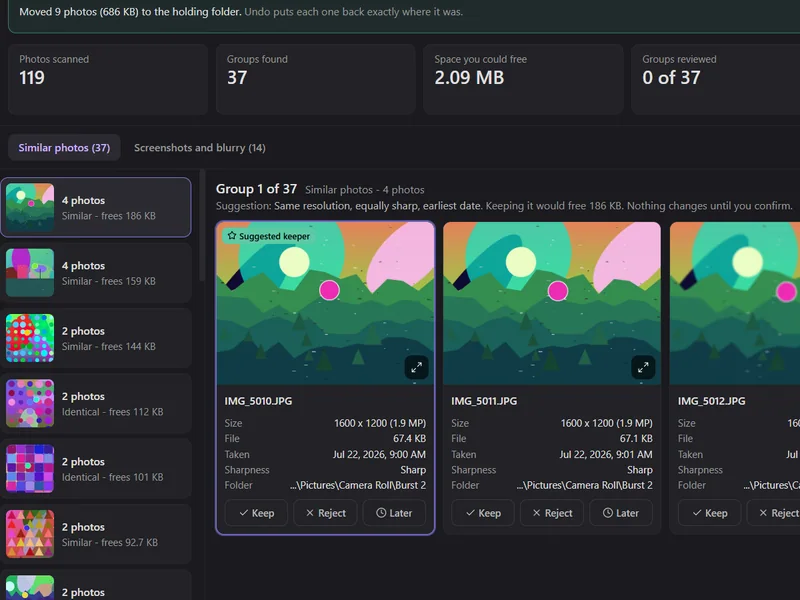
Results at a glance: photos scanned, groups found, space you could free and groups reviewed
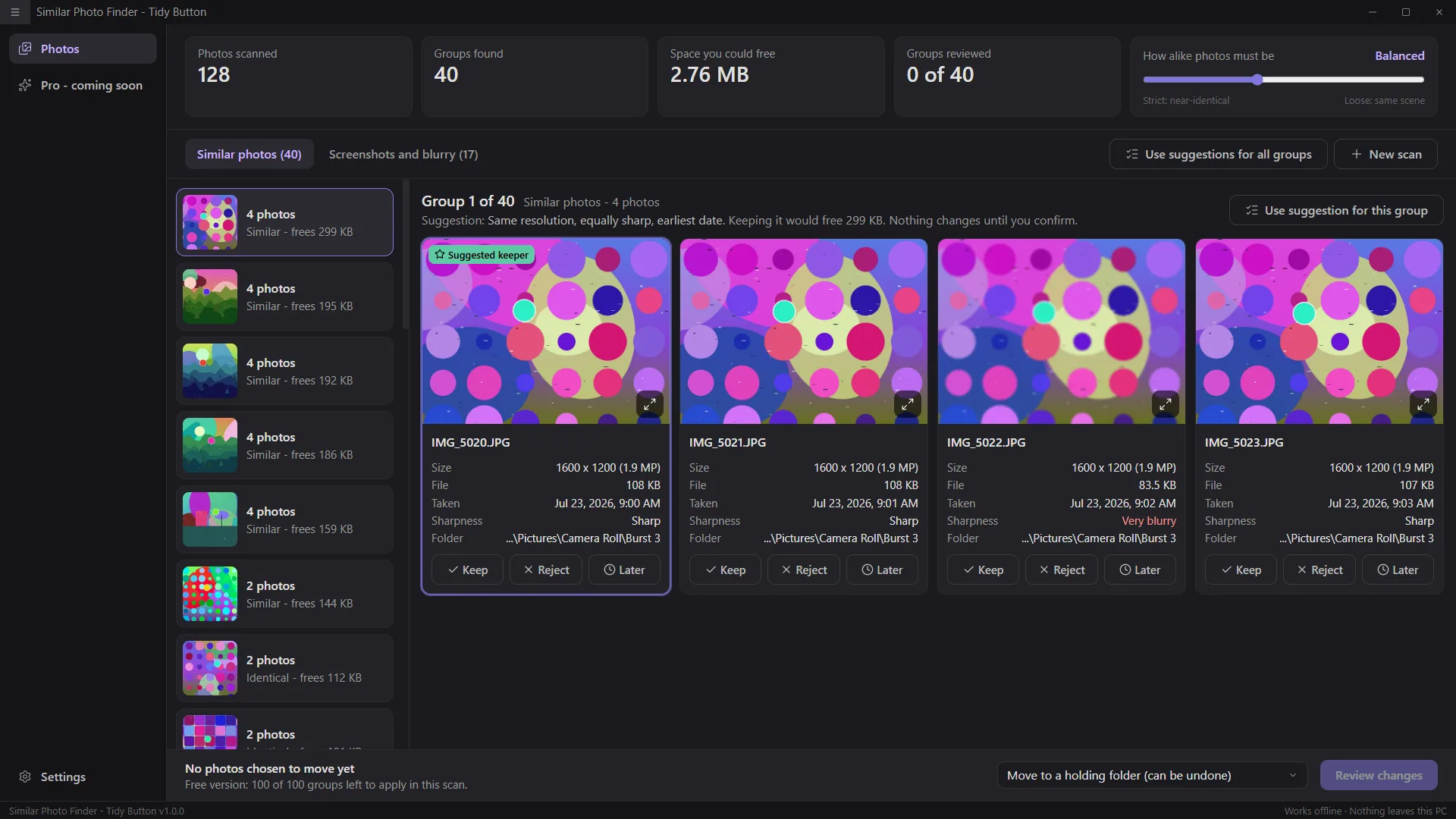
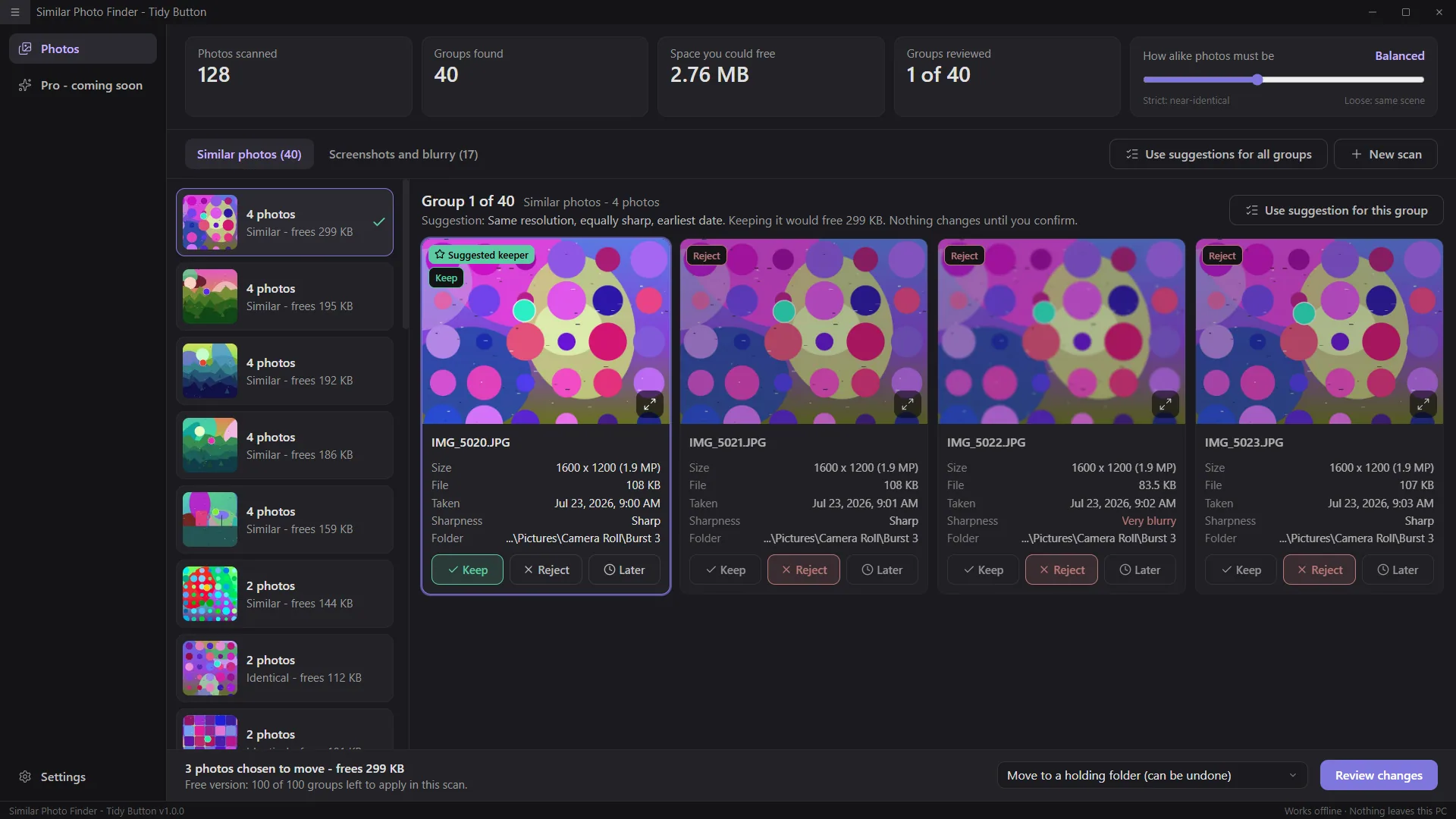
Review
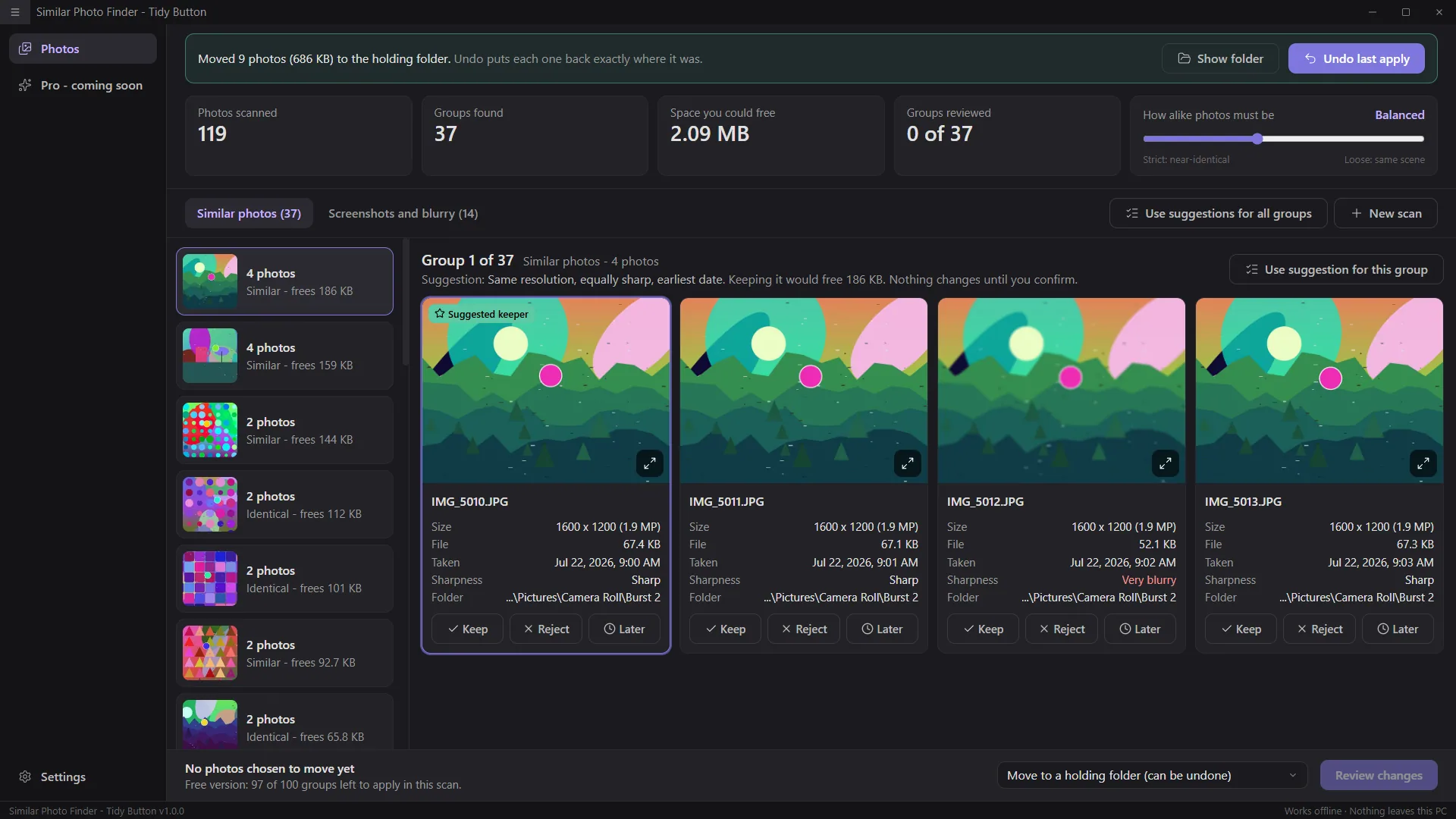
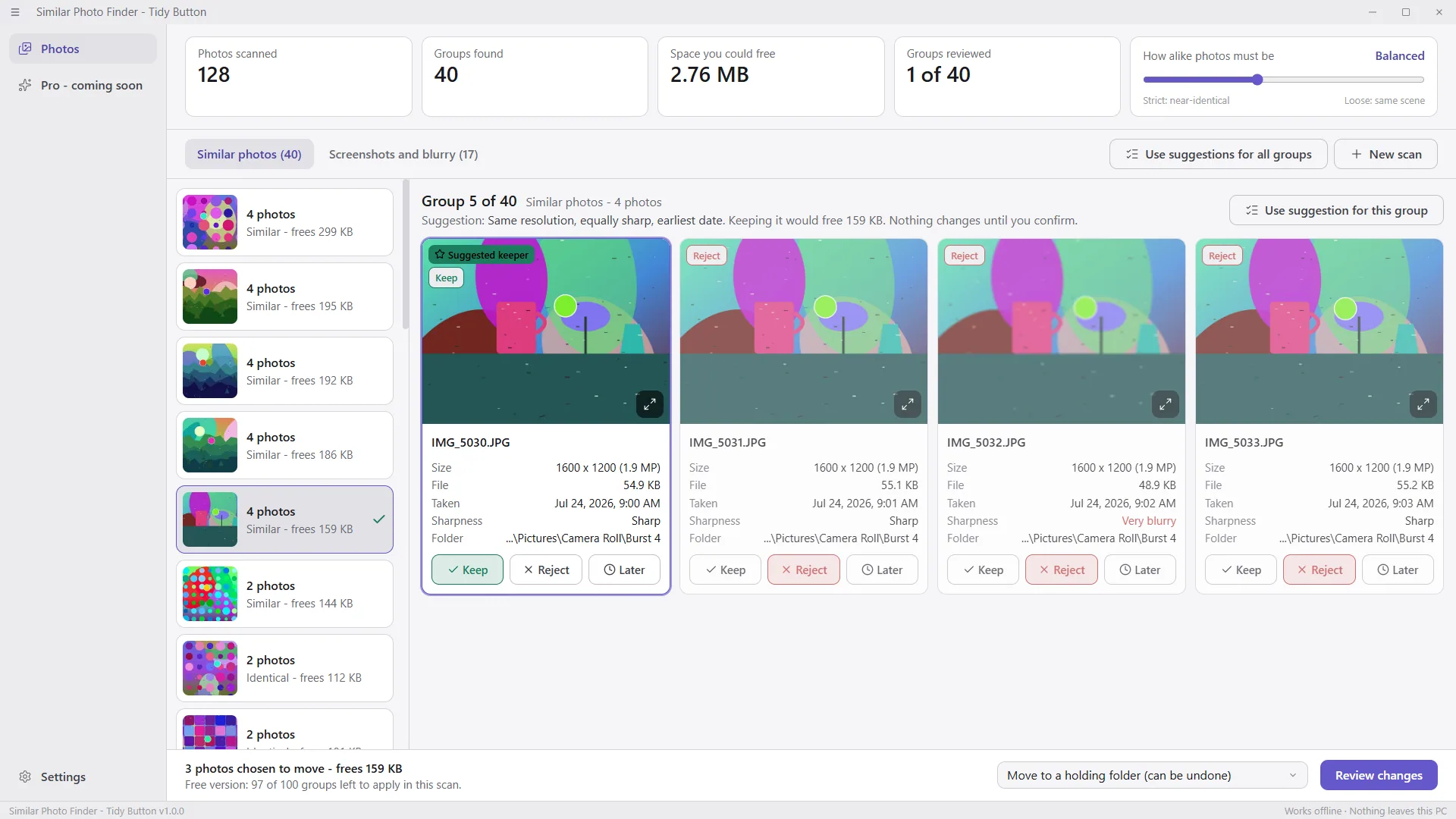
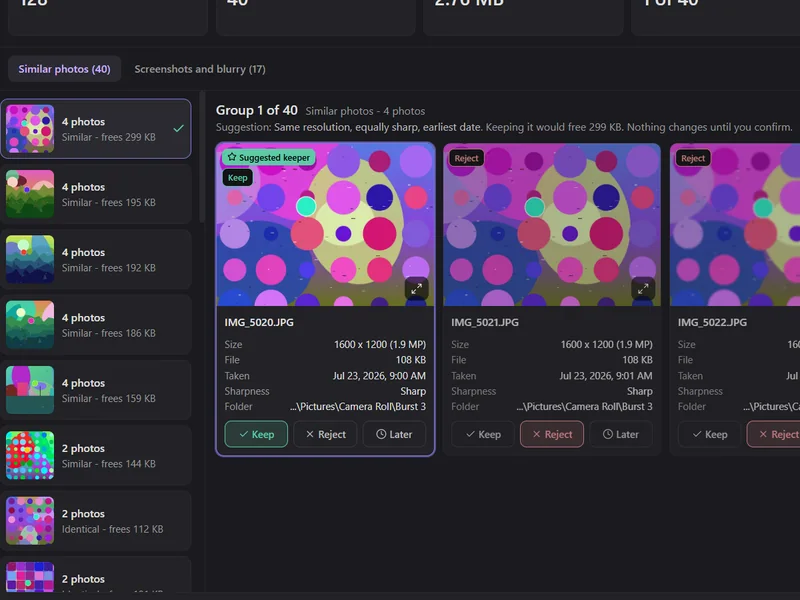
Review a group side by side. A keeper is suggested, with the reason. Keep, Reject or Decide later on each photo
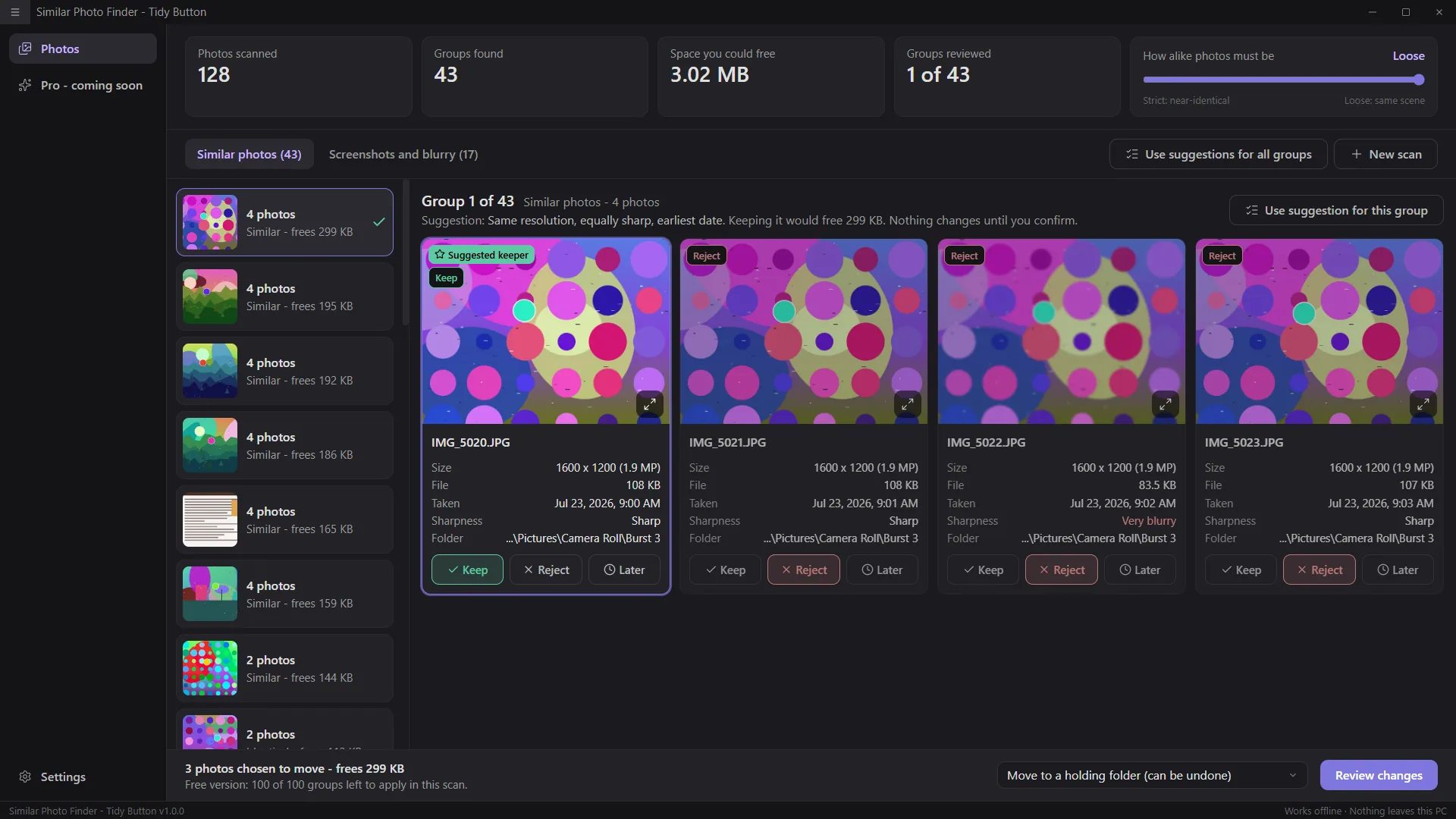
Slider
Slide from Strict to Loose. Groups update instantly without reading the photos again
Summary
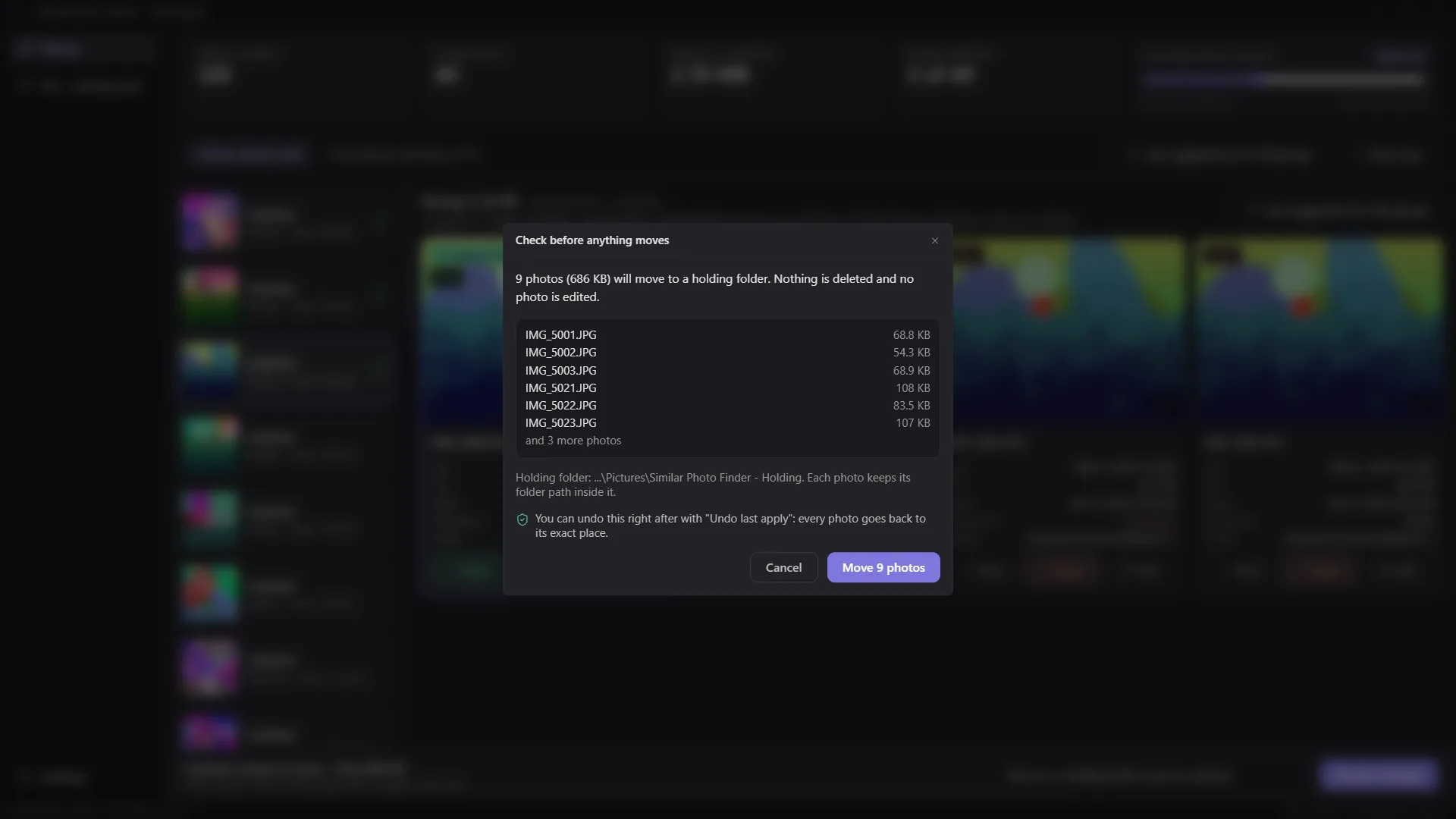
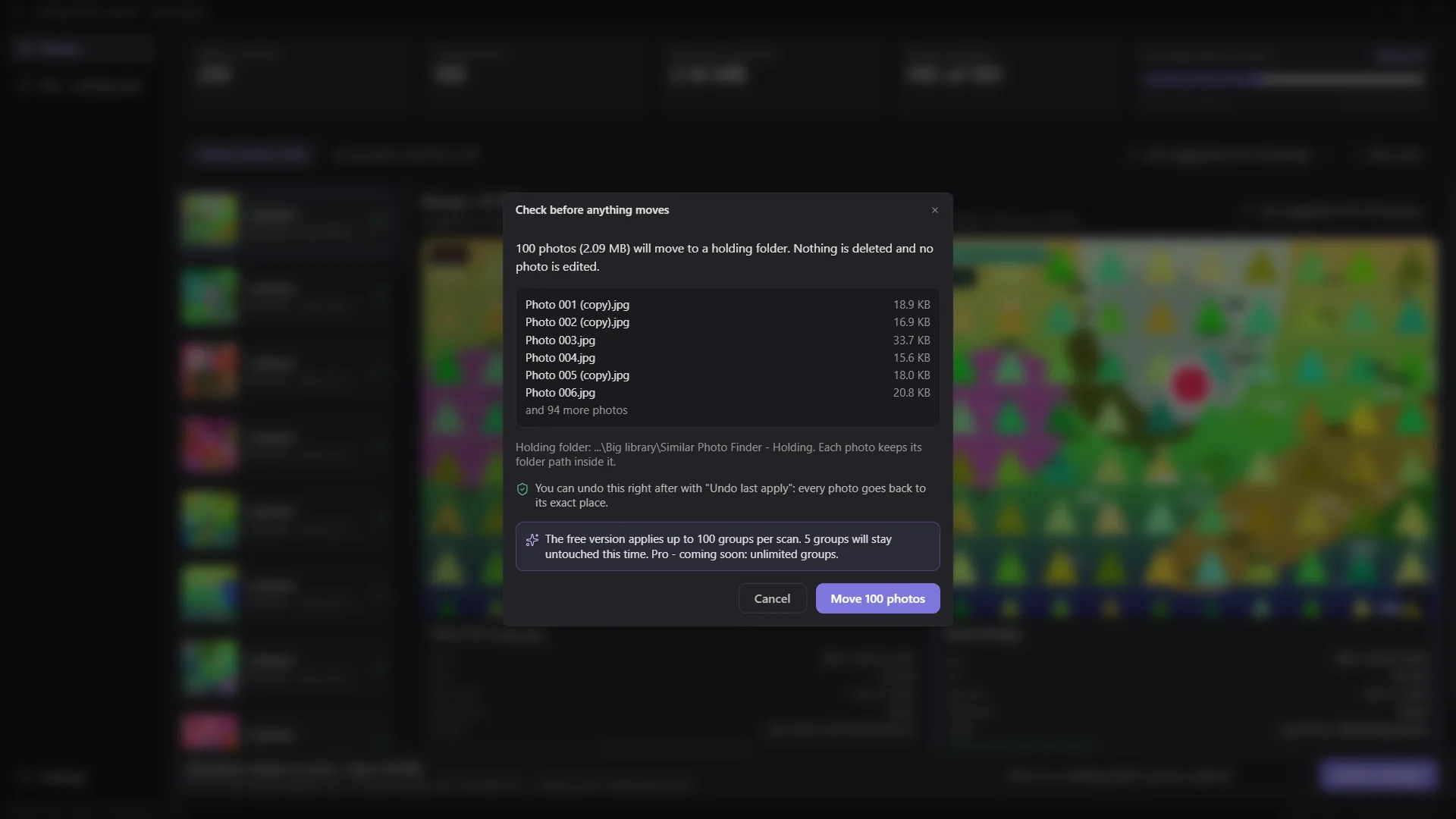
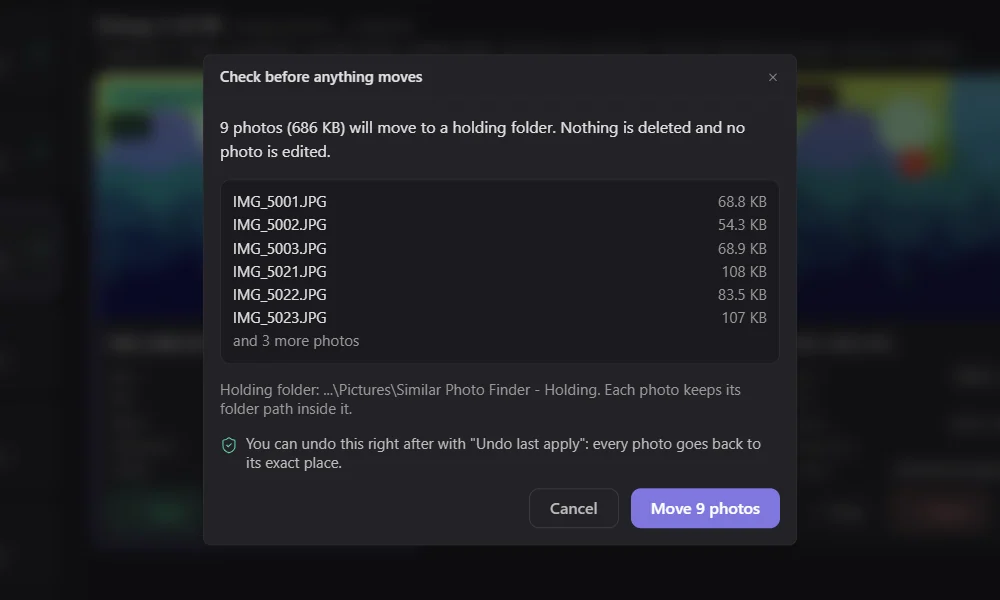
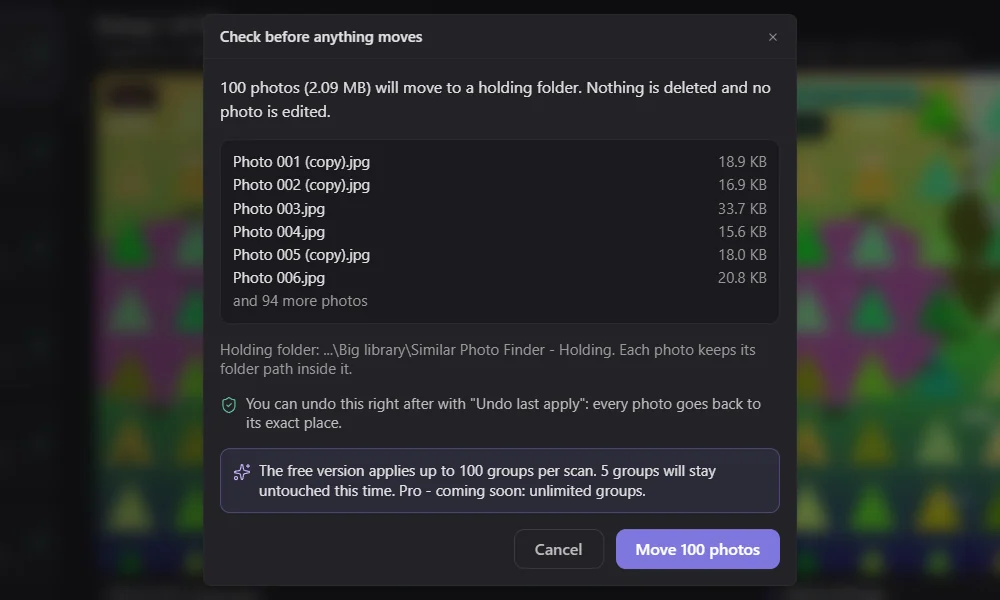
A summary comes before anything moves: how many photos, how much space, and where they go
Undo
Moved to a holding folder, with one click to undo. Every photo goes back to its exact original place
Clutter
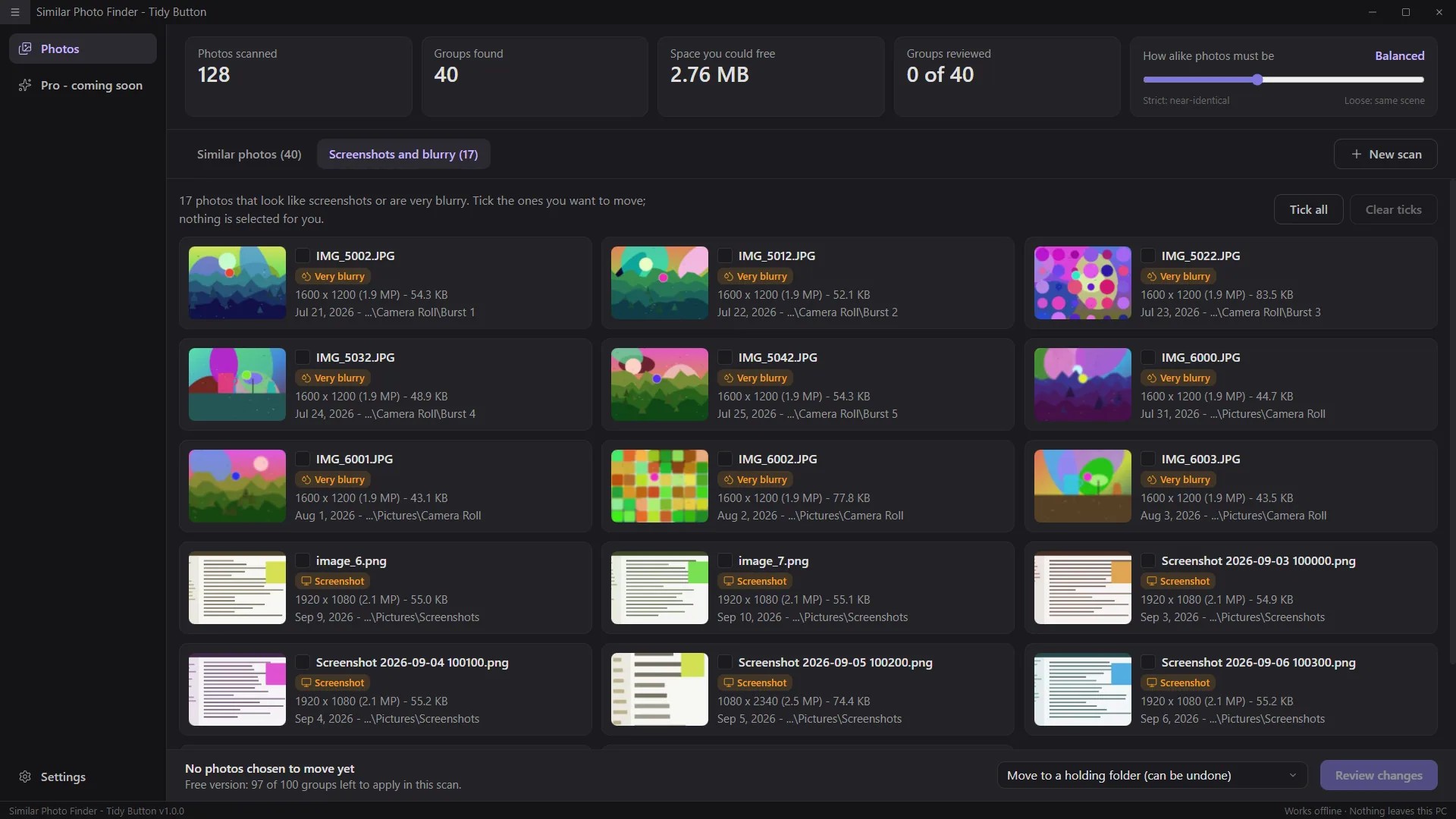
Screenshots and very blurry photos appear in their own list. Nothing is ticked for you
Light theme
The light theme. Same review: suggested keeper, size, date taken, sharpness and your decision on every photo
Free limit
The free version applies your choices to the first 100 groups per scan. Pro, with unlimited groups, is planned (coming soon)
Screens show sample pictures, not real photos. The app has light and dark themes.
How it works
Three steps. No manual.
01
Add folders and scan
Add one or more folders, or pick photos, and press Scan.
02
Review each group
Compare photos side by side. A keeper is suggested, and you press Keep, Reject or Later.
03
Check, move, undo
See the summary, press Move, and press Undo last apply if you change your mind.
What it does
What it does.
Add one or more folders and press Scan. The app groups pictures that are the same shot, then helps you keep the best of each group. It highlights and suggests; you decide. Everything runs on your PC. Your photos are never edited, renamed or overwritten.
Copies and look-alikes
Finds exact copies, and resized, re-saved, slightly cropped, re-edited and burst photos.
Strict to Loose slider
Slide from near-identical to the same scene, and the groups update instantly.
Side-by-side review
One group at a time, with zoom. Each photo shows its size in pixels, file size, date taken, folder and how sharp it is.
A suggested keeper
Largest picture first, then the sharpest, then the earliest, with the reason shown. It is never applied for you.
Keyboard review
Arrows to move, K to keep, R to reject and Space to decide later.
Summary first
Check what will move before anything does. Rejects go to a holding folder or the Recycle Bin.
One-click undo
Undo the last apply and every photo goes back to its exact original place, unchanged.
Clutter list
Screenshots and very blurry photos appear in a separate list, and are never moved unless you tick them yourself.
The small print, in plain English
Safe by design.
A summary comes before anything moves. Nothing is deleted and no photo is edited.
The free limit is shown in the summary, so there are no surprises.
Your photos are never edited, renamed or overwritten. A moved photo keeps its bytes and its dates.
Nothing is deleted by the app. Rejected photos go to a holding folder inside the folder you scanned, or to the Recycle Bin if you prefer.
Nothing moves until you check the summary and confirm. The app skips any file that changed since the scan or is in use by another program.
Nothing is uploaded. Everything runs on your PC.
Works offline. No account. No ads. No tracking. No subscription.
What counts as similar
The same shot, in many forms.
You choose how strict the match should be.
Strict for near-identical, Loose for the same scene.
Exact copies
Always caught
Found by their content, so identical files are always caught.
Resized or re-saved
Look-alikes
The same picture at another size or saved again.
Cropped or edited
Grouped
Slightly cropped and re-edited versions of a photo.
Bursts
Pick the best
Frames of the same moment, grouped together.
Clutter
Never auto-ticked
Screenshots and very blurry photos, in a separate list.
File types
Five types
JPEG, PNG, WebP, GIF and TIFF.
Pro is planned, not available yet, and is aimed at very large libraries. Everything in the app runs on your PC only.
Good for
Handy when the camera roll is full of twins.
A camera roll full of near-identical shots
Copies made when photos were backed up more than once
Burst frames where you want only the best one
Clearing screenshots and very blurry photos
Questions
Plain answers.
Is anything uploaded?
No. Everything runs on your PC. There is no upload, no account, no telemetry and no ads.
Does it delete photos?
No. Rejected photos move to a holding folder inside the folder you scanned, or to the Recycle Bin if you prefer, and Undo puts every photo back in its exact place.
Does it change my photos?
No. Your photos are never edited, renamed or overwritten, and a moved photo keeps its bytes and its dates.
Who chooses the keeper?
You do. A keeper is suggested (largest picture, then the sharpest, then the earliest) with the reason shown, but it is never applied for you.
What if a file changed after the scan?
The app checks that a file has not changed since the scan before moving it, and skips any file another program is using.
Which photo types does it read?
JPEG, PNG, WebP, GIF and TIFF.
Is there a limit in the free version?
Scanning and reviewing are unlimited. Your choices are applied to the first 100 groups of each scan. A Pro add-on is planned (coming soon) for very large libraries.
Does it need an account?
No. There is no account, no ads, no tracking and no subscription.