We will link the Store listing here the day it is live. Until then there is nothing to download.
Real app, with a made-up team.
Works offline
No account
Warns, never blocks
Free for 8 staff
See it
Eight views. One clear week.
Start
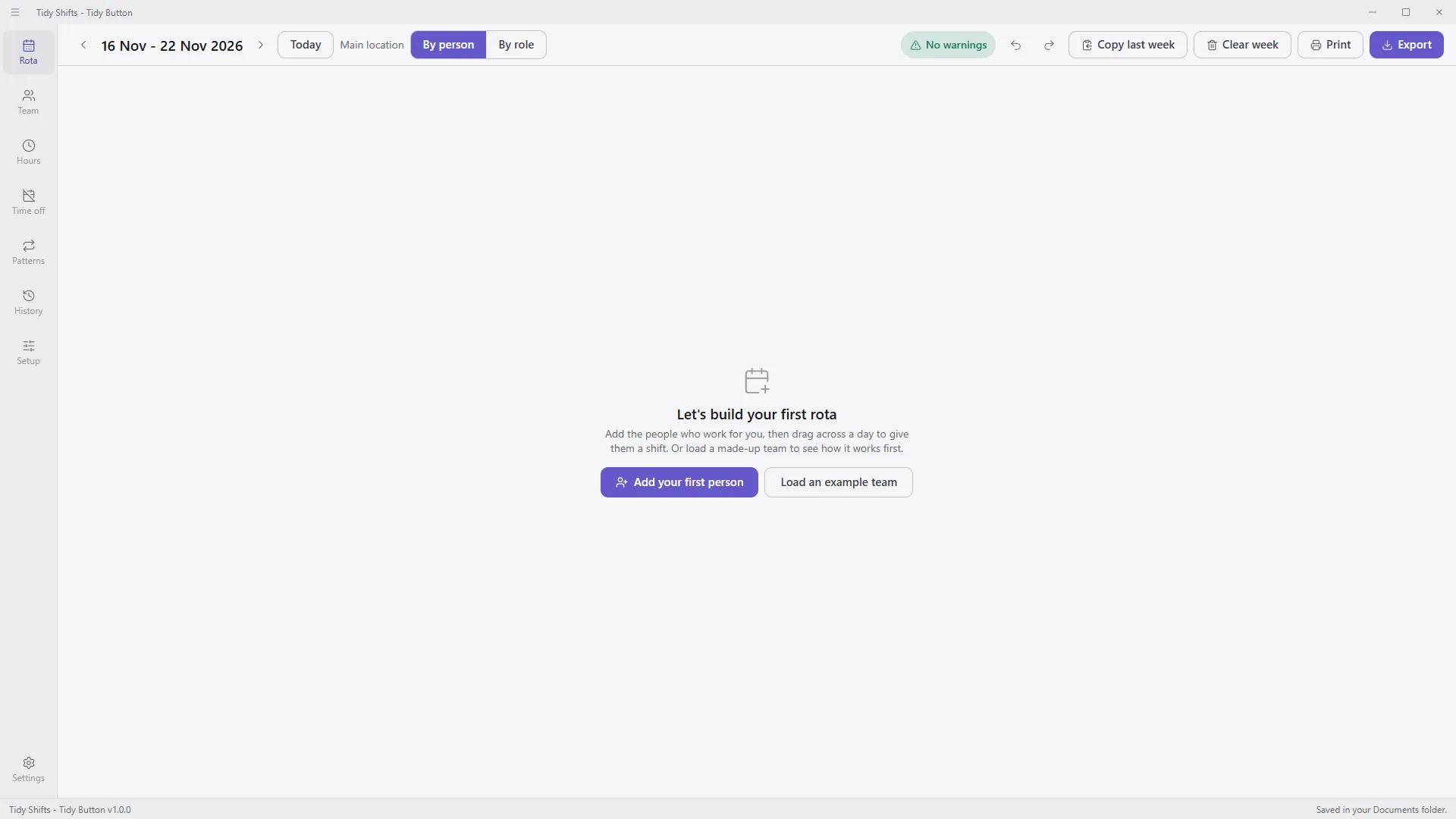
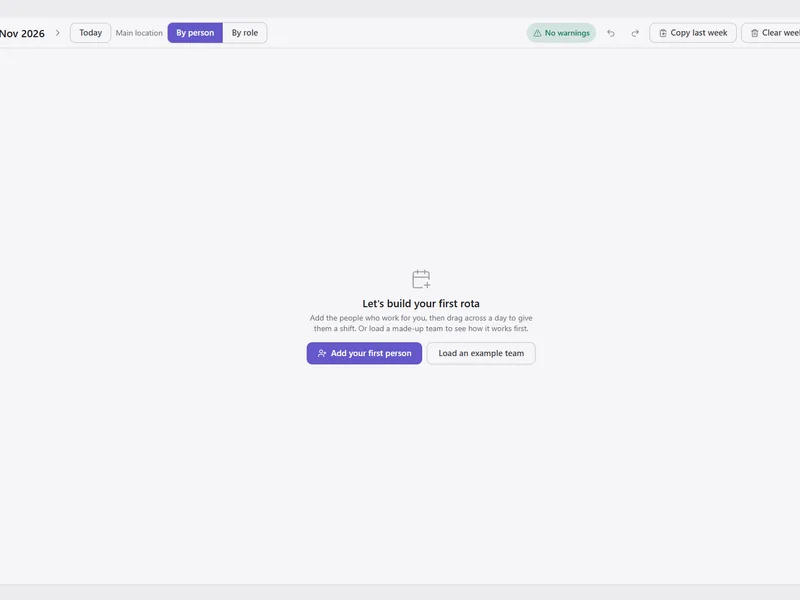
A new rota starts empty. Add your first person, or load a made-up team to see how it works.
Week
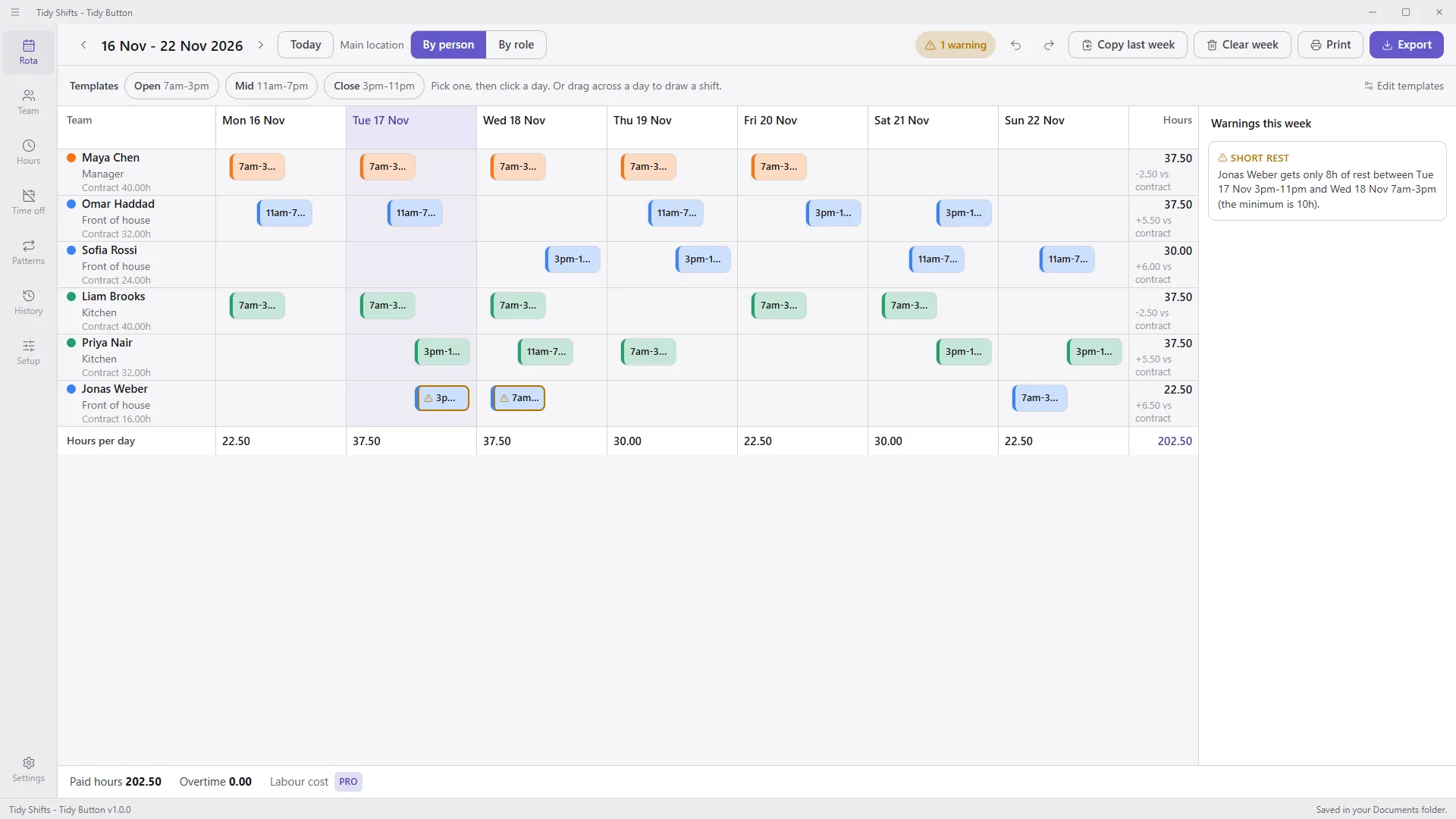
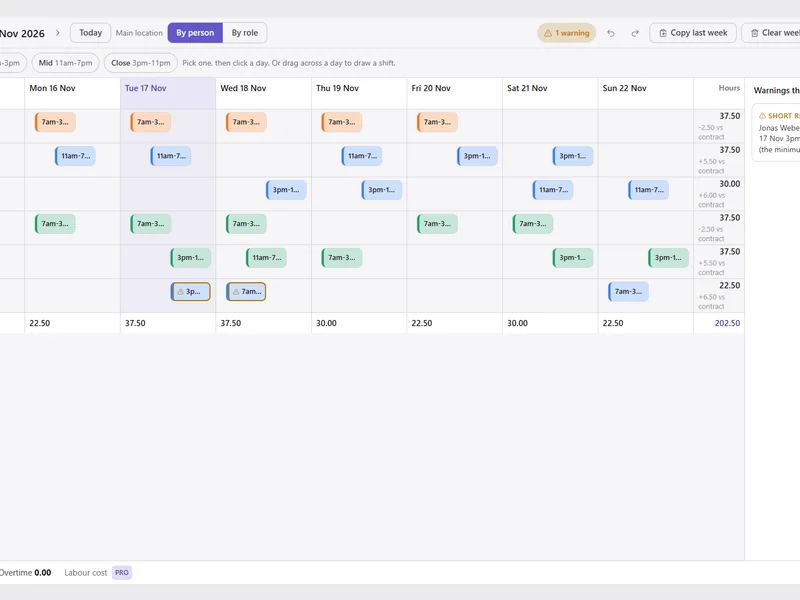
The week grid. Drag across a day to draw a shift, and see each person's hours at a glance.
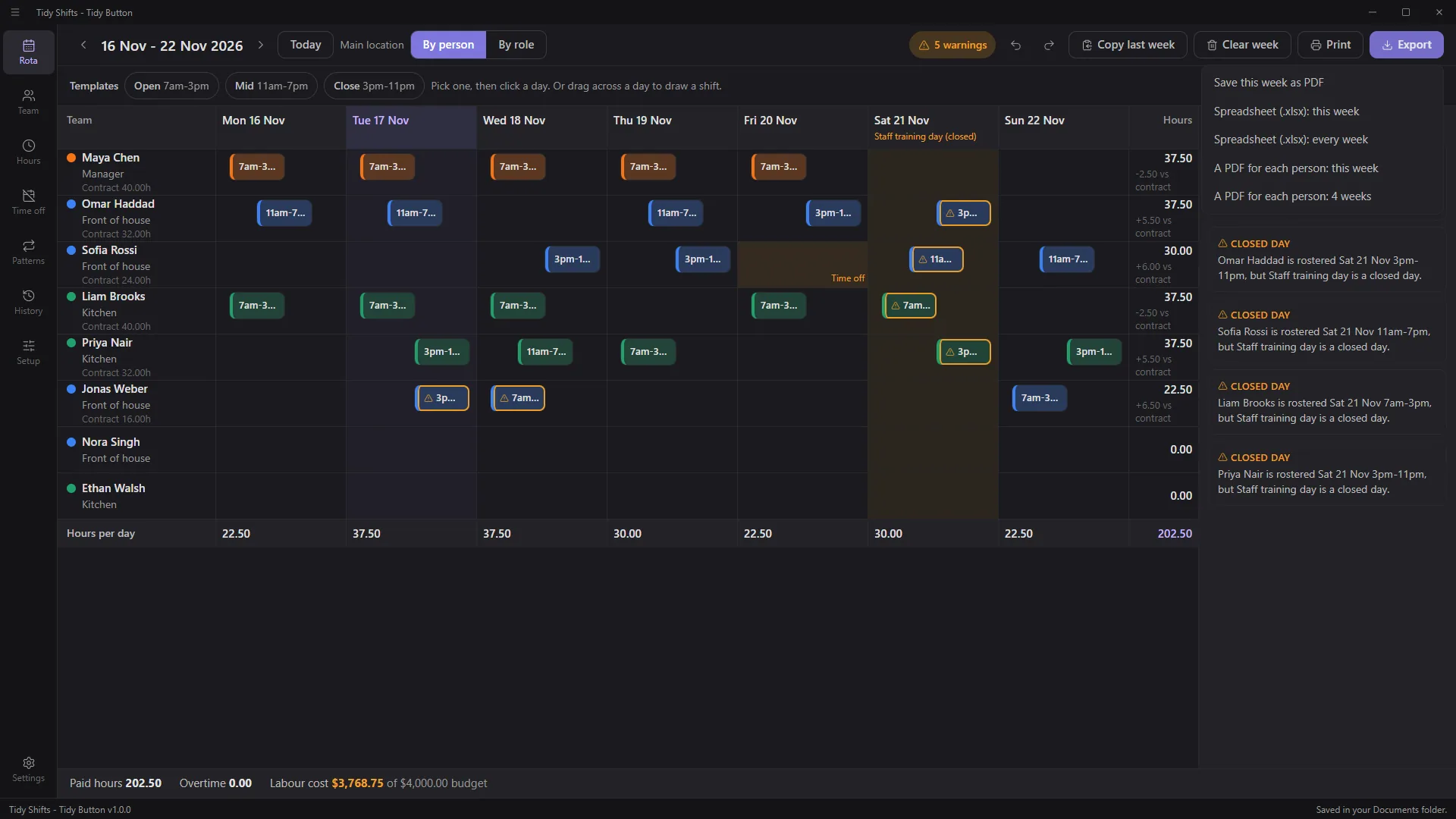
Warnings
Warnings name the person and the day, here too little rest between a late close and an early open.
Hours
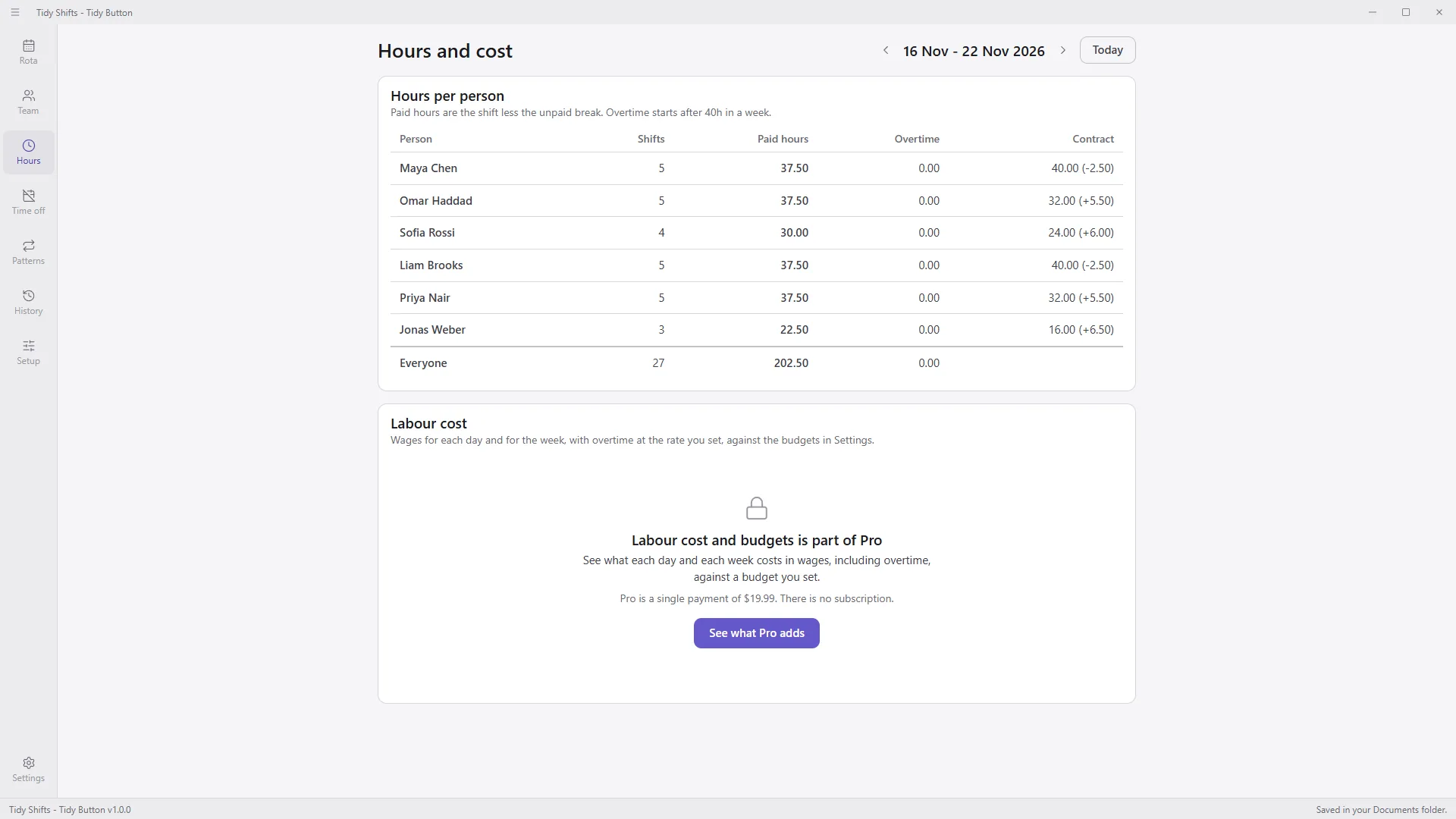
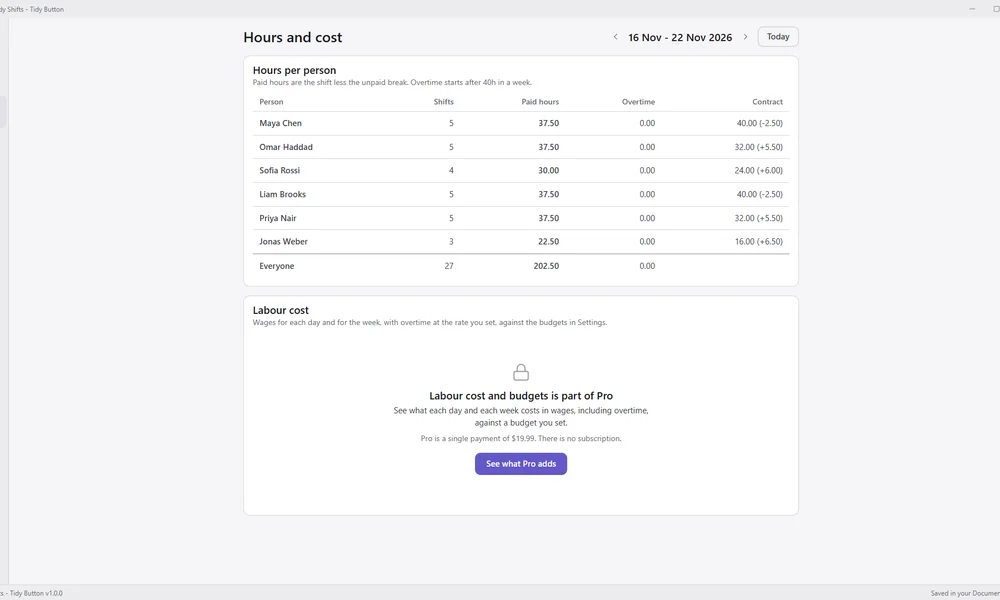
Paid hours for each person, with overtime and a comparison against each contract.
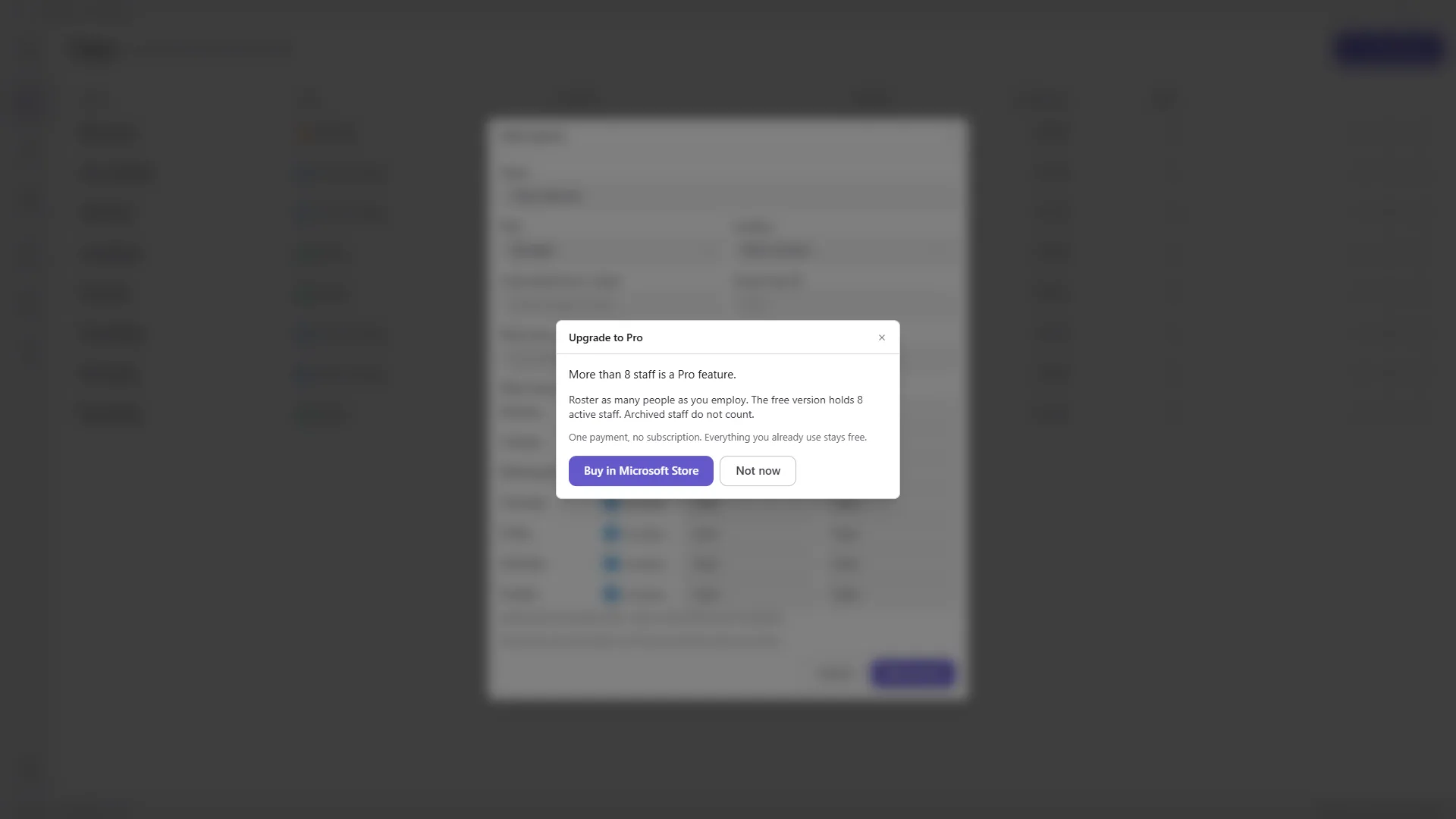
Free limit
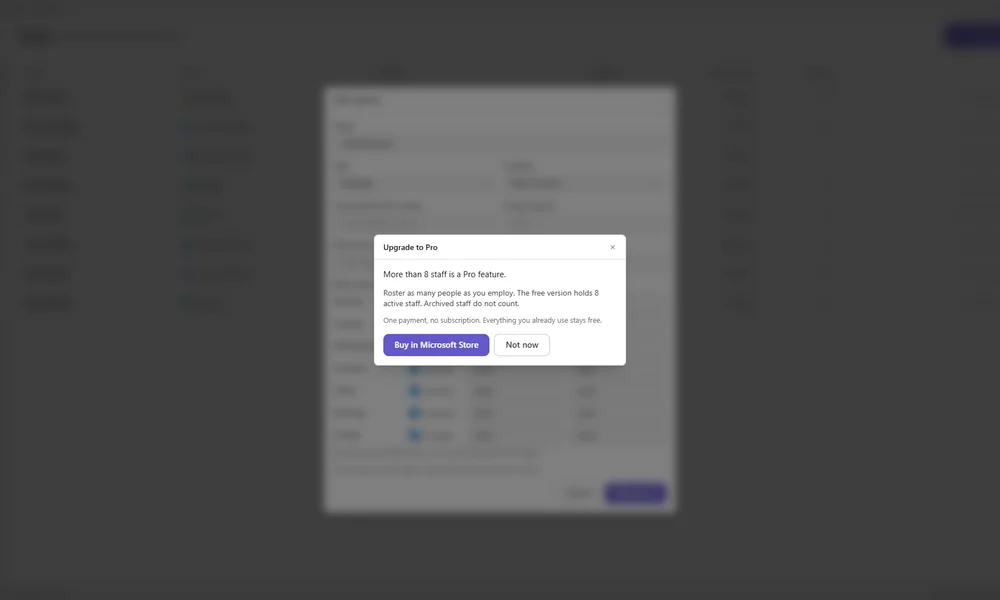
The free version holds 8 active staff. Adding a ninth shows a clear message and changes nothing.
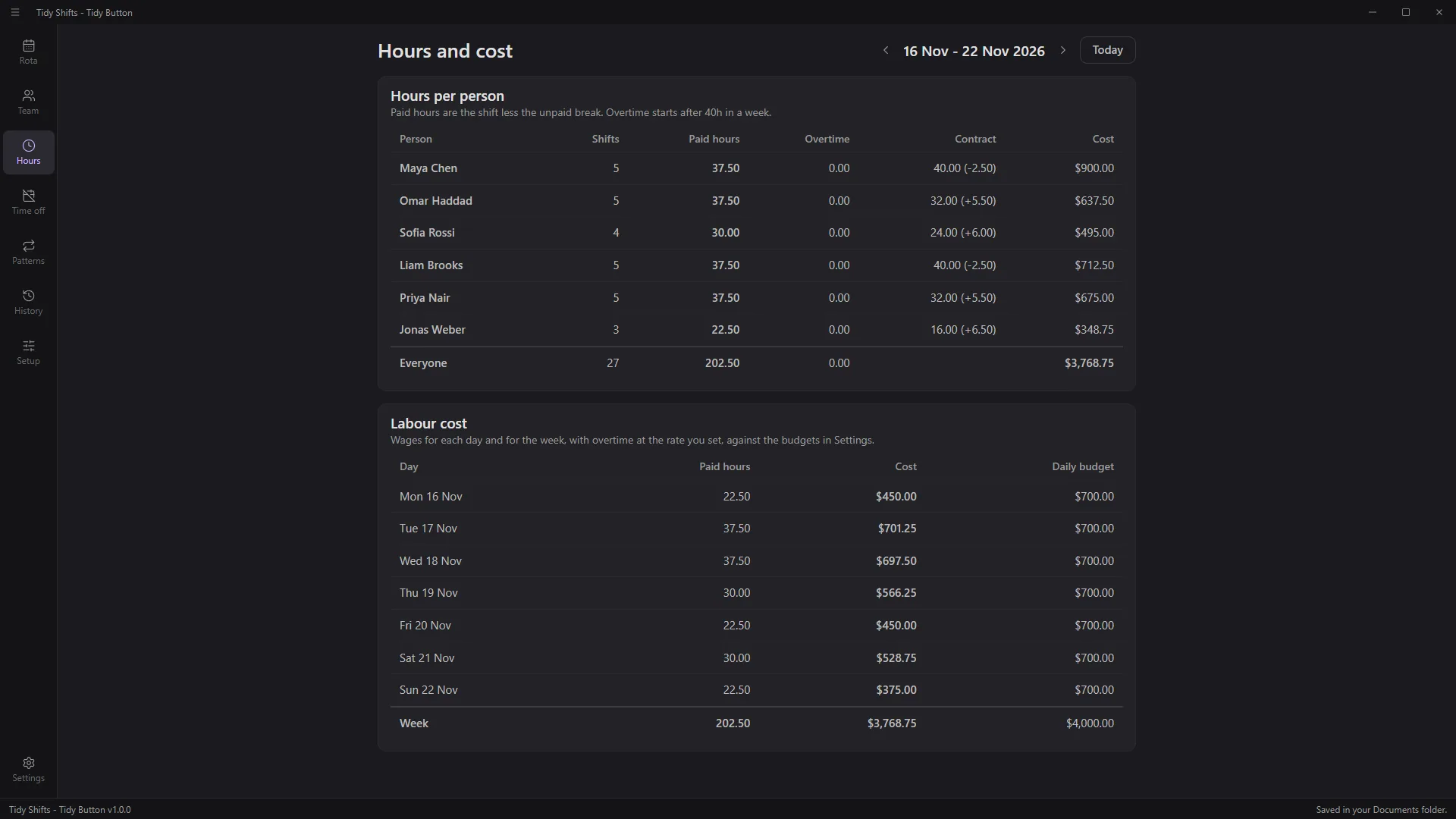
Labour cost
Pro: labour cost for every day and the week, with overtime, against the budget you set.
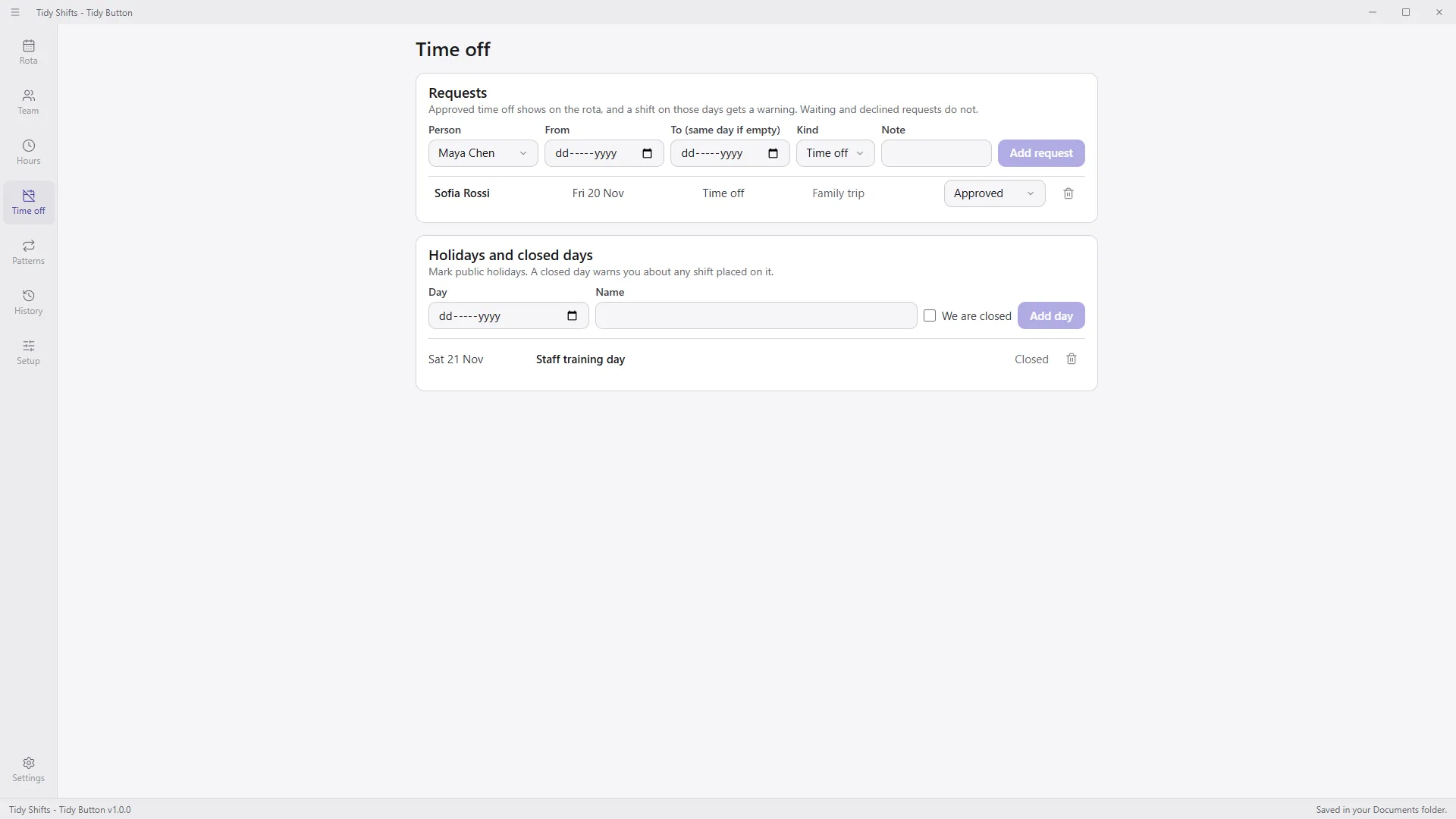
Time off
Pro: record time off and closed days. Shifts placed on them are flagged on the rota.
Export
Pro: save the rota as a PDF or spreadsheet (.xlsx) file, or make a PDF for each person.
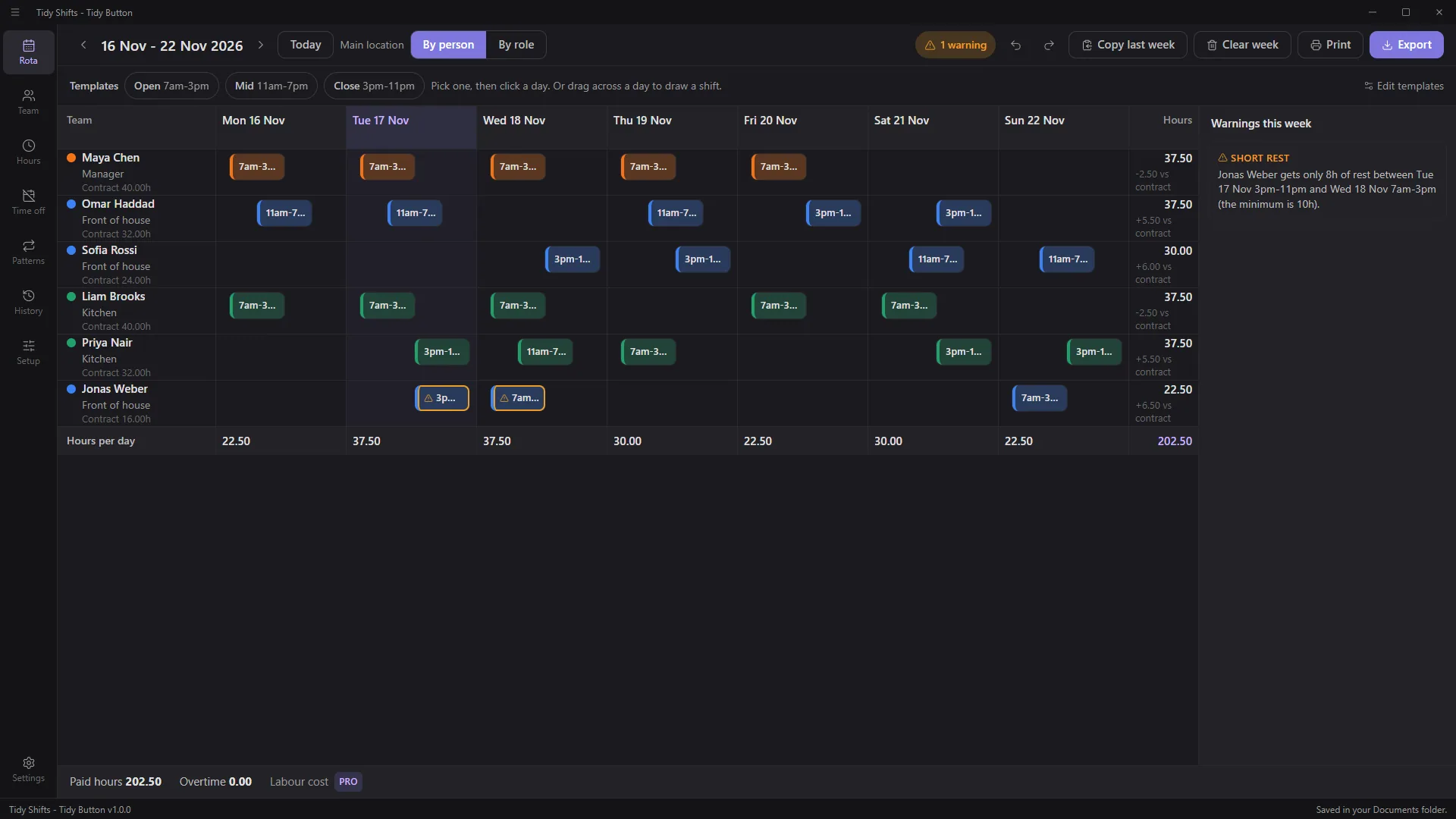
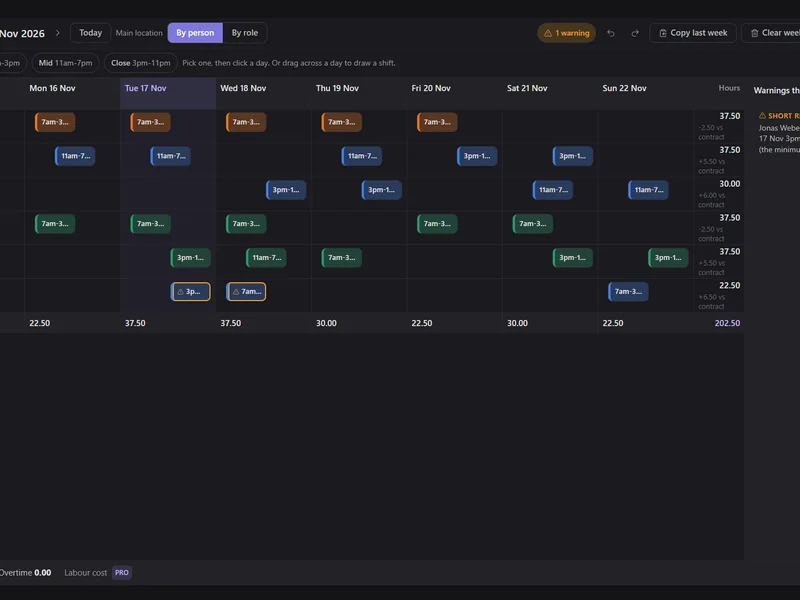
Screens show a made-up team. The app has light and dark themes.
How it works
Three steps. No manual.
01
Add your team
A new rota starts empty. Add your first person, or load a made-up team to see how it works.
02
Draw the shifts
Drag across a day to draw a shift. See each person's hours at a glance.
03
Check the warnings
Warnings name the person and the day, so you can fix a clash or too little rest.
What it does
What it does.
Tidy Shifts is a staff rota maker for small teams: shops, cafes, clinics, salons and restaurants. Build next week's rota on a grid with people down the side and days across the top, and keep everything on your own PC. No account, no subscription and no internet needed. Drag across an empty day to draw a shift. Drag a shift to another person or day, or drag its edge to change the times. The app warns you, and never blocks you, when shifts clash, when there is too little rest, or when a person goes over their weekly maximum.
A week grid
People down the side and days across the top. Drag across a day to draw a shift, drag to move it, drag an edge to resize.
Shift templates
Templates such as Open, Mid and Close that you can edit: pick one, then click a day.
Warnings, never blocks
Warnings for overlapping shifts, unavailable days, too little rest and weekly maximums.
Hours and overtime
Hours for each person and each day, with overtime after the limit you set and a comparison with each contract.
Copy last week
Start a new week from the last one without duplicating or dropping a shift. Undo and redo every change.
By person or by role
Switch between by-person and by-role views of the same rota. Overnight shifts that pass midnight are counted correctly.
Print your rota
Print the rota on A4 or US Letter, landscape. Choose the first day of the week, a 12 or 24 hour clock and the time zone.
Pro, one payment
Unlimited staff and locations, time off, labour cost, rotation patterns, PDF and spreadsheet export and change history.
The small print, in plain English
Safe by design.
Paid hours for each person, with overtime and a comparison against each contract.
Adding a ninth person to the free version shows a clear message and changes nothing.
Works fully offline. No account and no sign-in.
Names, pay rates and shifts are never sent anywhere.
Your rota is saved as you work in a folder in Documents, with automatic backups you can restore from.
No analytics, no advertising, no account, no cookies.
Pro is one payment, not a subscription.
What Pro adds
Your team, no limits.
Keep the free rota maker as it is, or add Pro once.
Labour cost for every day and the week, against the budget you set.
Staff
No limit
Unlimited staff and locations. The free version holds 8 active staff at 1 location.
Time off
No clashes
Time off and holiday days with warnings. Shifts placed on them are flagged on the rota.
Labour cost
Know the spend
Labour cost for each day and week against a budget you set.
Rotation
Plan ahead
Patterns that fill a saved 2 or 4 week rota into the weeks ahead.
Export
Share it
Save the rota as a PDF or a spreadsheet (.xlsx) file, plus a separate PDF for each person with only their own shifts and hours.
History
See what changed
A change history of the rota.
Pro is a one-time payment of $19.99, not a subscription. Everything in the free version stays free.
Good for
Handy when you run a small team.
Shops, cafes and restaurants
Clinics and salons
Small teams that need next week's rota on one page
Spotting clashes, short rest and long hours before they happen
Questions
Plain answers.
Do I need an account?
No. There is no account, no sign-in, no subscription and no internet needed.
Where is my rota kept?
On your PC, in a folder in Documents, with automatic backups you can restore from. Names, pay rates and shifts are never sent anywhere.
Will it stop me making a mistake?
It warns you but never blocks you. You get a warning when shifts overlap, when someone is rostered outside the hours they are available, when there is too little rest, or when a person goes over their weekly maximum.
Does it handle overnight shifts?
Yes. Shifts that pass midnight are counted correctly, including across clock changes.
What is the free limit?
Up to 8 active staff at 1 location, with the week grid, templates, all warnings, hours and overtime, copy last week, undo and redo, printing and backups.
What does Pro add?
Unlimited staff and locations, time off and holiday days, labour cost against a budget, rotation patterns, PDF and spreadsheet (.xlsx) export, a PDF for each person and a change history, for one payment of $19.99.