We will link the Store listing here the day it is live. Until then there is nothing to download.
Real app, with sample device output.
No time limit
Reconnects by itself
No account, no tracking
Free
See it
Eight views. One clear terminal.
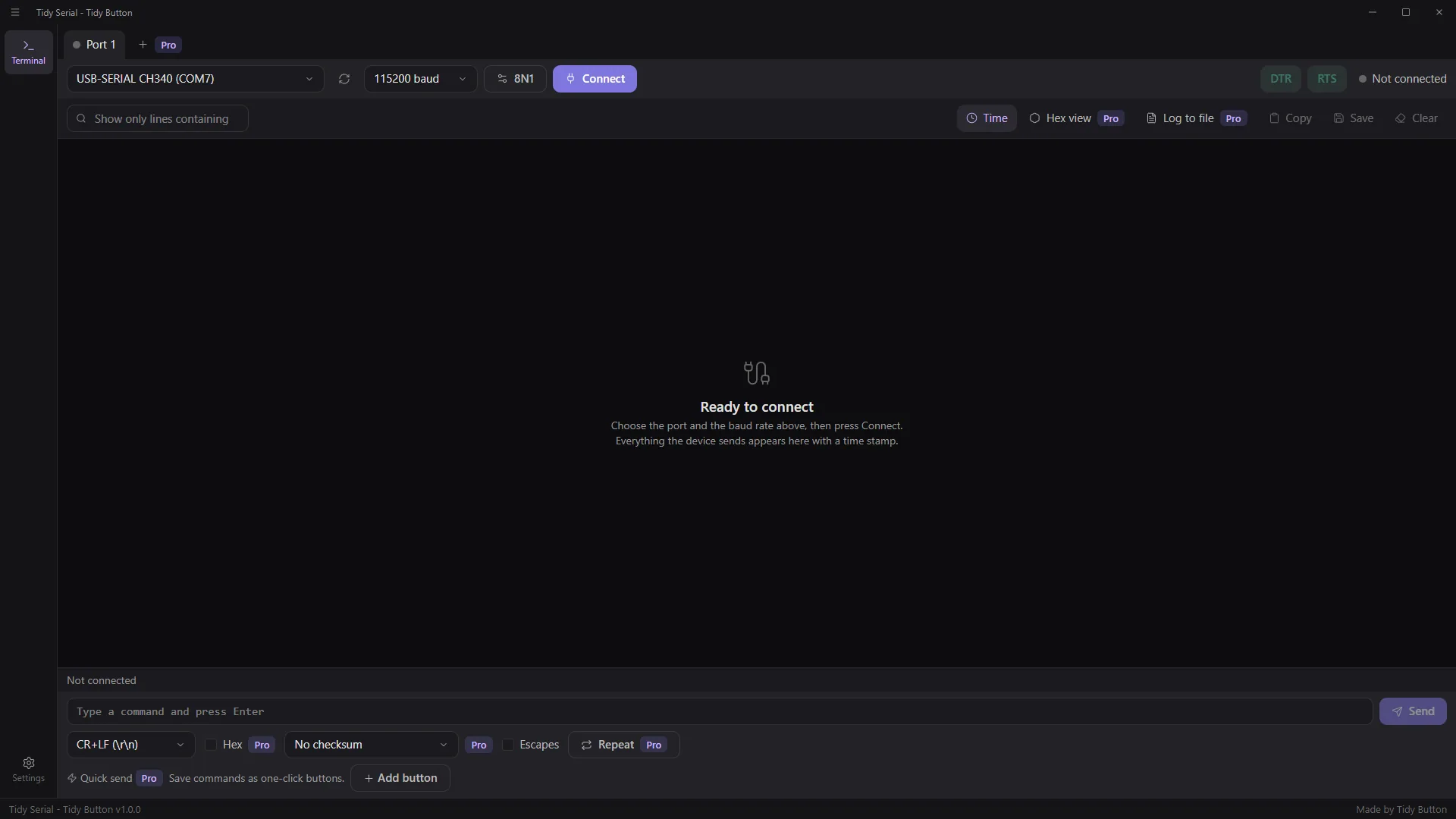
Connect
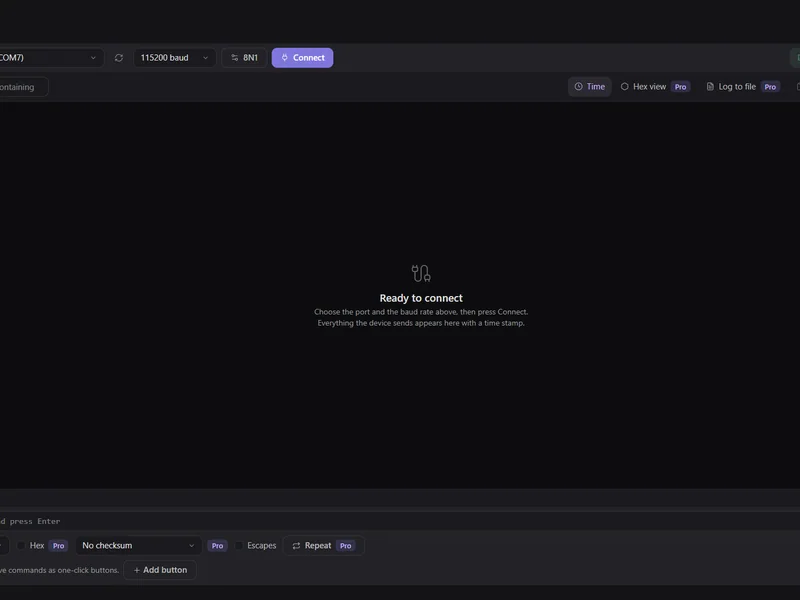
Pick a port and a speed, then press Connect. The list shows friendly names such as USB-SERIAL CH340 (COM7).
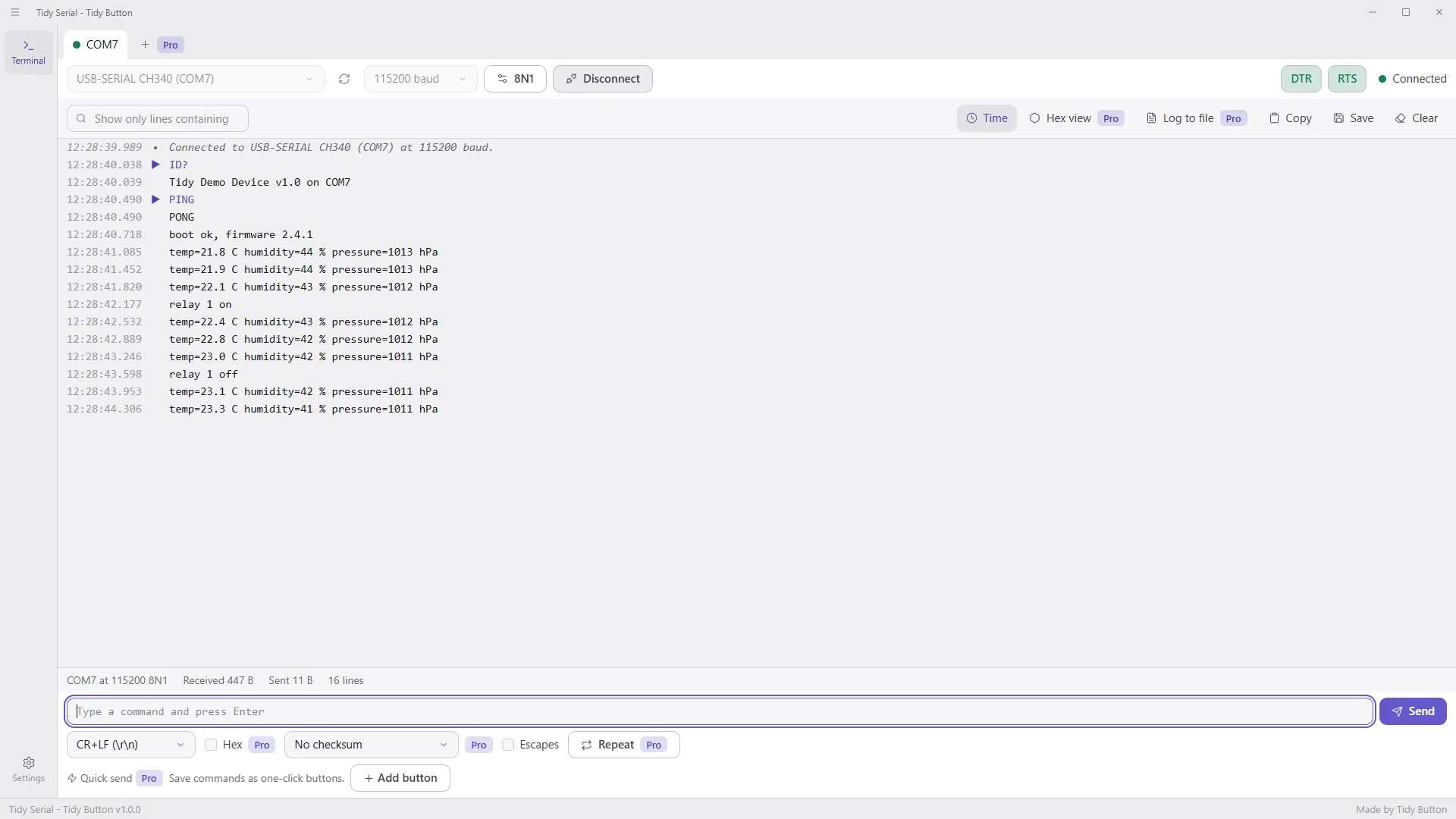
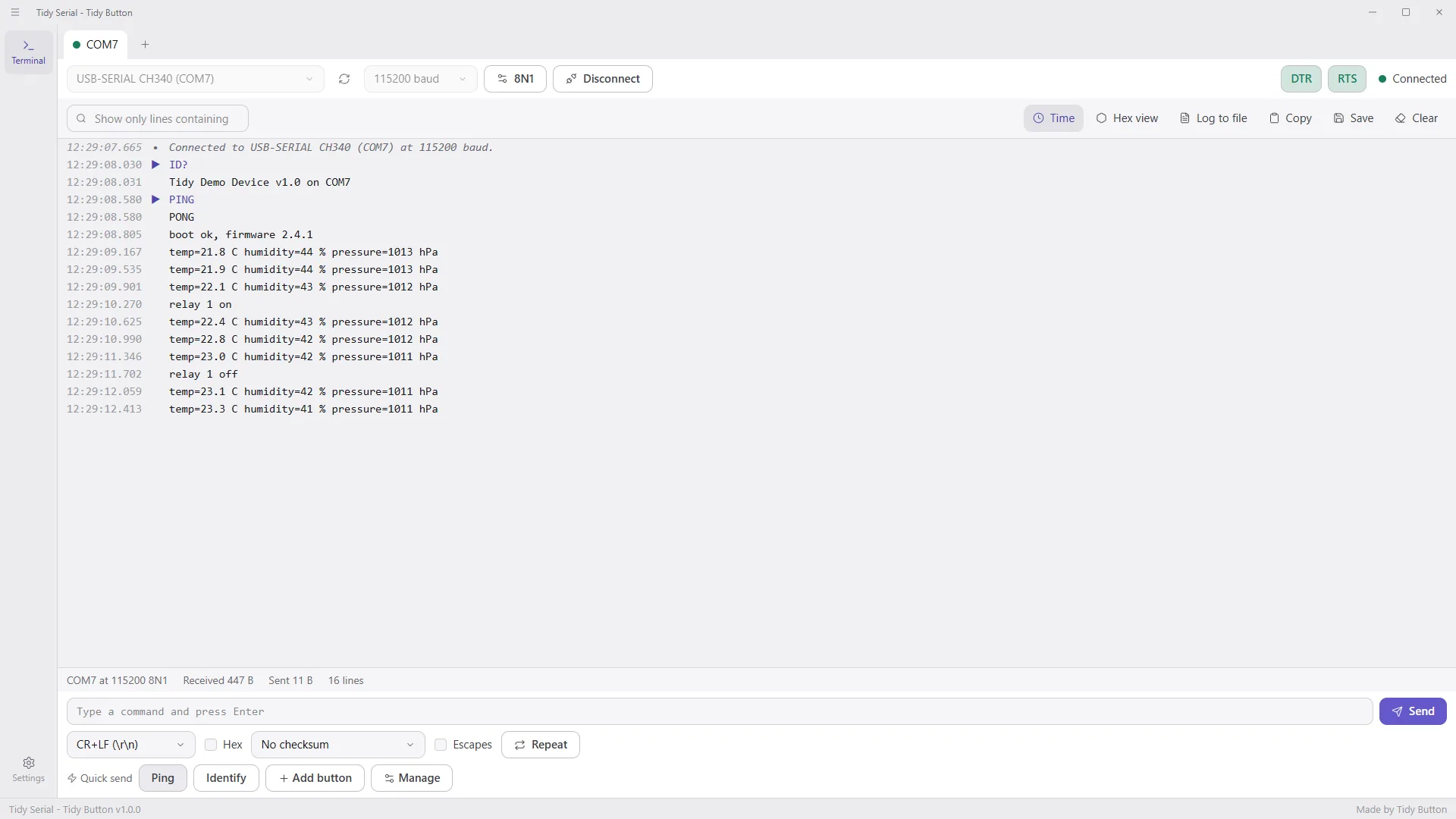
Output
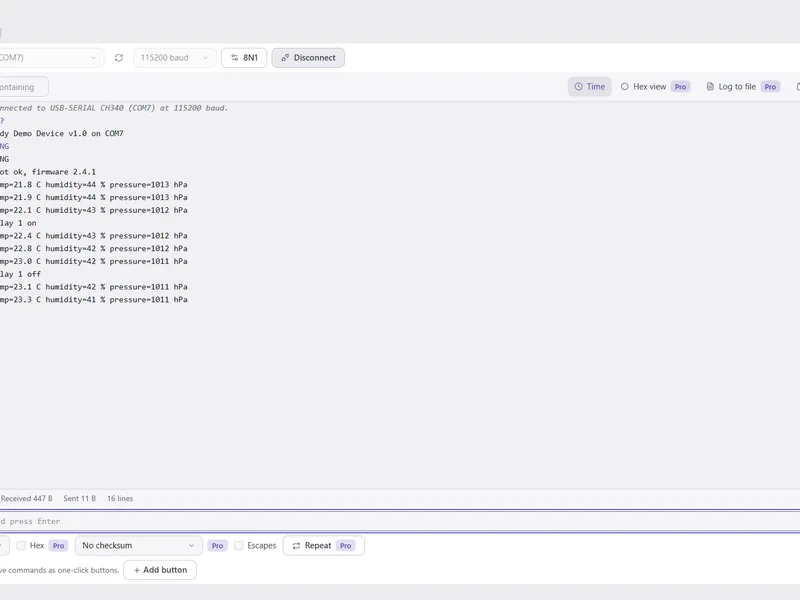
Everything the device sends appears with a time stamp down to the millisecond, next to the commands you sent.
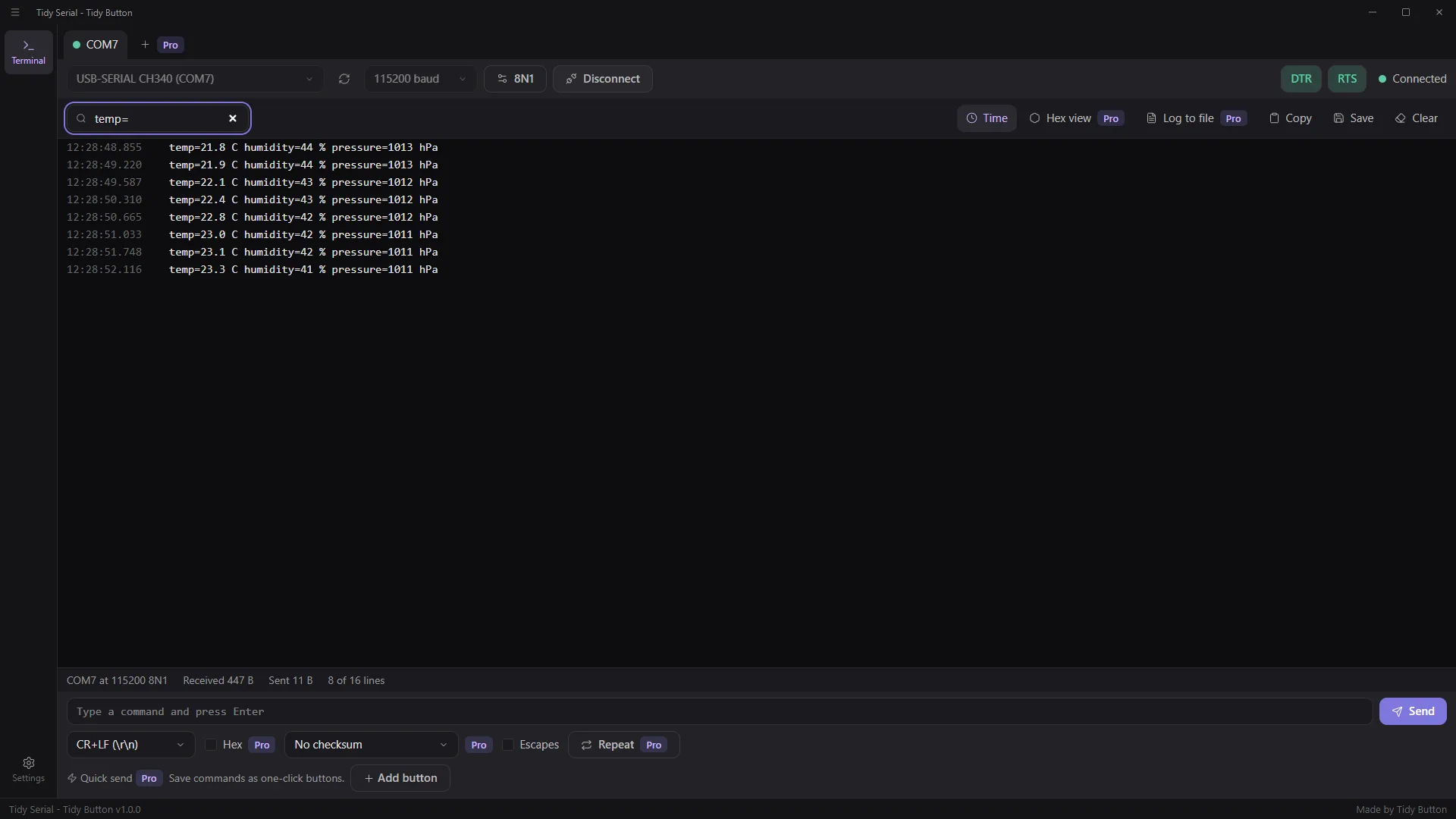
Filter
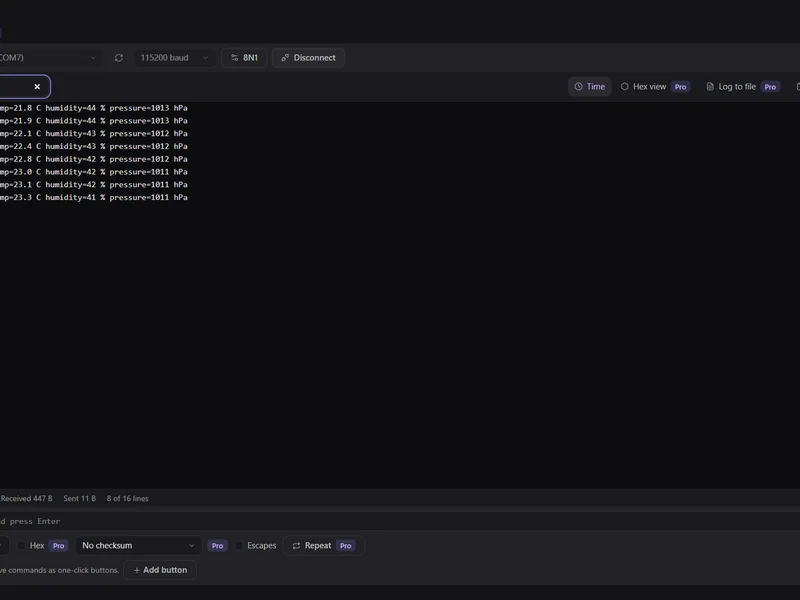
Show only the lines that contain a word, and see how many of the stored lines match.
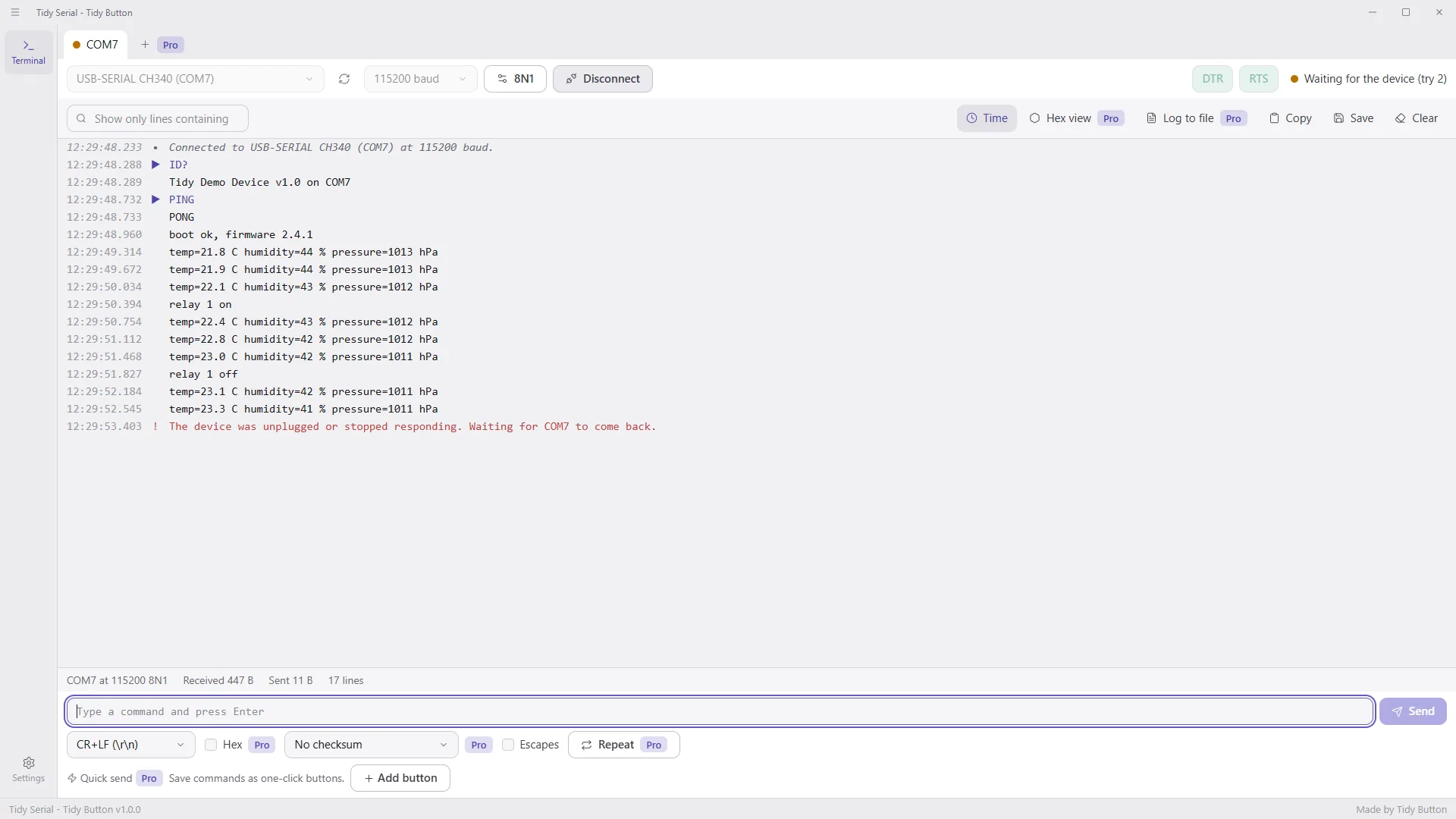
Unplugged
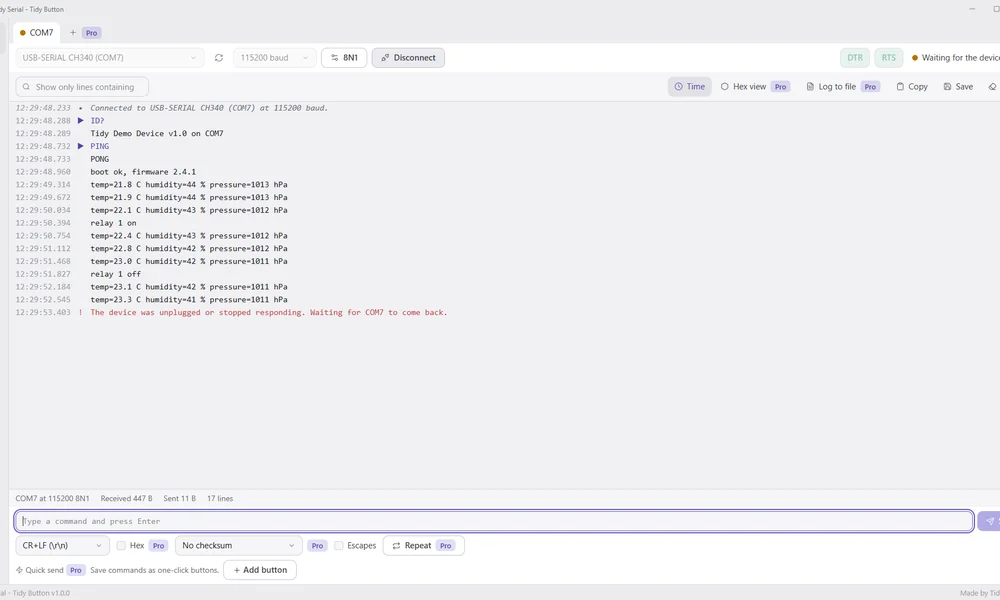
When a USB device is unplugged the app says so, keeps your earlier output and waits for it to come back.
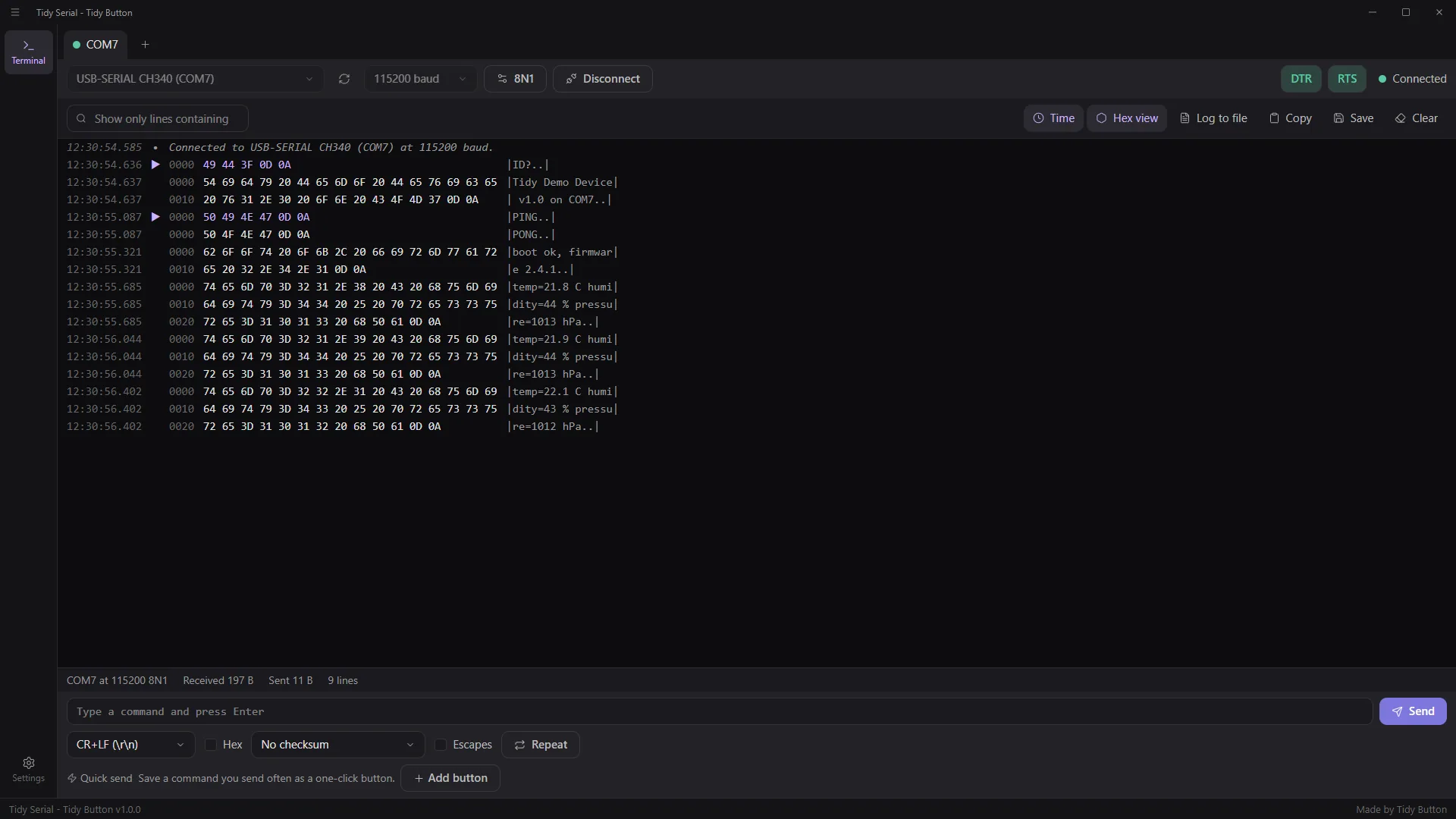
Hex view
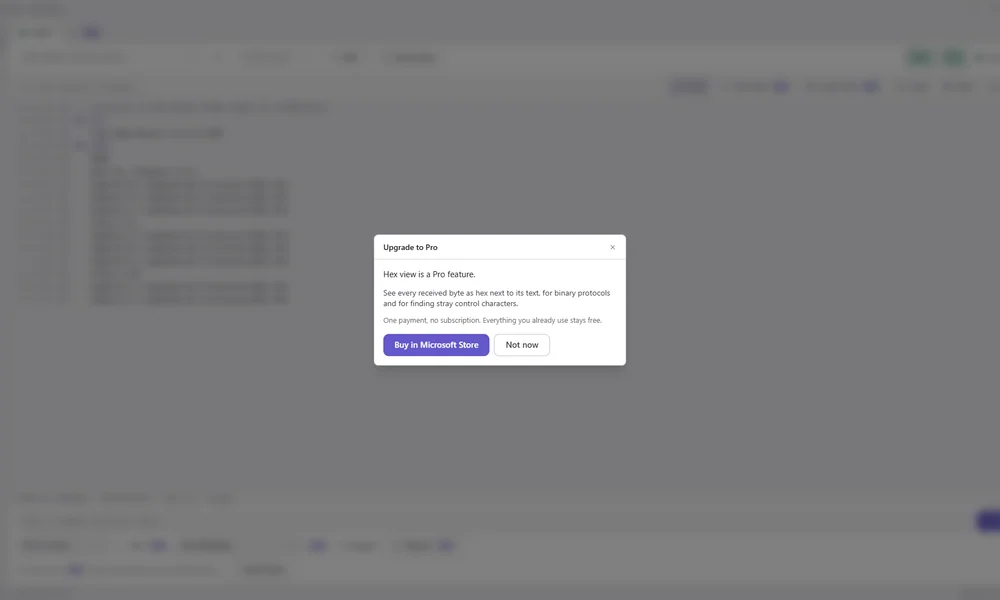
Pro: see every byte as hex next to its text, for binary protocols and stray control characters.
Quick send
Pro: save the commands you repeat as one-click buttons under the send bar.
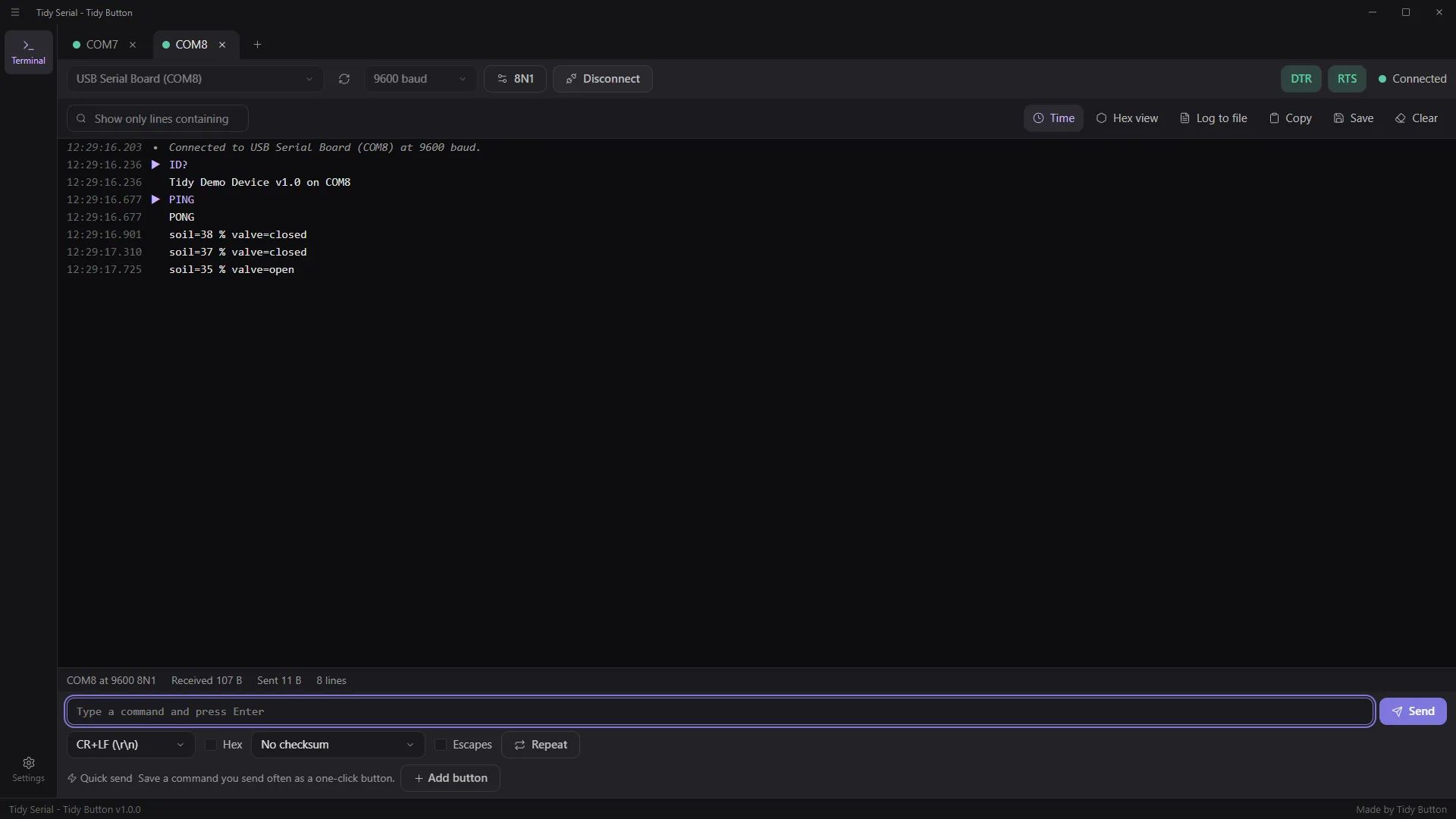
Two ports
Pro: keep several ports open at once, each in its own tab with its own speed and history.
Free
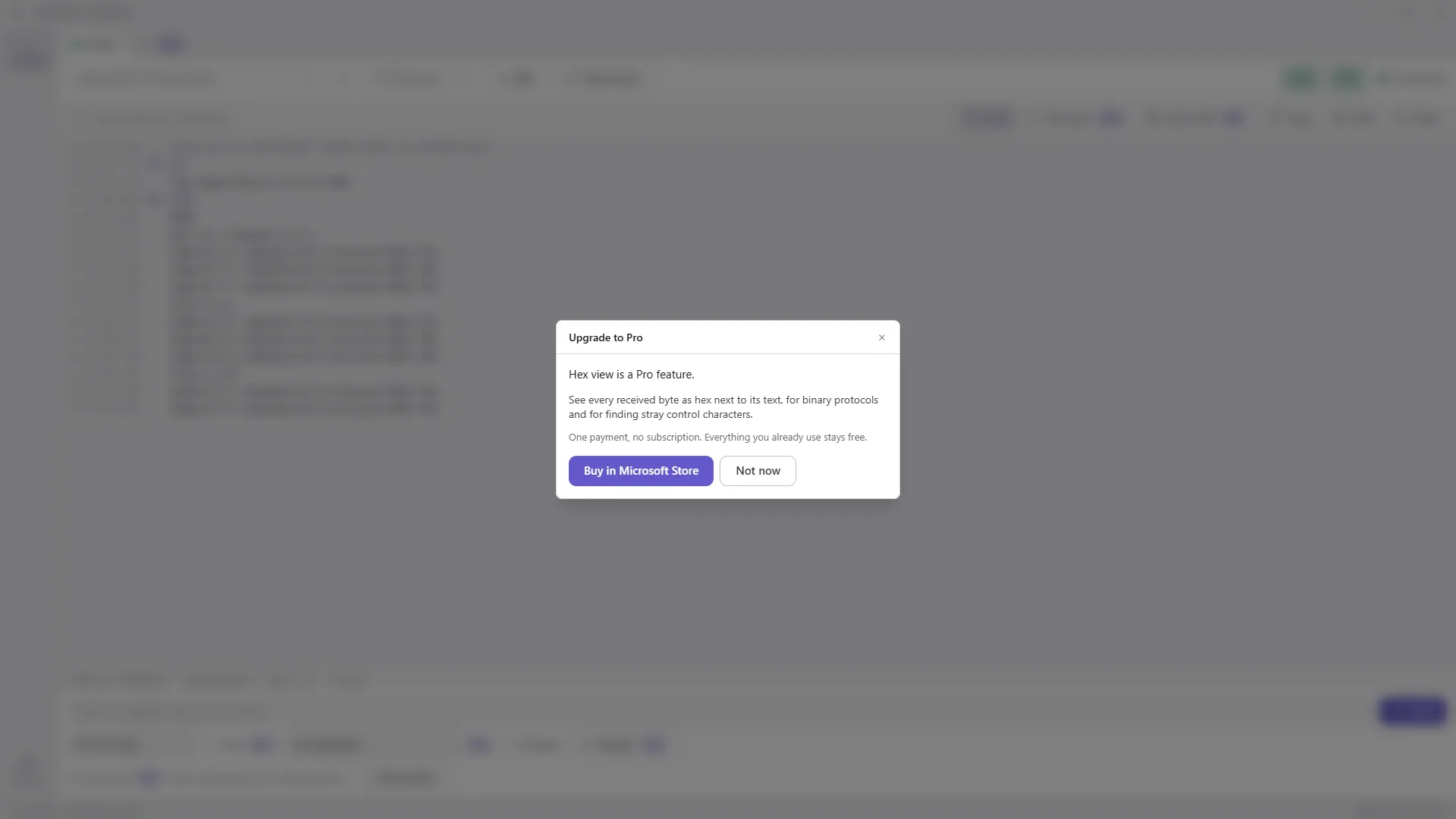
Pro features show a short, plain prompt only when you touch them. Everything else stays free, with no time limit.
Screens show sample device output. The app has light and dark themes.
How it works
Three steps. No manual.
01
Pick a port
Choose a COM port and the speed, then press Connect.
02
Read and send
See each line with a time stamp. Type a command, press Enter and read the answer.
03
Filter the output
Show only the lines that contain a word, or copy or save the output.
What it does
What it does.
Tidy Serial is a serial port terminal for Windows. Pick a COM port, choose the speed, press Connect, and see everything the device sends, each line with a time stamp down to the millisecond. Type a command, press Enter, and read the answer. When something goes wrong the app tells you in plain words. If a USB adapter is unplugged and plugged in again, the app waits and reopens the port on its own, and your earlier output stays on screen.
Time-stamped output
Every line the device sends carries a time stamp with millisecond precision, next to the commands you sent.
Any port setting
Baud rate, data bits, parity, stop bits and flow control (none, RTS/CTS, XON/XOFF), with friendly port names and a refresh button.
Send with a line ending
Send text with no line ending, LF, CR or CRLF, with command history.
Reconnects by itself
When a USB device is unplugged and plugged in again, the app reopens the port and keeps your earlier output.
Plain-language messages
A busy port, an unplugged device or a driver problem gets a clear message that names the port and says what to try.
Filter, copy and save
Filter lines by text, copy the output, or save it to a text file. A cap on stored lines protects memory.
DTR, RTS and themes
DTR and RTS switches, an always-on-top option, and light and dark themes.
Pro, one payment
Hex view, quick-send buttons, logging to a file, up to 8 ports in tabs, checksums and scheduled sends.
The small print, in plain English
Safe by design.
When a USB device is unplugged the app says so and keeps your earlier output.
Pro features show a prompt only when you touch them. Everything else stays free.
The free app is complete for one device. There is no trial and no timer.
Your output stays on your PC. Nothing about your devices is sent anywhere.
Settings and buttons are backed up to your Documents folder.
No account, no tracking, no ads.
Pro is a single payment, with no subscription.
What Pro adds
Your ports, your tools.
Keep the free terminal as it is, or add Pro once.
See every byte as hex next to its text.
Hex
Every byte
Hex view with an ASCII column, and hex send.
Quick send
One click
Buttons for the commands you repeat, up to 100.
Logging
Keep a record
Log everything to a file in Documents.
Ports
Side by side
Up to 8 ports open at once, each in its own tab.
Checksums
Get it right
A checksum helper for sent data: sum, XOR, LRC, CRC-16, CRC-32 and NMEA.
Schedule
On a timer
Send a message on a repeating schedule, from every 100 ms to every hour.
Pro is a one-time payment, not a subscription. Everything in the free version stays free.
Good for
Handy when you talk to hardware.
Makers and embedded developers talking to hardware
Repair technicians with a device on a USB-serial adapter
Reading a console cable with time-stamped lines
Watching a device that gets unplugged and plugged in again
Questions
Plain answers.
Do I need an account?
No. There is no account, no tracking and no ads.
Is there a trial or a timer?
No. The free app is complete for one device, with no trial and no timer.
What happens if I unplug the USB adapter?
The app tells you in plain words, keeps your earlier output on screen, and reopens the port on its own when the adapter is plugged in again.
Where is my output kept?
In memory on your PC. It is written to a file only when you press Save, or turn on logging (Pro). Nothing about your devices is sent anywhere.
Can I use more than one port?
The free app works with one port at a time. Pro lets you keep up to 8 ports open at once, each in its own tab.
What does Pro add?
Hex view and hex send, quick-send buttons, logging to a file, several ports in tabs, a checksum helper and scheduled sends, for one payment with no subscription.
Which port settings can I change?
Any baud rate, data bits, parity, stop bits and flow control (none, RTS/CTS, XON/XOFF).