We will link the Store listing here the day it is live. Until then there is nothing to download.
Real app, with made-up sample names.
Names stay on your PC
Works offline
No account, no tracking
Free for 40 seats
See it
Eight views. One clear page.
Start
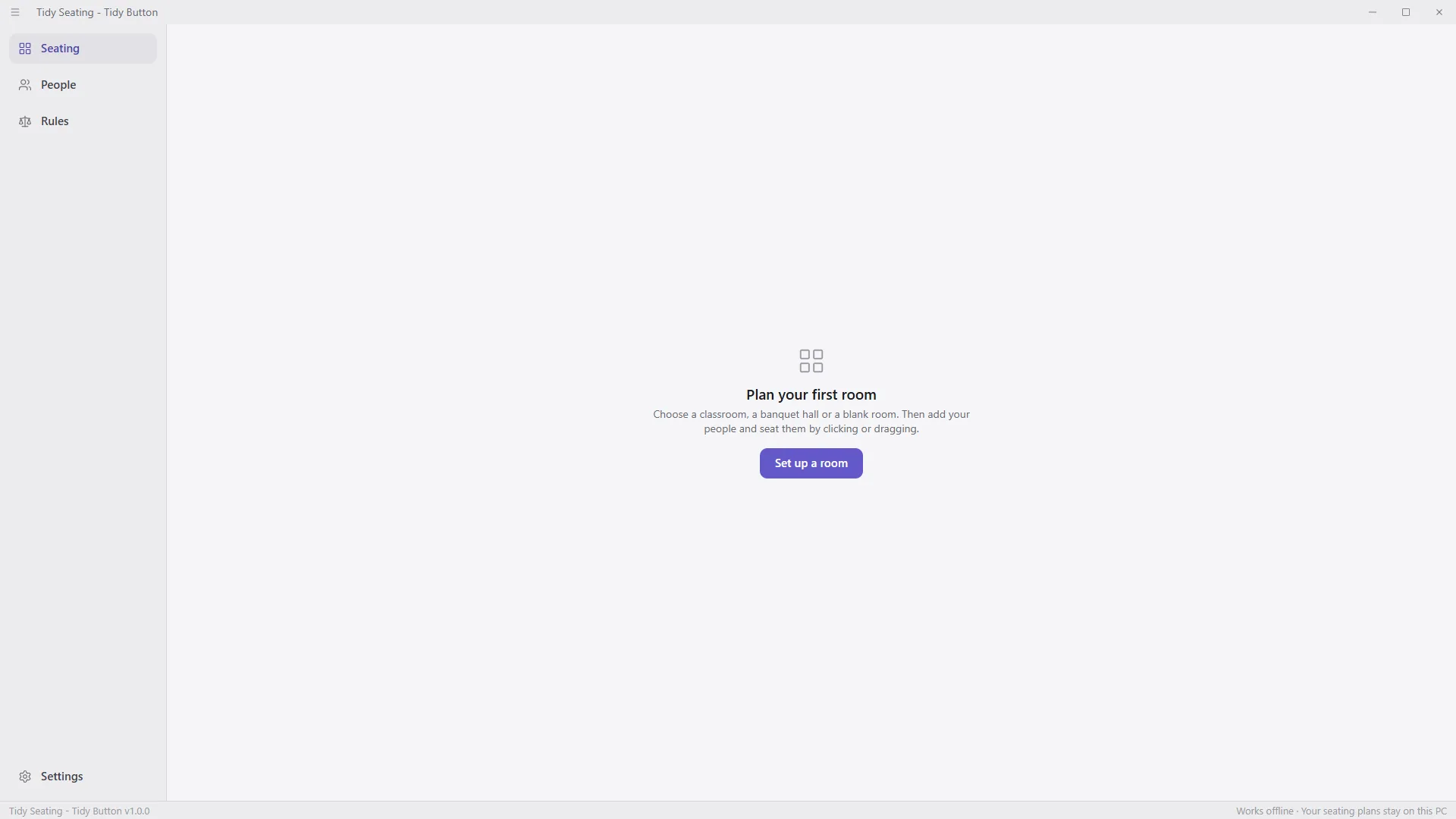
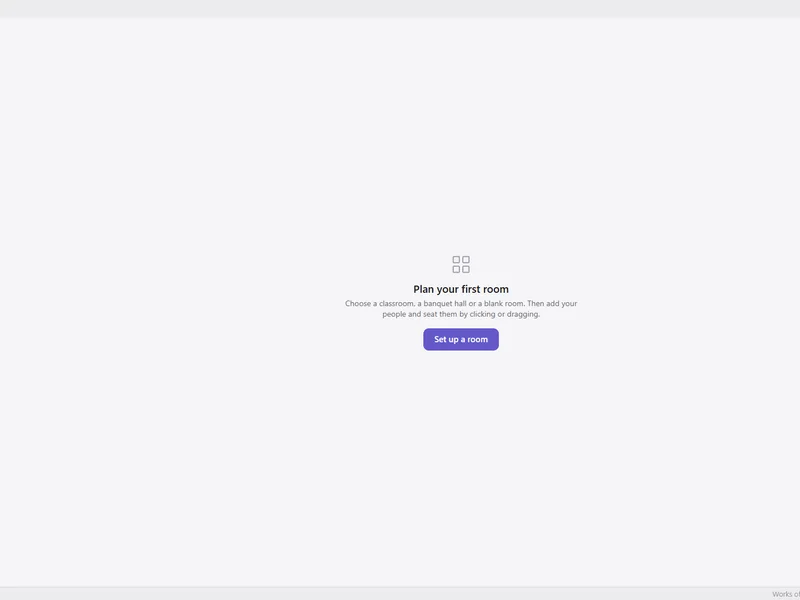
Start with a blank page: set up a classroom, a banquet hall or an empty room in one click.
People
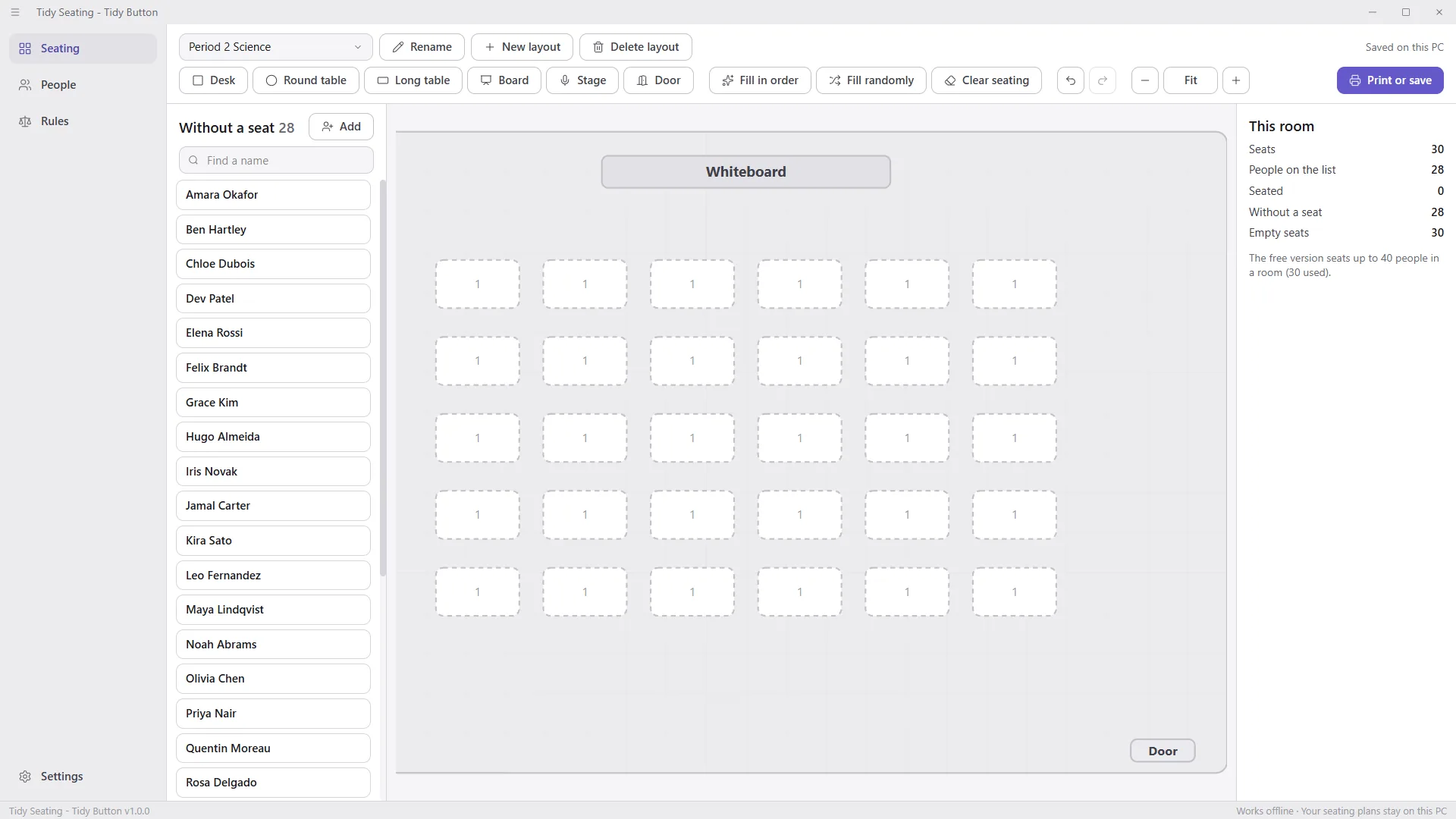
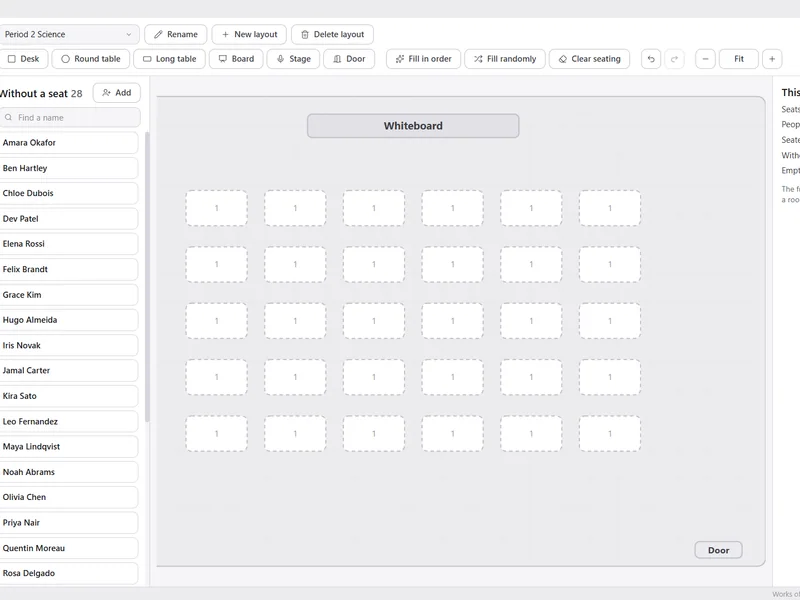
Paste a class list or guest list, or import a CSV or TXT file. Every name waits on the left, ready to place.
Seated
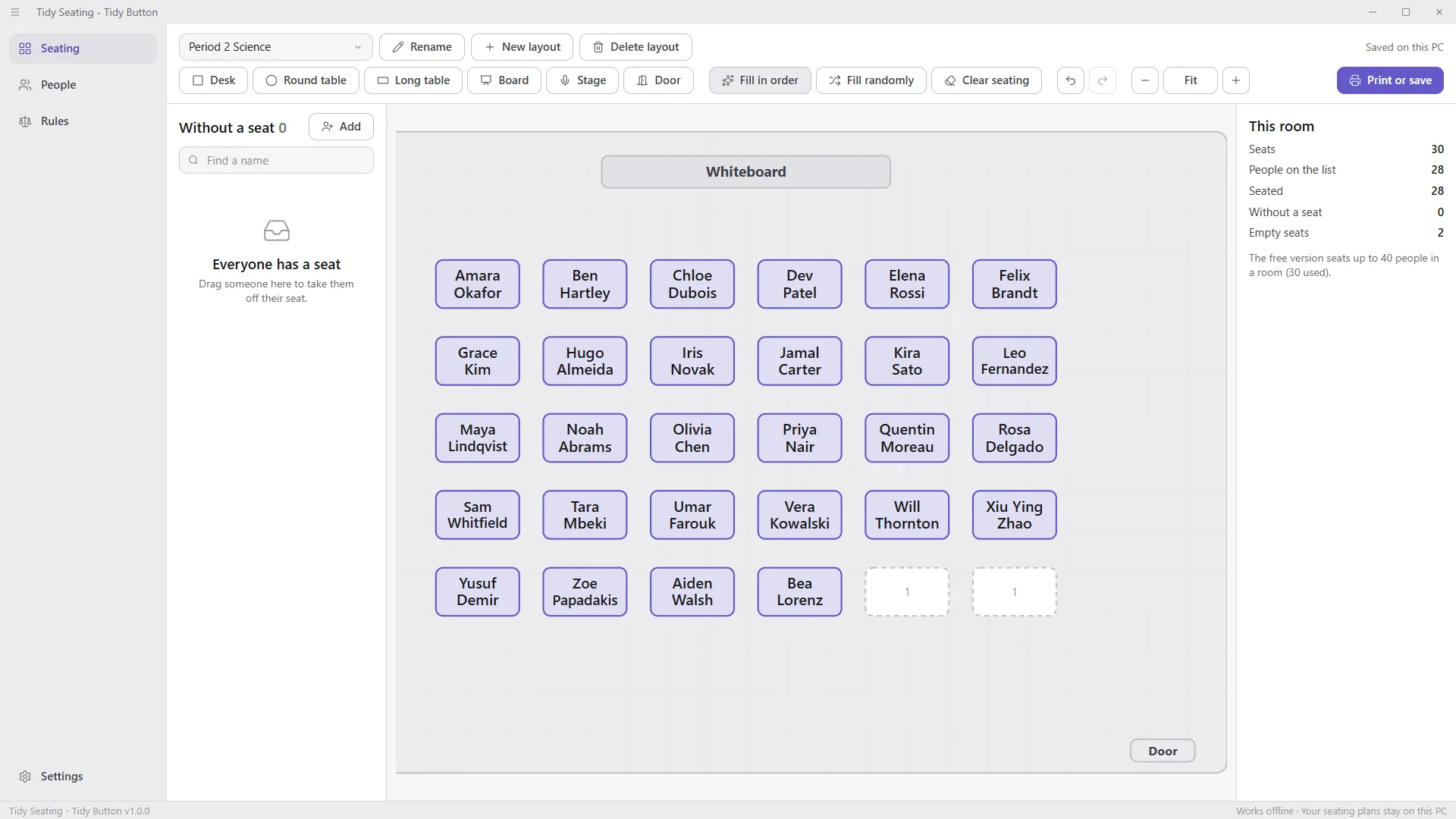
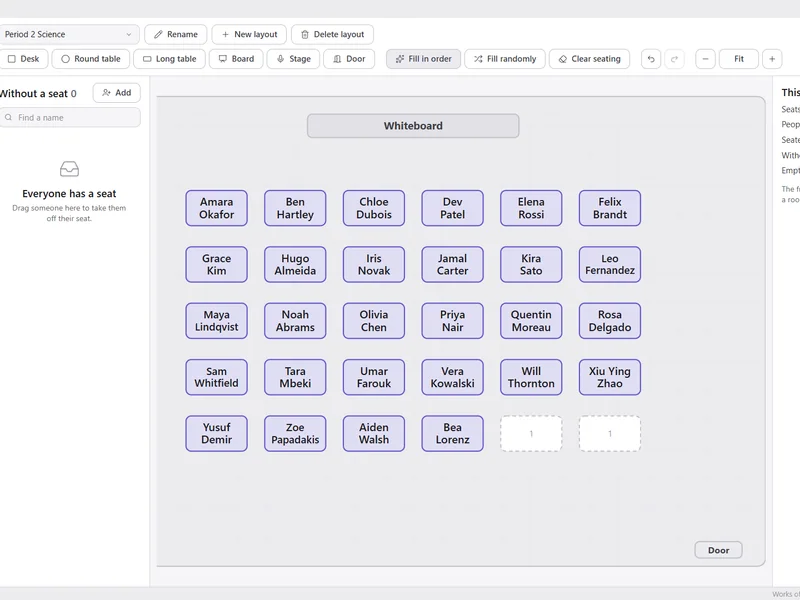
Seat everyone by clicking or dragging, or fill the empty seats in list order or at random. Names stay large and easy to read.
Print
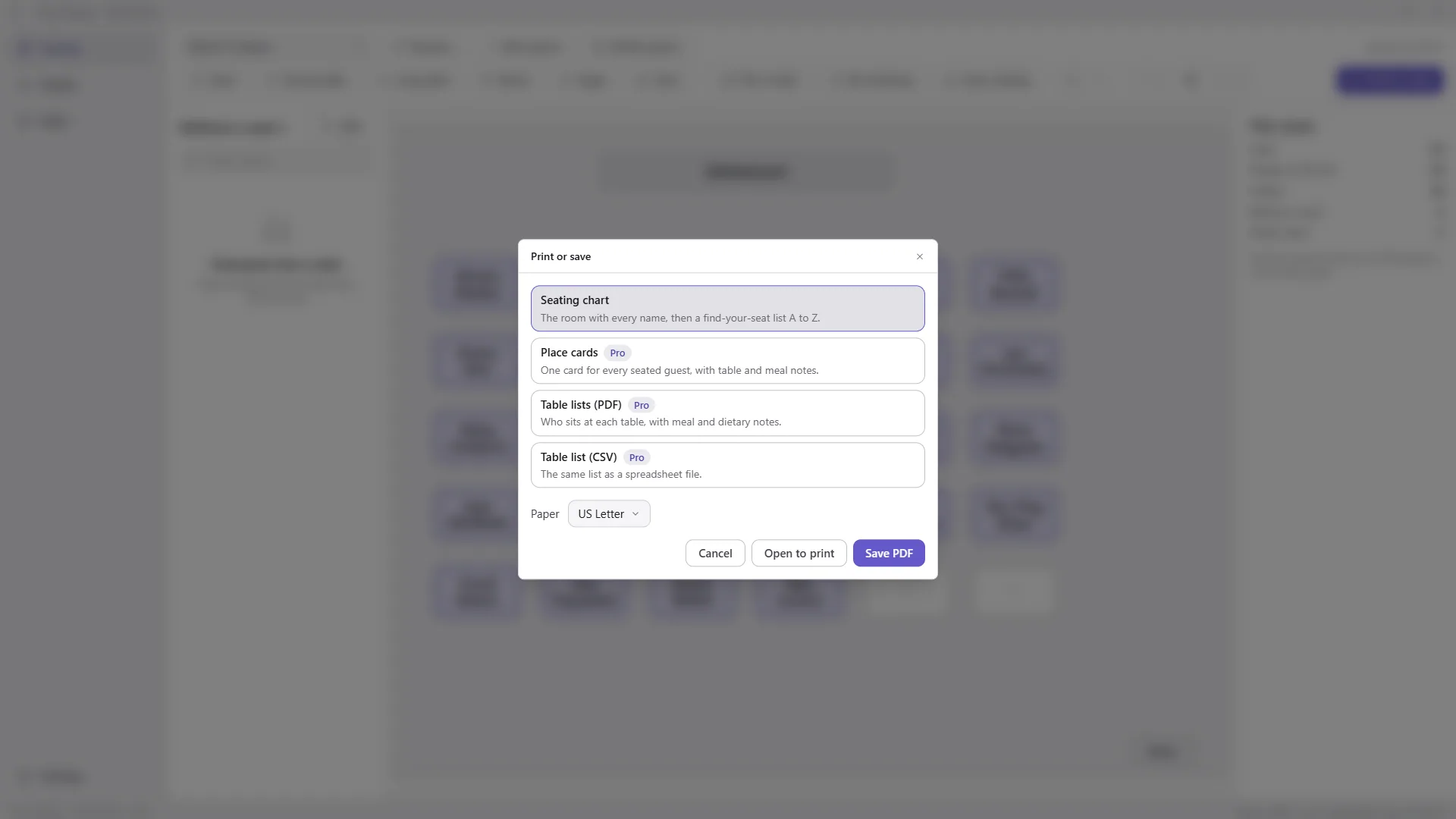
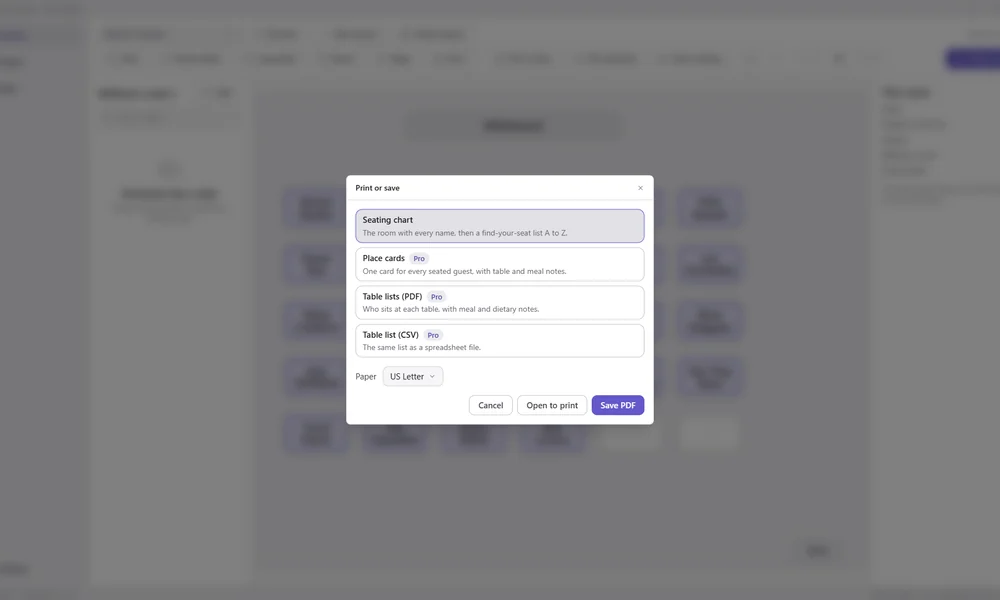
Print or save one clear page: the room with every name, then a find-your-seat list from A to Z. US Letter or A4.
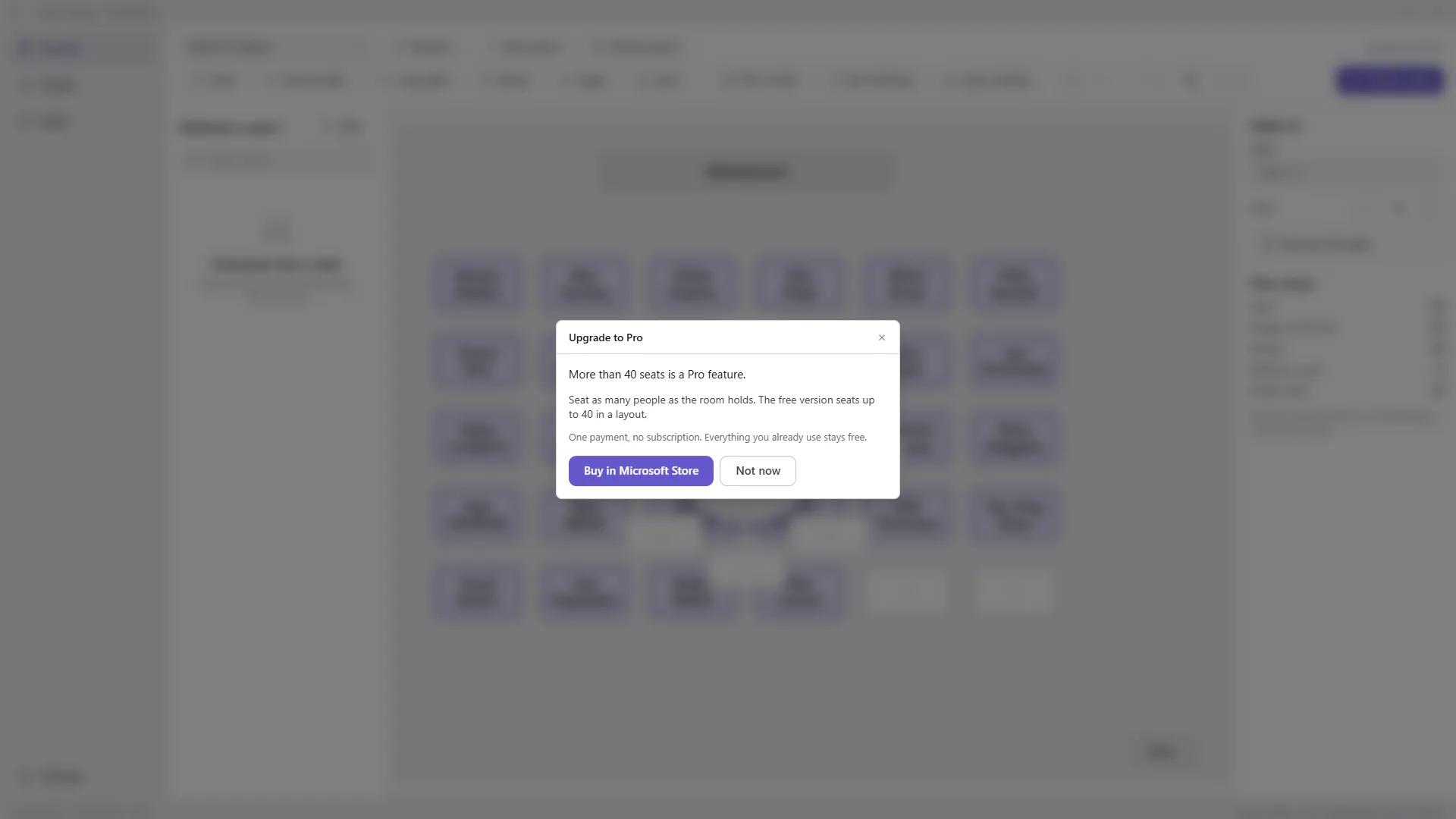
Free limit
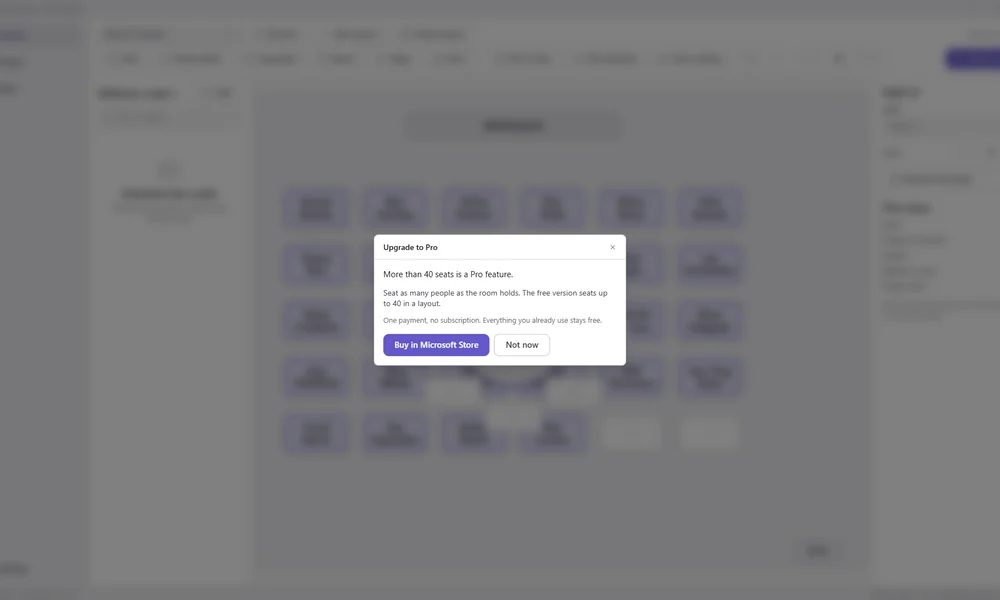
The free version seats up to 40 people in one room. Going past that shows a calm prompt, and nothing you made is lost.
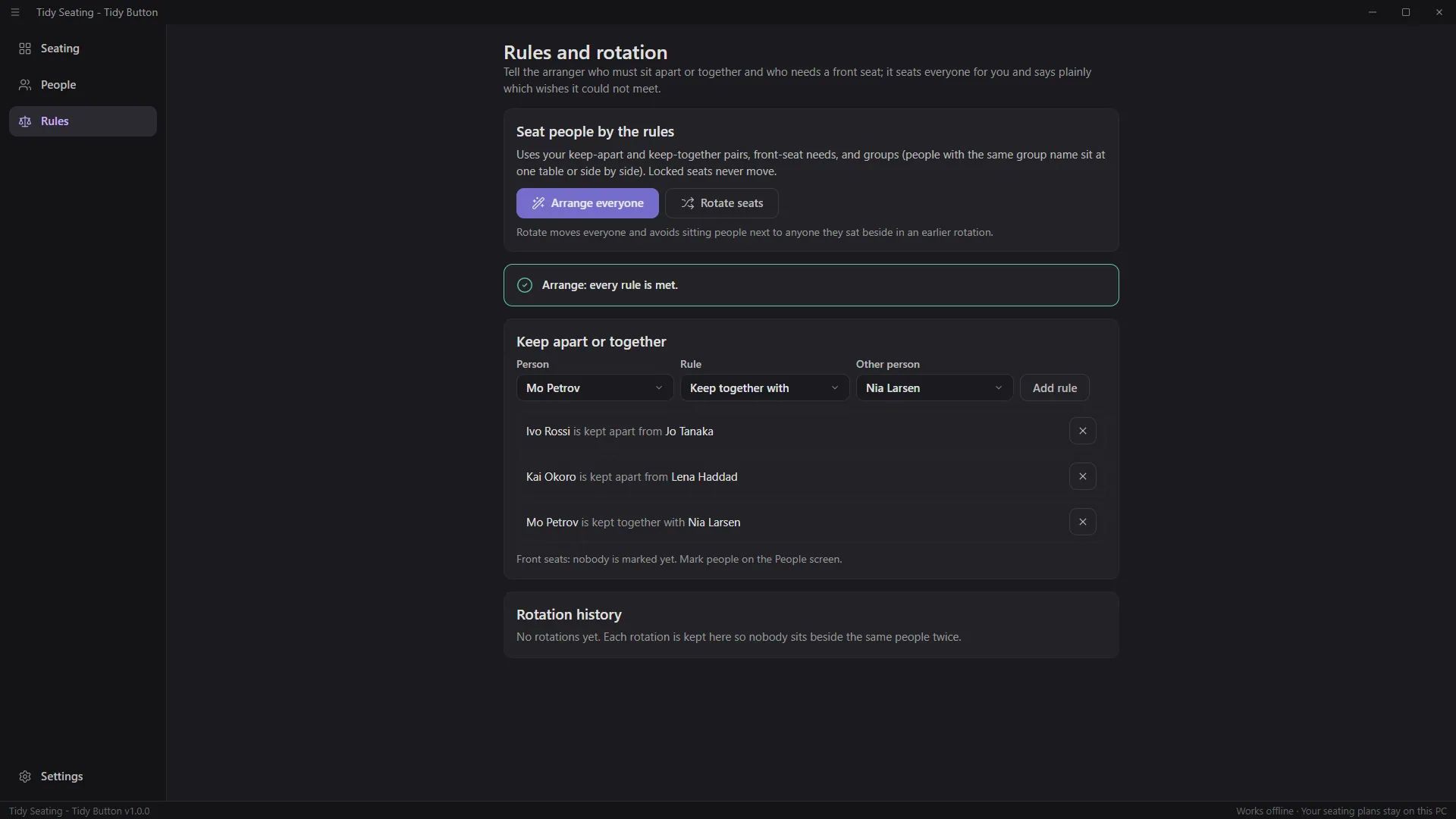
Rules
Pro: tell the arranger who must sit apart or together. It seats everyone and reports plainly if a wish could not be met.
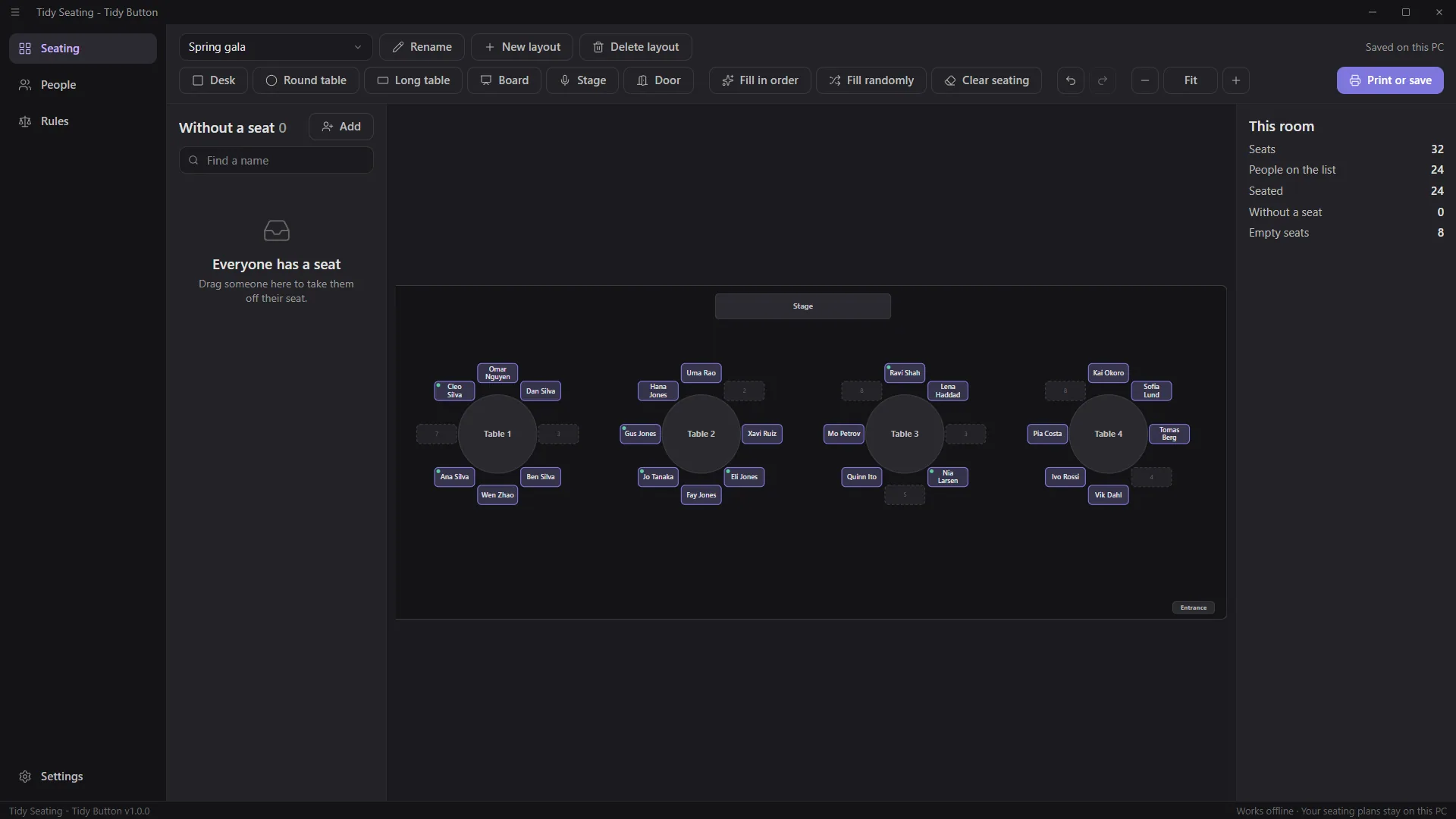
Event
Pro: seat a whole event at round tables, with group seating that keeps families together. Shown in the dark theme.
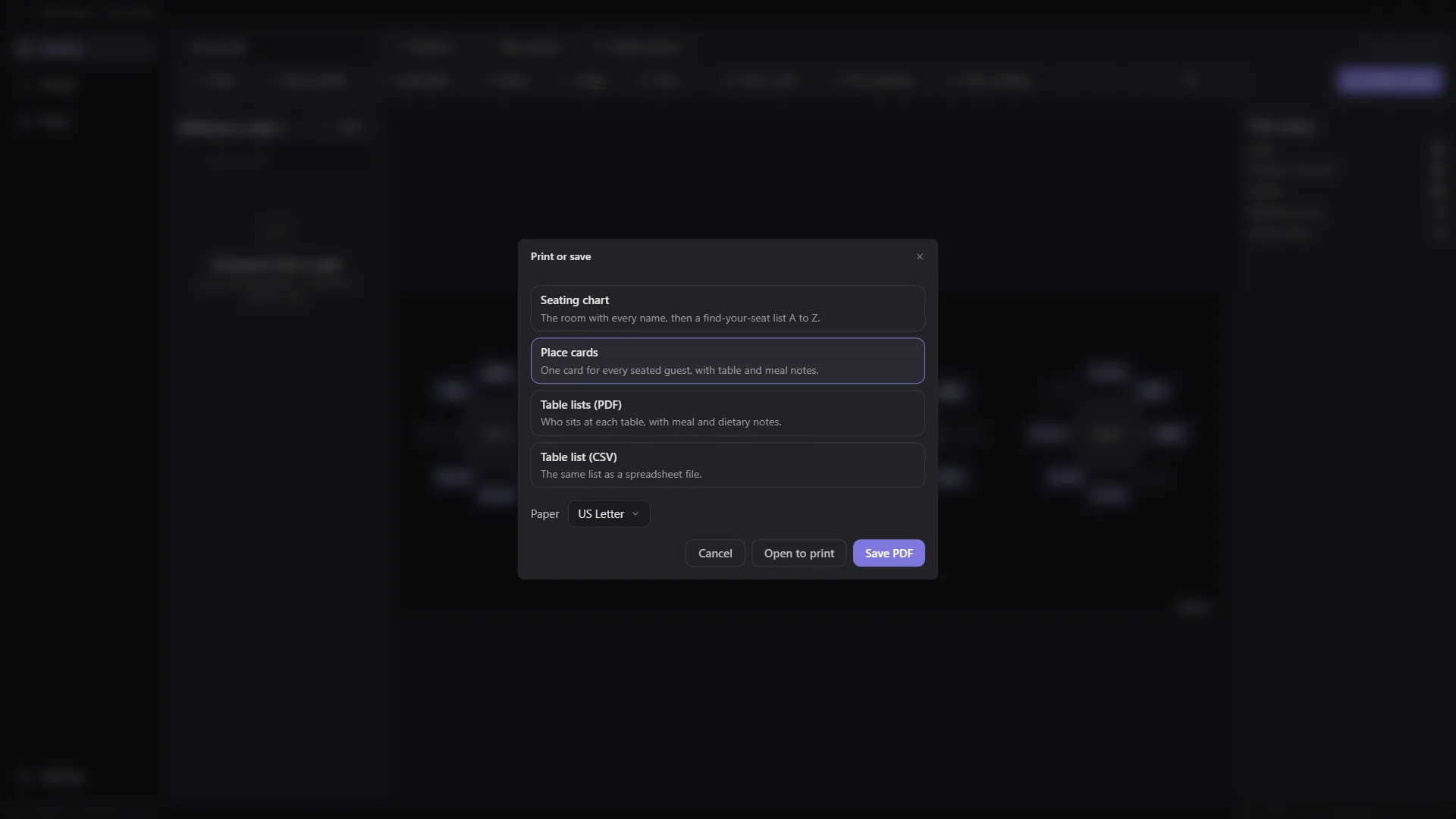
Place cards
Pro: print place cards for every seated guest, or save table lists as PDF or CSV with meal and dietary notes.
Screens show made-up sample names. The app has light, dark, slate, midnight and high contrast themes.
How it works
Three steps. No manual.
01
Draw the room
Start from a classroom, a banquet hall or a blank room, and add desks or tables.
02
Paste your list
Paste a class or guest list, or import a CSV or TXT file. Every name waits on the left.
03
Seat and print
Click or drag people into seats, then print or save one clear page.
What it does
What it does.
Tidy Seating makes a seating chart in minutes. Draw the room, paste your list of names and seat everyone by clicking or dragging. Then print one clear page that people can read from across the room. It is made for teachers who move classroom seating every few weeks, and for hosts who seat guests at tables for a dinner, a wedding or a club evening. Your names stay on your PC, and the app works offline.
Draw a room
Start from a classroom, a banquet hall or a blank room. Add desks, round tables, long tables, a board, a stage and a door.
Paste a list
Paste a class or guest list, or import a CSV or TXT file. A header row is optional, and group and notes columns are understood.
Click or drag to seat
Click a person, then a seat. Or drag. Click two seats to swap them, and lock a seat so nothing moves it.
Fill the empty seats
Fill in list order or in a random order. Anyone already seated or locked stays where they are.
Undo and redo
Undo and redo every change to the room and the seating. The app warns you when there are more people than seats.
One clear page
Print or save a PDF: the room with every name, then a find-your-seat list from A to Z. US Letter or A4.
Light and dark themes
Light, dark, slate, midnight and high contrast themes.
Pro, one payment
Unlimited seats and layouts, rules-based arranging, rotation, place cards, and table lists with meal or dietary tags.
The small print, in plain English
Safe by design.
At the free limit you see a calm prompt, and nothing you made is lost.
Print or save one page: the room with every name, then a find-your-seat list.
Your names stay on your PC. The app works offline.
Layouts are kept on your computer, with an automatic copy in Documents/Tidy Seating.
At the free limit, nothing you made is lost.
No analytics, no tracking, no advertising, no account, no cloud sync.
Pro is one payment of $9.99, not a subscription.
What Pro adds
Your room, your rules.
Keep the free version as it is, or add Pro once.
Keep people apart or together, and see which wishes could not be met.
Seats
No limit
Unlimited seats and unlimited saved layouts, one per class or event. The free version holds one room with up to 40 seats.
Rules
Honest report
Keep people apart, keep people together, front-seat needs and groups. It tells you plainly which wishes it could not meet.
Rotation
Fresh neighbours
Give everyone new seats and avoid repeating neighbours from earlier rotations.
Place cards
Ready for the table
Print place cards for every seated guest.
Table lists
Share the plan
Save table lists as PDF or CSV.
Meal tags
Dietary notes
Add meal or dietary tags for guests.
Pro is a one-time payment of $9.99, not a subscription. Everything in the free version stays free.
Good for
Handy when people need a seat.
Classroom seating that changes every few weeks
Dinners, weddings and club evenings with tables
Printing one page people can read from across the room
Keeping families and groups together at round tables
Questions
Plain answers.
Do I need an account?
No. There is no account, no cloud sync, no analytics and no tracking.
Where are my names kept?
On your PC. The app keeps your layouts on your computer, with an automatic copy in Documents/Tidy Seating. Your names are never uploaded.
Does it work offline?
Yes. The app works offline.
How do I get my list in?
Paste a class or guest list, or import a CSV or TXT file. A header row is optional, and group and notes columns are understood.
What is the free limit?
One room with up to 40 seats, with everything else in the free version. Going past that shows a calm prompt, and nothing you made is lost.
What does Pro add?
Unlimited seats and saved layouts, rules-based arranging, rotation, place cards, and table lists with meal or dietary tags, for one payment of $9.99.
Can I print it?
Yes. Print or save a PDF of the room with every name, then a find-your-seat list from A to Z, on US Letter or A4.