Coming to the Microsoft Store
Receipt Scanner Receipts in, expense table out.
Drop in receipt photos or PDFs and get a categorised expense table for tax time. The shop, date, total, tax and currency are read on your PC, doubtful values are highlighted, and nothing is uploaded. No account and no bank connection.
Not on sale yet. The app is still being built.
We will link the Store listing here the day it is live. Until then there is nothing to download.
- Works offline
- No account, no ads, no tracking
- Nothing is uploaded
- Free
See it
Six views. One pile of receipts, sorted.
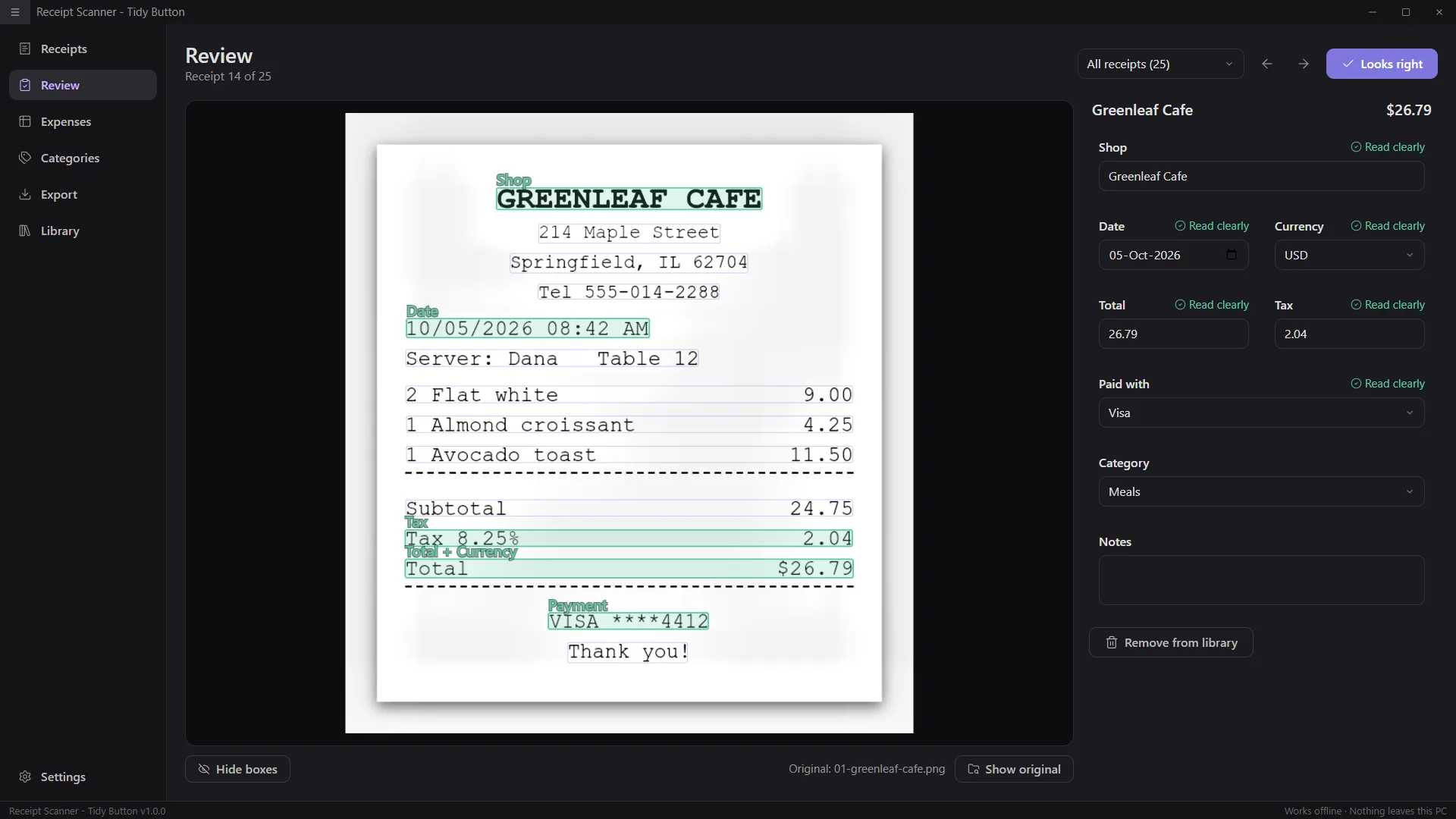
Review
Picture on the left with a box around the line each value came from, and the editable fields on the right
Needs a look
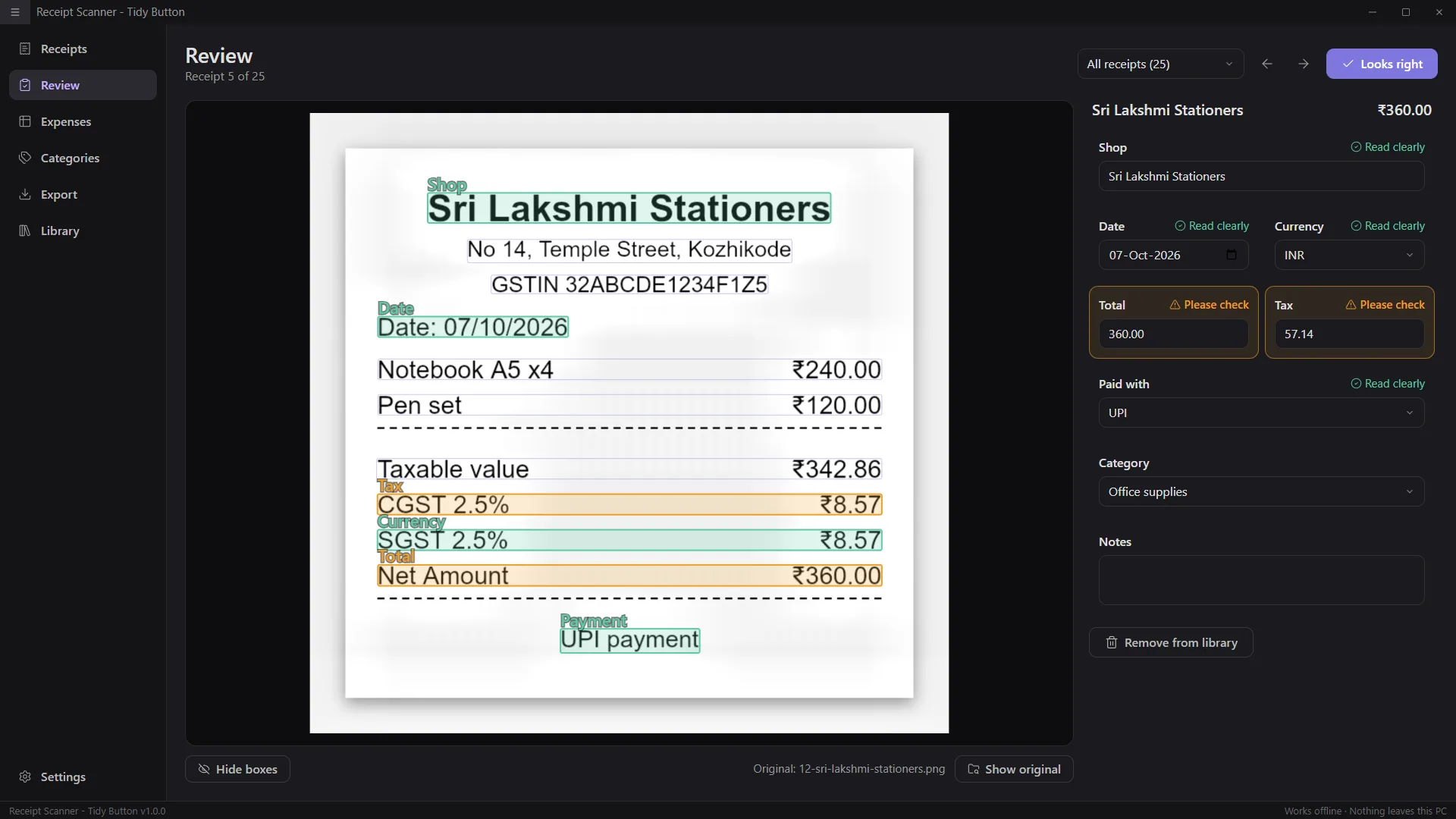
Values the reader is unsure about are highlighted in amber, so you check only what needs it
Expenses
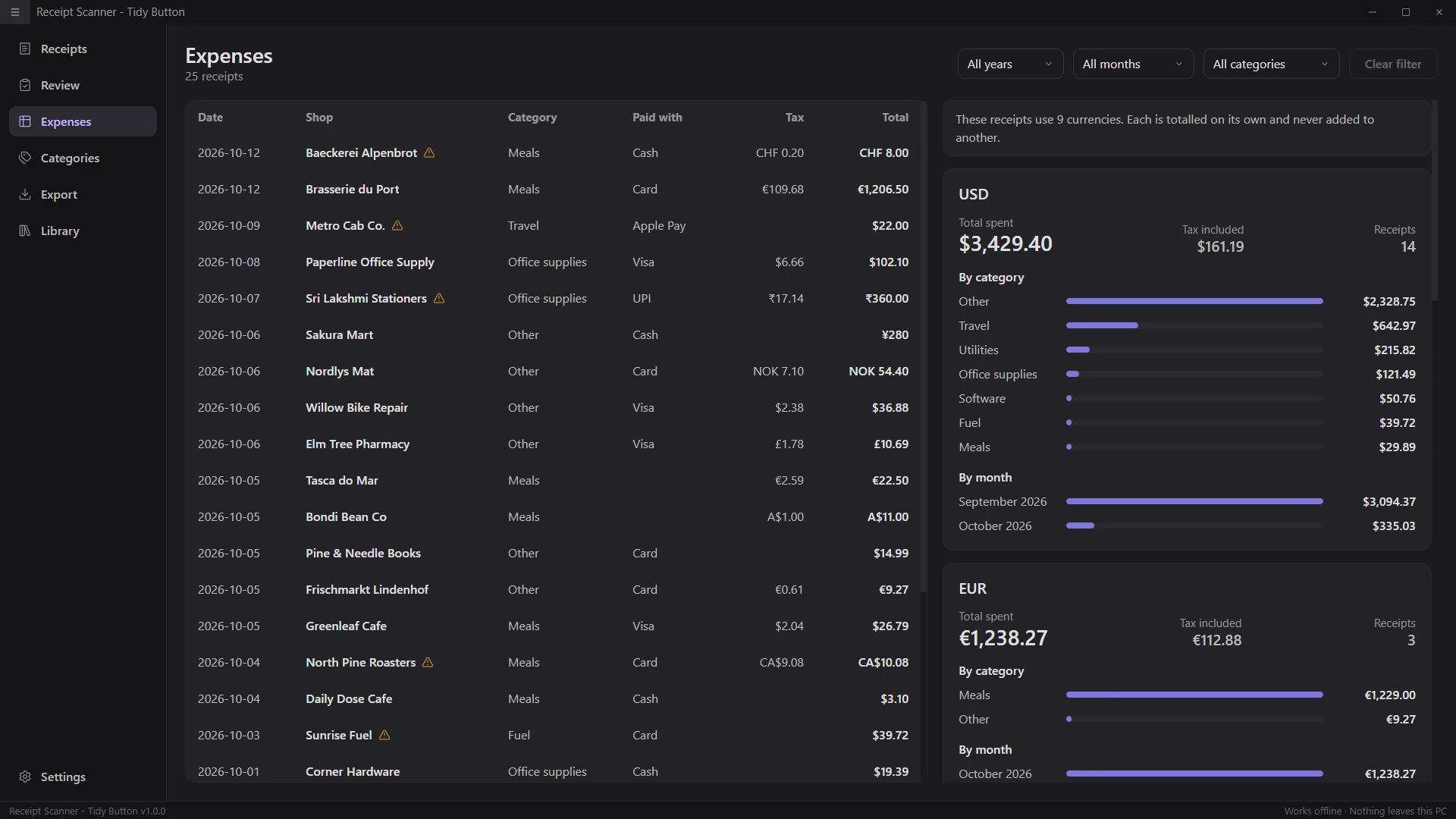
Your receipts in one table, with totals by category and by month, and each currency totalled on its own
Categories
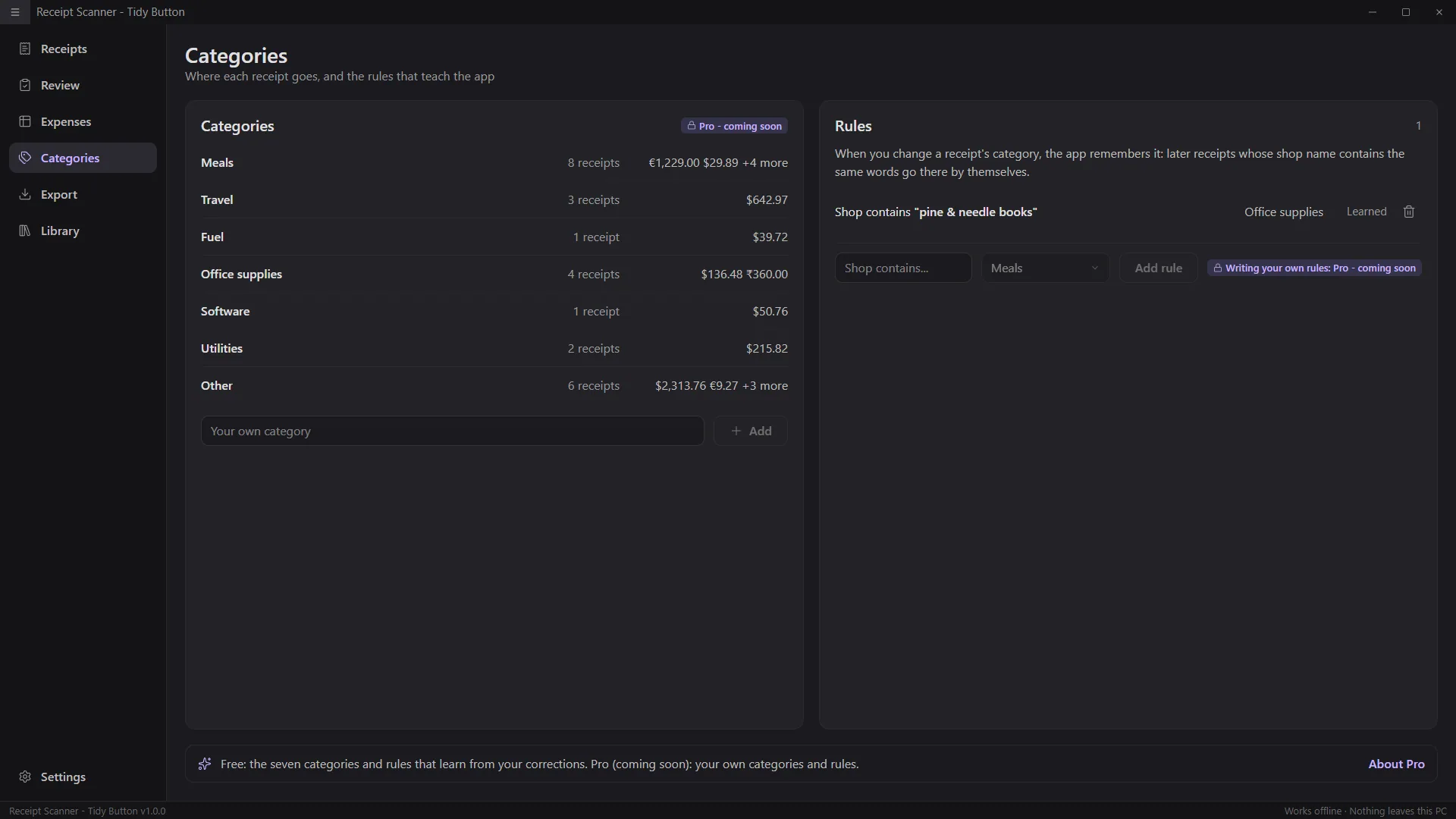
Seven starting categories. Change one on a receipt and the app learns the shop
Export
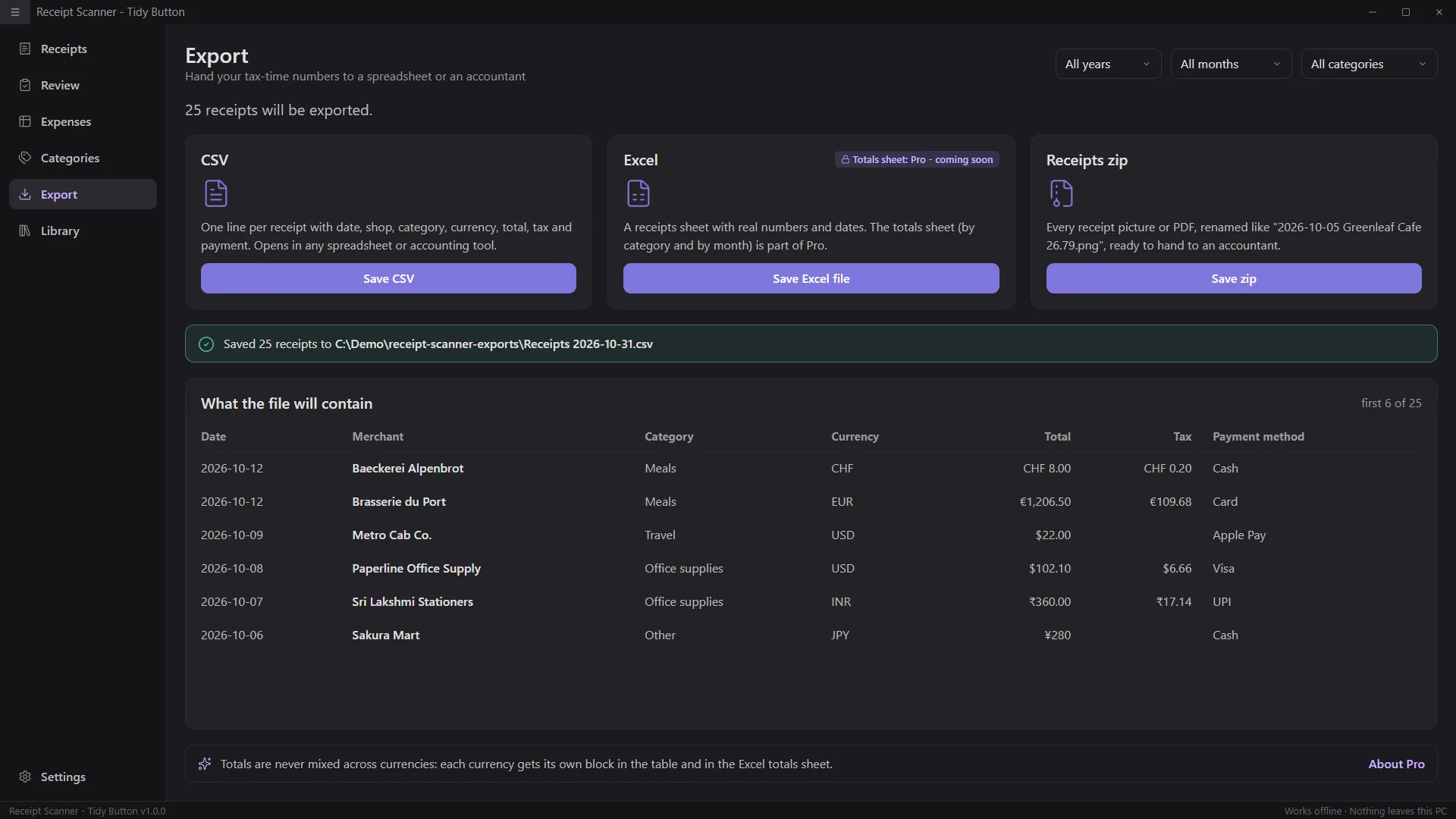
Export a CSV, an Excel file, or a zip of receipts renamed by date, shop and total
Free limit
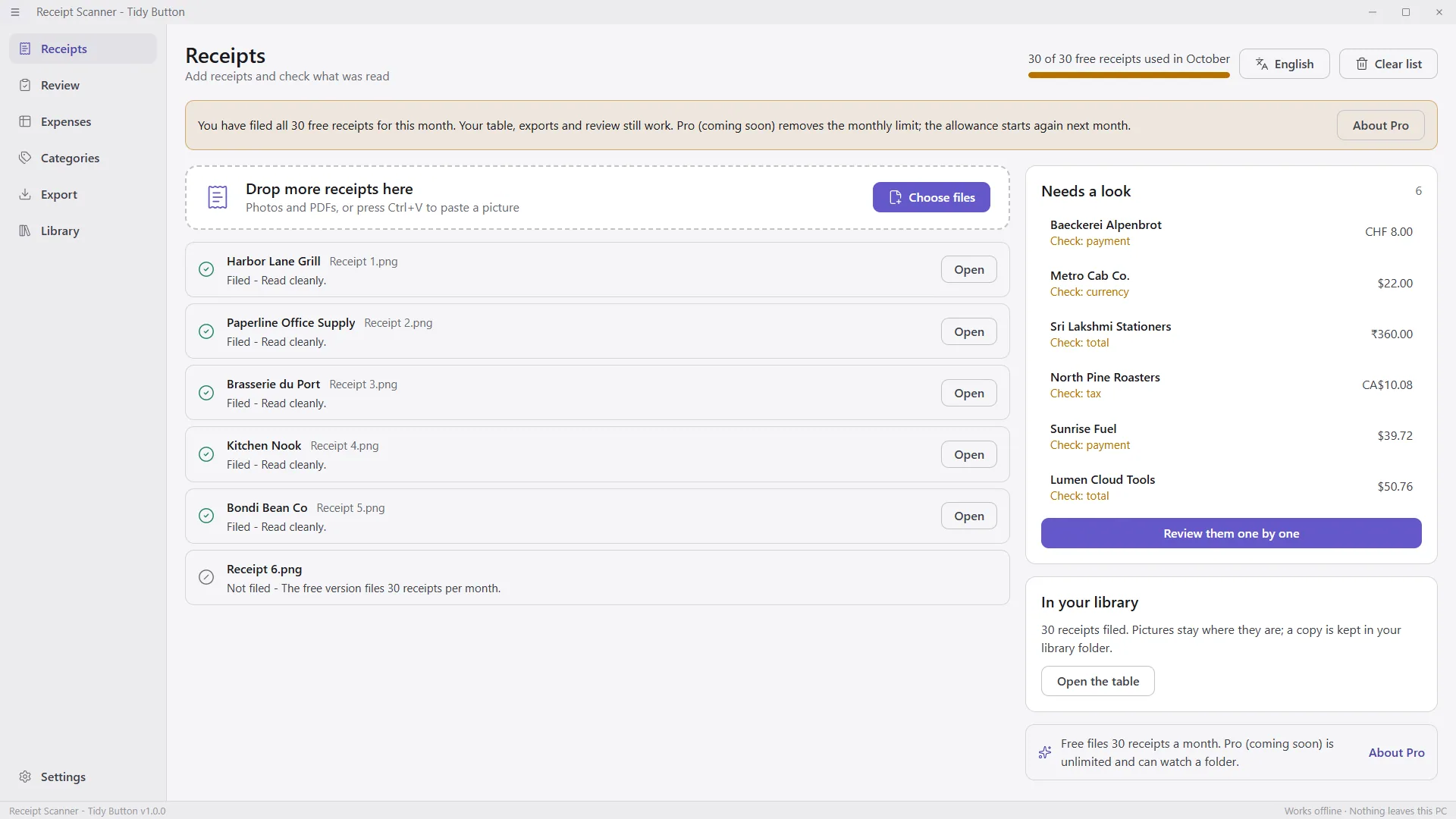
The free version files 30 receipts a month and says so plainly. The table and exports keep working
Screens show invented sample receipts. The app has light and dark themes.
What it does
What it does.
Drop the files on the window and the app straightens and cleans each picture, reads it on your PC and fills in the shop, the date, the total, the tax, the currency and how it was paid. A PDF that already has real text is used as it is. Every value shows how clearly it was read, and anything doubtful is listed under Needs a look. Your original file is linked and never changed.
Reads receipts on your PC
Shop, date, total, tax, currency and payment method come from photos and PDFs, with no upload. Receipts in English, German, French, Spanish, Italian and Portuguese are read.
Straightens and cleans
Tilted pictures are straightened and shadows evened out before reading. A PDF with real text is used directly, with no guessing.
Tells you what it is unsure about
Doubtful values are highlighted in amber and listed under Needs a look, so you check only what needs it.
Review with the source line
The picture sits on the left with a box around the line each value came from. Edit the fields on the right and use the arrow keys to move to the next receipt.
Categories that learn
Seven starting categories: meals, travel, fuel, office supplies, software, utilities and other. Correct one and the app files that shop the same way next time.
An expense table
Filter by year, month or category. Totals are shown per category and per month.
Mixed currencies stay apart
Each currency gets its own totals. They are never added together.
Export what you need
CSV, an Excel file with real numbers and dates, or a zip of your receipts renamed by date, shop and total. One click makes a backup zip of the library.
The small print, in plain English
Safe by design.
- Receipts are read on your PC and kept in a local library. Nothing is uploaded and the app makes no network requests.
- No bank connection, no account, no ads and no tracking.
- Your original files are only read. They are never changed, moved or deleted.
- Doubtful values are flagged for you to check. Review them before you rely on the totals.
Good for
Handy when tax time comes round.
- A shoebox of receipts at tax time
- Freelancers and small shops sending expenses to an accountant
- Anyone who wants receipts kept on their own PC
Questions
Plain answers.
Are my receipts uploaded?
No. They are read on your PC and kept in a local library. The app makes no network requests, and there is no account or bank connection.
How do I know a value is right?
Each value shows how clearly it was read. Doubtful ones are highlighted in amber and listed under Needs a look, and the review screen shows the picture with a box around the line each value came from.
What can I export?
A CSV file, an Excel file with real numbers and dates, or a zip of your receipts renamed by date, shop and total. You can also make a backup zip of the whole library.
What if my receipts are in different currencies?
Each currency gets its own totals. They are never added together.
Does it change my original files?
No. Originals are only read. The app keeps its own copy in its library.
Is there a limit in the free version?
The free version files 30 receipts per calendar month. A Pro add-on is planned (coming soon).
Which versions of Windows does it run on?
Windows 10 and Windows 11.